
Portfoliobox
See websitePersonal, per month, 90 kr, page shows prices in kr, not USD or EUR
Best for gallery-led portfolios, free entry tier, zero-commission selling
- Free plan
- Free plan, no time limit, no credit card
- Rubric
- 7.6 of 10
Nine portfolio builders and store platforms for painters, illustrators and photographers, with the limits of free tiers, print selling and client proofing spelled out.

IThe short answer
Portfoliobox is the best first pick for most artists as of November 2026: it has a free tier with no expiry date, more than 40 gallery layouts and 0% commission on store sales. Squarespace suits artists who want a polished portfolio and a store on one bill, with plans from $12 per month billed annually. Format suits photographers and filmmakers who send proofs to clients, with client proofing galleries and hosted video up to 120 minutes. The other six entries cover freeform layouts, print fulfillment at volume and studio operations: Best Website Platform For Artists.
9 tools compared from vendor pages on November 25, 2026. 5 publish a starting price we could read; the rest say "See website".
IITop three berths
Register order is editorial fit for the buyer each entry describes. Prices are the starting figures read on November 25, 2026.
See websitePersonal, per month, 90 kr, page shows prices in kr, not USD or EUR
Best for gallery-led portfolios, free entry tier, zero-commission selling

$12Basic, per month, billed annually
Best for polished portfolios that also need to sell

$17Light, per month, billed annually
Best for broadest template range and freeform layout control
How this page is paid for. All 9 tools here are unpaid editorial picks.
A paid listing's position can be part of what the vendor pays for. Every entry, paid or not, is scored on the same rubric and keeps its limits in print. Advertising disclosure.
IIIThe register
Starting prices as shown on each vendor's pricing page on November 25, 2026. "See website" means no figure we could confirm.
| No. | Tool | From | Free plan | Trial | Rubric | Actions |
|---|---|---|---|---|---|---|
| 01 | PortfolioboxGallery-led portfolios, free entry tier, zero-commission selling | See websitePersonal, per month, 90 kr, page shows prices in kr, not USD or EURUpdated on vendor page | Yes | No, free plan instead | 7.6 | |
| 02 | SquarespacePolished portfolios that also need to sell | $12Basic, per month, billed annuallyUpdated on vendor page | No | 14-day free trial | 7.6 | |
| 03 | WixBroadest template range and freeform layout control | $17Light, per month, billed annuallyRead on vendor page | Yes | No separate trial, 14-day money-back guarantee | 6.1 | |
| 04 |  FormatPhotographers and filmmakers who send proofs to clients | See websiteNot shown publicly | No | 14-day free trial | 7.2 | |
| 05 |  PixpaPortfolio, client galleries and store on one subscription | $4.05Basic, per month, billed 2 yearly, 55% intro discountUpdated on vendor page | No | 15-day free trial | 7.9 | |
| 06 | Adobe PortfolioDesigners and photographers already on Creative Cloud | See websiteNot shown publicly | No | No | 4.8 | |
| 07 | CargoExperimental, design-led portfolios with freeform layouts | See websiteNot shown publicly | Yes | No, free plan instead | 5.1 | |
| 08 |  SmugMugPhotographers selling prints at volume | $20.00Direct, per month, billed annuallyRead on vendor page | No | 14-day free trial | 7.5 | |
| 09 |  ZenfolioPhotography businesses needing booking and studio operations | See websiteNot shown publicly | No | See website | 6.7 |
Pinned:
IVMethod
Whether the gallery structure handles series, collections and archives rather than one flat grid.
Commission on sales, product caps and whether print fulfillment exists inside the platform.
How easy it is to find a real number, what currency it is in, and what renewal costs.
Proofing, password-protected galleries, delivery and booking for people who work to commission.
Template quality out of the box plus freedom to lay out pages the way the work needs.
VMethod
Prices in this list come from vendor pricing pages checked on November 25, 2026. Where a page would not load or returned no content, the entry says so and the recorded figure is marked unconfirmed rather than presented as current. Currencies appear exactly as the vendor displays them, with no conversion and no rounding.
Each of the nine tools was scored against five criteria. Portfolio fit (25%) asks whether the gallery structure suits series, collections and archives rather than a single grid. Selling terms (25%) covers commission, product caps and whether print fulfillment exists. Price clarity (20%) weighs how easy it is to find a real number and what the renewal costs. Client workflow (15%) covers proofing, password-protected galleries and delivery. Design control (15%) covers template quality and layout freedom.
The Featured placement in this list is a paid position and is scored with the same rubric as every other entry. It earns no adjustment in the scores, and its weaknesses are listed alongside its strengths like the rest. Placement affects where an entry appears, not how it is assessed.
One thing the scores do not capture is fit. A photographer who sends proofs and a painter who sells six originals a year need different tools, and a tool that scores well overall can still be wrong for a specific practice. The verdict and the pick or skip lines for each entry carry that judgement, which is why they are worth reading before the numbers.
Pricing was also checked against plan names and billing terms, because two vendors can quote the same monthly figure on very different commitments.
The full routine, from price reads to corrections, is on the methodology page. Paid listings follow the advertising disclosure.
Entry I of IX / Gallery layout variety
Our verdict
Strongest gallery tool here for artists who show series and sell direct, though the cheap tiers cap store products hard.
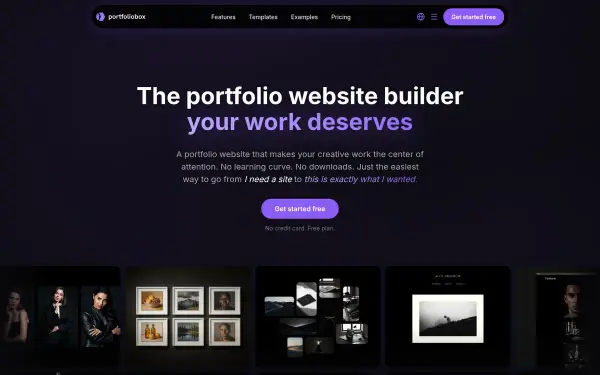
Portfoliobox is built around the gallery first and the rest of the site second. There are more than 40 gallery layouts, so a painter can run separate series, a sculptor can split public works from studies, and an illustrator can keep commercial and personal archives apart without running two sites. The page and gallery structure is arranged for exactly that kind of archive, which is why it reads as an art tool rather than a general builder with a portfolio theme attached. The catch is the free tier: 30 images and 25 pages on a platform subdomain, enough to test layouts and not much else.
The store runs at 0% commission on originals, prints and digital files. That is the strongest single line in its favor for anyone selling direct, because the platform never takes a cut of a sale. Product caps set the real ceiling. Free and Personal hold 3 products, while Professional lifts the cap to 1,000. An artist with a print catalogue needs Professional before the store works as a catalogue rather than a sample.
Pricing is on the vendor site, and the page now shows prices in kr only, with Personal as the cheapest paid tier at 90 kr per month. Buyers outside Scandinavia have to convert to compare against dollar-priced rivals, which is friction at exactly the wrong moment. The Professional tier is $15.90 per month billed yearly and lifts the store to 1,000 products. A free domain for the first year is included on eligible extensions.
An AI assistant edits the site from written instructions, which shortens setup for artists who would rather describe a change than hunt through settings. The company states 15 years of operation and roughly 25,000 paying creatives. Buyers who need contracts, invoicing or a booking calendar will still need another tool.
You want a free start with gallery layouts built for series and you sell a small number of originals.
You need a large print catalogue on a low tier or want prices in dollars shown up front.
Entry II of IX / Design out of the box

Our verdict
The safest all-round choice for a polished portfolio that sells, as long as you do not need client proofing.
Squarespace is the pick when the site has to look finished without a designer. The portfolio templates control typography and image spacing closely, so a photographer or painter can drop work in and get coherent pages rather than a stack of mismatched blocks. A style and layout editor adds per-page design controls on top of that, which is enough adjustment for most artists and not so much that every page becomes a project.
It is a general-purpose builder, but the commerce side is real. Prints, originals and commissions can all be sold through the built-in store, hosting and SSL are included on every plan, and annual plans include a free custom domain for the first year. Scheduling and email marketing sit on the same bill, which removes two small subscriptions from the stack, and keeping the site, store and marketing in one place is the practical benefit.
Pricing starts at $12 per month on the Basic plan, billed annually. That is the lowest paid entry point recorded here after Pixpa's promotional rate, and it buys a finished-looking site rather than a project. The trade is the trial: 14 days, no free plan, a short window for anyone comparing nine tools while waiting for a body of work to be photographed.
The gaps are specific rather than vague. There is no client proofing and no watermarking workflow, and no print lab integration, so a photographer who sends selections to clients or routes orders to a lab needs separate software for those steps. Artists selling a handful of prints a year will not care. Those running a print business will feel it on the first order.
You want a design-led portfolio and a working store without stitching two subscriptions together.
You send proofing galleries to clients or need orders routed straight to a print lab.
Entry III of IX / Template breadth

Our verdict
The widest template range and the most layout freedom, at the cost of consistency and a template you cannot change later.
Wix wins on range. The template library runs past 2,000 designs including art-focused layouts, the drag-and-drop editor lets you place any element anywhere on the page, and an AI site generator produces a first draft if a blank canvas is the problem. That freedom suits an artist with a clear idea of how the site should look and the patience to build it, and it frustrates anyone who wants the software to make the design decisions.
The free plan is the practical starting point: no credit card, build the portfolio, then decide. It keeps platform branding and a platform subdomain, so it is a workshop rather than a shopfront. Blog, store and commission booking apps cover the functions most artists need, and the About and contact pages can be laid out however you like, which matters more than it sounds when the work needs room.
The Light plan is $17 per month billed annually, the price recorded in this comparison. There is no separate trial, only a 14-day money-back guarantee, so the free plan carries the whole evaluation. That is workable but slower than a trial with a deadline, and it means a real site is built before any money changes hands.
The known cost of all that freedom is consistency. Templates cannot be swapped after publishing without rebuilding the site, so pick one before any content goes in. Unrestrained layouts drift toward clutter, and the editor asks for design judgement on every page. Artists who want guardrails will prefer a portfolio-first tool. Artists who want to assemble something distinctive will not mind the work.
You want maximum layout freedom and a free plan to build on before paying.
You want a template you can change later or you need a consistent look without design work.
Entry IV of IX / Client proofing built in
Our verdict
The clearest fit for photographers and filmmakers who exchange selections with clients, provided you accept a trial-only start.
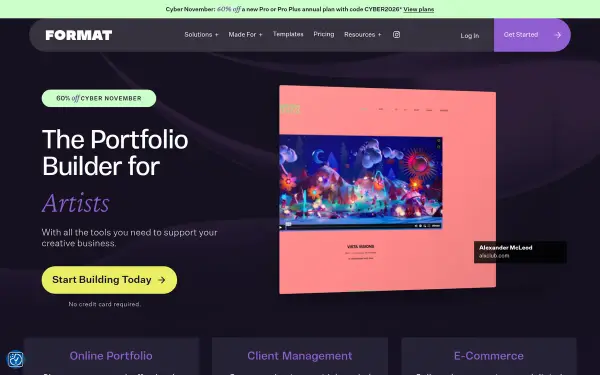
Format is scoped to visual creatives who hand work to clients. More than 90 portfolio themes cover photographers and filmmakers, and every plan includes client proofing galleries with favorites and selection approval, so the conversation about which frames make the cut happens inside the platform rather than in an email thread with attachments. Branded file delivery replaces third-party transfer links, which keeps the client experience on your domain.
Hosted video runs to 120 minutes without embeds, which matters for a filmmaker who wants work to play on the site itself rather than through a video service. The store runs at zero commission, so print and file sales keep the full margin. Theme switching keeps site content intact, so a redesign does not mean rebuilding every page.
There is no free plan, only a 14-day trial. Pricing is on the vendor site, and the pricing page returned no content when checked on November 25, 2026, so the recorded figure could not be confirmed. The notes describe a per-month price on annual billing for the Basic tier. Verify it directly before you commit, because a trial that short leaves little room for surprises at checkout.
Beyond portfolio work the product thins out. Blogging and business tooling are limited, and it is weak as a general website, so an artist who needs a shop, a blog and a booking calendar in one place should look at the broader builders here. Photographers and filmmakers who mainly need to show work and get selections back will find the workflow matched closely to how they already operate, which is the reason to choose it.
You send proofing galleries to clients and want delivery and video on the same platform.
You need a blog, a booking calendar or a full business suite in one place.
Entry V of IX / One bill, no commission
Our verdict
Best consolidation play for photographers paying separately for a portfolio, a gallery service and a store.
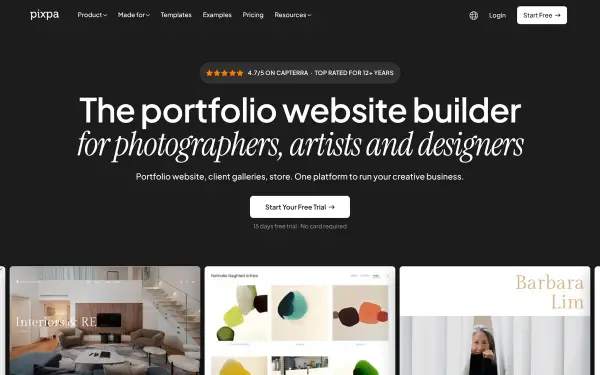
Pixpa puts four jobs on one subscription: portfolio, client galleries, blog and store. For a photographer paying separately for a portfolio site, a gallery delivery service and a shop, that consolidation is the whole argument, and the arithmetic usually works in its favor. One login, one renewal, one place where the files live.
Client galleries are password protected and include proofing, so selections happen in the same place the work is delivered. The store charges zero commission on sales on every plan, and print and digital products are both supported. More than 200 designer-made templates cover the layout side, fewer than the large general builders offer and enough for most portfolio structures. Support has a good reputation among the photographers the product targets.
Pricing starts at $4.05 per month on the Basic plan, billed two yearly with a 55% intro discount. That is a promotional number and the recorded annual figure was $5.40, so budget for the renewal rather than the headline. A 15-day trial is available and there is no free plan, which makes the trial the only chance to check whether the galleries handle your file sizes and structure.
Two gaps show up in daily use. There is no native booking and no contract signing, so anyone taking commissions or shoots needs another tool for scheduling and paperwork. There is no email marketing either. Buyers who already have those pieces will not mind. Buyers expecting one platform to run the business end to end will notice the edges quickly, and should weigh whether the savings on three subscriptions survive paying for the missing two.
You want to collapse a portfolio, a gallery service and a store into one subscription.
You need booking, contracts or email marketing inside the same platform.
Entry VI of IX / Creative Cloud bundle
Our verdict
Free for existing Creative Cloud subscribers and clean for showing work, but it cannot sell and it stops if you stop paying.
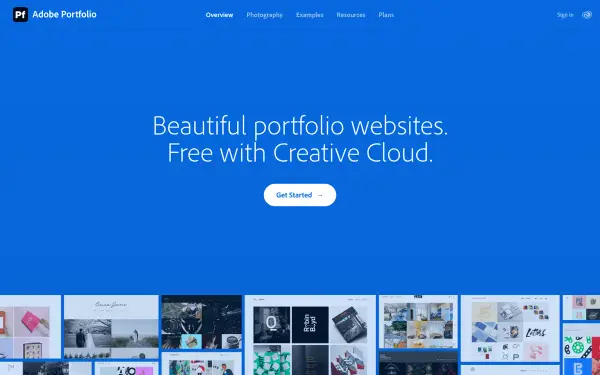
Adobe Portfolio is the cheapest option here for one group of people: anyone already paying for Creative Cloud. It comes bundled with every paid subscription, so the marginal cost of the site is nothing, and up to five portfolio sites are allowed per subscription. Custom domains are supported on published sites, and password-protected pages handle private links and unpublished work.
The integrations are the reason to use it rather than a standalone builder. A Lightroom library syncs directly, so edited images flow to the site without export gymnastics, and Behance projects can be imported rather than rebuilt page by page. The themes are minimal and keep attention on the images, which is the right instinct for a showcase and the wrong one for anyone who wants the site itself to make a statement.
There is no standalone pricing page. The entry point quoted in this comparison is the Lightroom Creative Cloud plan, so the cost is zero only for people already paying Adobe. The site goes offline if the subscription lapses, which is worth stating plainly for anyone treating Adobe Portfolio as a permanent home for their archive.
The limits are firm. There is no ecommerce and no meaningful blog, so selling prints or writing about process needs a different platform entirely. The theme selection is small and dated next to the design-led builders in this list. Designers and photographers inside the Adobe ecosystem get a clean showcase for nothing extra, and everyone else should look at the paid options before assuming the bundle is a bargain.
You already pay for Creative Cloud and need a clean showcase with a custom domain.
You sell work, want a blog, or might stop paying for Adobe at some point.
Entry VII of IX / Freeform layout canvas
Our verdict
The most expressive layout tool in the list, with no selling layer and a learning curve that filters out casual users.
Cargo is for artists who treat the page as a composition. The freeform editor allows overlapping elements and deliberately broken grids, so a layout can be built the way a print is built rather than snapped to a template. Direct HTML and CSS access means a custom build is possible without leaving the platform, and layout building here behaves like a canvas rather than a grid system.
The free plan is limited to 3 pages and carries platform branding, enough to test the editor and not enough for a working portfolio. Cargo Plus adds unlimited pages, a custom domain and removes the branding. It runs $13 per month or $99 per year according to the notes here, though no pricing page was reachable to confirm the figure, so verify before committing to a year.
The curated community sites are useful in a practical way. They show what the freeform approach looks like when someone with a clear idea uses it, which is a better guide than any feature list, and they set an honest expectation about how much design work the platform assumes you will do yourself.
The learning curve is real. Artists expecting to pick a theme and upload images will find the editor demanding, and the freedom rewards people with typographic judgement. There is no ecommerce and no client proofing, so selling work requires an external store and commercial use means stitching Cargo to something else. Experimental portfolios, lookbooks and personal sites are the fit, and a painter with forty works and a print shop should go elsewhere.
Your practice is design-led and you want a page that behaves like a canvas rather than a template.
You need to sell work, send proofs, or build a site in an afternoon.
Entry VIII of IX / Print fulfillment engine
Our verdict
The deepest print-selling infrastructure here, priced highest up front and let down by dated site templates.
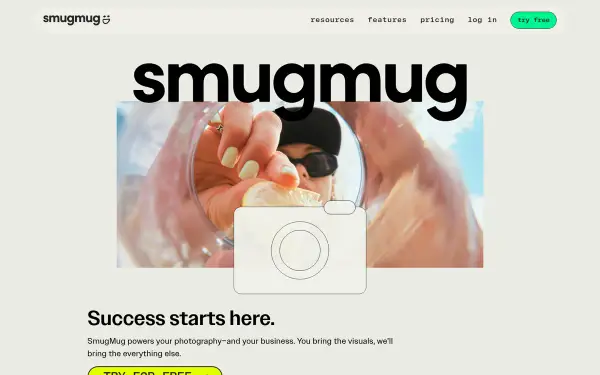
SmugMug is a print business with a website attached. Every plan includes unlimited photo and video storage, print lab fulfillment sits inside the store, and per-product profit margins are set by the photographer, so pricing a print is a decision rather than a fixed markup. Coupon codes and promotional pricing support the kind of campaigns a working print business runs through the year, and privacy controls handle galleries and downloads.
Lightroom integration moves edits across, archive handling keeps large libraries manageable, and the platform has served photographers for roughly two decades. The depth shows in the fulfillment plumbing rather than in the design, which is the honest way to describe a tool built by people who care about orders and shipping. Selling features start above the entry plan, so the plan comparison is really a comparison of store tiers.
Pricing starts at $20.00 per month on the Direct plan, billed annually, the highest entry price in this comparison. That figure buys storage and a site, not selling. Selling requires the Portfolio tier or higher, so the effective cost for a working print business sits above the headline number, and the budget should reflect the tier you actually need rather than the one on the pricing banner.
The trade is design. Templates feel dated against the modern builders here, and an artist selling sculpture or painting will find the visual language geared to photography. But an illustrator who moves prints at volume, or a photographer running seasonal promotions and lab orders, gets infrastructure that generic site builders do not attempt at any price.
You sell prints at volume and want lab fulfillment, margins and promos in one place.
You mainly show work, need modern templates, or sell only a few pieces a year.
Entry IX of IX / Studio operations suite
Our verdict
A studio operations package more than a portfolio site, best for photographers juggling bookings, clients and volume shoots.
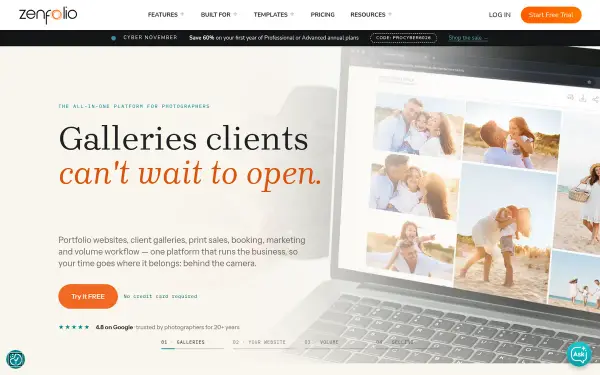
Zenfolio sells itself as a photography business package rather than a portfolio builder. Booking and scheduling tools, automated marketing campaigns, studio management features and reminders sit alongside client galleries with proofing and print sales through the store. The volume photography workflows for school and sports shoots are a specific niche that general builders ignore entirely, and they are the clearest signal of who the product is for.
For a photographer running multiple shoots, that combination replaces three or four separate subscriptions. Galleries handle delivery and selection, marketing automation handles follow-up, booking handles the calendar. The trade is that the best business features sit on higher tiers, so the entry plan shows the shape of the product without the parts that justify it, and the comparison has to be made at the tier you would actually run.
There is no free plan and the trial length is not stated, so the evaluation has to be planned rather than open-ended. Pricing is on the vendor site; the pricing page returned no content when checked on November 25, 2026, so the recorded Portfolio figure could not be confirmed and should be verified before you commit.
Design is the weak point. Templates are plainer than the design-led competitors in this list, and an artist whose work needs a gallery-like presentation will feel the constraint on the first page they build. The company cites two decades in the photography market, which matters if longevity in a business-critical tool is part of your decision. Portfolio-first artists should look elsewhere. Working studios with bookings, clients and volume shoots are the fit.
You run a photography business with bookings and want operations tooling alongside the galleries.
You are a painter or illustrator who mainly needs a beautiful portfolio and a small store.
VIBackground
An artist website platform is software that hosts and structures a body of work, and in most cases sells it. That second job is what separates the category from a general website builder: a gallery needs series, collections and archives rather than a blog with pictures attached, and a store needs print sizes, shipping and fulfillment rather than a cart bolted on.
The tools here fall into four broad groups.
The practical difference shows up in what each platform assumes about your work. A tool built for photographers assumes hundreds of images, client selections and print orders. A tool built for painters assumes a few dozen works, series that change slowly, and buyers who want to see scale and medium. A general builder assumes nothing and helps with nothing in particular.
Most artists end up with two problems to solve: showing work well and getting paid for it. Some platforms solve both. Portfoliobox, Squarespace and Pixpa each carry a store alongside the portfolio, with different commission terms and product caps. Others solve one. Cargo and Adobe Portfolio are showcase tools with no selling layer, so a store has to live elsewhere.
The other decisions are structural. Whether the site stays online if a subscription lapses, whether templates can be changed without rebuilding, and whether client proofing exists at all matter more over three years than the difference between two monthly prices. Those are the questions the reviews answer tool by tool.
This comparison sits in the software register. Further along the shore: Maze alternatives and ticket sales platform.
VIIPricing
Artist website platforms bill in five recognizable shapes, and the shape matters more than the headline figure. Two vendors can quote the same monthly number on very different commitments, which is why the table below is sorted by model rather than by price.
| Model | How it bills | Typical fit | Example from this list |
|---|---|---|---|
| Free tier with caps | No payment, platform subdomain, hard limits | Testing layouts before paying | Portfoliobox, 30 images and 25 pages |
| Annual subscription | Monthly price billed yearly | Artists ready to publish | Squarespace, $12 per month billed annually |
| Two-year promotional | Discounted rate on a longer term | Cost-sensitive buyers who will stay | Pixpa, $4.05 per month billed 2 yearly |
| Bundle with software | No separate site bill | People already paying for the suite | Adobe Portfolio with Creative Cloud |
| Tiered by business features | Higher tiers unlock selling or volume | Working studios and print sellers | SmugMug, selling from the Portfolio tier up |
Commission is the second variable. Portfoliobox, Format and Pixpa take nothing on sales, which changes the arithmetic for anyone moving prints at volume. A slightly higher subscription with zero commission beats a cheap plan with a cut once sales pass a modest level.
Caps matter as much as commission. Portfoliobox product limits of 3 on Free and Personal mean a catalogue needs the Professional tier, and SmugMug requires the Portfolio tier before selling is available at all. Zenfolio pushes its fuller business toolset to tiers above entry in the same way.
Finally, currency and display. Portfoliobox shows prices in kr only, SmugMug quotes dollars with cents, and four tools in this list have no reachable pricing page. Where a figure could not be confirmed, this list says so rather than presenting it as current.
Each entry card shows the starting price as it appeared on the vendor's own pricing page on November 25, 2026. When a vendor shows no figure we could confirm, or only a promotional rate, the card says "See website" or gives the regular price instead of a guess. Usage, overage and add-on rates in the text change more often than plan prices, so confirm them on the vendor page before you set a budget. To test the numbers against your own volume, try the free User Research Budget Planner. The Event Break-Even Calculator is a second way to check the same decision.
VIIIDecision
Write down what the site must do. Three functions at most: show the work, take money, manage clients. Anything beyond that list is a feature you are paying for and may not use within a year.
Check selling terms before design. Commission, product caps and whether print fulfillment exists decide whether the store works. Portfoliobox caps Free and Personal at 3 products, and SmugMug needs Portfolio or higher to sell at all.
Test with your own images. Use the free tier or trial to upload a real series, not a placeholder. Portfoliobox allows 30 images on Free, Pixpa gives 15 days, Format and Squarespace give 14 days, so the test has a hard edge.
Confirm the renewal price, not the promo. Pixpa leads with $4.05 per month on two-yearly billing with a 55% intro discount, and annual figures differ. Ask what the second year costs before committing to a term.
Check what happens if you stop paying. Adobe Portfolio goes offline if Creative Cloud lapses, and Wix templates cannot be swapped after publishing without a rebuild. Both change how permanent the site really is.
Match client workflow to your practice. Photographers who send selections need proofing: Format and Pixpa include it, Squarespace and Wix do not. Painters selling six originals a year can skip that requirement entirely.
IXPitfalls
Assuming a free plan can carry a live portfolio. Portfoliobox caps free at 30 images and 25 pages, Cargo at 3 pages, and Wix keeps platform branding and a platform subdomain. Free is for testing layouts.
Reading the promo price as the price. Pixpa's $4.05 is a 55% intro discount on two-yearly billing, and the recorded annual figure was $5.40. Renewal cost is the number that matters.
Choosing a template you cannot change. Wix templates cannot be swapped after publishing without rebuilding the site, so the decision is effectively permanent once content is live.
Expecting proofing from a general builder. Squarespace and Wix have no client proofing or watermarking workflow, and SmugMug and Zenfolio put selling and business features on higher tiers. Read the tier table, not the feature page.
Paying for storage you will never fill. SmugMug's unlimited storage is essential for a photographer with a large archive and irrelevant for a painter with a few dozen works. Buy the tier that matches your library.
XQuestions
Squarespace and Wix both work. Squarespace pairs curated portfolio templates with a built-in store for prints, originals and commissions, hosting and SSL on every plan, and a free custom domain for the first year on annual plans, from $12 per month billed annually. Wix offers more than 2,000 templates, a free plan to build on, and store and booking apps, from $17 per month billed annually on Light. Neither includes client proofing.
Yes, as a starting point rather than a home. Portfoliobox keeps a free plan with no time limit and no credit card, capped at 30 images and 25 pages on a platform subdomain, with store product caps of 3. Wix has a free plan that keeps platform branding. Cargo's free plan allows 3 pages. None of them removes branding or gives you a custom domain without paying.
A personal site is the archive and the shop; a social profile is the audience. A site lets you sequence works into series, control scale and page order, publish a statement, and sell prints without commission on tools like Portfoliobox, Format and Pixpa. Instagram gives reach and no control over cropping, ordering or how long a post stays visible. Most artists run both, sending social traffic to the site.
Format and Pixpa handle proofing and selling in one place. Format includes client proofing with favorites and selection approval on every plan, plus branded delivery, hosted video and a zero-commission store. Pixpa bundles password-protected client galleries with proofing, a store at zero commission, a blog and a portfolio for one subscription. SmugMug goes further on print fulfillment with lab integration, profit margins and coupons, at $20.00 per month billed annually.
Portfoliobox, Format and Pixpa all avoid a platform commission on sales. Portfoliobox charges 0% on originals, prints and digital files, Format and Pixpa also run zero-commission stores on every plan, and SmugMug lets you set per-product profit margins while print labs handle fulfillment. Commission is only one cost: product caps, subscription tiers and payment processing sit alongside it, so compare the total rather than the headline percentage.
Aim for 10 to 20 pieces, split into series of 5 to 8 works, with the strongest piece first in each set. Galleries reward sequencing more than volume, and Portfoliobox's 40+ layouts or Cargo's freeform pages both work best when the edit is ruthless. Keep extra works in an archive section rather than on the main page, and swap pieces as a series develops.
XIFurther along the shore
Vendors can ask for a correction or apply for a Featured listing. Paid or not, the entry is scored on the same rubric and its limits stay in print. Partner with Umberlake.
Free tools
Our free browser tools turn the prices on this page into a figure for your own volume. Nothing you type leaves your device.