
CLO
Individual $50 per monthbilled monthly; students pay half
Best for 3D garment design and digital sampling
- Free plan
- No, free trial only
- Rubric
- 8.1 of 10
Nine tools, from pattern-first CAD to AI image studios, compared for fit, simulation, production depth, and price as of November 2026.
IThe short answer
CLO is a strong pick for 3D garment design and digital sampling, Marvelous Designer is a fast route to realistic cloth for games, film, and animation, and The New Black AI suits teams that want AI fashion visuals, try-on, and tech packs from prompts or sketches. Prices and plan details were checked on November 25, 2026. The order below is editorial: each entry is placed for the buyer it fits, with the Featured listing marked and scored on the same rubric as every other tool: Best 3d Fashion Design Software.
9 tools compared from vendor pages on November 25, 2026. 3 publish a starting price we could read; the rest say "See website".
IITop three berths
Register order is editorial fit for the buyer each entry describes. Prices are the starting figures read on November 25, 2026.
Individual $50 per monthbilled monthly; students pay half
Best for 3D garment design and digital sampling

Individual $23.30 per monthbilled annually
Best for realistic cloth for games, film, and animation

Starter $15 per monthfirst month discounted
Best for aI fashion design from a prompt or sketch
How this page is paid for. The New Black AI pays for a Featured listing in this comparison, and the Featured label sits on it wherever it appears. The other 8 tools are unpaid editorial picks. No vendor saw this page before it was published.
A paid listing's position can be part of what the vendor pays for. Every entry, paid or not, is scored on the same rubric and keeps its limits in print. Advertising disclosure.
IIIThe register
Starting prices as shown on each vendor's pricing page on November 25, 2026. "See website" means no figure we could confirm.
| No. | Tool | From | Free plan | Trial | Rubric | Actions |
|---|---|---|---|---|---|---|
| 01 | CLO3D garment design and digital sampling | Individual $50 per monthbilled monthly; students pay halfUpdated on vendor page | No | Free trial | 8.1 | |
| 02 | Marvelous Designerrealistic cloth for games, film, and animation | Individual $23.30 per monthbilled annuallyUpdated on vendor page | No | 2-week free trial | 7.6 | |
| 03 | The New Black AIFeaturedAI fashion design from a prompt or sketch | Starter $15 per monthfirst month discountedUpdated on vendor page | Yes | Free credits to start | 5.9 | |
| 04 |  Browzwearbrands digitizing the full product workflow | See websiteNot shown publicly | No | Demo only | 7.6 | |
| 05 |  Style3DAI-assisted design and fast e-commerce visuals | See websiteNot shown publicly | No | Demo only | 7.1 | |
| 06 |  Optitexpattern engineering with 3D visualization | See websiteNot shown publicly | No | Demo only | 6.4 | |
| 07 | Lectralarge manufacturers and cutting rooms | See websiteNot shown publicly | No | Demo only | 6.5 | |
| 08 | Tukatechaffordable pattern CAD for small businesses | See websiteNot shown publicly | No | Free trial | 6.4 | |
| 09 |  Audacesfashion businesses wanting one connected system | See websiteNot shown publicly | No | Demo only | 6.4 |
Pinned:
IVMethod
Depth of garment creation, cloth behavior, and visual realism for fashion development.
Strength in pattern drafting, grading, marker making, and factory-ready outputs.
Quality of renders, try-on visuals, and marketing assets a team can publish.
Review workflows, shared libraries, PLM or ERP links, and store connections.
How transparent the price is and how well the plan fits the buyer described.
VMethod
I built this list for buyers who need to choose a 3D fashion design tool, not for readers who want a directory. The five criteria above are the same for every entry: design and simulation depth, pattern and production strength, visual output, collaboration and integrations, and pricing fit. I weighted design and simulation highest because garment drape and fit are the core reason teams move from flat sketches to 3D. Pattern and production and visual output each carry 20 percent because some buyers need factory files while others need campaign images. Pricing fit carries 20 percent because a low monthly plan can matter more to a freelancer than a broad enterprise suite.
Prices, plans, trials, and free-plan facts come from vendor pricing pages checked on November 25, 2026. Where a pricing page could not be fetched, I say pricing is unconfirmed and do not estimate a number. Features, limits and positioning come from vendor product and pricing pages. I did not invent customer counts or quotes.
The order is editorial. Each tool is placed for the buyer it fits best, and the Featured listing is a paid placement. I scored the Featured tool with the same five criteria and included honest cons. A high score on simulation does not make a tool right for every buyer; a pattern-first factory and a solo designer should read different entries first.
The full routine, from price reads to corrections, is on the methodology page. Paid listings follow the advertising disclosure.
Entry I of IX / Cloth and sampling
Our verdict
Best for end-to-end 3D garment design and digital sampling, with strong rendering and a large asset library.
CLO sits at the design end of 3D fashion: a pattern becomes a sewn garment on an avatar and a render useful for sampling review. You can draft or import 2D patterns, sew virtually, tune cloth drape, and use customizable avatars to check proportion and fit. Its official asset library has more than 2,000 items, and rendering tools produce high-resolution images that can replace some photo shoots or physical samples. The vendor states more than 8 million designers use the platform.
Production CAD is the weak spot. CLO is design-first, so pattern tools are weaker than dedicated CAD for grading and marker making. Freelancers should watch subscription cost: Individual is $50 per month, students pay $25 per month, and yearly billing saves 25 percent. Enterprise deals are quote-based. For a designer who needs garment visuals, fit checks, and digital sampling, those limits are often acceptable. For a factory that needs marker nesting and production files, they are not.
It fits fashion designers, small brands, and product teams that want credible 3D sampling without a full manufacturing suite. Pick it when garment design and digital sampling are central, not when cutting-room output is the main requirement. A free trial tests simulation quality and avatar fit.
You need garment design, fit checks, and digital sampling in one accessible 3D workflow.
Your priority is high-volume grading, marker making, and cutting-room output.
Entry II of IX / Cloth realism
Our verdict
Best for realistic cloth in games, film, and animation, with fast draping but limited fashion production tools.
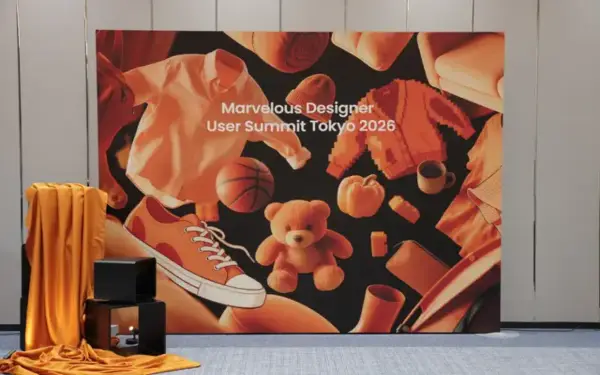
Marvelous Designer is the cloth specialist. You drape and sculpt garments directly on a 3D character, then push the cloth until folds, tension, and silhouette look believable for a game, film, or animation shot. The avatar dressing workflow is built for costume work, and simulation quality is why studios keep it in the pipeline. The 2026.1 release was current, and it shares cloth-simulation technology with CLO under CLO Virtual Fashion.
Fashion production is where it thins out. Pattern tools are basic compared with fashion CAD, and grading, tech packs, and marker making get limited support. A pattern maker who needs a graded size run or factory-ready files will feel the gap. A character artist who needs a costume to move convincingly on screen will not. Pricing is subscription-based, with Individual at $23.30 per month billed annually and a two-week free trial. A student plan is cheaper but requires verified eligibility.
It fits game studios, animation teams, and costume designers who need believable cloth. It also serves fashion designers exploring drape before a pattern tool. Pick it for visual realism and speed over production documentation. Skip it if you need a full fashion CAD stack with grading, tech packs, and marker making.
You need realistic digital costumes and cloth for games, film, or animation.
You need graded patterns, tech packs, and marker making as core outputs.
Entry III of IX / AI visuals
Our verdict
Best for AI fashion visuals from prompts or sketches, including try-on and tech packs, but not pattern-making CAD.
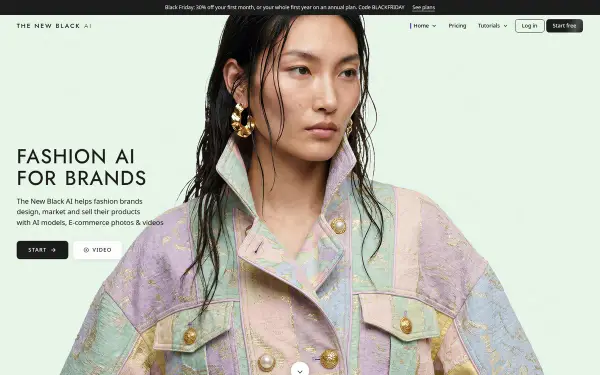
The New Black AI is not a pattern-making tool. It is an AI studio for fashion visuals: it turns product shots into on-model photos, runs AI virtual try-on, generates design ideas from prompts or sketches, and produces fashion videos and ad creatives. It can also generate tech packs from designs. A Shopify app publishes visuals directly to a store, moving output from concept to product page without a separate handoff.
Pricing starts with free credits, then moves to credit-based monthly plans. Starter lists at $15 per month, with a temporary Black Friday first month at $10.50. Usage is roughly 1 credit per image and 10 credits per video, so video-heavy testing can burn through credits quickly. That credit model is the main cost risk. The tool cannot replace CLO or Optitex for fit, cloth simulation, grading, or marker making. Free credits are not a permanent free plan.
It fits small brands, e-commerce teams, and designers needing on-model images, try-on visuals, and ad creative. It suits teams that want a visual or tech pack draft before a 3D garment workflow. Pick it for visual content and AI ideation, not technical garment engineering. Skip it if you need pattern drafting, cloth physics, or factory files.
You need AI fashion visuals, try-on images, and tech packs from prompts or sketches.
You need pattern drafting, cloth simulation, grading, or factory files.
Entry IV of IX / Fit validation
Our verdict
Best for brands that need to digitize design through production, with strong fit tools and enterprise integrations.
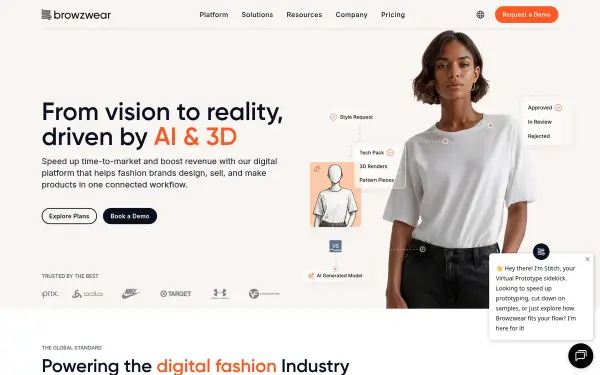
Browzwear covers more of the product workflow than a pure design tool. VStitcher handles 3D garment creation and physics-based cloth simulation, Lotta gives less technical users lighter authoring, and Stylezone supports collaboration and review. Fit validation and factory-ready tech packs push output toward production, while PLM and ERP integrations connect 3D work to existing systems. It is built around team review, not one-person experimentation.
The trade-off is sales and cost. Browzwear uses an enterprise sales process, and no public self-serve pricing was available. That is not a flaw for a brand with procurement, but it is a barrier for a solo designer who wants to swipe a card. The platform can be overkill for a small studio that only needs garment renders. Large brands use it, including Nike, Walmart, and Target, which signals production credibility but not a low entry point. A demo is the only way to see real cost and scope.
It fits mid-size to large brands, manufacturers, and product teams wanting design, fit validation, collaboration, and production handoff. It suits teams with PLM or ERP and cross-department review. Pick it for full product workflow through demo and quote. Skip it if you need transparent self-serve pricing or low-cost solo plan.
You are digitizing a full product workflow and can work through a demo and quote.
You need transparent self-serve pricing or a low-cost solo plan.
Entry V of IX / E-commerce renders
Our verdict
Best for AI-assisted design and fast e-commerce visuals, with strong simulation but a newer, quote-based ecosystem.
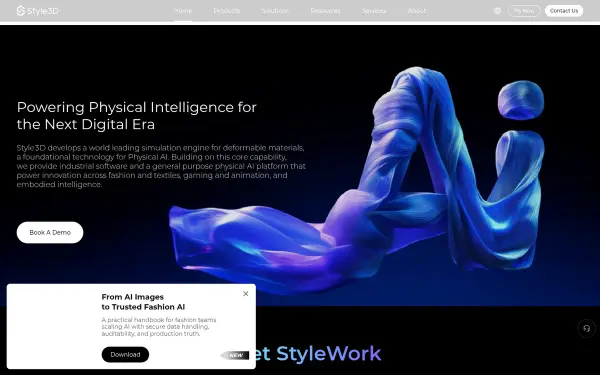
Style3D combines 3D garment simulation with AI design ideation and variations, fabric digitization, fit validation, and e-commerce renders. Marketing renders and virtual try-on target brands that need product imagery without a full photo shoot for every style. CAD assets including Assyst extend the platform beyond garment simulation, helping teams that already work with those pattern files. That mix puts ideation and marketing output close to fit review.
The ecosystem is newer than CLO or Browzwear, and training material and community depth show it. Third-party tutorials are thinner, so a team needs vendor onboarding and its own documentation. Pricing runs through demos and quotes, with no public self-serve figure confirmed, so budget comparison is harder for a small brand testing one seat before rollout. Buyers should ask how support scales across seats and whether training is included. It is not a one-click purchase.
It fits brands wanting AI design help, strong simulation, and e-commerce visuals in one platform, plus organizations already using Assyst or similar CAD assets. Pick it if you can run demo and want AI plus rendering in one workflow. Budget time for structured pilot. Skip it if you need self-serve community, transparent list prices, or the deepest pattern CAD.
You want AI design help, strong simulation, and e-commerce visuals in one workflow.
You need a large self-serve community, transparent list prices, or the deepest pattern CAD.
Entry VI of IX / Pattern engineering
Our verdict
Best for pattern engineering with 3D visualization, especially where grading, nesting, and production formats matter.
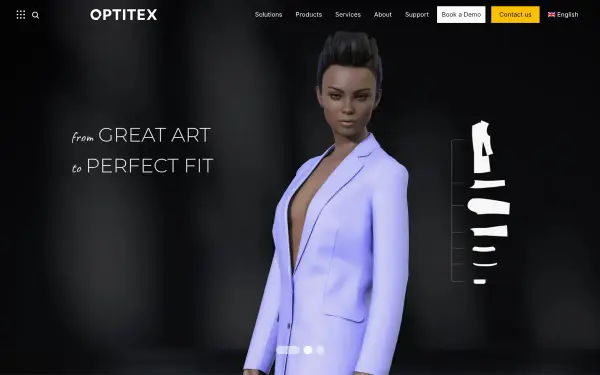
Optitex is a pattern-first system. It handles 2D pattern drafting, grading, marker making and nesting, then adds 3D visualization on avatars for fit checks and development reviews. Production format interoperability matters: it moves pattern data into a manufacturing workflow, not just a pretty render. The O26.1 release in 2026 kept it current, and the Windows desktop workflow targets professional pattern rooms. For a pattern room, that focus is a feature.
The 3D side is weaker than CLO or Browzwear for presentation. If your main need is a photoreal garment render for a campaign or design review, Optitex feels like a pattern tool with visualization attached rather than a visualization tool. The Windows-only workflow is another constraint for mixed device teams. Pricing is premium and quote-based, with no public self-serve figure confirmed, so budget approval runs through a demo and sales conversation.
It fits apparel brands, manufacturers, and pattern engineers needing deep 2D pattern, grading, and nesting with enough 3D to check fit. M&S, Gap, and Adidas use it, signaling production credibility, not solo adoption. Pick it when pattern engineering and marker making are core and 3D is a review aid. Skip it for best cloth presentation, Mac support or low-cost solo use.
Pattern engineering and marker making are the core job and 3D is a review aid.
You need the best cloth presentation, Mac support, or a low-cost solo plan.
Entry VII of IX / Cutting-room workflow
Our verdict
Best for large manufacturers and cutting rooms, with Modaris pattern making, Diamino markers, and automated cutting.
Lectra is the widest platform here. Modaris handles 2D pattern making, Diamino handles marker making, and the portfolio extends into automated cutting equipment. The software-to-factory workflow lets a large manufacturer move from pattern to marker to cutter inside one vendor relationship. The 2021 acquisition of Gerber Technology added the AccuMark portfolio and deepened Lectra's reach into fashion production. That makes it a production platform, not a design add-on.
For an independent designer, that breadth is not a benefit. It is an enterprise system with enterprise pricing and sales cycles, and the product surface can feel overwhelming. There is no public self-serve price and no demo-only path to a simple monthly plan. The value comes from integration, support, and cutting-room hardware, not quick garment visuals. A small brand needing a few 3D samples is usually better served by a narrower tool. Expect a longer evaluation and procurement process.
It fits manufacturers, cutting rooms, and production teams needing pattern making, grading, marker making, automated cutting connected. It suits organizations with CAD operators and implementation resources. Pick it if production and pattern room need one vendor for software and cutting hardware. Ask for regional references. Skip it for solo design, small studios, or 3D garment visualization.
Your production floor and pattern room need one vendor for software and cutting hardware.
You are a solo designer, a small studio, or a team that only needs 3D garment visualization.
Entry VIII of IX / Affordable pattern CAD
Our verdict
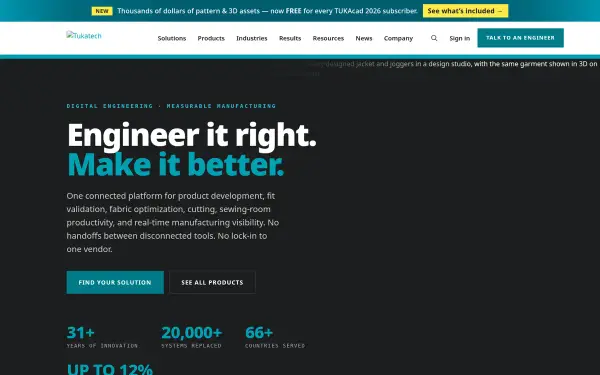
Best for affordable pattern CAD for small businesses, with TUKAcad and TUKA3D, though 3D is serviceable rather than premium.
Tukatech targets small businesses that need pattern CAD without enterprise pricing. TUKAcad covers pattern making, grading, and marker making, while TUKA3D adds visualization for fit and style review. The vendor has 31 years in the business, and its TUKAcad pricing page could not be checked during this review. It also runs an Innovation Center microfactory for hands-on training, which is useful for practical onboarding.
The 3D module is serviceable rather than premium. Cloth simulation is less polished than CLO, and the Western user community is smaller, so troubleshooting may depend more on vendor support than peer forums. For a small factory, pattern room, or startup that needs reliable grading and markers first, TUKAcad can be the practical core, with TUKA3D as a secondary review tool. A pilot should test a real marker and grade rule. Confirm the current price directly because the public page failed.
It fits apparel businesses, pattern makers, and production teams in South Asian hubs where Tukatech has a strong presence. It also suits buyers wanting low-cost monthly subscriptions and Innovation Center training. Pick it if pattern CAD value matters more than best-in-class cloth rendering. Skip it if 3D realism is the main reason or you need large Western peer community.
Pattern CAD value matters more than best-in-class cloth rendering.
3D realism is the main purchase reason or you need a large Western peer community.
Entry IX of IX / Connected workflow
Our verdict
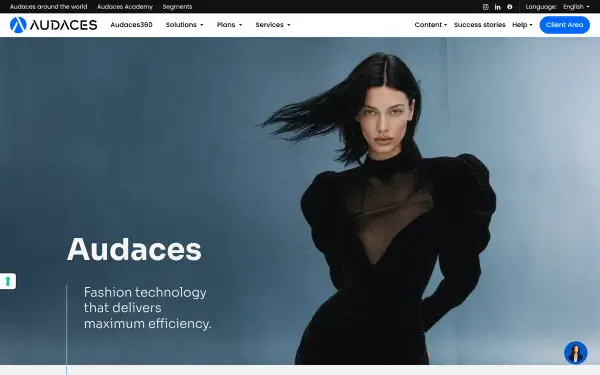
Best for fashion businesses that want one connected system from pattern design to cutting, with a strong Latin American base.
Audaces sells a connected system rather than a single 3D tool. Audaces360 spans pattern design, grading, marker making, cutting integration, and 3D garment validation, so a fashion business can keep more product workflow with one vendor. That scope makes it closer to a production platform than a design add-on. The Brazilian company has more than 30 years in textile automation and a strong presence in Latin America. It also serves furniture, automotive, and technical textiles, broadening the fit beyond apparel.
Pricing is quote-based, with no public self-serve figure confirmed. A buyer needs a demo and sales conversation before comparing cost. The platform is less known in North American design circles with fewer English-language tutorials and freelance users. A team that wants a large peer community or a simple monthly plan will find less of both. Ask for a scoped quote with training and support spelled out.
It fits fashion businesses in Latin America and supported markets wanting design, grading, markers, cutting, and 3D validation connected. It also suits apparel and technical textile companies; 3D is a validation layer. Pick it for a connected system and local support over global community size. Skip it for transparent pricing, large English tutorials, or freelance-friendly entry.
A single connected system and local support matter more than global community size.
You need transparent public pricing, a large English tutorial library, or a freelance-friendly entry point.
VIBackground
3D fashion design software turns patterns, fabric behavior, and avatars into a digital garment you can review before a physical sample is cut. At its core, the category covers three related jobs: building a garment in 3D, testing how it fits and drapes, and producing visuals or technical files for a team. Some tools do all three. Others do one job well and connect to a different system for the rest.
The first group is design-first simulation. CLO and Marvelous Designer let a user sew virtual patterns, adjust cloth, and render a garment on an avatar. The output is useful for design reviews, fit checks, and marketing images. The second group is pattern-first CAD with 3D added. Optitex, Lectra, Tukatech, and Audaces start with pattern drafting, grading, and marker making, then add visualization or fit validation. The third group is AI visual software. The New Black AI generates on-model photos, try-on images, and ad creative from product shots or prompts, but it does not replace pattern engineering.
A buyer should match the tool to the handoff. If the handoff is a design review or a product page, simulation and render quality matter most. If the handoff is a factory pattern, grading and marker making matter more. If the handoff is a campaign, AI visuals and try-on may be enough. The categories overlap, but they do not collapse into one purchase.
Short list to separate the jobs:
Teams often need two tools rather than one. A brand may use CLO or Browzwear for 3D development and a pattern CAD system for production files. A small e-commerce label may use The New Black AI for visuals and a pattern service for manufacturing. The right first question is not which tool has the longest feature list. It is which output you need to hand to the next person, and how often you need it.
This comparison sits in the design register. Further along the shore: platform for photography portfolio and Maze alternatives.
VIIPricing
Pricing in this category splits into three models: individual subscriptions, credit-based AI plans, and enterprise quotes. CLO and Marvelous Designer publish monthly or annual individual prices. The New Black AI starts with free credits and then sells credit-based monthly plans. Browzwear, Style3D, Optitex, Lectra, and Audaces route buyers through a demo or quote, and several do not publish a self-serve checkout price. Tukatech offers a free trial and lists monthly subscriptions, but its price page could not be checked.
| Model | How it bills | Typical fit | Example from this list |
|---|---|---|---|
| Individual subscription | Monthly or annual seat | Freelancers, students, small design teams | CLO Individual at $50 per month; Student at $25 per month |
| Annual commitment | Lower monthly rate with a yearly term | Individual professionals and studios | Marvelous Designer Individual at $23.30 per month billed annually |
| Credit plan | Free credits, then monthly credits for images and video | E-commerce and content teams | The New Black AI Starter at $15 per month, with a temporary Black Friday first month at $10.50 |
| Enterprise quote | Demo, scope, and negotiated contract | Brands, manufacturers, cutting rooms | Browzwear, Style3D, Optitex, Lectra, and Audaces |
The cheapest sticker price is not the cheapest workflow. A $15 AI plan can be enough for product images, but video at roughly 10 credits each can raise usage cost. A $50 CLO plan may replace several sample rounds, which changes the math. An enterprise quote can be the right cost for a factory that needs grading, markers, and cutting integration, but it is hard to compare without a scoped demo.
Ask three questions before you buy: what output you need, how many seats will use it, and whether the plan includes the modules you need. For quote-based tools, put the exact outputs in the demo request. For subscription tools, test the free trial or free credits against a real style. Pricing was checked on November 25, 2026, and figures marked See website stay unconfirmed rather than estimated.
Each entry card shows the starting price as it appeared on the vendor's own pricing page on November 25, 2026. When a vendor shows no figure we could confirm, or only a promotional rate, the card says "See website" or gives the regular price instead of a guess. Usage, overage and add-on rates in the text change more often than plan prices, so confirm them on the vendor page before you set a budget. To test the numbers against your own volume, try the free Photo Print Size Calculator. The 3D Sample Savings Calculator is a second way to check the same decision.
VIIIDecision
IXPitfalls
XQuestions
CLO is a practical beginner starting point because it has a free trial and a large tutorial community. It puts pattern drafting, avatar fit, and cloth simulation in one workspace, so a new user can learn the basic handoff from 2D to 3D. Marvelous Designer can be easier for character and costume work. Start with the trial and one real garment.
Partly, not fully. 3D tools can replace some sample rounds for design review, fit checks, and marketing visuals, especially when cloth simulation and avatars are accurate. They do not remove the need for physical fit approval on complex fabrics, trims, or production tolerances. Use 3D to cut obvious sample iterations, then confirm final fit and hand feel in physical samples.
There is no single hardware spec in this comparison; check each vendor's current system requirements before you install. Cloth simulation and rendering are usually heavier than 2D pattern work, so a recent GPU, enough memory, and a stable display help. Optitex uses a Windows desktop workflow in this list, while other tools may have different requirements. Test the trial or demo on the machine your team will actually use.
CLO is design-first fashion software for garment design, digital sampling, and pattern work, while Marvelous Designer is a cloth specialist used in games, film, and animation. They share cloth-simulation technology under CLO Virtual Fashion. CLO has more fashion sampling and asset library depth; Marvelous Designer has a faster costume and character workflow. CLO also has stronger 2D pattern and sampling positioning, while Marvelous has limited grading and tech packs.
Factories tend to look at pattern-first systems: Optitex, Lectra, Tukatech, and Audaces. Optitex has grading and marker making, Lectra pairs Modaris and Diamino with automated cutting, Tukatech offers TUKAcad and TUKA3D, and Audaces360 connects pattern design, markers, and cutting. CLO and Marvelous Designer are design and simulation tools, so they are less suited to full marker making and production CAD.
The New Black AI offers free credits to start, and CLO, Marvelous Designer, and Tukatech offer free trials. For low list prices, The New Black AI Starter lists at $15 per month, Marvelous Designer Individual at $23.30 per month billed annually, and CLO Student at $25 per month. Tukatech pricing could not be verified. Free tiers are limited; most tools still require payment for ongoing use.
XIFurther along the shore
Vendors can ask for a correction or apply for a Featured listing. Paid or not, the entry is scored on the same rubric and its limits stay in print. Partner with Umberlake.
Free tools
Our free browser tools turn the prices on this page into a figure for your own volume. Nothing you type leaves your device.