
Portfoliobox
Free plan $0paid plans in local currency
Best for photographers wanting galleries and a commission-free store
- Free plan
- Yes (no time limit, no credit card)
- Rubric
- 8.4 of 10
Nine portfolio builders scored against the jobs photographers actually do: showing galleries, delivering proofs, selling prints and keeping the yearly bill small.

IThe short answer
Portfoliobox is the best platform for photography portfolio work if you want galleries plus a store that takes no commission, and it is our Featured listing for November 2026. Squarespace suits photographers who want site, store and bookings under one login. Format suits photographers who want the site built around images and client proofing. Prices below were checked on 25 November 2026. Nine tools are ranked by fit for the buyer each entry describes, not by a score total.
9 tools compared from vendor pages on November 25, 2026. 5 publish a starting price we could read; the rest say "See website".
IITop three berths
Register order is editorial fit for the buyer each entry describes. Prices are the starting figures read on November 25, 2026.
Free plan $0paid plans in local currency
Best for photographers wanting galleries and a commission-free store

Basic $12 per monthbilled annually
Best for photographers wanting site, store and bookings in one

Basic $10 per monthbilled annually
Best for photographers wanting a site dedicated to photos
How this page is paid for. Portfoliobox pays for a Featured listing in this comparison, and the Featured label sits on it wherever it appears. The other 8 tools are unpaid editorial picks. No vendor saw this page before it was published.
A paid listing's position can be part of what the vendor pays for. Every entry, paid or not, is scored on the same rubric and keeps its limits in print. Advertising disclosure.
IIIThe register
Starting prices as shown on each vendor's pricing page on November 25, 2026. "See website" means no figure we could confirm.
| No. | Tool | From | Free plan | Trial | Rubric | Actions |
|---|---|---|---|---|---|---|
| 01 | PortfolioboxFeaturedphotographers wanting galleries and a commission-free store | Free plan $0paid plans in local currencyRead on vendor page | Yes | Free plan instead of a trial | 8.4 | |
| 02 | Squarespacephotographers wanting site, store and bookings in one | Basic $12 per monthbilled annuallyUpdated on vendor page | No | 14-day free trial | 7.6 | |
| 03 | Formatphotographers wanting a site dedicated to photos | Basic $10 per monthbilled annuallyUpdated on vendor page | No | 14-day free trial, no credit card | 7.6 | |
| 04 |  Pixpaphotographers on a tight budget | See websiteNot shown publicly | No | 15-day free trial, no credit card | 7.8 | |
| 05 |  SmugMugphotographers selling prints and stock | Direct $20 per monthbilled annuallyRead on vendor page | No | 14-day free trial | 6.3 | |
| 06 | Adobe PortfolioCreative Cloud subscribers needing a simple portfolio | See websiteNot shown publicly | No | No | 6.3 | |
| 07 |  Pixiesetclient gallery delivery and proofing | See websiteNot shown publicly | Yes | No separate trial; free plan | 7.7 | |
| 08 |  Zenfoliodelivery plus print fulfillment | See websiteNot shown publicly | No | Free trial | 6.6 | |
| 09 |  Wixphotographers wanting a free start | Light $17 per monthbilled yearlyRead on vendor page | Yes | No separate trial; free plan | 5.8 |
Pinned:
IVMethod
How well photographs are displayed and whether clients can review, favorite and download them.
The ability to sell prints, originals or downloads, including commission terms and fulfillment.
Template range, layout flexibility and how much the site can look like a photographer's brand.
What a year of paid service costs against the features included and the limits that push you upward.
How quickly a working photographer can publish a credible portfolio without design help.
VMethod
Every platform here was scored on five criteria: gallery and proofing (25 percent), store and print sales (20 percent), design and templates (20 percent), pricing and value (20 percent), and ease of setup (15 percent). Each criterion asks a practical question. Does the platform show photographs well and let clients review them? Can you sell a print without adding another tool? Does the site look like a photographer's site rather than a template with pictures dropped in? What does a year actually cost? How long until it is live? Scores are recorded per entry so you can see where a tool is strong even when it sits low on the list.
Prices come from vendor pricing pages checked on 25 November 2026. Where a pricing page did not load or showed only promotional rates, the entry says so and the figure is marked as unconfirmed rather than estimated. We do not fill gaps with numbers.
The order is editorial. It reflects fit for the buyer each entry describes, plus the disclosed Featured position held by Portfoliobox. Placement is paid and appears as Featured; it does not change the rubric. Portfoliobox was scored on the same five criteria as every other tool, and its limits (30 images on the free tier, 3 store products on Free and Personal) are listed next to its strengths.
The result is a list you can read by job rather than by score: commission-free selling, client delivery, all-in-one business, free start. Pick the job first, then the platform.
The full routine, from price reads to corrections, is on the methodology page. Paid listings follow the advertising disclosure.
Entry I of IX / Commission-free store

Our verdict
Best for photographers who want more than 40 gallery layouts plus a store that takes no commission.
Portfoliobox is a portfolio builder that treats the store as part of the site, not a bolt-on, which is why it leads for photographers who sell. More than 40 gallery layouts plus separate page and menu tools let a wedding portfolio and print shop share one roof. An AI assistant handles small edits, and a paid plan includes a free domain for the first year on eligible extensions.
The store takes 0% commission, and you can sell prints, originals and digital files where you show the work. Free and Personal cap the store at 3 products; the full print catalog with up to 1,000 products needs Professional.
The free tier does not expire or ask for a card, so it is a genuine trial replacement, though narrow: 30 images and 25 pages on a Portfoliobox subdomain. A working photographer will outgrow it, but it is enough to judge the layouts. The page checked on 25 November 2026 listed Free, Personal at 90 kr and Professional at 159 kr a month excluding VAT; vendor notes put Professional at $15.90 monthly billed yearly, and it states 15 years and roughly 25,000 paying creatives, unverified.
You want a photo portfolio and commission-free print sales inside one subscription.
You need client proofing galleries or bookings, which it does not cover.
Entry II of IX / All-in-one business

Our verdict
Best for photographers who want portfolio, print store, bookings and email marketing behind one login.
Squarespace is the general-purpose builder with the strongest photographer templates here, which is why it sits second for photographers who want one subscription to cover the whole business. Templates are full-bleed and image-led, and client work pages present a case study rather than a single frame.
Beyond the portfolio, built-in commerce handles print sales, scheduling and invoicing tools cover shoots and deposits, and email marketing is included. Hosting, SSL and security come with the subscription, and annual plans include a free domain for the first year. A photographer who takes bookings can run the calendar, invoice and newsletter from one login.
The trade-offs are real. There is no free plan, only a 14-day trial. Templates are locked in enough that a major redesign later is awkward. And it lacks photographer-specific gallery delivery tools, so a wedding handoff of 600 images still needs a separate tool. Basic lists at $12 per month on annual billing, lower than the $19 in older vendor notes. That buys a lot if you use the store, scheduling or marketing; a pure portfolio pays for features it never opens.
Your income needs a portfolio, a store and a booking calendar from one platform.
You only need to show images and would rather not fund a business suite.
Entry III of IX / Photo-first templates
Our verdict
Best for photographers who want a site and client proofing built around photographs rather than text.
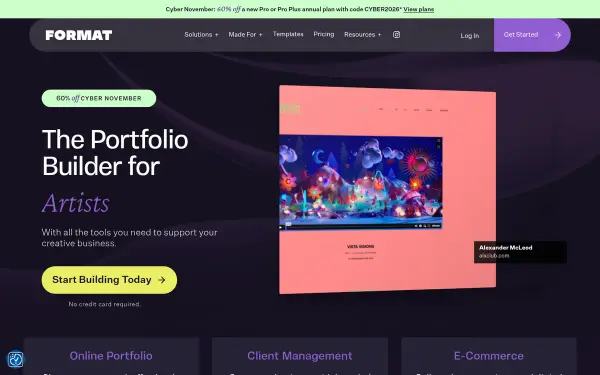
Format is the specialist pick: a builder designed around photographs first. Templates are photo-first, the page builder keeps images large, and the platform ships with client gallery tools and private proofing galleries, which most general builders here do not include.
That suits a portrait or wedding photographer who needs a portfolio plus client proofing without a second subscription. Tiered plans scale as needs grow, and a 14-day trial without a credit card lets you build the whole site before committing.
The limits are breadth: the template catalog is smaller than Squarespace or Wix, marketing and commerce integrations are thinner, and there is less built-in marketing reach. A newsletter, booking calendar and print store wired to a lab are not here; a clean site with client galleries attached is close to ideal for the price. Check pricing before buying, because the figures we hold disagree. The pricing page shows Basic at $10 per month billed annually, while older notes list $8 on Basic, $11 on Pro and $13 on Pro Plus, plus a first-year promotion putting Pro at $9.35 per month. Treat promotional rates as temporary and budget for the standard rate in year two.
Client proofing and a photo-first layout matter more than marketing tools.
You need a print store with fulfillment or a large email and booking stack.
Entry IV of IX / Budget proofing bundle
Our verdict
Best for photographers on a tight budget who still need proofing galleries and a small store.
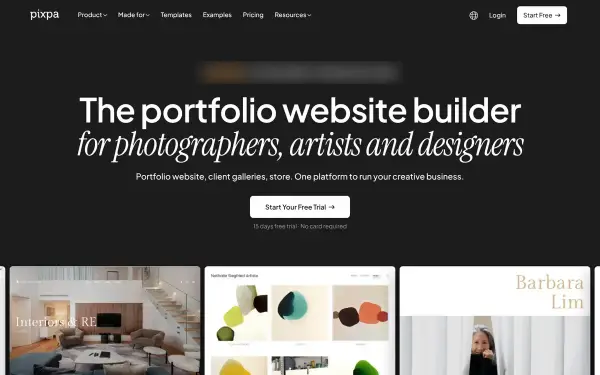
Pixpa bundles a portfolio, client proofing galleries and an online store into one account, wide scope for the money if the entry price holds. Gallery tools cover portfolio presentation, proofing galleries cover client review, and the storefront sits alongside the portfolio rather than replacing it. AI-assisted setup shortens the build from an empty account.
The catch is pricing transparency. The starting price is on the vendor site, but the pricing page we checked showed only introductory rates tied to two-year billing. Regular renewal prices were not displayed, so confirm what you will pay in year three. A 15-day no-card trial lets you build the site and judge the editor first.
The brand is smaller than Squarespace or Wix, the template catalog is narrower, and the integration ecosystem is thinner. For a solo photographer who wants portfolio, proofing and a small store without three subscriptions, those are acceptable trade-offs. For a studio needing bookings, invoicing and email marketing in one place, it is not. It fits the photographer on a tight budget who still hands files to clients. Confirm the renewal rate first, then treat the introductory price as a discount rather than the budget line.
You want proofing galleries and a store on a small monthly budget.
You need published standard pricing before you can approve a purchase.
Entry V of IX / Print fulfillment
Our verdict
Best for photographers whose income comes from prints and stock rather than from showing a portfolio.
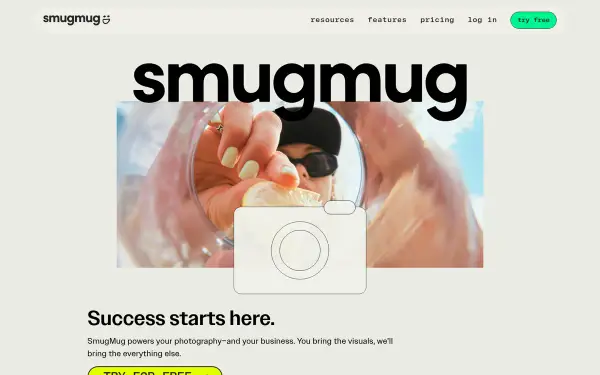
SmugMug is built for photographers who sell, not only photographers who show. Paid plans include unlimited photo storage, print fulfillment through professional labs, and direct selling from galleries, so a client can order a print without you touching a fulfillment spreadsheet. It is organized around that transaction rather than page layout.
That focus explains the price and position. The entry Direct plan is listed at $20 per month billed annually, the highest starting point on this list, and a 14-day trial that does not require a card is the only way to look around before paying. You are buying the store and lab relationships as much as the website, and unlimited storage matters if you keep full-resolution archives online.
Design is weaker. Site flexibility trails Squarespace, and templates are functional rather than distinctive. Photographers treating the website as a brand statement may find the look dated, though the trade is a working sales pipeline rather than a blank canvas. Overkill if you do not sell prints or stock. If income comes from assignments or weddings, a cheaper builder plus separate delivery costs less and looks better. If you do sell, fulfillment justifies the premium.
Print and stock sales are a real revenue line you want handled end to end.
Your site is a portfolio and nothing you show is for sale.
Entry VI of IX / Lightroom sync
Our verdict
Best for Creative Cloud subscribers who need a clean portfolio and nothing else from a website.
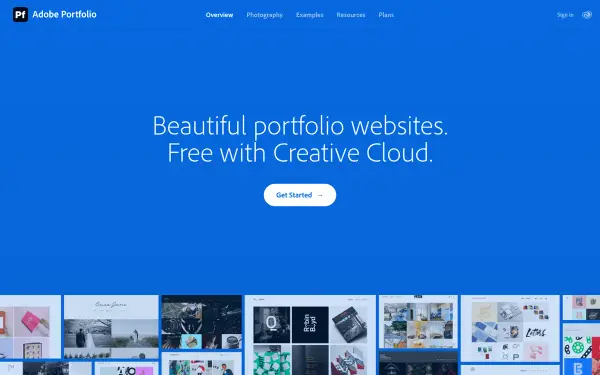
Adobe Portfolio is the cheapest option here for one group: photographers already paying for Creative Cloud. It is bundled with paid subscriptions, including the Photography plan at $19.99 per month, with no standalone purchase, free plan or trial. If you are already subscribed, the marginal cost of a portfolio site is zero.
The integration is the selling point. Portfolio syncs with Lightroom collections and updates automatically from the catalog, so publishing a set means organizing it once rather than exporting and uploading twice. Page builder and templates are clean and simple, and most photographers can publish a competent site in an afternoon without design help.
Simple is the ceiling. Templates and customization are limited, and there are no bookings, store or client proofing tools. You cannot sell a print, collect a deposit or hand over a proofing gallery. For assignment photographers who need somewhere to point clients, that is fine and the simplicity is a feature. We could not fetch pricing, so treat the cost as the Creative Cloud subscription you already pay. If not on Creative Cloud, subscribing just for the portfolio usually costs more than a standalone builder with more gallery options.
You already pay for Creative Cloud and only need a tidy place to show work.
You sell prints, deliver client galleries or do not use Adobe software.
Entry VII of IX / Free client galleries
Our verdict
Best for photographers who judge a platform by how the client handoff feels on delivery day.
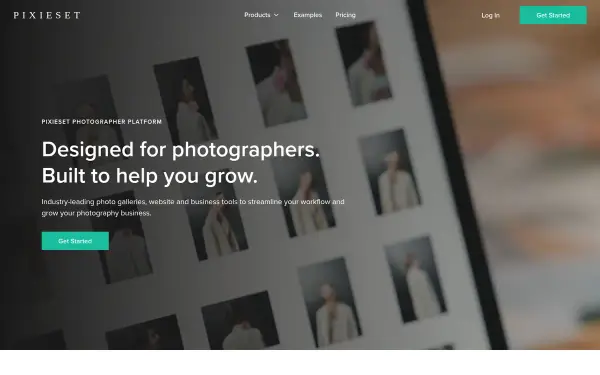
Pixieset is a client gallery platform with a website builder attached, an order of priority that suits working photographers. It delivers a shoot: galleries, proofing tools and a store tied to the gallery so a client can order prints while reviewing. The website builder is secondary and reads that way.
The free entry is most generous here: 3 GB of storage and unlimited galleries, enough to run a real delivery for a small shoot without paying. The catch is commission: free plan store sales carry a 15 percent cut. Heavy shooters will hit the storage ceiling quickly, since 3 GB does not go far with full-resolution wedding files.
Paid plan pricing is on the vendor site, though the pricing page returned nothing when we checked, so confirm before committing. Confirm tiers and storage before budgeting; value depends on how much you shoot. The fit is clear. If delivery matters as much as the portfolio, Pixieset puts both in one place and proofing is the reason to choose it. If you want a design-led portfolio and rarely hand off galleries, the website builder will feel like an afterthought and the commission may annoy you.
Client delivery and proofing are the center of your workflow, not an extra.
You need a design-led portfolio site and rarely send galleries to clients.
Entry VIII of IX / Cheap galleries plus sales

Our verdict
Best for photographers who want client galleries and print sales without a big monthly bill.
Zenfolio is the veteran of the group, aimed at photographers who deliver to clients and sell prints from the same account. Client galleries, print fulfillment and print sales are built in, and a portfolio website sits on top. The Basic plan price is shown on the vendor site, with a free trial to test the workflow before paying.
The long track record with working photographers is real, and the combination of galleries plus fulfillment at that price is hard to match. It suits handing over a gallery, letting the client order, and avoiding a separate lab relationship. Nothing in the setup asks you to be a designer.
The problem is look and feel. The interface feels dated versus newer rivals, template design lags, and photographers who care about a distinctive brand may be underwhelmed. You choose function over form, and the gap is visible beside Squarespace or Format. The Basic rate is unconfirmed: the pricing page did not load when we checked, so verify the current price and its storage and commission terms before signing up. If design matters more, look elsewhere. If not, this is a low-cost route to client galleries plus print sales.
You want galleries and print sales for the smallest possible monthly outlay.
The website is a brand statement and the template look matters to clients.
Entry IX of IX / Free to start

Our verdict
Best for photographers who want a free start and are willing to add tools later.
Wix is the free-start option, and the free plan is genuine: publish a photography portfolio on a Wix subdomain with Wix branding and no card. Light is $17 per month billed yearly, adding a custom domain and removing ads. A large template library includes photography layouts, and the drag-and-drop editor is easy to learn.
That ease is the whole case. A photographer who wants a site live this weekend, with no interest in a store or delivery workflow, can get there faster on Wix than almost anywhere else. The editor is forgiving, the template range finds a layout close to what you want, and nothing assumes you have built a website before.
Photography-specific depth is thin: no real client proofing and no print fulfillment, so selling prints means third-party tools or manual orders. The free tier keeps Wix branding and a subdomain, which reads amateur to paying clients, and it is a general builder. It sits last because Wix handles images well enough without being designed for them. For a student or first site, it is fair and cheap. For a working photographer selling or delivering galleries, missing workflows cost more than the subscription saves.
You need a free site live quickly and do not sell or deliver through it.
You need proofing, print sales or a site that looks custom rather than templated.
VIBackground
A photography portfolio platform is website software built to show photographs first and everything else second: large images, fast galleries, and page layouts that do not fight the picture. A general website builder can host photographs, but it usually treats them as content to be fitted around text, forms and marketing sections. The category exists because photographers kept rebuilding the same three pages and wanted the gallery, the client handoff and the print sale to live in one place.
Four jobs sit inside the category, and most tools do two of them well.
Platforms position themselves by which jobs they own. Pixieset and Zenfolio start from delivery and add a website. SmugMug starts from selling. Adobe Portfolio starts from showing and stops there. Portfoliobox starts from showing and adds a commission-free store. Squarespace tries to own all four and does reasonably at each.
That positioning is what you are buying, not a feature count. Two platforms can both claim an online store, but one caps you at three products and the other routes orders to professional labs. Two can claim a gallery, but one is a page of thumbnails and the other is a password-protected client room with proofing.
The practical implication is that you should shortlist by workflow, not by template gallery. Write down what happens after you finish editing a shoot: does the client get a link, a download, an invoice, a print offer? Whichever platform matches that sequence with the fewest extra subscriptions is the right one, and the design choices become a secondary filter applied to a shortlist rather than the starting point.
This comparison sits in the design register. Further along the shore: 3D fashion design software and Maze alternatives.
VIIPricing
Pricing in this category follows five shapes, and the shape matters more than the number. A free tier gets you published; a flat subscription gets you a domain and capacity; a bundled plan hides the cost inside software you already buy; commission takes a slice of sales instead of a monthly fee; and tiered limits push growing sellers upward.
The comparison trap is unit mismatch. A $10 per month plan billed annually is $120 up front, not $10. Portfoliobox quotes in local currency, so the figure depends on your location. Pixpa's pricing page showed only introductory two-year rates when we checked. Squarespace's entry plan lists at $12 per month annually while older notes carry $19, which is the kind of gap only a checkout screen settles.
Then add the tools the plan does not include. A free Wix site with no proofing means paying for delivery somewhere else. Adobe Portfolio is free only if you already pay for Creative Cloud at $19.99 per month. SmugMug at $20 per month only makes sense if you actually sell prints.
| Model | How it bills | Typical fit | Example from this list |
|---|---|---|---|
| Free tier | No charge, subdomain, capped images and products | Testing the editor before paying | Portfoliobox free plan: 30 images, 25 pages |
| Flat subscription, billed yearly | One recurring charge per site, discounted for annual | Most solo photographers | Squarespace Basic at $12 per month billed annually |
| Bundled with other software | No separate invoice | Photographers already paying for editing tools | Adobe Portfolio with Creative Cloud Photography plan at $19.99 per month |
| Commission on sales | Platform takes a share of store revenue | Selling prints without a monthly store fee | Pixieset free plan at 15 percent of store sales |
| Tiered by products or storage | Higher tier unlocks more capacity | Growing print businesses | Portfoliobox Professional up to 1,000 products |
Read the table by asking which model matches your income. If you sell, commission versus subscription is the real decision. If you do not sell, the cheapest paid tier with galleries you like wins, and anything above that is a subscription to features you will not open.
Each entry card shows the starting price as it appeared on the vendor's own pricing page on November 25, 2026. When a vendor shows no figure we could confirm, or only a promotional rate, the card says "See website" or gives the regular price instead of a guess. Usage, overage and add-on rates in the text change more often than plan prices, so confirm them on the vendor page before you set a budget. To test the numbers against your own volume, try the free Photo Print Size Calculator. The 3D Sample Savings Calculator is a second way to check the same decision.
VIIIDecision
Name the job first. Write down whether you need showing, client delivery, print sales or bookings. A portfolio that only shows work can run on $10 to $20 a month; one that delivers and sells needs more scope and a higher budget.
Check the delivery workflow. If you hand files to clients, confirm the platform has private galleries and proofing. Pixieset, Format, Zenfolio and SmugMug do; Adobe Portfolio, Wix and Portfoliobox do not, which means a second subscription.
Do the year-one math. Multiply the monthly rate by 12 and add anything missing, such as a delivery tool or a separate store. A $10 plan plus a $9 add-on beats a $20 all-in-one only if you need neither leftover.
Build with real images before paying. Use the trial or free tier with ten of your hardest files, meaning mixed aspect ratios and heavy shadows, and check cropping on a phone. Templates that look great with landscapes can wreck portraits.
Read the renewal line. Promotional rates expire. Pixpa's page showed only two-year introductory pricing and Format carries a first-year promo on Pro, so confirm the standard rate before you commit to a yearly term.
Set a migration trigger. Decide in advance what would make you move: a store product cap, a storage ceiling, a missing proofing tool. Naming it prevents a rebuild six months later because a template started to feel boring.
IXPitfalls
Buying on template looks alone. A beautiful template with no proofing or store sends you shopping again within a season. Check the workflow first and treat the design as the tiebreaker rather than the deciding factor.
Treating a free plan as a business plan. Portfoliobox caps free at 30 images and 25 pages and Wix keeps its branding on the free tier. Both are fine for testing and both look amateur when a paying client opens the link.
Ignoring commission on store sales. Pixieset's free plan takes 15 percent of store sales. On a $1,000 print month that is $150, more than a year of many paid subscriptions. Run the arithmetic with your own sales figures.
Paying for features you will never open. Squarespace includes scheduling, invoicing and email marketing. If you only need a gallery, you are funding a business suite. Match the plan to the job rather than to the feature list.
Skipping the trial with real files. Demo images hide cropping, compression and load speed. Build three pages with your own photographs, open the site on a phone and on a slow connection, then decide before the card comes out.
XQuestions
Mostly no, with one exception worth testing. Portfoliobox's free plan never expires but caps you at 30 images and 25 pages on a subdomain, which is a preview rather than a portfolio. Pixieset's free plan allows unlimited galleries with 3 GB storage but takes 15 percent of store sales. Wix's free plan carries Wix branding on a Wix subdomain. Use free tiers to judge the editor, then budget for a paid plan before you send the link to a client.
Pixieset is the strongest, because client delivery is the core product rather than an add-on, and its free plan includes unlimited galleries with 3 GB of storage. Format includes client gallery tools and private proofing galleries in its paid plans. Zenfolio and SmugMug both pair client galleries with print fulfillment. Adobe Portfolio, Wix and Portfoliobox have no proofing, so you would run a separate delivery tool alongside them.
Yes, on several platforms here. Portfoliobox runs a store at 0% commission and sells prints, originals and digital files, with the full print catalog requiring Professional. SmugMug handles print fulfillment through professional labs and direct selling from galleries. Zenfolio and Pixieset both include print sales, and Pixieset takes 15 percent on its free plan. Squarespace has built-in commerce for print sales. Adobe Portfolio and Wix handle neither store nor fulfillment well.
It depends on whether you sell. Adobe Portfolio shows work well and syncs with Lightroom collections, so the site updates from your catalog automatically. It has no store, bookings or client proofing, so anyone selling prints or delivering galleries needs another tool. Portfolio also has no standalone purchase, so it only makes sense if you already pay for Creative Cloud, including the Photography plan at $19.99 per month.
Expect roughly $120 to $240 a year for a paid entry plan, based on the prices we checked on 25 November 2026. Format's Basic plan lists at $10 per month billed annually, Squarespace Basic at $12, Wix Light at $17 and SmugMug Direct at $20. Zenfolio's Basic rate is shown on the vendor site, and Portfoliobox lists Professional at $15.90. Several figures are unconfirmed, so verify before budgeting.
Migrate when a hard limit blocks paid work, not when a template feels stale. Portfoliobox's 30 images or 3 store products, Pixieset's 3 GB storage, or the absence of proofing on Adobe Portfolio and Wix are real triggers. Design boredom is not. A rebuild costs days of reloading galleries and rechecking redirects, so move when you can name the feature that is costing you clients or sales.
XIFurther along the shore
Vendors can ask for a correction or apply for a Featured listing. Paid or not, the entry is scored on the same rubric and its limits stay in print. Partner with Umberlake.
Free tools
Our free browser tools turn the prices on this page into a figure for your own volume. Nothing you type leaves your device.