
Lyssna
Growth $166 per monthbilled annually
Best for design teams running frequent unmoderated validation tests
- Free plan
- Yes, Free $0 with 3 seats and 15 self-recruited responses
- Rubric
- 7.6 of 10
Nine user research and usability testing tools that stand in for Maze, ordered by the buyer each one fits, with prices checked on 25 November 2026.

IThe short answer
Lyssna is the closest like-for-like swap for Maze for teams running frequent unmoderated tests, at $166 per month on annual billing for the Growth tier. UserTesting fits enterprises that want video-first feedback at scale across several markets. Lookback fits interview-led teams that need live moderated depth, from $299 per year. All prices here were checked on 25 November 2026, and the nine tools below are ordered by the buyer each entry describes, with the Featured placement disclosed: Maze Alternatives.
9 tools compared from vendor pages on November 25, 2026. 8 publish a starting price we could read; the rest say "See website".
IITop three berths
Register order is editorial fit for the buyer each entry describes. Prices are the starting figures read on November 25, 2026.
Growth $166 per monthbilled annually
Best for design teams running frequent unmoderated validation tests
See website
Best for enterprises wanting video-first feedback at scale
Freelance $299 per yearbilled annually
Best for interview-led teams that need live moderated depth
How this page is paid for. Hubble pays for a Featured listing in this comparison, and the Featured label sits on it wherever it appears. The other 8 tools are unpaid editorial picks. No vendor saw this page before it was published.
A paid listing's position can be part of what the vendor pays for. Every entry, paid or not, is scored on the same rubric and keeps its limits in print. Advertising disclosure.
IIIThe register
Starting prices as shown on each vendor's pricing page on November 25, 2026. "See website" means no figure we could confirm.
| No. | Tool | From | Free plan | Trial | Rubric | Actions |
|---|---|---|---|---|---|---|
| 01 | LyssnaDesign teams running frequent unmoderated validation tests | Growth $166 per monthbilled annuallyRead on vendor page | Yes | No | 7.6 | |
| 02 | UserTestingEnterprises wanting video-first feedback at scale | See websiteNot shown publicly | No | No | 7.1 | |
| 03 | LookbackInterview-led teams that need live moderated depth | Freelance $299 per yearbilled annuallyUpdated on vendor page | No | Yes, 5 free sessions for 60 days | 6.2 | |
| 04 |  HubbleFeaturedAll-in-one research with AI-moderated and human-moderated interviews | Free plan $0Read on vendor page | Yes | No | 8.1 | |
| 05 |  Optimal WorkshopInformation architecture research and navigation decisions | Starter $199 per monthbilled annuallyRead on vendor page | No | No | 6.0 | |
| 06 |  UXtweakTeams wanting many research methods in one EU platform | Business €120 per monthbilled annuallyUpdated on vendor page | Yes | No | 7.4 | |
| 07 |  UseberrySmall teams needing budget prototype and website testing | Growth €83 per monthbilled annuallyUpdated on vendor page | Yes | No | 6.3 | |
| 08 |  UserbrainQuick unmoderated video tests on a modest budget | Starter $49 per monthbilled monthlyRead on vendor page | No | Yes, 30 day free trial with 2 panel testers | 6.4 | |
| 09 |  HotjarBehavior analytics drawn from real site traffic | Free plan $0paid plans on the vendor pageRead on vendor page | Yes | No | 6.0 |
Pinned:
IVMethod
How many research methods a platform runs, from unmoderated task tests to card sorting and live moderated interviews.
Whether starting prices, tiers and add-on costs are published where a buyer can read them before a sales call.
Panel size, screening quality and whether the tool lets you recruit your own users instead of a vendor pool.
How much synthesis the software handles after collection, such as transcription, tagging, theme detection and summaries.
Setup time, seat limits and total cost measured against a small product team that runs studies weekly.
VMethod
We started from the job Maze does: quick, repeatable studies a design team can run without a research ops function. Every tool here was checked against five weighted criteria.
Method coverage (30%) asks how many research methods a platform actually runs, from unmoderated task tests to card sorting and live interviews. Pricing clarity (20%) rewards published rates over custom quotes. Participant access (20%) covers panel size and whether you can bring your own users. Analysis and synthesis (15%) looks at how much work the tool does after collection, such as transcription and theme detection. Team fit (15%) weighs setup time and cost for a small product team.
Prices, plans, free tiers and trial terms come from each vendor's own pricing page, checked on 25 November 2026. Where a page showed only euros or only a custom quote, we say so rather than converting or estimating.
The Hubble entry is a Featured placement, which means the vendor paid for the position. It was scored with the same rubric as every other entry and carries the same kind of cons. The order is editorial: it reflects fit for the buyer each entry describes, plus that disclosed Featured position. The scores show how each tool stands against the criteria; they do not produce the sequence.
One deliberate split: behavior analytics tools and recruited task testing tools are different products, so we say which is which instead of pretending they compete head to head.
The full routine, from price reads to corrections, is on the methodology page. Paid listings follow the advertising disclosure.
Entry I of IX / Large participant panel
Our verdict
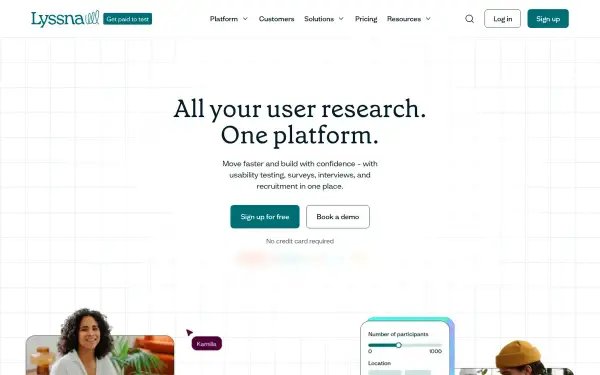
The closest like-for-like Maze swap for unmoderated validation work, thanks to a 690,000 person panel and fast test setup.
Lyssna is where many teams land after Maze, still wanting fast unmoderated validation. It covers prototype task tests, first-click tests, preference tests and five-second tests, the short repeatable pattern Maze built its reputation on. Tests launch the same day and results can be shared without an export step. Its panel of more than 690,000 people is the largest named here, enough for a directional test on Tuesday and action before the week ends.
Pricing is published. Growth is $166 per month on annual billing with five seats. Panel usage is billed on top, so the subscription is not the whole cost when recruiting from Lyssna's pool. A $0 Free tier gives three seats and 15 self-recruited responses, enough to test the workflow on your own users. There is no trial, so the free tier is the only way to try before buying.
Depth is the gap: moderated tooling is lighter than interview-first platforms, so live probing, observer rooms and in-session follow-up usually mean pairing Lyssna with a second tool. Older links may cite UsabilityHub and outdated rates. It fits design teams running frequent unmoderated validation with a large panel and quick turnaround, and fits live moderated research less well.
Your team runs short unmoderated studies every week and wants a large panel on call.
Most of your research happens in live moderated interviews with stakeholders watching.
Entry II of IX / Global video panel
Our verdict
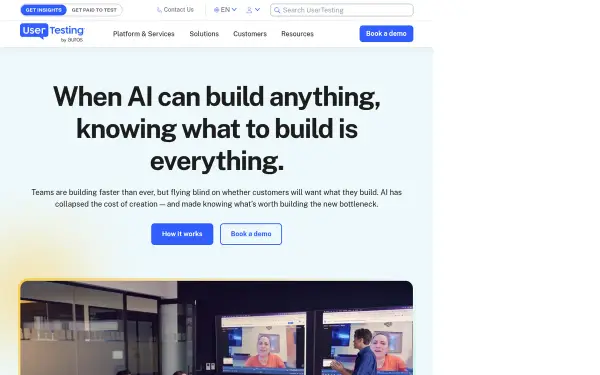
Video-first feedback at enterprise scale, with moderated and unmoderated methods on one platform and no public price list.
UserTesting is the enterprise option: moderated interview sessions, unmoderated task-based tests and card sorting, all recorded as video from a global participant panel. The recordings are the product. Stakeholders who will not read a report will watch a two-minute clip of someone failing a checkout step. AI-assisted insight extraction groups what participants said and did across sessions, and enterprise integrations push findings into existing systems.
Pricing is the hard part. There is no published price list, so every engagement runs through a custom quote, and total cost is a common barrier at startup and small-team level. Budgets for a five-person design team rarely survive the first quote. The tool needs more forward planning than pasting a shared test link: panel selection, screening and study design take setup time.
There is no free plan or trial, so evaluation happens in a sales conversation. Bring a real study to the demo and ask what the quote covers across a full year. It fits large product organizations testing weekly across several markets, where research operations needs one vendor for moderated and unmoderated work. Smaller teams get more per dollar from a panel-first tool with published pricing.
You are a large product organization testing weekly across several markets and can work through a custom quote.
You need a published price and a same-day start on a small budget.
Entry III of IX / Live observer mode
Our verdict
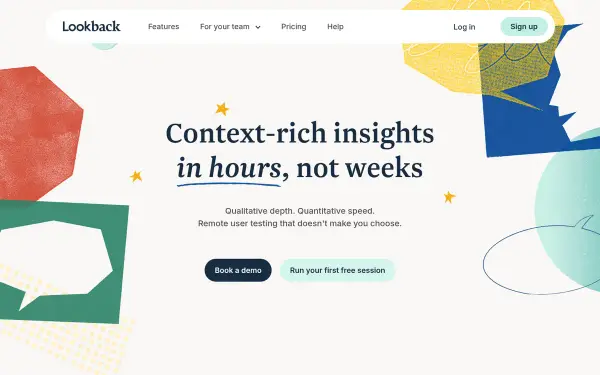
The interview-first pick, with live observer mode and a $299 per year entry that is among the lowest entry points in this list.
Lookback is built around the live interview. A researcher and participant run the session while stakeholders watch in real time, and observer mode carries the product: people who would never sit through a recording will annotate as it happens. In-session note taking and live follow-up keep the researcher in the conversation rather than in a tagging spreadsheet, and a remote session takes minutes to arrange.
Freelance is $299 per year billed annually, about $24.92 per month, and the trial gives five free sessions over 60 days. There is no free plan, so the trial is the only way to see it before committing. Pricing moved from a per-user monthly rate to session-based annual plans, so older budget documents will not match the page.
Coverage is narrow. Unmoderated testing is thinner than prototype-first tools, and there is no recruited panel of its own, so first-click or preference tests need a partner product. Teams generally pair Lookback with an unmoderated platform. It fits interview-led programs where a moderator uncovers value live and stakeholders watch in real time. It fits quantitative-heavy teams and teams with no moderator poorly.
Your research is interview-led and you want stakeholders watching and annotating live.
You need one tool to run recruited panel studies and prototype task tests.
Entry IV of IX / AI-moderated interviews
Our verdict
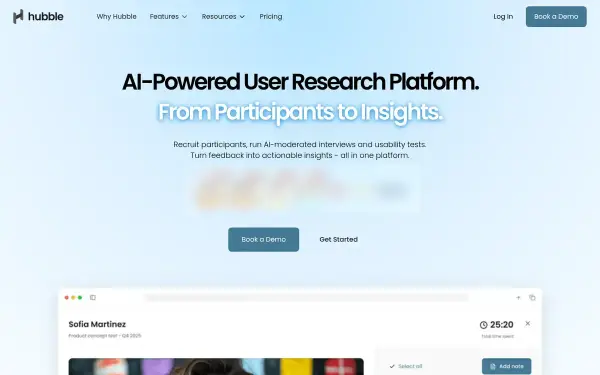
The broadest method set here, spanning unmoderated tests, AI-moderated interviews and human-moderated interviews, starting free for one seat.
Hubble has the widest method set here. Unmoderated tests run on Figma prototypes, live websites and mobile. AI-moderated interviews ask voice and text follow-up questions without a researcher. Human-moderated interviews add scheduling, recording, transcription and analysis. Surveys, card sorting, tree testing and preference tests cover quantitative work, with recruitment from an in-house panel or your own users. AI transcription, tagging, theme detection and summaries cut analysis work, and Figma plus MCP-based workflows keep it close to designs.
The free tier is real: one seat, 10 responses per month, one prototype per study, no card. That is enough for small validation, not a research program, and the seat cap bites at three or more. Enterprise is quoted, not published, adding moderated studies, recruitment through User Interviews and Respondent, SSO, role-based access and SOC 2 Type II documents.
Moderated studies and external panel recruitment sit on Enterprise, so the free tier does not show that part. A quoted enterprise tier means you cannot budget from the website. This Featured placement was scored on the same rubric including those cons. It fits teams wanting unmoderated, AI and human interviews under one login; very small teams outgrow the 10 response cap.
You want unmoderated tests and interviews in one platform and can start on the free tier.
You need a published mid-tier price or moderated studies from day one.
Entry V of IX / Tree testing depth
Our verdict
The information architecture specialist, with card sorting and tree testing deeper than anything else here, at $199 per month on annual billing.
Optimal Workshop does one job deeply. Card sorting shows how people group and label content. Tree testing shows whether a proposed navigation structure can be walked to the right destination. Analysis goes past a tidy chart into where findability breaks down, and large research teams use it before a redesign ships. Diagnostics on a structure you have not built yet are the real value.
Pricing is one published tier. Starter is $199 per user per month on annual billing with unlimited seats so cost scales by account rather than headcount. That suits a research group of eight and is a hard sell for a two-person product team wanting one tree test a quarter. There is no free plan or trial so the first purchase is a commitment.
The narrowness cuts both ways. If your question is whether people can find something in navigation nothing here answers better. For broader questions such as reaction to a new onboarding flow you need a different tool. It fits information architecture work navigation decisions and content labeling usually in a team with a testing platform for everything else. It fits general usability programs poorly as a single purchase.
Navigation and findability are the question and you want the deepest tree testing available.
You need unmoderated prototype tests or any form of moderated interview.
Entry VI of IX / EU hosting
Our verdict
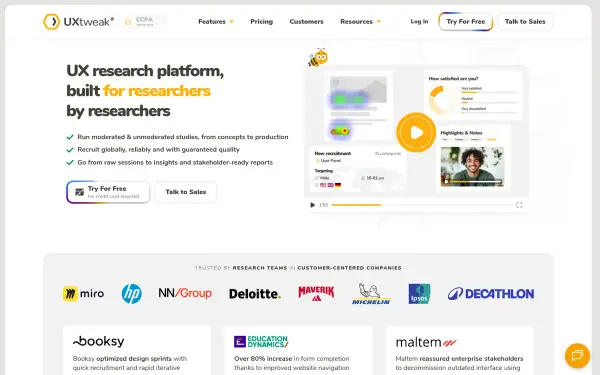
A wide method set inside one EU-hosted suite, with a free tier and Business at 120 EUR per month billed yearly.
UXtweak puts many methods behind one login: usability testing, tree testing, card sorting, session recording and surveys. For teams that would otherwise buy a prototype testing tool and an information architecture tool separately consolidation is the appeal. EU-based hosting is the other differentiator for data residency requirements it is often deciding.
There is a free plan at 0 EUR with 15 self-recruited responses enough to see the study builder and results screens. Business is 120 EUR per month billed annually. No USD figure is shown on the page checked on 25 November 2026 so dollar budgets need to confirm the rate with the vendor rather than convert an estimate. Panel costs differ by market so recruited studies carry a variable line the subscription does not show.
The interface is dense. Five method types means menus that reward a power user and slow a designer running one test a month. Budget onboarding before a client study and confirm the current tier because plan names and limits change. It fits teams wanting many methods in one EU-hosted platform who will use at least three. Single-method teams get less breadth is what you pay for.
You need several methods in one place and EU data residency matters to your buyers.
You only ever run prototype task tests and want the simplest possible setup.
Entry VII of IX / Low entry cost
Our verdict
Budget prototype and website testing for small teams, with a free tier of 10 responses a month and Growth at 83 EUR per month billed annually.
Useberry is the budget option for prototype and website testing. Set tasks on a prototype or live site participants attempt them and you get recordings and completion data. Simple surveys sit alongside so a follow-up after a task needs no second tool. That covers the basic validation loop for a small design team with little configuration and setup fits one sprint.
The free plan allows 10 responses per month enough for an early directional read on one flow. Growth is 83 EUR per month billed annually a low entry point that undercuts several rivals. Prices are in euros with no USD figure so dollar budgets need a vendor conversation. There is no trial so the free plan is how to evaluate the workflow.
Two limits show. The panel is smaller than Lyssna's so recruited studies fill more slowly and samples are thinner for niche audiences. Enterprise features are fewer which matters for SSO and security review. Neither matters for a five-person team testing monthly on its own users. It fits small teams needing prototype and website testing on a modest budget recruiting their own traffic or customer list. Security requirements fit poorly.
You are a small team that needs prototype and website testing without a big monthly bill.
You need SSO, role permissions or a large recruited panel for niche audiences.
Entry VIII of IX / Fast video feedback
Our verdict
Quick unmoderated video tests at a modest price, with Starter at $49 per month and a 30 day trial.
Userbrain is the shortest path from a question to a recorded answer. Write tasks point them at a prototype or live website and participants record themselves attempting them. Setup is simple enough for a designer to run a test without a researcher and turnaround fits a weekly design cycle. For teams whose output is watching five people try something it does the whole job.
Starter is $49 per month billed monthly and there is no free plan. A 30 day trial includes two panel testers enough to see recording quality and the results view but not run a real study. Pro is $49 per user per month on annual billing. Budget documents built around annual Starter billing will not match the page which now bills the entry plan monthly.
The method set is narrower than Lyssna no first-click or preference testing and moderated work is out of scope. Panel quality varies by market which matters where the pool is thin. Teams pair Userbrain with a survey tool recordings return as video the format stakeholders watch. It fits quick unmoderated video tests on a modest budget. It fits one-vendor programs and live probing poorly.
You want recorded video feedback fast and do not need every research method in one tool.
You need card sorting, moderated interviews or a large screened panel.
Entry IX of IX / Real traffic heatmaps
Our verdict
Behavior analytics from live traffic rather than recruited tasks, free at 200,000 monthly sessions, now part of Contentsquare.
Hotjar answers a different question. It watches real visitors on a live site through heatmaps and session recordings then shows click scroll and drop-off patterns on-site surveys and feedback widgets. With no recruitment and no task script behavior is unprompted and shaped by your traffic. Surveys and feedback widgets ask when a visitor is confused rather than in an email a week later.
Basic is free at 200,000 monthly sessions with one project. The paid tier starts at $39 per month on annual billing listed as Growth. There is no trial because the free tier does the job. Hotjar is now part of Contentsquare so branding and packaging may shift and pricing lives on the Contentsquare site.
The limit is structural. Hotjar cannot show how someone would use a design that does not exist and recordings need traffic a few hundred visits a month produce too little to analyze. It cannot run a recruited task test with a screened panel so it cannot answer whether someone can complete a flow still being designed. It fits teams wanting behavior analytics from real traffic paired with task testing. It fits prototype-stage research poorly alone.
You want to see what real visitors do on your live site and already have a tool for prototype tests.
Your research happens before launch, on designs that have no traffic yet.
VIBackground
They put a design in front of real people and record what happens, so a team can decide before code is written rather than after launch. That is the whole category. The differences between tools come down to who the people are, whether a researcher is in the room, and how much analysis the software does for you.
Two families sit under this label, and mixing them up is the most common buying error. Recruited task testing tools bring selected participants to a prototype or a live site and give them tasks. You get completion rates, time on task, click paths and video. Behavior analytics tools skip recruitment entirely and observe real traffic through heatmaps and session recordings.
Within recruited testing, the split is moderated versus unmoderated. Unmoderated runs without a researcher present: cheaper, faster, and good at finding where people fail. Moderated runs with a researcher who can probe, which is how you learn why they failed.
A second split is who finds the participants. A vendor panel is fast and screened, and usually billed on top of the subscription. Recruiting your own users is slower and cheaper, and several free tiers here are built around it.
Methods worth knowing before you compare:
Most teams need one recruited testing platform plus either an analytics tool or a moderated interview tool. Very few get everything from one vendor, and the ones that try usually end up with a platform that is excellent at one method and thin at the rest.
This comparison sits in the product register. Further along the shore: user research tools and ticket sales platform.
VIIPricing
Most tools here charge for one of three things: seats, responses, or the panel. Knowing which one your bill is built on tells you where the cost will grow as the team does, and which line to negotiate.
Seat pricing is predictable for a fixed team and punishing for a large one. Optimal Workshop's Starter tier is $199 per user per month on annual billing, though the plan carries unlimited seats, so the model bends toward bigger research groups. Response caps work the other way: Hotjar's free tier covers 200,000 monthly sessions, and task testing tools cap how many participants a plan includes.
The line teams miss is the panel. Lyssna's Growth tier is $166 per month on annual billing, and panel usage is billed on top of the subscription. A budget built from the subscription alone understates the first recruited study.
Custom quotes are the fourth model. UserTesting publishes no price list, so every engagement is negotiated, which suits enterprises with security reviews and hurts small teams that need a number today.
| Model | How it bills | Typical fit | Example from this list |
|---|---|---|---|
| Seat subscription | Per user, monthly or annual | In-house teams running studies weekly | Optimal Workshop Starter at $199 per user per month on annual billing |
| Flat plan with response caps | Per account, capped responses each month | Small teams and early tests | Useberry Free at 10 responses per month |
| Subscription plus panel credits | Panel usage billed on top | Teams recruiting from a vendor pool | Lyssna Growth at $166 per month on annual billing, with panel usage billed on top |
| Session or annual tier | Per session or per year | Interview-led research | Lookback Freelance at $299 per year billed annually |
| Custom quote | Negotiated annual contract | Enterprises with security reviews | UserTesting, no published price list |
| Free tier | $0 with hard caps | Trying a tool and small studies | Hotjar Free at 200,000 monthly sessions |
Read the caps before the headline price. Hubble gives one seat and 10 responses per month, Useberry 10 responses per month, and UXtweak 15 self-recruited responses. Those limits decide whether a free plan is a demo or a working tool.
Each entry card shows the starting price as it appeared on the vendor's own pricing page on November 25, 2026. When a vendor shows no figure we could confirm, or only a promotional rate, the card says "See website" or gives the regular price instead of a guess. Usage, overage and add-on rates in the text change more often than plan prices, so confirm them on the vendor page before you set a budget. To test the numbers against your own volume, try the free User Research Budget Planner. The CSAT and NPS Calculator is a second way to check the same decision.
VIIIDecision
Name the method you run most often. If it is unmoderated task testing on prototypes, start with Lyssna or Hubble. If it is live interviews, start with Lookback. Buying for a method you run twice a year wastes the subscription.
Decide who recruits the participants. A vendor panel buys speed and screening but is usually billed on top. Recruiting your own users is cheaper and slower, and the free tiers on Lyssna, Hubble, Useberry and UXtweak all allow it.
Set a budget ceiling and check whether the price is published. Published rates let you budget today; custom quotes need a sales cycle. Lyssna, Lookback, Optimal Workshop, UXtweak, Useberry and Userbrain show starting figures, while UserTesting and Hubble's enterprise tier do not.
Use the free tier or trial before any annual commitment. Hubble, Lyssna, Hotjar, Useberry and UXtweak have free plans; Lookback and Userbrain have trials. Check response caps and seat limits first, because a free tier is a demo until proven otherwise.
Estimate the analysis time, not just the collection time. AI transcription, tagging and theme detection in Hubble and UserTesting cut hours off synthesis. A cheaper tool that leaves you with raw recordings can cost more in researcher time than it saves.
Plan for a second tool. Most teams end up with one platform for task testing plus either an analytics tool like Hotjar or an interview tool like Lookback. Budget for the pair rather than expecting one vendor to cover both.
IXPitfalls
XQuestions
It puts tasks in front of people without a researcher in the room, then collects recordings, click paths and completion rates at a fraction of the cost of live interviews. Teams use it to validate a prototype before build, compare two designs, or check that a flow makes sense. Moderated platforms add live probing on top of that.
Hotjar is cheapest for behavior analytics because the Basic tier is free at 200,000 monthly sessions. Lookback is cheapest for moderated interviews at $299 per year billed annually. Userbrain is cheapest for unmoderated video tests at $49 per month, with a 30 day trial that includes two panel testers. All figures were checked on 25 November 2026.
Yes. The company renamed from UsabilityHub to Lyssna, and the participant panel and test formats carried over under the new name. Older internal documents and saved links may still cite UsabilityHub and outdated rates, so check the Lyssna pricing page directly. Growth is $166 per month on annual billing at the time of writing, with panel usage billed on top.
You can recruit your own, and several tools here make that the cheaper path. Lyssna's free tier includes 15 self-recruited responses, Hubble allows recruitment from your own user base, and Useberry and UXtweak both let you bring participants. A paid panel buys speed and screening, and it is usually billed on top of the subscription.
Choose unmoderated when the question is whether people can complete a task and how long it takes, and you want volume quickly. Choose moderated when you need to know why someone hesitated and want to ask a follow-up. Many teams run both: unmoderated first to find the problems, moderated second to understand them.
Vendors can contact the editorial team through the site with the tool name, the pricing page URL and the date the figures changed. Listings are editorial, and a Featured placement is a paid position that is scored on the same rubric as every other entry. Pricing corrections are checked against the vendor's own page before any change is published.
XIFurther along the shore
Vendors can ask for a correction or apply for a Featured listing. Paid or not, the entry is scored on the same rubric and its limits stay in print. Partner with Umberlake.
Free tools
Our free browser tools turn the prices on this page into a figure for your own volume. Nothing you type leaves your device.