
Eventrise
$0 a month plus 5% per paid ticketStripe processing extra
Best for independent venues and organizers wanting one flat 5% platform fee
- Free plan
- Yes, free events are $0
- Rubric
- 7.7 of 10
We compared ten ticketing tools on fees, payout flow, seating and fit for independent organizers, with prices checked on November 25, 2026.

IThe short answer
As of November 2026, a strong fit for independent venues and organizers is Eventrise, because it publishes one 5% platform fee and pays out through your own Stripe account as tickets sell. Eventbrite suits organizers who need built-in discovery and fast setup. Humanitix suits charities, schools and community events with a social-good angle. The rest of the list covers specialist needs: branded checkout, theater box office tools, low fees on cheap tickets and enterprise touring. Prices were checked on November 25, 2026: Best Ticket Sales Platform.
10 tools compared from vendor pages on November 25, 2026. 6 publish a starting price we could read; the rest say "See website".
IITop three berths
Register order is editorial fit for the buyer each entry describes. Prices are the starting figures read on November 25, 2026.
$0 a month plus 5% per paid ticketStripe processing extra
Best for independent venues and organizers wanting one flat 5% platform fee

Standard 3.7% + $1.79 per paid ticket, no monthly
Best for organizers who need built-in discovery plus quick setup

4% + $0.99 per paid ticketrate shown to us; varies by country
Best for charities, schools and community events with a social-good angle
How this page is paid for. Eventrise pays for a Featured listing in this comparison, and the Featured label sits on it wherever it appears. The other 9 tools are unpaid editorial picks. No vendor saw this page before it was published.
A paid listing's position can be part of what the vendor pays for. Every entry, paid or not, is scored on the same rubric and keeps its limits in print. Advertising disclosure.
IIIThe register
Starting prices as shown on each vendor's pricing page on November 25, 2026. "See website" means no figure we could confirm.
| No. | Tool | From | Free plan | Trial | Rubric | Actions |
|---|---|---|---|---|---|---|
| 01 | EventriseFeaturedIndependent venues and organizers wanting one flat 5% platform fee | $0 a month plus 5% per paid ticketStripe processing extraRead on vendor page | Yes | No | 7.7 | |
| 02 | EventbriteOrganizers who need built-in discovery plus quick setup | Standard 3.7% + $1.79 per paid ticket, no monthlyRead on vendor page | Yes | No | 7.0 | |
| 03 | HumanitixCharities, schools and community events with a social-good angle | 4% + $0.99 per paid ticketrate shown to us; varies by countryUpdated on vendor page | Yes | No | 5.7 | |
| 04 |  TicketSpiceIndependent organizers who want deep branding and custom flows | Standard $0.99 per paid ticket plus card processingRead on vendor page | Yes | No | 6.5 | |
| 05 |  ThunderTixTheaters and performing arts venues with box office operations | See websiteNot shown publicly | No | No | 5.5 | |
| 06 | TicketleapLocal and community events prioritizing simplicity and low cost | See websiteNot shown publicly | Yes | No | 5.8 | |
| 07 |  UniverseMid-size organizers comfortable inside the Ticketmaster ecosystem | See websiteNot shown publicly | Yes | No | 5.9 | |
| 08 |  See TicketsProfessional promoters running tours, festivals and attractions | See websiteNot shown publicly | No | No | 4.8 | |
| 09 |  TryBookingCommunity events, fundraisers and schools with low ticket prices | Standard $0.50 per paid ticket + 2.5% processingRead on vendor page | Yes | No | 6.6 | |
| 10 |  FreshTixOrganizers wanting a complete toolkit with branded checkout | Standard $1.75 per ticket plus 3% processingRead on vendor page | Yes | No | 5.4 |
Pinned:
IVMethod
How easy it is to see the full cost before checkout, including processing, per-seat and plan fees.
When ticket money reaches the organizer and whether the organizer uses their own payment account.
Depth of seating, check-in, box office, reporting and event management features.
Whether the platform brings buyers through a public marketplace or other built-in demand.
How quickly an organizer can set up, brand and run an event without specialist help.
VMethod
We built this list for operators who sell tickets and need a platform that fits how they actually run events, not a generic software directory. Every tool was assessed against five criteria: pricing clarity, payout control, event tooling, audience reach and ease of use. Pricing clarity carries the most weight because a low headline rate can hide processing fees, per-seat charges or a recurring plan fee. Payout control looks at when money arrives and whether the organizer uses their own payment account. Event tooling covers seating, check-in, box office and reporting. Audience reach measures built-in discovery. Ease of use covers setup, branding and day-to-day administration.
Prices and plan facts come from vendor pricing pages checked on November 25, 2026. Where a vendor publishes a rate, we use that rate exactly. Where pricing is listed as See website, we say so and do not estimate a number. We also record whether free events are supported and whether a trial exists, because those details change the real cost for small and community organizers.
The Featured listing is a paid placement. We scored Eventrise with the same rubric as every other tool and kept its weaknesses in the review, including Stripe processing on top of the platform fee and a $1 per ticketed seat charge for reserved seating. The order is editorial: it reflects fit for the buyer each entry describes, plus the disclosed Featured position. We do not treat the scores as a league table or a weighted total.
The full routine, from price reads to corrections, is on the methodology page. Paid listings follow the advertising disclosure.
Entry I of X / Flat 5% fee
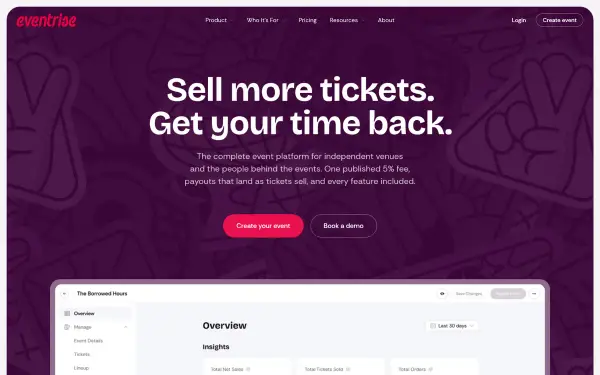
Our verdict
A strong fit for independent venues that want one published platform fee and payouts through their own Stripe account.
Eventrise is for independent venues and organizers who want a published platform rate. It charges a 5% platform fee on the ticket price, with Stripe processing added on top. There is no monthly subscription, contract, setup fee or minimum volume. Free events are $0 with no attendee cap. Organizers connect their own Stripe account, so payouts arrive as tickets sell.
The toolkit covers hosted event pages with embeddable checkout, reserved seating, mobile check-in with offline scanning, and a free API. White-glove migration is included at no cost, and an optional facility fee can be retained by the organizer.
Stripe processing is charged on top of the 5%. Reserved seating costs $1 per ticketed seat. Organizers must supply their own Stripe account. Fees are added at checkout by default; a $100 ticket leaves the attendee paying $108.45, with $3.45 to Stripe's 2.9% plus 30 cents. It fits venues and independent promoters with their own audience, especially reserved seating and payouts as tickets sell. It is less suited to marketplace-dependent organizers.
You run an independent venue or event series and want a flat 5% platform fee with payouts through your own Stripe account.
You need a built-in discovery marketplace or cannot supply a Stripe account for payouts.
Entry II of X / Built-in discovery
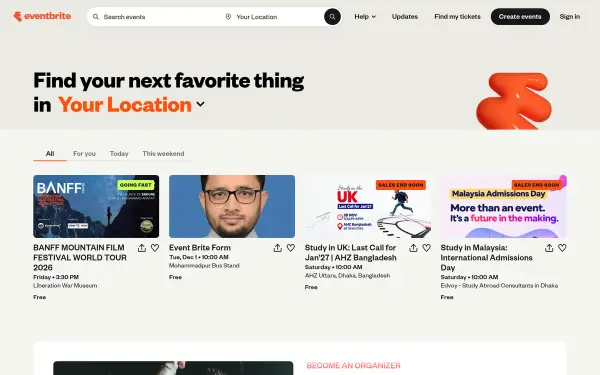
Our verdict
The mainstream choice when built-in discovery and fast setup matter more than the higher per-ticket cost.
Eventbrite is the mainstream choice for organizers who want built-in discovery and fast self-serve setup. Its public marketplace puts events in front of buyers who were not already customers, which is the main reason to pay its higher per-ticket fee. It covers core organizer management, moderate customization, and free events at no charge.
Pricing is 3.7% plus $1.79 per paid ticket, with no monthly fee. Payment processing is separate at 2.9%, so the all-in cost is higher than the headline rate, and the fixed $1.79 weighs more on cheap tickets. Free events cost nothing to list. That suits organizers who can trace sales to marketplace browsing; it is harder with an existing email list and repeat buyers.
Customization is moderate, so branded checkout and unusual flows are limited. Choose Eventbrite when discovery is the growth channel and speed matters more than fee optimization. Skip it if you already have demand, need deep branding, or want attendee data under your own terms.
You need a public marketplace to reach buyers who do not know your event yet and you value fast setup.
You already have your own audience, need deep branding, or want to keep attendee data on your terms.
Entry III of X / Charitable profit model
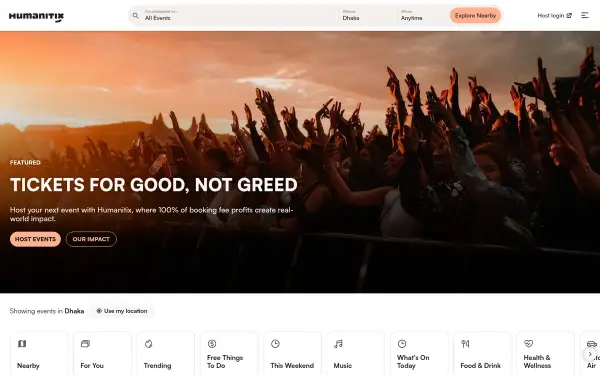
Our verdict
A social-good fit for charities, schools and community events, with a fee that is higher than budget per-ticket rivals.
Humanitix is for charities, schools and community events that want a social-good angle built into ticketing. It directs 100% of profits to children's education charities and offers discounted rates for registered nonprofits. Free events are free to list. Setup is simple and self-serve, with core ticketing and event management.
The rate shown to us was 4% plus $0.99 per paid ticket, and pricing varies by country. That places it above budget per-ticket competitors. The charitable model can still be right when the mission story matters to attendees and sponsors, and nonprofit discounts narrow the gap.
Feature depth is the main limitation. Customization is lighter than specialist platforms. That is fine for a school fair, community fundraiser or charity gala with straightforward ticket types. It is less suitable for reserved seating charts, complex box office workflows or a branded purchase flow. Humanitix fits organizers who can explain where the fee goes and value a charitable story. Skip it if lowest per-ticket cost decides or you need advanced seating tools.
Your charity, school or community event benefits from a clear social-good story and you qualify for a nonprofit discount.
The lowest per-ticket fee is decisive or you need advanced seating and box office tools.
Entry IV of X / Branded custom checkout
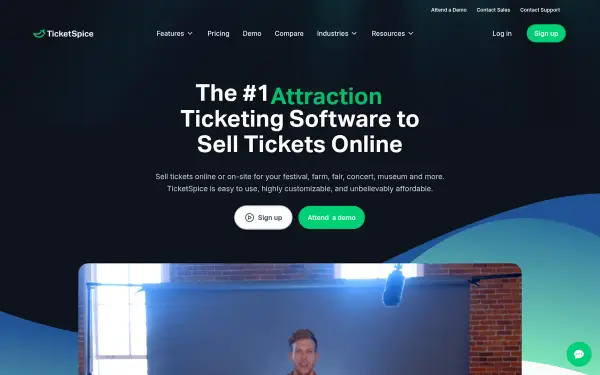
Our verdict
A strong fit for independent organizers who want branded pages and custom purchase flows, with no discovery marketplace.
TicketSpice targets independent organizers who want deep branding and custom purchase flows. Event pages and checkout are fully branded, ticket types are unlimited, and group logic plus custom purchase flows are included. It is part of the Webconnex product family. Free events are supported at no charge, and pricing is $0.99 per paid ticket plus card processing.
The appeal is control. Organizers can present a consistent brand from event page through checkout and can model group sales, packages and unusual ticket structures without a low ticket-type ceiling. The per-ticket rate is easy to understand, though card processing is added on top. Unlimited ticket types help multi-day, tiered or multi-price events stay on one platform.
The trade-off is demand. TicketSpice has no built-in discovery marketplace, so organizers must bring and market to their audience. Brand recognition is smaller than Eventbrite's. Choose TicketSpice if your brand and purchase flow are the priority and you already have a marketing engine. Skip it if you need discovery, consumer recognition, or managed box office.
You have your own audience and want branded pages, unlimited ticket types and custom purchase flows.
You need a marketplace to generate demand or you want a widely recognized consumer brand.
Entry V of X / Theater box office
Our verdict
Purpose-built theater ticketing with strong seating and donor tools, but a plan fee makes it less suitable for general events.
ThunderTix is purpose-built for theaters and performing arts venues with box office operations. It handles reserved seating charts, season subscriptions, donor management and venue check-in. Recorded pricing runs from $1.00 to $1.25 per ticket, with a recurring plan fee on top. The vendor page is listed as See website, and the recorded $1.00 rate could not be checked. There is no free plan or trial in the data we verified.
The depth is the point. A theater selling a season of assigned seats needs subscription logic, donor records and check-in, and ThunderTix lists all three. The plan fee changes the math for small houses and short runs. General admission events, festivals and community fundraisers may pay for depth they do not use. Pricing is not fully published, so request a quote and model the plan fee against annual ticket volume. Choose ThunderTix if reserved seating, subscriptions and donor management are core. Skip it if you run general admission events or need low-cost, self-serve published pricing.
You run a theater with reserved seating, season subscriptions and donor management needs.
You run general admission events or need a low-cost platform with fully published pricing.
Entry VI of X / Simple low-cost setup

Our verdict
A simple, low-cost option for local and community events, with fewer advanced features and unconfirmed page pricing.
Ticketleap is aimed at local and community events that value simplicity and low cost over feature depth. Setup is quick, event pages are mobile friendly, and social sharing tools help organizers spread the word. Free events are free to list. Recorded per-ticket pricing is $1 plus 2%, but the starting price is listed as See website and no page content was available to confirm that rate. Buyers should verify the current fee.
The platform fits small teams that need a live page and checkout without a long implementation. It is now part of Patron Technology. The feature set and partner ecosystem are smaller than larger platforms, a reasonable trade for a community event, school fundraiser or local show. Advanced features are limited, which may matter for reserved seating. The lack of confirmed pricing is a drawback. Choose Ticketleap if you want a simple, low-cost page and can confirm the current fee. Skip it if you need advanced ticketing, a strong partner ecosystem, or fully published pricing.
You run a local or community event and want a simple page with social sharing at a low cost.
You need advanced ticketing, a large partner ecosystem, or confirmed published pricing.
Entry VII of X / Ticketmaster ecosystem

Our verdict
A fit for mid-size organizers inside the Ticketmaster ecosystem, with tiered pricing that is hard to compare.
Universe sits between community-simple tools and enterprise ticketing. It offers flexible ticket types, social integration and free events at no charge, with enterprise-tier options for larger organizations. The recorded per-ticket pricing starts at 2% plus $0.79, but the starting price is listed as See website and no page content was available to confirm the rate. Buyers should treat that figure as a starting point to verify.
The main advantage is access to the Ticketmaster ecosystem. The platform is backed by the Ticketmaster group, and the feature set includes social features. That can be useful for events that need more than a basic page but do not want a full enterprise implementation.
The trade-offs are independence and clarity. Ecosystem lock-in is a real concern for organizers who want to switch tools later. The platform is less independent than competing options. Choose Universe if you are comfortable inside the Ticketmaster ecosystem and need flexible ticket types. Skip it if you want a neutral platform, published pricing, or deep independent venue tooling.
You are a mid-size organizer already comfortable inside the Ticketmaster ecosystem and want flexible ticket types.
You want a neutral platform, fully published pricing, or deep independent venue tooling.
Entry VIII of X / Tour and festival scale
Our verdict
Enterprise ticketing for professional tours and festivals, not a self-serve option for independent organizers.
See Tickets is for professional promoters running tours, festivals and attractions. It provides large-scale ticketing infrastructure, international operations, and promoter and venue relationships. Onboarding is enterprise-led rather than self-serve. Pricing is not published and is handled through commercial agreements, so there is no standard rate to compare. There is no free plan and no trial in the data we verified.
A touring promoter needs inventory control, international footprint and venue relationships, not a DIY event page. See Tickets has an established entertainment ticketing brand and a strong fit for tours and festivals. It is built for professional operations where ticketing is part of a commercial agreement rather than a monthly software subscription.
It is less self-serve than DIY platforms, and sales run through enterprise relationships. The platform has limited presence among US independent organizers, so a local venue may struggle to get the same attention as a large promoter. Choose See Tickets if you run professional tours. Skip it if you need a self-serve platform with published pricing.
You are a professional promoter running tours, festivals or attractions with enterprise ticketing needs.
You need a self-serve platform with published pricing for a community event or first show.
Entry IX of X / Low ticket fees

Our verdict
A strong low-fee option for cheap tickets, with simple setup and fewer advanced features.
TryBooking is for community events, fundraisers and schools where ticket prices are low and every cent of fee matters. It charges 50 cents per paid ticket plus 2.5% processing, and the fee drops to 15 cents on cheap tickets. Free events are free to list. Setup is simple, with tooling aimed at community events, schools and fundraisers. It is Australian-born and has a smaller US presence.
The pricing model is the reason to look. A flat per-ticket fee keeps cheap tickets cheap, where percentage-based pricing hurts most. A free event costs nothing. That makes TryBooking a strong fit for school fairs, local fundraisers and community groups that sell many low-priced tickets. The 2.5% processing is still a percentage, so model high-priced tickets separately.
The limits are feature depth and branding. Advanced features are fewer, and branding options are basic. It is less suited to reserved seating. Choose TryBooking if low ticket prices and simple setup are core. Skip it if you need advanced seating or deep branding.
You sell low-priced community tickets and want a simple platform with a low flat fee.
You need advanced seating, deep branding, or a large US support footprint.
Entry X of X / Complete branded toolkit

Our verdict
A broad branded toolkit for mid-range organizers, with a higher per-ticket fee than budget rivals.
FreshTix is for organizers who want a complete toolkit with branded checkout. It includes branded event pages and checkout, point of sale tools, mobile ticket scanning, reserved seating tools and marketing features. Pricing is $1.75 per ticket plus 3% processing, with no monthly fees. Free events are supported at no charge.
The toolkit is the draw. A single platform covers online sales, in-person point of sale, scanning and reserved seating, so a small venue can avoid stitching together separate tools. Branded pages and checkout help the event look consistent from promotion to purchase.
The cost is higher than budget rivals. FreshTix is not the cheapest option for low-price events. The brand is smaller, and support availability is limited. Reserved seating is supported, but buyers who need deep theater subscription and donor tools should compare specialist platforms. Choose FreshTix if you want branded checkout, POS, scanning and reserved seating. Skip it if lowest per-ticket fee is the priority, or if you need support team and a recognized consumer brand.
You want branded checkout, point of sale, scanning and reserved seating in one mid-range package.
The lowest per-ticket fee is the priority or you need a large support team and a widely known brand.
VIBackground
A ticket sales platform is software that lets an organizer publish an event, sell tickets, collect payment and check attendees in. It sits between the organizer and the buyer, and it usually handles seating, pricing, fees and reporting. Some platforms add a public marketplace that brings buyers who were not already on the organizer's list. Others are private sales tools that assume the organizer has its own audience.
The category covers several product types. At the simple end, a community platform provides a hosted event page, mobile-friendly checkout and basic reporting. In the middle, a branded platform adds custom checkout, group logic, point of sale and reserved seating. At the specialist end, theater and enterprise systems add season subscriptions, donor management, international inventory and venue relationships. A promoter running a tour has different needs from a school running a fundraiser, even though both sell tickets.
Most platforms bundle five functions. Event pages and checkout handle the sale. Payment processing moves money and determines payout timing. Seating and ticket types define what can be sold. Check-in and scanning control entry. Reporting shows sales, fees and attendance. The differences that matter in a buying decision are usually fee structure, payout control, seating depth and whether the platform brings any demand.
A free event can still need ticketing. Many platforms list free events at no charge, and some include the same toolkit as paid events. Paid events carry either a percentage fee, a flat fee per ticket, a subscription, or a combination. The headline rate is not the whole cost when card processing, per-seat charges or a plan fee sit on top. Buyers should model the all-in cost at their expected ticket price and volume.
Use this list as a fit test, not a feature count. Start with your audience, your seating model and your cash flow needs. Then compare the platforms that match those constraints on published fees and contract terms.
This comparison sits in the events register. Further along the shore: platform to sell event tickets and Maze alternatives.
VIIPricing
Pricing in this category usually combines a platform fee with payment processing, and some vendors add a subscription or per-seat charge. The lowest headline rate is not always the lowest total cost. A 5% platform fee on a $100 ticket is $5 before card processing, while a 99 cent per-ticket fee is cheaper on a $20 ticket and more expensive on a $200 ticket. The table below maps the models in this list to the events they fit.
| Model | How it bills | Typical fit | Example from this list |
|---|---|---|---|
| Percentage plus fixed fee | A percentage of the ticket price plus a fixed amount per paid ticket | Paid events where the organizer wants no monthly commitment | Eventbrite at 3.7% plus $1.79 per paid ticket |
| Flat per-ticket fee | A fixed charge per paid ticket, sometimes with processing added | Low-priced tickets and high-volume community events | TicketSpice at $0.99 per paid ticket plus card processing |
| Processing plus platform percentage | A platform percentage on the ticket price, with Stripe processing on top | Organizers who want a published rate and their own payment account | Eventrise at 5% plus Stripe processing |
| Subscription plus per-ticket fee | A recurring plan fee plus a per-ticket charge | Venues with ongoing box office operations | ThunderTix with a plan fee plus $1.00 to $1.25 per ticket |
| Custom or enterprise | Commercial agreement, often not published | Tours, festivals and large venues | See Tickets, priced through commercial agreements |
Free events change the math. Eventbrite, Humanitix, TicketSpice, Ticketleap, Universe, TryBooking and FreshTix all support free events at no charge in the facts we checked. ThunderTix and See Tickets have no free plan. Eventrise charges $0 for free events and includes the same toolkit with no attendee cap.
Watch for charges that sit outside the headline rate. Eventrise adds $1 per ticketed seat for reserved seating, paid by the attendee. ThunderTix adds a plan fee on top of per-ticket fees. Eventbrite charges processing separately at 2.9%. TryBooking adds 2.5% processing. FreshTix adds 3% processing. TicketSpice adds card processing. Model the all-in cost at your average ticket price before you choose.
Each entry card shows the starting price as it appeared on the vendor's own pricing page on November 25, 2026. When a vendor shows no figure we could confirm, or only a promotional rate, the card says "See website" or gives the regular price instead of a guess. Usage, overage and add-on rates in the text change more often than plan prices, so confirm them on the vendor page before you set a budget. To test the numbers against your own volume, try the free Event Break-Even Calculator. The CSAT and NPS Calculator is a second way to check the same decision.
VIIIDecision
IXPitfalls
XQuestions
TryBooking is one of the lowest-fee options in this list for cheap tickets, at 50 cents per paid ticket plus 2.5% processing, with the fee dropping to 15 cents on cheap tickets. TicketSpice charges 99 cents per paid ticket plus card processing. Ticketleap has a recorded $1 plus 2% rate, but its starting price is listed as See website and the page could not confirm it.
Eventbrite charges 3.7% plus $1.79 per paid ticket, and payment processing is charged separately at 2.9%. Free events cost nothing to list. The all-in cost therefore depends on the ticket price: the fixed $1.79 weighs more on a cheap ticket, while the 3.7% and 2.9% processing weigh more on an expensive one.
Humanitix directs 100% of profits to children's education charities, and it offers discounted rates for registered nonprofits. The rate shown to us was 4% plus $0.99 per paid ticket, and pricing varies by country. Charities, schools and community events are the clearest fit, especially when the mission story matters to attendees and sponsors.
Eventbrite's higher per-ticket fee is easiest to justify when the public marketplace brings buyers you would not otherwise reach. If you have a strong email list, repeat buyers or a local audience, the discovery premium is harder to recover. Compare the per-ticket cost against a private sales tool before assuming the marketplace will fill the room.
Payout timing matters because deposits, artist fees and venue costs can come due before ticket revenue arrives. Eventrise pays out through the organizer's own Stripe account as tickets sell, which gives more control than platforms that hold funds. Ask every vendor when money lands, what account is used and whether a reserve is held.
Most platforms in this list support free events at no charge, including Eventbrite, Humanitix, TicketSpice, Ticketleap, Universe, TryBooking and FreshTix. Eventrise charges $0 for free events and includes the same toolkit with no attendee cap. ThunderTix and See Tickets have no free plan, so free events should be checked case by case.
XIFurther along the shore
Vendors can ask for a correction or apply for a Featured listing. Paid or not, the entry is scored on the same rubric and its limits stay in print. Partner with Umberlake.
Free tools
Our free browser tools turn the prices on this page into a figure for your own volume. Nothing you type leaves your device.