
Togal.AI
$299Growth, per user per month, billed yearly
Best for aI takeoff with plan chat
- Free plan
- No
- Rubric
- 8.0 of 10
Nine construction takeoff tools compared on accuracy, drawing handling, pricing and fit, from AI-first automated measurement to desktop workhorses built for huge plan sets.

IThe short answer
Togal.AI is the strongest pick for AI-first takeoff with plan chat, Kreo is the budget route into AI-assisted measurement, and Beam AI fits contractors who want finished, human-checked takeoffs delivered rather than a tool they drive themselves. Prices were checked on November 25, 2026. Entry points on this list include $100 per user per month on Kreo, $119 per month on Handoff AI and $299 per user per month on Togal.AI and STACK, and four entries show no fetchable pricing page. Each review below states who the tool fits, what the named plan costs, and the limits that matter before you buy: Best Takeoff Software.
9 tools compared from vendor pages on November 25, 2026. 5 publish a starting price we could read; the rest say "See website".
IITop three berths
Register order is editorial fit for the buyer each entry describes. Prices are the starting figures read on November 25, 2026.
$299Growth, per user per month, billed yearly
Best for aI takeoff with plan chat

$100Essential, per user per month, billed annually
Best for budget-friendly AI takeoff

See websiteCustom, quote-based pricing
Best for done-for-you AI takeoffs with human QA
How this page is paid for. All 9 tools here are unpaid editorial picks.
A paid listing's position can be part of what the vendor pays for. Every entry, paid or not, is scored on the same rubric and keeps its limits in print. Advertising disclosure.
IIIThe register
Starting prices as shown on each vendor's pricing page on November 25, 2026. "See website" means no figure we could confirm.
| No. | Tool | From | Free plan | Trial | Rubric | Actions |
|---|---|---|---|---|---|---|
| 01 | Togal.AIAI takeoff with plan chat | $299Growth, per user per month, billed yearlyRead on vendor page | No | Demo only | 8.0 | |
| 02 | KreoBudget-friendly AI takeoff | $100Essential, per user per month, billed annuallyUpdated on vendor page | No | 7 days | 6.9 | |
| 03 | Beam AIDone-for-you AI takeoffs with human QA | See websiteCustom, quote-based pricingNot shown publicly | No | No | 6.6 | |
| 04 |  Handoff AIAI estimating for residential contractors | $119Flex, per month, billed annually, 2 users includedRead on vendor page | No | 7-day free trial | 6.8 | |
| 05 |  CountBricksAI takeoff plus invoicing and CRM | See websitePer user per month, or $300 per yearNot shown publicly | No | 7 days | 5.8 | |
| 06 |  STACKCloud takeoff with AI assist | $299Takeoff & Estimate, per user per monthRead on vendor page | Yes | Free plan available | 7.6 | |
| 07 |  PlanSwiftManual takeoff speed on big plan sets | See websiteEssential, one seat, per yearNot shown publicly | No | 14 days | 7.4 | |
| 08 |  Bluebeam RevuPDF takeoff inside plan review | $260Basics, per user, billed annuallyRead on vendor page | No | 14 days | 7.5 | |
| 09 |  eTakeoffAffordable desktop takeoff | See websiteAdvanced, per user per yearNot shown publicly | No | No | 6.9 |
Pinned:
IVMethod
How completely the tool measures areas, lengths and counts, and whether the automation is real or assisted.
How well the tool copes with large plan sets, re-issued drawings and imperfect PDFs or scans.
Whether a buyer can find a real number and predict what the workflow costs at their bidding volume.
How much of the estimating job the tool covers beyond raw measurement, including exports and collaboration.
How quickly a working estimator becomes productive, counting trial routes, training and interface age.
VMethod
Every tool here was assessed against the same five criteria, weighted the same way. Takeoff depth carries 30 percent because measurement is the job: does the tool return areas, lengths and counts, and is that automation or assistance? Drawing handling takes 20 percent and covers the things that break takeoffs in practice, meaning page counts in the hundreds, re-issued sets and scans that lost their layers. Pricing clarity takes another 20 percent, judged on whether a buyer can find a number and predict cost at their bidding volume. Workflow fit takes 20 percent, covering exports, collaboration and how much of the estimating job sits inside the product. Onboarding effort takes the last 10 percent, weighting trial routes, interface age and time to a first usable takeoff.
Prices and plan details were taken from vendor pricing pages and checked on November 25, 2026. Where no pricing page could be fetched, the entry says so and points to the vendor site rather than estimating a figure. Where a price appears in this list, it is quoted in the form the vendor publishes, on the named plan, with the billing term stated. No currency was converted.
Order is editorial. Each position reflects fit for the buyer described in that entry, not a sum of the scores, and the scores are printed so you can disagree with the weighting and re-rank for your own situation. Any entry labeled Featured is a paid placement; it is scored against the same five criteria and its cons are written to the same standard as every other entry.
The full routine, from price reads to corrections, is on the methodology page. Paid listings follow the advertising disclosure.
Entry I of IX / Automated room detection

Our verdict
An AI-first takeoff engine with plan chat and RFI drafting built into the workflow.
Togal.AI starts with a computer vision pass over the drawing set and returns quantities instead of leaving an estimator to trace every line. Gross and net square footage comes back room by room, along with wall linear footage and counts for doors, fixtures and appliances. Symbol search runs across an entire plan set, so a fixture defined once can be located on every sheet that carries it. On the Growth plan, automated takeoffs and symbol searches run without a cap, which matters if you bid several jobs a week.
Togal.CHAT adds question answering on plan content. You can ask questions about plan content and get answers tied to the drawings, and the tool drafts RFIs from what it reads. Automated measurement finishes in minutes rather than hours, which is the difference between pricing a job this afternoon and pricing it tomorrow.
Pricing is $299 per user per month on the Growth plan, billed yearly. There is no free tier and no self-serve checkout, so buying runs through a demo. Teams larger than four users get pushed to a custom quote, which makes the per-seat cost hard to forecast as an estimating department grows.
Output quality tracks drawing quality. Clean CAD exports produce good results; scanned hand sketches and poor PDFs degrade both the automated counts and the chat answers. It fits general contractors and subcontractors with an estimating team of four or fewer, a steady flow of clean drawing sets, and a reason to cut the hours spent measuring. Skip it if your plan sets arrive as scans, if you need a free evaluation route, or if $299 per seat per month cannot be justified against the volume you bid.
You have clean CAD exports, four or fewer estimators, and want measurement compressed from hours into minutes.
Your drawings arrive as scans, you need a free trial, or the per-seat price will not pay back on your bid volume.
Entry II of IX / Cheap AI entry

Our verdict
A fair-value entry into AI takeoff, provided you budget for the tier that actually includes the AI.
Kreo is a takeoff and estimating tool built around Caddie, an AI drawing detection feature. AI rename and smart label tools sit on higher tiers rather than the entry plan. Projects and storage are not metered, so a small firm can keep every job in the account without watching a quota.
The pricing structure needs reading before you budget. The Essential plan is $100 per user per month, billed annually. AI rename and smart label tools sit on higher tiers, so check the tier table before you budget. Kreo's current entry point is Essential at $100.
Day to day, the tool is quick to pick up and the collaboration layer works in real time. There is no free plan, and the trial runs seven days, which is enough to test detection on two or three real plan sets rather than a full bid cycle.
Kreo fits small and mid-size contractors who want AI-assisted measurement without the $299 per seat of an AI-first platform, and who can commit annually. It is a newer vendor with a shorter track record than the desktop names on this list, so treat the annual commitment as a bet on continuity. Skip it if you need AI features on the cheapest possible seat, or if procurement requires a long reference history.
You want AI drawing detection at a fraction of AI-first pricing and can commit to an annual plan.
You need the AI tools on the lowest tier or cannot commit annually while you evaluate.
Entry III of IX / Human-checked delivery

Our verdict
Buy a reviewed takeoff rather than a seat, with human QA on every set at an unpriced, quote-only cost.
Beam AI sells a finished takeoff rather than a seat. You upload a plan set, the system extracts quantities, and a human estimator reviews the output before anything is delivered. Results arrive as an Excel estimate, typically within 24 to 48 hours, which puts the service in a different category from tools that return numbers in minutes.
Coverage runs to 15 or more trades, which suits a general contractor that needs a full scope priced without carrying a bench of estimators. There are do-it-yourself paths for HVAC and plumbing scopes, where outputs can arrive in as little as 10 minutes. That split is useful: send the complex scopes through the managed queue and run the repetitive ones yourself.
Pricing is quote-based. No pricing page could be fetched, there is no free plan and no trial, so the only route to a number is a conversation with the vendor. Budget comparisons against subscription tools therefore need a per-project quote from Beam AI before they mean anything.
The trade-off is control. With a service, you inherit someone else's conventions for how quantities are broken out, and a revision means sending a new set back through the queue. The human QA layer is the reason to accept that: a reviewed takeoff is more defensible in a bid than raw model output. Beam AI fits contractors without in-house estimating staff, firms bidding across many trades, and anyone who would rather buy an output than learn software. Skip it if you bid weekly, need same-day turnaround on every job, or want to own the measurement process in house.
You have no in-house estimator and want a reviewed quantity file instead of another subscription.
You bid weekly, need same-day numbers, or want to measure the drawings yourself.
Entry IV of IX / Voice to estimate

Our verdict
The residential estimating workflow in one tool, priced per month for two seats with a credit allowance.
Handoff AI is built for residential contractors and remodelers, and the workflow reflects that. Instead of starting at a drawing, it starts at a site visit: voice transcription turns a walk-through conversation into line items, which land in an estimate you can edit. Proposal generation, a custom pricing catalog and mobile access keep the path from driveway to signed quote inside one tool.
The Flex plan is $119 per month, billed annually, and includes two users plus a monthly allowance of AI credits. Credits are how heavy usage gets metered: a busy month with many walk-throughs and proposals draws down the allowance faster, and overage is handled by buying more credits. Two included seats change the per-user math against tools that charge per seat.
A seven-day free trial includes one free estimate, which is enough to test transcription quality on a real job. Beyond that there is no free plan.
The scope is the limit. Handoff AI is designed around remodeling and residential estimating, not large commercial drawing sets, and it does not offer a plan-set measurement engine of the kind Togal.AI or PlanSwift offers. If your work is kitchens, additions and whole-home renovations, that focus shows up as faster estimating rather than as a missing feature. If you bid commercial plan rooms, the tool is the wrong shape.
It fits remodelers and residential builders with small estimating teams who want estimating and proposals joined up and are willing to pay $119 per month for two seats. Skip it if you need commercial takeoff, if AI credit overage would be unpredictable, or if you already run a dedicated measurement tool and only need proposal software.
You are a remodeler who wants site visit notes to become an estimate and a proposal without rekeying.
You bid commercial drawings or need a measurement engine for large plan sets.
Entry V of IX / Takeoff plus invoicing

Our verdict
A small-shop business suite where takeoff is one component, with per-user billing and a module that is shallower than specialists.
CountBricks bundles AI-assisted takeoff with the admin work that usually sits in separate tools: proposals, invoicing, a CRM for leads and customers, and inventory tracking. One login covers the path from measurement to a sent invoice, which is the appeal for a small shop that does not want to stitch tools together.
The takeoff module is real but shallower than the specialist tools here. It handles quantity takeoff with AI assistance, and for straightforward residential and light commercial work that is enough. On complex drawing sets with many conditions, layered detail and revisions, expect to hit the edges of what it does well and to miss features a dedicated measurement engine treats as basic.
Pricing is on the vendor site rather than on a page that could be fetched, so check the current figure with the vendor. A seven-day trial lets you test the takeoff on your own drawings before committing.
The honest caveat is vendor size. CountBricks has a limited footprint compared with the desktop names on this list, and AI accuracy claims deserve a test on your own plan sets rather than on a demo set. Treat the takeoff as one component of a small-business suite, not as the core engine, and judge it on whether the invoicing and CRM save you a subscription and a data entry step.
CountBricks fits small contractors, handyman businesses and specialty trades that want one system and a low per-seat price. Skip it if takeoff depth is the deciding factor, if you bid large commercial work, or if you need the measurement engine to lead the workflow.
You run a small shop and want measurement, proposals and invoicing in one system.
Takeoff depth or large commercial drawing sets are the deciding factor.
Entry VI of IX / Free forever tier

Our verdict
A genuine free tier plus cloud collaboration, with AI that assists the estimator rather than replacing them.
STACK sits between fully automated AI takeoff and old desktop measurement tools. The core is a cloud manual takeoff: you open a plan set in the browser, set your scale, and measure areas, lengths and counts with the usual tools. AI Assist sits on top and speeds the repetitive parts of that workflow rather than replacing it, so an estimator still drives the measurement and the model removes some of the clicking.
The free-forever plan is the unusual part. Several tools here offer a demo or a short trial; STACK offers a free tier you can keep, which gives a low-risk way to get a team onto live projects before a purchase decision. Paid access to the Takeoff & Estimate tier runs $299 per user per month, the same league as Togal.AI and a real step up from free.
Collaboration is mature. Teams work in the same live project in the browser, share project access, and pick up each other's takeoffs without exporting files back and forth. On very large plan sets, browser performance degrades, and that is where a desktop tool still wins.
STACK fits estimating teams that want cloud collaboration and a proven manual core, with AI as a speed layer rather than the product. It also fits firms that want to pilot on a free tier and expand seat by seat. Skip it if you need measurement to be automated rather than assisted, if you regularly work with plan sets in the hundreds of pages, or if $299 per user per month for the paid tier is out of reach.
You want a free start and cloud collaboration, with AI as a speed layer over manual measurement.
You need fully automated takeoff or routinely work with several-hundred-page sets.
Entry VII of IX / Large plan throughput
Our verdict
A fast manual engine for huge commercial sets, at a per-seat annual price that demands real volume.
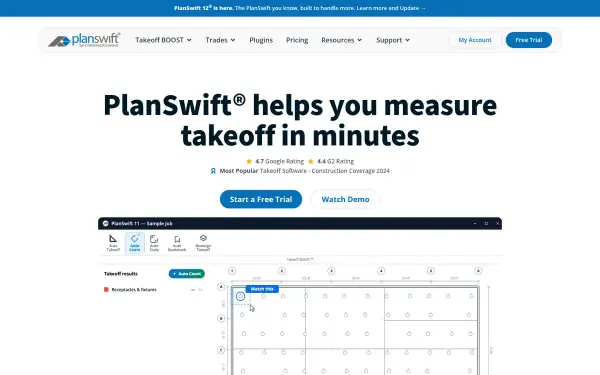
PlanSwift is the desktop reference point for manual takeoff on large commercial drawing sets. The measurement engine is built to stay fast when a set runs to several hundred pages, and estimators who came up on it measure at a speed browser tools still struggle to match.
Condition-based takeoff is the core idea: you define conditions once and every measurement attaches to one, which keeps quantities organized as you work through a set. Assemblies then convert those quantities into estimate line items, so takeoff and pricing stay linked rather than reconciled later. Recent releases added auto-count, auto-scale and auto-bookmark helpers, which close some of the gap with AI-native tools without changing the model: a person still measures.
Pricing is on the vendor site. The Essential plan is a one-seat annual licence, so check the current figure before you budget. A 14-day trial is the evaluation route, and there is no free plan.
Two limits matter. It is desktop-first, with no browser-native workflow, so collaboration means file sharing rather than a shared live session. And the interface feels dated compared with newer tools, which is a training cost on top of the licence. Trade-specific plugins soften that by putting the right assemblies in front of the right estimator.
PlanSwift fits commercial estimators and subcontractors who measure hundreds of pages a week and want the fastest manual engine available. Skip it if you need AI automation, cloud collaboration, or a lower entry price.
You are a commercial estimator measuring large sets daily and want a fast manual engine.
You need AI automation, live cloud collaboration, or a lower annual seat cost.
Entry VIII of IX / Measurement inside review
Our verdict
Measurement inside the plan review tool many teams already run, with Basics at $260 per user per year.
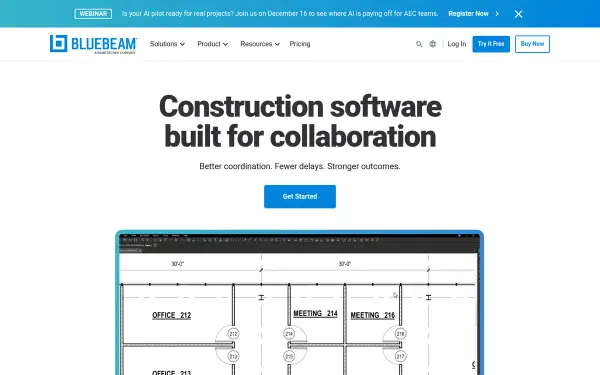
Bluebeam Revu is the plan review and markup standard in many construction offices, and measurement sits inside it. Length, area and volume tools work directly on PDFs, count tools handle symbols and fixtures, and the same interface carries the markup and annotation set an estimator would use to flag questions during review.
That bundling is the argument. If your team already runs Revu for submittals, drawing review and redlines, takeoff comes inside the same subscription and interface, and measurement sits next to the review workflow that generates many of your RFIs. Studio sessions let a team review the same drawing live, and measurements can be walked through in that session rather than emailed around as PDFs.
Pricing for the entry Basics tier is $260 per user per year, the cheapest annual seat on this list. A 14-day trial is available and there is no free plan. Higher tiers are needed for the advanced measurement functions, so check which measurement tools sit above Basics before assuming the entry price covers the takeoff you plan to do.
The limit is focus. Takeoff is a secondary feature in a review product, not the specialty, and there is no AI-driven takeoff at all, so automated counts and area detection are not on the table. On a big set with repetitive rooms, the manual clicking shows.
Bluebeam Revu fits teams that already standardize on PDF review and want measurement without a second tool, and firms doing lighter takeoff alongside heavy markup. Skip it if takeoff is the main job, if you need AI automation, or if your advanced measurement needs sit above the Basics tier.
Your team already reviews and marks up PDFs in Revu and wants measurement without a second subscription.
Takeoff is the main job or you need automated counts on repetitive plan sets.
Entry IX of IX / Drawing compare
Our verdict
An affordable desktop engine whose drawing compare earns its place on re-issued plan sets.
eTakeoff is a desktop measurement tool aimed at estimators who want speed without paying an AI premium. It covers the standard ground: length, area and count measurement on drawing sets, with an interface built around getting through a plan quickly rather than around automation.
Drawing comparison is the feature that earns it a place here. Overlay comparisons and a compare function let you line up revisions and see what changed between two issues of a set, which is the question that quietly costs estimators the most time on a re-bid. Excel integration carries quantities out into an estimate, so the measurement step joins up with whatever spreadsheet or estimating package you already run.
Pricing is on the vendor site. The Advanced plan is a per-user annual licence, so check the current figure before you budget. The value proposition is a professional desktop engine without an AI premium. There is no free trial and no free tier, so evaluation means a sales conversation or a paid start.
The limits are capability and size. There is no AI takeoff, so every measurement is manual, and the vendor is smaller than the desktop names it competes with, with fewer resources behind integrations and support.
eTakeoff fits cost-conscious estimators and small subcontractors who measure regularly, want drawing compare on revisions, and will not use AI features enough to pay for them. Skip it if you need automated takeoff, a free trial before buying, or a vendor with the scale of a PlanSwift or Bluebeam.
You want a capable desktop measurement engine without an AI premium.
You need automated takeoff or insist on a free trial before purchase.
VIBackground
Takeoff software measures quantities from a drawing set so an estimator does not have to scale and count by hand. It is the measurement half of bidding: takeoff produces the quantities, estimating applies labor and material prices to them, and several tools on this list do both in one place. The output is broadly the same whatever the engine: square footage by area or room, linear footage for walls, pipe and conduit, volume where specified, and counts of doors, windows, fixtures, outlets and equipment.
Three kinds of product sit under the label.
The drawing format decides how much automation is possible. Clean vector PDFs and CAD exports give automated detection something to read: layers, text labels and consistent line weights. Scanned sketches and flattened image PDFs remove that structure, and accuracy drops for every AI tool here, regardless of what the sales deck says. Before you commit, run your three messiest recent sets through a trial, not your cleanest one.
Revisions matter as much as first-pass measurement. A re-issued set means finding what moved, and tools handle it differently: some offer overlay and drawing compare, others expect a fresh takeoff. Ask how a revision is priced before you buy, because a tool that charges full rate for a changed sheet gets expensive on a job with five addenda.
Finally, decide whether you are buying measurement or an output. A self-serve tool gives an estimator leverage; a managed service replaces the seat. Both are legitimate. They are not comparable on price per month, only on cost per bid.
This comparison sits in the software register. Further along the shore: Maze alternatives and ticket sales platform.
VIIPricing
Takeoff software bills in five recognizable ways, and the model matters more than the headline number. Per-seat subscriptions reward small teams and punish growth. Annual seat licences on desktop tools cost more up front and less over three years. Managed services bill per plan set, so cost tracks bidding volume rather than headcount. Freemium tiers let a team start for nothing.
| Model | How it bills | Typical fit | Example from this list |
|---|---|---|---|
| Per user, per month | Recurring seat fee, usually with an annual commitment | Teams that want a low entry point and predictable seats | Togal.AI at $299 per user per month on Growth, billed yearly |
| Per user, per year | One annual charge per named user | Firms standardizing on a single tool across an estimating team | Bluebeam Revu Basics at $260 per user per year |
| Desktop seat licence, annual | Per-seat annual licence, priced and sold on the vendor site | Estimators working large sets offline who measure all day | PlanSwift Essential and eTakeoff Advanced: pricing is on the vendor site |
| Managed takeoff service | Quote-based, priced per plan set or project | Contractors without in-house estimating staff | Beam AI, custom quote-based pricing |
| Freemium plus paid tier | Free forever tier, paid upgrade per user per month | Small teams piloting before a purchase decision | STACK free-forever plan, paid tier $299 per user per month |
Two habits make the comparison honest. First, convert everything to cost per bid rather than cost per month: a $299 seat that halves measurement time on ten bids a month is cheaper than a $100 seat that does not. Second, read what the entry tier actually includes. Kreo's AI rename and smart label tools sit above its entry tier, and Bluebeam's advanced measurement sits above Basics, so the sticker price is not the price of the workflow you need.
Watch overage mechanics too. Handoff AI meters AI usage through credits bundled into the Flex plan, and credits run out in a heavy month. Quote-based vendors cannot be compared on price at all until you have a number in writing for a representative plan set.
Each entry card shows the starting price as it appeared on the vendor's own pricing page on November 25, 2026. When a vendor shows no figure we could confirm, or only a promotional rate, the card says "See website" or gives the regular price instead of a guess. Usage, overage and add-on rates in the text change more often than plan prices, so confirm them on the vendor page before you set a budget. To test the numbers against your own volume, try the free User Research Budget Planner. The Event Break-Even Calculator is a second way to check the same decision.
VIIIDecision
Count your plan sets and page counts. Write down how many sets you bid per month and how long the largest ones run. A firm bidding two 40-page remodels monthly needs something very different from one measuring 300-page commercial sets weekly.
Check the drawing format you actually receive. Look at your last five sets. If they are clean vector PDFs or CAD exports, automated detection is worth paying for. If they are scans, put more weight on manual speed and less on AI claims.
Decide whether you are buying a tool or an output. A subscription gives your estimator leverage and keeps the process in house. A managed service like Beam AI hands over a reviewed quantity file instead. Price them per bid, not per month.
Price the workflow, not the entry tier. Confirm which tier includes the features you need. Kreo's AI rename and smart label tools sit above its entry tier and Bluebeam's advanced measurement sits above Basics, so the cheapest listed plan may not do the job.
Test on your worst set, not a demo. Use the trial window on a messy, revised, real drawing set. Togal.AI offers a demo, Kreo and Handoff AI run seven-day trials, and STACK's free tier lets you test without a clock.
Ask how revisions are handled and priced. A re-issued set is where cost creeps in. Confirm whether drawing compare exists, as it does in eTakeoff, and whether a revision counts as a new job on a managed service.
IXPitfalls
Judging on the demo set, not your own. Vendors demo clean vector drawings. Your sets arrive scanned, half revised and missing layers. Test on the worst three you have, because that is the drawing quality you will actually live with.
Comparing a monthly price to an annual one. A $299 per user per month seat and a $260 per user per year licence are not the same number in different units. Convert both to annual cost per estimator before you form any opinion.
Assuming AI removes the estimator. Every automated tool here returns quantities a person still has to check, and STACK's AI explicitly assists rather than automates. Budget for review time, not zero measurement time.
Ignoring revision and re-issue cost. A job with five addenda multiplies the measurement work. Without drawing compare, or with a service that bills each revision as new, the cheap option can finish the year as the expensive one.
Buying a suite when you need an engine. CountBricks bundles invoicing, CRM and inventory, which is value if you need those and dilution if you do not. Match the product to the job you are actually hiring it for.
XQuestions
On clean vector drawings, close enough that a reviewer signs off rather than remeasures. On scanned or flattened PDFs, expect to correct a meaningful share of the output. Automated measurement finishes in minutes rather than hours, but the same tool degrades on poor drawings. Treat AI quantities as a strong first pass that an estimator verifies, not as final numbers.
It reshapes the role. Every tool here still needs a person to set scope, check what the model detected and decide what the quantities mean. What changes is where the hours go: less time tracing lines, more time reviewing output, pricing risk and drafting RFIs, which Togal.AI now does directly from drawings. Firms that cut estimating headcount on the strength of a demo tend to regret it.
Entry points on this list include $100 per user per month on Kreo's Essential plan billed annually, $119 per month on Handoff AI's Flex plan billed annually, and $299 per user per month on Togal.AI Growth and STACK Takeoff & Estimate. Bluebeam Revu Basics is $260 per user per year. Four entries have no fetchable pricing page, so check the vendor site or ask for a quote.
Clean vector PDFs and CAD exports. Automated detection reads layers, text labels and consistent line weights to find rooms, walls and symbols, and all three survive a proper export. Scanned hand sketches and flattened image PDFs strip that structure out, so accuracy falls for every AI tool regardless of vendor. Ask what format your architect and engineers issue before paying for automation.
You buy an output instead of a seat. With Beam AI you upload a plan set and receive a reviewed Excel takeoff, usually in 24 to 48 hours, and a human estimator checks the extraction before delivery. With software you own the process and the speed. Services suit firms without estimating staff; software suits firms that want control and same-day turnaround.
Differently, and it matters. Some offer overlay and drawing compare so you can see exactly what changed between issues, which eTakeoff does well. Others expect a fresh takeoff on the revised sheet. On managed services, a revision often means resubmitting the set. Confirm the mechanism and the price before you sign, especially if your projects run through multiple addenda.
XIFurther along the shore
Vendors can ask for a correction or apply for a Featured listing. Paid or not, the entry is scored on the same rubric and its limits stay in print. Partner with Umberlake.
Free tools
Our free browser tools turn the prices on this page into a figure for your own volume. Nothing you type leaves your device.