
Tithe.ly
$119All-Access, per month, free online giving plan also available
Best for churches that need free online and mobile giving
- Free plan
- Yes, Free Forever online giving at $0/mo
- Rubric
- 8.5 of 10
Nine online giving platforms ranked for church and nonprofit buyers, with free plans, per-gift rates, and the add-ons that quietly change the total cost.

IThe short answer
Tithe.ly is the best online giving platform for most churches in November 2026 because its Free Forever Giving plan charges no monthly fee and paid add-ons are optional. Planning Center Giving is the better pick if your church already runs Planning Center People, check-ins, or groups, since donation records land in the same database. Givebutter suits churches and nonprofits that run campaigns, events, ticketing, or auctions alongside regular giving. All three were checked against vendor pricing pages on 25 November 2026, and the prices below reflect those pages: Best Online Giving Platforms.
9 tools compared from vendor pages on November 25, 2026. 5 publish a starting price we could read; the rest say "See website".
IITop three berths
Register order is editorial fit for the buyer each entry describes. Prices are the starting figures read on November 25, 2026.
$119All-Access, per month, free online giving plan also available
Best for churches that need free online and mobile giving

See websiteGiving tier at 75 monthly donations, prices set by slider, free tier at 10 donations
Best for churches already using Planning Center software

$29Plus, starting price per month, $348 billed annually, free plan included
Best for fundraising-heavy churches and nonprofits needing campaign tools
How this page is paid for. All 9 tools here are unpaid editorial picks.
A paid listing's position can be part of what the vendor pays for. Every entry, paid or not, is scored on the same rubric and keeps its limits in print. Advertising disclosure.
IIIThe register
Starting prices as shown on each vendor's pricing page on November 25, 2026. "See website" means no figure we could confirm.
| No. | Tool | From | Free plan | Trial | Rubric | Actions |
|---|---|---|---|---|---|---|
| 01 | Tithe.lyChurches that need free online and mobile giving | $119All-Access, per month, free online giving plan also availableUpdated on vendor page | Yes | 30-day free trial for All-Access | 8.5 | |
| 02 | Planning Center GivingChurches already using Planning Center software | See websiteGiving tier at 75 monthly donations, prices set by slider, free tier at 10 donationsNot shown publicly | Yes | No | 8.3 | |
| 03 | GivebutterFundraising-heavy churches and nonprofits needing campaign tools | $29Plus, starting price per month, $348 billed annually, free plan includedRead on vendor page | Yes | 30-day trial for Plus | 7.4 | |
| 04 |  SubsplashChurches wanting apps, media, and giving together | See websitecustom quoteQuote only | Yes | Demo only | 7.2 | |
| 05 |  GivelifySmall churches needing simple mobile giving | FreeNo monthly fees, 2.9% + $0.30 per donationRead on vendor page | Yes | No | 6.0 | |
| 06 |  DonorboxNonprofits and churches needing flexible donation forms | $150Pro, per month, yearly billing discount available, free Standard planRead on vendor page | Yes | No | 6.2 | |
| 07 |  VancoChurches needing kiosks and in-person card giving | See websiteTHRIVE, GROW plan has no monthly feeNot shown publicly | Yes | No | 7.3 | |
| 08 |  PushpayLarge multi-site churches needing engagement and giving | See websitecustom quoteQuote only | No | Demo only | 6.8 | |
| 09 |  AnedotNonprofits and churches needing custom donation pages | FreeNo monthly fee, 3.3% + $0.30 per card gift for 501, c,3Read on vendor page | Yes | No | 5.4 |
Pinned:
IVMethod
Monthly fees, card and ACH rates, platform percentages, and add-on prices at real donation volumes.
Whether the tool handles funds, donor statements, batch entry, and church records or is a general nonprofit product.
How quickly a giver completes a gift, and whether recurring giving and fee coverage are offered.
Native links to church management, accounting, check-in, and group data without manual exports.
Deposit timing, statements, batch entry, and how much work finance staff do each month.
VMethod
We scored each platform on five criteria, then wrote the order to match the buyer each entry describes. Price mattered most, but a low rate does not help a church that needs kiosk giving or a nonprofit running an auction, so no single score decides a position.
Giving costs carried 30 percent: monthly fees, per-gift card and ACH rates, platform fees, and add-on prices. Church fit carried 25 percent, measured by whether the product handles funds, donor statements, batch entry, and church management or is a general nonprofit tool. Donor experience carried 20 percent, covering how a giver completes a gift and whether recurring gifts and fee coverage are offered. Software integrations carried 15 percent, and admin and reporting carried the last 10 percent.
Prices, plan names, and processing rates come from vendor pricing pages where available, checked on 25 November 2026, and entries note when a figure could not be confirmed. Where a vendor publishes no figure, the entry says pricing is on the vendor site or quoted through sales, and we did not estimate a number. Where a page listed only some plans, we say so in the review rather than fill the gap.
Tithe.ly appears first as a Featured placement. It is a paid position, and it was scored with the same rubric and given the same scrutiny as every other entry, including the cons you see in its review. Featured placement moves the entry to the top of the list; it does not change its scores, and we did not soften its weaknesses.
The full routine, from price reads to corrections, is on the methodology page. Paid listings follow the advertising disclosure.
Entry I of IX / Free forever giving
Our verdict
The strongest church-first pick for most congregations, because free online giving is real and the paid add-ons are genuinely optional.
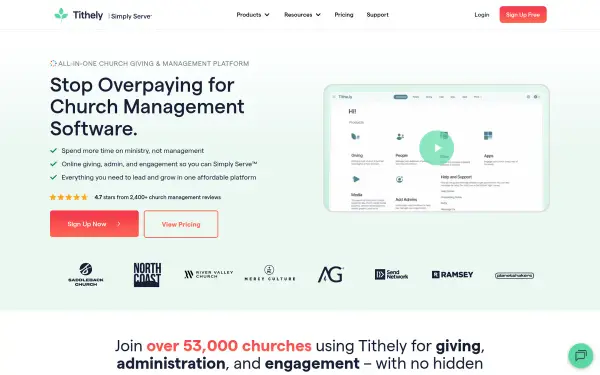
Tithe.ly leads with a genuinely free giving tier. The Free Forever Giving plan charges no monthly fee, no setup fee, and no contract, and gifts cost 2.9% + $0.30 on cards and 1% + $0.30 on ACH. For a small congregation that wants a donation page and recurring gifts without a subscription, that combination is hard to beat. The paid All-Access bundle runs $119 per month with a 30-day free trial, and it is the only paid plan shown on the pricing page. Anedot charges more per card gift, and Planning Center charges less on cards but adds a volume-based monthly fee.
What sits behind the free plan is where budgets change. Text-to-give costs $19 per month on the free plan, and church management, a branded mobile app, and a website builder are sold as separate add-ons. A church that adds texting plus a mobile app can end up paying more than one that simply started on a mid-priced bundle elsewhere, so price the add-ons you actually need before you commit.
Operationally, deposits arrive weekly by default, and switching to daily deposits requires approval. That matters for churches with tight cash flow or heavy payroll weeks. The core feature set covers online donation pages, mobile giving, recurring gifts, and optional donor fee coverage, which is the standard list for this category and covers most Sunday giving.
Tithe.ly fits churches that want free online and mobile giving with a clear upgrade path into church management and an app. It fits less well if text-to-give is a day-one requirement, since the $19 per month add-on changes the math, or if you need daily deposits without an approval step.
You want free online and mobile giving today with a paid path into church management and an app later.
Text-to-give is essential on day one or you need daily deposits without an approval step.
Entry II of IX / Lowest card rate
Our verdict
Best value for churches already inside Planning Center, with the lowest card rate here and a fee that tracks donation volume.
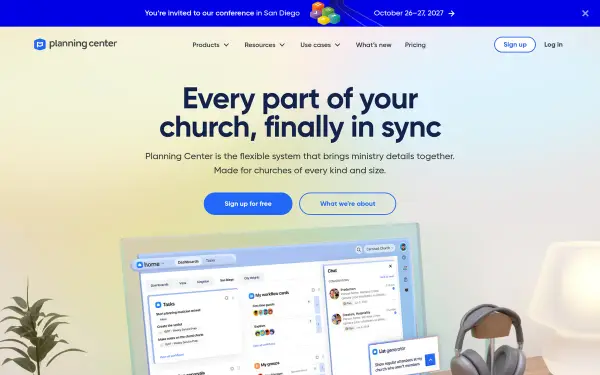
Planning Center Giving is the cheapest way to process a card gift on this list, at 2.15% + $0.30 in the US, with ACH at a flat $0.30. The catch is the monthly platform fee, which scales with donation volume: free up to 10 donations a month, then $15 for up to 75, $32 for 200, and $239 for unlimited gifts. For a church taking a few hundred gifts a month, that structure is predictable and usually cheaper than a percentage platform fee.
The product itself is deliberately narrow. It records donations against Planning Center People, tracks funds, produces donor statements, and takes batch entry for cash and checks so the weekend offering lands in the same ledger as online gifts. Text giving is an add-on with a toll-free number, and check-in and group data sit alongside giving records. There are no setup, minimum, or cancellation fees, which removes most of the risk from a trial run.
The real decision is whether you already run Planning Center. If your church uses People, Check-Ins, or Groups, Giving removes a whole sync project and gives staff one database for attendance, groups, and generosity. If you do not, you are buying a giving tool that is competent but narrower than Tithe.ly or Subsplash, with no app builder, no website, and no messaging.
The company does not publish a single headline price for paid Giving tiers, so the entry reads pricing on the vendor site. Expect to work a slider to find your tier before you can compare it to a flat monthly plan. Planning Center Giving fits churches already standardized on Planning Center software, and it fits any church willing to pay a volume fee for the lowest card rate here. It fits poorly if you want one vendor for app, media, and messaging.
Your church already runs Planning Center People, Check-Ins, or Groups and wants giving in the same database.
You need a church app, website, or messaging from the same vendor, or you want one flat published price.
Entry III of IX / Campaigns plus tips

Our verdict
The only platform here that pairs everyday giving with events, ticketing, and auctions, funded by donor tips rather than a subscription.
Givebutter is the only tool here that bundles campaigns, events, ticketing, and auctions with ordinary giving, and it does it on a free tier that includes unlimited users, contacts, and campaigns. The trade is a tip prompt. With donor tips enabled, the platform fee is 0 percent; with tips off, a 3% platform fee applies on top of processing at 2.9% + $0.30 for cards and 1.9% + $0.30 for ACH.
That model suits organizations that run a gala, a giving day, or a peer-to-peer push and want one link for everything. A church running a building campaign can sell tickets, run an auction, and collect pledges without stitching three tools together. Plus costs $29 per month, or $348 billed annually, with a 30-day trial, and it adds texting and QuickBooks Online sync.
The honest downside is the tip prompt. Some churches find it awkward to ask donors for a gratuity on top of a gift, and turning tips off shifts the cost to a 3% platform fee that is higher than the 2.9% card rate many processors charge. Run both numbers on your expected volume before choosing, because the tip decision is the whole cost model.
Givebutter is also less church-specific than Tithe.ly or Planning Center. There is no membership database, no check-in, and no donor statements built for congregational records, so a church that needs those will pair it with something else or pick a church-first platform. Givebutter fits fundraising-heavy churches and nonprofits that want campaign tools and can live with tips. It fits poorly if you need church management or dislike tip prompts.
You run events, auctions, or peer-to-peer campaigns alongside ordinary giving.
Asking donors for a tip feels wrong or you need church management built in.
Entry IV of IX / App and media
Our verdict
Buy it for the church app, not the giving page, since standalone card rates are high and the bundle price is quote-only.
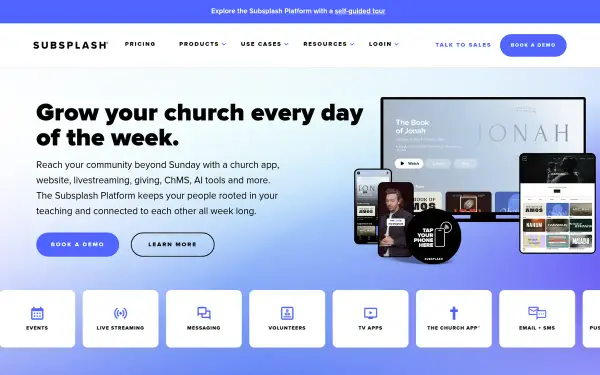
Subsplash sells a church app first and giving second, and that framing explains both the price and the catch. Giving on its own is $0 per month with no setup fee, but cards run 2.99% + $0.30, which is among the highest standalone card rates from the church-focused tools here. ACH costs 1%. If all you need is a donation page, you are paying more per gift to get an app you may not use.
The bundle changes the math. Subsplash One lowers card rates to 2.3% + $0.30 and adds the custom mobile app, sermon and media library, event listings, church management, and messaging. Pricing is based on church size and comes through a sales conversation, so there is no published figure to compare against Tithe.ly's $119 All-Access or Vanco's plans.
Where Subsplash earns its place is in churches that want one vendor for the app, the sermon archive, events, and giving. Members open one app for the sermon, the calendar, and the offering, and staff manage media and generosity in one place. That consolidation is real value and it is difficult to price against a la carte tools, because the comparison depends on what you would otherwise pay for an app and a media host.
Subsplash fits churches that want apps, media, and giving together and are willing to talk to sales. It fits poorly if you want a published price, if you already have an app your congregation uses, or if a donation page plus recurring gifts is the whole requirement. Re-verify bundle pricing on the vendor site before you sign, since quote-only pricing moves between conversations.
You want one vendor for the church app, sermon media, events, and giving.
You only need a donation page or you refuse to buy through a sales call.
Entry V of IX / Simplest donor app
Our verdict
A no-cost starting point for small churches that want app-based giving and can live with card-only processing and thin reporting.
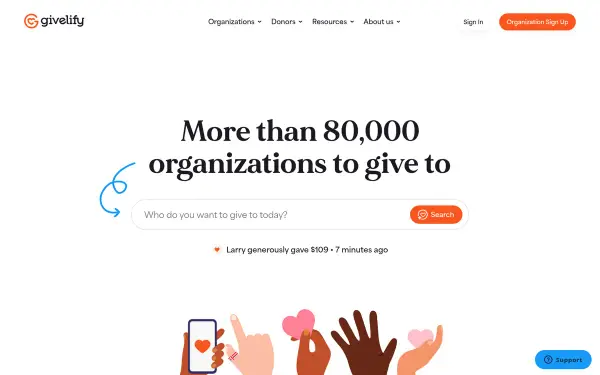
Givelify is the simplest option on this list and the least expensive in the sense that matters to a small church: nothing recurs. There is no monthly subscription, setup charge, or contract, and the rate is a flat 2.9% + $0.30 per gift, with Amex at 3.5% + $0.30. For a small congregation, a slow month costs nothing and a good month costs the same percentage as a bad one.
The giving experience is the product. Donors find the church inside the Givelify app, save a payment method, and give in a few taps, with recurring gifts available. That works well for members who already use the app and for churches without a website worth rebuilding. It works less well for visitors who expect a Give button on your own site and have never heard of Givelify.
Three limits are worth weighing. The pricing page lists card payments only, with no cheaper bank-transfer option, so you cannot cut costs by pushing ACH. The giving experience lives in the Givelify app rather than on the church website, which puts a third party between you and your donor. And reporting is thinner than what dedicated church software produces, which matters at year end when donors ask for statements.
Compare the 2.9% against Tithe.ly's 1% + $0.30 ACH rate if a large share of your givers would use bank transfer when offered. Givelify fits small churches that need simple mobile giving with no monthly fee and no contract. It fits poorly if you want an on-site donation form, ACH gifts, or reporting that ties into church management.
You want app-based giving with no monthly fee, no contract, and almost no setup.
You need ACH gifts, an on-site donation form, or detailed reporting.
Entry VI of IX / Flexible embedded forms
Our verdict
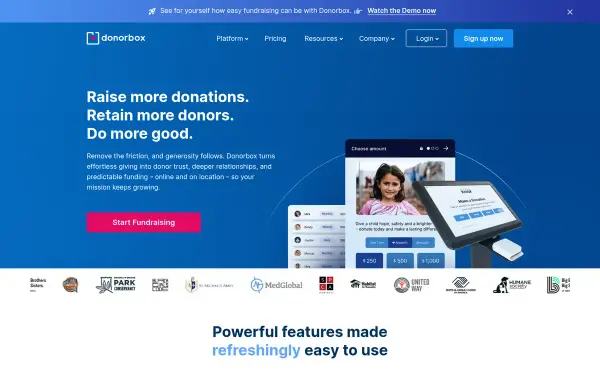
Excellent embeddable forms and campaign tools for nonprofits, with a platform fee that only pays off at higher volume or on Pro.
Donorbox is a donation form company, and it is good at that one thing. Forms embed on any site, the design is customizable, and recurring giving, donor management, crowdfunding, peer-to-peer campaigns, ticketing, and memberships sit in the same account. The free Standard plan includes unlimited forms, pages, and campaigns, which makes it easy to test before committing.
The cost is a platform fee stacked on processing. Standard is free per month but adds 2.95% per donation, or 3.95% for ticketing and memberships, on top of card processing. Pro is $150 per month and cuts the platform fee to 1.75%, with a yearly billing discount available. Text-to-give costs $19 per month. There are no setup or cancellation fees, so a small organization can start and stop without penalty.
Run the break even at your own volume. Compare the fee difference between Standard at 2.95% and Pro at 1.75% with the $150 monthly Pro price, and include the 3.95% rate for ticketing and memberships where relevant. At lower volume Standard can cost less, and at higher volume Pro can cost less.
Donorbox is a general nonprofit tool with no church management features. There is no membership database, no check-in, and no congregational records layer. A church that needs those will run Donorbox alongside church software or pick Tithe.ly instead. Donorbox fits nonprofits and churches that need flexible, embeddable forms and campaign tools, especially organizations with event revenue. It fits poorly if your donation volume is small and steady, since Standard's 2.95% platform fee then costs more than a flat monthly plan.
You need flexible embeddable forms and campaign tools and process enough to justify Pro.
You need church management or your monthly volume is small enough that the 2.95% fee outweighs a flat plan.
Entry VII of IX / Kiosks and terminals
Our verdict
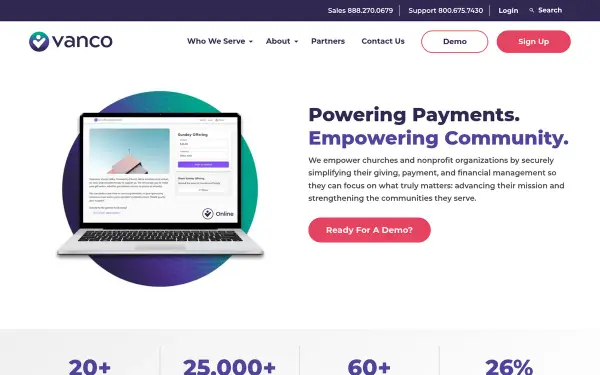
The pick when you need kiosks, card readers, and dozens of church software integrations, and can absorb the highest per-gift fees.
Vanco is the in-person giving specialist. Beyond online forms and text giving, it sells card readers and kiosks, which is what most platforms on this list do not touch, plus integrations with more than 60 church management systems. For a church that collects gifts at a lobby kiosk or a terminal in the parish hall, that hardware and integration coverage is the reason to look here.
The entry plan is GROW: no monthly fee, no contract, cards at 2.90% + $0.45, and ACH at 1.00% + $0.45. Those per-gift rates are the highest among the church-first tools here, and the $0.45 fixed piece punishes small gifts. GROW also adds a $10 monthly fee if onboarding or launch deadlines are missed, which is unusual and worth diarizing for whoever manages the rollout.
THRIVE is the higher tier with lower rates; the pricing page could not be fetched during this check, so confirm current price and rates on the vendor site before comparing plans. Add-ons such as Giving Insights at $75 per month add up quickly on top of either plan, and they should be priced before you compare the total to a flat bundle.
Vanco fits churches needing kiosks and in-person card giving alongside online donations, particularly churches with large weekend attendance where terminal giving is a real share of the total. It fits poorly if your gifts are small and mostly digital, since the $0.45 per-gift charge and the higher card rate cost more than Tithe.ly or Planning Center over a year.
You need kiosks, in-person card readers, or a specific church management integration.
All your gifts are small and digital, where the $0.45 per-gift charge costs more.
Entry VIII of IX / Multi-site platform
Our verdict
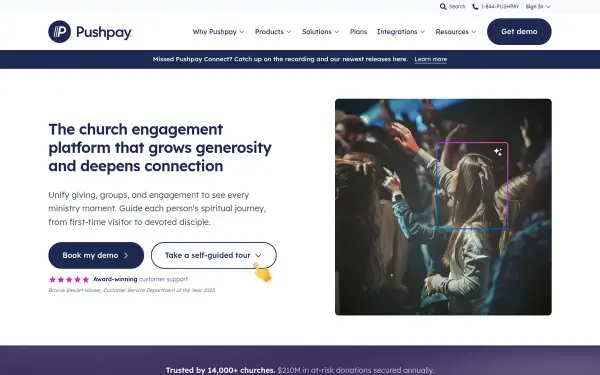
A serious multi-site platform with no published prices, sold on one to three year contracts that you should read closely.
Pushpay does not publish prices, and that single fact decides whether you should keep reading. Plans are named Core, Advanced, and Complete, pricing comes through a sales demo, and contracts run 1, 2, or 3 years with early cancellation requiring you to pay the remaining balance. For a large church with procurement staff, that is a normal enterprise conversation. For a smaller congregation, it is a long commitment to a number you cannot see yet.
What you get is a consolidated platform: mobile giving, a custom church app, communication tools, church management, and engagement tools, built for multi-site operations with high-volume giving reliability. There are no setup fees and no user limits, so adding staff seats does not change the bill, which matters for growing teams.
The multi-site angle is the strongest argument. A church running several campuses needs one donor record, one app, and one messaging system, and Pushpay is designed around that shape. The engagement tools also push beyond giving into connection, which is a different purchase from a donation page and should be judged as one.
The risks are contractual, not technical. A three-year term with a remaining-balance cancellation clause means you should model your giving volume and staff count before signing, and ask for the price list in writing during the demo. Tithe.ly publishes a starting price; Pushpay does not, so the comparison starts at the demo. Pushpay fits large multi-site churches that want engagement and giving in one platform and can commit for multiple years. It fits poorly if you need a published price or a month-to-month arrangement.
You are a large or multi-site church that wants giving, app, and engagement in one contracted platform.
You need a published price or cannot commit for one to three years.
Entry IX of IX / Custom page builder
Our verdict
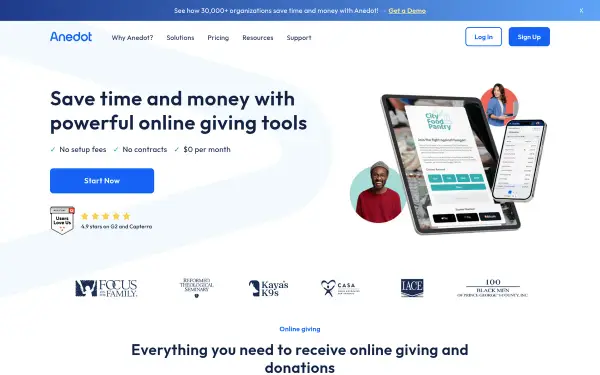
Fast, flexible donation pages with no monthly fee, but the card rate is the steepest here unless donors switch to ACH.
Anedot is a page builder with a payment processor attached, and the page builder is the good part. Donation pages are flexible, campaign pages are quick to stand up, and the designs look professional without a designer. Setup is fast and there are no monthly, setup, integration, or contract fees, so the cost is entirely per gift.
That per-gift cost is the highest card rate on this list for 501(c)(3) organizations: 3.3% + $0.30, rising to 4.0% + $0.30 for other organizations. ACH is where Anedot gets interesting, at 0.3% + $0.30 for 501(c)(3)s, far below every card rate here. If your donors will use bank transfer, the blended cost drops quickly and the calculation changes entirely.
Donor fee coverage is another lever. When a donor covers the processing fee, the organization is left with only the $0.30. That works if your donors are willing to check the box at checkout. Compare the total against Donorbox's Standard plan, which adds a 2.95% platform fee on top of processing, rather than against card rates alone.
Anedot is less church-specific than Tithe.ly or Planning Center. There is no membership database and no church management, so it suits organizations that treat giving as forms and campaigns rather than as a congregational record. Anedot fits nonprofits and churches needing custom donation pages and campaign tools, especially those that can shift donors to ACH. It fits poorly if most gifts arrive by card, since 3.3% + $0.30 is a heavy cut over a year.
You need custom donation pages fast and your donors will use ACH at 0.3% + $0.30.
Most gifts arrive by card, where 3.3% + $0.30 is the steepest rate here.
VIBackground
An online giving platform is the software that takes a donation, records it against a donor, moves the money to the organization's bank account, and produces the receipts and statements finance staff need. It is not one product. Some tools are donation pages bolted onto a payment processor, some are full church management systems with giving attached, and some are fundraising suites built around campaigns and events.
The money layer is similar in outline everywhere: a donor gives by card or bank transfer, a processor charges fees, and the platform either adds a monthly subscription, a platform percentage, or a tip prompt to cover its own costs. What varies is which of those three you pay and how visible it is before you sign.
The record layer is where church tools separate from general nonprofit tools. A church platform usually tracks funds (general, missions, building), links gifts to a person record shared with check-in or groups, supports batch entry for cash and checks from the weekend offering, and generates annual donor statements. A general nonprofit tool may do none of that and instead offers peer-to-peer campaigns, ticketing, auctions, or memberships.
A short checklist of what to confirm before you compare prices:
Text-to-give deserves its own note. It is usually a paid add-on rather than part of a base plan, and it makes sense when your congregation already communicates by SMS or when you run a campaign with a hard deadline. If your giving is steady and mostly Sunday-based, a mobile-friendly donation page covers the same ground for less, and the money saved can go into the general fund instead.
This comparison sits in the software register. Further along the shore: Maze alternatives and ticket sales platform.
VIIPricing
Expect to pay a per-gift processing rate no matter what you choose. The real difference is whether a monthly subscription, a platform percentage, or a donor tip prompt sits on top of it. Four tools in this list have no monthly fee at all (Tithe.ly's Free Giving plan, Givelify, Anedot, and Vanco's GROW plan), and two more have free tiers that cap volume or carry a platform fee (Planning Center Giving up to 10 donations, Donorbox Standard at 2.95%).
| Model | How it bills | Typical fit | Example from this list |
|---|---|---|---|
| Free with per-gift rate | No subscription, processing taken per gift | Small churches, low or unpredictable volume | Givelify at 2.9% + $0.30 per gift |
| Subscription plus processing | Flat monthly fee, lower card and ACH rates | Churches giving through the platform every week | Tithe.ly All-Access at $119 per month |
| Volume-tiered | Monthly fee rises with donation count | Churches already inside the vendor's ecosystem | Planning Center Giving, free to 10 donations then $15, $32, or $239 |
| Platform percentage | Free per month, percentage added per donation | Nonprofits running campaigns and events | Donorbox Standard at 2.95%, or 1.75% on Pro at $150 per month |
| Quote only | Sales call, custom bundle, contract term | Large or multi-site churches | Pushpay and Subsplash One |
Two comparisons decide most of these decisions. First, convert every model to a monthly cost at your own volume: a 3.3% card rate and a $119 subscription can land in the same place depending on how much you process. Second, check whether ACH is offered and at what rate, because a 1% bank transfer against a 2.9% card changes the totals more than most plan differences do.
A third check catches the rest: add-on pricing. Text-to-give at $19 per month on Tithe.ly's free plan or Donorbox, Giving Insights at $75 per month at Vanco, and app bundles all sit outside the headline number. Whatever model you pick, the total at the end of the year is the only figure worth comparing.
Each entry card shows the starting price as it appeared on the vendor's own pricing page on November 25, 2026. When a vendor shows no figure we could confirm, or only a promotional rate, the card says "See website" or gives the regular price instead of a guess. Usage, overage and add-on rates in the text change more often than plan prices, so confirm them on the vendor page before you set a budget. To test the numbers against your own volume, try the free User Research Budget Planner. The Event Break-Even Calculator is a second way to check the same decision.
VIIIDecision
IXPitfalls
XQuestions
Tithe.ly's Free Forever Giving plan, Givelify, Anedot, and Vanco's GROW plan charge no monthly fee. Planning Center Giving is free up to 10 donations a month, and Donorbox's Standard plan is free with a 2.95% platform fee. Each of these still takes a per-gift rate, so compare the total cost at your own donation volume rather than the monthly line.
Card rates here include 2.15% + $0.30 at Planning Center Giving and 3.3% + $0.30 at Anedot for 501(c)(3) organizations, with several tools at 2.9% or 2.99%. ACH is much cheaper where offered: 1% + $0.30 at Tithe.ly, $0.30 flat at Planning Center, and 0.3% + $0.30 at Anedot. Givelify lists card payments only.
We did not test security in this comparison, so treat it as a checklist item rather than a differentiator. Ask each vendor for its PCI DSS compliance statement, whether card data ever touches your servers, and whether two-factor authentication protects admin accounts. Any platform handling cards should be PCI compliant, and you should get that in writing rather than assume it.
Text-to-give makes sense when your congregation already runs on SMS or when you need gifts during a short campaign with a hard deadline. It is usually a paid add-on, at $19 per month on Tithe.ly's free plan and on Donorbox, so a church giving mainly on Sunday mornings can often use a mobile-friendly donation page instead.
Yes at several tools here. Tithe.ly offers optional donor fee coverage, and Anedot leaves the organization with only the $0.30 when a donor covers the fee. Givebutter works differently: donors leave a tip that funds the platform, and the platform fee is 0% when tips are on. Test whether your donors actually use the option.
Convert both to an annual total at your own volume. Multiply monthly donations by the per-gift rate, add twelve months of any subscription, then add add-on fees such as text-to-give at $19 per month or Giving Insights at $75. The plan with the lowest headline rate is often not the cheapest at very low or very high volume.
XIFurther along the shore
Vendors can ask for a correction or apply for a Featured listing. Paid or not, the entry is scored on the same rubric and its limits stay in print. Partner with Umberlake.
Free tools
Our free browser tools turn the prices on this page into a figure for your own volume. Nothing you type leaves your device.