
Aisma
$9.99Starter, per week, weekly subscription, 1,000 credits each week
Best for replacing the whole person in a clip
- Free plan
- See website
- Rubric
- 7.1 of 10
Eleven face swap tools compared for photo, video, mobile, and open-source work, with prices checked on November 25, 2026 and honest limits for each.

IThe short answer
Aisma is the best face swap software for replacing a whole person in a clip, because it keeps gestures, camera movement, and original audio. DeepSwap is the pick for realistic video swaps, with up to six faces per clip and 4K output on paid plans. FaceSwapper is the best free option for unlimited photo swaps with no account. Prices below were checked on November 25, 2026, and the list runs from full video replacement to a free open-source desktop build.
11 tools compared from vendor pages on November 25, 2026. 5 publish a starting price we could read; the rest say "See website".
IITop three berths
Register order is editorial fit for the buyer each entry describes. Prices are the starting figures read on November 25, 2026.
$9.99Starter, per week, weekly subscription, 1,000 credits each week
Best for replacing the whole person in a clip

$9Basic, per month, billed annually
Best for photo and video face swaps across creative styles

$9.991-month access, 50% off first order, one-time, no auto-renewal
Best for realistic video face swaps
How this page is paid for. All 11 tools here are unpaid editorial picks.
A paid listing's position can be part of what the vendor pays for. Every entry, paid or not, is scored on the same rubric and keeps its limits in print. Advertising disclosure.
IIIThe register
Starting prices as shown on each vendor's pricing page on November 25, 2026. "See website" means no figure we could confirm.
| No. | Tool | From | Free plan | Trial | Rubric | Actions |
|---|---|---|---|---|---|---|
| 01 | AismaReplacing the whole person in a clip | $9.99Starter, per week, weekly subscription, 1,000 credits each weekUpdated on vendor page | No | No | 7.1 | |
| 02 | HiggsfieldPhoto and video face swaps across creative styles | $9Basic, per month, billed annuallyUpdated on vendor page | Yes | No | 7.0 | |
| 03 | DeepSwapRealistic video face swaps | $9.991-month access, 50% off first order, one-time, no auto-renewalRead on vendor page | Yes | No | 8.2 | |
| 04 |  RefaceMobile face swap fun | See websiteNot shown publicly | Yes | No | 5.2 | |
| 05 |  Magic HourFace swaps inside video projects | $15Creator, per month, billed annuallyUpdated on vendor page | Yes | No | 6.9 | |
| 06 | FaceSwapperFree unlimited photo swaps | See websiteNot shown publicly | Yes | No | 7.0 | |
| 07 |  AkoolStudio-quality marketing swaps | $12Starter, per seat per month, billed annuallyUpdated on vendor page | Yes | Free trial | 7.4 | |
| 08 |  VidnozFace swaps in AI avatar videos | See websiteNot shown publicly | Yes | No | 6.2 | |
| 09 |  Pica AIQuick free photo face swaps | See websiteNot shown publicly | Yes | No | 5.5 | |
| 10 |  Remaker AIBatch and multi-face photo swaps | See websiteNot shown publicly | Yes | No | 6.0 | |
| 11 |  FaceswapFree open-source deepfakes on your PC | See websiteNot shown publicly | Yes | No | 7.4 |
Pinned:
IVMethod
How believable and stable the swapped face or body looks in the finished file.
Clip length, resolution, frame consistency, and whether audio and motion survive.
Whether the billing term, credit cost, and free tier are easy to work out before buying.
Support for several faces in one image or clip, with control over each replacement.
How quickly a first-time user gets a usable result without setup or training.
VMethod
We ranked these eleven tools by how well each handles the job its buyer actually has, not by one universal score. Every entry was scored against the same five criteria, weighted as shown above: swap quality at 30 percent, video capability at 25 percent, price clarity at 20 percent, multi-face handling at 15 percent, and ease of use at 10 percent. A photo-only tool can still score well when its swaps are clean and its pricing is clear, but it will lose ground on video.
Prices come from vendor pricing pages checked on November 25, 2026. Where a vendor publishes a plan, we quote it as listed, with the billing term and seat or credit limits that come with it. Where no usable figure was available, we say pricing is on the vendor site and do not estimate a number. The same applies to free plans and trials: we state only what the vendor states.
The order of this list is editorial. Each position reflects how well a tool fits the specific buyer described in that entry, plus the disclosed Featured position. A Featured listing is a paid placement, and it is scored with this same rubric and carries the same honest cons as every other entry. No tool holds the Featured position in this November 2026 edition.
We do not test with stolen photos or unconsented faces. Where a tool requires reference photos of a real person, we treat consent as a baseline requirement, not a feature.
The full routine, from price reads to corrections, is on the methodology page. Paid listings follow the advertising disclosure.
Entry I of XI / Whole-person replacement
Our verdict
Best for swapping a whole person in a clip, since gestures, camera movement, and audio survive the swap.
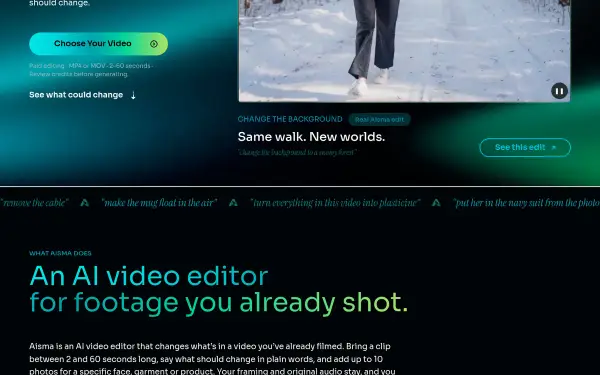
Aisma focuses on whole-person replacement rather than pasting a face onto an existing head. You upload a clip and up to 10 reference photos, and the tool rebuilds the person in the footage while keeping the original gestures, camera movement, and audio track. A face-only mode exists for simpler jobs. Clips can run from 2 to 60 seconds and arrive as MP4 or MOV up to 500 MB, which covers most short-form social and ad formats but rules out long-form footage.
Output arrives at 720p or 1080p and is marked private, so results are not dropped into a public gallery. It works in a browser and in the iOS and Android apps. Because the model rebuilds the body rather than only the face, results hold up better in wide shots where shoulders, hands, and posture are visible.
Pricing starts at $9.99 on the Starter plan, a weekly subscription that carries 1,000 credits each week. The weekly term keeps the entry price low, but it also means you budget in weeks rather than months, and per-second clip costs make a project total harder to predict than a flat monthly seat. No free plan is stated, so trying it means paying for at least one week, and the page lists no trial.
It fits creators and small studios replacing a presenter in a short clip, and brands that need a consented stand-in for a campaign. It does not fit anyone swapping one face inside a long video, or buyers who need monthly invoicing and a free tier before committing.
You need to replace a presenter's whole body in a clip of a minute or less and want the original audio kept.
You need a free trial, monthly billing, or long-form video support.
Entry II of XI / Style range
Our verdict
A flexible pick for photo and video swaps in realistic, animated, or artistic styles, with plugins for design work.
Higgsfield handles photos and video in one browser workflow, and its facial tracking keeps the likeness stable as expressions and head angles change. Lighting and expression matching do the quiet work that separates a believable swap from a pasted-on mask. It supports realistic, animated, and artistic styles, so the same source photo can be pushed toward a polished brand look or something deliberately cartoonish.
Character Swap 2.0 replaces the whole character in an image rather than only the face, which suits posters, thumbnails, and cover art. Photoshop and Figma plugins let designers run a swap without leaving the tools they already work in, which is a real advantage inside an agency pipeline. The weak point is the reference photo: flat light, sunglasses, or a tight crop will show in the final image.
Pricing starts at $9 per month on the Basic plan, billed annually. A free plan exists, but commercial use requires a paid plan, so anyone swapping for clients should budget for it from day one. Higher tiers and the credit volumes attached to them are not as clearly documented as the entry price, which makes scaling costs hard to plan.
It fits designers and social teams who want one account for photo and video swaps and who value working inside Photoshop or Figma. It fits less well if you need precise multi-face mapping or a firm per-project cost before you commit. Test the free plan on a real client image first, because annual billing turns the monthly figure into a yearly commitment.
You want one tool for photo and video swaps and you already work in Photoshop or Figma.
You need long clips or a documented price ladder before you sign an annual plan.
Entry III of XI / Realistic video output

Our verdict
The strongest pick for realistic video face swaps, with up to six faces per clip and 4K output on paid plans.
DeepSwap is built for video first. It swaps faces in video, photos, and GIFs, allows up to six faces in one video, and outputs 4K HD on paid plans. GPU processing keeps render times reasonable, and frame-to-frame consistency means the swapped face does not flicker between shots.
Credits are the mechanism to understand before you buy. Photo swaps cost 0.1 credits, GIFs cost 1 credit, and video costs 1 credit per 15 seconds, with partial blocks rounded up. A 20-credit monthly allowance covers about five minutes of video before retries, so a single long clip plus failed renders can eat a month of credits. There is no unlimited plan at any tier.
The entry price is $9.99 for 1-month access, quoted at 50% off the first order, taken as a one-time payment with no auto-renewal. There is a free tier of 2 swaps per day, which is enough to judge quality on your own footage. Paid plans raise uploads to 30 minutes, so longer source files become possible once you pay.
It fits creators producing realistic video swaps for social, trailers, or short films who can plan credit use per clip. It fits poorly for anyone who wants predictable all-you-can-render output, or who needs multi-face control beyond the six-face ceiling. Do the credit math on your longest clip before committing to a monthly allowance.
Realistic video is the deliverable and you can budget credits per clip.
You need unlimited rendering or only ever swap still photos.
Entry IV of XI / Template library
Our verdict
The mobile app for meme and social face swaps, with a huge template library and a simple selfie-first workflow.
Reface is a phone app, not a production tool, and it is good at what it does. You take a selfie, pick a template, and get a short clip in a movie, music, or meme format. The template library is large and refreshed regularly, and the app has passed 300 million downloads, which tells you the workflow is easy enough for a general audience.
Beyond swaps, the app includes AI headshots and AI hairstyles, which broadens its use to profile pictures and light marketing content. Pro unlocks the full effect library and removes limits on the free tier. It is a mobile app, so it suits phone use rather than an editor workflow.
Pricing is on the vendor site and we could not confirm a figure from a pricing page, so treat any number you see in an app store listing as the current one. There is a limited free plan, and no trial is stated. For a tool aimed at casual use, the free tier is the realistic way to decide whether the effect library is worth paying for.
It fits social users who want a funny or stylish face swap quickly and do not need frame-level control. It does not fit editors who need multi-face mapping, precise compositing, or output that survives a large screen. If the swap has to match a client brief, a browser tool will serve you better.
You want a fast, funny face swap on your phone and the template look is the point.
You need accurate compositing, multi-face control, or desktop exports.
Entry V of XI / Toolkit breadth

Our verdict
Best when face swap is one step in a bigger video project, thanks to lip sync, restyling, and API access.
Magic Hour treats face swap as one tool inside a video studio rather than a standalone product. The same workspace handles lip sync, video restyling, and upscaling, and credits are shared across more than 100 tools, so a face swap can be followed by a cleanup pass without exporting to another app.
Photo face swaps are watermark-free, while free video and GIF exports carry a watermark. That split matters: you can test photo quality at no cost, but anything you publish as video needs a paid tier. An API is available, which is the feature that separates Magic Hour from consumer apps, since it lets you run swaps inside an automated content pipeline.
Pricing starts at $15 per month on the Creator plan, billed annually. Credits are pooled across the tool library, so a project that mixes restyling, upscaling, and swapping will burn through them faster than a plain swap, and budgeting means estimating every step, not just one. Some tools can be tested without an account, which lowers the cost of a first look.
It fits small teams and technical marketers who already build video workflows and want one API for several jobs. It fits less well for someone who only wants a single face swap, because the toolkit is large and the credit math is more than a one-off job needs. The watermark on free video exports is a clear limit.
Face swap is one step in a longer video workflow and you want an API behind it.
You need one clean video swap and nothing else.
Entry VI of XI / Free unlimited photos
Our verdict
The best free route for unlimited photo swaps, with no account, no credits, and uploads deleted after download.
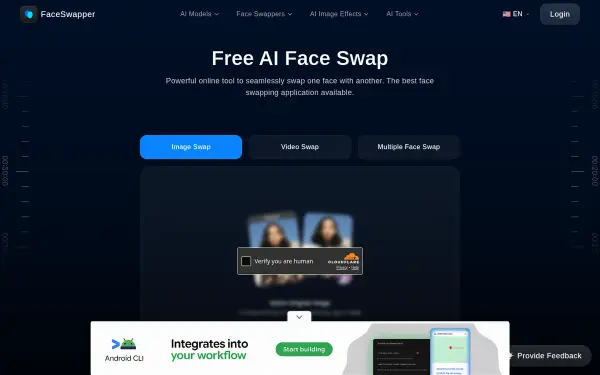
FaceSwapper's core photo tool is free, unlimited, and needs no account. There is no credit system and no daily cap, so a batch of product shots or a run of team photos can be processed in one sitting. Uploaded files are deleted after download completes, which is a clear retention policy.
Video and GIF modes exist, plus batch and multi-face modes, but the product is photo-first and the interface is basic. Video quality trails dedicated video swappers, so treat the video mode as a convenience rather than a reason to choose the tool. Nobody should plan a video campaign on it.
Pricing is on the vendor site, and we found no pricing page to confirm what the free core tool includes at higher limits, so verify before you rely on it for client work. A free plan is stated and no trial is listed. If paid tiers exist, they were not documented in anything we could confirm, which is itself a reason to test before promising a client a turnaround.
It fits anyone who needs a fast face swap on a still image with no signup and no cost, including people testing an idea before buying something heavier. It does not fit video projects or work that needs fine control over blending and skin tone. For a free photo job, it is a direct route.
You need unlimited photo swaps today with no signup and no cost.
Video is part of the job or you need fine control over blending.
Entry VII of XI / Commercial swap studio
Our verdict
Built for commercial marketing work, with head, character, and motion swaps plus API and model hub access.
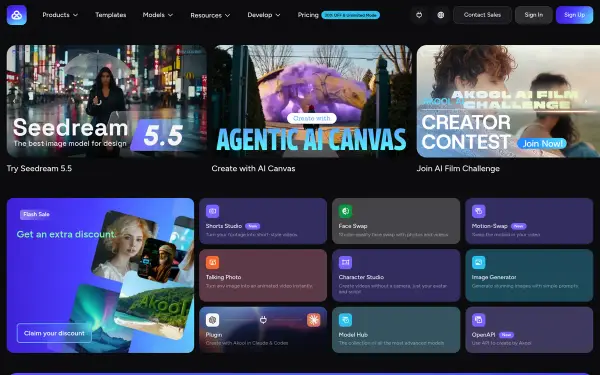
Akool's swap studio covers face swaps, head swaps, character swaps, and motion swaps, and it outputs at high resolution. That range is aimed at commercial production, where a campaign might need the same talent placed into several scenes and formats without a reshoot.
API access and a model hub put it in the same category as a platform rather than an app: teams can wire swaps into their own tools or pick models for different looks. Plans are credit-based and priced for commercial volume, which means budgeting is part of the job rather than an afterthought. Seat-based billing plus credits adds a layer to budgeting.
Pricing starts at $12 per seat per month on the Starter plan, billed annually. There is a free tier and a free trial is stated, so a team can test output quality on real footage before committing to a yearly contract. Casual users will find the plan structure heavy for a single meme or a one-off profile picture.
It fits marketing teams and agencies that need head and character swaps at commercial quality with an API behind them, and that can plan credits per campaign. It fits poorly for someone making a quick social clip, where a free photo tool will get there faster and cheaper. Check seat math before you scale, because every editor you add is another paid seat.
You run commercial campaigns and need several swap types plus an API.
You need one swap and no team seats.
Entry VIII of XI / Avatar library
Our verdict
A good fit if you already make avatar videos and want face swap inside the same editor, with 1,900+ avatars.
Vidnoz is an AI video suite first: avatars, voice cloning, translation, and templates, with face swap as one feature inside that flow. If you already build avatar-led videos, swapping a face into a scene is a short step rather than a separate subscription and a separate export.
The library is the draw. More than 1,900 avatars and 2,000 voices give a small team a lot of looks without casting, and the free tier includes hundreds of avatars and templates. Voice cloning and video translation extend the same project into other languages.
Pricing is on the vendor site and we could not confirm a figure, so check the plans page before you budget. There is a free plan and no trial is stated. Advanced exports need a paid plan, so the free tier is best treated as a test drive rather than a production option, and fine-tuning controls are thinner than in a dedicated swapper.
It fits trainers, marketers, and small teams already making avatar videos who want a face swap without adding another tool to the stack. It does not fit anyone who needs precise swap control, frame-level edits, or a single-purpose tool that does one job with depth. If avatar video is not already part of your week, the swap feature alone will not justify the suite.
You already produce avatar videos and want a swap inside that workflow.
Face swap is the main job and you need granular control.
Entry IX of XI / No-signup photos
Our verdict
A quick free photo swap, no signup needed, with photo enhancement and headshot tools on the same site.
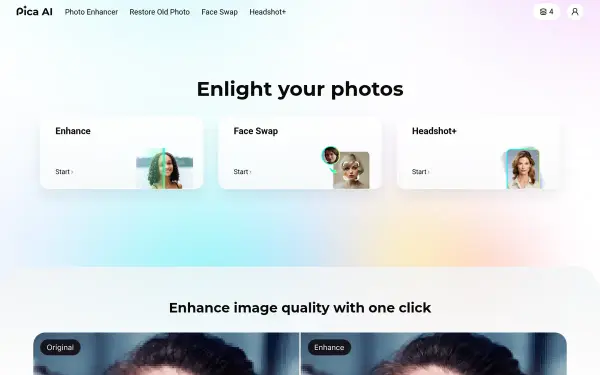
Pica AI is a low-friction option here for a single photo. You upload a source and a target, and it shows a result without requiring an account, which is useful when you want to check quality before handing over an email address or a card.
The same site bundles a photo enhancer, old-photo restoration, and an AI headshot generator, so a swap can be cleaned up or repurposed in one place. Results come back fast because the tool is built for still images and nothing else. For a small business fixing a team photo or a profile picture, that speed is the entire value.
It has no video support and no batch processing, and it struggles with challenging angles and group shots, which is the trade-off for a tool this simple. Pricing is on the vendor site and no pricing page was available to confirm what a paid tier includes, so treat it as a free photo tool until you see otherwise.
It fits someone who needs one good photo swap, quickly, with no signup and no software to install. It does not fit group photos, video clips, or any workflow that needs a dozen images processed in a row. When the job is one face on one still, it opens without a signup.
You need one fast photo swap and do not want to create an account.
You have a folder of images or any video to process.
Entry X of XI / Group photo control
Our verdict
Best for group photos, assigning a different replacement to each face and batching several images at once.
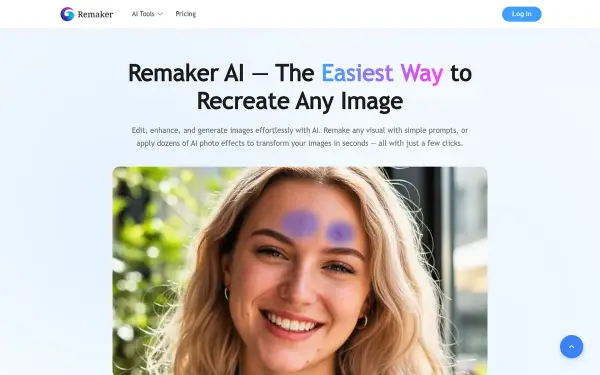
Remaker AI is strongest on group photos. It identifies each face in the frame and lets you assign a replacement to each one individually, which is a useful level of control. Batch processing then applies the workflow across several images, saving the repetitive part of a shoot or a team page.
The platform also handles background removal and image enhancement, so a swap can move straight into a usable asset without a second tool. That makes it an all-in-one image toolbox rather than a single-purpose swapper, which suits social and content teams that juggle several small jobs a day.
Video features are thinner than the photo side, and credit and plan details are harder to confirm than at most rivals. The pricing page returned no text we could verify, so pricing is on the vendor site and we did not estimate a figure. There is a limited free plan and no stated trial, which means budget approval needs a direct look at the plans page.
It fits anyone swapping several faces in one image or running the same edit across a folder of photos, especially where background cleanup is also needed. It fits less well for video work or for buyers who need a clear, upfront price before they start.
You swap several faces in one image and want batch processing built in.
Video is the priority or you need a published price before buying.
Entry XI of XI / Local open source
Our verdict
Free and open source for local deepfakes, if you have an NVIDIA GPU and patience for 12 to 48 hours of training.
Faceswap is the open-source option. It runs locally on a TensorFlow and Python stack, processes on your own hardware, and keeps every file on your machine. Nothing is uploaded, which is a strong privacy position.
It is also demanding. You need a capable NVIDIA GPU and you train your own models, with training runs that can take 12 to 48 hours before output looks right. Parameter tuning is a manual step, and the project provides guides.
The software is free, but hardware is the real cost: a GPU that can train models in a reasonable time is not cheap, and long training runs mean a machine tied up for days. There is no vendor pricing page because there is no vendor, and no trial or plan to evaluate. An active community and written guides are the support channel.
It fits technical users who want full control, custom models, and no upload of sensitive footage, and who are willing to spend a weekend learning the pipeline. It does not fit anyone who wants a swap in five minutes, or who works on a laptop without a discrete GPU. If you need a result today, use a browser tool and keep this for later.
You have an NVIDIA GPU, sensitive footage, and time to train your own models.
You need a finished swap today or work on a laptop without a discrete GPU.
VIBackground
Face swap software takes a face from one image or clip and puts it onto a body in another, matching angle, light, and expression so the result reads as one shot. That is the whole idea. What separates the eleven tools here is how much of the surrounding job each one takes on.
At the simple end, a photo swapper maps a source face onto a target face in a still image. You upload two pictures, pick a face, and download the result. At the other end, video swappers track a face across frames, rebuild the head as it turns, and keep skin tone and lighting consistent from cut to cut. A few tools go further and replace the entire person, keeping the body performance and the original audio.
Face swap is not the same as a deepfake generator, though the terms overlap. A face swap changes who is in the frame. A deepfake usually implies generated speech or generated performance as well. Most business buyers want the narrower thing: a consented stand-in, a localized ad, a privacy-safe presenter, or a stylized social clip.
Three delivery models cover almost every tool on this list:
Output quality comes down to reference material. A sharp, evenly lit photo of the source face produces a better swap than any setting. Video adds a second requirement: temporal consistency, meaning the face has to stay the same from frame to frame. Tools that skip that step produce a flicker that no amount of grading fixes.
Finally, consider what the tool does with your uploads. Some delete files after download, some keep results private, and some publish to a gallery by default. That detail matters more than most feature lists when the face belongs to a client or an employee.
This comparison sits in the software register. Further along the shore: Maze alternatives and ticket sales platform.
VIIPricing
Face swap software bills in a handful of shapes, and the shape matters more than the headline number. Three patterns dominate: subscriptions priced per week or per month with a credit allowance, one-time access passes, and free tools with paid upgrades. Credits are the common currency, and cost per finished clip depends on clip length, retries, and how many other tools share the same pool.
| Model | How it bills | Typical fit | Example from this list |
|---|---|---|---|
| Weekly subscription | Charged every week with a credit allowance | Short or urgent projects | Aisma at $9.99 on Starter, weekly subscription, 1,000 credits each week |
| Annual plan shown monthly | Quoted per month, billed for a year | Steady team use | Higgsfield Basic at $9 per month billed annually; Akool Starter at $12 per seat per month billed annually |
| One-time access | Single payment, no auto-renewal | A single project | DeepSwap 1-month access at $9.99, 50% off the first order |
| Shared credit pool | Credits spent across many tools | Mixed workflows | Magic Hour Creator at $15 per month billed annually, credits across 100+ tools |
| Free core, paid upgrades | Free tool with paid tiers | Casual and hobby use | FaceSwapper free photo swaps; DeepSwap 2 swaps per day |
| Open source | Free download, you pay for hardware | Technical users | Faceswap, which needs an NVIDIA GPU and 12 to 48 hours of training |
| Not published | Price sits on the vendor site | Buyers comparing first | Reface, Vidnoz, Pica AI, Remaker AI, FaceSwapper |
Read the billing term before the price. A $9 monthly figure on an annual plan is a yearly commitment split into payments, while a $9.99 weekly plan can cost more over a quarter than a monthly plan appears to. Write down the term, the credit allowance, and what one finished minute of video costs.
One-time passes suit single projects. DeepSwap sells 1-month access at $9.99 with no auto-renewal, which is a low-risk way to test a video workflow without a subscription.
Several tools publish no figure we could confirm: Reface, Vidnoz, Pica AI, Remaker AI, and FaceSwapper keep pricing on their own sites, and Faceswap is free software with hardware costs instead. For those, check the plans page directly.
Each entry card shows the starting price as it appeared on the vendor's own pricing page on November 25, 2026. When a vendor shows no figure we could confirm, or only a promotional rate, the card says "See website" or gives the regular price instead of a guess. Usage, overage and add-on rates in the text change more often than plan prices, so confirm them on the vendor page before you set a budget. To test the numbers against your own volume, try the free User Research Budget Planner. The Event Break-Even Calculator is a second way to check the same decision.
VIIIDecision
IXPitfalls
XQuestions
FaceSwapper and Pica AI are the strongest free options for photos. FaceSwapper gives unlimited core photo swaps with no account or daily cap, and Pica AI shows a result before you sign up. Remaker AI is better for group photos where each face needs a different replacement, though its free plan is limited. All three are photo-first, so none of them replaces a video tool.
DeepSwap is the best pick for realistic video, with 4K output on paid plans, up to six faces per clip, and frame-to-frame consistency that stops the face from flickering. Aisma is the alternative when you want the whole person replaced and the original audio kept. Magic Hour suits swaps that sit inside a longer edit. Test with DeepSwap's 2 free swaps per day first.
DeepSwap allows up to six faces in a single video, and Remaker AI identifies each face in a group photo so you can assign a different replacement one by one. FaceSwapper also has a multi-face mode. Akool's head and character swaps suit commercial work. For larger groups, check the limit before you upload.
It varies, so read the policy before uploading anything sensitive. FaceSwapper deletes uploads after download completes, and Faceswap never uploads at all because it runs locally on your machine. Aisma marks results private rather than publishing them to a gallery. Others do not state retention clearly in the material we reviewed, so ask support directly.
Get written permission from every person whose face you use, and keep the record. Using a real person's likeness without consent can trigger takedowns, legal claims, and platform bans, and Aisma requires photos of yourself or a consented person as a condition of use. Commercial use also needs a paid plan on some tools, such as Higgsfield.
Yes. Browser and mobile tools such as Aisma, Higgsfield, DeepSwap, Reface, and Pica AI are accessed online or in an app, so a normal laptop or phone is enough. Faceswap is the local option, and it needs a capable NVIDIA GPU plus 12 to 48 hours of model training. That is the trade-off for free and fully local processing.
XIFurther along the shore
Vendors can ask for a correction or apply for a Featured listing. Paid or not, the entry is scored on the same rubric and its limits stay in print. Partner with Umberlake.
Free tools
Our free browser tools turn the prices on this page into a figure for your own volume. Nothing you type leaves your device.