
DocuSign
$11Personal, per month, billed annually, annual commitment of $132
Best for companies whose clients expect the market-standard signing tool
- Free plan
- No
- Rubric
- 8.5 of 10
Nine e signature tools compared on price, audit trails and fit, with the plans that suit occasional senders, sales teams and regulated industries in November 2026.

IThe short answer
DocuSign is a fit for companies whose clients and legal teams expect the market standard, especially where audit trails matter. PandaDoc suits sales teams that build proposals and collect payment before signing, while signNow is a budget option for organizations that need many users without per seat fees. This list of nine tools was checked on 25 November 2026, with prices taken from vendor pricing pages. Each entry states who it fits, what the entry tier actually allows, and where the cost climbs: Best E Signature Software.
9 tools compared from vendor pages on November 25, 2026. 7 publish a starting price we could read; the rest say "See website".
IITop three berths
Register order is editorial fit for the buyer each entry describes. Prices are the starting figures read on November 25, 2026.
$11Personal, per month, billed annually, annual commitment of $132
Best for companies whose clients expect the market-standard signing tool
See website
Best for teams that already live in Acrobat and PDF workflows
$19Starter, per seat per month, billed annually
Best for sales teams that build proposals, quotes and contracts before signing
How this page is paid for. All 9 tools here are unpaid editorial picks.
A paid listing's position can be part of what the vendor pays for. Every entry, paid or not, is scored on the same rubric and keeps its limits in print. Advertising disclosure.
IIIThe register
Starting prices as shown on each vendor's pricing page on November 25, 2026. "See website" means no figure we could confirm.
| No. | Tool | From | Free plan | Trial | Rubric | Actions |
|---|---|---|---|---|---|---|
| 01 | DocuSignCompanies whose clients expect the market-standard signing tool | $11Personal, per month, billed annually, annual commitment of $132Read on vendor page | No | Free trial | 8.5 | |
| 02 | Adobe Acrobat SignTeams that already live in Acrobat and PDF workflows | See websiteNot shown publicly | No | No | 7.0 | |
| 03 | PandaDocSales teams that build proposals, quotes and contracts before signing | $19Starter, per seat per month, billed annuallyRead on vendor page | Yes | 14-day free trial | 7.6 | |
| 04 |  PDFGateTeams wanting legally binding signatures with API access and no per-seat fees | $20Starter, per month, 3,000 conversions and 30 digital signaturesRead on vendor page | Yes | 14-day trial on every plan | 7.7 | |
| 05 |  Dropbox SignTeams already using Dropbox for storage and sharing | See websiteNot shown publicly | Yes | No | 7.1 | |
| 06 |  signNowBudget teams needing many users without per-seat fees | $8Business, per month, billed annually, unlimited usersRead on vendor page | No | 7-day free trial | 7.5 | |
| 07 | Zoho SignSmall businesses already using Zoho CRM, Books or other Zoho apps | $10Standard, per user per month, billed annuallyRead on vendor page | Yes | 14-day free trial | 7.1 | |
| 08 | SignWellFreelancers and small teams wanting plain, affordable signing | $10Light, per month, billed yearly, 1 senderRead on vendor page | Yes | No | 6.8 | |
| 09 |  SigneasyField and mobile teams that sign on the go and store contracts | $10Personal, per month, annual billing, 1 seatRead on vendor page | No | 14-day free trial | 7.0 |
Pinned:
IVMethod
Whether a buyer can find the real cost without a sales call, and whether the entry tier does what it implies.
Envelopes, templates, signing order, bulk send, payments and workflow features on the plans you can actually buy.
The record left after signing: who signed, when and from where, plus sealing and regulated use coverage.
Native app connections, APIs, webhooks and how much glue work the buyer has to do.
How quickly a sender sets up a document and a recipient completes it, on desktop and on a phone.
VMethod
Every tool here was scored against the same five criteria: price clarity at 20 percent, signing depth at 25 percent, audit and compliance at 25 percent, integrations at 15 percent and ease of use at 15 percent. Price clarity asks whether a buyer can find the real cost without a sales call, and whether the entry tier does what its name implies. Signing depth covers envelopes, templates, signing order, bulk send, payments and workflows. Audit and compliance weighs the record left after signing: who signed, when, from where, and whether the document can be shown to be unaltered. Integrations counts native connections, APIs and webhooks. Ease of use is judged from the recipient's side as well as the sender's.
Prices, plan names, free tier limits and trial lengths come from vendor pricing pages checked on November 25, 2026. Where a vendor publishes no figure, as with Adobe Acrobat Sign and Dropbox Sign, the listing says pricing is on the vendor site and no number is estimated. No currency is converted and promotions are noted separately from list price.
The order is editorial. Each position reflects fit for the buyer described in that entry, not a sum of scores, so a tool with strong scores can sit below one with weaker scores when the buyer it suits is narrower. Any entry marked Featured is a paid placement: it is scored with the same rubric, given the same honest cons, and its position is the only thing placement changes. No entry in this list is marked Featured.
The full routine, from price reads to corrections, is on the methodology page. Paid listings follow the advertising disclosure.
Entry I of IX / Counterparty recognition
Our verdict
The default choice when counterparties and legal teams expect a familiar name, provided you budget past the envelope cap.
DocuSign is a widely recognised e signature tool, and that familiarity does real work. When a client's legal team asks whether a document is valid, the name removes the question. Underneath the brand, the product runs on envelopes: you send a document, the system records who signed, when and from where, and the finished file keeps that trail.
The entry point is the Personal plan at $11 per month with annual billing, an annual commitment of $132. That tier allows only a small number of envelopes, so anyone sending regularly moves up quickly, and cost climbs sharply on the higher tiers. The headline number is a starting point, not what a working team pays, so price the tier you will need as volume grows before you commit to a year.
Agreement management is a separate layer on top. Storage, analysis and renewal tracking are billed as extra modules, so a buyer who wants DocuSign to manage the contract after signature pays twice. Compliance coverage aimed at regulated industries is part of the core product, and the third party integration library is large, which matters when signing has to sit inside a CRM, an HR system or a document store.
Choose it when the deal involves parties who expect the standard and when the audit trail has to survive scrutiny from a regulator or a counterparty's counsel. Skip it, or at least price the higher tiers first, if your volume is high and the budget is thin: envelope caps and upgrade costs are where the savings disappear.
Your counterparties and counsel expect the market standard and the audit trail has to hold up.
You send at volume on a thin budget and cannot absorb the upgrade to a higher tier.
Entry II of IX / Acrobat native signing
Our verdict
A fit for teams already inside Acrobat, though quote based pricing makes it hard to compare before you ask.
Adobe Acrobat Sign is the signing layer inside Acrobat. You send for signature from Acrobat on desktop or mobile, collect signatures from several signers at once, and track status without leaving the PDF toolset. Audit trails and document storage run through Adobe Document Cloud or a connected drive, so the signed file lands near the original.
Pricing is the hard part. The page we checked on 25 November 2026 lists Acrobat PDF plans and no standalone Acrobat Sign price, so the cost of the signing product is quote based. Buying signing on its own or bundled with Acrobat changes both the figure and the volume limits, which differ between the bundle and the standalone product. Ask for a written quote at your seat count and send volume before assuming the bundle is cheaper.
There is no free plan for sending and no trial listed, which is awkward for a team that wants to test with a handful of live documents. What you get instead is integration with Microsoft 365, Teams, Salesforce and Workday, and no usage caps on Acrobat for teams plans. For an organization already standardized on Acrobat, that removes a vendor, a login and a training session, which is worth more than a small price difference.
Pick it when PDFs sit at the center of the workflow and the bundle is the cheaper way to buy signing. Skip it when you need a published price per seat before a purchase decision, or a free tier to try the recipient experience first.
Acrobat already anchors your document workflow and you can get a written quote at your volume.
You need a published price per seat or a free tier before you can get budget approval.
Entry III of IX / Proposal to payment
Our verdict
A sales document builder with signing attached, worth the per seat price only if you also build proposals.
PandaDoc assumes the document does not exist yet. You build the proposal, quote or contract in its editor from templates and pricing tables, add signature fields, and collect payment in the same flow. Document analytics show what a recipient opened and when, which is useful for a sales team chasing a decision that has gone quiet.
Pricing starts at $19 per seat per month on the Starter plan with annual billing. Starter lifts the sending cap and unlocks the full template library, which the free tier holds back. Seats are counted one by one, so cost grows with the size of the sales team. The free plan gives 5 documents a month, which is 60 a year, but caps each document at two recipients and blocks bulk sending and payments.
The trade off is scope. If all you need is a signature on a PDF that someone else wrote, PandaDoc is more product than the job requires and the per seat charge is hard to justify for occasional senders. Where it earns its money is the workflow around the signature: quote, pricing table, payment, signature and an analytics record, without an export step between them.
Pick it when sales builds documents rather than uploading them, and when payments and document views matter to the deal. Skip it when your contracts arrive as finished PDFs and you only need a signature on the last page.
Your team assembles proposals with pricing tables and wants payment and signature in one step.
You only upload finished PDFs and the per seat charge would buy features nobody opens.
Entry IV of IX / Embedded signing API
Our verdict
A developer friendly signing API with published allowances, a real free tier and no per seat charges.
PDFGate is built for developers and product teams who need signing inside something they are already building. The core is a PDF API plus a digital signature platform: create envelopes, add recipients, send, and track status, then present the signing page as a hosted page or an embedded flow inside your own product. Signers verify by email one time passcode, and completed documents are digitally sealed so later changes are detectable, with a detailed audit trail of each signing event.
Pricing is published rather than quoted. Starter is $20 per month for 3,000 conversions and 30 digital signatures, with higher allowances at $50 per month for 200 signatures and up to 3,000 signatures per month at the top end, checked on 20 November 2026. Billing counts only documents that are successfully signed, so failed sends do not consume allowance. A cheaper Personal tier sits at $9, but it excludes production digital signatures, so the real entry point for live signing is Starter.
Two things follow. There are no per seat charges, so adding team members costs nothing and the signature allowance is the only meter that moves. And the sandbox works on any plan, so integration work can start before a purchase. Automated reminders, webhooks and short lived embedded signing links cover plumbing that product teams otherwise build themselves.
Pick it when you are embedding signing in software and want a published price with no per seat math. Skip it if you send a handful of contracts a month from an inbox; a simpler tool will be less work.
You are building signing into a product and want published allowances instead of a sales call.
Nobody on your team writes code and you only need a signature page for a few contracts.
Entry V of IX / Simple signing flow
Our verdict
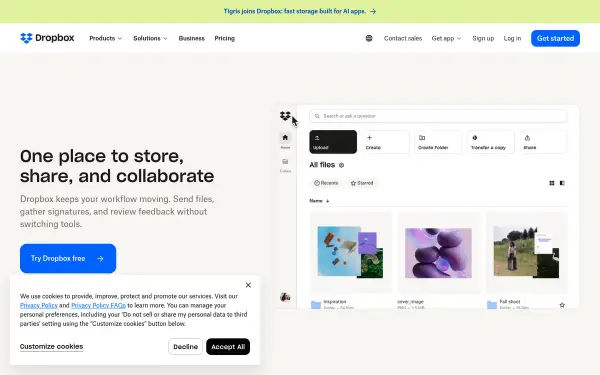
A clean, simple signing flow that pays off when Dropbox already stores your files and pricing is on the vendor site.
Dropbox Sign has a clean, simple signing flow. A recipient gets a link, signs in a browser or on a phone without creating an account, and the finished file is stored in Dropbox. Templates cover common paperwork such as NDAs and tax documents, automated reminders chase slow signers, and paid plans remove the cap on signature requests entirely.
The catch is pricing transparency. The page we checked on 25 November 2026 shows Dropbox storage plans only, with no Dropbox Sign pricing, so the figure has to come from the vendor before you can compare it with anything else here. The free tier is real but narrow at three sends per month, enough for an occasional contract and nothing more, and no trial is listed.
The product, previously HelloSign, keeps a well regarded API for teams embedding signing into their own software, and unlimited signature requests on paid plans make the economics simple once you are past the free allowance. Enterprise features are thinner than DocuSign's, so heavily regulated buyers will usually end up looking elsewhere. For a business already paying for Dropbox, though, signing sits next to the files it produces, which is the whole argument.
Pick it when Dropbox is already your file system and the team sends steadily enough to need unlimited requests. Skip it when you need published pricing before a purchase decision, or you send only a few documents a year.
Dropbox already holds your documents and you want signing to land beside the finished file.
You need a published price before comparing options or you send only three documents a month.
Entry VI of IX / Unlimited users
Our verdict
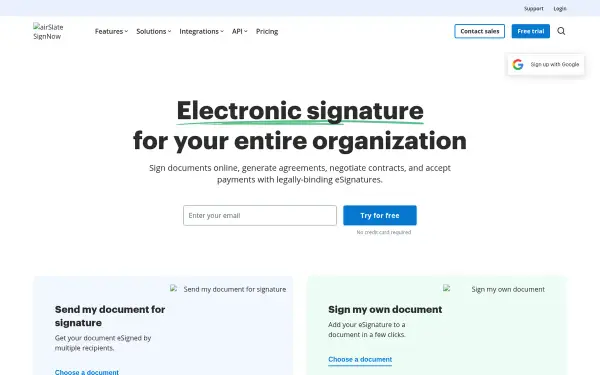
The unlimited user model at $8 per month billed annually makes it a low cost way to give a whole company access.
signNow prices per organization rather than per person. Every plan includes unlimited users, so company size does not change the price at the same tier. The Business plan is $8 per month with annual billing, which keeps the entry cost low for putting signing in front of a large group. Unlimited templates, role based signing order, custom branding and API access come with it.
Bulk sending, payments, conditional and advanced workflows sit on higher tiers, so the entry price buys the core product rather than everything. There is no free forever plan, only a 7 day trial, which means you cannot run a pilot indefinitely. The interface is functional rather than polished, and administrators will notice the difference when they sit it next to DocuSign or PandaDoc.
The unlimited user model is the reason to look at it. Per seat tools get expensive exactly when a company wants everyone to send or sign: HR, sales, finance, procurement. signNow removes that arithmetic and lets an operator roll signing out widely without a budget conversation, with the product coming from airSlate. The trade is depth at the entry tier, where the advanced workflow features are not included.
Pick it when many people need signing access and the budget is fixed. Skip it when you need a polished interface, a free tier to trial with, or the advanced workflow features from day one.
A large group needs to send documents and you want one flat fee instead of per seat math.
You need a free plan to pilot, or the polished interface a customer facing team expects.
Entry VII of IX / Zoho suite fit
Our verdict
A good fit inside the Zoho suite, less compelling elsewhere, with qualified signatures reserved for higher tiers.
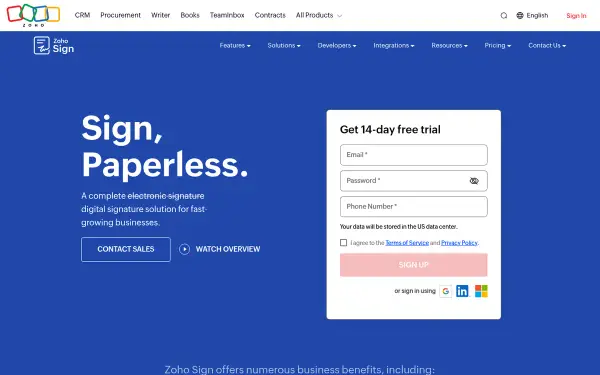
Zoho Sign makes sense in one situation, and inside that situation it is a strong fit: the business already runs on Zoho. Signing connects to Zoho CRM, Books and the rest of the suite, so a contract can move from a CRM record to a signed document without re uploading anything, and adding signing to an existing Zoho subscription stays cheap.
The Standard plan is $10 per user per month with annual billing, and the free tier lets a single user send or sign five envelopes a month. Paid tiers add bulk send, SignForms for self service signing, blockchain timestamping and qualified electronic signatures for regulated transactions. Certificate based and qualified signatures are what let it serve buyers who need more than a click to sign, and both sit above the entry tier.
Outside the Zoho ecosystem the advantage fades quickly. The interface is less polished than DocuSign or PandaDoc, and connections to non Zoho systems are not the reason to buy. API pricing is charged per document on some plans, which can surprise a team automating a flow, and the regulated use features require higher tiers, so the entry price is not the price a compliance heavy buyer pays.
Pick it when Zoho is already the spine of the business and you want the lowest total cost for signing. Skip it when your stack is Microsoft, Google or Salesforce and the integration work would land on your team.
Your CRM, books and mail already run on Zoho and you want signing inside that record.
Your stack is Microsoft, Google or Salesforce and the integrations you need are native elsewhere.
Entry VIII of IX / Plain and cheap
Our verdict
Narrow, honest signing at $10 per month, with a small integration library and few enterprise features.
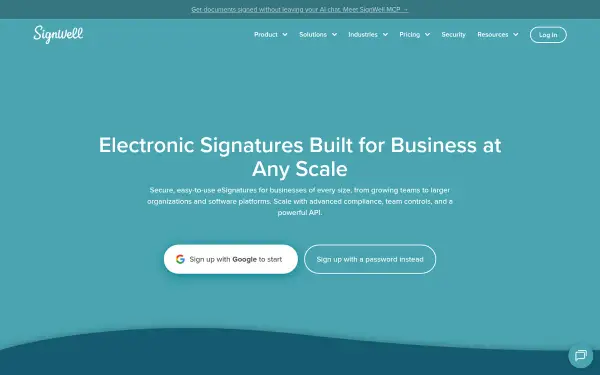
SignWell does one job: send a document, get it signed, keep a record. Documents go out with an audit trail recording timestamps, IP addresses and signer details, and the completed file is retained for later. Paid plans add templates, workflows with signing order and conditional logic, an API for embedding signing, and Zapier connections for the systems it does not cover natively. Compliance with ESIGN, UETA and eIDAS is stated for buyers who need the box ticked.
Pricing is low at the entry. The Light plan is $10 per month billed yearly for one sender, and the free tier covers three documents a month for a single sender, which is enough for a freelancer with occasional paperwork. Costs rise as team features are added, so check the gap between the headline price and a multi sender setup before committing to the year.
The limits are deliberate. The native integration library is smaller than DocuSign's, with Zapier filling gaps, and enterprise features are thin, so a large organization with a procurement review will find holes. What it does not do is charge for a proposal builder, a payment rail or a contract analytics dashboard you never open, and for many small businesses that restraint is the point.
Pick it when you send straightforward agreements and want to pay for signing rather than a suite. Skip it when you need deep native integrations, enterprise administration or a free plan with more than one sender.
You send plain agreements and want a low, predictable price with a usable free tier.
You need native connections to several business systems or formal admin controls.
Entry IX of IX / Mobile signing
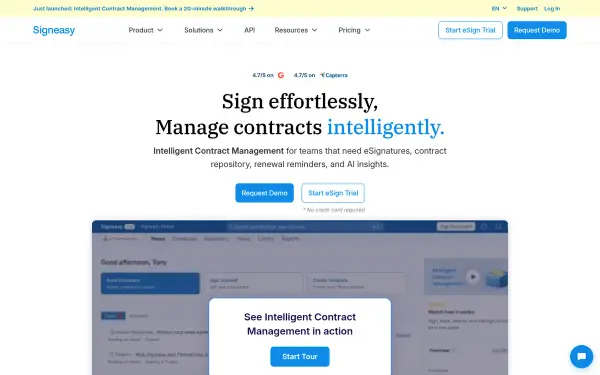
Our verdict
Mobile first signing with a contract repository and unlimited envelopes, priced per seat on annual billing.
Signeasy leans toward mobile and toward what happens after the signature. Contracts can be prepared, sent and signed from a phone, which matters for field teams, site supervisors and anyone who closes work away from a desk. Completed agreements land in a contract repository with renewal reminders, so the tool tracks what expires instead of forgetting the file once it is signed.
The Personal plan is $10 per month on annual billing for one seat, and paid plans include unlimited envelopes, which removes the volume anxiety that entry tiers elsewhere create. A limited time 30 percent annual promotion shows $7, though the list price is still $10. There is no free forever plan, only a 14 day trial, so a small business has to commit to test properly.
Integrations cover Google, Microsoft and HubSpot, and AI insights sit on higher tiers, so the analysis features are not part of the entry price. Brand recognition is lower than DocuSign's, which occasionally means a counterparty asks a question the name does not answer on its own.
Pick it when signatures happen on phones and someone has to own renewals afterwards. Skip it when you need a free tier to get started or the heavier administrative controls a large organization expects.
Your people sign on phones and you want renewals tracked after the contract is done.
You need a free tier to test the flow or the administrative depth of an enterprise suite.
VIBackground
E signature software sends a document to a signer, captures the signature electronically, and produces a record of who signed, when and from where. The record, not the image of a signature, is what you are buying: it is the evidence that still exists when a payment is disputed a year later.
A common unit in these tools is the envelope. An envelope holds the document, the recipients, the fields they must fill in and the trail of what happened. Entry plans can cap envelopes, and that cap can push a team to a higher plan. DocuSign's $11 Personal tier is an example: the price is low and the envelope allowance is small.
Some tools let recipients open a link in a browser or on a phone and sign without creating an account. Some tools verify identity by email one time passcode rather than a login, as PDFGate does. That matters when your signers are customers who will abandon a registration form.
Electronic signature and digital signature are not the same thing. An electronic signature is the mark and the intent to sign. A digital signature is a cryptographic seal that also shows the file was not altered afterwards. If tamper evidence is part of your compliance argument, check which tier includes sealing.
On validity: electronic signatures are broadly recognized for business documents in the US under the federal ESIGN Act and state UETA laws, with exceptions such as wills and some court filings. A vendor's audit trail and its stated compliance with ESIGN, UETA and eIDAS is what makes that recognition practical. Your counsel should confirm what applies to your documents.
A completed record should show:
Free tiers prove the flow, they do not run a business. They cap documents, senders, recipients or payments, and each limit bites at a different moment. Move to a paid plan when you add a second sender, need bulk sending, or take payment alongside the signature.
This comparison sits in the software register. Further along the shore: Maze alternatives and ticket sales platform.
VIIPricing
E signature software is priced on one of a few models, and the model matters more than the number on the pricing page. Per seat plans multiply by headcount, so they suit a defined group of senders. Unlimited user licenses suit a company that wants everyone in HR, sales and finance to be able to send. Usage allowances suit products embedding signing, where volume is predictable and seats are beside the point. Platform bundles hide the price inside a quote.
| Model | How it bills | Typical fit | Example from this list |
|---|---|---|---|
| Per seat | Monthly or annual charge for each sender | A defined team of senders | PandaDoc at $19 per seat per month, billed annually |
| Unlimited users | Flat monthly fee for the organization, billed annually | Whole company rollout on a fixed budget | signNow at $8 per month, billed annually |
| Usage allowance | Monthly fee covering a set number of signatures or conversions | Products embedding signing, or steady volume | PDFGate at $20 per month for 3,000 conversions and 30 digital signatures |
| Platform bundle | Quote based, priced with a document suite | Teams already standardized on that suite | Adobe Acrobat Sign, pricing on the vendor site |
| Free tier | No charge up to a small monthly limit | Occasional senders testing the flow | SignWell at 3 documents per month for 1 sender |
Two things are worth checking whatever the model. First, check the billing term, because the commitment is real: DocuSign's Personal plan at $11 per month is an annual commitment of $132. Second, the tier you buy on day one may not be the tier you need later, because caps on envelopes, signatures or senders push you upward as volume grows. Price the tier you will actually land on, not the one in the advertisement.
Where a vendor shows no number at all, as with Adobe Acrobat Sign and Dropbox Sign, treat that as a research task rather than a red flag. Ask for a written quote at your real seat count and monthly send volume, then compare it against a tool with a published allowance.
Each entry card shows the starting price as it appeared on the vendor's own pricing page on November 25, 2026. When a vendor shows no figure we could confirm, or only a promotional rate, the card says "See website" or gives the regular price instead of a guess. Usage, overage and add-on rates in the text change more often than plan prices, so confirm them on the vendor page before you set a budget. To test the numbers against your own volume, try the free User Research Budget Planner. The Event Break-Even Calculator is a second way to check the same decision.
VIIIDecision
Count the people who need to send. Signing is usually bought for a team, not a person. List everyone who will send, and decide whether receiving should be free at scale. That single answer separates per seat plans from unlimited user plans.
Estimate monthly volume, not annual. Review recent signed documents and add the ones you still print. Entry tiers cap envelopes, so volume decides the tier: DocuSign's Personal plan at $11 has a small envelope allowance.
Decide whether documents are built or uploaded. If sales assembles proposals with pricing tables and collects payment, a builder such as PandaDoc earns its per seat charge. If contracts arrive as finished PDFs, pay for signing only.
Check the record you could hand to a lawyer. Ask for a sample audit trail and confirm whether completed documents are sealed against later changes. PDFGate seals on Starter and above; its Personal tier excludes production digital signatures, which is a compliance decision rather than a pricing one.
Test the recipient path without an account. Send a real document to a colleague on a phone and time the signing. Check whether recipients can sign without registering, because the ones that do not will generate support tickets from external counterparties.
Price the tier you will need as volume grows. Entry prices assume small volume and one sender. Add the tier that covers your real monthly sends, check the annual commitment, then compare like for like across vendors instead of comparing their cheapest plans.
IXPitfalls
Buying on the headline price. Entry tiers are built for occasional senders. DocuSign's $11 Personal plan caps envelope volume, so the real cost appears at the next tier up. Price that tier before you commit for a year.
Reading only one limit on a free plan. PandaDoc's free tier covers 5 documents a month but caps each at two recipients and blocks bulk sending and payments. Check every limit that matters to your workflow, not just the document count.
Assuming storage means portability. Signed files and audit trails locked in a vendor's cloud are awkward to move. Export completed documents and their trails to storage you control on a schedule, not once at the end of the contract.
Rolling out before testing the recipient side. Your signers are external and may be on phones. Test with a real counterparty on a real device before a company wide launch, or the first week of support tickets will be about the signing page.
Comparing a bundle with a standalone subscription. Adobe Acrobat Sign is quote based and its volume limits differ between the bundle and the standalone product. A cheap looking bundle can cost more at your send volume, so ask for both quotes in writing.
XQuestions
In general, yes. Electronic signatures are recognized under the federal ESIGN Act and the state UETA laws, provided the parties intend to sign and the record can be retained and reproduced. Some documents, such as wills and certain court filings, still need wet ink. Confirm your own documents with counsel, and keep the audit trail that proves who signed and when.
An envelope is the package you send for signature: the document, the recipients, the fields they fill in, and the record of what happened. Vendors price on volume, so entry tiers cap envelopes. DocuSign's Personal plan is an example: $11 per month billed annually, with a small envelope allowance that pushes regular senders to a higher tier. Count your monthly sends first.
Not always. Some tools let a recipient open a link in a browser or on a phone and sign without registering. Dropbox Sign states this directly, and PDFGate verifies signers with an email one time passcode instead of a login. The sender side normally does require an account on a paid plan. If your counterparties are external and occasional, test that path before buying.
An electronic signature is the mark and the intent to sign, captured in software. A digital signature is a cryptographic seal that also proves the document was not changed afterwards. PDFGate digitally seals completed documents so later edits are detectable, and its cheaper Personal tier excludes production digital signatures. If tamper evidence matters to your compliance argument, check which tier includes sealing.
A free tier holds while your volume and your team stay small. The limits are specific: PandaDoc covers 5 documents a month for up to two recipients and blocks bulk sending and payments, Dropbox Sign allows three sends, SignWell three documents for one sender, and Zoho Sign five envelopes for a single user. Move to a paid plan when you add a second sender, need bulk send, or take payments.
Keep the completed, sealed PDF together with its audit trail, in storage you control. Several tools hold files in their own cloud: Dropbox Sign stores signed files in Dropbox, Signeasy keeps a contract repository with renewal reminders, and DocuSign bills agreement management as an extra module. Export on a schedule so access survives a plan change or a vendor switch.
XIFurther along the shore
Vendors can ask for a correction or apply for a Featured listing. Paid or not, the entry is scored on the same rubric and its limits stay in print. Partner with Umberlake.
Free tools
Our free browser tools turn the prices on this page into a figure for your own volume. Nothing you type leaves your device.