
DocuSign
$11Personal, per month, annual commitment billed monthly, $132 per year
Best for teams that need maximum recognisability and compliance coverage
- Free plan
- No
- Rubric
- 6.2 of 10
Seven e-signature tools compared on price, seat limits, trials and compliance, so a small team can pick the one that fits its budget and signing volume.

IThe short answer
DocuSign is the safest pick for small teams whose counterparties expect a familiar envelope, PandaDoc suits agencies whose deals start as proposals and quotes, and signNow wins on cost when everyone needs to send documents without seat limits. Those three lead our list of seven e-signature tools for small business, compared on price per seat, free plan allowances, trial length and compliance coverage. Prices and plan details were checked against vendor sites on November 25, 2026: Best E Signature Software For Small Business.
7 tools compared from vendor pages on November 25, 2026. 6 publish a starting price we could read; the rest say "See website".
IITop three berths
Register order is editorial fit for the buyer each entry describes. Prices are the starting figures read on November 25, 2026.
$11Personal, per month, annual commitment billed monthly, $132 per year
Best for teams that need maximum recognisability and compliance coverage
$19Starter, per seat per month, billed annually, $35 billed monthly
Best for agencies and service firms whose deals start as proposals

$8Business, per month, billed annually, unlimited users
Best for businesses that want everyone signing without seat limits
How this page is paid for. All 7 tools here are unpaid editorial picks.
A paid listing's position can be part of what the vendor pays for. Every entry, paid or not, is scored on the same rubric and keeps its limits in print. Advertising disclosure.
IIIThe register
Starting prices as shown on each vendor's pricing page on November 25, 2026. "See website" means no figure we could confirm.
| No. | Tool | From | Free plan | Trial | Rubric | Actions |
|---|---|---|---|---|---|---|
| 01 | DocuSignTeams that need maximum recognisability and compliance coverage | $11Personal, per month, annual commitment billed monthly, $132 per yearUpdated on vendor page | No | No | 6.2 | |
| 02 | PandaDocAgencies and service firms whose deals start as proposals | $19Starter, per seat per month, billed annually, $35 billed monthlyUpdated on vendor page | Yes | 14-day free trial | 7.0 | |
| 03 | signNowBusinesses that want everyone signing without seat limits | $8Business, per month, billed annually, unlimited usersUpdated on vendor page | No | 7-day free trial | 7.4 | |
| 04 |  Dropbox SignTeams already working inside Dropbox who want quick, simple signing | See websitePer user per month, billed annuallyNot shown publicly | No | Free trial | 6.3 | |
| 05 | Zoho SignFreelancers and micro-businesses with occasional signing needs | $10Standard, per user per month, billed annuallyUpdated on vendor page | Yes | 14-day free trial | 8.0 | |
| 06 |  SigneasySmall firms managing a backlog of ongoing contracts | $10Personal, per month, 1 seat, limited-time 30% off to $7Updated on vendor page | No | 14-day free trial | 6.1 | |
| 07 | SignWellSmall teams that want fast, uncomplicated signing | $10Light, per month, billed yearly, 1 sender, extra senders $10 eachUpdated on vendor page | Yes | No | 8.3 |
Pinned:
IVMethod
What a working team actually pays once headcount and billing term are applied to the headline rate.
Whether a free tier or trial lets you evaluate the tool on real documents before paying.
How quickly a non-technical sender can get a first document out and signed.
Audit trails, identity checks and the certifications that keep a signature enforceable.
How much of the product a five-person firm will genuinely use each month.
VMethod
We ranked seven tools on five criteria, weighted toward what a small business actually pays and actually uses. Price per seat carries 25 percent, because a low headline rate that multiplies by headcount is the most common surprise on a first invoice. Ease of setup and small team fit carry 20 percent each: how fast a non-technical sender can get a document out, and whether the product stops making sense once you strip away features a five-person firm never opens. Compliance coverage takes another 20 percent, since signature validity is the one thing you cannot fix later. Free plan value takes the last 15 percent, scored on the allowance and whether it renews rather than expiring.
Every price, plan name, seat limit, trial length and free tier allowance in this list comes from the vendor's own pricing page, checked on November 25, 2026. Where a pricing page returned no content or did not display a figure, we say so and send you to the vendor rather than printing a number we could not confirm. That is why Dropbox Sign shows no starting price here.
If an entry carries a Featured label, that placement is paid. Featured or not, every tool is scored against the same five criteria and the same pricing checks, and the cons you read are the ones we would raise about a paid listing. The order of this list is editorial: it reflects fit for the buyer described in each entry, not a calculated total.
Where a vendor makes a claim about its own performance, such as a speed or customer count figure, we attribute it to the vendor instead of presenting it as our finding.
The full routine, from price reads to corrections, is on the methodology page. Paid listings follow the advertising disclosure.
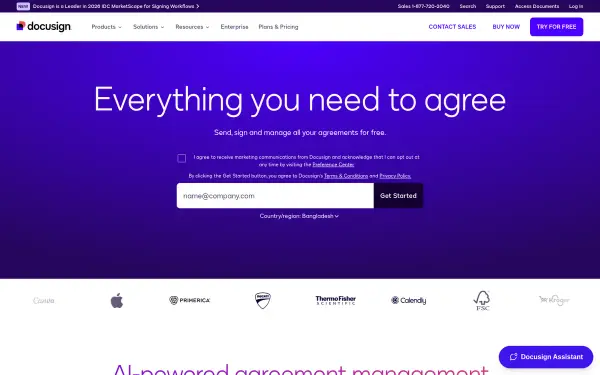
Entry I of VII / Counterparty recognition
Our verdict
Recognizable, thorough and the priciest here: right when a refused envelope would cost more than the subscription.
DocuSign is the envelope most counterparties have seen before, and that familiarity is worth real money to a small firm that cannot afford a stalled signing round. Requests go out by email, SMS or WhatsApp, signers can be checked with identity verification, and every document carries an audit trail. The 2026 release centers on Intelligent Agreement Management, which reads agreements with AI and turns signed contracts into searchable records rather than a folder of PDFs. Workflow automation and renewal tracking sit on top, and more than 1,000 app integrations cover the tools a small business is likely to run.
Pricing is the friction. The Personal plan is $11 per month, billed monthly against an annual commitment, which works out to $132 per year. There is no free plan and no trial, so the first month is paid before you know whether the platform suits your signing volume. Per-user pricing also means the cost climbs with headcount, and many of the features behind that price (AI analysis, repository search, automation) are ones a five-person firm may never open.
That makes DocuSign a fit for teams where signing is customer-facing and volume matters: sales contracts, supplier terms, client onboarding, anything where a recipient might question the tool. If your documents are routine internal forms and the same two people send them, you are paying for breadth you will not use.
The honest summary: it costs more than several tools here and offers no trial, but it removes a specific risk (the counterparty who refuses to sign with an unfamiliar vendor) that cheaper tools cannot. Buy it for acceptance and compliance coverage, not for value per seat.
A refused or questioned envelope would cost you a deal and you want the name counterparties already accept.
You send a few internal forms a month and cannot justify $132 per year per seat with no trial.
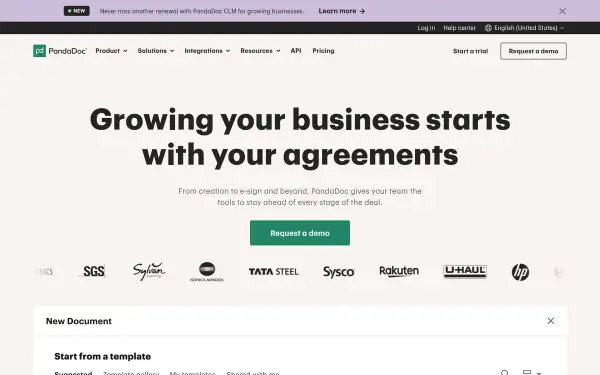
Entry II of VII / Proposal to payment
Our verdict
Best when a proposal, a signature and a payment belong on one page, less compelling if you only need signatures.
PandaDoc starts where most service businesses actually start: a proposal. You build the document with a drag-and-drop editor, drop in pricing tables from a reusable content library, route it through approval workflows, then send it for signature and collect payment on the same page. Analytics show when a client opens a proposal and how long they linger, which helps when a follow-up call needs timing. Signing is one step in that flow rather than the whole product.
That means you are buying a small sales platform. Starter is $19 per seat per month billed annually, or $35 billed monthly, with a free tier and a 14-day free trial. Seat-based pricing means a five-person team pays five times, whether or not all five build documents. Approval workflows add a control step that many small firms skip until a discount goes out unchecked. Compliance coverage includes E-SIGN, UETA, HIPAA and SOC 2, and HubSpot and CRM integrations keep deal records in sync with what was signed.
The vendor states teams build documents around 40 percent faster with the platform. Treat that as a vendor figure, but the point behind it stands: if your team rewrites the same proposal every week, reusable content and templates earn their keep.
It fits agencies, consultancies and service firms whose revenue arrives through proposals and quotes, where the signature is the last click in a longer sales document. It does not fit a business that only needs a signature on a supplier form or an NDA. In that case the proposal builder, the payment step and the view analytics are weight you carry on every invoice.
Your deals begin as proposals and you want building, signing and payment in one document.
You only need signatures on existing PDFs and the proposal builder would sit unused.
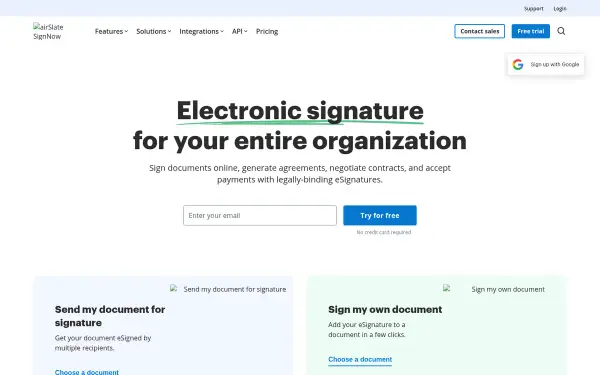
Entry III of VII / Flat team pricing
Our verdict
Unlimited users at $8 per month billed annually makes it the cheapest route to company-wide signing.
signNow's pitch is simple: no per-seat billing. The Business plan is $8 per month billed annually, down from $20 on a monthly term, and it covers unlimited users. For a small business that wants the whole team able to send and sign, that changes the math completely, since adding a seventh or twentieth person costs nothing extra.
The feature set is not stripped down to compensate. You get templates and conditional workflows, bulk send, SMS delivery, payment collection, mobile apps and API access. Compliance covers HIPAA, SOC 2, GDPR and 21 CFR Part 11, which is broader than most small firms need and reassuring if you handle health or regulated records. The vendor, airSlate, markets the product directly against per-user e-signature billing and states there are no overage fees and resistance to renewal price hikes.
The trade-offs are softer than the price. Brand recognition trails the market leader, so an occasional counterparty may ask what signNow is. The interface is functional rather than polished, and a team used to a more designed product will notice it on day one. Neither problem blocks a signature or slows a deal down, and a 7-day trial lets you confirm that with a real document.
Pick it when the goal is adoption: everyone in the business sends documents, nobody wants to request a license, and the bill stays flat as you hire. Skip it if you need a proposal builder or deep agreement analytics, or if your clients expect the most familiar name in the category and ask questions when they see a different one.
More than two people need to send documents and you want the bill to stay flat as you hire.
Brand recognition with counterparties matters more to you than unlimited seats.
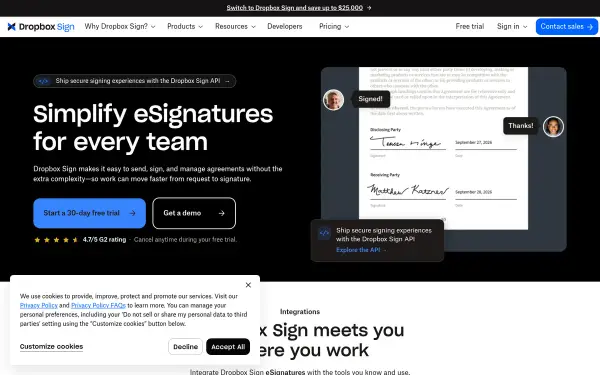
Entry IV of VII / Dropbox-native signing
Our verdict
Quick, tidy signing for Dropbox households, though the price sits on the vendor site and was unconfirmed at check time.
Dropbox Sign, formerly HelloSign, does one thing neatly: you send a document, the recipient signs through a simple browser interface, and completed documents are saved automatically in Dropbox or wherever they came from. The signing interface is simple to hand to a first-time user, and setup is quick. For a small office with no patience for configuration, that counts for more than a long feature list.
It covers sales contracts, NDAs and offer letters, saves completed documents automatically, and integrates with Dropbox, Google Drive and Salesforce. The API is usage-based, which suits light embedding inside your own product rather than high-volume sending. There is a free trial but no free plan, so evaluation has a clock on it.
Pricing is the weak point in this entry. The vendor's pricing page returned no content when we checked on November 25, 2026, so we could not confirm a starting figure and will not print one. Pricing is on the vendor site; check it before you assume it undercuts the $10 and $11 tools on this list. Vendor materials list an API entry tier at $75 for 50 requests per month, which is fine for testing an integration and expensive at volume.
The fit is narrow and clear: a team already living in Dropbox that wants signatures without a new system to learn. It has fewer features than broader agreement platforms, with no proposal builder and no agreement analytics, so a sales team needing those will outgrow it. For an office manager sending ten NDAs a month, their absence is not a loss, and the short learning curve pays for itself in the first week.
Your files already live in Dropbox and you want signing that works in minutes.
You need proposal building, agreement analytics or high-volume API sending.
Entry V of VII / Working free tier
Our verdict
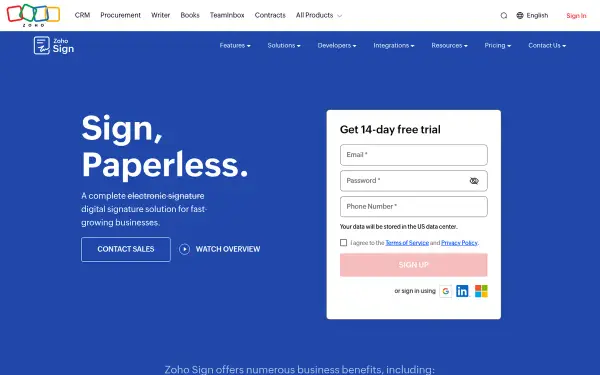
A real free tier for one user and 5 envelopes a month, with PKI signatures well beyond image stamps.
Zoho Sign is the sensible choice for very light signing. The free tier covers 1 user and 5 envelopes per month, enough for a freelancer or sole proprietor who signs a handful of contracts a quarter, and it is a plan rather than a trial that expires. The Standard plan is $10 per user per month billed annually, with a 14-day free trial if you want to test the paid tier first.
The technical story is stronger than the price suggests. Signatures are digital rather than image stamps, using public key infrastructure, with AES-256 encryption, multi-factor signer verification, blockchain timestamping and audit trails. Qualified electronic signatures are supported, and SignForms lets you publish a self-service signing link so a client can complete a form from your website without an email chain. If your organization already runs Zoho apps, the integrations are native rather than bolted on.
The weak points are presentational. The interface is utilitarian, closer to a business utility than a designed product, and the vendor does not display paid plan prices clearly on its homepage, so you may need to dig or ask before you budget. Neither issue undermines the signature itself or the audit trail behind it.
Choose it if you want a free tier that genuinely works for one person, or if you need PKI-backed signatures without enterprise pricing. Skip it if you are buying for a team of ten who all send documents, since per-user pricing at that size quickly makes a flat-rate tool cheaper, and the money saved on seats will outweigh the polish you give up.
One person signs a handful of documents a month, or you already run Zoho apps.
A team of ten will send documents, where per-user pricing loses to flat-rate rivals.
Entry VI of VII / Post-signature tracking
Our verdict
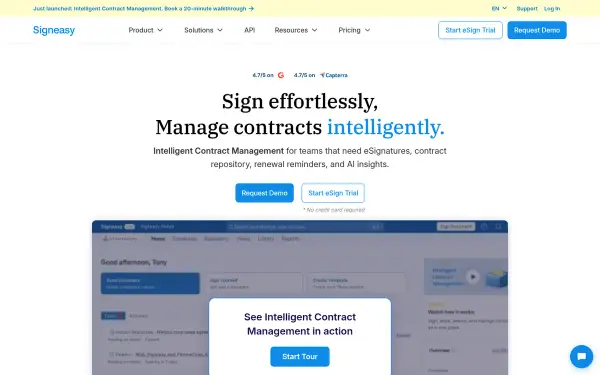
Signing plus a contract repository and renewal reminders, priced above basic tools and below full sales platforms.
Signeasy is pitched a step above plain signing tools, and the difference is what happens after the signature. Signed contracts go into a repository rather than a downloads folder, renewal reminders flag the ones approaching their end date, and AI insights summarize what is inside them. For a small firm juggling retainer agreements, supplier terms and leases, that organization is the product rather than a bonus feature.
Signing itself is straightforward: requests plus integrations with Google, Microsoft and HubSpot. There is an embeddable API if you want signatures inside your own software, and the compliance list is broad: ESIGN, UETA, eIDAS, SOC 2, GDPR, HIPAA and 21 CFR Part 11.
Pricing starts at $10 per month on the Personal plan for a single seat, currently discounted by 30 percent to $7 for a limited period, with a 14-day free trial and no free plan. Personal covers one seat, so a team needs to price the higher tiers before committing to an annual term. The vendor reports more than 48,000 business customers, a figure worth reading as a vendor statement rather than an independent count.
It fits small firms with a backlog of ongoing contracts that need tracking, not just signing. It is less suited if you only send the occasional one-off document, where the repository and reminders earn nothing, or if proposal building is part of the job, where a sales-oriented tool goes deeper for a similar monthly outlay and removes the need for a second subscription.
You need signed contracts stored, searchable and flagged before they renew.
You only send one-off documents and the repository would stay empty.
Entry VII of VII / Frictionless sending
Our verdict
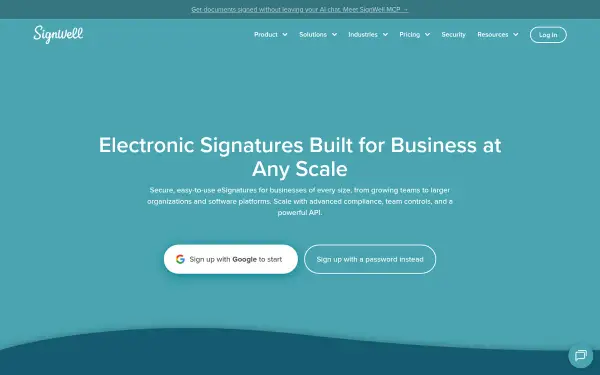
The fastest tool here to learn, with a free tier of 3 documents a month and per-sender pricing.
SignWell is the easiest tool here to start using. You upload a document, place fields, add recipients and send; recipients sign in a browser without creating an account, which removes the most common reason a signing request stalls. The free tier covers 3 documents per month for 1 sender, enough to test the workflow on real paperwork rather than a sandbox.
The Light plan is $10 per month billed yearly for 1 sender, with extra senders at $10 each. That per-sender structure is unusual, and it rewards teams where a few people send most documents while penalizing a firm where everyone sends occasionally. There is no free trial, but the free tier does the same job for evaluation, and human support is included on all plans.
The essentials are present: templates, workflows with signing order and conditional logic, and an audit trail with timestamps and IP addresses on every document. Documents are ESIGN, UETA and eIDAS compliant. A REST API with white-label embeds handles light product integration, and integrations cover QuickBooks Online, Xero and Close, with Zapier filling gaps in a larger app stack.
It fits a small team that wants signatures working this afternoon, not after a configuration project. It is weaker on workflow automation than enterprise platforms and its integration ecosystem is smaller than the market leader's, so it is not the pick for complex multi-party approval chains or a stack built on dozens of connectors. For a four-person firm sending client agreements and invoices, none of that matters.
A few people send most of your documents and you want signatures working today.
Everyone in the company sends occasionally and extra senders at $10 each would add up.
VIBackground
E-signature software sends a document to named recipients, collects their signatures in a browser, and produces a record that shows who signed, when, from where and in what order. Most small businesses come to it because printing, signing, scanning and emailing a PDF has become the slowest step in a process that is otherwise digital.
The mechanics are similar across the tools on this list. You upload a PDF or build a document, drag fields onto the page (signature, initials, date, text), add recipients and send. The recipient gets an email with a link, proves who they are through an access code, SMS code, knowledge-based questions or nothing at all depending on your settings, and signs with a mouse or a finger. When the last party signs, everyone receives a completed copy with a certificate of completion attached.
What separates the tools is what sits around that transaction:
For a small business, the practical question is not whether the tool can sign a document, because all seven here can. It is how many people need to send, how many documents a month you handle, and whether the signature is the end of the process or a step inside a longer sales flow. A firm sending five supplier forms a month needs little more than a free tier and a clean audit trail. A consultancy sending proposals with payment terms needs document building, signatures and payment collection in one place, which is a different purchase at a different price.
This comparison sits in the software register. Further along the shore: Maze alternatives and ticket sales platform.
VIIPricing
Most e-signature bills come out higher than the headline number, because the headline usually describes one seat on an annual term. Four billing models cover every tool on this list.
| Model | How it bills | Typical fit | Example from this list |
|---|---|---|---|
| Per seat | A monthly fee for each sender, usually lower on an annual term | Teams of a predictable size | PandaDoc Starter at $19 per seat per month billed annually, $35 billed monthly |
| Unlimited users | One price covers every sender | Firms where everyone sends occasionally | signNow Business at $8 per month billed annually, unlimited users |
| Per sender | Billed by sending accounts, extra senders added individually | Teams with a few heavy senders | SignWell Light at $10 per month billed yearly, extra senders $10 each |
| Free tier first | A free monthly allowance, then a paid upgrade | Freelancers and very light use | Zoho Sign free for 1 user and 5 envelopes per month |
Run your own headcount through each model before comparing headline prices. Unlimited-user pricing at $8 per month beats a $10 per seat plan at two seats and at eight seats. Annual terms also change the number sharply: PandaDoc Starter is $19 per seat per month billed annually against $35 billed monthly, and signNow's Business plan is $8 billed annually down from $20 monthly. If your signing volume is seasonal, a monthly term costs more but stops you paying for eleven quiet months.
Check what the trial actually gives you. Some tools here offer a 14-day trial, one offers 7 days, some offer a free tier, and DocuSign offers neither a trial nor a free plan, so its $11 Personal plan is a paid commitment from day one.
Finally, watch metered extras. API access is metered on some tools here, and a per-request price that looks small in testing can grow with production volume.
Each entry card shows the starting price as it appeared on the vendor's own pricing page on November 25, 2026. When a vendor shows no figure we could confirm, or only a promotional rate, the card says "See website" or gives the regular price instead of a guess. Usage, overage and add-on rates in the text change more often than plan prices, so confirm them on the vendor page before you set a budget. To test the numbers against your own volume, try the free User Research Budget Planner. The Event Break-Even Calculator is a second way to check the same decision.
VIIIDecision
Count the senders. Write down everyone who will send a document in a normal month, not everyone in the company. That number decides whether unlimited-user pricing (signNow at $8 per month billed annually) or per-seat pricing suits you.
Count the documents. If you send fewer than five a month, a free tier may be enough: Zoho Sign covers 1 user and 5 envelopes, SignWell covers 3 documents from 1 sender. For higher volumes, compare paid plans.
Decide whether signing is the whole job. If a proposal, quote or payment comes before the signature, look at PandaDoc, which builds documents and collects payment in the same flow. If not, you are paying for a sales platform you will not use.
Check what happens after signing. Teams with leases, retainers and renewals need storage and reminders, which Signeasy and DocuSign provide. One-off forms do not, so keep the subscription simple.
Test with a real document. Use the trial or free tier to send an actual contract, not a demo form. Check the recipient experience on a phone, since that is where most signatures stall.
Confirm the compliance you actually need. ESIGN and UETA coverage is standard. HIPAA, 21 CFR Part 11 or qualified signatures only matter if your documents fall under those rules, so ask before paying for them.
IXPitfalls
Buying for features you will never open. Agreement analytics, approval chains and API access look good on a comparison sheet and cost money every month. Start with sending, signing and an audit trail, then upgrade when a real task demands it.
Ignoring seat math. A $10 per seat plan and signNow's $8 per month unlimited plan look close on a one-seat quote and diverge fast. Multiply by the number of people who will actually send before you commit to an annual term.
Assuming every tool has a trial. DocuSign has neither a free plan nor a trial, so its Personal plan is paid from day one. Confirm the trial length before you plan an evaluation week.
Forgetting the recipient's experience. The signature stalls at the recipient, not the sender. Check that people can sign on a phone without creating an account, or your completion rate drops no matter how good the dashboard is.
Treating compliance badges as interchangeable. HIPAA, 21 CFR Part 11 and qualified electronic signatures cover specific document types. If your contracts fall under those rules, confirm the exact coverage rather than assuming a long list applies to you.
XQuestions
signNow is the cheapest route to company-wide signing at $8 per month billed annually with unlimited users. If only one person sends documents, Zoho Sign's free tier covers 1 user and 5 envelopes per month, and SignWell's free tier covers 3 documents from 1 sender. Paid single-seat plans start at $10 per month on Zoho Sign, Signeasy and SignWell.
Yes, in most commercial contexts. The federal ESIGN Act and the state-level UETA give electronic signatures the same standing as ink where the parties intend to sign and the record can be retained. Check that the tool you choose states ESIGN and UETA compliance and provides an audit trail with timestamps. Regulated documents such as wills, some court filings and certain health records have their own rules, so check before signing those electronically.
signNow is the only tool here with unlimited users on its paid plan: $8 per month billed annually covers every sender. PandaDoc, Zoho Sign, Signeasy and DocuSign price per seat. SignWell prices per sender at $10 per month billed yearly, with extra senders at $10 each. Dropbox Sign bills per user per month, and its pricing sits on the vendor site rather than in our table.
Three tools here have a free tier. Zoho Sign gives 1 user 5 envelopes per month, SignWell gives 1 sender 3 documents per month, and PandaDoc also lists a free tier, though the plan details we checked do not state a document allowance. DocuSign, signNow, Dropbox Sign and Signeasy have no free plan, though most of them offer a time-limited trial.
SignWell states that recipients sign without creating an account; other tools may send a link or access code, so test the recipient flow. Identity checks such as an SMS code or access code are separate from account creation. If your counterparties are non-technical or one-off clients, test the recipient link on a phone before you roll the tool out to the team.
PandaDoc collects payment inside the document, so a client can approve a proposal, sign and pay in one flow. signNow also offers payment collection alongside signing. Payment processing terms come from the vendor, so check them separately. If payment at signature matters to your business, ask for the processing rate before you compare the two plans on price alone.
XIFurther along the shore
Vendors can ask for a correction or apply for a Featured listing. Paid or not, the entry is scored on the same rubric and its limits stay in print. Partner with Umberlake.
Free tools
Our free browser tools turn the prices on this page into a figure for your own volume. Nothing you type leaves your device.