
Embroidery Legacy
See websiteOne-time purchase, seasonal sale pricing shown on the vendor site
Best for hobbyists and small embroidery businesses new to digitizing
- Free plan
- No (demo version available)
- Rubric
- 7.3 of 10
Ten embroidery digitizing programs ranked by fit for the buyer, from free open-source tools to quote-only commercial suites, with prices checked on November 25, 2026.
IThe short answer
Embroidery Legacy is the best starting point for hobbyists and small shops learning to digitize, Wilcom Hatch is the pick for home embroiderers who want Wilcom stitch quality at a lower cost, and Embrilliance StitchArtist is the choice for Mac and Windows users who want dongle-free digitizing. All three were checked on November 25, 2026, alongside seven more tools covering free open-source work, commercial production and manufacturer-specific workflows. Prices for every entry in this November 2026 update sit on the vendor sites: Best Digitizing Software For Embroidery.
10 tools compared from vendor pages on November 25, 2026. 0 publish a starting price we could read; the rest say "See website".
IITop three berths
Register order is editorial fit for the buyer each entry describes. Prices are the starting figures read on November 25, 2026.
See websiteOne-time purchase, seasonal sale pricing shown on the vendor site
Best for hobbyists and small embroidery businesses new to digitizing

See websiteFour product levels, complete manual digitizing only at the top Digitizer level
Best for home embroiderers wanting Wilcom technology at a lower cost
See websiteTiered levels, a single purchase covers both Mac and Windows
Best for mac and Windows crafters wanting affordable dongle-free digitizing
How this page is paid for. All 10 tools here are unpaid editorial picks.
A paid listing's position can be part of what the vendor pays for. Every entry, paid or not, is scored on the same rubric and keeps its limits in print. Advertising disclosure.
IIIThe register
Starting prices as shown on each vendor's pricing page on November 25, 2026. "See website" means no figure we could confirm.
| No. | Tool | From | Free plan | Trial | Rubric | Actions |
|---|---|---|---|---|---|---|
| 01 | Embroidery LegacyHobbyists and small embroidery businesses new to digitizing | See websiteOne-time purchase, seasonal sale pricing shown on the vendor siteNot shown publicly | No | Free trial via demo version | 7.3 | |
| 02 | Wilcom HatchHome embroiderers wanting Wilcom technology at a lower cost | See websiteFour product levels, complete manual digitizing only at the top Digitizer levelNot shown publicly | No | Free trial | 7.7 | |
| 03 | Embrilliance StitchArtistMac and Windows crafters wanting affordable dongle-free digitizing | See websiteTiered levels, a single purchase covers both Mac and WindowsNot shown publicly | No | Free trial versions; 90-day refund policy on store purchases | 7.7 | |
| 04 |  Brother PE-Design 11Brother machine owners who want the native workflow | See websiteVersion 11, one-time licenseNot shown publicly | No | Free trial | 6.2 | |
| 05 | Tajima DG17Commercial embroidery shops and professional digitizers | See websiteQuote-based pricing sold through distributorsNot shown publicly | No | Free trial | 6.6 | |
| 06 |  Embird StudioBudget digitizers wanting a modular, complete toolkit | See websiteEmbird Basic plus Iconizer bundle, one-time purchase, Studio digitizing plug-in sold separatelyNot shown publicly | No | 30-day fully functional free trial | 6.5 | |
| 07 | Ink/StitchHobbyists and makers wanting free open-source digitizing | See websiteOpen source with no paid tiers or upsellsNot shown publicly | Yes | Not applicable, the tool is free | 6.8 | |
| 08 |  CREATIVATEHusqvarna Viking and Pfaff machine owners | See websiteBasic tier free, digitizing included at the Elite tier, $399.99 per yearNot shown publicly | Yes | No | 6.4 | |
| 09 | BuzzEdit 4Editing, resizing and light digitizing on a budget | See websiteSold as separate low-cost modules that can be combinedNot shown publicly | No | Free trial | 6.3 | |
| 10 | Janome Digitizer MBXJanome machine owners wanting the manufacturer's own software | See websiteOne-time license sold by the manufacturerNot shown publicly | No | Free trial | 6.1 |
Pinned:
IVMethod
How cleanly the tool turns artwork into stitches you can sew without repairing every path by hand.
How fast a new buyer can produce a first wearer-ready design, with bundled training counting heavily.
Whether native Windows, Mac and Linux builds exist, and how well the software matches your machine brand.
What the stated license actually includes, especially whether manual digitizing sits in the base tier.
Quality of auto-digitizing, sequencing and resizing tools that cut manual editing time on repeat work.
VMethod
We judged these ten programs on five criteria, weighted for what buyers feel in the first month of ownership rather than for brochure feature counts.
Stitch quality carries 25 percent. It covers how cleanly each tool converts artwork into stitches you can sew without editing every path. Learning curve, 20 percent, asks how quickly a new buyer produces a first wearable design, with bundled training counting heavily. Platform support, 20 percent, tracks native Windows, Mac and Linux builds and how well the software fits your machine brand. Value for money, 20 percent, looks at what the stated license includes, especially whether manual digitizing sits in the base tier or behind an upgrade. Automation depth, 15 percent, covers auto-digitizing, sequencing and resizing tools that save editing time.
Price and plan facts come from vendor pricing pages checked on November 25, 2026. Where a page returned no readable pricing text, the entry says so instead of estimating a figure, and we point you to the vendor site for the number. Trial terms, tier names and bundled modules are described exactly as the vendor states them.
The order of this list is editorial. It reflects fit for the buyer each entry describes, plus any disclosed Featured position. A Featured listing is a paid placement. We score it with the same rubric as every other tool and publish its cons in full. This November 2026 update carries no Featured entry.
These assessments draw on vendor documentation, published feature lists and plan structures rather than lab benchmarking on our own machines, so read them as a buying guide to what each package promises and where it stops.
The full routine, from price reads to corrections, is on the methodology page. Paid listings follow the advertising disclosure.
Entry I of X / Bundled digitizing training
Our verdict
A clean Windows digitizer with real training baked in, priced as a one-time purchase above budget hobby tools.
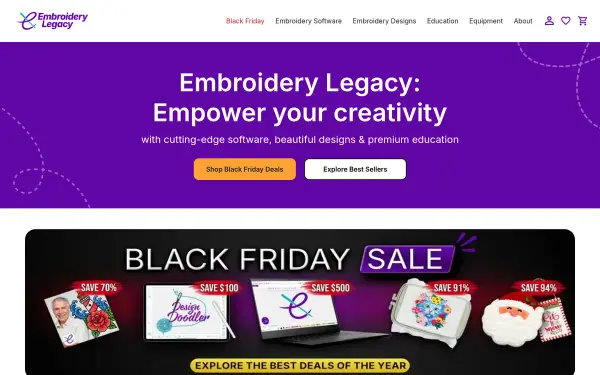
Embroidery Legacy is the digitizing program built by John Deer, a working digitizer, for hobbyists and small shops that find older software dated. The pitch is a clean, uncluttered interface that shortens the learning curve without stripping out manual control. You get full manual digitizing, a Digitizing Widget that walks you through object creation, an All-in-One Artwork Mode, Auto Satin and Snap-to-Anchor automation, and Drag-Pan navigation for moving around a large hoop layout. More than 200 object-based embroidery fonts ship with it.
The education is the differentiator. Step-by-step digitizing training covering both the tool and stitch-out fundamentals is bundled with every purchase, so a first-time buyer is not left guessing why a satin column puckers on a knit. That mix of manual control and click-saving automation is uncommon at the hobby end, where most packages lean hard on auto-digitizing and leave the repair work to you.
The limits are real. It runs on Windows only, with no native Mac build, which rules it out for Mac crafters who make up a large share of this market. The one-time cost sits above budget hobby programs, so it is not the cheapest way to start. Pricing is on the vendor site rather than a pricing page we could capture, and the listing shows seasonal sale pricing, so the number moves during promotions.
In use, the strength is the teaching. Someone who completes the bundled training comes out understanding stitch types and underlay rather than memorizing button positions, and that knowledge transfers to any tool they use later. The weakness is breadth of platform support. If you own a Mac, or you want a package that handles production sequencing for several machines, this is the wrong purchase. It suits the person who wants to learn digitizing properly and will use the training that comes in the box. If you only resize purchased designs, this is more software than the job needs.
You are new to digitizing and want training bundled with the license instead of sold separately.
You work on a Mac or need production sequencing across several machines.
Entry II of X / Wilcom stitch engine
Our verdict
Wilcom's stitch engine in a crafter-friendly package, though complete manual digitizing only arrives at the top Digitizer level.
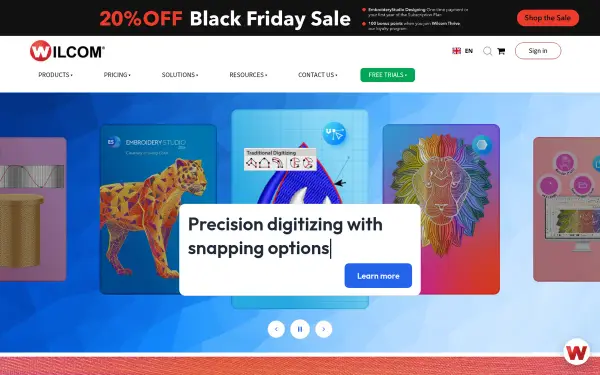
Wilcom Hatch runs on the same stitch engine as Wilcom EmbroideryStudio and wraps it in an interface built for crafters rather than production engineers. That is the whole proposition: industrial-grade stitch quality with a shorter learning curve and a smaller bill.
The product splits into four levels. Auto-digitizing, lettering tools, design editing and output compatible with all major machine brands appear across the range, but complete manual digitizing is reserved for the top Digitizer level. Buyers at the lower levels are effectively getting a strong editing and lettering package for purchased designs, not a full digitizing suite. That distinction matters most for anyone planning to draw original artwork from scratch rather than adjust someone else's file.
For a home embroiderer who edits shop-bought designs and occasionally auto-digitizes a simple logo, the entry levels cover the work, and pricing is on the vendor site. For someone who wants to build satin columns by hand and control underlay, the purchase only makes sense at the Digitizer level, and that is the number to compare against Embroidery Legacy or Embrilliance StitchArtist.
The trade-offs are familiar in this category. Hatch is Windows only, so Mac users need a workaround, and full manual control sits behind the higher price. Pricing is on the vendor site; the page we retrieved returned no text, so no figure is published here and none has been guessed. Check current level pricing before you commit to a tier, because the level you choose decides whether you can digitize at all.
You want Wilcom stitch quality and can buy the Digitizer level that includes manual control.
You need manual digitizing at the lowest possible price or you work on a Mac.
Entry III of X / Cross-platform license
Our verdict
One license runs on Mac and Windows with no dongle, which makes it the easiest affordable cross-platform digitizer to recommend.
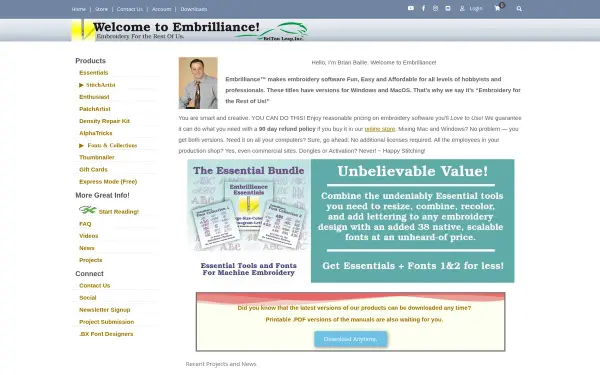
Embrilliance StitchArtist is the practical answer for anyone who works on a Mac, or who moves between Mac and Windows. One purchase runs natively on both platforms, installs on all of a user's computers, and needs no dongle or hardware key. In a market where most serious packages are Windows only, that alone earns it a place on any shortlist.
Digitizing happens at tiered levels, with manual digitizing available at more than one point in the range, plus applique and lettering tools for original design creation. You can start modestly and move up as your work demands it rather than buying the top tier on day one. The brand built its reputation on low-cost, consumer-friendly embroidery tools, and the accessible support style fits that positioning.
Two things soften the risk of buying. Free trial versions let you test the workflow before paying, and store purchases carry a 90-day refund policy. That window matters when software only proves itself on real artwork rather than a demo file.
The limits are honest ones. The interface looks dated beside Wilcom, and production automation trails the industrial packages, so a shop running high volumes will outgrow it. There is no free tier, and pricing is on the vendor site rather than a page we could capture, so confirm the current tier price before you buy. StitchArtist fits crafters, custom gift work and small home businesses that need original designs across two platforms. It does not try to be factory software, and buyers who expect factory sequencing will be disappointed.
You need native Mac support or you want one license that covers both platforms without a dongle.
You need industrial automation for high-volume production runs.
Entry IV of X / Brother machine integration
Our verdict
The natural pick for Brother owners, with wireless transfer and PhotoStitch, but thin value if your machine is another brand.
Brother PE-Design 11 is the manufacturer's own digitizing package, and it behaves like one. Native Brother file formats and wireless design transfer on supported Brother models make the round trip from screen to hoop shorter than it is with generic tools. If you own a compatible Brother machine, that integration is the reason to look at this package at all.
Version 11 refreshed the interface and added fonts and decorative fills, alongside the PhotoStitch photo-to-embroidery conversion and applique wizards. A large bundled font and design collection means a new owner can produce something wearable without buying extra assets. For a Brother owner who wants one supported path from artwork to machine, that bundle is genuinely convenient, and the wizards lower the entry barrier for people who have never digitized before.
The value narrows sharply if your machine is another brand. Most of the useful integration disappears, and you are left with a digitizer whose main advantage no longer applies. Paid upgrades between versions add cost over time, so the entry price is not the total cost of ownership across a decade of use. A free trial exists, which is the right way to test whether the wizards handle your kind of artwork before committing.
Pricing is on the vendor site: the page we fetched returned no text, so no figure is published here. Treat PE-Design as part of the Brother ecosystem rather than a standalone digitizer competing on features alone. Brother owners who want PhotoStitch and wireless transfer will get their money's worth. Everyone else should compare it against Wilcom Hatch and Embrilliance StitchArtist first, because independent tools travel better across brands.
You own a compatible Brother machine and want native formats plus wireless transfer.
Your machine is another brand or you change machines every few years.
Entry V of X / Production sequencing depth
Our verdict
Production-grade digitizing with deep automation for high-volume shops, sold through distributor quotes and priced accordingly.
Tajima DG17 is production software for shops that digitize for a living. Advanced stitch quality on complex artwork, production sequencing tools, multi-machine production management and automation for high-volume order work are the core of the package. PulseID links the software to shop-floor workflows.
Version 17 is sold by Tajima Software Solutions, formerly Pulse Microsystems, through distributor sales and training channels. That means quote-based pricing: you do not buy it from a page with a checkout button, and the number comes from your distributor. Budget for the conversation rather than the click, and expect training to be part of the deal.
The learning curve is steep for hobbyists, and the capability runs far beyond what a home user needs. For a shop running several machines and high order volume, that depth is the point. Sequencing decisions at this level matter for production scheduling, and the automation is aimed at reducing editing time on repeat work.
There is no instant purchase and no published list price we could verify, so treat any figure you hear as the start of a quote rather than a final number. A free trial exists, and it is worth running on one of your own difficult jobs rather than a sample file, since simple logos flatter every package. If you run a single home machine or digitize a few designs a month, skip it entirely and spend the money on training instead.
You run a commercial shop with multiple machines and high order volume.
You digitize occasionally at home or want a price you can see before contacting sales.
Entry VI of X / Format breadth
Our verdict
The cheapest route to a full digitizing toolkit, provided you accept Windows only, dated looks and plug-in pricing.
Embird Studio is the budget route to a complete digitizing toolkit. The headline bundle pairs Embird Basic with Iconizer as a one-time purchase, and the Studio digitizing plug-in sits on top as a separate module. Around that core you can add design editing, lettering, file format conversion and a quilting module, each priced separately.
That modular structure is both the appeal and the catch. It gives you the lowest full-featured entry cost among the paid tools on this list, and it lets you buy only the pieces your work needs. It also means the complete toolkit costs more than the headline bundle suggests, so price your actual workflow before comparing it to an all-in-one package such as Wilcom Hatch.
Format support is unusually broad, with more than 70 machine file formats, which makes Embird a useful hub for a shop running mixed hardware or for anyone converting files between machines. The product has been offered since 1997, so the file handling is mature even where the interface is not. Expect a dated look, a Windows-only requirement and a workflow that rewards patience over polish.
The 30-day trial is fully functional rather than a locked demo, which is the right way to judge whether the modules you picked actually cover your jobs. Pricing is on the vendor site: our page fetch came back empty, so no figure is quoted here. A digitizer on a tight budget who can live with dated software will get a great deal done, and the quilting module adds a capability beyond core digitizing.
You want a full digitizing toolkit at the lowest paid entry cost and can live with dated software.
You need a Mac build or want one all-in price with no add-on modules.
Entry VII of X / Free open source
Our verdict
Free, open source and cross-platform, with manual control that rewards patience and no wizards for impatient beginners.
Ink/Stitch is the only complete free digitizing option on this list. It runs as an extension inside Inkscape, is open source with no paid tiers or upsells, and installs on Windows, Mac and Linux. For a maker who wants to learn digitizing without a software budget, that combination is hard to beat.
You get manual stitch types and parameters, lettering with pre-digitized fonts, stitch path optimization and export to many machine formats. Manual control is genuine: you choose the stitch type and set the parameters rather than accepting whatever an auto-digitizer produces. Development is active, with version 3.3.0 shipping in July 2026, and the community maintains tutorials, sample files and a detailed manual.
The costs are time and structure. Users must learn Inkscape alongside the embroidery settings, which doubles the learning surface before the first design is finished. There are fewer automated wizards than commercial packages offer, and there is no one-click photo-to-stitch equivalent, so photographic artwork takes manual labor. Support is community-based with no help desk, which is fine for a hobbyist with patience and painful for a shop on deadline.
Pricing is simple: there is nothing to buy, and the tool is open source. Confirm current release details on the project site, because there is no vendor pricing page to check. Ink/Stitch suits hobbyists, makers, Linux users and anyone who wants to understand what the settings actually do. It does not suit buyers who need a support contract or a guided wizard for every job.
You want real digitizing control at no cost and you are willing to learn Inkscape.
You need guided wizards, a support contract or fast photo conversion.
Entry VIII of X / Cloud design library
Our verdict
A sensible cloud membership for Viking and Pfaff owners, but digitizing sits behind the $399.99 per year Elite tier.
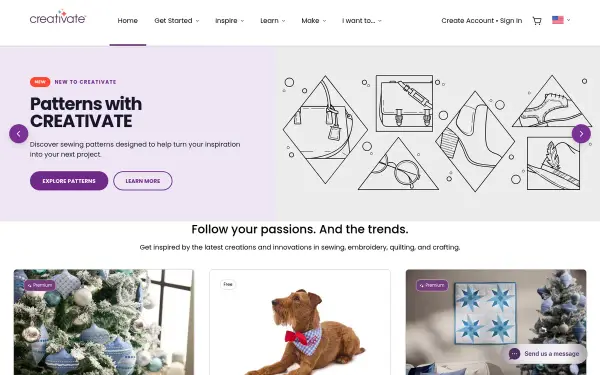
CREATIVATE is the renamed mySewnet service, and the rename is the main thing to understand. The tools and logins carried over: existing mySewnet users keep their logins, designs and perpetual licenses. If you were already in the ecosystem, the switch mainly changed a name rather than the software you open.
The service is a cloud-connected membership with a design library, a design catalog, tutorials organized by task, and software downloads tied to your tier. Tiers run from free Basic through Essential at $99.99 per year and Extra at $199.99 per year up to Elite at $399.99 per year. Digitizing and the stitch editor sit at Elite, which means $399.99 per year is the real price of entry for anyone who wants to create stitches rather than arrange them.
That structure suits Husqvarna Viking and Pfaff owners, who get a cloud workflow into compatible machines and learning content organized by task. It suits them less well if they only occasionally digitize, because the jump from $199.99 to $399.99 is steep for a handful of designs a year. There is no trial, so you cannot test the digitizing tools before paying for a full year of Elite.
Pricing is stated on the vendor site and our page capture came back empty, so confirm the current tier numbers there. Owners of other machine brands get less from the cloud link and should weigh the independent tools on this list first, since those travel across brands without a membership. Viking and Pfaff households that already use the cloud library will find the tiers easy to justify; everyone else should treat the free Basic tier as a trial.
You own a Husqvarna Viking or Pfaff machine and want a cloud-connected design library.
You digitize occasionally or own a different machine brand.
Entry IX of X / Fill-preserving resize
Our verdict
Small focused modules that fix specific jobs cheaply, not a substitute for a full manual digitizing suite.
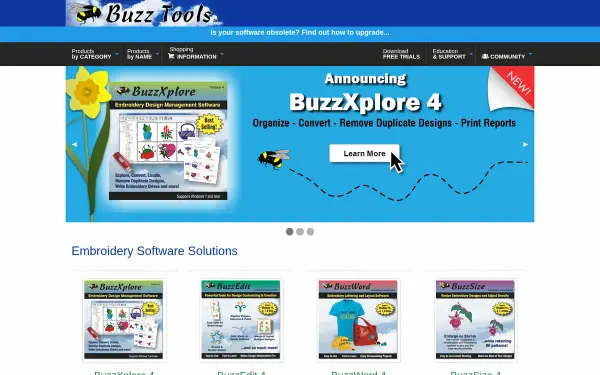
BuzzEdit 4 is not one program but a set of small ones, each aimed at a single job. BuzzEdit handles design editing and basic manual digitizing. BuzzXplore organizes a design library and converts between formats. BuzzWord handles lettering, and BuzzSize resizes designs while preserving fills and recalculating stitch counts.
That last module is a key reason to buy in. Resizing a purchased design normally distorts the fill pattern and throws off density. BuzzSize is built specifically to keep the fill intact and adjust stitch counts to match the new size, which turns a risky edit into a routine one. For a hobbyist who mostly edits and resizes designs bought elsewhere, that is a cheaper fix than a full suite.
The limits matter. BuzzEdit is not a full manual digitizer in the league of Hatch or StitchArtist, so anyone drawing original artwork with controlled underlay and sequencing will hit a ceiling early. The product line and the website look dated, and the modules are sold separately, so a full set costs more than any single price suggests when you add them up.
Buying several modules covers most home embroidery tasks for less than a full commercial suite, which is the sensible way to read the pricing. A free trial exists, and it is worth testing the resize module on a design you already own before buying the rest. Prices sit on the vendor site: our page fetch returned nothing, so module prices are not quoted here. BuzzEdit fits the editor and resizer, not the production digitizer.
Your main job is editing and resizing purchased designs on a tight budget.
You need to draw original artwork with full control over underlay and sequencing.
Entry X of X / Native Janome formats
Our verdict
The manufacturer's own package, comfortable for Janome owners and narrower than independent tools on other brands and formats.
Janome Digitizer MBX is the manufacturer's own digitizing package, built around Janome machines and their formats. Native Janome format support and machine-aware features mean fewer conversion surprises, and the crafter-focused interface is approachable for someone who bought a Janome and wants to make original designs rather than learn a production tool.
Original design creation, machine-aware features and integration with the Janome tool ecosystem are all present, so support and learning materials line up with the hardware you already own. For a Janome household, that coherence is worth real money in avoided frustration, especially when a design fails to open or a hoop size does not match what the software expects.
The narrowness cuts both ways. The software favors its own machines over other brands, and third-party format support is narrower than Embird's broad handling of more than 70 formats. A shop running mixed machine brands can get more flexibility from an independent tool, and anyone who switches machines later loses most of the integration that justified the purchase.
Pricing is a one-time license sold by the manufacturer, and the number lives on the vendor site rather than a page we could capture, so no figure is published here. A free trial is offered, and it is worth running on your own artwork before you buy, since the interface suits some workflows better than others. Buy Janome Digitizer MBX if you own Janome hardware and want the manufacturer path from design to machine. Look at independent tools if your floor is mixed or you expect to change brands.
You own a Janome machine and want the manufacturer's own workflow.
You run mixed machine brands or expect to switch hardware later.
VIBackground
Digitizing software converts artwork into stitch commands a machine can sew. Design editing software changes files that already contain stitches. That difference explains why two programs that both open an embroidery file can sit at very different prices.
When you digitize, you decide where each stitch goes: the direction of a satin column, the underlay that stops a fill from sinking into the fabric, the order the machine sews the colors, and the tie-in and tie-off points that keep thread from unraveling. A finished design file is a set of coordinates and commands, not a picture. Nothing in the source image tells the machine how to handle a curve four millimeters wide. The digitizer does.
Editing tools work one step later. They let you move, resize, recolor, merge and convert a design someone else digitized. That covers most home embroidery, which is why the affordable end of this market is heavy on editors and thin on true digitizers.
Three capabilities separate the categories:
Automation sits across all three. Wilcom Hatch, Embroidery Legacy and Tajima DG17 combine automation with manual control. Cheap editors offer resizing that preserves fill patterns, and little more.
Format support is the other divider. Export support varies across packages. Embird advertises more than 70 formats. Ink/Stitch exports to many formats while running as an extension inside Inkscape.
Finally, brand tie-ins matter. Brother PE-Design 11 and Janome Digitizer MBX favor their own machines, and CREATIVATE is a cloud membership. Independent tools trade that integration for flexibility across mixed machine brands. If you cannot say which stitch type a design uses, you need an editor first and a digitizer second. If you are drawing artwork for paying customers, you need the digitizer.
This comparison sits in the software register. Further along the shore: baby tracking app and e signature software.
VIIPricing
Digitizing software is priced in six broad shapes, and the shape matters more than the sticker. Pricing for these programs sits on the vendor site rather than in this article, so the honest answer is to check there.
| Model | How it bills | Typical fit | Example from this list |
|---|---|---|---|
| One-time license | Single payment, permanent use | Hobbyists and small shops | Embroidery Legacy |
| Tiered levels | One payment per level, features scale | Home embroiderers | Wilcom Hatch |
| Bundle plus plug-ins | Core bundle, modules sold separately | Budget digitizers | Embird Studio |
| Subscription membership | Annual fee, digitizing on the top tier | Brand-locked machine owners | CREATIVATE |
| Distributor quote | Priced per quote, often with training | Commercial shops | Tajima DG17 |
| Open source | No charge, no tiers | Makers on a budget | Ink/Stitch |
The tiered shape is where buyers get caught. Wilcom Hatch sells four levels and reserves complete manual digitizing for the top Digitizer level, so a cheaper level is an editing purchase. CREATIVATE does the same with time rather than levels: free Basic and the $99.99 and $199.99 annual tiers leave digitizing out, and it arrives at Elite for $399.99 per year.
Modular pricing works the same way in reverse. Embird Studio sells a bundle and then plug-ins, so the entry cost is low and the complete toolkit costs more. BuzzEdit 4 sells separate programs, and buying several to cover editing, lettering and resizing adds up past the price of any single module.
One-time licenses are common here. Embrilliance StitchArtist charges once for a license that runs on Mac and Windows, and Brother PE-Design 11 and Janome Digitizer MBX sell version licenses through the manufacturer. Tajima DG17 is the outlier, quoted through distributors. Price checks were attempted on November 25, 2026.
Each entry card shows the starting price as it appeared on the vendor's own pricing page on November 25, 2026. When a vendor shows no figure we could confirm, or only a promotional rate, the card says "See website" or gives the regular price instead of a guess. Usage, overage and add-on rates in the text change more often than plan prices, so confirm them on the vendor page before you set a budget. To test the numbers against your own volume, try the free User Research Budget Planner. The Event Break-Even Calculator is a second way to check the same decision.
VIIIDecision
Decide digitize or edit first. If you only move, resize, recolor or merge designs that already contain stitches, an editor such as BuzzEdit 4 covers the job for less than a digitizing suite.
Check your operating system. Embrilliance StitchArtist and Ink/Stitch run natively on Mac, while Embroidery Legacy, Wilcom Hatch and Embird Studio are Windows only, so Mac users need a different shortlist.
Match the machine, not the brand. Independent tools export widely and work across brands. Brother, Janome and CREATIVATE reward loyalty with integration you lose the moment you change hardware.
Price the tier that includes digitizing. Wilcom Hatch reserves complete manual digitizing for the Digitizer level, and CREATIVATE puts it in the $399.99 per year Elite tier. Budget for that level, not the headline.
Run the trial on your own artwork. Free trials exist for most paid tools here, and a demo or the Embrilliance 90-day refund policy is the only real test of whether the wizards handle your designs.
Count the training and fonts you get. Embroidery Legacy bundles step-by-step training with every purchase, and Tajima DG17 sells through distributor training channels. Factor learning time into the total you are comparing.
IXPitfalls
Buying an editor and calling it a digitizer. Resizing and recoloring purchased designs is editing. If you want original artwork with controlled underlay and stitch direction, you need a manual digitizing tier, not the cheapest level on the page.
Assuming the free tier includes digitizing. CREATIVATE offers a free Basic tier, but digitizing and the stitch editor sit at Elite, $399.99 per year. Read which tier holds the feature before you commit to an annual membership.
Ignoring the platform question until after purchase. Several tools here, including Embroidery Legacy, Wilcom Hatch and Embird Studio, are Windows only. Mac users should start with Embrilliance StitchArtist or Ink/Stitch rather than buying a Windows package and hunting for a workaround.
Pricing the entry level and stopping there. Wilcom Hatch sells four levels and Embird Studio sells plug-ins on top of a bundle. The feature you actually want may sit two purchases above the price you saw.
Skipping the trial on real artwork. Auto-digitizing handles a clean logo well and struggles with a photograph. Test the tool on the kind of art you sell before you commit, especially where no refund policy exists.
XQuestions
Digitizing software creates stitches from artwork, deciding stitch type, direction, underlay and sewing order. Editing software changes a file that already contains stitches: resizing, recoloring, merging or converting formats. A digitizer produces new designs and an editor adjusts existing ones. That is why an editor can cost a fraction of a full digitizing suite, and why the affordable end of this market is mostly editors.
Yes. Ink/Stitch is open source with no paid tiers, runs on Windows, Mac and Linux, and covers manual stitch types, lettering, path optimization and export to many machine formats. Version 3.3.0 shipped in July 2026, so development is active. The trade-off is that it runs inside Inkscape, so you learn two tools, and there is no one-click photo-to-stitch feature. Support comes from the community.
Embrilliance StitchArtist and Ink/Stitch. StitchArtist sells one license that installs on both Mac and Windows with no dongle, plus a 90-day refund policy on store purchases. Ink/Stitch runs on Mac, Windows and Linux as an Inkscape extension. Embroidery Legacy, Wilcom Hatch and Embird Studio are Windows only, so Mac users on those tools need a workaround.
No. Independent tools export to common machine formats, and Embird alone supports more than 70 formats. Brand software adds integration rather than permission: Brother PE-Design 11 brings wireless transfer on supported Brother models, Janome Digitizer MBX adds native Janome formats, and CREATIVATE adds a cloud link for Viking and Pfaff. Mixed-brand shops can get more from independent software.
Hatch is the consumer-facing sibling, built on the same stitch engine as EmbroideryStudio with an interface aimed at crafters. It is sold in four levels, and complete manual digitizing only appears at the top Digitizer level, so cheaper levels are editing and lettering tools. EmbroideryStudio is the industrial package for production shops. Hatch trades depth and production tooling for lower cost.
The name changed; the tools and the logins did not. Existing mySewnet users keep their logins, designs and perpetual licenses. Tiers run from free Basic through Essential at $99.99 per year and Extra at $199.99 per year to Elite at $399.99 per year, where digitizing and the stitch editor sit. The service stays best value for Husqvarna Viking and Pfaff owners, and there is no trial.
XIFurther along the shore
Vendors can ask for a correction or apply for a Featured listing. Paid or not, the entry is scored on the same rubric and its limits stay in print. Partner with Umberlake.
Free tools
Our free browser tools turn the prices on this page into a figure for your own volume. Nothing you type leaves your device.