
Monk
See websiteVolume-based quote, no public price list
Best for aI cash application for teams needing fast rollout
- Free plan
- Not published
- Rubric
- 8.0 of 10
Ten cash application tools compared on matching accuracy, ERP and portal coverage, implementation time and pricing transparency, with the Featured placement scored the same way as every other entry.

IThe short answer
The best cash application software for November 2026 depends on volume and structure. Monk suits teams that want AI matching live in under a month, with reported 80% automatic matching rising to 95% when suggested rules are applied. HighRadius suits large enterprises processing high volumes across entities and currencies, with reported 85% to 95% match rates. Billtrust suits companies that want invoice delivery, B2B payments and cash application from one vendor, with 260+ AP portal connections. All three price by quote.
10 tools compared from vendor pages on November 25, 2026. 0 publish a starting price we could read; the rest say "See website".
IITop three berths
Register order is editorial fit for the buyer each entry describes. Prices are the starting figures read on November 25, 2026.
See websiteVolume-based quote, no public price list
Best for aI cash application for teams needing fast rollout

See websiteQuote-based, outcome-based option available
Best for large enterprises with high-volume cash application

See websiteEnterprise subscription, quote-based
Best for invoice delivery, payments and cash application in one
How this page is paid for. All 10 tools here are unpaid editorial picks.
A paid listing's position can be part of what the vendor pays for. Every entry, paid or not, is scored on the same rubric and keeps its limits in print. Advertising disclosure.
IIIThe register
Starting prices as shown on each vendor's pricing page on November 25, 2026. "See website" means no figure we could confirm.
| No. | Tool | From | Free plan | Trial | Rubric | Actions |
|---|---|---|---|---|---|---|
| 01 | MonkAI cash application for teams needing fast rollout | See websiteVolume-based quote, no public price listNot shown publicly | No | See website | 8.0 | |
| 02 | HighRadiusLarge enterprises with high-volume cash application | See websiteQuote-based, outcome-based option availableNot shown publicly | No | See website | 7.2 | |
| 03 | BilltrustInvoice delivery, payments and cash application in one | See websiteEnterprise subscription, quote-basedNot shown publicly | No | See website | 7.0 | |
| 04 |  BlackLineCash matching within financial close workflows | See websiteQuote-based, no public tiersNot shown publicly | No | See website | 6.8 | |
| 05 |  VersapayB2B teams involving customers in payments | See websiteQuote-based, no public price listNot shown publicly | No | See website | 6.3 | |
| 06 |  Quadient ARMid-market collections automation with fast deployment | See websiteFormerly YayPay, pricing not publishedNot shown publicly | No | See website | 6.1 | |
| 07 |  EskerGlobal order-to-cash document automation | See websiteQuote-based, no public tiersNot shown publicly | No | See website | 6.6 | |
| 08 |  SerralaSAP-centric enterprises with complex global payments | See websiteQuote-based enterprise pricingNot shown publicly | No | See website | 6.3 | |
| 09 |  TesorioMid-market cash application with cash forecasting | See websiteQuote-based, no public tiersNot shown publicly | No | See website | 6.7 | |
| 10 |  InvoicedSMB invoicing, collections and cash matching | See websiteQuote-based, seats and transaction volume affect quoteNot shown publicly | No | See website | 6.5 |
Pinned:
IVMethod
How much of the payment-to-invoice work the tool clears without a human, judged on reported match rates and how those rates were produced.
The depth of ERP connections and AP portal reach, since matching fails when the data cannot get in.
How long implementation takes and how much IT involvement is required before the first cleared payment.
Whether a buyer can understand the billing model before a sales call, and whether cost scales predictably.
Coverage of the work around matching: exceptions, deductions, disputes and forecasting.
VMethod
We scored each tool against five weighted criteria: matching accuracy (30%), integration coverage (25%), time to value (20%), pricing clarity (15%) and workflow depth (10%). Matching accuracy carries the most weight because it is the job. We looked at what each vendor reports, and at how that number was produced, since a rate measured after training on customer corrections is not the same promise as a rate on day one. Integration coverage covers both ERP connections and AP portal reach, because a matching engine that cannot ingest a customer portal export is only half deployed. Time to value reflects implementation length and IT involvement. Pricing clarity reflects whether a buyer can see a number before a call, and how cost scales as volume grows. Workflow depth covers the surrounding work: exceptions, deductions, disputes and forecasting.
Pricing facts in this list were taken from vendor pricing pages checked on November 25, 2026. For several vendors the pricing page did not render or returned no content on that date, and in those cases we have kept the listing marked unverified rather than guess at a figure. Where a vendor states a plan qualifier, such as volume-based quoting or seats and transaction volume affecting a quote, we repeat it as given and do not extrapolate.
The Featured listing is a paid placement. It is scored with the same rubric as every other entry and carries the same kind of honest cons, including unpublished pricing where that applies. Placement is not a factor in the scores, and the order of this list is editorial: it reflects how well each tool fits the buyer described in its entry, plus the disclosed Featured position.
The full routine, from price reads to corrections, is on the methodology page. Paid listings follow the advertising disclosure.
Entry I of X / Suggested matching rules

Our verdict
The fastest path to AI matching among these ten, with broad portal coverage and a pricing model that stays opaque until you ask.
Monk is an AI-focused accounts receivable platform that puts cash application alongside collections, dispute management, AP portal submission and cash forecasting. Payments are matched to invoices automatically, and the system proposes matching rules rather than waiting for an analyst to build them by hand. The vendor reports 80% automatic matching out of the box and up to 95% once suggested rules are applied. Connections cover more than 600 AP portals and ERPs.
That breadth matters most for mid-market and upper mid-market teams whose remittances arrive through customer portals rather than clean bank files. Portal submission and cash forecasting in the same platform also mean the receivables team is not exporting data into a spreadsheet to chase short pays. Deployments are cited at under one month, which is short for this category, and the vendor holds SOC 2 Type II and ISO/IEC 27001:2022 certifications.
The obvious limit is pricing. There is no public price list, no published free plan and no stated trial, so the only way to get a number is a quote. Cost scales with business volume, which means a growing company should expect the bill to move even if nothing about the deployment changes. Buyers should ask how volume tiers are counted, whether AP portal submissions are metered separately, and what happens at renewal. The 95% figure also deserves a data test rather than a slide, because suggested rules only help once someone has reviewed them.
It fits finance teams that want AI matching without a six-month program, and that can live with quote-based pricing. It fits less well where the buying process requires a published price list before an evaluation can start, or where payment volumes are small enough that a per-transaction quote will not justify the setup work.
You want AI matching with suggested rules and portal coverage live inside a month.
Procurement needs a published price list before an evaluation can begin.
Entry II of X / Deduction handling depth
Our verdict
Deep enterprise matching with strong deduction handling, but plan on a multi-month IT project and an enterprise budget.
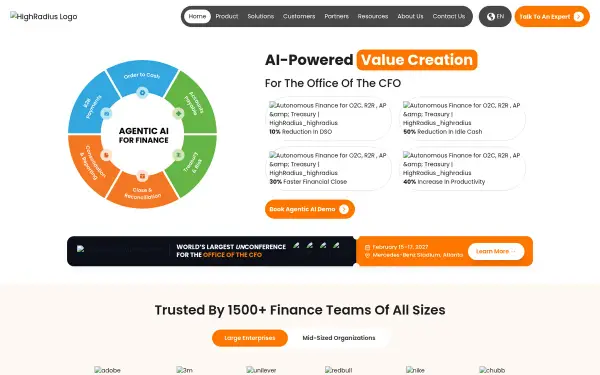
HighRadius sells cash application as part of a larger autonomous finance platform, and the module is built around AI agents that extract remittance data from PDFs, spreadsheets and bank files before matching payments to open invoices. Deduction management sits alongside it, so short pays and disputes do not fall into a separate tool. Multi-entity and multi-currency matching is standard, ERP integration is scoped for enterprise deployments, and the platform covers order-to-cash beyond cash application alone.
The vendor reports match rates of 85% to 95%. That range reflects how much of the remittance data arrives in machine-readable form; the messier the remittance advice and the more complex the deductions, the more the outcome depends on configuration during implementation. Pricing is quote-based, and in 2026 the vendor added an outcome-based option for buyers who want the fee tied to results rather than seats or volume.
The tradeoff is time and money. Implementation typically takes 3 to 6 months and is led by IT rather than the receivables team, which is a different shape of project from the month-long deployments some point tools claim. Enterprise cost is high, support can feel stretched when a ticket escalates, and a company posting a few hundred payments a month pays for capacity it never uses. The platform is also larger than most mid-market AR teams need, which adds configuration surface without adding matching quality.
It fits large enterprises with high payment volume, multiple entities or currencies, and an ERP footprint that justifies a program rather than a tool purchase. It fits poorly for mid-market teams that want matching live this quarter, for buyers who need a published price before the first call, and for lean AR teams without IT capacity to spare during a 3 to 6 month rollout.
You process high payment volumes across entities and currencies and can staff an IT-led program.
You need matching live this quarter or need a published price before the first call.
Entry III of X / Closed loop network
Our verdict
One vendor for invoice delivery, payments and matching, provided you can absorb a multi-month rollout and a training period.
Billtrust bundles invoice delivery, B2B payment processing and cash application, so the same vendor handles the bill going out and the money coming back. Cash matching is machine-learning based, the platform reports more than 260 AP portal connections, and ERP integration is part of the deployment. Because cash application runs after payment, the matching step works on data captured through the network rather than a file assembled by hand at the end of the month.
That closed loop is the real argument. When a customer pays through the network, remittance detail arrives structured, and the platform reports match rates of 95% or better after its models have learned from customer corrections. How quickly a buyer gets there depends on how many of its customers actually pay through the network versus wiring money with a PDF attached. Companies with a concentrated customer base see the benefit sooner than those with long-tail payers.
The catch is the learning period. Early months require manual correction while the models train, so the headline match rate is a destination rather than a starting point. Implementation is multi-month and depends on how many ERPs are in scope, and the sales cycle follows enterprise procurement rather than a product-led trial. Pricing is a quote-based enterprise subscription with no public tiers, no free plan and no stated trial.
It fits companies that send high volumes of invoices, want delivery, payments and matching under one contract, and can staff a project through the training phase. It fits poorly for teams that only need matching on payments already arriving as clean bank files, and for small AR departments without bandwidth for a multi-month rollout, especially where the invoice delivery side would be a new experience for their customers.
You want invoice delivery, payments and matching from one vendor and can fund a multi-month project.
Your remittances already arrive as clean bank files and you need matching this quarter.
Entry IV of X / Close integrated matching
Our verdict
Best value for existing BlackLine customers, but standalone buyers pay suite prices for a single matching module.
BlackLine is a financial close and reconciliation platform first, and cash application is a module inside it. Automated cash matching runs alongside transaction management and account reconciliation, so unapplied cash sits in the same workflow as the rest of the close rather than in a separate receivables tool. Exception management handles the payments that do not match cleanly, and the matching AI came in through the Rimilia acquisition.
For teams already on BlackLine, that shared data model is the argument. Cash application, reconciliation and close tasks share one control environment, so the receivables team is not exporting a file and reconciling it against a second system. Controls, audit trails and approvals are the same ones the close team already tests, which matters in a public company or a regulated industry. That is a real reduction in vendor sprawl rather than a marketing line.
For everyone else, the math is harder. Cash application is one module in a larger suite, pricing is quote-based with no public tiers, and a buyer who only needs payment-to-invoice matching pays for close and reconciliation capability that may not be deployed for years. Evaluations pull in controllers and internal audit as well as the AR team, and the buying cycle stretches accordingly. Cash application being a module also means roadmap decisions follow the suite rather than the receivables team.
It fits organizations already running BlackLine for close and reconciliation, particularly with high transaction counts and audit pressure, because adding matching inside the existing suite is less disruptive than standing up another vendor. It fits poorly for a mid-market receivables team that wants standalone cash application, a fast deployment and a price it can compare on paper before the first call, since none of that is available here.
You already run BlackLine for close and want matching inside the same control environment.
You want a standalone matching tool with a fast, cheap deployment.
Entry V of X / Customer payment portal
Our verdict
Strong customer portal and collections automation, with AI matching that was still in beta late in 2026.
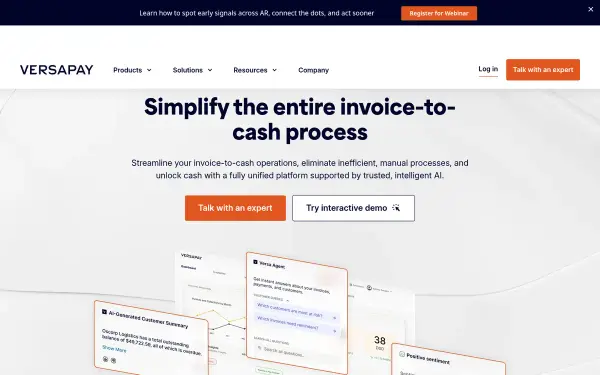
Versapay is built around a customer portal, and cash application sits inside a wider collaboration story. Customers log in to see invoices, choose from multiple payment methods, raise a dispute or start a conversation, and the AR team works the same record. Collections automation includes automated customer segmentation and outreach plus DSO dashboards, and the platform integrates with Dynamics, NetSuite and Sage Intacct.
The AI remittance extraction reads PDFs, spreadsheets and scans, which is the right target for mid-market remittance data that usually arrives as an attachment rather than a structured file. But the vendor's AI cash application was in beta in late 2026, so match rates need validation on your own payment files rather than acceptance from a demo. In principle, a customer paying through the portal produces cleaner data than one wiring money with a PDF attached, though that advantage is not yet proven here.
What is mature is the collections and portal side. If the real problem is customers who do not pay on time and cannot easily see what they owe, automated segmentation, outreach and the portal address it directly. Pricing is not published, there is no free plan and no stated trial, and the sales process runs at enterprise pace.
It fits B2B teams whose bottleneck is customer interaction: disputes, payment method choice, portal adoption, collections follow up. It fits less well if you need proven production-grade AI matching today, or if remittances already arrive as clean structured files and a portal adds nothing for your customers. Ask for a written beta exit date and a production reference running the matching engine before signing anything.
Customer collaboration, disputes and collections outreach are the real bottleneck.
You need proven AI matching in production now, not a beta with a roadmap date.
Entry VI of X / Fast payer adoption

Our verdict
Quick to deploy and easy for payers, with reporting depth that will frustrate accounting-heavy receivables teams.
Quadient AR, formerly YayPay, focuses on collections automation and payer experience rather than deep matching. Automated payment reminders, a self-service portal, ACH, card and bank transfer payments and pay-from-email give customers several low-friction ways to settle an invoice. Real-time analytics and automated workflows sit on top, and collections management is the core of the product rather than a side feature.
Deployments are typically measured in weeks, which is the main reason mid-market teams shortlist it. A receivables team that wants reminders going out and a portal live this quarter gets there faster here than with an enterprise suite, and the payer side is genuinely convenient: pay-from-email removes a login step that quietly kills portal adoption elsewhere. That speed comes with a smaller configuration surface, which is fine if your process is standard.
The limits show up on the accounting side. Reporting depth is limited for teams that need to slice unapplied cash by entity, currency or GL account, and the integration catalog is narrower than what enterprise suites offer. Support responsiveness can be mixed, and pricing is not published, so any cost comparison starts with a quote like every other vendor on this list.
It fits mid-market companies where late payment is a communication problem and the AR team is small enough that reminders and a portal do most of the work. It fits poorly where matching accuracy on messy remittance data is the priority, or where the ERP footprint spans several systems and currencies that need deep, audited integration and reporting that holds up in an audit.
You want reminders and a payer portal live in weeks with modest IT involvement.
You need deep reporting across entities and currencies or heavy remittance matching.
Entry VII of X / Global document capture
Our verdict
A broad order-to-cash platform for global document flows, priced and implemented as a platform rather than a point tool.
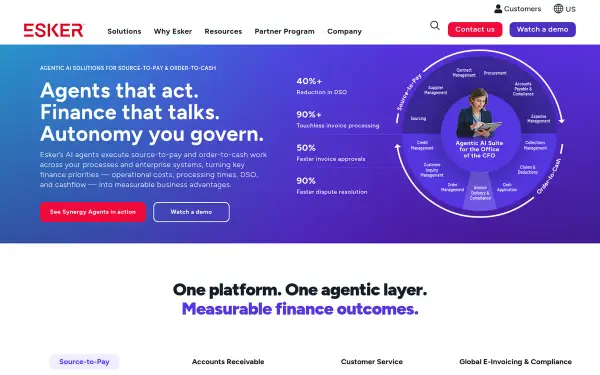
Esker sells order-to-cash as a suite, with cash application alongside e-invoicing, collections and deduction management. AI handles document capture and matching across multiple languages and entities, which matters for companies invoicing customers in several countries and receiving remittance advice in several formats. Buying the suite means one vendor for the document flow from invoice to cash.
The installed base is large and the document automation history is long, which shows in the unglamorous parts: capture templates for unusual formats, entity level configuration, and a matching engine that has seen a lot of edge cases. Multi-language and multi-entity support are the reason global finance teams shortlist it rather than a regional point tool, and deduction management means short pays do not need a separate workflow.
The tradeoff is that you buy a platform, not a point tool. Evaluations are longer, implementations involve IT, and pricing is quote-based with no public tiers. A team that only wants payment-to-invoice matching pays for e-invoicing and deduction modules it may not switch on for a year or more, and the evaluation will pull in tax and compliance stakeholders because e-invoicing rules are country specific.
It fits global organizations with multi-entity operations that want one vendor across invoice delivery, collections and cash application, and that have IT capacity for a platform implementation. It fits poorly for a single-entity mid-market business that wants matching live in a month, and for buyers who need to compare list prices before agreeing to an evaluation, since none are published.
You run multi-entity, multi-language invoicing and want one vendor from invoice to cash.
You want a narrow matching tool deployed in weeks with a published price.
Entry VIII of X / SAP-focused controls
Our verdict
Built for SAP-centric treasury operations with audit pressure, and priced and sold like the enterprise project it is.
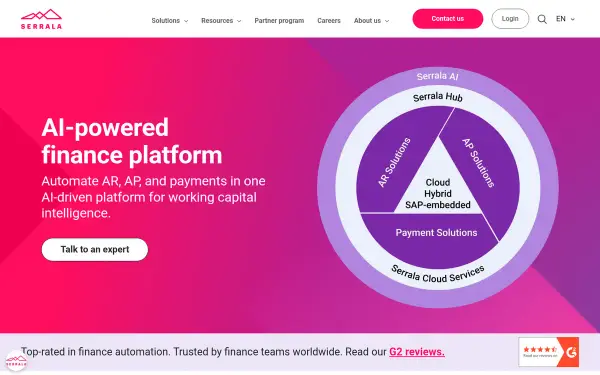
Serrala specializes in payments and receivables automation for large organizations, and SAP is the center of gravity. Cash application sits alongside global payment processing, multi-entity and multi-bank support, and compliance and audit controls. That combination is aimed at treasury and shared service centers rather than a single AR team working one country and one currency.
The compliance and audit tooling is the differentiator. Multi-bank operations across entities generate control questions that a lightweight matching tool cannot answer, and Serrala is built for that environment. Receivables automation is broad rather than deep in any single area, which is the right shape for a shared service center running a standardized process across countries and wanting one control framework instead of four.
The cost of that breadth is an enterprise project. Sales cycles are long, pricing is quote-based, and the company positions at enterprise scale. A business not running SAP at scale pays for capability it cannot use, and the implementation effort reflects a treasury-grade deployment rather than a receivables point tool. Buyers should expect the same stakeholders as an ERP project, not a department purchase.
It fits SAP-centric enterprises with complex global payments, multiple banks and audit requirements that shape the buying decision. It fits poorly for mid-market teams, for non-SAP environments where the integration advantage disappears, and for anyone who needs a fast, low-scope rollout with a price known in advance of the first workshop.
You run SAP across entities and banks and audit controls drive the purchase.
You are mid-market, non-SAP, or need a fast, low-scope deployment.
Entry IX of X / Cash forecasting layer
Our verdict
A useful pairing of matching and cash forecasting for mid-market teams, provided someone can own the setup.
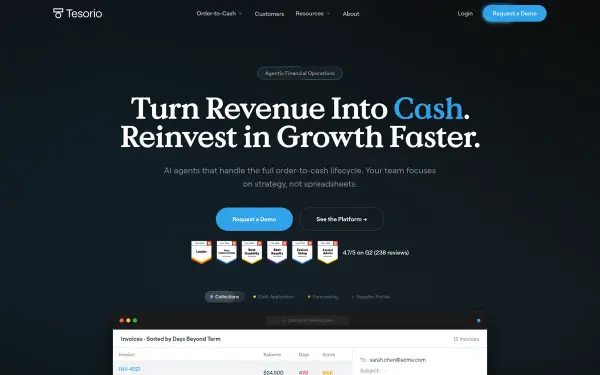
Tesorio pairs cash application with predictive cash forecasting, which is an unusual combination in this category. Automated payment recording and invoice clearing handle the routine matches, exceptions get flagged for review, and audit-ready documentation records what happened to each payment. Predictive cash forecasting and AR-based inflow projections then reuse the same receivables data rather than a separate export.
The vendor publishes a 90%+ auto-match rate. Where Tesorio stands apart is the forecasting layer: finance can see expected inflows by period without exporting the AR aging into a spreadsheet model that goes stale the moment it is saved. For a mid-market team already rebuilding that spreadsheet every week, the saving is real and shows up in the first month rather than after a year of matching tuning.
Setup can require technical effort, particularly for the forecasting configuration and integrations, and pricing is quote-based with no public tiers and no free plan listed. NetSuite, QuickBooks and Salesforce integrations cover the common mid-market stack, though teams running several ERPs should check how each is handled before assuming parity across them.
It fits mid-market finance teams that want matching and a forward view of cash in one place, and that have someone who can own the integration and forecast configuration. It fits poorly for teams that want self-serve setup, for organizations needing heavy multi-entity and multi-currency matching across dozens of ledgers, and for buyers who will not sign without a published price.
You want matching and a weekly cash forecast from the same data set.
Nobody on your team can own integration and forecast configuration.
Entry X of X / SMB cash matching

Our verdict
A proportionate choice for small teams that want invoicing, reminders and basic matching connected to QuickBooks or Xero.
Invoiced, now part of Flywire, targets small and mid-size businesses with automated invoicing, payment reminders, collections automation and payment processing. CashMatch AI is aimed at incomplete remittance data, which is the practical problem for companies whose customers pay by check or wire with a partial reference and no invoice number, leaving someone to guess which account to credit.
The interface is easy to use, and QuickBooks and Xero integrations cover the accounting stack most SMBs run. For a company that has outgrown manual reconciliation in a spreadsheet but does not need an enterprise receivables platform, that combination is proportionate: invoicing, chasing and matching in one place, without a six-month implementation or a services contract attached to it.
The limits follow from the segment. Complex multi-entity AR is not the target, advanced features trail enterprise suites, and heavy deduction workflows are not a focus, so a distributor with constant short pays will hit the edges quickly. Pricing is quote-based, with seats and transaction volume affecting the quote, and no free plan or trial is stated, so small buyers should confirm which lever moves their number.
It fits SMB finance teams that want invoicing, collections and basic cash matching in one system connected to QuickBooks or Xero, especially where customers still pay by check. It fits poorly for multi-entity businesses, for deduction-heavy industries, and for teams that need a published price before booking a demo or a security review with their own IT group.
You are an SMB on QuickBooks or Xero and want invoicing plus basic matching in one place.
You run multiple entities or deal with constant deductions and short pays.
VIBackground
Cash application is the step between money arriving and the invoice closing. A payment lands in the bank, and someone has to work out which customer sent it, which invoices it covers, and how much belongs to deductions, short pays or unapplied cash. Software does that by reading remittance data, matching payments to open invoices, and posting the result to the ERP. What varies between tools is how much of that work happens without a human.
The input is the hard part. Clean structured remittance files, the kind produced by EDI 820 transactions or a payment portal, match easily. A PDF remittance advice, a spreadsheet from a customer's AP clerk, or a bank file with a single reference number require extraction before matching can begin. That is why the vendors here talk about AI agents, document capture and machine learning as much as about matching rules, and why match rates vary so widely between buyers using the same product.
Where the category stops matters too. Cash application is not collections, though many tools bundle both. It is not deduction resolution, though the enterprise platforms treat the two as one workflow. It is not reconciliation, though BlackLine puts matching inside a close suite. Buyers who conflate these end up paying for modules they will not switch on.
What the software typically covers:
The measurable result is fewer unapplied cash items and less manual posting, which is what the auto-match rates in this list try to describe. The unmeasured part is the setup: someone has to map the ERP, define the matching rules, and check the first few thousand matches by hand. Software that skips that step tends to produce confident wrong answers.
This comparison sits in the software register. Further along the shore: Maze alternatives and ticket sales platform.
VIIPricing
Pricing in this category is quote-based almost without exception. None of the ten vendors publishes a price list for November 2026, and only HighRadius is documented with an alternative billing model, an outcome-based option added in 2026. That means the first step of any comparison is a scoping call, and the number that comes back depends on payment volume, entity count, ERP integrations and how many modules you take.
| Model | How it bills | Typical fit | Example from this list |
|---|---|---|---|
| Volume-based quote | Priced on business volume, no public list | Teams with growing payment volume | Monk |
| Quote with outcome-based option | Negotiated quote, outcome-based option added in 2026 | Large enterprises with high volume | HighRadius |
| Enterprise subscription | Quote scoped to invoice delivery, payments and ERP footprint | Companies bundling delivery and payments | Billtrust |
| Suite-embedded quote | Priced as part of a larger close or order-to-cash suite | Existing suite customers adding a module | BlackLine, Esker |
| Quote only, no public tiers | Negotiated quote with no published price list | Portal, collections and enterprise buyers | Versapay, Quadient AR, Tesorio, Serrala |
| Quote by seats and volume | Quote moves with both seats and transaction volume | Small and mid-size businesses | Invoiced |
Three patterns are worth knowing. Volume-based quotes, like Monk's, move with the number of payments or invoices processed, so the price rises as the business grows even if nothing about the deployment changes. Enterprise subscription quotes, like Billtrust's, are scoped to the ERP footprint and sold through procurement. Suite pricing, as with BlackLine or Esker, prices a platform where matching is one module, so the comparison only works if you value the other modules too.
Ask three questions before comparing quotes. What unit is metered (payments, invoices, entities or users) and what happens when you cross a threshold. What is included in implementation versus billed as services, because quote-based models often separate the two. And what renewal looks like, since multi-year enterprise contracts with volume bands can move sharply at the first anniversary. For mid-market buyers, get two quotes on identical scope: same entities, same currencies, same ERP, same payment volume.
Each entry card shows the starting price as it appeared on the vendor's own pricing page on November 25, 2026. When a vendor shows no figure we could confirm, or only a promotional rate, the card says "See website" or gives the regular price instead of a guess. Usage, overage and add-on rates in the text change more often than plan prices, so confirm them on the vendor page before you set a budget. To test the numbers against your own volume, try the free User Research Budget Planner. The Event Break-Even Calculator is a second way to check the same decision.
VIIIDecision
Count your payment types. List how remittances actually arrive: structured files, portal exports, PDFs, scans, checks with a stub. That mix decides whether you need document extraction or just clean matching rules on structured data.
Name the ERP constraint. Write down every ERP in scope, plus versions and entities. Serrala, Esker and HighRadius scope implementation around that footprint; Invoiced assumes QuickBooks or Xero, so the fit narrows fast.
Set a go-live date and test it. Decide whether weeks or quarters is acceptable before you take demos. Monk cites under one month, Quadient AR is measured in weeks, HighRadius runs 3 to 6 months and Billtrust is multi-month.
Send your own remittance files. Insist on a data test during evaluation, not a demo on curated data. Ask what percentage of your sample matched, how many needed manual correction, and how long the correction cycle took.
Price the whole scope, twice. Request quotes on identical scope from two vendors, including implementation services, and ask which unit is metered and what happens at renewal when volume bands change.
Check the portal and dispute path. If your customers will use a portal, test it as a payer would. Versapay and Quadient AR put customer collaboration at the center; for others it is an add-on worth pricing separately.
IXPitfalls
Buying the headline match rate. A reported 95% can be measured after training on customer corrections, as with Billtrust, or across a curated dataset. Ask for the match rate on your own files before treating any number as a planning input.
Skipping the exception design. Most of the value sits in how unmatched payments are routed, not in the matches. Decide who works the exception queue, how items age, and what the audit trail must show before implementation starts.
Underestimating the first quarter. Billtrust requires manual correction while models train, and most vendors need rule review early. Budget analyst time for the first months instead of assuming headcount drops immediately.
Buying a suite for one module. If you only need matching, a close suite like BlackLine or an order-to-cash platform like Esker prices capability you will not use. Match the footprint to the problem before the first scoping call.
Treating a beta as a feature. Versapay's AI cash application was in beta in late 2026. Get an exit date and a production reference before building a process around a capability the vendor has not finished shipping.
XQuestions
It matches incoming payments to the right customer invoices and posts the result to the ERP. The software reads remittance data from bank files, PDFs, spreadsheets and customer portals, then either clears invoices automatically or routes exceptions to an analyst. Some tools here also handle deductions, dispute communication and cash forecasting. The goal is fewer unapplied cash items and a shorter path from bank statement to closed invoice.
Treat it as a ceiling measured on the vendor's best data, not a promise for yours. Monk reports 80% automatic matching and up to 95% with suggested rules; HighRadius reports 85% to 95%; Tesorio reports 90%+; Billtrust reports 95%+ after its models learn from customer corrections. Ask for a test on your own remittance files, and ask what counts as a match.
It ranges from weeks to half a year, and the spread is mostly about scope and IT involvement. Monk cites deployments under one month; Quadient AR is typically measured in weeks; HighRadius typically runs 3 to 6 months and is IT-led; Billtrust is multi-month and depends on the ERP footprint; Esker and Serrala run as enterprise projects. Mid-market point tools land faster than suite purchases.
Usually it changes the work before it changes the headcount. Teams typically redeploy analysts from manual cash posting to exceptions, deductions and collections, and the reduction shows up as capacity rather than layoffs. Vendors report match rates, not staffing outcomes, so headcount claims should be tested against your own exception volume during a pilot. Plan for manual correction in the early months while models learn.
Coverage varies widely. Monk reports connections to more than 600 AP portals and ERPs; Billtrust reports 260+ AP portal connections; Versapay integrates with Dynamics, NetSuite and Sage Intacct; Tesorio integrates with NetSuite, QuickBooks and Salesforce; Invoiced integrates with QuickBooks and Xero; Serrala is built around SAP. Check your own ERP version and portal mix, since connections are not equally deep.
Not among these ten. None of the vendors listed publishes a free plan, and none states a trial, so evaluation happens through a scoped demo and a paid pilot rather than self-serve signup. Budget time for a data test: send a sample of remittance files and bank statements so the vendor can show match behavior on your exceptions instead of a demo dataset.
XIFurther along the shore
Vendors can ask for a correction or apply for a Featured listing. Paid or not, the entry is scored on the same rubric and its limits stay in print. Partner with Umberlake.
Free tools
Our free browser tools turn the prices on this page into a figure for your own volume. Nothing you type leaves your device.