
ParentLove: Baby Tracker
See websiteFree core tracking with caregiver sharing, one-time add-ons, Pro and ProFamily tiers
Best for families wanting one shared feed, sleep and diaper log
- Free plan
- Yes
- Rubric
- 7.7 of 10
Nine apps scored on free tiers, caregiver sharing, log depth and sleep insight, with prices checked on 25 November 2026 and every limitation spelled out.
IThe short answer
In November 2026 the best baby tracking app for a shared family log is ParentLove, because feed, sleep and diaper logging are free and unlimited caregiver sharing costs nothing. Huckleberry is the pick when nap and bedtime predictions matter more than a full log, and Baby Connect suits households where a nanny, grandparents and two parents all write to one baby's record. If you want automatic data with no manual entry, Nanit captures sleep through an overhead camera instead. Every price in this guide was checked on 25 November 2026.
9 tools compared from vendor pages on November 25, 2026. 0 publish a starting price we could read; the rest say "See website".
IITop three berths
Register order is editorial fit for the buyer each entry describes. Prices are the starting figures read on November 25, 2026.
See websiteFree core tracking with caregiver sharing, one-time add-ons, Pro and ProFamily tiers
Best for families wanting one shared feed, sleep and diaper log

See websiteFree tracking, paid Plus tier unlocks SweetSpot
Best for sleep predictions and nap timing

See websiteFree core tracking with ads, Plus subscription for advanced features
Best for parents who want simple, private logging
How this page is paid for. All 9 tools here are unpaid editorial picks.
A paid listing's position can be part of what the vendor pays for. Every entry, paid or not, is scored on the same rubric and keeps its limits in print. Advertising disclosure.
IIIThe register
Starting prices as shown on each vendor's pricing page on November 25, 2026. "See website" means no figure we could confirm.
| No. | Tool | From | Free plan | Trial | Rubric | Actions |
|---|---|---|---|---|---|---|
| 01 | ParentLove: Baby TrackerFamilies wanting one shared feed, sleep and diaper log | See websiteFree core tracking with caregiver sharing, one-time add-ons, Pro and ProFamily tiersNot shown publicly | Yes | 3-day trial of Pro | 7.7 | |
| 02 | HuckleberrySleep predictions and nap timing | See websiteFree tracking, paid Plus tier unlocks SweetSpotNot shown publicly | Yes | 2 weeks of paid features | 6.6 | |
| 03 | Baby Tracker (Nighp)Parents who want simple, private logging | See websiteFree core tracking with ads, Plus subscription for advanced featuresNot shown publicly | Yes | No | 7.2 | |
| 04 |  Glow BabyFamily health tracking across fertility, pregnancy and baby | See websitePremium covers all four Glow appsNot shown publicly | Yes | 7-day free trial of Premium | 6.3 | |
| 05 |  Baby ConnectHouseholds with several caregivers sharing one baby | See websiteSubscription requiredNot shown publicly | No | No | 6.1 | |
| 06 |  OviaMembers whose employer or health plan provides it | See websiteFree to members through employer or health plan sponsorshipNot shown publicly | Yes | No | 5.2 | |
| 07 |  What to ExpectPregnancy and first-year guidance | See websiteNot shown publicly | Yes | No | 5.0 | |
| 08 |  NanitAutomatic sleep and breathing motion tracking | See websiteHardware purchase plus optional Insights membershipsNot shown publicly | No | Introductory trial on Sleep Plan | 5.3 | |
| 09 | The BumpPregnancy tracking, checklists and registry tools | See websiteFree membership with stage-based guides and toolsNot shown publicly | Yes | No | 4.8 |
Pinned:
IVMethod
How much real feed, sleep and diaper logging a family gets before paying anything.
How easily a partner, grandparent or nanny can read and write to the same baby record.
Breadth and detail of feeding, sleep, diaper, growth and health records.
Predictions, charts and reports that go beyond storing timestamps.
Whether pricing, trials and upgrade paths are published where a buyer can find them.
VMethod
We scored nine apps on five criteria and weighted them by what parents run into at 3 a.m. rather than by feature lists. The largest weight, 25 percent, went to free tier value: how much genuine feed, sleep and diaper logging a family gets before paying. Caregiver sharing, logging depth and sleep insight took 20 percent each, and cost clarity took the last 15 percent. That last criterion is why an app with a good product but no published pricing loses ground to one that tells you what it costs up front.
Prices, plans, trial lengths and free plan limits were taken from vendor pricing pages checked on 25 November 2026. Where a page returned no readable text, the entry says pricing is on the vendor site and gives no number rather than guessing. We did not convert currencies, and we did not treat an app store listing as a substitute for a vendor page without saying so.
Scores were applied, but the order of this list is editorial. Each entry is placed for fit with the buyer it describes, plus the disclosed Featured position. The Featured listing is a paid placement. It was scored with the same rubric and the same scrutiny as every other entry, its weaknesses are listed in full, and appearing as Featured does not lift a score.
We deliberately kept guidance apps, camera hardware and pure loggers in the same list, because a family may end up pairing two of these rather than choosing one. Where an app is a companion rather than a primary tracker, the entry says so instead of stretching its strengths.
The full routine, from price reads to corrections, is on the methodology page. Paid listings follow the advertising disclosure.
Entry I of IX / Free caregiver sharing
Our verdict
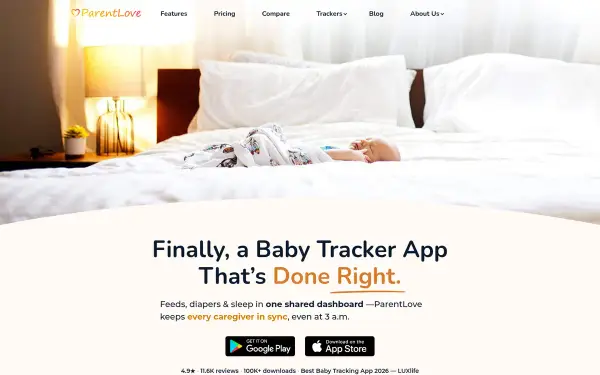
A free, uncapped shared log with real detail on feeds and diapers, and one-time upgrades instead of a subscription.
ParentLove is the widest free logger here. The core covers more than 20 connected trackers, so feeding, sleep, diapers, solids and milestones sit in one timeline. Breastfeeding gets a timer, bottles and pumping get their own logs, and sleep sessions can be paused and tagged with a wake reason. Diaper entries record color, texture and amount, which is the level of detail a pediatrician tends to ask for. Child profiles are unlimited, including twins, and switching takes one tap.
Caregiver sharing is its strongest feature. Invites are free and uncapped, and logs sync in real time between iPhone and Android. A grandparent can log a bottle and the parent sees it without a group chat. Offline logging means an entry written in a basement or on a flight uploads when the device reconnects, and night mode keeps the screen dim during a 2 a.m. feed.
The money side is unusual. Core tracking is free with unlimited history, and the extras (Milk Bank, illness and medication tools, doctor tools, CSV export, pediatrician PDFs, WHO growth charts) are one-time upgrades rather than a subscription. The catches are real: those premium tools only reach invited caregivers on the family tier, the free plan may show ads, and free trend charts cover 7 days.
Pricing sits on the vendor site rather than being fixed here. The upgrades are one-time US purchases that the vendor says vary by country, there is a 30-day money-back guarantee, and the Pro trial runs 3 days. It fits families who want one shared log without a monthly bill.
You want one shared feed, sleep and diaper log that a partner, nanny and grandparents can all write to for free.
You need CSV export or the illness and medication tools without buying an upgrade.
Entry II of IX / SweetSpot nap predictions
Our verdict
Best for parents who want nap and bedtime predictions, provided they are willing to pay for the Plus tier.
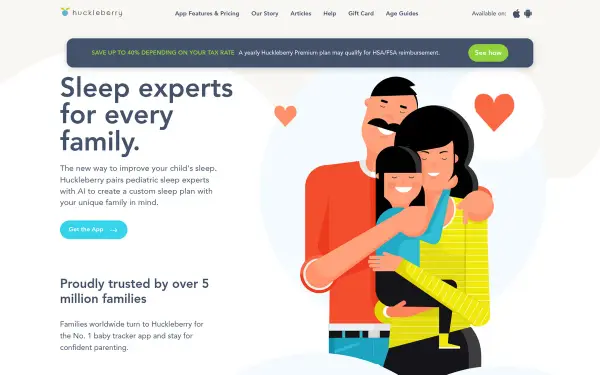
Huckleberry is a sleep app that also logs. The free tier records sleep, feeding and diapers, and shows charts and logs, which is enough to answer the question of when the last nap ended. What people come for is SweetSpot, which predicts the next nap or bedtime window and sits on the paid Plus tier. A two-week trial of the paid features lets a family test whether those predictions match their baby before committing.
The sleep side goes further than timing. Custom sleep plans are built with pediatric sleep experts on staff, feeding schedules are organized by age, and the app carries guides on regressions and development topics. That combination (a log, a prediction and a written plan) is more than a plain tracker offers, and it is why the app turns up in conversations about night wakings.
The trade-off is that the clever part is behind a subscription. Logging is free, but if nap timing is the reason you installed it, the subscription is the product. Expert guidance is a recurring cost rather than a one-time purchase, and that adds up over a year in a way that ParentLove's one-time upgrades do not. The vendor says the app is used by more than 5 million families.
Plus tier pricing is not listed in the material we checked, so the number is on the vendor site and should be confirmed on or after 25 November 2026. It fits parents whose main worry is sleep and who want a plan to follow, not just a record of what happened.
Night sleep and nap timing are your main stress and you want predictions plus a written plan to follow.
You only want a free record of feeds and diapers and will not pay a subscription for timing.
Entry III of IX / Health records
Our verdict
A plain, dependable logger with medication and vaccine records, free with ads and a Plus tier for advanced features.
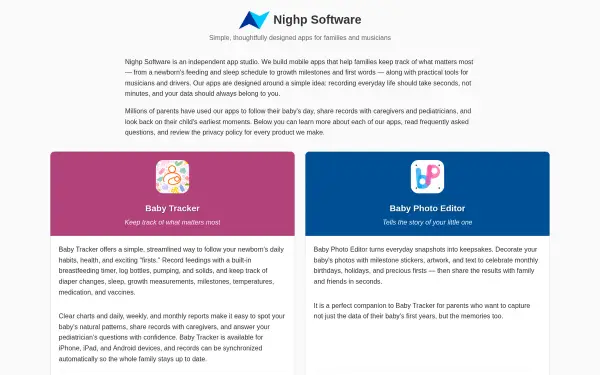
Baby Tracker from Nighp is the workhorse option. It covers a breastfeeding timer alongside bottle, pumping and solids logs, then adds diaper, sleep, growth, milestone and temperature records, plus medication and vaccine logs that most free apps leave out. Daily, weekly and monthly charts and reports are built in, and records sync automatically across iPhone, iPad and Android without a manual export step.
The reports are the part worth noting. Shareable summaries make it easy to answer a pediatrician's question about wet diapers or feeding frequency without scrolling through a phone for ten minutes during an appointment. For a parent who wants a factual record and no coaching, that is the whole job done.
Where it falls down is presentation. The design is functional rather than polished, and the free tier shows advertising. Core tracking stays free, which the vendor states plainly, and ads can be removed with a purchase. Advanced features sit behind the Plus subscription, so a family that wants everything pays a recurring subscription rather than a one-time purchase. Plus pricing is not disclosed in the material we checked, so check the vendor site.
There is no trial, which matters less when the free tier is usable. It fits parents who want a simple, private-feeling log with strong health records and do not need sleep predictions, coaching or a family dashboard. If you want a shared log across four caregivers and no ads, look at ParentLove or Baby Connect instead.
You want free, detailed logging with medication and vaccine records that sync across your devices.
Ads on a logging screen or a dated interface would bother you enough to stop using it.
Entry IV of IX / One account, four apps
Our verdict
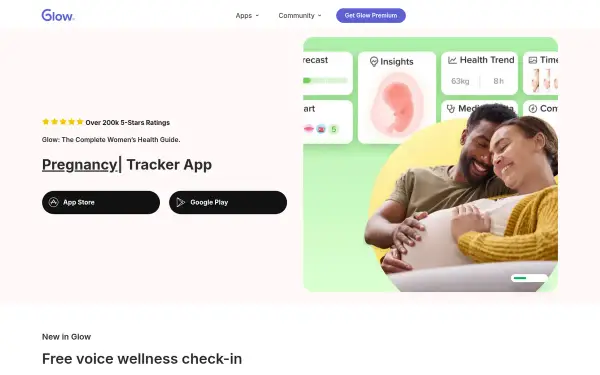
A sensible pick if you already use Glow for fertility or pregnancy and want one login carried into the baby year.
Glow Baby is one of four apps under a single account, alongside fertility, ovulation and pregnancy tracking. For a family that started with Glow while trying to conceive, that continuity is the point: the same login and the same history follow through pregnancy into feeding, sleep, diaper and pumping logs. Charts are built for the questions that come up at doctor visits, and Premium adds advanced charting, an ad-free experience, unlimited AI features, comparative insights and premium articles.
The community angle is what the vendor leans on, reporting more than 25 million members across its four apps. Premium is an annual subscription, recorded at $59.99 a year, with a 7-day free trial before it charges. Confirm the current figure on the vendor site on or after 25 November 2026.
The honest limitation is focus. Baby logging shares a platform with period and fertility tracking, so the feeding screen is not the only thing competing for attention, and the interface carries more than a dedicated logger does. Parents who want a stripped-down, fast log at 4 a.m. may find it busier than they need.
It fits families who value one health record across the whole journey and will use the articles and insights. If you never used Glow before pregnancy, the continuity has no value to you, and a dedicated logger or a one-time purchase will likely cost less over two years.
You already track fertility or pregnancy in Glow and want the same account to carry your baby logs.
You have never used Glow and want a focused logger without fertility features in the same app.
Entry V of IX / Multi-caregiver access
Our verdict
The strongest option for a household with a nanny, grandparents and two phones, if you accept a paid subscription.
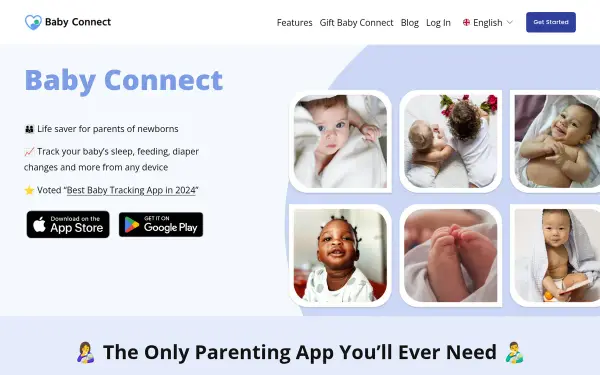
Baby Connect is built around the idea that a baby has several caregivers, not one phone. Each caregiver gets individual access to each child profile, so a nanny, two parents and visiting grandparents can all log to the same record without sharing a password or a single device. It runs on phones, computers and smart watches, which means someone can log a feed from a laptop at work or a watch at the crib.
The logging itself is deep. Sleep, feeding, diapers, activities and medical records are all covered, with unlimited record keeping plus reports and charts. Voice logging through Alexa and Siri removes the need to unlock a phone with one hand, and development tracking gives the record a longer life than the newborn months. Reports are detailed enough to hand to a clinician.
The cost model is the sticking point. There is no free plan and no trial: a subscription is required before you log anything. Pricing is not published on the vendor homepage, so the app store listing is the authority, and you should check it on or after 25 November 2026 before assuming a number. The vendor says the app has been used by more than 1 million parents.
It fits households that will genuinely use per-caregiver access across devices. If one parent does nearly all the logging, you are paying for coordination you do not need, and a free logger will do the same job.
Three or more caregivers log to one baby and you want that record on phones, computers and watches.
One person does almost all the logging or you refuse to pay before you have tried the app.
Entry VI of IX / Care team access
Our verdict
Worth using if your employer or health plan already pays for it, but it is a health program more than a feed log.
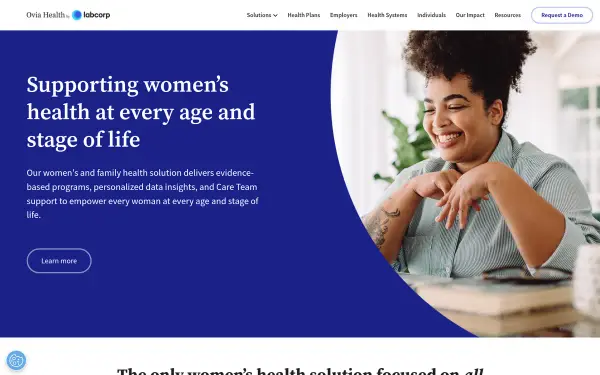
Ovia is the one app here that is usually provided through an employer or health plan rather than bought directly. It is free to members through an employer or health plan, and that shapes everything about it. The product covers personalized fertility, pregnancy and parenting tracking, clinical programs built on evidence, week-by-week development tracking, and tailored articles and guidance. It syncs with Apple Health and Google Fit for health data.
The standout is access to a care team by messaging, phone and video, 365 days a year, at no cost to the member. For a parent with a question at an awkward hour, that is a different category of help from a log with charts. Ovia Health is now part of Labcorp, and the vendor reports more than 2,000 client organizations and 22 million journeys served.
The limitation is that daily baby logging is not its strongest function. This is a health platform that tracks stages, not a fast one-handed logger for feeds and diapers, and the depth you get from ParentLove or Baby Connect is not the point here. Because access usually comes through an employer or health plan, pricing is not something a consumer can simply look up and buy on the vendor site, and the access route should be confirmed with your plan or HR team.
It fits members whose employer or insurer already offers it, especially during pregnancy and the first months. If you are paying out of pocket and want a record of every feed, choose a dedicated tracker and use Ovia only if it is free to you.
Your employer or health plan offers it, so you get the care team and clinical programs at no cost.
You need a fast, detailed feed and diaper log and have no sponsor covering access.
Entry VII of IX / Reviewed guidance
Our verdict
A strong pregnancy and first-year reference, weaker as a timestamp-level log of feeds and diapers.
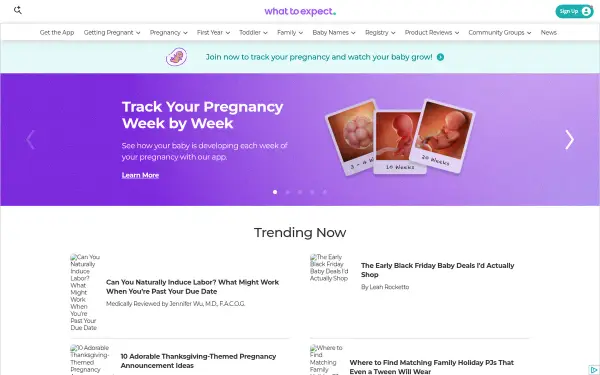
What to Expect is a content app with tracking attached, and that is the right way to judge it. It covers week-by-week pregnancy tracking, a due date calculator and an ovulation calculator, and it carries a large library of doctor-reviewed articles on symptoms, feeding, sleep and postpartum health. Community groups are organized by birth month, which can be a place to get practical answers.
Free membership is the model. There is no subscription to weigh and no trial to remember to cancel, and the content is the product. That makes it easy to recommend as a companion: read about the four-month regression while a separate app holds the actual nap times.
Where it does not compete is granularity. Tracking is guidance-focused rather than a timestamp-level record, so it will not tell you which side you fed on last or how many wet diapers there were today. The volume of content can also feel overwhelming when you are looking for one answer at 5 a.m., and the difference between useful and noise depends heavily on search and notifications.
The practical arrangement is a pair. Use What to Expect for the reading, the week-by-week view and the birth-month group, and use a dedicated logger such as ParentLove or Baby Tracker for feeds, sleep and diapers. Families who want one app for everything will find this one thin on records, and families who only want a logger will find it thick on prose.
You want reviewed guidance and a birth-month group through pregnancy and the first year.
You need a timestamped record of feeds, sides and diapers rather than reading material.
Entry VIII of IX / Hands-off sleep data
Our verdict
Automatic sleep and breathing motion data with no manual entry, at the cost of hardware plus a membership.
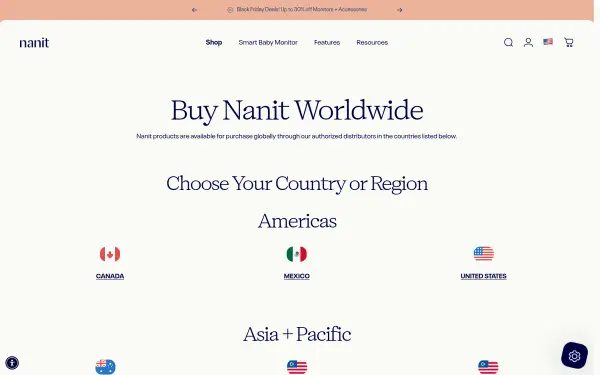
Nanit is the option for parents who know they will not keep up with manual logging. An overhead camera uses computer vision to detect sleep and wake states, so the record builds itself. Breathing motion monitoring runs through Breathing Wear, which puts no sensors or wires on the baby. Live view, sound and motion alerts, temperature, humidity and two-way audio cover the monitoring basics.
What you get beyond live view depends on membership. The Sleep Plan adds sleep analytics and daily guidance with an introductory trial. The Memories Plan adds 24/7 video history, listed at $120 a year. The Milestones Plan adds autocaptured milestone clips of things like rolling over and sitting up, listed at $300 a year. Hardware is bought separately, and every price should be confirmed on the vendor site on or after 25 November 2026.
The friction is physical as well as financial. You need the camera before any of this works, full analytics need a membership, and some features require a wall or floor mount, which is a drilling decision in a rental. Nothing here replaces a caregiver's judgment or a clinician's advice, and the app is a monitor with a log attached rather than a general feed tracker.
It fits families who want sleep data without remembering to tap a screen, and who are comfortable with a camera in the nursery. If you want a simple record of feeds and diapers, this is an expensive way to get one.
You want sleep and breathing motion data captured automatically with no manual entry.
You want a cheap feed and diaper log, or you are not comfortable with a camera in the nursery.
Entry IX of IX / Registry manager
Our verdict
A free pregnancy companion with registry and name tools, best used alongside a dedicated baby logger.
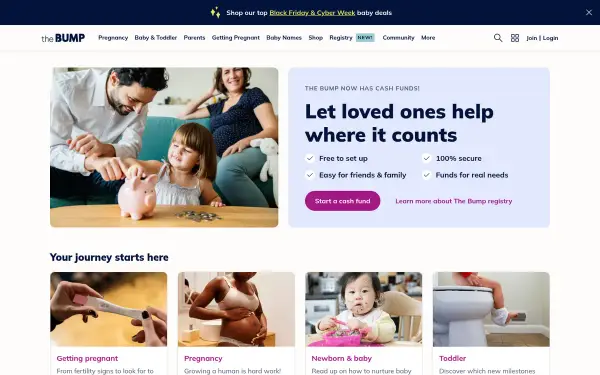
The Bump is a pregnancy app first. It tracks week by week across all three trimesters, offers a due date calculator and an ovulation calculator, and includes a baby name finder. The registry manager is the feature that stands out: it combines retailer registries under one link, which saves guests from hunting through multiple stores to find your list.
Membership is free, with stage-based guides and community support included. That makes it easy to recommend during pregnancy, when checklists and explainers matter more than a feed timer. The week-by-week tracking is detailed enough to be the main reason people open the app, and the guidance is organized around where you are rather than around a search box.
The limitation is the second year. Tracking is pregnancy-focused, and baby-stage logging is lighter than what dedicated trackers offer, so the app does not become the record of night feeds and diaper counts that a new parent needs. Families typically keep it for the registry, the name list and the trimester view, and put the daily numbers somewhere else.
There is no subscription to evaluate and no trial to cancel, which keeps the decision simple. If you want one free app to cover both pregnancy reading and detailed baby logs, you will end up disappointed on the second half. Treat it as a companion to ParentLove or Baby Tracker and it does its job well.
You are pregnant and want free week-by-week tracking, a name finder and one combined registry link.
You need a detailed daily log of feeds, sleep and diapers after birth.
VIBackground
A baby tracking app is a shared record of the repetitive parts of infant care: when the baby ate, how long and on which side, when they slept and for how long, how many diapers and of what kind. The point is not data for its own sake. It is to answer, at 3 a.m., the question of whether the baby is due to feed, and to hand a pediatrician a factual week instead of a vague memory.
These apps split into three rough groups. Manual loggers store what a caregiver taps in. Prediction apps add timing guidance on top of that log. Camera monitors skip the tapping and infer sleep and wake states from video. A common setup is one manual logger as the primary record, optionally paired with a guidance app or a monitor.
What a useful tracker should cover:
The most underrated feature is not a feature at all. A tracker has to be fast enough to use one-handed in the dark, because a log that takes too long to enter gets abandoned. Charts, predictions and PDF exports are useful, but they only exist if the underlying entries were captured. Test the speed of entry before you judge anything else.
Also decide early whether you are logging for yourself or for someone else. If a clinician or a lactation consultant will read the output, look for shareable reports and export. If only you and a partner will read it, free sharing and a clear night mode matter more than any export format.
This comparison sits in the software register. Further along the shore: Maze alternatives and ticket sales platform.
VIIPricing
Most baby tracking apps cost nothing to start, and the money question is what you get before the paywall. Several models show up in this list, and they behave very differently over two years.
The first is free with advertising, where a core log stays free and ads fund it. The second is free plus one-time upgrades, which is ParentLove's model, and it usually costs less than a subscription over a year or two. The third is free plus a recurring tier, where the useful part (predictions, expert plans, advanced charts) sits behind a monthly or annual charge. The fourth is pay first, either a required subscription with no free plan, as with Baby Connect, or hardware plus an optional membership, as with Nanit.
| Model | How it bills | Typical fit | Example from this list |
|---|---|---|---|
| Free with ads | No charge, ads on screen | Parents testing whether they will keep logging | Baby Tracker (Nighp) |
| Free core plus one-time upgrades | Single purchase per tool | Families who want to avoid a recurring bill | ParentLove |
| Free core plus subscription | Recurring monthly or annual tier | Parents who want predictions or coaching | Huckleberry, Glow Baby |
| Subscription only | Required recurring charge, no free plan | Multi-caregiver households | Baby Connect |
| Hardware plus membership | Camera purchase, then optional tiers | Families who want automatic sleep data | Nanit |
| Employer or health plan access | Paid by employer or health plan | Employees with the benefit | Ovia |
Two habits save money. First, check whether the paid feature you actually want is available as a one-time purchase, because a subscription for a single tool rarely pays off once the newborn phase ends. Second, check what happens to your history if you stop paying, because the policy may differ by app.
Every figure in this guide was checked on 25 November 2026, and where a vendor page did not publish a price, the entry says so rather than estimating.
Each entry card shows the starting price as it appeared on the vendor's own pricing page on November 25, 2026. When a vendor shows no figure we could confirm, or only a promotional rate, the card says "See website" or gives the regular price instead of a guess. Usage, overage and add-on rates in the text change more often than plan prices, so confirm them on the vendor page before you set a budget. To test the numbers against your own volume, try the free User Research Budget Planner. The Event Break-Even Calculator is a second way to check the same decision.
VIIIDecision
Decide who logs. Count the people who will realistically enter feeds and naps: a partner, a nanny, grandparents. Two or more makes free caregiver sharing the deciding feature, not a bonus.
Test entry speed before anything else. Open the free tier and time how long a feed takes to record with one hand. A logger that needs four taps and a scroll will be abandoned, no matter what its charts show.
Check the free tier against your real needs. If free charts stop at 7 days or medication logs need an upgrade, decide whether those gaps matter to you now or only in an edge case later.
Look at the payment shape, not just the number. Compare a one-time upgrade with a subscription over 24 months. A monthly tier that adds predictions is worth it only if you will use the predictions for months, not weeks.
Confirm prices on the vendor site. Several apps in this list do not publish pricing on their homepage, and app store listings change. Recheck anything you read here on or after 25 November 2026 before you buy.
Add a monitor or guidance app separately if needed. Automatic sleep capture and reviewed articles solve different problems from a feed log. Pair them with a logger rather than expecting one app to cover all three.
IXPitfalls
Paying for predictions in week one. Newborn sleep is too irregular to predict well early on. Start with a free log, watch the patterns, then decide whether timing help is worth a subscription.
Assuming every caregiver will use it. Free invites mean nothing if a grandparent finds the app confusing. Have the second caregiver log one feed during the trial period, before you commit to a paid tier.
Ignoring what happens to your history. Check the policy for what happens to your records after a subscription ends. Export or screenshot the early weeks if you want to keep them.
Choosing on charts alone. A beautiful weekly chart built from three entries is worse than a plain log with forty. Entry speed and caregiver adoption decide whether the data exists at all.
Reading the price on a listing instead of the vendor page. Where a vendor homepage does not publish pricing, the app store listing is the authority, and it changes. Confirm the figure on or after 25 November 2026, including any trial that converts to a charge.
XQuestions
An app usually wins when more than one caregiver is involved, because a shared log updates everywhere and can be searched at a doctor visit. A notebook wins if you are the only person logging, dislike screens at night, and want zero setup. Some parents keep a notebook for the first week and move to an app once night feeds blur together.
ParentLove, Huckleberry, Baby Tracker (Nighp), Glow Baby, What to Expect, The Bump and Ovia all have a free route in, though they differ sharply. ParentLove and Baby Tracker keep real logging free with ads or limits on premium tools. Glow Baby and Huckleberry hold their best features behind a paid tier. Ovia is free only through an employer or health plan.
A camera makes sense when you know you will not tap a screen consistently, or when you want sleep and breathing motion data overnight without a wearable. Nanit captures sleep states automatically through an overhead camera. It costs more than a manual logger, needs hardware, and does not replace a feed and diaper record, so most families pair it with a free logger.
Look for free, uncapped invites and real-time sync. ParentLove allows unlimited caregiver invites at no cost, and Baby Connect gives each caregiver individual access to each child profile across phones, computers and watches. Before you commit, have a second person log one feed and confirm it appears on your device without a delay or a refresh.
Check what is collected beyond the log itself, whether data is sold or shared with advertisers, how long it is kept, and whether you can export or delete it. Check whether the app is ad-supported and what the policy says about sharing. Also confirm whether entries sync to a server or stay on the device, since that changes who could access your child's records.
Families often taper off once night feeds drop and a rough routine settles, though there is no fixed point. Some keep a light log for illnesses, medication and vaccines long after daily feeds stop. Choose an app that keeps your history readable if you downgrade to a free tier.
XIFurther along the shore
Vendors can ask for a correction or apply for a Featured listing. Paid or not, the entry is scored on the same rubric and its limits stay in print. Partner with Umberlake.
Free tools
Our free browser tools turn the prices on this page into a figure for your own volume. Nothing you type leaves your device.