Zoho CRM
$14Standard, per user per month, billed annually or monthly
Best for indian SMB and mid market teams wanting one all round tool
- Free plan
- Yes, up to 3 users
- Rubric
- 8.6 of 10
Eight CRM platforms ranked for Indian buyers in November 2026, from rupee-priced Zoho and field-ready LeadSquared to flat-fee Kylas, with the plans, limits and first-year costs spelled out.

IThe short answer
Zoho CRM is the safest default for most Indian SMBs, with a free edition for three users and paid plans from $14 per user per month. Salesforce Sales Cloud suits large enterprises with multi team processes, and HubSpot CRM fits marketing led teams that want a clean start, though its $7 Starter rate is a promotional annual price for new customers. Prices in this list were checked on November 25, 2026 against vendor pricing pages: Best Crm Software In India.
8 tools compared from vendor pages on November 25, 2026. 6 publish a starting price we could read; the rest say "See website".
IITop three berths
Register order is editorial fit for the buyer each entry describes. Prices are the starting figures read on November 25, 2026.
$14Standard, per user per month, billed annually or monthly
Best for indian SMB and mid market teams wanting one all round tool
$25Starter Suite, per user per month, billed monthly or annually
Best for large enterprises with complex, multi team sales processes

$7Starter, per seat per month, billed annually, new customers only promotional rate
Best for marketing led teams that want a fast, clean start
How this page is paid for. All 8 tools here are unpaid editorial picks.
A paid listing's position can be part of what the vendor pays for. Every entry, paid or not, is scored on the same rubric and keeps its limits in print. Advertising disclosure.
IIIThe register
Starting prices as shown on each vendor's pricing page on November 25, 2026. "See website" means no figure we could confirm.
| No. | Tool | From | Free plan | Trial | Rubric | Actions |
|---|---|---|---|---|---|---|
| 01 | Zoho CRMIndian SMB and mid market teams wanting one all round tool | $14Standard, per user per month, billed annually or monthlyUpdated on vendor page | Yes | Free trial | 8.6 | |
| 02 | Salesforce Sales CloudLarge enterprises with complex, multi team sales processes | $25Starter Suite, per user per month, billed monthly or annuallyUpdated on vendor page | Yes | 30 day free trial | 7.4 | |
| 03 | HubSpot CRMMarketing led teams that want a fast, clean start | $7Starter, per seat per month, billed annually, new customers only promotional rateUpdated on vendor page | Yes | See website | 7.4 | |
| 04 |  FreshsalesInside sales teams working mainly on calls and email | $9Growth, per user per month, billed annuallyUpdated on vendor page | No | 14 day free trial | 7.4 | |
| 05 | LeadSquaredHigh volume and field sales teams in India | See websiteNot shown publicly | No | Free trial | 7.4 | |
| 06 |  PipedriveSmall teams that manage deals through a visual pipeline | $14Lite, per seat per month, billed annuallyRead on vendor page | No | 14 day free trial | 7.4 | |
| 07 |  KylasLarger sales teams that want flat monthly pricing | See websiteElevate, flat monthly, unlimited users, price not shownNot shown publicly | Yes | 7 day free trial | 6.9 | |
| 08 | EngageBaySmall teams wanting CRM, marketing and support in one bill | $12.74Basic, per user per month on longer billing termsRead on vendor page | Yes | See website | 7.0 |
Pinned:
IVMethod
Rupee billing, GST invoicing, local support and coverage of the lead sources Indian teams actually use.
Pipelines, automation, reporting and the point at which genuinely useful features move to a higher edition.
Whether the vendor publishes a price and plan structure you can budget against without a sales call.
How quickly a five to twenty person team can be live without hiring a consultant.
Documentation, partner availability and how well the tool connects to the rest of your stack.
VMethod
We ranked eight CRM platforms for Indian buyers on five criteria: India market fit at 25 percent, core CRM depth at 25 percent, pricing clarity at 20 percent, setup speed at 15 percent, and support and ecosystem at 15 percent.
India market fit asks whether the vendor sells in rupees, issues GST invoices, staffs support in local hours, and handles the lead sources Indian teams actually use, such as IndiaMART, JustDial and WhatsApp. Core CRM depth covers pipelines, automation, reporting and the point at which genuinely useful features move to a higher edition. Pricing clarity rewards vendors who publish a price and a plan structure, and penalizes the ones who hide behind a quote. Setup speed measures how quickly a five to twenty person team can be live without a consultant. Support and ecosystem covers documentation, partner availability and how well the tool connects to the rest of your stack.
Prices come from vendor pricing pages checked on November 25, 2026. Where a page did not render a figure, we say so rather than guess. Every price here uses the vendor's own currency and plan name, so a $14 plan and a plan quoted in rupees are not converted in this article.
The order is editorial: it reflects fit for the buyer each entry describes. This format reserves a Featured position, which is a paid placement; a Featured listing is scored with the same rubric and is written up with the same honest cons as every other entry. Nothing here is a star rating or a user review count. Where a claim needs checking, we say what to confirm in a quote.
The full routine, from price reads to corrections, is on the methodology page. Paid listings follow the advertising disclosure.
Entry I of VIII / Suite-wide value
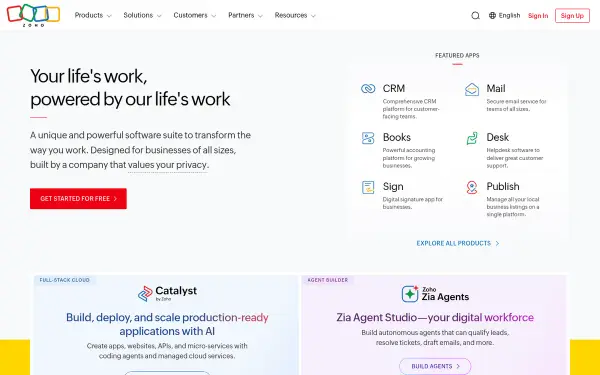
Our verdict
The safest all round pick for Indian SMBs, with rupee pricing, a free three user edition and room to grow.
Zoho CRM is the broadest tool in this list at a mid range price. A single subscription covers leads, contacts and deals, workflow automation, validation rules, email integration, reporting and dashboards, with Blueprint process control, inventory management and territory tools appearing on Professional and higher editions. WhatsApp conversations arrive on the upper plans. For an Indian SMB that expects to add quoting, stock or support later, that spread matters more than any single feature.
Pricing is published in two currencies. Standard is $14 per user per month, billed annually or monthly, and GST invoicing is available; confirm the currency and invoice treatment with the vendor. A free edition covers three users. The page now lists Standard at US$14, replacing the earlier INR quote, so confirm which figure your account manager will invoice against.
Strengths are depth and range. Customisation goes well past simple fields, and the wider Zoho suite covers finance, support and marketing, which keeps vendor management to one relationship. Indian buyers also get published rupee pricing and GST invoicing, which removes a recurring finance headache. The trade off is configuration time: a simple team can spend weeks on modules it does not need, and advanced AI features and territory management sit on top tiers.
Start narrow. One pipeline, a handful of automation rules and a clean import will get a sales team live in days. Add Blueprint and inventory only when a process is stable enough to model. Teams that buy the top edition on day one usually pay for shelfware.
You want one vendor for sales, support and finance and can spare a week on configuration.
You need a two day rollout and will never build a custom module.
Entry II of VIII / Enterprise customisation
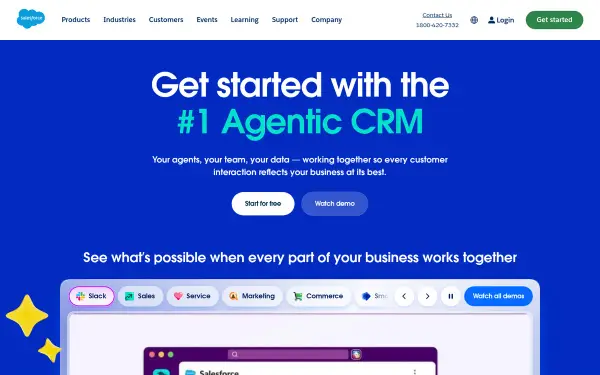
Our verdict
The deepest platform here for complex, multi team enterprises, but the licence is the smallest part of the bill.
Salesforce Sales Cloud is built for organisations where sales runs across several teams, regions and approval chains. The core covers leads and opportunities, forecasting, territory rules, workflow automation, reporting and dashboards, with permission controls and security settings that hold up under an audit. AppExchange adds a large marketplace of third party apps, and the platform connects to ERP, support and marketing systems when those already exist in your stack.
The published entry point is Starter Suite at $25 per user per month, billed monthly or annually, with a Free Suite and a 30 day trial. Pricing for higher editions is on request. Licence prices for the larger editions are not published in the pack, so an India quote is required. Budget for implementation, migration, admin time and add ons such as engagement or intelligence tools: together these can roughly double first year spend.
Two strengths decide most Indian deals. The customisation ceiling is the highest in this list, which matters if your sales process is genuinely unusual. India region hosting is offered for data residency requirements, which removes a common compliance objection.
The honest downside is weight. A twenty person team with one pipeline will pay for capability it never configures, and keeping the org clean needs admin skill on an ongoing basis. Small teams often buy more edition than they need, then blame the tool for the clutter.
If you go ahead, scope the first release to one business unit and one forecast model, then expand once the data is trusted.
Your sales process spans teams, regions and approval chains that a simple CRM cannot model.
You have fewer than twenty reps and no admin capacity.
Entry III of VIII / Fast onboarding
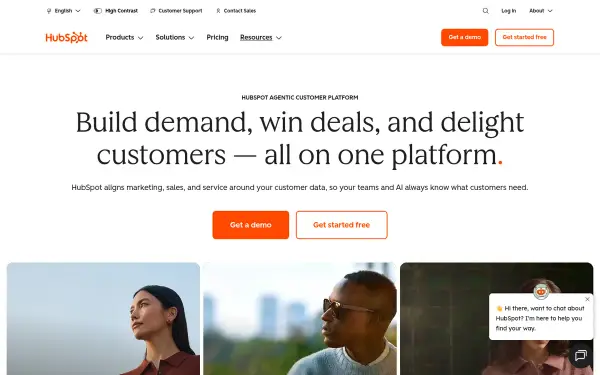
Our verdict
The quickest clean start for marketing led teams, though the cheap entry rate does not last.
HubSpot CRM is the easiest tool here to get a team using on day one. Contacts, deals and pipelines are simple to set up, email integration and web forms work without a developer, and marketing and sales share one contact timeline, so a rep can see which campaign produced a lead. Live chat and basic automation are included, with reporting arriving on paid tiers.
The free edition covers up to two users, which is enough to run a real pipeline rather than a demo. Paid Starter is listed at $7 per seat per month billed annually, a promotional rate for new customers only; monthly billing costs more. Professional tiers and onboarding fees push the total up sharply, and Marketing Hub is metered on contacts, which adds a second meter that grows with your list rather than your headcount.
For Indian buyers there are three things to settle before signing. Confirm the billing currency and how GST is handled, since a dollar subscription changes your budget line. Plan how leads from local directories and WhatsApp reach the CRM, and check which sources the vendor supports. And check which promotional terms apply at your first renewal.
Strengths are adoption and clarity. New reps need little training, and the shared record view stops marketing and sales arguing about the same contact. The weakness is the price curve: the jump from Starter to Professional is steep, and the free tier's two user cap limits it to founders and very small teams.
Start on the free edition, import a real pipeline, and upgrade only when a named report or workflow is blocked.
Marketing and sales already share leads and you want both on one record.
You have a large contact list and a tight budget beyond year one.
Entry IV of VIII / Built in calling
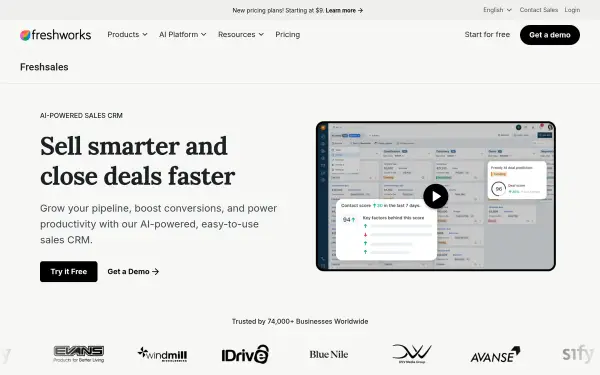
Our verdict
A tidy sales workspace for teams that live on calls, with telephony and lead scoring built in.
Freshsales is aimed at inside sales teams whose day is calls and email rather than field visits and site tours. The core includes built in phone calling and telephony, email tracking with open alerts, AI lead scoring, deal management with next action prompts, and pipeline and activity reporting. When a deal closes, the record can hand over natively to Freshdesk for support, which is useful if onboarding and service sit in the same company.
There is no free plan. A 14 day trial covers evaluation, and Growth is the entry paid tier at $9 per user per month billed annually; higher tiers are quoted by the vendor. The features that separate it from a basic pipeline, meaning deeper automation and the more advanced AI, sit on those higher plans, so the $9 headline is a starting point rather than a budget.
Freshworks is headquartered in Chennai, which brings local support coverage and a vendor that understands Indian buyer expectations. The complication is pricing transparency: published rupee figures for Growth, Pro and Enterprise vary between sources, and the plans themselves have changed over time. A written India quote for your actual seat count and billing term is the safe basis for budgeting.
The interface is clean and onboarding is quick, which matters when a sales floor turns over regularly. The trade off is that the product competes hardest on sales execution, not on custom objects or deep process modelling. If your process is standard and your problem is follow up discipline, it fits well. If you need unusual approval chains, test that in the trial before committing.
Your reps spend the day on calls and you want phone, email and scoring on one screen.
You need a free tier for a pilot or heavy custom process modelling.
Entry V of VIII / Speed to lead
Our verdict
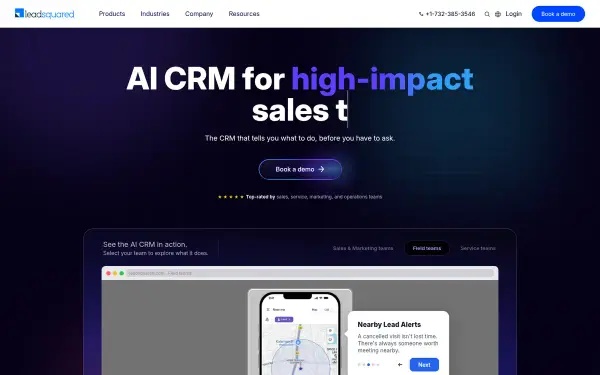
Built for high volume Indian lead flow, with field tracking that most global CRMs treat as an afterthought.
LeadSquared is designed around speed to lead. It captures enquiries from web forms, phone calls, WhatsApp and marketplaces, then scores and assigns them by rule so a rep calls within minutes rather than hours. Telephony and call tracking are native, field activity and site visits can be logged from the mobile app, and dashboards report on source performance and rep activity. The Sales Super tier adds storage, webhooks and custom reports on top of Sales Pro.
Pricing is per user and adds up. LeadSquared pricing is on the vendor site; confirm Sales Pro and Sales Super rates, billing terms and add ons in a written quote. There is no free plan, only a trial. Our pricing page fetch failed, so the recorded figure stays unconfirmed and a written quote is the right basis for a budget.
The fit is specific and it is a good fit: education, finance, healthcare and real estate businesses where lead volume is high, response time decides conversion, and reps work in the field. In those settings faster distribution usually pays for the licence. Marketing automation is a separate product with its own price, so teams expecting one bill for nurture campaigns should map that cost early.
Two cautions. Per user pricing becomes heavy for a large field force, and it is worth modelling a fifty seat rollout before committing. And the analytics are operational rather than strategic: strong on activity and source, lighter on the kind of forecasting a board asks for.
Run the trial with your own lead sources connected. A CRM that captures marketplace leads automatically saves hours a week; one that needs manual import does not.
Lead volume is high, response time decides conversion, and reps work in the field.
You have a small team and a simple pipeline that Zoho or Pipedrive covers for less.
Entry VI of VIII / Pipeline clarity
Our verdict
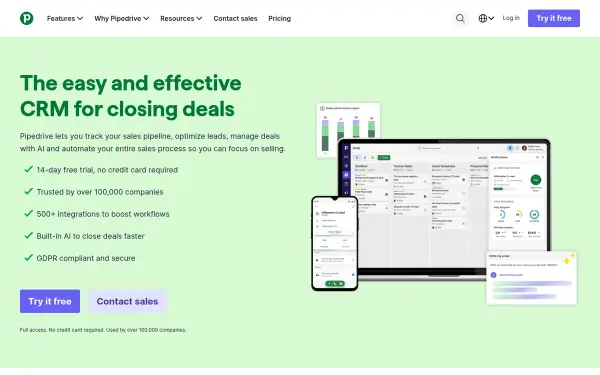
The clearest pipeline on the list, though the cheap Lite tier leaves out what most teams need.
Pipedrive does one thing well: it shows a deal moving through a pipeline and tells the rep what to do next. The kanban style board, activity reminders and next action prompts keep a small team honest about follow up. Email sync and automation start on Growth, calendar and email integrations are straightforward, and the mobile app lets a founder update deals between meetings.
Lite is $14 per seat per month billed annually, which is a genuinely low entry price, but it excludes automation and full email sync. Most buyers therefore land on Growth or above, and the effective price is higher than the headline. There is no free plan and the trial runs 14 days. Lead generation, documents, campaigns and visitor tracking are separate add ons, each priced on its own, and they lift the total quickly.
The strength is setup speed and integration breadth. A small team can be live in an afternoon, and the marketplace covers common integrations. Plan caps on automations, custom fields and sequences decide long term fit more than the feature list does, so check those limits against how you actually sell.
The weakness is range. Pipedrive is a sales tool rather than an operations platform. If you want one vendor for everything, this is not it. If your problem is that deals stall because nobody follows up, it is one of the best answers in this list.
Compare the Growth price against Zoho Standard before deciding, since both sit in similar territory and Zoho bundles more.
Your team sells through a visual pipeline and needs something live this week.
You want CRM, marketing and support on one subscription.
Entry VII of VIII / Flat fee seats
Our verdict
Flat pricing that rewards bigger sales floors, with India lead source integrations and thinner analytics.
Kylas sells on one number. The paid Elevate plan is a flat monthly fee covering unlimited users, which flips the arithmetic once a team passes roughly ten reps. Against per seat rivals, that is the whole argument: you can add seats without a procurement conversation. There is a free Embark plan for very small teams, capped at 10,000 records, and a 7 day trial.
Pricing is on the vendor site. Elevate is a flat monthly model with unlimited users, but the current page does not render a figure, so confirm the number in a quote before you budget. Add ons can push the total above the headline flat fee, so ask what is included at your seat count.
The feature set covers lead and deal pipelines, tasks and activity tracking, calling and telephony, WhatsApp and email communication, and integrations with IndiaMART and JustDial. Those marketplace integrations are the practical differentiator: for a business buying leads, automatic capture saves a daily manual step that most global tools leave to a spreadsheet.
Where it trails is depth. Reporting and analytics are thinner than on Salesforce or Zoho, third party integrations are narrower, and teams that need complex forecasting or deep custom objects should test hard during the trial. The free plan's record cap also arrives faster than expected if you import historical data.
The honest summary: Kylas is a pricing decision as much as a product decision. At larger seat counts it is excellent value; at very small seat counts the flat fee is more than you need to spend.
You have more than ten reps and want to stop counting seats.
You need deep forecasting or a wide integration catalogue.
Entry VIII of VIII / All-in-one stack
Our verdict
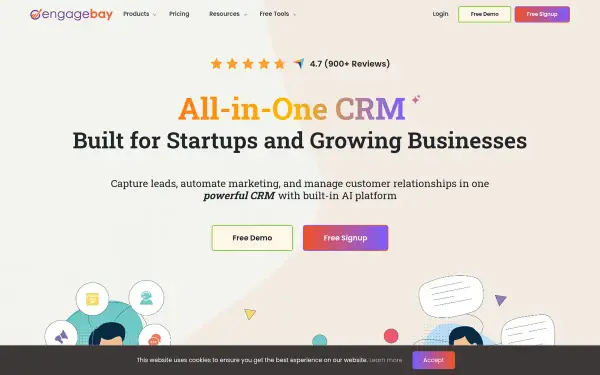
One low bill for CRM, email marketing and helpdesk, with contact caps that force upgrades as you grow.
EngageBay bundles the three tools a small business usually buys separately: a CRM for contacts and deals, email marketing with campaigns and landing pages, and a helpdesk with live chat and support tickets. Marketing automation arrives on paid tiers and reporting on the higher plans. For a startup that wants one login and one invoice, that consolidation is the product.
The free plan is unusually generous: up to 15 users with CRM, email, live chat and helpdesk included, capped on contacts and features. Paid plans begin at $12.74 per user per month on longer billing terms. No trial period is stated on the page, so the free tier is effectively your evaluation route.
The catch is metering by contact rather than by seat. Contact caps rise with each plan, so list growth forces an upgrade even if your team size has not changed. Model your contact count at twelve months, not today, before choosing a tier. The other gap is depth: advanced reporting and third party integration options trail the larger platforms, and teams with unusual processes will find less room to bend the product.
For an Indian small business the appeal is straightforward. A free tier for fifteen users covers a founder plus a sales team plus support without a licence decision, and the paid entry price is low. What you give up is polish at the edges and the kind of ecosystem a larger vendor offers.
Best fit: a team under fifteen people that markets by email, sells a simple pipeline and answers support questions in the same tool.
You want CRM, email marketing and support under one low cost subscription.
Your contact list grows fast or you need deep reporting.
VIBackground
A CRM is the system of record for everyone who talks to a customer. It stores leads, contacts, companies and deals, logs calls, emails and meetings, and shows what should happen next. That sounds modest. The value appears when three things are true: every enquiry lands in one place, every follow up has an owner and a date, and a manager can see the pipeline without asking for a spreadsheet.
Modern packages extend past records. Typical modules include workflow automation that assigns leads and sends reminders, quotes and documents, reporting and forecasting, and increasingly AI features that score leads or draft follow ups. Some bundles add marketing email, landing pages, live chat and a helpdesk, which is why the line between CRM and business suite has blurred. Zoho and EngageBay sit at that end; Pipedrive and Salesforce focus on the sales process itself.
India adds a few requirements that matter more than they do elsewhere.
A CRM is not a marketing strategy and it will not fix a process nobody follows. The common failure is buying a large platform, importing dirty data and leaving reps to configure it. The successful pattern is smaller: pick a tool that matches your channel mix, import a clean list, model one pipeline, and add automation once reps trust the records.
One more distinction. Enterprise platforms such as Salesforce are built to be configured by an admin, so they reward organisations with an operations function. Small business tools such as Pipedrive and Freshsales come closer to working out of the box. Know which kind of buyer you are before you compare prices.
This comparison sits in the sales register. Further along the shore: real estate portfolio management software and online marketing companies for small business.
VIIPricing
CRM pricing is usually quoted per user per month, but the number you compare is rarely the number you pay. Four variables move the total: seats, billing term, edition, and add ons. Indian buyers get a fifth: currency and GST treatment.
Seats are the obvious one. A $14 plan adds up quickly across a team before tax. Flat fee models invert this: Kylas charges one monthly fee for unlimited users, which is why its value case improves as the team grows.
Billing term is the second lever. Annual prepayment almost always beats monthly billing on the same edition, and some of the cheapest rates in this list are annual only. HubSpot's $7 Starter seat is an annual promotional rate for new customers; monthly billing costs more. Budget for the renewal price, not the first invoice.
Edition is where budgets break. The useful features, meaning automation, forecasting and AI, cluster on the middle and upper tiers. Pipedrive Lite at $14 excludes automation and full email sync, so most teams pay more than the headline.
| Model | How it bills | Typical fit | Example from this list |
|---|---|---|---|
| Per user monthly | Seat by seat, month to month | Teams that change size often | Zoho CRM Standard at $14 per user per month |
| Per user annual | Seat by seat, prepaid for a year | Stable sales floors chasing the lowest rate | Pipedrive Lite at $14 per seat per month |
| Flat monthly, unlimited users | One fee regardless of seats | Sales floors above ten reps | Kylas Elevate, price on request |
| Promotional annual | Discounted rate for new customers | Buyers comparing first year cost | HubSpot Starter at $7 per seat per month |
| Enterprise quote | Scoped by edition, modules and users | Multi team organisations | Salesforce Sales Cloud, quote required |
| Free tier | Capped on users or records | Very small teams and pilots | EngageBay free for up to 15 users |
Then add implementation, data migration, training and GST. A first year budget that ignores setup is the most common planning error, and it is the line item that surprises finance after the licence has been approved.
Each entry card shows the starting price as it appeared on the vendor's own pricing page on November 25, 2026. When a vendor shows no figure we could confirm, or only a promotional rate, the card says "See website" or gives the regular price instead of a guess. Usage, overage and add-on rates in the text change more often than plan prices, so confirm them on the vendor page before you set a budget. To test the numbers against your own volume, try the free User Research Budget Planner. The Event Break-Even Calculator is a second way to check the same decision.
VIIIDecision
Write down the process first. Before comparing tools, list how a lead becomes a customer today: sources, stages, who owns each step, and where deals stall. A CRM that models your real process beats one with more features.
Set a seat and contact budget. Count the people who log activity, not everyone on the payroll, and estimate your contact list at twelve months. Contact metering on marketing tiers can outrun seat costs quietly.
Test three tools, not eight. Pick one India built option, one global mid market option and one bundle. Connect your actual lead sources during the trial and make a rep use it for a full week.
Price the first year, not the first month. Add implementation, migration, training and GST to the licence, and check the renewal price behind any promotional rate. Ask what an add on costs before you depend on it.
Check the boring details. Confirm rupee invoicing, GST handling, data residency if you need it, support hours in your timezone, and whether your accountant's tool has an integration.
Plan the migration before you sign. Export your existing data, agree which fields survive, deduplicate before import and run both systems in parallel for two weeks. A clean import is worth more than any feature.
IXPitfalls
Buying the top edition on day one. Most teams use a fraction of an enterprise plan in year one. Start on the tier that covers your current process and upgrade when a named workflow is actually blocked.
Ignoring the renewal price. Promotional first year rates are common. Note what the same seats cost at renewal and build that figure into the budget you present to finance.
Skipping the data cleanup. Importing years of duplicates into a new CRM trains reps to distrust it. Deduplicate, agree field definitions and import in stages before go live.
Treating WhatsApp as optional. If most enquiries arrive on WhatsApp, a CRM that cannot capture those conversations leaves your biggest channel invisible to reporting and follow up.
Letting IT choose alone. Sales managers who are not in the evaluation will not adopt the tool. Give two reps a week with the shortlist and act on what they say about speed and mobile use.
XQuestions
Zoho CRM is the safest default for most small Indian businesses. It publishes a Standard plan at $14 per user per month, offers a free edition for three users, and covers sales, support and finance under one vendor. If your team sells mainly on calls, Freshsales at $9 per user per month is a simpler alternative with telephony built in.
Several tools here have a free plan. Zoho CRM caps its free edition at three users, HubSpot at two users, EngageBay at 15 users with contact limits, and Kylas offers Embark with 10,000 records. Salesforce also lists a Free Suite. Free tiers are useful for pilots but usually cap records or exclude automation, so check the ceiling before you import.
Start with the licence, then add implementation, migration, training and GST on top of Indian invoices, so a per user licence is not your final per seat cost. On complex deployments those extras can approach the licence figure: our Salesforce entry notes that add ons and services can roughly double first year spend. Budget in two columns, licences and everything else.
Only when the sales process genuinely needs it. Salesforce Sales Cloud earns its price when deals cross teams, regions and approval chains, and when data residency or deep permission controls are requirements. Below roughly twenty reps with a single pipeline, a mid market tool such as Zoho or Freshsales delivers more usable value per rupee.
India built platforms such as LeadSquared and Kylas lead on local lead sources, WhatsApp, telephony and flat or rupee pricing. Global tools such as Salesforce and HubSpot lead on customisation, ecosystem and marketing depth. The split usually comes down to channel mix and whether you have an admin function. Match the tool to how your leads actually arrive.
Export everything first, then clean before you import. Agree the fields that must survive, remove duplicates, standardize phone formats and stage the load: contacts first, then deals, then historical activity. Run the old and new systems in parallel for two weeks so reps can check records. Budget for this work inside the first year cost, not as an afterthought.
XIFurther along the shore
Vendors can ask for a correction or apply for a Featured listing. Paid or not, the entry is scored on the same rubric and its limits stay in print. Partner with Umberlake.
Free tools
Our free browser tools turn the prices on this page into a figure for your own volume. Nothing you type leaves your device.