
CloudTalk
$25Starter, per user per month, billed annually, minimum 1 license
Best for global sales and support teams needing local numbers
- Free plan
- No
- Rubric
- 7.4 of 10
Eight cloud calling tools scored on number coverage, AI, setup effort and price, for teams weighing a move away from Aircall in November 2026.

IThe short answer
CloudTalk is the best aircall alternative for global sales and support teams that need local numbers without a seat minimum; Nextiva suits mid-size teams that want voice, video and chat on one bill; JustCall fits outbound teams that text prospects as much as they call. All three published current rates on November 25, 2026: CloudTalk at $25, Nextiva at $10 and JustCall at $23 per user per month on annual billing. The eight tools below are ranked by fit for the buyer each entry describes, and prices were checked on 25 November 2026: Aircall Alternatives.
8 tools compared from vendor pages on November 25, 2026. 6 publish a starting price we could read; the rest say "See website".
IITop three berths
Register order is editorial fit for the buyer each entry describes. Prices are the starting figures read on November 25, 2026.
$25Starter, per user per month, billed annually, minimum 1 license
Best for global sales and support teams needing local numbers

$10Go, per user per month, billed annually
Best for mid-size teams wanting voice, video and chat together

$23Team, per user per month, billed annually, minimum 2 licenses
Best for outbound teams that text prospects as much as they call
How this page is paid for. All 8 tools here are unpaid editorial picks.
A paid listing's position can be part of what the vendor pays for. Every entry, paid or not, is scored on the same rubric and keeps its limits in print. Advertising disclosure.
IIIThe register
Starting prices as shown on each vendor's pricing page on November 25, 2026. "See website" means no figure we could confirm.
| No. | Tool | From | Free plan | Trial | Rubric | Actions |
|---|---|---|---|---|---|---|
| 01 | CloudTalkGlobal sales and support teams needing local numbers | $25Starter, per user per month, billed annually, minimum 1 licenseRead on vendor page | No | Free trial | 7.4 | |
| 02 | NextivaMid-size teams wanting voice, video and chat together | $10Go, per user per month, billed annuallyUpdated on vendor page | No | Free trial | 6.8 | |
| 03 | JustCallOutbound teams that text prospects as much as they call | $23Team, per user per month, billed annually, minimum 2 licensesUpdated on vendor page | No | 14-day free trial | 7.9 | |
| 04 |  DialpadTeams ramping new reps with AI assistance | See websiteNot shown publicly | No | Free trial | 7.3 | |
| 05 |  RingCentralLarge organizations with complex multi-department call routing | See websiteNot shown publicly | No | Free trial | 6.9 | |
| 06 |  OpenPhoneStartups that share a single business number | $15Starter, per user per month, billed annuallyRead on vendor page | No | 7-day free trial | 6.4 | |
| 07 |  RingoverEuropean sales and recruiting teams leaving Aircall | $19TALK, per user per month, billed annually with 12-month commitment, excl. taxes, minimum 3 usersUpdated on vendor page | No | 7-day free trial | 7.4 | |
| 08 |  CallHippoMicro-teams testing a cloud phone system cheaply | $19Starter, per user per month, free Basic tier includedUpdated on vendor page | Yes | 10-day free trial | 6.2 |
Pinned:
IVMethod
What the entry rate buys once seat minimums, annual terms and feature gates are counted.
How many countries you can provision local numbers in, and how fast.
Whether transcription, call notes and live coaching are included or sold as extras.
How much configuration and administrator time a rollout demands.
How well calls and texts attach to the customer record and the wider stack.
VMethod
We compared eight cloud calling tools on the things a buyer actually checks before leaving Aircall: what you pay per seat, how many countries you can buy numbers in, whether AI transcription and coaching are included or gated, how much setup work the platform demands, and how well it connects to a CRM. Every price in this list was taken from the vendor's own pricing page on November 25, 2026, and any figure that could not be confirmed is marked as such rather than estimated. Where a vendor publishes no rate, we say pricing is on the vendor site.
The five criteria are weighted: value for money at 25 percent, number coverage at 20, AI and coaching at 20, setup effort at 15, and CRM plus integrations at 20. Scores of 1 to 10 are judgments against those criteria, applied the same way to every tool, including any listing marked Featured. A Featured placement is paid and does not change the score; it affects position on the page only.
Two things we did not do. We did not rank by the scores, because a weighted total hides the fact that a five-person startup and a 500-seat contact center need different things. The order reflects fit for the buyer each entry names, plus any disclosed Featured position. We also did not treat missing public pricing as a fault: Dialpad showed custom pricing only when we checked and RingCentral's pricing page could not be fetched, so we say so instead of inventing a number.
Where a vendor's current rate differs from an earlier record, we used the current rate and noted the change in the entry. No vendor saw this list before publication.
The full routine, from price reads to corrections, is on the methodology page. Paid listings follow the advertising disclosure.
Entry I of VIII / Coverage in 160 countries
Our verdict
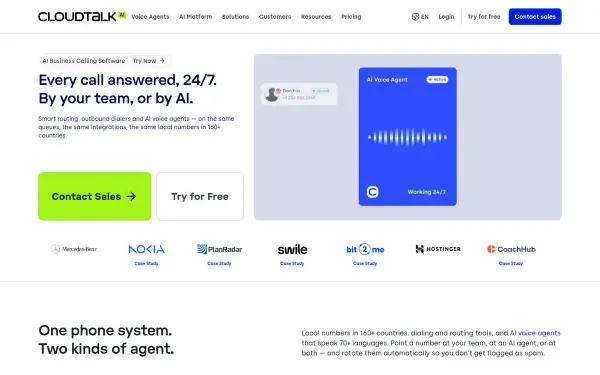
The best fit for global teams that need many local numbers and no seat minimum, at $25 per user per month.
CloudTalk takes the first slot because it addresses the two constraints that most often push teams away from Aircall: seat minimums and how many countries you can buy numbers in. A single Starter license costs $25 per user per month billed annually, with a minimum of one license, and the platform provisions local numbers in more than 160 countries. Inbound and outbound calling sit in the same product, so a team selling across several markets does not need a separate tool for each region.
CRM sync writes each call to the customer record. For a support desk, that is the difference between a clean account history and a queue of reps retyping notes at the end of a shift. Number provisioning for international sales teams happens in the same admin area, which shortens the work of opening a new market.
The trade-off is supervision. Call monitoring and wallboards sit on the Expert tier, and several other capabilities are reserved for the top plan. Buyers who mainly want to listen to live calls and watch queue statistics should price Expert rather than the Starter rate before they commit. At the entry rate you get calling and CRM logging, not the supervisor's dashboard.
Fit is a global sales or support team of roughly five to 100 seats that needs local numbers in many countries and wants to start small. A one-person team can buy one license and add seats later. Skip it if your team works from a single shared number and rarely calls internationally; OpenPhone at $15 does that job with less configuration. There is no free plan, and a free trial is available.
You sell into several countries and want to start with one or two seats.
Your team shares one domestic number and never dials abroad.
Entry II of VIII / Three channels, one bill
Our verdict
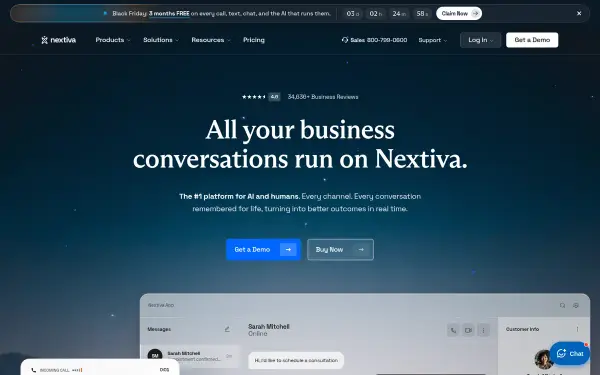
A consolidation play: voice, video and chat from $10 per seat, with supervisor tools on the $75 tier.
Nextiva is the consolidation pick. The Go plan lists $10 per user per month billed annually and puts business voice calling, video meetings and team chat in one application, so a mid-size company can stop paying for a separate meeting tool and a separate messaging tool. Support is staffed around the clock on every plan, which is unusual at this price and matters if your team works across time zones or takes calls outside office hours.
Setup is described as straightforward, and there is a mobile app for staff who work away from a desk. For a 30-person company replacing a desk phone estate, that combination usually means a shorter rollout than a platform where an administrator has to design routing before anyone can call.
The limits sit in the contact center features. Go has no call queues, and queue management with supervisor monitoring and skills routing requires the $75 per user per month tier. A support team that needs queued callers, live listening and skills distribution should budget for that tier from day one rather than assuming the $10 headline applies. Outbound teams will also find fewer dialer options than JustCall or CallHippo offer.
Pricing works per seat on annual billing, and the gap between the entry rate and the tier that carries queue tools is the number that matters for a support desk. Ask for both figures in writing rather than pricing from the marketing page.
Fit is a mid-size team, perhaps 20 to 200 seats, that wants one bill for voice, video and messaging and values round-the-clock human support. Skip it if your agents work a queue all day and you need supervisor tools at the entry rate, or if you run high-volume outbound campaigns. No free plan; a free trial is offered.
You want voice, video and messaging from one vendor with support at any hour.
Your agents live in a queue and you need supervisor tools cheaply.
Entry III of VIII / SMS inside the CRM
Our verdict
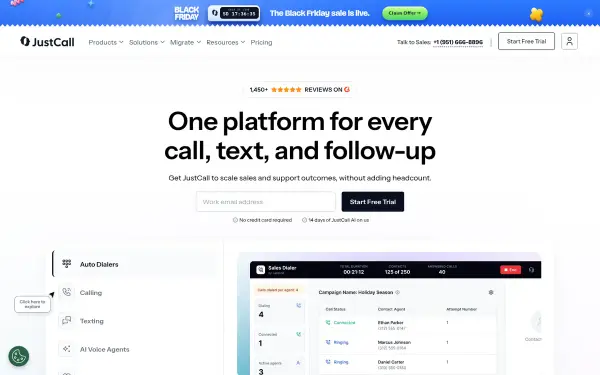
Best for outbound teams where texting is part of the sequence and the CRM must hold both channels.
JustCall is built for teams that treat texting as a first-class channel. The Team plan lists $23 per user per month billed annually with a two-license minimum, and SMS threads sync to HubSpot and Pipedrive so a text conversation attaches to the deal record alongside calls. For an outbound motion where reps open with a text and follow with a call, keeping both in the CRM is the whole point, and few tools here do it as directly.
Calling and texting run from one platform, which means one inbox and one history per contact. AI transcription is included on every plan, not held back for a premium tier, so call review and note taking work from the day you start. The Pro tier adds queues, skills routing and queue callback for teams that also run an inbound line.
Two things to plan for. The two-user minimum means a solo operator pays for a seat they cannot use. Queues and routing start on a higher tier, so a small support desk that wants a simple queue has to move up. The per-user entry rate also sits above several rivals, which makes JustCall a poor choice for a team that only needs cheap voice and never texts.
Pricing is per seat on annual billing with the two-license floor, so the real monthly figure for a pair of reps is the rate doubled. Onboarding is quick because the product follows the CRM structure most sales teams already use.
Fit is an outbound sales team of two to fifty reps where SMS is part of the sequence and the CRM is the system of record. Skip it if you need a single license, if you never text prospects, or if you want queue management at the entry rate. A 14-day free trial is offered and there is no free plan.
Your reps text prospects and you want those threads saved to the deal record.
You need one license or you never use SMS in outreach.
Entry IV of VIII / Live AI coaching
Our verdict
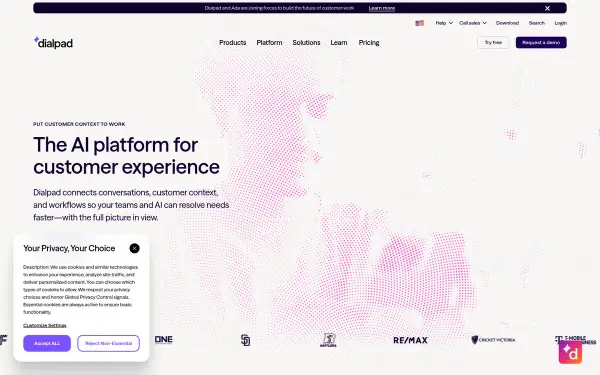
AI transcription, notes and coaching come as standard, but the base plans are quote only and contact center is separate.
Dialpad leads on AI. Live call transcripts, AI-generated call notes and on-screen coaching prompts are the base of the product rather than an add-on, and that shapes who should buy it: teams ramping new reps who need to hear what good calls sound like and get guidance while the call is happening. Calls, SMS, video and chat sit in one app, so a rep works from a single window.
Transcripts and notes remove the post-call typing that eats into a rep's day, and coaching prompts give a new hire something to work from before a manager has time to review recordings. For a team of five to fifty seats that hires in batches, that is a real reduction in ramp time, and it happens without buying a separate conversation intelligence tool.
Pricing is where the picture blurs. Dialpad does not publish base tier rates on its site, so you have to request a quote, and the page checked for this list showed custom pricing only for agentic AI. Contact center routing is sold as a separate product, Dialpad Support, and coaching and workforce management cost more than the base plan. The support product starts higher than the base plan, so a buyer who needs queues and supervisor tools should price Dialpad Support separately rather than assume it is included.
That split matters for budgeting. A sales team that wants transcripts and coaching can stay on the calling product; a support desk with queued callers is buying two things.
Fit is a sales team that wants AI assistance from day one and is willing to get a quote. Skip it if you need a published per-seat rate to compare, or if your main requirement is contact center routing at a predictable entry price. A free trial is available and there is no free plan.
You are ramping new reps and want AI notes and coaching without extra tools.
You need a public per-seat rate or shipped contact center routing in one price.
Entry V of VIII / 300 plus integrations
Our verdict
Deep routing and more than 300 integrations for large organizations, provided you have IT staff to configure it.
RingCentral is the most configurable platform here, and that is both the recommendation and the warning. More than 300 app integrations and department-level dashboards make it the natural choice for a large organization that already runs a stack of business systems and needs calls to appear inside them. Call routing across teams goes deeper than the lighter tools here, and reporting can be broken out by department rather than flattened into one queue, which matters when support, sales and finance each want their own view.
Voice, video, SMS and team chat are bundled, so one vendor covers the everyday communication stack, and enterprise administration controls support the permission structures a company with several business units will need. For a buyer replacing several point tools, the consolidation is the argument.
The cost of that depth is effort. Configuration generally needs IT involvement, setup takes longer than platforms built for a small team, and contact center functionality is sold separately as RingCX. Buyers should plan for an implementation project rather than an afternoon, and should budget administrator time alongside the subscription.
Pricing is on the vendor site, but the pricing page could not be fetched when this list was compiled, so no base rate is quoted here. Treat any figure you see elsewhere as unverified and ask for a written quote that covers the seats, the routing you need and RingCX if queues are in scope.
Fit is an organization with several hundred seats, an IT team and complex routing between departments. Skip it if you have no administrator, if you need self-serve signup, or if your routing is one queue and five people. A free trial is offered and there is no free plan.
You have administrators on hand and routing that spans several departments.
Nobody on your team can own configuration or you need same-day signup.
Entry VI of VIII / Shared number inbox
Our verdict
Fastest setup on the list and the cheapest shared line, as long as you do not need a dialer.
OpenPhone is the smallest tool here in scope and the fastest to get running. The Starter plan lists $15 per user per month billed annually, and the product is built around a shared business number: calls and texts arrive in a shared inbox, any teammate can reply, and the history stays with the team rather than in one person's phone. That single design choice makes it the right answer for a startup where a founder, a salesperson and an ops lead all answer the same line.
Setup is quick, number provisioning is simple, and the app works on desktop and phone, so a small team can be live without a project plan. Business texting from the shared line is included at the entry rate, and call plus text history is visible to everyone, which ends the hunt for who spoke to a customer last.
What you give up is depth. There is no power dialer, so a high-volume outbound team will hit a wall quickly, and enterprise features are limited: no wallboards, no skills routing, no supervisor tooling of the kind CloudTalk and Nextiva sell. International number coverage trails CloudTalk's 160 plus countries, so a team selling into Europe or Asia should check availability before committing. The product is also marketed under the Quo brand in some listings, which can confuse a buyer comparing quotes.
Pricing is per seat on annual billing at the Starter rate, and the value is straightforward: one shared line, many hands, no configuration project.
Fit is a startup or small team of two to fifteen people that wants one shared business number with texting and minimal setup, strongest in the United States and Canada. Skip it if you run an outbound dialing program, need supervisory tools, or sell into many countries. A 7-day free trial is offered and there is no free plan.
A handful of people answer one business number and you want to be live today.
You need a dialer, wallboards or numbers in many countries.
Entry VII of VIII / Same-day onboarding
Our verdict
A close Aircall match for European teams, with campaign tools and live whispering at $19 per seat.
Ringover is the closest functional match to Aircall on this list, which is why it lands with European teams considering a switch. The TALK plan lists $19 per user per month billed annually on a 12-month commitment, excluding taxes, with a three-user minimum. Local numbers for European markets are the core offer, and the interface will look familiar to anyone who has worked in Aircall, which shortens migration for reps who do not want a new workflow.
Two features stand out for sales and recruiting teams. Outbound campaign tools let a team work a list without buying a separate dialer, and live call whispering lets a manager coach a rep mid-call rather than reviewing the recording afterward. Onboarding can complete the same day, which is a real difference from platforms that schedule implementation weeks out. Call recording and analytics come with the plan for review work.
The caveats are geographic and ecosystem. The footprint in the United States is smaller, so a company with American offices should check coverage and support hours before standardizing. The integration list is shorter than RingCentral's or Dialpad's, and brand recognition is lower, which matters if procurement wants references from similar buyers. The three-user minimum also rules out a single-seat test.
Pricing carries three details worth writing down: annual billing, a 12-month commitment and taxes excluded, so the invoice figure will differ from the headline rate. Plan for the renewal date at signature.
Fit is a European sales or recruiting team of three to a hundred seats that wants Aircall-style calling with campaign and coaching tools on an annual commitment. Skip it if most of your team sits in the United States, if you need a wide integration catalogue, or if you want to start with one license. A 7-day free trial is offered and there is no free plan.
Your team is in Europe and you want an Aircall-style tool with campaign and coaching features.
Your staff are mostly in the United States or you want to start with one seat.
Entry VIII of VIII / Free Basic tier
Our verdict
A cheap way to test cloud calling, with a free tier for six months and dialers included.
CallHippo is the cheapest way to test a cloud phone system, and that is the honest reason to consider it. A free Basic tier runs for the first six months, so a micro-team can put calls through the product before paying anything. The paid Starter plan then lists $19 per user per month. International numbers are provisioned in minutes, which suits a small team that needs a presence in a new country without waiting on a project.
Dialer options are broader than the price suggests: a power dialer and a parallel dialer are both offered, and call analytics come with the paid plan. For a five-person outbound team testing whether a dialer improves contact rates, that is a low-risk entry, and the free tier means the test costs nothing for half a year.
The problems appear as you grow. Support quality is reported as inconsistent, and growing teams report automation limits that get in the way once call volume rises. The paid entry rate of $19 is close to stronger rivals such as Ringover and JustCall, so the price advantage narrows the moment you leave the free tier. Teams that scale in headcount and volume typically end up migrating to a broader platform, which means paying twice for the move you could have made once.
Pricing is per seat on the Starter plan with the free Basic tier included, so the first decision is how long you plan to stay small. If the answer is not long, buy the platform you will grow into.
Fit is a micro-team of one to five people proving out a cloud phone system, or a small outbound team that wants dialers without a long contract. Skip it if you already know your volume, if you need reliable support at scale, or if you want room to grow on the same platform. A 10-day free trial sits alongside the free Basic tier.
You want to test a cloud phone system with almost no upfront cost.
You expect to grow past five seats or need dependable support.
VIBackground
Business phone software, often called cloud calling or a hosted phone system, moves the phone line off a box in the closet and onto a vendor's servers. Extensions, voicemail, routing and numbers live in an app, and staff answer on a desktop client or a mobile phone wherever they are. You keep a business number and stop maintaining hardware.
The category splits into three overlapping parts.
Almost every tool on this list covers the first part. The second is where pricing tiers do their work: CloudTalk reserves monitoring and wallboards for its Expert tier, Nextiva puts queues and supervisor tools on its $75 tier, and JustCall keeps queues for Pro. The third part is the one buyers underrate. A phone system that does not write calls into the CRM leaves the same gap a desk phone did.
Contact center is a separate category sitting next to this one. A phone system gives a team a number, an app and basic routing. A contact center adds queued callers, skills-based distribution, workforce management and supervisor tooling at scale. Some vendors sell both: Dialpad Support and RingCX from RingCentral are separate products, and Nextiva's top tier adds queue management. If your agents take calls in a queue all day, you are buying contact center software and should price it that way from the start, because the entry rate on the calling product will not cover it.
One practical note on numbers. Coverage ranges widely: CloudTalk provisions in more than 160 countries, Ringover focuses on European local numbers, CallHippo provisions international numbers in minutes, and OpenPhone is strongest in the United States and Canada. Check the specific country before you buy, because a broad headline count does not guarantee the market you care about.
This comparison sits in the software register. Further along the shore: baby tracking app and kennel software.
VIIPricing
Almost every tool here charges per user per month, but the number on the pricing page is rarely the number on the invoice. Seat minimums, annual commitments and feature gates all move the total, and two vendors do not publish a rate at all.
| Model | How it bills | Typical fit | Example from this list |
|---|---|---|---|
| Per seat, annual billing | Per user per month, paid yearly | Teams with a stable headcount | Nextiva Go at $10 per user per month billed annually |
| Per seat with a seat floor | Per user per month, but a minimum number of licenses | Vendors aimed at teams rather than solo users | JustCall Team at $23 with a two-license minimum |
| Per seat on commitment | Per user per month with a 12-month term and taxes excluded | European buyers used to annual contracts | Ringover TALK at $19 with a three-user minimum |
| Free tier then per seat | No charge for a limited period, then a per-seat rate | Testing before a purchase | CallHippo free Basic tier for the first six months, then Starter at $19 |
| Quote only | No published list rate | Larger organizations | Dialpad and RingCentral, both marked See website |
Start with the seat floor. JustCall needs two licenses and Ringover needs three, so a solo buyer pays for seats they will not use. CloudTalk, by contrast, sells a single Starter license at $25. Then check the term: the rates above assume annual billing, and Ringover adds a 12-month commitment and excludes taxes.
Next, look at which tier holds the feature you actually need. Nextiva's queues and supervisor monitoring require the $75 tier, CloudTalk's wallboards require Expert, and JustCall's queues sit on Pro. The entry rate is a starting point, not a budget.
Finally, treat quote-only vendors carefully. Dialpad showed only custom pricing when we checked and RingCentral's pricing page could not be fetched, so ask for a written quote covering the seats, the routing you need and any separate contact center product.
Each entry card shows the starting price as it appeared on the vendor's own pricing page on November 25, 2026. When a vendor shows no figure we could confirm, or only a promotional rate, the card says "See website" or gives the regular price instead of a guess. Usage, overage and add-on rates in the text change more often than plan prices, so confirm them on the vendor page before you set a budget. To test the numbers against your own volume, try the free User Research Budget Planner. The Event Break-Even Calculator is a second way to check the same decision.
VIIIDecision
IXPitfalls
XQuestions
Seat minimums, number coverage and where AI features sit are the three constraints buyers most often raise when they shop for an alternative. A seat floor raises the cost for small teams, local number coverage varies by country, and transcription or coaching sometimes sits higher than the advertised rate. Each tool below handles at least one of those differently, and CloudTalk was picked to address the first two directly.
Nextiva lists the lowest entry rate at $10 per user per month billed annually, though that tier has no call queues. OpenPhone follows at $15, then Ringover and CallHippo at $19 and JustCall at $23. Seat minimums matter as much as the rate: JustCall needs two licenses and Ringover three, while CloudTalk sells a single seat at $25.
Dialpad bundles live transcripts, AI-generated notes and coaching prompts at its base rate, and JustCall includes AI transcription on every plan. Elsewhere these features generally move up a tier or into a separate product. CloudTalk reserves several capabilities for its top plan, and Nextiva's supervisor tooling requires the $75 tier.
CloudTalk for global coverage and Ringover for Europe. CloudTalk provisions local numbers in more than 160 countries and sells from a single seat. Ringover offers local numbers for European markets, outbound campaigns and live whispering at $19 per user per month on a 12-month commitment with a three-user minimum. OpenPhone is strongest in the United States and Canada.
Porting timelines were not confirmed on the pricing pages checked for this list, so ask each vendor in writing before you commit. Provisioning speed is documented in a few cases: CallHippo provisions international numbers in minutes and Ringover says onboarding can complete the same day. Get the porting date, downtime and any interim number plan in writing, and keep your current provider live until a test call connects.
A phone system gives a team numbers, an app and basic routing; a contact center adds queued callers, skills routing, workforce management and supervisor tooling. If agents take calls in a queue all day, you are buying contact center software. Dialpad Support, RingCX from RingCentral and Nextiva's top tier are the contact center paths in this list.
XIFurther along the shore
Vendors can ask for a correction or apply for a Featured listing. Paid or not, the entry is scored on the same rubric and its limits stay in print. Partner with Umberlake.
Free tools
Our free browser tools turn the prices on this page into a figure for your own volume. Nothing you type leaves your device.