
Tendro
$499Per event, unlimited team members, phones and scans
Best for exhibitor teams wanting flat-rate badge capture on their own phones
- Free plan
- No
- Rubric
- 8.8 of 10
Nine tools for capturing and qualifying leads on the show floor, compared on badge support, CRM sync, offline capture and what each one actually costs.

IThe short answer
Tendro is the best pick for exhibitor teams that want flat-rate badge capture on their own phones, at $499 per event with unlimited team members, phones and scans. iCapture suits teams exhibiting at many shows who want one capture app across every event, though pricing is on the vendor site. Swapcard fits teams that want lead capture inside a full event platform with AI matchmaking, also quote-based. Prices were checked on November 25, 2026 across nine tools: Best Lead Retrieval Software.
9 tools compared from vendor pages on November 25, 2026. 1 publish a starting price we could read; the rest say "See website".
IITop three berths
Register order is editorial fit for the buyer each entry describes. Prices are the starting figures read on November 25, 2026.
$499Per event, unlimited team members, phones and scans
Best for exhibitor teams wanting flat-rate badge capture on their own phones

See website
Best for teams exhibiting at many shows with one consistent capture app

See website
Best for lead capture inside a full event platform with AI matchmaking
How this page is paid for. All 9 tools here are unpaid editorial picks.
A paid listing's position can be part of what the vendor pays for. Every entry, paid or not, is scored on the same rubric and keeps its limits in print. Advertising disclosure.
IIIThe register
Starting prices as shown on each vendor's pricing page on November 25, 2026. "See website" means no figure we could confirm.
| No. | Tool | From | Free plan | Trial | Rubric | Actions |
|---|---|---|---|---|---|---|
| 01 | TendroExhibitor teams wanting flat-rate badge capture on their own phones | $499Per event, unlimited team members, phones and scansRead on vendor page | No | Free desk trial with test scans, no credit card; CRM sync starts with first paid event | 8.8 | |
| 02 | iCaptureTeams exhibiting at many shows with one consistent capture app | See websiteNot shown publicly | No | No | 7.0 | |
| 03 | SwapcardLead capture inside a full event platform with AI matchmaking | See websiteNot shown publicly | No | No | 6.6 | |
| 04 |  ExpoPassOrganizers wanting registration, badging and retrieval from one vendor | See websiteNot shown publicly | No | No | 6.2 | |
| 05 |  vFairsAI-enriched lead capture with instant CRM sync | See websiteNot shown publicly | No | No | 6.9 | |
| 06 | BizzaboEnterprise programs using smart badges | See websiteNot shown publicly | No | No | 6.0 | |
| 07 | WhovaAffordable all-in-one event app with lead retrieval | See websiteNot shown publicly | No | No | 5.5 | |
| 08 |  EventMobiOrganizers protecting lead revenue with registration-linked data | See websiteNot shown publicly | No | No | 6.2 | |
| 09 | Cvent LeadCaptureCvent customers adding native onsite lead capture | See websiteNot shown publicly | No | No | 6.0 |
Pinned:
IVMethod
How many ways a rep can collect a lead, including badge scans, business cards, manual entry and offline behavior.
Whether leads reach Salesforce, HubSpot or another CRM with qualifier answers, notes and mapped fields intact.
Whether the vendor publishes a price you can budget against, or hides every number behind a sales conversation.
Self-service portals, license and seat management, and reporting an exhibitor can use after the show.
Hardware, integration work and evaluation time required before the first lead is captured.
VMethod
We ranked these nine tools by how well each one serves the buyer it is described for, not by a single leaderboard score. The order is editorial: fit for the buyer in each entry, plus the disclosed Featured position. A Featured listing is a paid placement, and it is scored with the same rubric and carries the same honest cons as every other entry.
Five criteria drove the scoring, weighted as shown above. Capture flexibility covers the ways a rep can actually collect a lead: badge scans, business cards, manual entry and offline behavior when the hall network drops. CRM handoff covers native connectors, field mapping, and whether qualifier answers and notes travel with the record. Pricing clarity rewards vendors that publish a number and penalizes quote-only models, without treating a quote as a product flaw. Exhibitor workflow covers self-service portals, seat and license management, and reporting after the show. Setup burden covers hardware, integration work and evaluation time.
Prices and plan facts come from vendor pricing pages checked on November 25, 2026. Only Tendro published a price at that check, $499 per event with unlimited team members, phones and scans. For the other eight, pricing sits on the vendor site or behind a sales conversation, and we say so rather than estimate. Where a vendor mentions a volume discount but not the rate, we note it as unpublished.
We did not test these tools on a show floor for this article. Scores reflect documented features, published pricing and stated limits, and every entry lists its limits in the cons, including the top pick.
The full routine, from price reads to corrections, is on the methodology page. Paid listings follow the advertising disclosure.
Entry I of IX / Flat-rate phone scanning
Our verdict
The clearest price in the category: $499 per event covers every rep, phone and scan, with real offline capture.
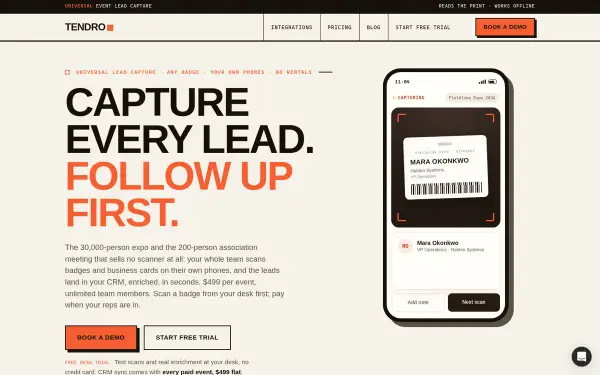
Tendro turns staff phones into badge scanners without needing an organizer badge integration. Reps scan printed badges, business cards and QR codes, and the app reads the printed text on a badge rather than waiting on an organizer data feed. Each lead gets enriched with email, LinkedIn profile and company details, and the email is verified before the record reaches the CRM. Teams can attach custom qualifying questions with conditional follow-ups, up to 50 per team, plus voice notes and a booth recap with a digital card and booking link.
Capture keeps working when the hall Wi-Fi drops. Photos queue locally and upload when connectivity returns, which matters on a show floor where connectivity is the one variable nobody controls. Native HubSpot and Salesforce sync carries rep answers and notes through to the record, and CSV export covers anything else. The catch is timing: CRM sync starts with the first paid event, so the free desk trial with test scans will not demonstrate it. Plan a live test at the first event rather than before it.
Pricing is the differentiator. Tendro publishes $499 per event covering unlimited team members, phones and scans, so a large booth team pays the same as a small one. Volume discounts begin at 10 or more events per year, though the discounted rate is not published, so a heavy exhibitor has to ask. The other limit is badge format: if the organizer's QR code holds only a registration ID and no contact fields, Tendro cannot read contact data out of it.
It fits exhibitor teams that run their own capture and want one predictable number per show. It fits less well as an organizer tool, and it is not a registration or badging system.
You are an exhibitor team that wants one flat per-event fee and no dependency on the show's badge integration.
You need an organizer-side registration and badging system, or if your show only encodes registration IDs.
Entry II of IX / One app everywhere
Our verdict
One capture app across every show, with Salesforce, HubSpot and Marketo integrations, but you have to request a quote.
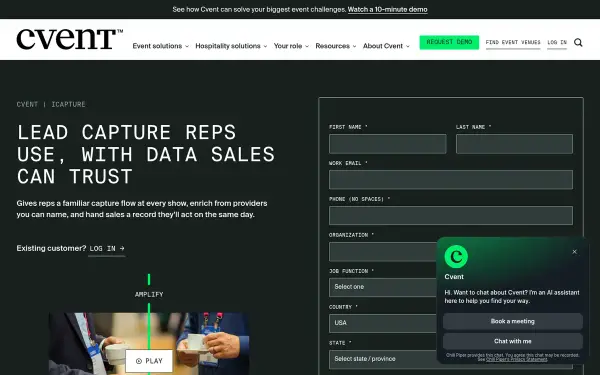
iCapture makes the consistency argument. Staff learn one badge scanning app and use it at every show instead of switching tools event by event. Business card capture sits alongside badge scanning, custom qualifying surveys can be built per event, and leads export cleanly for follow-up. The integration list covers Salesforce, HubSpot and Marketo, which makes it one of the stronger CRM stories on this list. For teams that exhibit at many shows a year and want reps to stop relearning software at every venue, that consistency is most of the value.
The commercial side is where it gets harder. There is no public price list, so every deal goes through sales and you cannot budget from the website. Ask for a written quote broken down per event, per exhibitor and per user before comparing it with a flat-rate tool, because a quote shaped by event size will look very different at event three than at event one. Two things to check in the same conversation: what the roadmap looks like and who owns it.
Product direction now sits with Cvent, which acquired iCapture in January 2024. The app continues as a standalone product alongside Cvent's native onsite tools, and the acquisition has not folded it in, but a buyer committing to a multi-year show calendar should ask how the standalone product is being invested in. Badge format matters here as it does everywhere: confirm what the organizer encodes before you assume a scan returns contact fields.
It suits exhibitor teams with a heavy show calendar and an established CRM. It suits less well a team doing one or two events a year that wants a number on a page.
Your team exhibits at many shows and wants a single capture app with deep CRM integration.
You need a published price before you can start a budget conversation.
Entry III of IX / Capture plus matchmaking
Our verdict
Lead capture, AI scoring and matchmaking in one platform, priced by quote and best value for organizers who resell licenses.
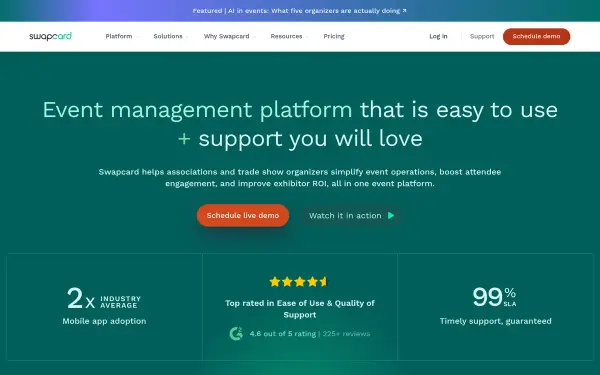
Swapcard is a full event platform that happens to include lead capture, and the order matters. Offline badge and business card scanning sit inside the event app, captured leads get AI lead scoring, notes and qualifiers attach to each record, and CRM sync runs through a library of more than 100 integrations. AI matchmaking pushes attendees toward exhibitors they are likely to want to meet, which is a different function from capture but affects booth traffic. Exhibitors manage their own licenses through a portal.
Pricing is quote-based and set by event size, so there is no public tier to compare against. The model that matters here is that organizers control pricing tiers and can resell lead retrieval licenses to exhibitors, which makes capture a revenue line for the show rather than a cost center. That works well for organizers running a commercial exhibit hall. For an exhibitor team, it means the price you pay for capture is set by the show, not by a page on the vendor site, so ask the organizer what the license costs before you plan a budget.
The trade-off is scope. Teams that only need badge scanning will pay for matchmaking, content and networking features they may not use, and the evaluation takes longer than a point solution because there is more surface to test. Ask for a scoped demo that covers capture, scoring and CRM sync only, and keep the rest out of the first call.
It fits organizers and exhibitor teams inside a Swapcard deployment who want capture and matchmaking in one place. It fits poorly as a standalone scanner.
You run a full event platform and want capture, scoring and matchmaking in one system.
You only need a scanner and do not want to fund matchmaking and content modules.
Entry IV of IX / Registration to capture
Our verdict
Registration, badging and lead retrieval from one vendor, with exhibitors scanning on their own phones and no hardware rentals.
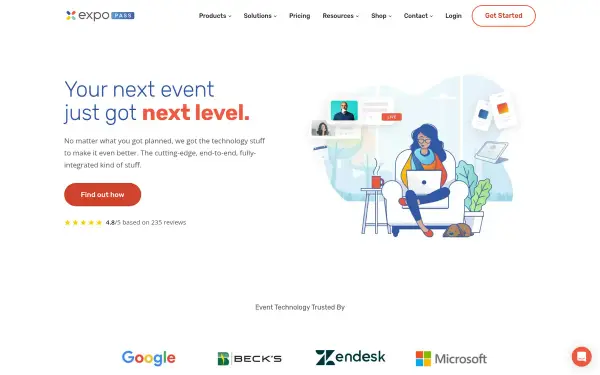
ExpoPass is the single-vendor argument. Registration, badge printing, check-in and lead retrieval run in one system, so the badge an exhibitor scans was printed by the platform that registered the attendee. Exhibitors scan attendee badges with their own phones, which removes hardware rentals from the exhibitor kit, and late registrations and badge changes update in real time instead of waiting for an overnight sync. Capture includes custom qualifier fields, notes and lead ratings.
For organizers, the operational win is visibility during the show rather than after it. Live dashboards show booth activity while the hall is open, and lead retrieval is sold as a premium exhibitor upgrade, which turns the feature into a tier you can price per exhibitor. Exhibitors get CSV export and lead reports from the mobile app, so the handoff to a CRM can be a file, and someone has to own the import at the other end.
Pricing for the lead retrieval piece is not published, so the per-exhibitor cost has to be confirmed in writing before you quote it to exhibitors. Ask for a sample exhibitor invoice so you can see how the upgrade is priced per booth, and ask what the organizer dashboard exposes to exhibitors versus what stays internal. The product is US-focused with English-only support, which is fine for a domestic show calendar and awkward for international events or multilingual exhibitor bases.
It fits organizers who want badging and capture from one supplier, and exhibitors who want to scan with phones they already own. It fits less well as a standalone capture tool bought by an exhibitor independently of the show.
You are an organizer who wants one vendor for registration, badge printing and booth capture.
You need multilingual support or a published per-exhibitor price up front.
Entry V of IX / AI lead enrichment
Our verdict
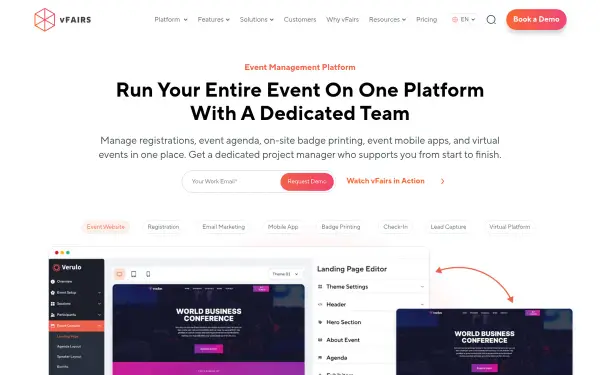
AI enrichment fills job title, company size and industry automatically, and three capture methods cover badges, cards and typed entries.
vFairs covers the three ways a rep actually collects a lead: scanning a badge QR code, photographing a business card, or typing the details manually. AI enrichment then fills job title, company size and industry on the record, which is the difference between a name and a lead a sales team can act on. Custom qualifying forms are part of the setup, and CRM sync happens without a CSV import step in between.
The exhibitor side is self-service. Exhibitors set up their booth and invite reps through a portal, and seat caps are set by exhibitor tier, so a small exhibitor does not pay for a large booth team. Post-event dashboards report booth visits, lead counts and engagement, which is the reporting most exhibitors ask for after the show rather than during it.
Pricing is quote-only and customized per event, so there is no list price to plan against. The bigger consideration is scope: lead capture is one module inside a managed event platform, so evaluation covers registration, content and the rest, and takes noticeably longer than trialing a standalone scanner. Ask what the qualification form builder can do without vendor help, and how quickly a new exhibitor can be live in the portal, because self-service only pays off if it is genuinely self-service. If your team needs capture next month, that timeline is the real constraint.
It fits organizers who want capture inside a managed platform and exhibitors who value enriched records over raw scans. It fits less well for an exhibitor team that just needs scanning and cannot wait through a platform evaluation.
You want AI-enriched lead records and exhibit inside a broader managed event platform.
You need capture live within weeks and cannot sit through a platform evaluation.
Entry VI of IX / Tap-to-connect badges
Our verdict
Tap-to-connect smart badges capture leads without scanning and carry booth visit context, but hardware logistics and enterprise pricing follow.
Bizzabo's capture model is different by design. Klik SmartBadge handles tap-to-connect capture, so a rep taps a badge and the lead is exchanged without anyone opening a scanner or lining up a QR code. The platform also tracks passive engagement such as booth visits and session attendance, and that context attaches to the lead record, which is more useful for prioritization than a scan timestamp on its own.
The sponsor portal carries qualification responses and notes, and leads leave through CSV export or CRM sync. Enterprise security and governance controls are the reason large programs pick it, since security and governance are usually procurement requirements at that scale.
The cost of the model is logistics. SmartBadge hardware has to be shipped, distributed and collected, and that is a project in itself for a multi-city calendar. Someone has to own the inventory. Ask who owns device inventory across the calendar; that question tends to arrive late, after the contract is signed. Budget for the work, not just the license.
Pricing is not published, and the enterprise positioning makes Bizzabo a poor fit for small one-off events where the hardware overhead outweighs the benefit. It fits mid-market and enterprise event programs with a repeatable booth setup and staff who can be trained once.
You run a repeatable enterprise event program and want tap-to-connect capture with engagement data.
You run a single small show and cannot take on hardware logistics.
Entry VII of IX / Capture in the app
Our verdict
Lead retrieval bundled into a mid-market event app, quote-based like the rest, with lighter analytics than the enterprise platforms.
Whova bundles lead retrieval into an event app that attendees already use, and that is the practical advantage: exhibitors scan QR codes in the same app the audience installed for the agenda and networking, so there is no second download and no separate scanner to explain at the booth. Capture includes notes and custom qualifier scoring, and lead lists export for follow-up.
The platform around it includes an Exhibitor Hub with exhibitor profiles, passport contests and in-app giveaways that push attendees toward booths, plus agenda, networking and badge printing. The exhibitor experience is the reason it lands with smaller shows: a booth profile, a lead list and a contest entry all live in an app the attendee already opened. Setup is light because there is no new app to deploy across the team. Analytics and customization trail the enterprise platforms, which matters if you need complex attribution across multiple events.
Pricing still requires a quote, so the mid-market positioning does not translate into a number you can put in a budget without a conversation. Ask what the quote covers and whether lead retrieval is included at every tier or added on, because a bundled feature and an upgrade look identical on a first call and very different on an invoice.
It fits mid-market organizers who want capture inside a familiar app, and exhibitors who want low-friction scanning without new hardware. It fits less well for enterprise programs that need deep analytics, and for exhibitor teams buying capture independently of the show's app choice.
You are a mid-market organizer who wants capture inside one familiar event app.
You need deep multi-event analytics or are buying capture without the show's app.
Entry VIII of IX / Registration-linked exports
Our verdict
Organizer-side capture where exports arrive pre-filled with job title, country and session attendance, which protects lead data quality.
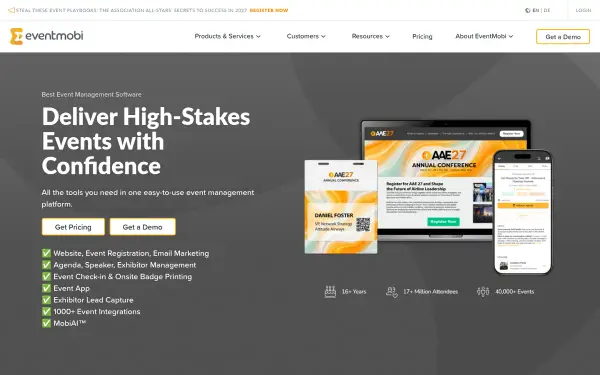
EventMobi approaches capture from the organizer's side, and the design shows. Exports come pre-populated with registration fields, country, job title and session attendance, so an exhibitor receives a lead file with context attached rather than a bare name and email. In September 2026 the company expanded those exports, which is the kind of change that matters more to lead quality than a new button on the scanner.
Scanning covers physical and digital badges, with custom qualifying questions, lead ratings and notes. Exhibitors self-manage staff access through an admin portal, so adding a rep on the morning of the show does not require an organizer ticket. That is a small feature with a large operational payoff on a busy morning. Ask how much of the registration schema flows into the export by default and how much has to be configured per event, because that configuration work lands on the organizer's team rather than the exhibitor's.
The model is organizer-centric: registration-linked data is the product, and organizers use it to protect the value of the lead data they give or sell to exhibitors. An exhibitor team buying independently gets less from it. Pricing is quote-based, so the cost depends on the event portfolio and the modules selected, and there is no list price to compare against.
The company is based in Toronto and the platform is actively developed. It fits organizers who want capture to inherit registration truth, and exhibitors inside those shows who want richer lead files. It fits less well for a pure exhibitor team that needs a standalone scanner and a published price.
You are an organizer whose exhibitors need lead files enriched with registration data.
You are an exhibitor buying capture on your own without the show's platform.
Entry IX of IX / Native Cvent capture
Our verdict
The right answer only inside Cvent: native scanning that lands in the same system as registration, with custom enterprise pricing.
Cvent LeadCapture is the native option for organizers already running Cvent. Exhibitors scan badges onsite, qualification happens inside the Cvent environment, and lead data flows into the same system that holds registration and reporting. There is no third-party vendor to contract, no integration to build and no field mapping exercise between two systems, because there is only one system.
That is a real advantage at enterprise scale. Enterprise security and support are part of the platform, and the data model is consistent from registration through to the lead file an exhibitor receives. For an organization that has standardized on Cvent, adding onsite capture means working with a vendor you already use, which can shorten the approval path. For exhibitors, the experience is plain: scan, qualify, submit. That plainness is the point at a large show where booth staff are salespeople with no patience for a new app.
The obvious limit is that it is only compelling inside a Cvent deployment. If your registration runs somewhere else, there is no reason to buy this, and the integration work would erase the advantage. Pricing is custom and enterprise-shaped, so there is no list price and the number arrives through a sales conversation tied to your overall agreement.
One source of confusion worth clearing up: LeadCapture is separate from iCapture, which Cvent acquired in January 2024 and continues to run as a standalone app. Ask which one your account team is quoting.
Your registration already runs on Cvent and you want onsite capture inside the same system.
You are not on Cvent, or if you need a standalone scanner with a published price.
VIBackground
Lead retrieval software captures a person's identity and context at a booth and turns both into a record your sales team can work after the show. The capture act is simple: a rep scans a badge QR code, photographs a business card, taps a smart badge or types a name. The value sits in what happens next, which is enriching that record with company and role data, attaching qualifier answers and notes from the conversation, and pushing the whole thing into a CRM before the follow-up window closes.
It is not the same as sales prospecting software. Prospecting tools start from a database of accounts you have not met and help you decide who to approach. Lead retrieval starts from someone who walked up to your booth and identified themselves, and the job is accuracy and speed rather than discovery. The failure mode is different too: a prospecting tool that misses a target costs you an opportunity, while a capture tool that mangles a badge scan hands a rep a record with the wrong company on it.
Three variables decide how much a tool can actually capture:
The category splits into two shapes. Standalone tools such as Tendro sell capture to exhibitor teams directly, with a flat per-event price and no dependency on the organizer. Platform modules such as Swapcard, vFairs, Whova, EventMobi and Cvent LeadCapture sell capture as part of a larger event system, usually to the organizer, who may resell licenses to exhibitors. Which shape you need depends on who is paying and who controls the badge data.
This comparison sits in the software register. Further along the shore: baby tracking app and kennel software.
VIIPricing
Pricing in this category is mostly a conversation, not a page. Eight of the nine tools here require a written quote, and only Tendro publishes a number: $499 per event covering unlimited team members, phones and scans. That does not mean the others are expensive, only that the number depends on variables the vendor wants to discuss, usually event size, exhibitor count or seat tiers.
| Model | How it bills | Typical fit | Example from this list |
|---|---|---|---|
| Flat per event | One fee covers the event, with unlimited reps and scans | Exhibitor teams with large booth staffs | Tendro, $499 per event |
| Organizer resale | Organizer buys the platform and sells retrieval licenses to exhibitors | Trade show and association organizers | Swapcard, ExpoPass premium upgrade |
| Quote by event size | Vendor quotes per event based on scale | Mid-market and enterprise organizers | Swapcard, vFairs per-event quote |
| Seat or tier caps | Access limited by exhibitor tier | Shows with many small exhibitors | vFairs seat caps by tier |
| Enterprise contract | Custom pricing inside a larger platform deal | Organizations already on the platform | Cvent LeadCapture |
Three questions turn a quote into something comparable. First, ask what unit the price moves on: events, exhibitors, users or scans. A per-event fee and a per-exhibitor license produce very different totals at 10 shows a year. Second, ask what is included at the base and what counts as an upgrade, because lead retrieval is often the upgrade rather than the core product, as it is with ExpoPass. Third, ask about volume terms. Tendro states that discounts begin at 10 or more events per year but does not publish the rate, which is the pattern across the category.
Keep total cost in view. Hardware, shipping, integration work and organizer fees can exceed the license line, particularly with smart badge programs.
Each entry card shows the starting price as it appeared on the vendor's own pricing page on November 25, 2026. When a vendor shows no figure we could confirm, or only a promotional rate, the card says "See website" or gives the regular price instead of a guess. Usage, overage and add-on rates in the text change more often than plan prices, so confirm them on the vendor page before you set a budget. To test the numbers against your own volume, try the free User Research Budget Planner. The Event Break-Even Calculator is a second way to check the same decision.
VIIIDecision
Confirm the badge format. Ask the organizer what the badge QR code contains. If it holds only a registration ID, you need a tool that reads printed badge text or an organizer that exposes registration data, otherwise every scan returns a number rather than a person.
Decide who is buying. Exhibitor teams buying directly want a published price and fast setup, which points at tools like Tendro. Organizers buying for the whole hall want registration-linked data and resale tiers, which points at platform modules such as ExpoPass or EventMobi.
Map CRM fields in writing. Agree which fields receive job title, company size, country and qualifier answers, then push one test lead end to end. Field mapping problems surface in the week after the show, when nobody has time for them.
Price your real calendar. Multiply the per-event rate by the number of shows you actually attend, not the number you plan to attend. Ask for the volume rate in writing, since discounts are often mentioned but rarely published.
Test offline behavior. Walk the booth with Wi-Fi off and capture ten leads. Check that photos and notes queue and upload later, because a tool that quietly drops captures is worse than a paper form.
Pilot at one show. Run a single event with a small team before rolling out across the calendar, and compare the exported records against what reps remember from the booth.
IXPitfalls
Assuming every badge scans. A QR code carrying only a registration ID will not hand you a name and email. Confirm the format with the organizer weeks ahead, not on the morning the hall opens.
Leaving field mapping to the vendor. Push one test lead into the CRM before the show. Mismatched fields surface a week after the event, when follow-up has already stalled.
Buying per user for a large booth team. Per-seat pricing punishes big teams. If a large team works the stand, a flat per-event plan such as Tendro's $499 covers them all.
Trusting hall Wi-Fi. Connectivity fails at the worst moment. Choose a tool with offline capture and check that queued photos upload once the network returns.
Forgetting hardware logistics. Smart badges arrive as a shipping, charging and collection project. Assign an owner and a budget line before you commit to a hardware-based capture program.
XQuestions
It captures who visited the booth and what they said, then turns that into a record a sales team can act on. A rep scans a badge, photographs a card or types details, adds qualifiers and notes, and the software enriches the record and exports or syncs it to a CRM. Tools here range from standalone scanners like Tendro to capture modules inside a full event platform.
Prospecting software starts from a database of accounts and contacts you do not yet know, and helps you find and rank them. Lead retrieval starts from a person standing at your booth who has already identified themselves, and the job is to capture that identity accurately, add qualification context and get it to the CRM before the follow-up window closes. One is outbound research; the other is in-person capture.
Expect four shapes: a flat per-event fee, a per-exhibitor license the organizer buys and resells, a quote set by event size, and a custom enterprise line inside a larger platform contract. Tendro is the only tool here with a published number, $499 per event covering unlimited team members, phones and scans. The other eight require a written quote, so ask for the breakdown per event and per exhibitor.
Often their own phones, but confirm with the organizer. ExpoPass has exhibitors scan attendee badges with their own phones, Whova puts scanning inside the event app attendees already use, and Tendro runs on staff phones with no organizer integration at all. Hardware programs exist too: Bizzabo uses Klik SmartBadge devices that must be shipped and collected, so ask what the show supports before you plan the booth kit.
Tendro lists native HubSpot and Salesforce sync, and iCapture lists Salesforce, HubSpot and Marketo integrations; both are the strongest fits if your CRM is one of those two. Swapcard syncs through a library of more than 100 integrations. vFairs syncs without a CSV import. Others export CSV or sync through the platform, so confirm the specific connector rather than assuming one.
Confirm what the badge QR code encodes first: if it holds only a registration ID, scanning returns no contact data unless the tool can read printed badge text, as Tendro does. Then agree the field map in writing: which CRM fields receive job title, country, session attendance and qualifier answers. Run one test scan through to a real CRM record before the doors open.
XIFurther along the shore
Vendors can ask for a correction or apply for a Featured listing. Paid or not, the entry is scored on the same rubric and its limits stay in print. Partner with Umberlake.
Free tools
Our free browser tools turn the prices on this page into a figure for your own volume. Nothing you type leaves your device.