
OpenPhone
$15Starter, per user per month, billed annually
Best for small teams that text customers as much as they call
- Free plan
- No
- Rubric
- 8.6 of 10
Nine business phone number services compared on call handling, texting, AI features and price, with the pricing caveats that decide the bill.

IThe short answer
OpenPhone is the best business phone number service for most small teams in November 2026: $15 per user per month on the Starter plan billed annually, with a shared inbox that keeps calls and texts together. Google Voice suits teams already paying for Google Workspace that want a cheap second work number. Grasshopper fits solo operators and very small teams that need one line forwarded to an existing phone at a flat rate. Prices were checked on 25 November 2026.
9 tools compared from vendor pages on November 25, 2026. 2 publish a starting price we could read; the rest say "See website".
IITop three berths
Register order is editorial fit for the buyer each entry describes. Prices are the starting figures read on November 25, 2026.
$15Starter, per user per month, billed annually
Best for small teams that text customers as much as they call

See website
Best for teams already paying for Google Workspace

See website
Best for solo operators and very small teams needing one line
How this page is paid for. All 9 tools here are unpaid editorial picks.
A paid listing's position can be part of what the vendor pays for. Every entry, paid or not, is scored on the same rubric and keeps its limits in print. Advertising disclosure.
IIIThe register
Starting prices as shown on each vendor's pricing page on November 25, 2026. "See website" means no figure we could confirm.
| No. | Tool | From | Free plan | Trial | Rubric | Actions |
|---|---|---|---|---|---|---|
| 01 | OpenPhoneSmall teams that text customers as much as they call | $15Starter, per user per month, billed annuallyRead on vendor page | No | 7-day free trial | 8.6 | |
| 02 | Google VoiceTeams already paying for Google Workspace | See websiteNot shown publicly | No | No | 4.8 | |
| 03 | GrasshopperSolo operators and very small teams needing one line | See websiteNot shown publicly | No | 7-day free trial | 3.9 | |
| 04 |  RingCentralGrowing teams wanting voice, video and messaging together | See websiteNot shown publicly | No | Free trial | 8.6 | |
| 05 |  NextivaCustomer-facing teams prioritising uptime and human support | $10Go, per user per month, billed annuallyUpdated on vendor page | No | No free trial on some plans; demo available | 8.1 | |
| 06 |  DialpadCall-heavy teams wanting AI transcription built in | See websiteNot shown publicly | No | 14-day free trial | 8.1 | |
| 07 |  OomaSmall offices that want desk phones and simple pricing | See websiteNot shown publicly | No | 30-day free trial | 5.7 | |
| 08 |  VonageBusinesses wanting a low-cost start and voice APIs | See websiteNot shown publicly | No | No | 6.1 | |
| 09 |  Zoom PhoneOrganisations already running meetings on Zoom | See websiteNot shown publicly | No | No | 7.1 |
Pinned:
IVMethod
Can the service answer, route and queue calls without adding another vendor to the stack?
Do texts, voicemail and internal chat share one inbox the whole team can see?
Are transcription, summaries and call automation included in the plan or sold as a separate add-on?
Does the customer record open with the conversation attached, or is context copied by hand?
Is there a published starting price with a plan note that explains the billing term and seats?
VMethod
We scored nine business phone number services against five criteria that decide whether a small or mid-sized team can actually run its phones on the product.
Call handling, 25 percent: can the service answer, route and queue calls without bolting on another vendor? Team messaging, 20 percent: do texts, voicemail and internal chat share one inbox? AI features, 20 percent: are transcription, summaries and call automation included or sold separately? CRM integrations, 20 percent: does the customer record show the conversation? Price clarity, 15 percent: is there a published starting price plus a plan note that explains the billing term and seats?
Prices come from each vendor's pricing page, checked on November 25, 2026. Where a page was blocked, empty, or served only custom quoting, the entry reads "See website" and we say so rather than estimate a figure. A starting price is the vendor's published entry point, not a quote for your seat count, and plan names change often. Re-check before signing.
Each entry states who it fits and who should skip it. The order is editorial: it reflects fit for the buyer described in each entry, plus any Featured position, which is a paid placement. A Featured vendor is scored with the same rubric as every other tool and gets the same kind of cons listed. Scores are not added into a total that decides the sequence.
We do not run a lab test of call quality. We read what each vendor documents about plans, limits and requirements, and we flag the limits that cause the most surprise later: a texting cap on a core plan, an auto-attendant missing from an entry tier, or a required Workspace subscription behind a cheap-looking number.
The full routine, from price reads to corrections, is on the methodology page. Paid listings follow the advertising disclosure.
Entry I of IX / Shared team inbox
Our verdict
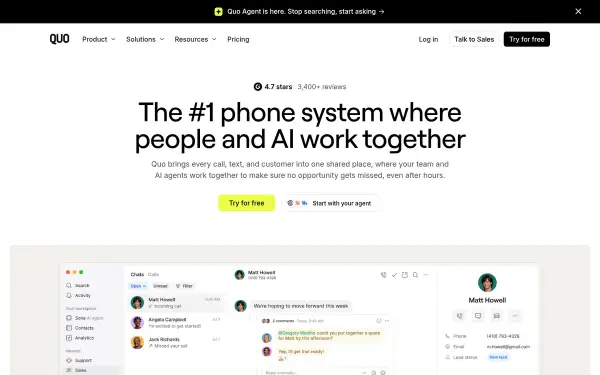
OpenPhone puts shared numbers, texting and AI call handling in one inbox, and the $15 Starter plan fits small teams.
OpenPhone is built around a shared inbox rather than a traditional handset. Every team member gets a dedicated business number, and shared numbers keep the full conversation history visible to everyone who handles the line. Calls run from the desktop app or a browser, and the same screen covers texts, so a customer who calls and then messages does not have to repeat the story twice.
The AI layer includes call summaries and an inbound AI agent. Calls get summaries, and an AI agent can handle inbound calls. Contacts and conversations carry context into HubSpot and Salesforce records, so a rep opening a CRM record sees the thread instead of a blank field. Local and toll-free numbers are provisioned from the same console.
Pricing starts at $15 per user per month on the Starter plan, billed annually. Two limits matter. Starter has no phone menu or auto-attendant, so callers who need a department have to reach a person or you move up a tier. Billing is per user, so a team of twelve pays twelve seats before any extras. There is a 7-day free trial and no free plan.
The product has been rebranded as Quo, so branding on the vendor site may differ from the older OpenPhone name, and the pricing page now sits on quo.com. Treat that as a search problem rather than a product change, and re-check the stated price on or after 25 November 2026.
It fits small teams that text customers as much as they call, and sales or support groups that live inside a CRM. Teams needing a multi-level phone tree on day one should budget for a higher tier or look at a platform built around routing.
Your team handles calls and texts in one shared queue and wants AI summaries without buying an add-on.
You need a multi-level phone menu at the entry price.
Entry II of IX / Lives inside Google
Our verdict
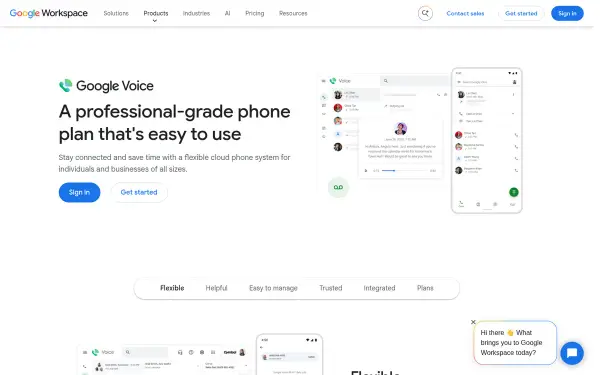
Google Voice gives Workspace customers a cheap second business number, but routing and analytics stop well short of a contact centre.
Google Voice attaches a business number to a Google Workspace account. Calls and texts run in the Voice app or a browser tab, voicemail arrives transcribed, and calls can forward to other devices, so the number follows a person rather than a desk. Because it lives beside Gmail and Calendar, teams already working in Google's tools need to learn very little.
What it is not is a phone system. The entry plan lacks advanced auto-attendant, call queues and analytics, so sending a caller to the right team means doing it by hand or moving to a higher tier. Support is lighter than at dedicated phone providers, which matters on the day a number stops ringing and nobody can find a person to fix it.
Pricing is on the vendor site, and we could not confirm a figure on the page we checked, so treat the vendor pricing page as the source. The effective cost is the Voice fee plus the Workspace subscription, so budget both together rather than comparing the Voice line item against a dedicated provider. There is no free plan and no trial listed here for the business product.
It fits teams already paying for Google Workspace that need a secondary work number, a published line for a small group, or a way to separate personal mobiles from client calls. It fits less well a contact centre, a team that needs queues and analytics on day one, or a business that wants one vendor accountable for both the number and the routing.
If your stack is Google and your routing needs are simple, the convenience is genuine. If calls are the product, buy a platform that treats them that way.
You already pay for Google Workspace and need a simple second number for a small team.
You need call queues, analytics or a vendor who will pick up the phone when routing breaks.
Entry III of IX / Flat-rate forwarding
Our verdict
Grasshopper forwards one business number to the phone you already own at a flat rate, which suits solo operators.
Grasshopper gives a small business one professional number with extensions, then forwards calls to the phone you already carry. Voicemail, call forwarding and a recorded greeting are the core of the product, and there is no hardware to buy. Setup is quick because nothing has to be installed on a desk.
The pricing model is the reason to consider it. It is flat-rate rather than per seat, and the Small Business tier covers multiple numbers and unlimited users sharing lines, which can undercut per-user pricing when a whole team answers one main number. For a solo operator or a two-person shop, that structure is easier to budget than a seat count that grows with every hire.
The trade-off is depth. This is a forwarding service, not a full VoIP calling platform, so call handling, integrations and analytics are limited. Number porting can take time, which matters if you are moving an established line away from a current carrier. Pricing is on the vendor site rather than a figure we could confirm, so check the current plan before committing. A 7-day free trial is available and there is no free plan.
It fits solo operators, trades, consultants and very small teams that need one line which sounds established and reaches a mobile. It fits less well a team that needs queues, CRM context, AI summaries or a softphone for every person on staff.
If your calls are simple and the number is the point, the flat rate is genuinely attractive. If the phone is where work gets routed and tracked, start with a platform instead.
You are a solo operator or tiny team that needs one number forwarded to the mobile in your pocket.
You need softphones for every person, call queues or CRM context on the call.
Entry IV of IX / One app for everything
Our verdict
RingCentral bundles voice, video and messaging at scale, but the core plan caps texting at 25 messages per user per month.
RingCentral is the widest scope on this list: unlimited domestic calling, video meetings for up to 200 participants, team messaging and a multi-level auto-attendant in one platform. Contact centre features sit on higher tiers, and the integration library covers Salesforce, HubSpot, Google Workspace and Slack, so the phone system plugs into the tools a sales or support team already runs.
The limits show up on the entry plan. Core caps texting at 25 messages per user per month, which a team that texts customers will exhaust in days; higher tiers lift the allowance and add call queues, AI transcription and analytics. Setup and administration take longer than a simple phone app, and someone has to own the configuration, because a multi-level auto-attendant is only useful when a person maintains it.
Pricing is on the vendor site and a free trial is listed. Because plans differ sharply by tier, compare the tier that includes the features you actually need rather than the headline rate. RingCentral scales from small teams to thousands of users, which is exactly why the plan grid is complicated and why the answer to "how much" depends on the routing you drew.
It fits growing teams that want voice, video and messaging from one vendor with one administration console, and companies that expect to add contact centre seats later. It fits less well a five-person team that only needs calls forwarded and texts answered.
If you want one platform and can staff the setup, it holds up under growth. If you want a phone working by Friday afternoon, it is more product than the job requires.
You want voice, video and messaging from one vendor and expect to add contact centre seats later.
Your team sends a lot of texts on the cheapest plan or you have no one to administer the setup.
Entry V of IX / Uptime and human support
Our verdict
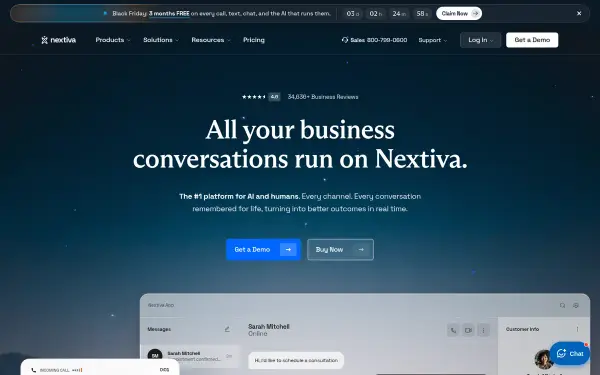
Nextiva pairs 99.999 percent stated uptime and US-based human support with an entry plan at $10 per user per month billed annually.
Nextiva bundles voice, video meetings, SMS and team chat in one platform, with a visual auto-attendant builder, call recording and voicemail transcription. Native Salesforce and HubSpot integrations put calls inside the CRM, and an AI assistant add-on produces call summaries. The administration console is designed for non-IT teams, which is the part buyers underestimate: somebody has to run this after the demo ends.
The pitch is reliability and support. Nextiva states 99.999 percent uptime and offers US-based human support, plus onboarding help aimed at teams without IT staff. For a customer-facing team, answered calls and a person on the line when something breaks can matter more than a longer feature list.
Pricing starts at $10 per user per month on the Go plan, billed annually. A free trial is not available on some plans, so evaluation usually happens through a demo rather than hands-on use. Bring a real script and a real routing diagram to that demo. The interface can feel dated, which is a taste question until it affects how fast new staff learn the system.
It fits customer-facing teams that prioritize uptime and human support, and offices that want a phone system administered by an office manager rather than an IT department. It fits less well teams that insist on trialing before buying, or buyers who judge a product mainly on interface polish.
If a broken line costs you revenue and you want a person to call, that combination carries weight. If you need to test drive before committing, confirm which plans include a trial before you shortlist it.
A dropped line costs you money and you want US-based human support plus onboarding help.
You will not buy without a hands-on trial of the full plan you intend to run.
Entry VI of IX / Built-in AI transcripts
Our verdict
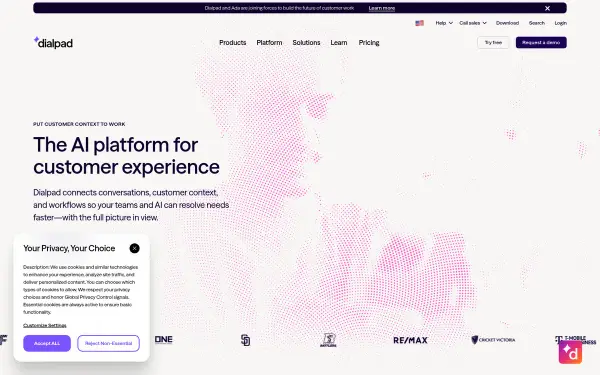
Dialpad includes real-time transcription and post-call summaries on every plan, with live coaching prompts for sales calls.
Dialpad leans on the conversation itself. Real-time transcription runs during calls, post-call summaries, action items and sentiment analysis arrive afterwards, and live coaching prompts nudge a sales rep mid-call. Because that AI layer is positioned as included rather than an add-on, the transcripts are the product rather than an upsell, which separates it from rivals charging separately for summarization.
Standard includes unlimited calling in the US and Canada, plus SMS, MMS and video meetings. Integrations cover Google Workspace, Microsoft 365, Salesforce and HubSpot. The interface is clean, and a rep can read a call back later instead of taking notes while a customer talks.
Two limits matter. Toll-free minutes are metered, so a support line taking heavy inbound toll-free traffic needs a volume estimate before you sign. Some advanced AI and contact centre capabilities sit on higher tiers, so the included AI is not the whole AI story. Pricing is on the vendor site: the page we checked showed only custom pricing for AI agent plans, with no figure for the standard voice tiers. Ask for a quote for your seat count rather than relying on a headline rate. A 14-day free trial is available and there is no free plan.
It fits call-heavy teams that want transcription and summaries built in, sales teams that coach from recordings, and support groups that review calls without extra tooling. It fits less well a small office that mainly needs a receptionist menu and nothing more.
If the words spoken on calls are the asset you want to keep, Dialpad is built around that idea. If you only need a number that rings a desk, the AI is overhead you pay for.
You want every call transcribed and summarized without buying an AI add-on.
You need a published per-seat price before you will take a call with sales.
Entry VII of IX / Desk phone support
Our verdict
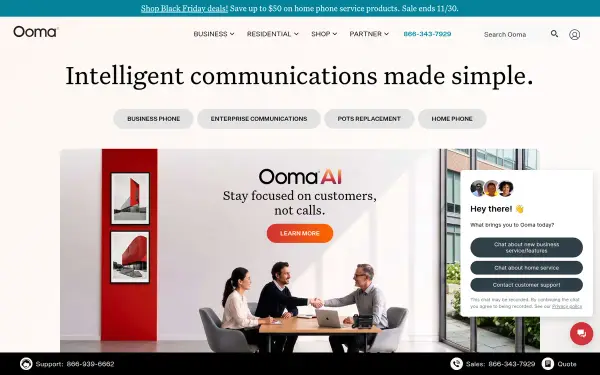
Ooma suits small offices that want desk handsets, a receptionist menu at entry level and a 30-day trial.
Ooma is aimed at the office rather than the laptop. The feature list reads like a small business phone system: a virtual receptionist, call forwarding, voicemail, call logs, support for physical desk phones and overhead paging, with no long-term contract requirement. For a shop, clinic or studio where a shared handset at the counter is how calls get answered, that combination is more useful than a softphone-first design.
The receptionist menu being included at entry level is a practical difference, because several rivals in this list gate auto-attendant to a higher tier. Desk phone setup is straightforward, and the 30-day free trial is longer than most competitors offer, giving a small office time to test call flow across a full billing cycle rather than a single quiet week.
The costs of that focus are real. The entry price is higher than several rivals, and the AI feature set is thinner, so teams wanting advanced AI should check the plan details. Pricing is on the vendor site, and we could not confirm a figure on the page we checked, so verify the current Essentials price before you compare totals.
It fits small offices that want desk phones and simple pricing, and businesses replacing an older analog system without wanting a softphone rollout. It fits less well remote-first teams, contact centres, and anyone whose buying criteria start with AI.
If a phone on the desk still matters, Ooma is built around that assumption and prices accordingly. If nobody has sat at a fixed desk in two years, the hardware support is money spent on the past.
Your office answers calls at a counter or front desk and wants handsets plus a receptionist menu.
Your team is remote-first or you are buying mainly for transcription and call summaries.
Entry VIII of IX / Programmable voice APIs
Our verdict
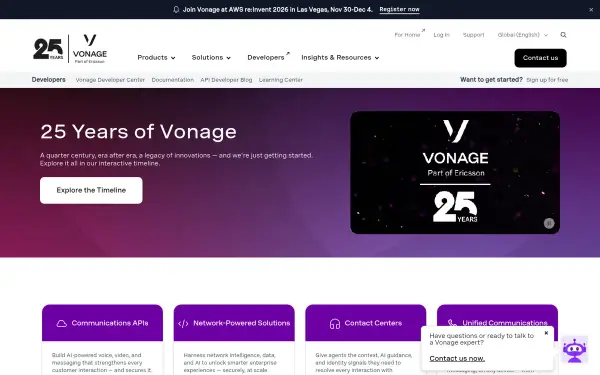
Vonage starts cheap and bills modularly, so the final cost depends on which add-ons a business switches on.
Vonage sells a modular system. Mobile and desktop calling apps carry the calls, and features such as video meetings, call recording and integrations are purchased a la carte rather than bundled. The entry plan bills per line rather than per user, which changes the arithmetic for a business with more people than lines, and the programmable voice APIs give developers a way to build calling into their own products.
That modularity is the strength and the trap. A low headline entry price gets you in the door, and then each add-on pushes the final bill above what the headline suggested. Budget from a feature list rather than from the entry rate, and ask for the total for your seat and line count in writing.
Pricing is on the vendor site. We could not confirm a figure on the page we checked, so verify the current Mobile plan price and which features are included before comparing it against a bundled provider. There is no free trial and no free plan, so evaluation usually means a sales conversation. Support quality can be uneven, which matters most on the day a line stops working.
It fits businesses that want a low-cost start and can add features as they grow, and companies with developers who want programmable voice to build on. It also fits a business with more staff than phone lines, since per-line billing rewards that shape. It fits less well teams that want one predictable per-user price with everything included, and buyers who want to test before signing.
If you know exactly which features you need and none of the others, a la carte can win on cost. If you want a bundle, it usually does not.
You have more staff than phone lines or a developer who wants programmable voice APIs.
You want a single predictable per-user price with the main features already bundled.
Entry IX of IX / Calling inside Zoom
Our verdict
Zoom Phone is a low-cost calling add-on for existing Zoom customers and thin value for everyone else.
Zoom Phone is cloud calling inside the app your team already opens for meetings. Auto-attendants, call queues, voicemail transcription and calling sit alongside meetings, chat and voicemail in one window, and administration runs through the Zoom admin controls an IT team already knows. For an organisation running meetings on Zoom, that is a short path to a working phone system.
Setup is quick precisely because the admin work is already done: accounts, permissions and the desktop client exist. Call quality is strong, CRM integrations cover common systems, and the phone-specific feature set stops short of a full unified communications platform. Teams that need a fuller unified communications platform will find the ceiling quickly.
The commercial case depends on an existing Zoom subscription. As an add-on for current customers the cost is low. For an organisation not using Zoom, the value largely disappears, because you would be buying a meetings platform to get a phone. Metered calling plans apply for the US and Canada on the plan we recorded, so check the meter before assuming unlimited. There is no free trial and no free plan. Pricing is on the vendor site, and we could not confirm a per-user rate on the page we checked.
It fits organisations already running meetings on Zoom that want calling without a second vendor, and IT teams that would rather not learn another admin console. It fits less well businesses with no Zoom footprint and contact centres that need advanced routing.
If Zoom is already the office, adding calling is a rational move. If it is not, you are paying for a platform you do not use to reach a phone you do.
Your organisation already runs meetings on Zoom and wants calling in the same app.
You do not use Zoom, or you need deep contact centre routing and coaching.
VIBackground
A business phone number service gives a company a number that is not tied to a handset or a personal mobile. Calls and texts arrive over the internet and land in an app, a browser tab, a desk phone, or forward to a phone you already own. The number is the product; the transport is a detail most buyers never think about until a call drops.
Three shapes appear in this list. A forwarding service such as Grasshopper gives you a number and sends calls to the phone in your pocket, with a greeting and voicemail. A full platform such as RingCentral, Nextiva or Dialpad carries the call itself and adds routing, call handling and CRM context. An add-on such as Google Voice or Zoom Phone attaches a number to a subscription you already pay for, which is cheap if you use that suite and expensive in practice if you do not.
VoIP is the technology that carries a call over an internet connection rather than a copper line. A virtual number is just a number that is not tied to a physical line. You can have a virtual number without VoIP (forwarding to a mobile), and VoIP without any interest in the number itself. The two get used interchangeably in sales conversations, which is why the first question to ask is what happens when someone dials.
Four things decide whether a service fits:
Answer those before comparing feature grids, because they change the bill and the day-to-day work more than a logo does.
This comparison sits in the software register. Further along the shore: baby tracking app and kennel software.
VIIPricing
Business phone pricing is not one number, and the headline rate is usually the smallest part of the bill. Five models show up in this list.
| Model | How it bills | Typical fit | Example from this list |
|---|---|---|---|
| Per user per month | A seat rate for each person, often discounted when billed annually | Teams where most people need their own line | OpenPhone at $15 on Starter billed annually; Nextiva at $10 on Go billed annually |
| Flat rate per number | One price for the number and the users on it, not a seat count | Solo operators and small teams sharing one line | Grasshopper |
| Add-on to a suite | A per-user fee on top of a subscription you already pay | Teams standardized on Google Workspace or Zoom | Google Voice (needs Workspace), Zoom Phone (needs Zoom) |
| A la carte modules | A base plan plus separately priced features | Buyers who know exactly which features they need | Vonage |
| Quote or See website | Price depends on tier and seat count, or is not published on the page checked | Teams with routing and contact centre needs | RingCentral, Dialpad and Ooma show See website |
Per-user billing is easy to underestimate, because the seat count grows with hiring. OpenPhone's Starter plan is $15 per user per month billed annually, so ten users is ten seats. Nextiva's Go plan is $10 per user per month billed annually. Both are published entry points, not quotes for your team.
Flat-rate pricing inverts that. Grasshopper prices flat-rate rather than per seat, and the Small Business tier covers multiple numbers with unlimited users on shared lines, which can undercut per-user pricing when a whole team answers one main number.
Add-on pricing hides cost in another subscription. Google Voice requires a paid Google Workspace subscription, so the effective cost is the Voice fee plus Workspace, and both should be budgeted together. A la carte pricing, as at Vonage, means the final bill depends on which features get switched on.
Where a vendor page was empty, blocked or quoted only custom pricing on the date we checked, the entry reads See website. Ask for a written quote for your seat count, and re-check the pricing sheet, because plan names change and limits move between tiers.
Each entry card shows the starting price as it appeared on the vendor's own pricing page on November 25, 2026. When a vendor shows no figure we could confirm, or only a promotional rate, the card says "See website" or gives the regular price instead of a guess. Usage, overage and add-on rates in the text change more often than plan prices, so confirm them on the vendor page before you set a budget. To test the numbers against your own volume, try the free User Research Budget Planner. The Event Break-Even Calculator is a second way to check the same decision.
VIIIDecision
Count seats and numbers separately. List how many people need their own line and how many shared numbers the business answers. Per-user services such as OpenPhone and Nextiva scale with seats, while flat-rate services such as Grasshopper price the number instead.
Decide whether texting is a channel or an afterthought. If customers text you, check the allowance on the entry tier. RingCentral's core plan caps texting at 25 messages per user per month, and higher tiers lift it. A team that texts daily will hit that ceiling fast.
Audit the entry tier for features you assume are standard. Auto-attendant, call queues and analytics often sit one tier up. OpenPhone's Starter plan has no phone menu, and Google Voice's entry plan lacks advanced auto-attendant, queues and analytics. Price the tier you actually need.
Map the systems the phone has to touch. Write down the CRM, help desk and calendar the team uses. OpenPhone, Nextiva, RingCentral and Dialpad all name Salesforce or HubSpot integrations, and Google Voice and Zoom Phone make most sense inside their own suites.
Book a trial or a demo with a real script. Trials run from 7 days at OpenPhone and Grasshopper to 30 days at Ooma, and Nextiva withholds a trial on some plans in favor of a demo. Call in from a mobile and walk the routing you drew.
Price the whole bill before you commit. Add the seat rate, the tier that carries your features, any add-on such as Nextiva's AI assistant, and the platform you must already own. Compare totals at your real headcount, not the starting price on the page.
IXPitfalls
Buying on the headline seat price. The entry rate often excludes the routing, analytics or texting volume you need, so the tier you actually buy costs more. Price the tier you will run, not the banner on the page.
Assuming auto-attendant is included. Several entry plans gate the phone menu. OpenPhone's Starter tier has no phone menu or auto-attendant, and Google Voice's entry plan lacks advanced auto-attendant and call queues.
Forgetting the subscription the number depends on. Google Voice requires a paid Google Workspace subscription, and Zoom Phone pays off only if you already run Zoom. Budget the platform and the phone together.
Treating a forwarding service as a phone system. Grasshopper forwards calls to the phone you own. That is enough for a solo operator and not enough for a team that needs queues, CRM context or AI summaries.
Leaving SMS registration until launch day. US application-to-person texting needs carrier registration before volume goes out, and approval takes time. Unregistered traffic gets filtered, so start the paperwork when you pick the vendor.
XQuestions
One seat is almost always cheaper on a per-user service, but flat-rate services can beat it for a team sharing one number. OpenPhone charges $15 per user per month on Starter billed annually, so ten users means ten seats. Grasshopper prices flat-rate rather than per seat, and its Small Business tier covers unlimited users on shared lines. Compare totals at your real headcount, not the entry rate.
Porting time depends on the losing carrier and on how clean your account details are, so confirm any fee with the vendor before you start. Number porting can take time with Grasshopper. Ask support in writing about any porting fee and keep the old line active until the transfer completes.
Apps are enough for most teams, and a desk phone is a preference rather than a requirement. OpenPhone runs calling from a desktop app or a web browser, and Dialpad, RingCentral and Zoom Phone all provide business calling. Ooma is the entry here that supports physical desk phones, alongside overhead paging, which suits offices, shops and clinics where a shared handset matters. Buy handsets only where a fixed phone is genuinely used.
A virtual number is a phone number that is not tied to a physical line; VoIP is the technology that carries the call. Grasshopper gives you a business number that rings an existing phone, which is a virtual number without a full phone system. Platforms such as RingCentral and Nextiva carry the call themselves and add routing and call handling on top.
Read the cap before you buy, because entry tiers vary widely. RingCentral's core plan caps texting at 25 messages per user per month, which a customer-facing team will exhaust quickly; higher tiers lift the allowance. OpenPhone and Dialpad treat texting as a core channel on their plans. If texting is central to how you sell, price the tier that carries the volume you actually send.
In the US, application-to-person texting needs carrier registration, commonly 10DLC, before messages go out at volume. That means a brand and campaign registration tied to your business identity, and approval takes time. Plan for it before launch rather than after, because unregistered traffic gets filtered. Ask each vendor how it handles registration and which tiers support it, since that work sits outside the per-seat price.
XIFurther along the shore
Vendors can ask for a correction or apply for a Featured listing. Paid or not, the entry is scored on the same rubric and its limits stay in print. Partner with Umberlake.
Free tools
Our free browser tools turn the prices on this page into a figure for your own volume. Nothing you type leaves your device.