
Ramp
FreeFree core plan, Plus at $15 per user per month, 20% off with annual billing
Best for free expense management and AP automation for startups
- Free plan
- Yes, free core plan
- Rubric
- 8.1 of 10
Seven tools that code transactions, capture invoices and move payments, compared on integrations, global reach, tax handling and what each one actually costs.

IThe short answer
The best accounting automation software in November 2026 depends on which task you want to remove. Ramp suits startups that want expense and AP automation on a free core plan, Brex suits teams that also book travel, and BILL suits finance teams that need invoice-to-payment workflows synced to a major ledger. The rest of this list covers global contractor payments, receipt capture, cash forecasting and outsourced bookkeeping. Prices were checked on November 26, 2026.
7 tools compared from vendor pages on November 25, 2026. 4 publish a starting price we could read; the rest say "See website".
IITop three berths
Register order is editorial fit for the buyer each entry describes. Prices are the starting figures read on November 25, 2026.
FreeFree core plan, Plus at $15 per user per month, 20% off with annual billing
Best for free expense management and AP automation for startups

FreeEssentials free, Premium $12 per user per month
Best for startup spend management with integrated travel booking

See website
Best for accounts payable automation synced to major accounting ledgers
How this page is paid for. All 7 tools here are unpaid editorial picks.
A paid listing's position can be part of what the vendor pays for. Every entry, paid or not, is scored on the same rubric and keeps its limits in print. Advertising disclosure.
IIIThe register
Starting prices as shown on each vendor's pricing page on November 25, 2026. "See website" means no figure we could confirm.
| No. | Tool | From | Free plan | Trial | Rubric | Actions |
|---|---|---|---|---|---|---|
| 01 | RampFree expense management and AP automation for startups | FreeFree core plan, Plus at $15 per user per month, 20% off with annual billingRead on vendor page | Yes | 30-day free trial on Plus | 8.1 | |
| 02 | BrexStartup spend management with integrated travel booking | FreeEssentials free, Premium $12 per user per monthRead on vendor page | Yes | No | 7.6 | |
| 03 | BILLAccounts payable automation synced to major accounting ledgers | See websiteNot shown publicly | No | Free trial | 7.3 | |
| 04 | TipaltiGlobal supplier and contractor payments with tax compliance | $99Accounts Payable plan, per month, unlimited users, plus transaction feesRead on vendor page | No | No | 7.2 | |
| 05 |  DextReceipt and invoice capture feeding existing accounting software | See websiteNot shown publicly | No | 14-day trial, no credit card | 6.7 | |
| 06 |  FloatCash flow forecasting from live accounting data | £159Growth, per month, billed annually, £199 if billed monthlyUpdated on vendor page | No | 14-day free trial, no credit card required | 7.1 | |
| 07 |  BotkeeperAI bookkeeping with a human accounting team | See websiteNot shown publicly | No | Free trial | 5.8 |
Pinned:
IVMethod
Every tool on this list was scored against the same five criteria: how well it syncs to a real ledger (25%), how much of the work it removes without a human (25%), how clearly it publishes what it costs (20%), how far it can pay or collect across borders (15%), and how much setup and upkeep it demands (15%). Scores reflect the vendor's own documentation of features and limits, not a scripted demo.
Prices, plan names, free tiers and trials come from vendor pricing pages checked on November 26, 2026. Where a pricing page could not be retrieved on that date, we say so in the review and point you to the vendor site rather than quoting a figure we could not confirm. Transaction fees, per-user charges and add-ons are called out separately, because they move the cost of ownership more than the headline subscription does.
The order of this list is editorial. It reflects how well each tool fits the specific buyer described in its entry, not a weighted total and not a score sort. Any entry marked Featured is a paid placement. It is scored with the same rubric as everything else and carries the same kind of honest cons.
The full routine, from price reads to corrections, is on the methodology page. Paid listings follow the advertising disclosure.
How cleanly the tool syncs with the accounting system you already run, and whether that sync is two way.
How much of the repetitive work the product removes before a person has to step in.
Whether costs are published, how many separate charges exist, and how predictable the bill is at volume.
Coverage for cross-border payees, currencies, payment methods and the tax paperwork that comes with them.
The time and internal work needed to connect accounts, agree rules and keep the system running.
Entry I of VII / Free core platform
Our verdict
The strongest free starting point for startups, and the Plus tier covers ERP sync for larger teams.
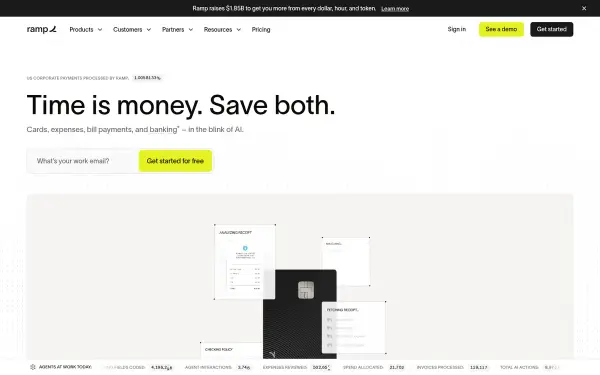
Ramp puts corporate cards, expense management and accounts payable in one place and gives the core platform away. Cards can be issued in any quantity, each with its own spending controls, and receipts are matched to transactions automatically. Invoices are captured with OCR, then routed into bill pay so a vendor bill becomes a scheduled payment without retyping.
The accounting side is the reason it lands first here. Transactions get coded automatically, anomalies get flagged, and the free tier syncs with QuickBooks Online and Xero. That covers the chores most small finance teams still do by hand: matching receipts, coding spend and pushing clean data into the ledger.
The Plus tier at $15 per user per month, with 20% off on annual billing, adds NetSuite and Sage Intacct integrations, automated tax coding and multi-entity management. That is what pushes it from a startup tool into something a larger finance team can run, and the 30-day trial on Plus is the low-risk way to test the ERP side. One caveat: Ramp has not published the platform fee it charges on the paid tier, so budget for a sales conversation before committing.
It fits startups and small finance teams already on QuickBooks Online or Xero who want expense and AP automation without a new subscription line item. If you run NetSuite or Sage Intacct and need deep ERP sync, plan for Plus and confirm the total cost first.
You are on QuickBooks Online or Xero and want cards, expenses and AP automation without a subscription.
You need NetSuite or Sage Intacct sync now and cannot take on an unpublished platform fee.
Entry II of VII / Travel plus cards

Our verdict
Best when travel sits next to spend, but the value depends on moving spend onto Brex cards.
Brex bundles corporate cards, AI expense rules, travel booking and real-time spend analytics into a free Essentials plan, which is unusual for a product that also handles invoice processing and employee reimbursements. The cards carry no annual fee, and expenses are governed by rules rather than one blanket limit.
Travel is the differentiator. Flights and hotels come back sorted by price, so booking happens inside the system that already holds the card data, and the spend appears in analytics without a separate reconciliation step. Multi-currency support and regional card programs make it workable for teams paying in more than one currency, and 24/7 support is included on every plan.
Premium costs $12 per user per month and layers on layered expense policies, flexible approval workflows and multi-entity management. Enterprise pricing is custom. The catch is structural: the useful parts assume you move spend onto Brex cards, and smaller businesses may not qualify for the card program at all, which leaves the software without its main input. There is no free trial.
It fits startups and mid-size companies that want travel, cards and expenses in one place and expect to qualify for the card program. If you cannot get a Brex card, the software alone is a thinner proposition and Ramp may be a better fit for expense and AP work.
You can qualify for the card program and want travel, expenses and cards in one place.
Your business is too small to qualify for a Brex card, since most of the value depends on card spend.
Entry III of VII / Two-way ledger sync
Our verdict
The pick for finance teams that need vendor bills to reach the ledger and get paid without retyping.
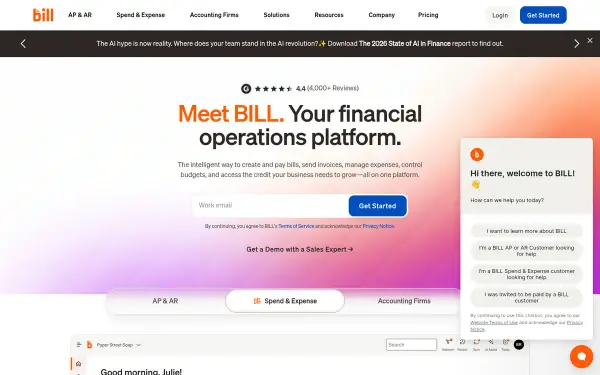
BILL is built around the invoice inbox. You forward or upload a bill, OCR pulls the invoice data, and approval routing sends it to the right person. Payment then goes out by ACH, wire, virtual card or check, so a supplier with an old-fashioned remittance preference does not break the process.
The integration story is the strongest part. Two-way sync runs to QuickBooks, Xero, NetSuite, Sage Intacct and Microsoft Dynamics, which means bills and payments land in the ledger without a manual journal entry. Fraud detection and an audit trail sit over the approvals, and international payments reach 130+ countries. A separate Spend & Expense product, formerly Divvy, covers cards and expenses if you want one vendor for both.
Pricing is on the vendor site and billed per seat. We could not confirm current figures on this check, so treat any per-seat number quoted elsewhere as provisional and ask for a quote at your own team size. Two cost drivers matter: per-seat pricing grows with headcount, and ACH payments carry a transaction fee. Approvals also allow only one approver per step, so a complex sign-off chain needs designing around that limit.
It fits finance teams processing a steady volume of vendor bills who already run one of the major ledgers. It is a poor fit for a small team with few bills or an approval matrix that puts several people on each step.
You process a regular volume of vendor bills and need two-way sync to a major ledger.
You have a small team, few bills, or approval chains that need more than one approver per step.
Entry IV of VII / Global tax compliance
Our verdict
Built for global payee lists and tax paperwork, with unlimited users on every plan.
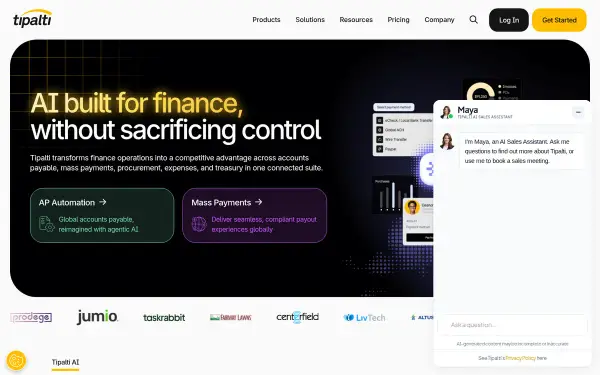
Tipalti is built for the messy end of payables: paying many suppliers and contractors across borders while staying on the right side of tax rules. Suppliers onboard themselves through a portal, AI scans invoices, and payments go out in 200+ countries and 120 currencies across 50+ payment methods.
Compliance is why finance teams pick it. W-8 and W-9 collection is automated, tax IDs are validated, 1099 and 1042-S reporting is generated, and sanctions screening runs against payees. ERP integrations keep the ledger in step, and the Advanced tier adds PO matching and multi-entity infrastructure.
The Accounts Payable plan is $99 per month with unlimited users, and transaction fees sit on top of that subscription, so real cost tracks payment volume rather than headcount. Advanced is $199 per month. There is no free plan and no trial, which means an evaluation runs through a sales conversation. For a business paying a handful of local suppliers by bank transfer, the subscription plus fees is hard to justify against a basic AP module in the ledger.
It fits companies with a global supplier or contractor base, cross-border tax obligations, or other high-volume contractor payments where a spreadsheet has stopped being safe. It does not fit a small domestic business with a short vendor list and simple payment habits.
You pay suppliers or contractors across borders and need tax forms and sanctions screening handled.
Your vendor base is small and local, since subscription plus transaction fees will outweigh the benefit.
Entry V of VII / Receipt data capture
Our verdict
A focused capture tool that feeds clean receipt and invoice data into the ledger you already own.
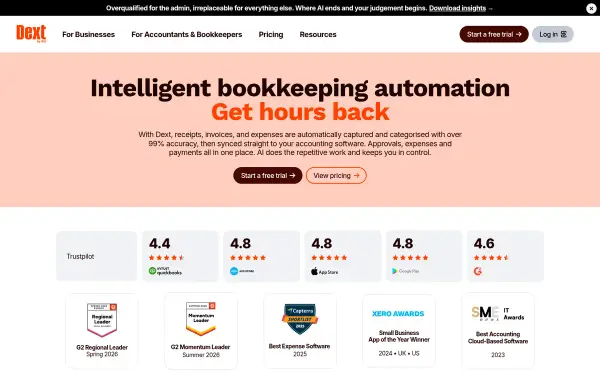
Dext handles the least glamorous part of accounting: getting a clean image and clean data out of a paper or PDF receipt. Documents arrive by app, email, WhatsApp or a supplier portal, and AI extraction pulls supplier, date, tax and total. Supplier rules then apply the coding you have already agreed, so the same vendor lands in the same account every month.
Publishing is where it earns its place. Items go to Xero, QuickBooks or Sage, and the product supports 36+ accounting platforms, so Dext works alongside whatever ledger you run rather than replacing it. Expense management and mileage tracking are included, and the practice dashboard gives accounting firms one view across client books.
Pricing is on the vendor site and could not be verified on this check, so confirm current figures directly. The 14-day trial needs no credit card, which is the sensible way to test extraction against your own worst receipts before buying. Two extras to budget for: line-item extraction and AI Assist are add-ons rather than part of the base price, and practice pricing carries a client minimum.
It fits bookkeepers, accounting firms and finance teams that already have a ledger and a receipt problem. It does not fit anyone looking for a full accounting system, because Dext needs one underneath it to be useful.
You already run a ledger and receipts are the bottleneck at month end.
You need a full accounting system or want line-item extraction without an extra charge.
Entry VI of VII / 36-month forecast
Our verdict
Cash forecasting that reads your ledger without touching it, priced above many accounting packages.
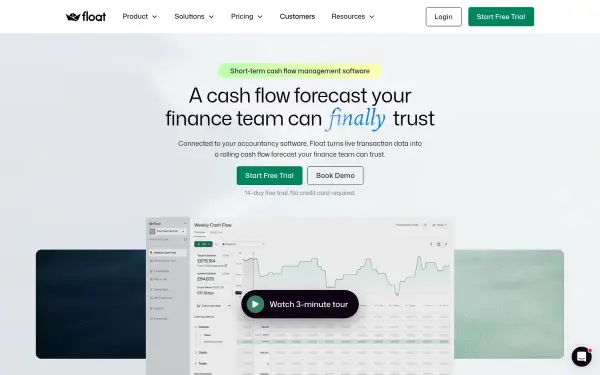
Float reads your accounting data rather than replacing it. A read-only connection to QuickBooks Online or Xero pulls invoices and bills with their expected payment dates, then draws a visual cash forecast up to 36 months out, viewed by day, week or month. Nothing is written back to the ledger, which removes the usual worry about a forecasting tool touching the books.
Scenario planning is the core value. You can push a large payment back two weeks or model a slow month and see the cash impact immediately, and early warning thresholds flag the point where the balance drops below a number you set. The Scale tier adds multi-entity consolidation for groups running more than one set of books.
Growth costs £159 per month billed annually, or £199 if billed monthly. That is more than many small businesses pay for their accounting software, which is the honest trade: you are buying foresight, not compliance. Float is forecasting only, so it will not file a return or chase a debtor. Note too that Xero now includes a basic 180-day cash projection, so single-entity Xero users should check whether the built-in view already covers them before paying.
It fits founders, finance managers and multi-entity groups that need a forward cash view beyond a spreadsheet. It does not fit a business that only needs a rough monthly cash total.
You need a forward cash view across 36 months and already keep clean books in Xero or QuickBooks Online.
You only need a rough monthly cash total or a single-entity Xero user is happy with the built-in projection.
Entry VII of VII / Human-reviewed books
Our verdict
Bookkeeping delivered as a service, strongest for firms that want a white-label back office.
Botkeeper is a service more than a product. Machine learning categorizes transactions and reconciles accounts, and a human accounting team reviews the exceptions, so a month gets booked without hiring a full bookkeeping staff. Payroll journal entries and document management sit inside the same workflow.
The model suits accounting firms. Client dashboards give a practice one view across books, users are unlimited for firm workflows, and the service can run white-label as a back office behind your own brand. A business owner can use it, but the setup and the conversation are built around a firm managing many clients rather than one set of books.
Pricing is quote-based, which is the main practical drawback. You cannot compare it on a pricing sheet, scope drives the number, and a small business may struggle to benchmark the quote against a part-time bookkeeper. Integration also leans heavily on QuickBooks Online, so a Xero or NetSuite shop needs to confirm fit before going further. A free trial is the right way to test whether the human review layer actually reduces the questions you get at month end.
It fits accounting firms and growing companies that want bookkeeping handled with a review layer behind the automation. It does not fit owners who want to keep bookkeeping in-house or who need a published price before they will talk.
You run an accounting firm or want bookkeeping delivered with human review behind the automation.
You need a published price before you will evaluate, or your books live outside QuickBooks Online.
VBackground
Accounting automation software takes the repetitive work out of the books: capturing documents, coding transactions, routing approvals, moving money and reconciling accounts. It almost never replaces the ledger. Most tools here are a layer that reads from or writes to QuickBooks, Xero, NetSuite, Sage Intacct or Microsoft Dynamics, and the quality of that connection decides how much time you actually save.
The category splits into five jobs. Spend and expense tools such as Ramp and Brex issue cards, match receipts and code transactions. AP tools such as BILL and Tipalti take a bill from inbox to payment, with tax compliance in Tipalti's case. Capture tools such as Dext extract data from receipts and invoices and publish it. Forecasting tools such as Float read the ledger and project cash. Outsourced bookkeeping such as Botkeeper pairs software with a human team.
Three things separate a good fit from a bad one:
The strongest results come from automating one bottleneck at a time. A team drowning in receipts should fix capture before buying forecasting. A team with a two-week payment cycle should fix approvals and payments first. Buying all five jobs at once usually means paying for overlap and running two systems that disagree with each other.
This comparison sits in the finance register. Further along the shore: lease accounting software and accounting software for landlords.
VIPricing
Pricing in this category is rarely one number. Vendors combine a platform fee, per-user charges, per-transaction fees and paid add-ons, so the billing model tells you more than the headline price does. Compare total cost at your own volume: a low seat price with a per-payment fee can cost more than a flat subscription once you process a few hundred bills a month.
| Model | How it bills | Typical fit | Example from this list |
|---|---|---|---|
| Free core with paid upgrade | No cost for the base product, per-user fee for advanced tiers | Startups already on QuickBooks Online or Xero | Ramp: free core plan, Plus at $15 per user per month, 20% off with annual billing |
| Per seat subscription | Monthly charge for each user | Teams with a defined spend or AP process | Brex Premium at $12 per user per month |
| Subscription plus transaction fees | Monthly platform fee, then a charge per payment | Cross-border supplier and contractor payments | Tipalti Accounts Payable at $99 per month with unlimited users |
| Feature-tiered subscription | Monthly or annual fee that rises with features, not users | Forecasting and multi-entity reporting | Float Growth at £159 per month billed annually, £199 if billed monthly |
| Quote-based | Custom quote after a sales conversation | Firms and larger books | Botkeeper |
Two entries, BILL and Dext, list their pricing on the vendor site and could not be verified on this check, so treat any figure you see quoted for them as provisional until the vendor confirms it. Tipalti and BILL both add transaction fees on top of the subscription, and Dext charges separately for line-item extraction and AI Assist.
Each entry card shows the starting price as it appeared on the vendor's own pricing page on November 25, 2026. When a vendor shows no figure we could confirm, or only a promotional rate, the card says "See website" or gives the regular price instead of a guess. Usage, overage and add-on rates in the text change more often than plan prices, so confirm them on the vendor page before you set a budget. To test the numbers against your own volume, try the free Lease Liability Calculator. The Event Break-Even Calculator is a second way to check the same decision.
VIIDecision
VIIIPitfalls
IXQuestions
The repetitive ones: coding transactions, matching receipts to card charges, capturing invoice data, routing approvals, scheduling payments, reconciling accounts and collecting W-8 or W-9 tax forms. Ramp automates coding and receipt matching, BILL automates invoice capture and approvals, Tipalti automates tax form collection and Dext automates receipt extraction. Judgment calls such as revenue recognition and accrual decisions still need a person.
No. Most connect to QuickBooks, Xero or another ledger and push clean data into it. Ramp, BILL and Dext all sync rather than replace. Float is read-only and needs a ledger underneath it. Tipalti and Botkeeper also assume an accounting system exists. Brex holds cards and spend data but still expects a ledger to hold the books.
Ramp leads on free AP and expense automation, with transaction coding and QuickBooks Online or Xero sync at no cost, plus a $15 per user Plus tier for NetSuite and Sage Intacct. Brex leads on travel, with price-sorted flight and hotel inventory inside the same system as cards and expenses on a free Essentials plan. Choose Ramp for bill pay and coding, Brex for travel-led spend.
Pricing is on the vendor site and we could not confirm current figures on this check, so ask for a quote at your own team size. The structure is per seat, so cost grows with headcount, and ACH payments carry a transaction fee on top. Each approval step allows only one approver, which shapes workflow design more than price.
No. Automation handles categorization, matching, data extraction and reconciliation, and Botkeeper adds human review of exceptions rather than removing the human. Decisions about accruals, revenue recognition, cut-off and unusual transactions still need someone who knows the business. Treat these tools as a way to remove keystrokes so your accountant spends time on the calls that matter.
Start with receipt and invoice capture, then transaction coding, because both are high volume, low judgment and easy to verify. Ramp and Dext both attack this. Approvals and payments come next, where BILL and Tipalti fit. Forecasting, where Float sits, only pays off once the underlying books are clean and current, so leave it until capture and coding are stable.
XFurther along the shore
Vendors can ask for a correction or apply for a Featured listing. Paid or not, the entry is scored on the same rubric and its limits stay in print. Partner with Umberlake.
Free tools
Our free browser tools turn the prices on this page into a figure for your own volume. Nothing you type leaves your device.