
FreshBooks
$2.30Lite, per month, 90% off for 4 months, was $23.00, up to 5 billable clients
Best for freelancers and service firms that bill by the hour
- Free plan
- No, free trial instead
- Rubric
- 7.6 of 10
Eight invoicing tools ranked by how well they bill hours, chase late payments and keep the books straight, with prices checked on November 26, 2026.

IThe short answer
FreshBooks, Wave and Zoho Invoice form the top of our best invoice software list for November 2026. FreshBooks suits freelancers and service firms that bill by the hour, Wave gives solo owners free invoicing with basic bookkeeping, and Zoho Invoice packs recurring billing and a client portal into a free product capped at 1,000 invoices a year. Every entry below was checked against the vendor pricing page on November 26, 2026, and the eight tools span free invoicing, payment-led invoicing and full accounting suites.
8 tools compared from vendor pages on November 25, 2026. 5 publish a starting price we could read; the rest say "See website".
IITop three berths
Register order is editorial fit for the buyer each entry describes. Prices are the starting figures read on November 25, 2026.
$2.30Lite, per month, 90% off for 4 months, was $23.00, up to 5 billable clients
Best for freelancers and service firms that bill by the hour

FreeStarter, free, unlimited estimates, invoices, bills, and bookkeeping records
Best for solo owners who want free invoicing plus basic books
FreeFree, capped at 1,000 invoices per year and 3 users
Best for small businesses that want deep invoicing at no cost
How this page is paid for. All 8 tools here are unpaid editorial picks.
A paid listing's position can be part of what the vendor pays for. Every entry, paid or not, is scored on the same rubric and keeps its limits in print. Advertising disclosure.
IIIThe register
Starting prices as shown on each vendor's pricing page on November 25, 2026. "See website" means no figure we could confirm.
| No. | Tool | From | Free plan | Trial | Rubric | Actions |
|---|---|---|---|---|---|---|
| 01 | FreshBooksFreelancers and service firms that bill by the hour | $2.30Lite, per month, 90% off for 4 months, was $23.00, up to 5 billable clientsUpdated on vendor page | No | 30-day free trial | 7.6 | |
| 02 | WaveSolo owners who want free invoicing plus basic books | FreeStarter, free, unlimited estimates, invoices, bills, and bookkeeping recordsRead on vendor page | Yes | No | 7.6 | |
| 03 | Zoho InvoiceSmall businesses that want deep invoicing at no cost | FreeFree, capped at 1,000 invoices per year and 3 usersRead on vendor page | Yes | No, product is free | 7.5 | |
| 04 | Invoice NinjaTechnical owners who want control and self-hosting options | See websitePro, per month, price unverifiedNot shown publicly | Yes | No, free plan instead | 6.1 | |
| 05 |  Square InvoicesBusinesses already processing payments through Square | See websiteFree invoicing, card processing fees apply per paymentNot shown publicly | Yes | No | 6.9 | |
| 06 |  HoneyBookSolo service providers who book clients before billing them | $18Starter, per month billed annually, 50% off, regular $36Updated on vendor page | No | Free trial | 6.4 | |
| 07 | QuickBooks OnlineBusinesses whose accountant already works inside QuickBooks | See websiteSimple Start, per month, single user tierNot shown publicly | Yes | 30-day free trial | 7.3 | |
| 08 |  XeroGrowing businesses needing accounting depth beyond invoicing | $2.70Early, per month, 90% off first 6 months, usually $27, 20 invoices and 5 billsUpdated on vendor page | No | One month free | 7.4 |
Pinned:
IVMethod
We scored eight tools on five criteria, weighted toward what a small business uses in its first year. Invoice depth (25%) covers recurring schedules, reminders, estimates, multi-currency and client portals, judged only on the plan you would realistically pay for. Pricing clarity (20%) asks how predictable the bill stays once client caps, seat charges and promotional rates expire. Ease of use (20%) is how fast a non-accountant can issue a first invoice and get paid. Books and tax (20%) rewards invoices that land in records you or your accountant can reconcile without re-keying. Payment options (15%) covers gateway range, card and bank links, and what processing skims from each invoice.
Prices, plan names, trials and free-plan limits come from each vendor's own pricing page, checked on November 26, 2026. Where a pricing page returned nothing, or showed only a promotional rate, we say so in the entry rather than filling the gap with a guess.
The order is editorial: it reflects fit for the buyer described in each entry. A Featured placement is paid, and a featured tool is scored on the same rubric, with the same honest cons, as every other entry.
The full routine, from price reads to corrections, is on the methodology page. Paid listings follow the advertising disclosure.
Recurring schedules, reminders, estimates, portals and multi-currency, judged on the plan you would actually pay for.
How predictable the bill stays once client caps, seat charges and promotional rates expire.
How quickly a non-accountant can issue a first invoice and collect payment on it.
Whether invoices land in accounting records you or your accountant can reconcile without re-keying.
Gateways, card and bank payment links, and what processing takes from each invoice.
Entry I of VIII / Hours become invoices
Our verdict
The best pick for hourly billers, because tracked time becomes an invoice line without re-entry.
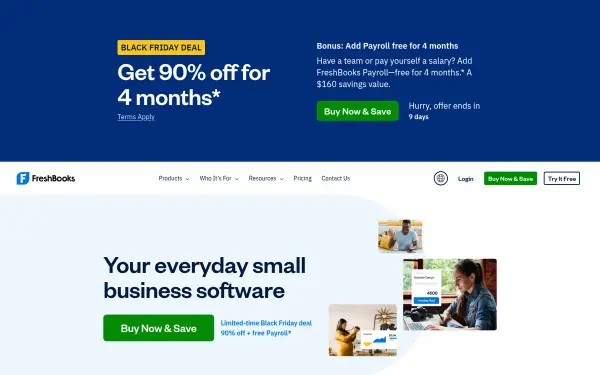
FreshBooks puts the timer beside the invoice. Tracked hours convert into invoice line items in one click, so anyone billing by the hour never re-enters a timesheet into a billing document. Invoices and estimates are unlimited on every tier, and online card and bank payment links sit on the invoice itself, so a client can pay without leaving the page. Proposals, retainers and automated late-payment reminders are bundled rather than sold separately, expenses attach to client projects, and a client portal covers viewing and paying.
Pricing needs reading closely. The page leads with $2.30 per month, a four month promotional price at 90% off the $23 Lite list rate. Lite caps you at 5 billable clients. Plus at $43 covers 50 clients and adds proposals and accounting reports; Premium at $70 removes the client ceiling and adds project profitability reporting. Two catches: archived clients still count toward the cap, and going from 5 to 6 clients moves the whole bill to the Plus rate. Additional team members are charged per person per month on top, and payment processing and payroll are extra-cost add-ons. There is a 30-day free trial and no free plan.
That shape suits freelancers and service firms with steady hourly work and a client list measured in dozens, not hundreds. High-volume fixed-price billing runs into the client cap quickly.
You bill by the hour and want time, invoices and reminders in one place.
You invoice hundreds of small fixed-price jobs, where the client cap bites fast.
Entry II of VIII / Free core billing
Our verdict
Free invoicing and bookkeeping with no client ceiling, though useful automation sits behind a $19 plan.
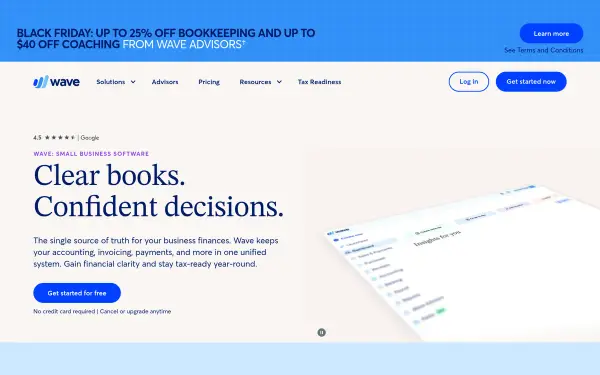
Wave gives away the part most small businesses need first. The free Starter plan includes unlimited estimates, invoices and bills, unlimited clients, basic accounting, expense tracking and bookkeeping records, with online payment processing built in. Nothing is capped by client count or invoice volume, and setup is quick enough for a non-accountant to finish in an afternoon.
The paid Pro tier at $19 per month is what switches on the automation: automatic late-payment reminders, bank transaction imports and receipt scanning. That is a fair split, but it means anyone who wants reminders ends up on a paid plan in practice. Support depth is thinner than at paid competitors, and card transaction fees erode the savings for businesses that collect most revenue by card. There is no free trial because the free plan does the trial job.
Compare total cost, including processing fees, against a paid tool with lower rates before assuming free wins. For a solo owner sending a few dozen invoices a month and collecting part by bank transfer, the arithmetic usually holds up. For a card-heavy service business processing large monthly turnover, fees decide the outcome, not the subscription.
You want free invoicing and simple books without a client ceiling.
You need automatic reminders on day one or deeper support.
Entry III of VIII / Free invoicing depth
Our verdict
Deep free invoicing with recurring schedules and a client portal, limited to 1,000 invoices and 3 users.
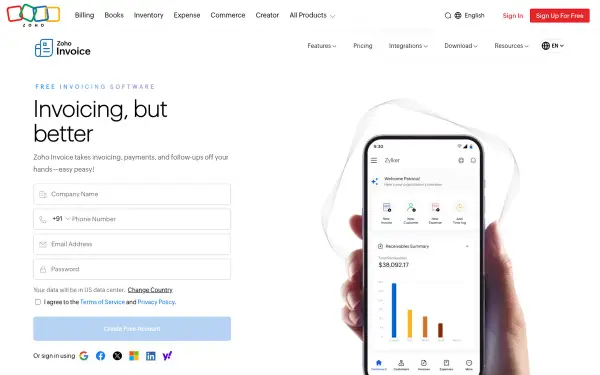
Zoho Invoice is the rare free product with no upsell tier behind it. Recurring invoices can be scheduled, payment reminders go out automatically, time and expense tracking tie back to projects, and a client portal handles viewing and payment. Estimates convert into invoices, multi-currency billing and digital signatures are included, Stripe and PayPal connect for collection, and the interface ships in 17 languages.
The limits are volume and headcount, not features. The free plan allows 1,000 invoices per year and 3 users, so a business sending around 100 invoices a month reaches the ceiling inside a year. At that point the answer is usually a paid tool from another vendor, because Zoho Invoice itself has no paid tier to upgrade into. Smaller operations, or firms with seasonal spikes, sit comfortably under the cap.
Two soft costs matter. The interface feels dated next to newer invoicing tools, and support response times can be slow, which hurts when a client cannot pay and you need an answer the same day. Businesses already running other Zoho apps get a smoother ride, since navigation and the data model will feel familiar from the first login.
You send under 1,000 invoices a year and want recurring billing free.
You bill at high volume or need fast, same-day support.
Entry IV of VIII / Self-hosted control

Our verdict
Best for owners who want self-hosting and gateway choice, at the cost of a rougher, more technical setup.
Invoice Ninja is built for owners who want to own the stack. The free plan covers real invoicing work: invoices, quotes and recurring billing, not a crippled teaser. The paid Pro tier adds custom domains for client-facing pages and a white-labeled client portal. More than 40 payment gateways are supported, including Stripe, PayPal and Square, which is the broadest coverage in this comparison, and expense tracking is included.
The open-source codebase is the differentiator. An owner can self-host on their own server and keep client data on infrastructure they control rather than the vendor's. That appeals to technical founders, agencies with data residency requirements and anyone who has lived through a platform migration they did not choose.
The trade is polish. Setup and the interface assume more technical confidence than mainstream rivals, the mobile apps are less developed, and support runs through community channels and email rather than a phone line. Pricing is on the vendor site, but the pricing page came back empty when we checked on November 26, 2026, so treat the Pro figure as unverified and confirm it before you budget.
Pick it when gateway coverage and control matter more than hand-holding. Skip it if you want a product you can learn without reading documentation.
You want to self-host invoicing and connect almost any payment gateway.
You want a polished interface and phone support on day one.
Entry V of VIII / Payments in one place

Our verdict
Free invoicing that pays off mainly when card payments already run through a Square account.
Square Invoices is the shortest path from a sale to an invoice if money already moves through Square. Invoices are created in the same dashboard as the payments register, delivered by email or text, and payable by card or ACH. You can see in real time when a client opens and pays, line items break out by product or service, and estimates convert into invoices without retyping.
Sending invoices costs nothing. The cost lands on processing: standard Square card rates apply per payment, so a business collecting mostly by card pays through fees rather than a subscription. That model rewards low-volume, high-ticket invoicing and penalizes anyone processing heavy monthly turnover. Milestone-based project invoicing and multi-package estimates require the paid Plus tier, and the product is single-currency, which constrains cross-border work.
The tight coupling with Square point of sale, appointments and online store is the real argument. Revenue lands in the balance you already reconcile, one dashboard covers in-person and remote payment, and clients can pay by card, bank transfer or in person.
The pricing page was empty when we checked on November 26, 2026, so the free-invoicing claim could not be verified on the page itself. Confirm current processing fees before you commit.
You already run payments through Square and want invoicing in the same place.
You bill in several currencies or process large card volumes.
Entry VI of VIII / Proposal to payment

Our verdict
A booking-to-payment flow for solo service providers, priced well above tools built only to send invoices.
HoneyBook treats the invoice as the last step of a flow that starts with a proposal. Proposals, contracts, invoices and payments sit in one branded sequence: a client signs, pays a deposit at signing, and scheduled installment invoices follow. Automated follow-ups chase both leads and unpaid invoices, and the client portal looks professional enough that a one-person business reads as established.
The tier structure matters more than the headline. Starter lists at $36 per month, and the page leads with $18 per month on annual billing at 50% off. Essentials at $59 per month adds the automation set and a QuickBooks Online connection. Invoicing that has to sync to QuickBooks therefore costs the higher tier, not the entry one.
It fits solo service providers who book clients before they bill them: photographers, consultants, planners, anyone whose sale is a signed agreement rather than a shopping cart. It costs more than tools built purely for invoicing, and it is designed for solo operators and small teams rather than larger operations. If you only need to bill hours, cheaper options exist, and a free trial lets you test the flow before paying.
You sell a signed agreement first and want deposits and installments handled.
You bill hours or need multi-user operations at scale.
Entry VII of VIII / Accountant handoff
Our verdict
The right call when your accountant lives in QuickBooks, the wrong one if you only send invoices.
QuickBooks Online is an accounting system that happens to invoice well. Simple Start covers invoicing with online payment collection, expense tracking and tax-time reporting, with double-entry accounting behind every invoice, so nothing is re-keyed at year end. Automated payment reminders are included. Essentials adds bill management and multiple users; Plus adds inventory tracking and project profitability.
That is the costliest path in this comparison once tiers climb, and the accounting complexity shows in the interface. A solo owner sending five invoices a month meets chart-of-accounts language and reconciliation screens they did not ask for. A limited free tier covers 2 invoices per month, enough to test the workflow but not to run a business, and new signups often see discount promotions.
The case for paying is the handoff. Accountants often work inside QuickBooks, so year-end packs, payroll and inventory live in the same system as billing, and invoices post into full accounting records. The 30-day free trial gives you time to test that handoff with a real bookkeeper before committing.
The pricing page was empty when we checked on November 26, 2026, so confirm current tiers on the vendor site; the figures above come from the plan notes.
Your accountant works in QuickBooks and you want billing and books together.
You only need to issue invoices and track a few expenses.
Entry VIII of VIII / Unlimited users
Our verdict
Approachable accounting with unlimited users, but the entry tier's 20-invoice cap sends growing firms up fast.
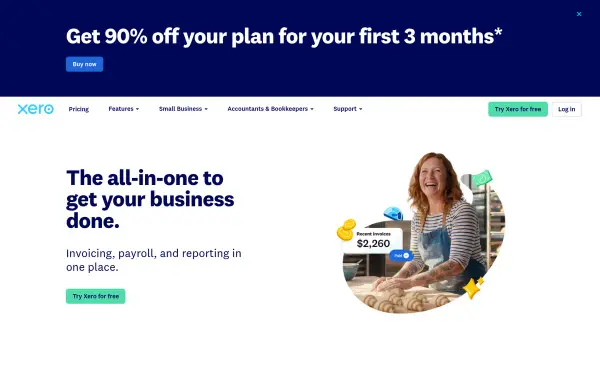
Xero starts with clean, approachable accounting rather than an invoice template. Invoicing and quotes sit in one flow, bank reconciliation matches transactions automatically, and unlimited users are included on every plan, so a bookkeeper and an accountant add no headcount cost. The integration library runs past 1,000 apps.
Plan limits do the steering. The page leads with $2.70 per month, a 90% discount for the first six months off the $27 Early rate, which caps usage at 20 invoices and 5 bills per month. Growing at $47 removes the caps and adds bulk reconciliation; Established at $80 adds multi-currency, projects and expense claims. Moving past the entry cap raises the monthly cost to $47, so model your invoice volume before signing up rather than after. One month free is offered as a trial.
Payroll is the other gap. It runs through third-party add-ons rather than natively, which means another contract and another login to manage.
It suits growing businesses that have outgrown invoicing-only tools and need reconciliation, multi-currency and project reporting with room for a bookkeeper in the account. A small consultancy sending a handful of invoices a month can stay on Early for a long time.
You need real accounting with unlimited users and bank reconciliation.
You send more than 20 invoices a month and want a cheap entry plan.
VBackground
At minimum, invoice software turns work you have finished into a document a client can pay. In practice the category splits into three jobs: getting paid, chasing payment and recording what happened.
The getting-paid layer is a template, line items, tax handling and a payment link the client can click. Card and bank transfer through the invoice is common even on free plans, and processing fees can cost more than the subscription.
The chasing layer is where paid tiers earn their money: scheduled reminders, recurring invoices for retainers, deposits taken at signing and a portal where a client sees every open balance.
The recording layer decides whether you need a full accounting suite. Invoicing tools track income and expenses. Accounting software adds double-entry books, bank reconciliation, bill management and the reports an accountant asks for at year end.
A short checklist before you compare:
If most answers are simple, free invoicing covers you. If tax, inventory or payroll sit close to billing, an accounting suite saves a second migration later.
This comparison sits in the finance register. Further along the shore: lease accounting software and accounting software for landlords.
VIPricing
Invoicing software bills one of five ways, and the model, not the headline number, decides what you really pay each month.
| Model | How it bills | Typical fit | Example from this list |
|---|---|---|---|
| Free with a paid automation tier | $0 core, paid tier for reminders and imports | Solo owners with simple billing | Wave: free Starter, $19 per month Pro |
| Free forever with usage caps | $0, capped by invoice volume and users | Low-volume small businesses | Zoho Invoice: 1,000 invoices per year and 3 users |
| Client-tier subscription | Monthly fee that steps up at a client count | Hourly billers with a fixed client list | FreshBooks: $23 Lite for 5 clients, $43 Plus for 50 |
| Accounting suite tiers | Monthly fee per plan, rising with features | Businesses needing reconciled books | QuickBooks Online: see website for current tiers |
| Free invoicing, paid processing | No subscription, fee per payment | Payment-heavy retail and services | Square Invoices: free invoicing, card fees per payment |
Promotional headline prices distort comparisons. FreshBooks shows $2.30 per month off a $23 list rate, Xero shows $2.70 off $27, and HoneyBook leads with $18 per month on annual billing against a $36 monthly rate. Budget the list price, then check the cap that triggers the next tier.
Three prices here could not be read from a pricing sheet on November 26, 2026, because the pages came back empty: Invoice Ninja, Square Invoices and QuickBooks Online. Confirm those directly with the vendor before signing.
Each entry card shows the starting price as it appeared on the vendor's own pricing page on November 25, 2026. When a vendor shows no figure we could confirm, or only a promotional rate, the card says "See website" or gives the regular price instead of a guess. Usage, overage and add-on rates in the text change more often than plan prices, so confirm them on the vendor page before you set a budget. To test the numbers against your own volume, try the free Lease Liability Calculator. The Event Break-Even Calculator is a second way to check the same decision.
VIIDecision
VIIIPitfalls
IXQuestions
Wave, Zoho Invoice, Invoice Ninja and Square Invoices all invoice at no charge. Wave's Starter plan has no invoice or client ceiling but locks reminders and bank imports behind a $19 per month tier. Zoho Invoice is free forever, capped at 1,000 invoices a year and 3 users. Invoice Ninja's free plan covers core invoicing. Square Invoices is free to send, with card fees per payment. QuickBooks Online's free tier allows 2 invoices a month.
Free plans cover basic invoicing at most vendors. Paid plans on the tools here include Wave Pro at $19 per month, FreshBooks Lite at $23 with a current $2.30 promotion, FreshBooks Plus at $43, and HoneyBook Starter at $36 regular with a current $18 annual promotion. Full accounting suites cost more; Xero Established is $80 per month, and QuickBooks Online pricing is on the vendor site. Budget the renewal price, not the promotion.
Choose invoicing software if you send a defined number of invoices, need reminders and payment links, and hand records to an accountant once a year. Choose full accounting if you reconcile a bank account, carry inventory, run payroll or your accountant wants direct access. QuickBooks Online and Xero sit on the accounting side; Zoho Invoice and Invoice Ninja stay on the billing side, with Wave covering basic books.
Automate three things. Send the invoice the day the work is done rather than at month end. Turn on automated reminders, which FreshBooks, Zoho Invoice and HoneyBook include. Attach a payment link so a client pays in two clicks, and take a deposit up front on project work. Payment on the invoice removes the step where clients stall.
Zoho Invoice schedules recurring invoices on its free plan, Invoice Ninja covers recurring billing on the free tier, and FreshBooks handles retainers with automated reminders. Those fit fixed monthly amounts. Move to a dedicated subscription billing platform when you prorate mid-cycle changes, manage trials and dunning, or bill usage-based amounts across hundreds of accounts, where an invoicing tool runs out of levers.
XFurther along the shore
Vendors can ask for a correction or apply for a Featured listing. Paid or not, the entry is scored on the same rubric and its limits stay in print. Partner with Umberlake.
Free tools
Our free browser tools turn the prices on this page into a figure for your own volume. Nothing you type leaves your device.