Salesforce Sales Cloud
See website
Best for large sales orgs with complex multi-team processes
- Free plan
- No
- Rubric
- 7.4 of 10
We ranked 12 B2B CRMs on pipeline fit, setup effort, pricing clarity, automation depth and headroom, with prices checked on November 26, 2026 and every limitation stated plainly.

IThe short answer
The best b2b CRM software for most small and mid-sized sales teams in November 2026 is Pipedrive at $14 per seat per month on Lite, because the pipeline is visual and the pricing is published. Salesforce Sales Cloud remains the pick for large, multi-team sales organizations that can staff an admin, and HubSpot CRM wins when a free core with unlimited users matters more than advanced automation. The 12 tools below are ordered by editorial fit for the buyer each entry describes.
12 tools compared from vendor pages on November 25, 2026. 9 publish a starting price we could read; the rest say "See website".
IITop three berths
Register order is editorial fit for the buyer each entry describes. Prices are the starting figures read on November 25, 2026.
See website
Best for large sales orgs with complex multi-team processes

See website
Best for teams that want a capable free core CRM

$14Lite, per seat per month, billed annually
Best for small sales teams focused on pipeline discipline
How this page is paid for. All 12 tools here are unpaid editorial picks.
A paid listing's position can be part of what the vendor pays for. Every entry, paid or not, is scored on the same rubric and keeps its limits in print. Advertising disclosure.
IIIThe register
Starting prices as shown on each vendor's pricing page on November 25, 2026. "See website" means no figure we could confirm.
| No. | Tool | From | Free plan | Trial | Rubric | Actions |
|---|---|---|---|---|---|---|
| 01 | Salesforce Sales CloudLarge sales orgs with complex multi-team processes | See websiteNot shown publicly | No | 30-day free trial | 7.4 | |
| 02 | HubSpot CRMTeams that want a capable free core CRM | See websiteNot shown publicly | Yes | Free tier available; paid tiers include a trial | 7.8 | |
| 03 | PipedriveSmall sales teams focused on pipeline discipline | $14Lite, per seat per month, billed annuallyRead on vendor page | No | 14-day free trial, no credit card required | 8.2 | |
| 04 | Zoho CRMBudget-conscious growing sales teams | $14Standard, per user per monthRead on vendor page | Yes | Free plan plus paid-tier trial | 7.2 | |
| 05 |  Dynamics 365 SalesOrganizations standardized on Microsoft 365 | $65.00Professional, per user per month, paid yearlyRead on vendor page | No | Free trial | 7.8 | |
| 06 |  FreshsalesSmall teams wanting affordable all-in-one selling | See websiteNot shown publicly | Yes | 21-day free trial with full features | 6.7 | |
| 07 |  CopperTeams working entirely inside Google Workspace | $23Basic, per seat per month, paid annuallyUpdated on vendor page | No | 14-day free trial, no credit card required | 6.7 | |
| 08 |  InsightlyTeams needing CRM plus project delivery tracking | $29Plus, per user per month, billed annuallyRead on vendor page | No | Free 14-day trial, no credit card required | 6.7 | |
| 09 |  CloseOutbound inside sales teams working the phones | $9Solo, one user, per month, billed annuallyUpdated on vendor page | No | 14-day free trial, no credit card required | 7.3 | |
| 10 |  CapsuleSmall firms needing simple contact management | $18Starter, per user per month, billed annuallyRead on vendor page | Yes | Free 14-day trial, no card required | 6.3 | |
| 11 |  StreakSales teams that work entirely in Gmail | $49Pro, per user per monthRead on vendor page | Yes | Free plan plus 14-day trial | 6.5 | |
| 12 |  monday sales CRMTeams wanting highly customizable sales workflows | $12Basic, monday CRM, per seat per month, billed annually, 3 seatsRead on vendor page | Yes | 14-day free trial | 7.0 |
Pinned:
IVMethod
Twelve tools made the cut because each one solves a recognizable B2B selling problem, not because it has the longest feature list. Every entry was scored against the same five criteria: pipeline fit at 25 percent, setup effort at 20, pricing clarity at 20, automation depth at 20 and scaling headroom at 15.
Prices, plan names, trial lengths and free-tier limits come from vendor pricing pages checked on November 26, 2026. Where a page failed to return figures, or returned a product index instead of prices, the entry says so and no number is estimated. That affects Salesforce Sales Cloud, HubSpot CRM and Freshsales this month. Plan ladders described in a review are the ones the vendor publishes or has published for the current lineup, and they are labeled as such.
The order is editorial. Each position reflects how well a tool fits the specific buyer described in that entry, so a narrow product for Gmail shops can sit above a broader platform that would overwhelm the same team. Scores are a reading aid, not a ranking mechanism.
A Featured position, where present, is a paid placement. It is scored with the identical rubric and carries the same kind of honest cons as every other entry. This month no entry carries that label.
We did not test the products hands-on for this piece. We read pricing pages, plan boundaries and feature gates, and we treat the free tiers and trials as the buyer would: as the cheapest way to find out whether a tool survives contact with a real pipeline.
The full routine, from price reads to corrections, is on the methodology page. Paid listings follow the advertising disclosure.
How closely the default workflow matches a B2B deal cycle with multiple contacts, stages and follow-ups.
How much admin, partner or developer time is needed before a team can run live deals in the system.
Whether per-seat costs, tier limits and add-ons are published and predictable at 10 to 50 seats.
The quality of sequences, routing, AI assistance and workflow rules on the plans most teams actually buy.
Whether the same product holds up as teams, territories and reporting needs grow past the first year.
Entry I of XII / Customization ceiling
Our verdict
The deepest configuration and integration set here, priced and staffed for sales organizations that employ a dedicated admin.
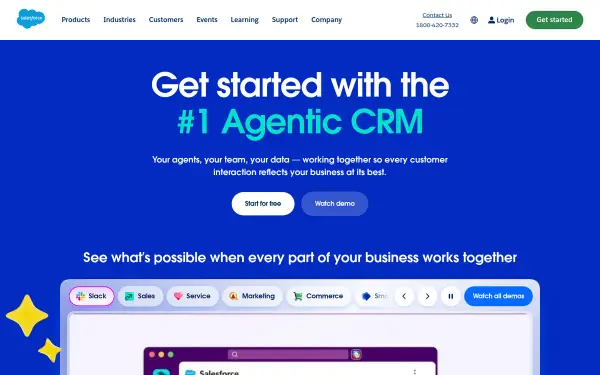
Salesforce Sales Cloud is the most configurable CRM on this list. Contact and opportunity management are table stakes. The reason large teams buy it is the custom object model, the automation and AI agent suites on upper plans, and an integration marketplace wide enough to cover almost any system already in the stack. Email and calendar events sync with AI assistance, and forecasting plus quoting appear on higher tiers.
Pricing is on the vendor site rather than in this entry. The ladder runs Starter Suite, Pro Suite, Core, Advanced and Max. The pricing page returned a product index with no Sales Cloud figures, so the Starter Suite number could not be confirmed on November 26, 2026. A 30-day free trial is available and there is no free plan.
The real cost is configuration. Custom objects and deep configuration usually need an admin or a partner, and lean teams end up paying for capability they never switch on. Free migration assistance from competing CRMs softens the move.
Pick it for larger sales teams running several selling motions that a single pipeline cannot describe. Skip it for a small team that wants to log calls and move deals this week.
You have multiple selling motions, custom objects and someone whose job is to administer the system.
Your team is small and nobody wants to own configuration.
Entry II of XII / Free core CRM
Our verdict
The strongest free core CRM on this list, with a steep upgrade cliff once you need sequences and workflow automation.
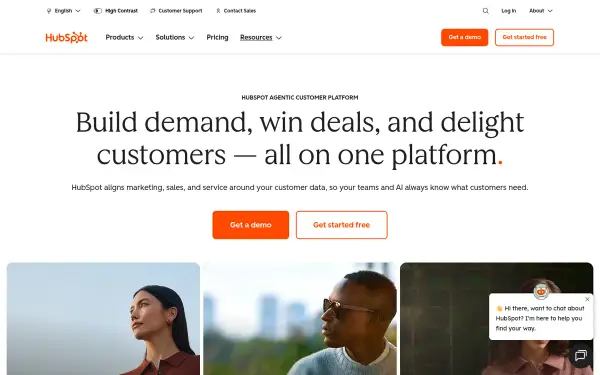
HubSpot CRM gives away the core product: contacts, deals, live chat and meeting scheduling, with unlimited users on the free tier and one shared database across sales, marketing and service. For a team that has never run a CRM, that is the lowest-risk starting point here, and the educational material is substantial.
The cost appears at the upgrade. Outreach automation arrives on Starter, sequences and workflow automation on Professional, and custom objects on Enterprise. Sales Hub pricing is on the vendor site, with Starter, Professional and Enterprise tiers and one-time onboarding fees on upper tiers. The pricing page returned an empty response on November 26, 2026, so confirm current figures on the vendor site before you build a budget.
Paid tiers include a trial. The jump from Starter to Professional is steep, and mandatory onboarding fees make the first-year cost higher than the seat price suggests. Teams that need real sequences should price Professional from day one rather than assuming Starter will hold.
Pick it when a single shared record across marketing, sales and service matters and you want to start free. Skip it if your process depends on multi-step automation and the budget stops at Starter.
You want a free core CRM that can grow into marketing and service without a second database.
You need sequences this quarter and cannot absorb Professional plus onboarding.
Entry III of XII / Visual pipeline clarity
Our verdict
The clearest pipeline tool for small sales teams, with published pricing and a Lite tier that withholds automation.
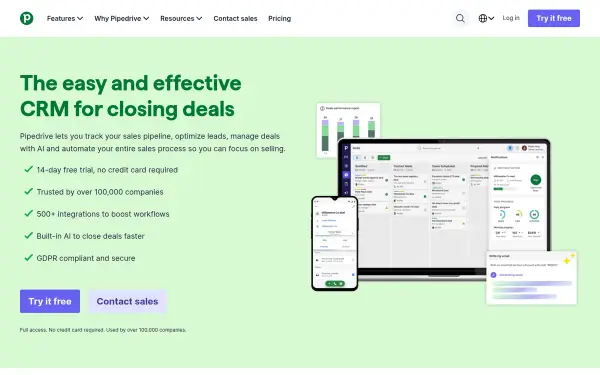
Pipedrive is built around a kanban deal pipeline, with activity reminders and next-step prompts that push reps to keep deals moving. Two-way email sync, automations and sequences start at Growth. Premium adds contracts with e-signatures and AI email features, and there are more than 500 integrations.
Pricing is published. Lite is $14 per seat per month billed annually, and pricing for Growth, Premium and Ultimate is on the vendor site. Lite is genuinely limited: no automations and a cap of 30 custom fields. Most teams will need Growth or Premium, so budget above the headline figure. Add-ons such as campaigns and visitor tracking are billed separately, and every user has to sit on the same tier, which is awkward when one manager needs one extra feature.
Fit is small sales teams that want pipeline discipline without an administrator. The activity-based workflow is the reason reps actually keep it updated. Organizations with several product lines and heavy reporting needs will find the shared-tier rule and lighter dashboards constraining.
Pick it for a small sales team with a repeatable sale. Skip it if you need automations from day one on a Lite budget.
Your reps need a pipeline they will actually update and you want to know the price before you call.
Automation is central to your process and Lite is your ceiling.
Entry IV of XII / Value per seat
Our verdict
A low-cost route to a full CRM with a real free tier, held back by an older interface and plan-dependent support.
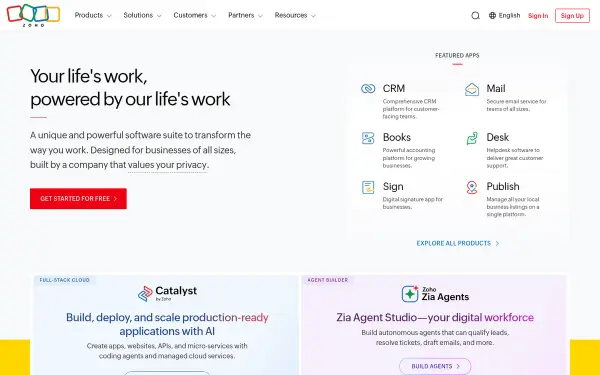
Zoho CRM covers leads, contacts and mobile apps at a low price, with Blueprint process automation from Professional, inventory management, and the Zia AI assistant on upper tiers. Paid editions can be billed monthly with no long-term contract, which is rare at this price point and useful for teams that want an exit.
Standard is $14 per user per month, with higher tiers on the vendor site, and there is a free edition for three users. Professional is generally the first tier with real process automation, so the $14 headline understates what a working sales process costs. Live chat support is included on paid editions, with depth that varies by plan.
The trade-offs are interface and ecosystem. The design feels older than Pipedrive or HubSpot, and the best value appears when you adopt other Zoho apps alongside it. A team that only wants CRM may prefer a narrower product with a more modern feel.
Pick it if budget is the binding constraint and three free seats would get you started. Skip it if your reps judge tools on polish or you need the deepest automation available.
You need a capable CRM at a low per-user price without signing a year-long contract.
You will only ever buy one app and interface quality decides adoption.
Entry V of XII / Microsoft 365 depth
Our verdict
The right CRM only if Microsoft 365 is already your operating system, and the price assumes you will configure it.
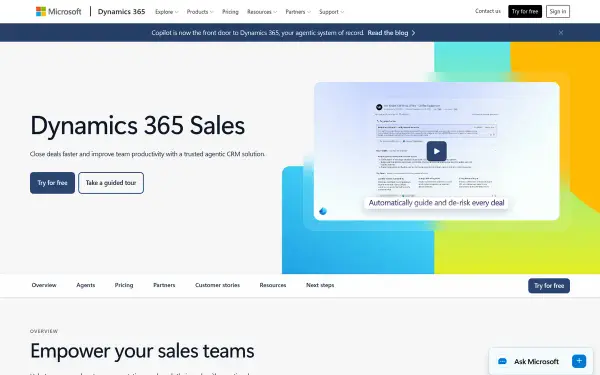
Dynamics 365 Sales is the choice for organizations already standardized on Microsoft 365. Outlook, Teams and Office integration is native rather than bolted on, email, meetings and documents attach to records automatically, and forecasting and sales insights sit alongside territory configuration and AI sales agents.
Three tiers are published: Professional at $65.00 per user per month, with Enterprise and Premium pricing on the vendor site, all paid yearly. That is the highest published entry price here, and it buys a platform that expects configuration. Territory models and workflow rules usually need a technical resource or a Microsoft partner, so the first-year total is seat cost plus implementation.
There is a free trial and no free plan. The product scales cleanly from one sales team to a multi-country organization, which is why enterprises tolerate the entry cost. If your stack is Google Workspace and a lightweight pipeline, the integration advantage disappears and the price becomes hard to defend.
Pick it when single sign-on, Teams and Outlook are non-negotiable and you have implementation help. Skip it if you want a tool a sales manager can set up alone.
Your company already runs on Microsoft 365 and has implementation capacity.
You are a Google Workspace shop or you have no one to configure territories.
Entry VI of XII / Bundled calling
Our verdict
A bundling play that folds phone, chat, texting and sequences into one bill, with AI sessions metered on top.
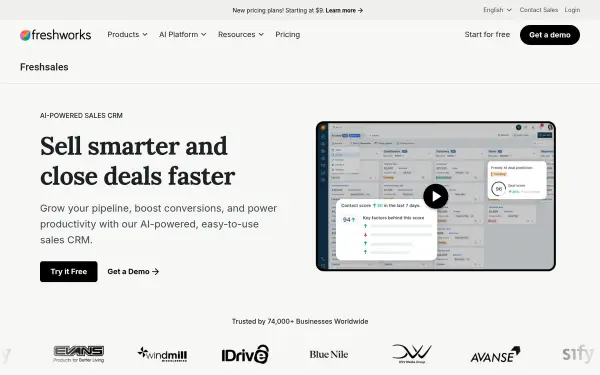
Freshsales bundles the channels small teams actually use: built-in phone, email, chat and texting, with Freddy AI lead scoring and next-action suggestions. Sequences, territory management and API access start at Pro. Forecasting insights, field-level permissions and a sandbox environment are Enterprise features.
Pricing sits on the vendor site and the page failed to load on November 26, 2026. The published ladder includes Growth, Pro and Enterprise tiers. Growth limits sequences and custom reports, and API access requires Pro, so the entry price buys a narrow slice of the product. Freddy AI Agent sessions and branded documents are billed separately.
There is a free plan for up to three users and a 21-day trial with full features, a long trial. The pitch is one vendor for calling, messaging and pipeline instead of a CRM plus a dialer. Teams with heavy outbound volume should model messaging and AI session costs before committing, because the base seat price will not be the final number.
Pick it if you want calling and texting inside the CRM without a separate telephony contract. Skip it if you need API access on a starter budget.
You want one bill for pipeline, phone and chat and can stay inside Growth limits.
Your developers need API access before you reach the Pro tier.
Entry VII of XII / Gmail-native inbox CRM
Our verdict
The most natural CRM for Google Workspace firms, with contact caps that push large databases up a tier early.
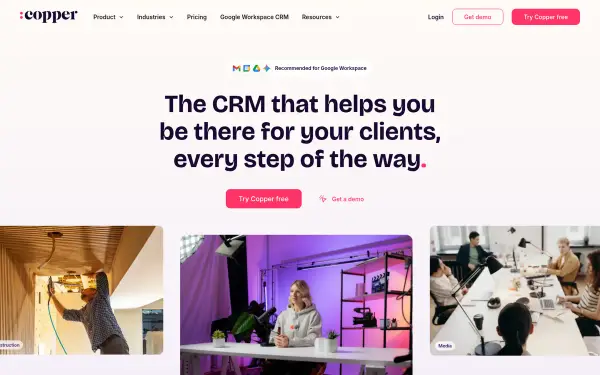
Copper is a CRM for teams that live in Gmail. A Chrome extension puts contacts, deals and leads beside the inbox, contact capture is automatic, and Google Calendar integration keeps activity logging close to zero effort. Project pipelines are included, which suits agencies and services firms that deliver what they sell and want the delivery tracked next to the deal.
The Basic plan lists at $23 per seat per month paid annually. Contact caps scale by tier, from 1,000 on entry plans to unlimited at the top, so a large database forces an upgrade sooner than the seat count implies. There is no free plan; a 14-day trial without a credit card is the entry point.
The limitation is the Google dependency. There is no native Outlook or Microsoft 365 support, so a mixed shop ends up running two systems and reconciling them by hand. Copper earns its place for Google Workspace businesses that want adoption without training. It scores lower where automation depth and multi-team reporting matter.
Pick it if your whole company works in Gmail and Calendar. Skip it if half your reps are on Outlook.
Your team already works entirely inside Google Workspace.
You need Outlook support or more than 1,000 contacts on a tight budget.
Entry VIII of XII / CRM plus projects
Our verdict
CRM and project delivery in one system, which is worth the Professional tier if you implement what you sell.
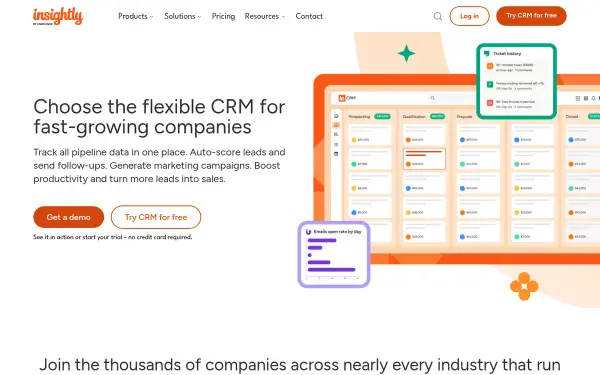
Insightly combines CRM with project delivery. Leads, pipelines, email tracking and workflow automation are standard, and tasks from a closed deal carry into a project, which is useful for implementation, onboarding or agency work. Lead routing, advanced dashboards and workflow automation start at Professional.
Three tiers are published: Plus at $29 per user per month billed annually, with Professional and Enterprise pricing on the vendor site. Marketing and service modules follow the same ladder. There is no free plan and a 14-day trial without a credit card. Over 2,000 integrations cover the usual accounting, support and marketing tools, which matters if you do not want middleware.
The entry tier is basic. Teams that need automation, routing or dashboards are really buying Professional, so compare the Professional price rather than the entry price against Pipedrive and Zoho. The project layer is the differentiator. If you deliver work after the sale, keeping it in the same system avoids a second tool, a second login and a second place for handoff to go wrong.
Pick it if post-sale delivery is part of your sales conversation. Skip it if you only need pipeline management.
Closed deals turn into projects your team has to deliver.
You want pure pipeline management at the lowest possible seat price.
Entry IX of XII / Dialer-first workflow
Our verdict
A dialer-first CRM that replaces a separate phone system, priced for teams that live on outbound calls.
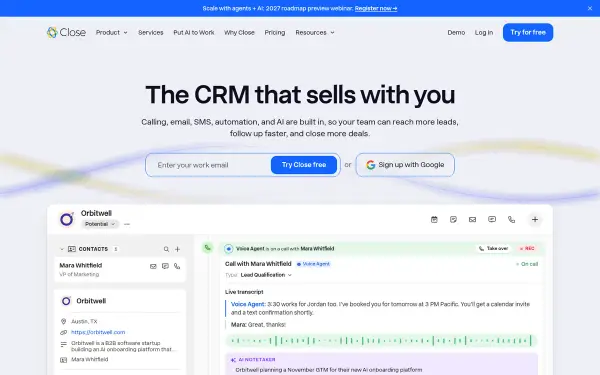
Close is built for outbound calling. A power dialer, call recording, email sequences and SMS are included on every plan, and the interface is tuned for reps who make a high volume of calls. Lead and call reporting closes the loop on activity, so managers can see effort as well as outcome.
Pricing starts at $9 per month for a single-user Solo plan billed annually, the cheapest paid entry on this list. Team plans scale from there. Because calling is included at every level, the fair comparison is a CRM plus a standalone phone system rather than CRM alone. There is no free plan and a 14-day trial without a credit card.
It is not a marketing platform. Landing pages and marketing automation are thin, and pipeline features are less developed than Pipedrive or Salesforce. Teams making 50 or more calls a day will usually find the bundle cheaper than stitching a dialer onto a pipeline tool. Teams that sell through partners or run long enterprise cycles will find it narrow and will miss forecasting depth.
Pick it if outbound call volume is the core of your week. Skip it if your sales motion is inbound, partner-led or heavily analytical.
Your reps make dozens of calls a day and you want the phone bill folded in.
Your pipeline depends on inbound marketing or complex forecasting.
Entry X of XII / Simplicity and price
Our verdict
The easiest CRM here to learn, with a usable free plan and a ceiling that appears as soon as automation matters.
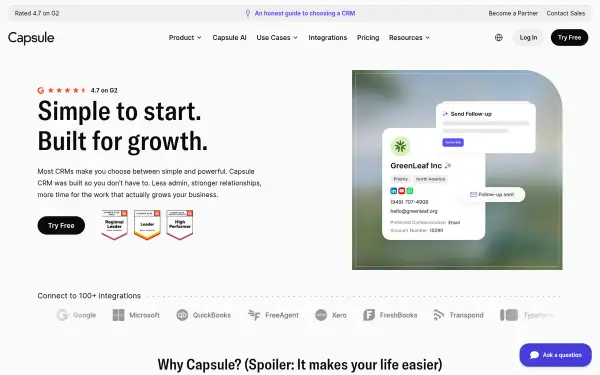
Capsule is the simplest CRM on this list. Contacts, deals, tasks and sales pipelines are clean and quick to learn, with a short setup and a free tier a two-person firm can genuinely use: up to 2 users and 250 contacts. There is a 14-day trial without a card.
Five tiers run Starter at $18 per user per month billed annually, with Growth, Advanced and Ultimate pricing on the vendor site. Automation starts at Growth, contact enrichment and premium support arrive higher up, and email marketing comes through a separate module rather than being bundled into the seat price.
That simplicity is both the point and the ceiling. A team with a straightforward repeatable sale gets a system reps will use without training, and the free tier lets a founder test the workflow with real contacts before paying. A team that needs multi-step automations, heavy reporting or marketing in the same tool will outgrow it and should look at Pipedrive Growth or HubSpot Professional instead.
Pick it if your sales process fits on one page and adoption is your main risk. Skip it if you need automation on the entry plan.
You want a CRM your team learns in an afternoon and you value the free tier.
Workflows and multi-step automation are on your six-month roadmap.
Entry XI of XII / In-Gmail pipelines
Our verdict
Pipelines that live in Gmail threads, effective for Google shops and expensive for what it actually does.
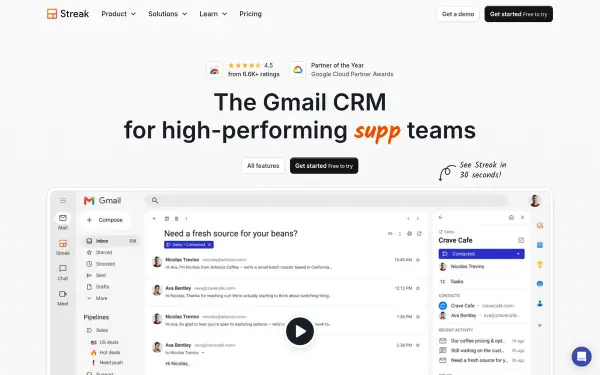
Streak runs the CRM inside Gmail. Pipelines sit beside email threads, threads attach to deals automatically, and paid plans allow unlimited contacts, pipelines and records. AI data entry fills deal fields, and email tracking and snippets are included. Automation and dashboards start at Pro+.
Pro lists at $49 per user per month, with Pro+ and Enterprise pricing on the vendor site, and monthly billing costing more than annual. The free tier is email tools only: tracking and snippets without CRM pipelines, so it is not a free CRM in the sense HubSpot or Capsule offer, and a team cannot run deals on it.
The constraint is Gmail and Google Workspace only. There is no Outlook version, so a Microsoft shop cannot use it at all. For a sales team already living in Gmail, the appeal is that nobody opens a second application, which can help adoption. The trade-off is price and depth: you pay enterprise-adjacent seat costs for pipeline management, and automation sits a tier above the entry plan.
Pick it if your reps never leave Gmail and unlimited records matter. Skip it if you need Outlook or predictable entry pricing.
You are a Google Workspace team that refuses to open another tab.
You need Outlook support or a low entry seat price.
Entry XII of XII / No-code flexibility
Our verdict
The most flexible workflow builder here, with a three-seat floor and extra AI credits that complicate small budgets.
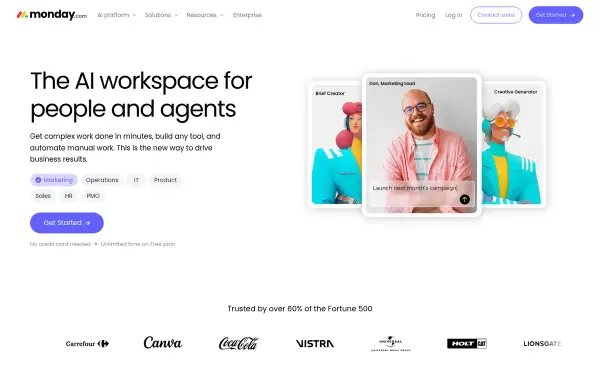
monday sales CRM takes the board-based approach of monday.com and points it at sales. Pipelines are built visually, custom views and automations need no code, and pre-sale and post-sale work can sit on one platform. AI agents handle lead sourcing and meeting prep, with AI credits bundled per plan.
Basic is $12 per seat per month billed annually for three seats, with Standard and Pro pricing on the vendor site and Enterprise quoted custom. Annual billing carries roughly an 18 percent discount. Every paid plan has a three-seat floor, so a solo user pays for three seats regardless, and extra AI credits add cost once the bundled allowance runs out. Lead scoring appears only on Enterprise.
The fit is a team whose sales process does not look like a standard funnel: referrals, partner deals, renewals or long delivery cycles that need custom stages. The flexibility is real work rather than a gift, because someone has to decide what the board should look like. Buyers who want a rigid, opinionated sales methodology will prefer Pipedrive.
Pick it if your process is unusual and you want to model it without developers. Skip it if you are one or two users.
Your sales stages do not fit a standard funnel and you want to build your own.
You are a solo user, because the three-seat floor does not move.
VBackground
A B2B CRM stores the facts about a deal and the people inside it, then pushes the next action into view. That sounds small. It is the difference between a forecast built on memory and one built on activity.
The core objects are the same everywhere: companies, contacts, deals and activities. What separates products is how much structure sits on top. A pipeline tool like Pipedrive assumes one deal, a few stages and a next step. An enterprise platform like Salesforce Sales Cloud assumes several selling motions, custom objects and quoting, which is why it needs an administrator.
The jobs buyers actually use these tools for:
A CRM does not fix a sales process that nobody follows. If reps cannot describe the stages in one sentence each, the software will simply record the confusion more efficiently. The tools here differ most in how much process they impose and how much they ask you to supply.
This comparison sits in the sales register. Further along the shore: CRM software in india and sales analytics tools.
VIPricing
Almost every B2B CRM bills per seat per month, and almost every one hides the real number one tier up. The published entry price usually buys a product without automation, API access or the reporting a sales manager wants in month three.
The second variable is commitment. Annual billing is cheaper than monthly at nearly every vendor here, and some tools allow monthly payment with no contract at all. The third is the add-on: AI sessions, extra credits, contact tiers, onboarding fees and marketing modules sit outside the seat price.
| Model | How it bills | Typical fit | Example from this list |
|---|---|---|---|
| Per seat, annual commitment | Per user per month, paid yearly | Small to mid-sized teams that can commit | Pipedrive Lite at $14 per seat per month |
| Per user, monthly or annual | Monthly allowed, no lock-in | Teams that want an exit | Zoho CRM Standard at $14 per user per month |
| Tiered enterprise license | Per user per month, yearly, partner-led setup | Larger organizations | Dynamics 365 Sales Professional at $65.00 |
| Free tier plus paid upgrades | Free seats, paid tiers above | Very small teams testing | HubSpot free for unlimited users; Zoho free for 3; Capsule free for 2 users and 250 contacts |
| Seat minimum or solo entry | One seat, or a three-seat floor | Founders and micro-teams | Close Solo at $9 per month billed annually; monday Basic at $12 per seat per month billed annually for 3 seats |
| Consumption on top of seats | Base seat plus metered usage | Teams heavy on AI or calling | Freshsales Freddy AI Agent sessions are billed separately |
For a small team, seat arithmetic is the easy part: Pipedrive Lite is $14 per seat per month and Insightly Plus is $29 per user per month billed annually. The harder question is which tier the team actually needs, because a $14 plan without automation often costs more in rep hours than a higher tier with it.
Each entry card shows the starting price as it appeared on the vendor's own pricing page on November 25, 2026. When a vendor shows no figure we could confirm, or only a promotional rate, the card says "See website" or gives the regular price instead of a guess. Usage, overage and add-on rates in the text change more often than plan prices, so confirm them on the vendor page before you set a budget. To test the numbers against your own volume, try the free User Research Budget Planner. The Event Break-Even Calculator is a second way to check the same decision.
VIIDecision
Name the process you already run. Write your stages, who owns each one and what counts as a qualified deal. If you cannot fill one page, fix that before you shop, because every tool here will encode whatever you describe.
Set the seat count and the ceiling. Count the people who will log in weekly, then decide the most you will pay per seat in year two. That number eliminates many options immediately, especially where automation requires the second tier.
Decide where your email and calendar live. Google Workspace teams should look hard at Copper and Streak. Microsoft 365 shops should weigh Dynamics 365 Sales. Cross-platform teams should stay with Pipedrive, HubSpot or Zoho.
Test the free tier or trial with real deals. Import a batch of live opportunities rather than demo data. Watch how long it takes a rep to log a call and set the next step without being told to.
Price the tier you will need, not the one advertised. Get the quote for the plan that includes the automation, API access or reporting you flagged in step one, and confirm onboarding fees in writing.
Plan the migration before you sign. Export contacts, companies and deals to CSV, map fields, and run both systems for one full cycle so nothing is lost when the old tool is switched off.
VIIIPitfalls
IXQuestions
HubSpot CRM is the strongest free option because it allows unlimited users on the core product. Zoho CRM is free forever for three users, Capsule allows two users and 250 contacts, Freshsales covers up to three users and monday covers two seats. Streak's free tier is email tracking only, with no pipelines, so it is not a working CRM.
It depends on the tier, not just the seat price. At published entry rates, Pipedrive Lite is $14 per seat per month billed annually, Insightly Plus is $29 per user per month billed annually, and Capsule Starter is $18 per user per month billed annually. Multiply by your seat count to get a monthly figure. Add the tier you need for automation and expect the total to rise.
Most small teams should use a lighter tool. Salesforce Sales Cloud rewards custom objects, multiple selling motions and a dedicated administrator, and it charges accordingly. A small team with one repeatable sale is usually better served by Pipedrive, Capsule or Copper, which reps adopt without training and which publish a predictable per-seat price.
They are the same unit: one person, one monthly charge. The difference is what surrounds it. monday sales CRM applies a three-seat floor to every paid plan, so a solo buyer pays for three seats. Close sells a single-user Solo plan at $9 per month billed annually. Some vendors require every user to sit on the same tier, which matters when one manager needs a feature.
Export from the old system first, in CSV, and check that company names, deal values and owner fields survive the export. Map each column to the new schema before importing anything, then import a small batch and verify. Salesforce Sales Cloud offers free migration assistance from competing CRMs, which is worth using if you are moving a large database.
Simple tools are designed so a manager can configure stages and start importing without help. Enterprise platforms need more admin or partner time because objects and workflows have to be designed first. Treat any exact timeline as an estimate for your data model, not a promise.
XFurther along the shore
Vendors can ask for a correction or apply for a Featured listing. Paid or not, the entry is scored on the same rubric and its limits stay in print. Partner with Umberlake.
Free tools
Our free browser tools turn the prices on this page into a figure for your own volume. Nothing you type leaves your device.