
Karbon
$59Team, per user per month, billed annually
Best for mid-size firms whose client work runs through email
- Free plan
- No
- Rubric
- 7.3 of 10
Nine accounting workflow and practice management tools, ranked by who each one actually fits, with seat prices, client limits and setup effort checked against vendor pricing pages.

IThe short answer
The best workflow software for accountants in November 2026 is the one that fixes your worst bottleneck, not the longest feature list. Karbon, from $59 per user per month on the Team plan billed annually, suits mid-size firms whose client work arrives by email. Financial Cents, from $19 per month on the Solo plan billed annually, gets a small US firm live in about a week. Jetpack Workflow fits firms that only need recurring task tracking and do not want a full practice suite. Prices below were checked on November 25, 2026.
9 tools compared from vendor pages on November 25, 2026. 6 publish a starting price we could read; the rest say "See website".
IITop three berths
Register order is editorial fit for the buyer each entry describes. Prices are the starting figures read on November 25, 2026.
$59Team, per user per month, billed annually
Best for mid-size firms whose client work runs through email

$19Solo, per month, billed annually, single user firms only, 12-month agreement
Best for small US firms that want to be live within a week

See websitePage shows Premium at $59 per seat monthly, Starter price not displayed
Best for firms that want simple recurring task tracking
How this page is paid for. All 9 tools here are unpaid editorial picks.
A paid listing's position can be part of what the vendor pays for. Every entry, paid or not, is scored on the same rubric and keeps its limits in print. Advertising disclosure.
IIIThe register
Starting prices as shown on each vendor's pricing page on November 25, 2026. "See website" means no figure we could confirm.
| No. | Tool | From | Free plan | Trial | Rubric | Actions |
|---|---|---|---|---|---|---|
| 01 | KarbonMid-size firms whose client work runs through email | $59Team, per user per month, billed annuallyRead on vendor page | No | Free trial, 14 days | 7.3 | |
| 02 | Financial CentsSmall US firms that want to be live within a week | $19Solo, per month, billed annually, single user firms only, 12-month agreementUpdated on vendor page | No | Free trial, 14 days | 7.7 | |
| 03 | Jetpack WorkflowFirms that want simple recurring task tracking | See websitePage shows Premium at $59 per seat monthly, Starter price not displayedNot shown publicly | No | Free trial, 14 days | 6.5 | |
| 04 |  TaxDomePortal-first tax and bookkeeping practices | $1,500per year, billed annually, includes 20 seats, 150 active clients minimumUpdated on vendor page | No | Demo only | 7.2 | |
| 05 |  CanopyTax-heavy firms that want AI handling prep work | $74Standard, per user per month, billed annuallyRead on vendor page | No | Free trial | 6.9 | |
| 06 |  UkuGrowing firms that want modular monthly billing | $19Solo, per member per month, billed annually, 1 member, up to 20 active clientsRead on vendor page | No | Free trial, 14 days | 7.3 | |
| 07 |  Xero Practice ManagerXero-committed firms at Silver partner status or above | See websiteNot shown publicly | No | Free trial, 14 days | 6.4 | |
| 08 |  HubdocXero firms that want document collection automated | See websiteNot shown publicly | No | No separate trial, included with Xero subscription | 6.7 | |
| 09 |  IgnitionFirms that lose margin to scope creep | $39Solo, per month, billed annually, 20 active clients, 1 user, eligibility criteria applyRead on vendor page | No | Free trial, 14 days | 6.7 |
Pinned:
IVMethod
Whether recurring work, deadlines and assignments actually remove manual chasing.
Portals, document collection, secure chat and e-signatures that reduce client back and forth.
Entry price weighed against seat minimums, client caps and metered extras.
Accounting ledger sync, open API access and the breadth of the app ecosystem.
How much consultant time a firm needs before the first job runs.
VMethod
Every tool here was scored on five criteria, and none of them is a feature count. Workflow depth (25 percent) asks whether recurring work, deadlines and assignments actually reduce manual chasing. Client-facing tools (20 percent) covers portals, document collection and e-signatures, because accountants spend much of their week asking clients for things. Pricing fit (20 percent) weighs the entry price against the limits that come with it, including seat minimums and client caps. Integrations (20 percent) looks at accounting ledger sync and whether an open API exists. Setup speed (15 percent) reflects how much consultant time a firm needs before the first job runs.
All prices, plan names, seat allowances and client limits come from vendor pricing pages checked on November 25, 2026. Where a vendor page did not display a price, the entry says pricing is on the vendor site and no number is estimated. Plan terms are quoted as published, so annual commitments and client minimums appear exactly as the vendor states them.
See the site for current advertising and placement disclosures.
The order is editorial: ranked by fit for the buyer each entry describes. Two firms with the same headcount can land on different tools depending on whether their bottleneck is email, documents, proposals or billing.
The full routine, from price reads to corrections, is on the methodology page. Paid listings follow the advertising disclosure.
Entry I of IX / Shared email triage

Our verdict
The strongest pick for firms whose client requests arrive as email and currently escape into personal inboxes.
Karbon is organized around the shared inbox. Client email arrives in one triage view, and any message can be turned into an assigned work item without leaving that screen. For a firm where requests arrive as replies to last year's email thread, that single behavior removes the most common cause of dropped work.
Pricing starts at $59 per user per month on the Team plan, billed annually, after a 14 day free trial. There is no free tier. Team comes with real ceilings: reusable work templates are capped at 40 and contact profiles at 1,000. Deeper automation and analytics live on the $89 Business plan, which is where growing firms end up. E-signature credits are sold as a paid add-on, so signature volume sits in a separate budget line from seats.
The integration list is broad for the category: Xero, QuickBooks Online, Ignition, Slack and HubSpot, plus an open API, Zapier and a catalog of more than 500 app connections. AI practice-intelligence features appear on higher tiers, so the entry price buys the workflow engine rather than the analytics.
The vendor positions Karbon for firms of roughly ten people and up, and the plan structure supports that reading. Below that size, the template cap and contact limit arrive quickly, and the Business tier is a real step up per seat. Above it, the inbox model is the reason firms choose Karbon over a portal-first product. If most of your client contact already runs through email and nobody trusts the task list, start here. If you need unlimited templates on a small budget, look at Financial Cents or Uku first.
Client requests arrive by email and nothing currently guarantees they become assigned work.
You need unlimited templates at entry or you are a practice well under ten people.
Entry II of IX / Fast onboarding
Our verdict
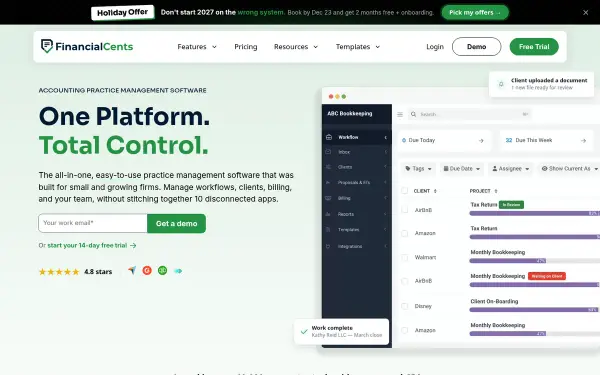
The fastest route from spreadsheet chaos to running recurring close checklists for a small US firm.
Financial Cents is the setup-speed play. Recurring checklist templates for month-end close, payroll and sales tax filings roll forward automatically each period, so the January checklist becomes the February checklist without anyone rebuilding it. Client tasks carry automatic document-chasing reminders, and client email can be converted into a project.
Entry pricing is $19 per month on the Solo plan, billed annually on a 12 month agreement and limited to single user firms. The Team plan is $49 per user. Watch the billing terms: every plan carries an annual commitment, and monthly billing only becomes available at five or more users. The Solo tier is a recent addition and now undercuts Team, so confirm the current entry figure on the vendor page before you budget.
The QuickBooks Online integration is the deepest part of the product: corrections sync back to the client file, which matters for bookkeeping shops that fix coding errors constantly. Profitability reporting and the branded client portal both require the $69 Scale plan, so a firm that wants margin visibility pays above entry.
The limits are geographic and structural. It supports US and Canada clients only, with no Xero integration and no multi-currency. There are no built-in e-signatures and no mobile apps. That said, the product launched in 2020 and built its base on onboarding, aimed at US bookkeeping and tax firms under roughly 20 people. A small US firm that wants to be live within a week gets there without a consultant. A firm with UK or EU clients, or one that needs signatures inside the workflow, has to look elsewhere.
You are a small US or Canada firm that wants recurring close checklists running this month.
You serve non-US clients, need Xero, or need signatures inside the workflow.
Entry III of IX / Recurring checklists
Our verdict
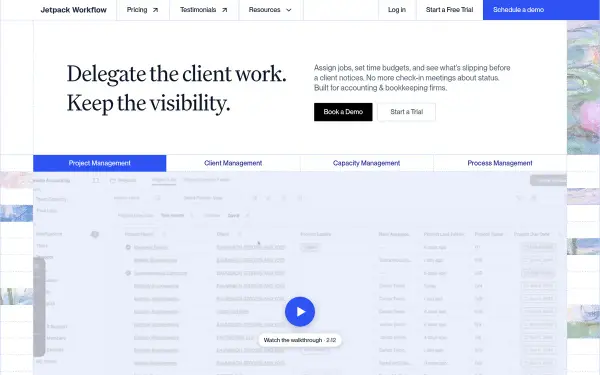
A deliberately narrow recurring job tracker that wins when deadlines are the only thing going wrong.
Jetpack Workflow does one job: recurring job checklists with due dates and assignments. You build the checklist once, it repeats on schedule, and you can see what is late. Unlimited projects, clients and templates are included on both tiers, which is unusual at this price level.
Pricing is the awkward part. The vendor page showed the Premium plan at $59 per seat monthly, and the Starter price was not displayed at the time of checking, so the entry point is listed here as see website. Time tracking, budget-versus-actual reporting and capacity management all sit on Premium, so the Starter tier covers tracking only. Monthly billing is available, which helps a firm that wants to test the tool for a quarter rather than commit to a year.
Setup is self-serve, and there is an optional one-time done-for-you setup package for firms that would rather not build templates themselves. For a practice that has run on spreadsheets, a day of template building gets a working system.
The scope limits are real. There is no client portal, no document storage and no e-signatures, so any firm that collects documents from clients needs a second product. Integrations are thinner than on the all-in-one platforms. Total cost therefore includes whatever fills those gaps, which can erase the price advantage.
The product deliberately avoids becoming a practice suite. That is fine if your problem is missed recurring deadlines and nothing else. It is the wrong tool if you are consolidating four systems into one, or if clients need a portal to upload documents.
Recurring job checklists are the whole problem and documents and signatures are already covered.
You need a portal or document collection, since a second tool adds to the total cost.
Entry IV of IX / Unlimited e-signatures
Our verdict
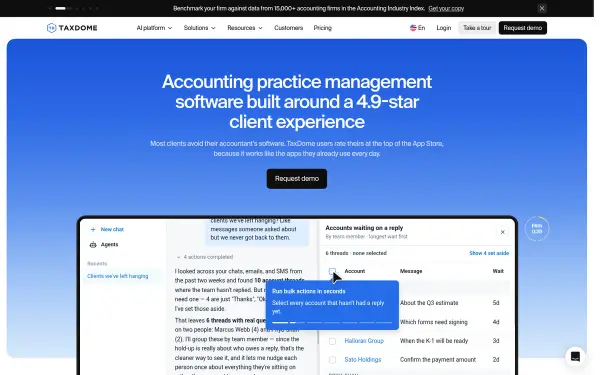
The portal-first suite for practices that live on client signatures and document uploads.
TaxDome is a portal-first practice suite. Clients get a branded portal and a mobile app with secure chat, and every plan includes unlimited e-signatures and unlimited document storage without metered add-ons. For a tax practice that spends January chasing signatures and uploads, bundling those two into the seat price changes the math against tools that meter them separately.
The pricing structure is annual and upfront. Entry is $1,500 per year, billed annually, including 20 seats, with a 150 active client minimum. Advertised entry figures assume three-year commitments; on a one-year term the seat prices run $800, $1,000 and $1,200 for Essentials, Pro and Business. Every seat is billed upfront annually with no monthly option, and there is no free trial, only a demo.
Essentials is solo-only, so hiring a first employee pushes the firm to Pro. Pro adds IRS transcript pull, AI reporting, team chat, workload management and a Zapier connection, plus temporary seats at $100 per month for seasonal staffing. Business adds Client Care, which handles routine client questions.
The product is strongest where client experience outranks billing flexibility. A seasonal firm with a fixed team and a heavy signature and document load gets a lot bundled in. A firm that grows mid-year, or one that wants to pay monthly, will feel the seat commitment. The 150 active client minimum also means very small practices should model the first year carefully before signing.
Your clients judge you on the portal experience and signature volume is high.
You need monthly billing flexibility or you hire mid-year and cannot absorb upfront seats.
Entry V of IX / AI tax prep

Our verdict
The broadest AI tooling in the category, priced for tax-heavy firms that will use the metered modules.
Canopy rebuilt its pricing in 2026 around three flat per-seat tiers, and the Standard tier at $74 per user per month billed annually now bundles CRM, document management, workflow, billing, portal and payments into one seat price. That is a wide bundle, and it removes the usual separate line items for a portal and a payments tool.
The differentiator is the Coworker AI suite: Smart Intake, Smart Prep and Smart Delivery, plus AI-assisted tax preparation and automated return delivery with e-signature. Proposals auto-generate projects and assign tasks, so an accepted engagement becomes scheduled work without a rekeying step. The Plus tier adds roles and capacity planning; Premium adds advanced workflows and billing scenarios.
The cost trap is specialist work. Transcripts, notices, Close Automation and Tax Resolution are metered modules on top of seats, starting from $34 per client credit. A firm that leans on those modules pays well above the seat price, and the $74 figure is not the total cost of ownership. Syncing and filtering can feel fiddly, so a demo running your own data matters here.
Canopy suits tax-heavy practices: tax resolution work and high volume 1040 preparation, where the AI prep and delivery tooling pays back in seasonal hours. General bookkeeping shops get less from the AI modules and pay for metering they will not use. If your work is mostly monthly close and advisory, Financial Cents or Uku fit better and cost less. If your January is a preparation and delivery bottleneck, the bundle is worth testing.
Your bottleneck is tax preparation and return delivery rather than general bookkeeping.
You run mostly monthly close and advisory work, where the metered modules go unused.
Entry VI of IX / Margin visibility

Our verdict
The modular option for growing firms that want monthly billing and margin visibility per client.
Uku is modular, and the modules switch on as a firm needs them. Recurring task and workflow management tracks client work, and real-time profitability monitoring shows margin by client and by employee. For a firm on fixed-fee engagements, that second view is the one that changes behavior: you can see which client stopped being profitable before year end.
Pricing starts at $19 per member per month on the Solo plan, billed annually, for one member and up to 20 active clients. Client budgeting and document management, plus e-signatures, require the $48 Elite tier. Annual billing takes roughly 23 percent off the monthly rates, and true monthly billing is available, which is uncommon in this category and useful for a firm that wants to try before committing.
The product is European-built and shows it: multi-currency support and 12 interface languages, plus Xero and QuickBooks integrations. Outside the US that combination is a practical advantage, since many competitors assume a single currency and a US client base.
The trade-offs are ecosystem and content. The prebuilt template library is smaller than on the US platforms, so more templates have to be built from scratch. There is less community material and fewer shared resources to borrow from. A firm that wants a library of ready-made checklists will do more setup work here.
Uku fits growing firms that want monthly billing, cost visibility and non-US clients. A US bookkeeping shop under five people that wants onboarding speed and a large template library will likely be happier on Financial Cents.
You want monthly billing and margin visibility, especially with clients outside the US.
You need a large library of ready-made templates or signatures on the entry plan.
Entry VII of IX / Xero ledger sync

Our verdict
Free at the margin for Silver partners, narrow in scope, and hard to beat if you already run on Xero.
Xero Practice Manager is the practice layer inside Xero's partner program. Jobs move through defined workflow stages, timesheets and work in progress reporting feed the practice picture, and invoicing runs from the same place. It syncs two ways with the Xero ledger natively, so client accounting data and practice job data stay aligned without duplicate entry.
The pricing logic is the point. Firms at Silver partner status and above get it included, which makes it cost nothing at the margin for an existing Xero practice. New and Bronze partners pay $149 per month for up to 10 users. Xero Workpapers is bundled in at no extra charge, which matters for firms doing year-end accounts work.
The scope is narrow. There is no real client portal, no document management and no e-signatures. That is why Xero pairs it with Hubdoc, which ships with any Xero subscription and handles document capture. The two together give a Xero firm a working stack at no additional subscription cost, provided the firm accepts that portals and signatures live outside it.
Two caveats. The interface feels dated next to newer platforms, and Xero is consolidating practice tools in some regions, so a current setup may change. A firm building a five-year process around this should confirm the roadmap applies to its country.
It fits Xero-committed firms at Silver status or above that mostly need job tracking, timesheets and work in progress. It does not fit a firm that wants one system covering portal, documents, signatures and workflow, or a practice not already on Xero, where the partner status requirement turns a free product into an accounting platform migration.
You are already a Xero partner at Silver status or above and mainly need jobs, timesheets and work in progress.
You are not on Xero, or you need one system covering documents, portals and signatures.
Entry VIII of IX / Zero-cost capture

Our verdict
A free document capture layer for Xero firms, useful precisely because it does so little.
Hubdoc is a document collection tool, and it is included with any Xero subscription. Clients photograph or forward receipts and bills, Hubdoc extracts and codes the data, and coded transactions push into Xero. It also retrieves bank statements, bills and receipts automatically, which removes a monthly request email that most bookkeepers send by hand.
The client-facing side is the reason it works. Capture requires minimal training: forward an email, snap a photo, done. Tools that ask clients to learn a portal often get ignored by March. Because there is no separate line item for firms already on Xero, adoption costs nothing but a conversation with each client.
The limits are honest. Extraction is less sophisticated than dedicated document tools, so messy receipts still need review. It does document collection only: there is no job tracking, no deadlines, no assignments. It requires a Xero subscription to be useful, so it is not a standalone purchase. And it feeds documents into whatever system handles jobs, which makes it a component rather than a system.
That component role is the point. Hubdoc is owned by Xero, which is why it is bundled into every subscription, and it pairs naturally with Xero Practice Manager for a zero-subscription workflow stack. A firm that already pays for Xero gets document capture at no extra cost and only needs to solve jobs and deadlines.
It fits Xero firms that want automated document collection without another subscription. It does not fit firms on QuickBooks or on no ledger at all, or firms that need accurate extraction on complex multi-page documents, where a dedicated tool earns its fee.
You are on Xero and clients still send documents by hand.
You are not on Xero, or you need accurate extraction on complex multi-page documents.
Entry IX of IX / Proposal to invoice
Our verdict
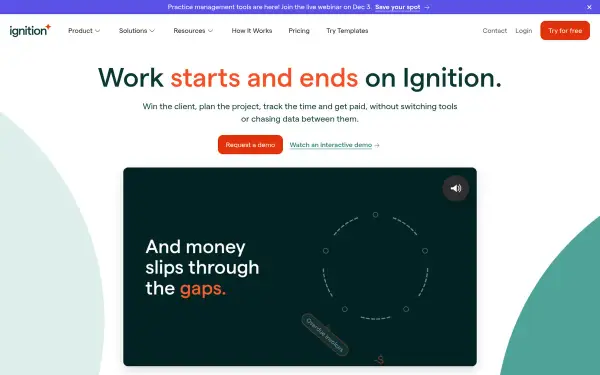
Not a workflow engine, but the cleanest fix for firms that sign work and then fail to bill it.
Ignition addresses scope creep directly. Branded proposals present up to three engagement options, the client accepts and signs the chosen option, and invoicing and payment collection start automatically after signing. The signed scope becomes the billing record, so the gap between what was agreed and what gets invoiced closes.
Pricing starts at $39 per month on the Solo plan, billed annually, for 20 active clients and one user, with eligibility criteria applying. Core covers 50 active clients and three users, and Pro covers 350 clients with bulk renewals and price increases plus 500 extra document signatures per year. Allowances are metered by active clients with signed agreements, and overages run $2 to $7 per extra client. Seasonal peaks can push a firm into a higher tier, so model the busiest month before picking a plan.
The value shows up in two places: fewer underpriced engagements because every proposal carries options, and less admin because acceptance triggers billing without a manual invoice. Bulk renewals on Pro mean an annual price increase goes out across the whole client base in one action rather than client by client.
The scope is proposals and billing, not practice management. There is no job tracking, no document management and no client portal. A firm expecting Ignition to run its workflow will still need a workflow tool, and the honest comparison is Ignition plus something else against a suite.
It fits firms that lose margin to scope creep and renegotiate prices by email. It does not fit a firm whose problem is missed deadlines rather than unbilled work, and it does not replace a workflow system for anyone.
Accepted proposals are not reliably turning into invoices at the agreed price.
Your unbilled work is small or you need a workflow engine rather than a proposal and billing tool.
VIBackground
Accounting workflow software answers one question repeatedly: what work is open, who owns it, and when is it due. Practice management software is the wider category, and it usually adds client records, documents, proposals and billing around that core. The two terms get used interchangeably, which causes confusion at the point of purchase.
The core is recurring work. A month-end close, a payroll run, a sales tax filing or a 1040 all repeat on a schedule with the same steps. The software stores those steps as a template, generates a new instance each period, assigns each step to a person, and shows what is late. Everything else is an add-on to that engine.
Features common to the workflow-focused tools here:
What varies is the client-facing layer and the accounting integration. A portal with secure document upload, e-signatures and secure chat is bundled by TaxDome and Canopy and absent from Jetpack Workflow and Xero Practice Manager. Document capture is a separate product in the Xero stack, where Hubdoc handles it. Ledger sync ranges from native two-way in Xero Practice Manager to deep QuickBooks Online write-back in Financial Cents to no ledger integration at all.
AI moved into the category during 2026. Canopy includes Smart Intake, Smart Prep and Smart Delivery, and Karbon puts practice-intelligence features on its upper tiers. Treat those as extra capacity for seasonal peaks rather than a reason to buy on their own.
The practical test is narrow. If your team already knows what to do and the work is simply not being tracked, you need the workflow core. If clients are the unreliable part, you need the portal and document layer. If signed scope is where money leaks, you need proposals and billing. Many firms end up buying two of the three, and the tool that bundles all three charges for the bundle.
This comparison sits in the software register. Further along the shore: baby tracking app and kennel software.
VIIPricing
Pricing in this category splits into five models, and the model matters more than the headline number.
| Model | How it bills | Typical fit | Example from this list |
|---|---|---|---|
| Per seat, annual | Each user billed yearly, features bundled | Firms with steady headcount | TaxDome at $1,500 per year billed annually, including 20 seats |
| Per seat, monthly option | Per user, monthly or annual | Firms testing the tool | Jetpack Workflow Premium at $59 per seat monthly |
| Per client band | Price set by active clients | Uneven or seasonal client lists | Ignition Solo at $39 per month billed annually for 20 active clients |
| Tiered by size | Low entry tier with caps | Growing firms | Karbon Team at $59 with 40 templates and 1,000 contacts |
| Bundled with a ledger | No separate line item | Existing ledger customers | Hubdoc included with any Xero subscription |
Per-seat annual pricing is the default. You pay for each user, billed yearly, and everything the tier includes comes with the seat. It is predictable for a firm with stable headcount and expensive the moment you hire. TaxDome takes this furthest: entry is $1,500 per year billed annually, includes 20 seats, and every seat is paid upfront with no monthly option.
Per-seat monthly pricing adds flexibility at a higher rate. Jetpack Workflow's page showed Premium at $59 per seat monthly, and monthly billing lets a firm run a quarter before committing. Uku offers true monthly billing, with annual billing taking roughly 23 percent off.
Client-count pricing meters the thing that drives workload. Ignition charges $39 per month on Solo for 20 active clients, and overages run $2 to $7 per client. For a firm with a large seasonal list, this is the model to stress test in March, not January.
Tiered pricing by firm size sets a low entry tier with caps. Karbon's Team plan at $59 per user per month includes 40 templates and 1,000 contacts, and deeper automation sits on the $89 Business tier. Financial Cents puts profitability reporting and the branded portal on the $69 Scale plan.
Bundled pricing is the quietest model and often the cheapest. Hubdoc ships with any Xero subscription, and Xero Practice Manager is included at Silver partner status and above. Neither appears as a line item.
Two costs sit outside every model: e-signature credits at Karbon, and metered specialist modules at Canopy from $34 per client credit. Add both before comparing annual totals, and check whether the term runs 12 months or longer.
Each entry card shows the starting price as it appeared on the vendor's own pricing page on November 25, 2026. When a vendor shows no figure we could confirm, or only a promotional rate, the card says "See website" or gives the regular price instead of a guess. Usage, overage and add-on rates in the text change more often than plan prices, so confirm them on the vendor page before you set a budget. To test the numbers against your own volume, try the free User Research Budget Planner. The Event Break-Even Calculator is a second way to check the same decision.
VIIIDecision
Name the bottleneck. Write down what actually slips: unanswered client email, missed recurring deadlines, unbilled scope, or documents that never arrive. The bottleneck picks the category. A firm losing unbilled work needs Ignition, not a task tracker.
Check the ledger. Your accounting integration narrows the field fast. Financial Cents integrates with QuickBooks Online and serves US and Canada clients. Xero Practice Manager and Hubdoc require Xero. Uku and Karbon list Xero and QuickBooks integrations.
Model the busy month. Metered plans behave differently in March than in July. Ignition charges $2 to $7 per extra active client and TaxDome requires 150 active clients minimum. Count peak clients and peak headcount before comparing annual totals.
Price the extras. E-signatures and storage are bundled by some vendors and metered by others. Karbon sells signature credits as an add-on. TaxDome includes unlimited signatures and storage on every tier. Add those line items before deciding.
Test the client side. Whatever your team likes, clients decide adoption. Ask five clients to complete a document upload and a signature in your shortlist's portal, or in Hubdoc if that is your capture layer. Ignored portals still cost full price.
Confirm the term and exit. Annual commitments and upfront seating are the hardest terms to reverse. TaxDome bills every seat upfront annually with no monthly option. Financial Cents requires a 12 month agreement below five users. Check what a mid-year hire costs.
IXPitfalls
XQuestions
It manages recurring work: who does which job, by when, and what is still open. Standard features here are recurring task or job templates, assignments with due dates, client records, and some form of document collection. Most tools also report on work in progress or profitability. Portals, e-signatures, proposals and billing appear in some products and not others, which is the main thing to check before you buy. Match features to your bottleneck.
Expect roughly $19 to $59 per user per month at entry for small firms, and $74 and up for suites with AI tax tooling. On this list, Financial Cents Solo is $19 per month billed annually and Karbon Team is $59 per user per month billed annually. Full suites meter extras: Canopy's specialist modules start at $34 per client credit. Annual commitments and client minimums move the yearly total more than the seat price does.
Yes, largely. Xero Practice Manager is included at Silver partner status and above, and Hubdoc ships with any Xero subscription. Together they cover job tracking, timesheets, work in progress and document capture at no additional subscription. The gap is client portals and e-signatures, which neither provides. New and Bronze partners pay $149 per month for Practice Manager up to 10 users, so the free path depends on partner status.
Financial Cents Solo at $19 per month billed annually is one of the lowest paid entries here, for single user firms on a 12 month agreement. Uku Solo is also $19 per member per month billed annually, capped at 20 active clients. Ignition Solo is $39 per month billed annually for 20 active clients. Xero firms at Silver status can start at no additional cost with Practice Manager and Hubdoc.
Simple tracking tools go live in days. Financial Cents is built for firms to be running within a week without a consultant, and Jetpack Workflow is self-serve with an optional one-time setup package. Full suites take longer because portals, templates and client records have to be configured, and TaxDome offers a demo rather than a trial. Plan for template building regardless of vendor, since your own checklists are the real setup work.
Only partly. Jetpack Workflow has no document storage, and Xero Practice Manager has no document management either, so both need a second tool. TaxDome and Canopy bundle storage and signatures into the seat price. If document collection is your main problem, Hubdoc handles capture but not deadlines. Most firms need workflow plus a document layer, and the question is whether one vendor sells both.
XIFurther along the shore
Vendors can ask for a correction or apply for a Featured listing. Paid or not, the entry is scored on the same rubric and its limits stay in print. Partner with Umberlake.
Free tools
Our free browser tools turn the prices on this page into a figure for your own volume. Nothing you type leaves your device.