Visual Studio Code
See websiteFree editor
Best for teams that work across many languages
- Free plan
- Yes
- Rubric
- 9.1 of 10
Eight IDEs, from free general editors to IntelliJ IDEA Ultimate at $719.00 per user per year and agent-first coding apps, sorted by the buyer each one actually fits in 2026.

IThe short answer
Visual Studio Code, IntelliJ IDEA and PyCharm lead our November 2026 list of the best integrated development environment software, and each suits a different buyer. Visual Studio Code is the pick for teams that move across many languages, because extensions cover the stack at no license cost. IntelliJ IDEA Ultimate fits Java and Kotlin professionals who need deep refactoring and Spring tooling at $719.00 per user per year, billed annually. PyCharm is the Python specialist for developers and data scientists, with Pro at $299.00 per user per year.
8 tools compared from vendor pages on November 25, 2026. 5 publish a starting price we could read; the rest say "See website".
IITop three berths
Register order is editorial fit for the buyer each entry describes. Prices are the starting figures read on November 25, 2026.
See websiteFree editor
Best for teams that work across many languages
$719.00IntelliJ IDEA Ultimate, per user per year, billed annually
Best for java and Kotlin professionals
$299.00PyCharm Pro, per user per year, billed annually
Best for python developers and data scientists
How this page is paid for. All 8 tools here are unpaid editorial picks.
A paid listing's position can be part of what the vendor pays for. Every entry, paid or not, is scored on the same rubric and keeps its limits in print. Advertising disclosure.
IIIThe register
Starting prices as shown on each vendor's pricing page on November 25, 2026. "See website" means no figure we could confirm.
| No. | Tool | From | Free plan | Trial | Rubric | Actions |
|---|---|---|---|---|---|---|
| 01 | Visual Studio CodeTeams that work across many languages | See websiteFree editorNot shown publicly | Yes | No | 9.1 | |
| 02 | IntelliJ IDEAJava and Kotlin professionals | $719.00IntelliJ IDEA Ultimate, per user per year, billed annuallyUpdated on vendor page | Yes | 45-day team trial | 7.8 | |
| 03 | PyCharmPython developers and data scientists | $299.00PyCharm Pro, per user per year, billed annuallyUpdated on vendor page | Yes | One month of Pro | 7.7 | |
| 04 | Visual Studio.NET and Windows development teams | $45Visual Studio Professional, per user per month, month-to-monthUpdated on vendor page | Yes | No | 7.5 | |
| 05 | Eclipse IDETeams that want free, open Java tooling | See websiteFree and open sourceNot shown publicly | Yes | No | 6.3 | |
| 06 | Sublime TextDevelopers who want speed above all | $99Personal license, one-time purchase, includes 3 years of updatesUpdated on vendor page | No | Unlimited free evaluation | 6.3 | |
| 07 | Android StudioAndroid app developers | See websiteFree official Android IDENot shown publicly | Yes | No | 7.2 | |
| 08 |  CursorTeams going all-in on AI-assisted coding | $8Plus, per monthUpdated on vendor page | Yes | No | 7.4 |
Pinned:
IVMethod
Every tool on this list went through the same five criteria. Language depth asks how good the tooling is for the languages a team actually ships. Cost and licensing covers license price, free tiers and how predictable spend is. AI assistance looks at whether agent and completion features are usable in daily work rather than added on. Workflow tooling covers debugging, testing, version control and the surrounding integrations. Ease of adoption weighs setup time, hardware demands and how much configuration a new hire faces.
Scores are set per criterion from the vendor documentation and the feature lists we verified, not from a single demo. Prices come from vendor pricing pages checked on November 26, 2026. Where a page could not be fetched, the entry says See website and the free listing comes from our earlier note, dated October 2026, which is flagged in the entry itself. Several entries carry a price note explaining that a page now shows a concrete figure where an older note only pointed at the vendor site.
The Featured listing is a paid placement. It was scored with the same rubric as every other entry and carries the same kind of honest cons. Placement affects where an entry appears, not the scores.
The order is editorial. Each entry describes the buyer it suits, so read the pick and skip lines rather than treating the list as a league table. If your stack is narrow, the right answer is often the tool built for that stack, even when a general editor scores well across the board. Two teams with the same budget can land on different answers because their languages and hardware differ.
The full routine, from price reads to corrections, is on the methodology page. Paid listings follow the advertising disclosure.
How strong the tooling is for the languages a team ships every day.
License price, free tiers and how predictable the annual spend is.
Whether agents and completion features are usable in daily work rather than bolted on.
Debugging, testing, version control and the integrations around the editor.
Setup time, hardware demands and how much configuration a new hire faces.
Entry I of VIII / Extension ecosystem
Our verdict
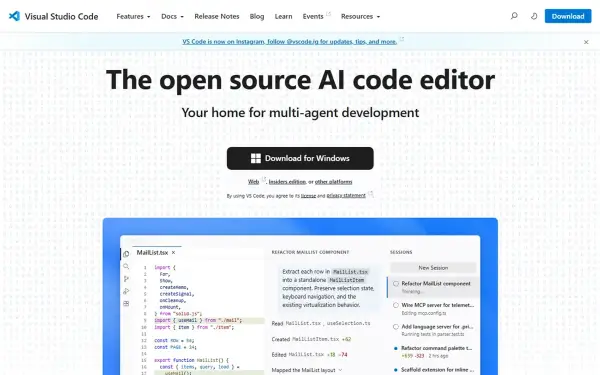
Free, extensible and now agent-capable, it fits mixed-language teams that can live with some extension sprawl.
Visual Studio Code is a free editor that behaves like a full IDE once extensions are installed. IntelliSense handles completion, the debugger and Git integration ship in the box, and the extension marketplace covers many languages a mixed team will use. Recent builds add AI agents that can plan work, edit files, run tests and open pull requests, which moves it further from a plain text editor.
Remote development runs through extensions, so a laptop can drive a container, a server or a cloud workspace while the terminal stays part of the loop. That combination is why it suits teams that switch languages week to week: nobody has to buy a second tool when the stack changes.
Pricing is listed as See website, because no pricing page could be fetched during our check; the note we hold describes a free editor. The project is built on the open-source Code-OSS foundation, while Microsoft's official build adds proprietary components such as telemetry that can be turned off. Confirm current licensing with the vendor, since our details were dated October 2026.
The trade-off is configuration. Each extension adds a decision to the team setup, so standards drift unless someone owns a shared profile. Very large projects can also strain performance, especially with several heavy extensions and an agent session running at the same time.
Your team writes in several languages and wants one no-cost editor that agents can work inside.
You need deep framework tooling in one language without assembling extensions first.
Entry II of VIII / Java refactoring depth
Our verdict
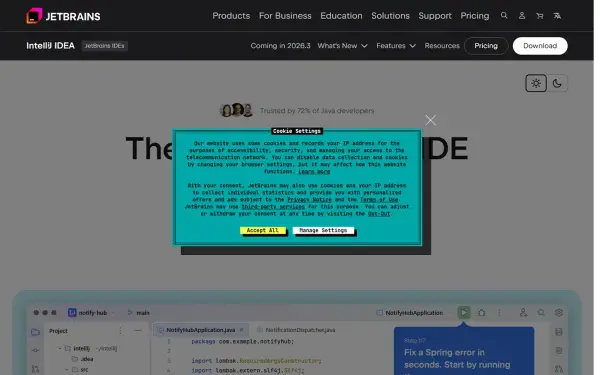
Deep Java and Kotlin tooling, priced at $719.00 per user per year, billed annually, for teams that commit to the JVM.
IntelliJ IDEA Ultimate is a well-established IDE for Java and Kotlin. Code analysis, inspections and safe refactoring work across large codebases, and the Spring integration is built with the Spring team, which matters for teams maintaining long-lived service code. A debugger, profiler, database tools and a test runner all sit in the same window, and AI agents can call on the debugger, profiler and test tools instead of guessing at a fix.
It is licensed per user. Ultimate costs $719.00 per user per year, billed annually, and a 45-day team trial lets a group evaluate it together. A free tier includes 30 days of Ultimate so individuals can test paid features before committing. Our pricing page now shows the concrete Ultimate figure, where an older note only pointed at the website. Details were dated October 2026, so confirm current numbers with JetBrains.
Fits teams whose work is mostly JVM: Java services, Kotlin libraries, Spring backends. More than 300,000 organizations use it, which says something about how entrenched it is in enterprise Java shops. It is less compelling for polyglot groups splitting time between JavaScript, Python and Go, where a lighter editor with extensions covers more ground for less money.
Budget for hardware. On modest machines the IDE can be resource-hungry, particularly with several projects open and indexing running in the background.
Your team ships Java or Kotlin services and wants refactoring and Spring tooling that understands the codebase.
Java is a side language rather than the main event, or if $719 per user per year is out of reach.
Entry III of VIII / Python framework tooling
Our verdict
Focused Python tooling with frameworks, notebooks and databases in one place, at $299 per user per year for Pro.
PyCharm is built for Python specifically, and that focus shows. Smart completion understands the language rather than guessing from tokens, PEP 8 checks keep style consistent without a separate linter, and refactoring is aware of Python semantics. Django, Flask and FastAPI get dedicated tooling, Jupyter notebooks open in the IDE, and Conda and database tools cover the parts of data work that usually live in a separate shell.
PyCharm Pro costs $299.00 per user per year, billed annually, per user. A free edition is available indefinitely and includes one month of Pro so you can test the paid tooling. Pro adds the full web framework and database features, which is the split that matters for most teams: free edition for scripts and teaching, Pro for production web services and data pipelines. Our pricing page now shows the subscription price instead of pointing at the website, and details were dated October 2026, so verify with JetBrains.
It fits Python developers and data scientists who want one environment for code, notebooks and databases. Context-aware AI code generation is part of the package rather than a separate add-on, which helps on repetitive refactors and test scaffolding.
Teams that write Python alongside TypeScript or Go may prefer a lighter editor they already use everywhere. The cost of that Python depth is weight: it is heavier than a plain editor, with slower startup and higher memory use, which is noticeable on older laptops and in short-lived containers.
Python is your main language and you want framework, notebook and database tools in one window.
Python is one of several languages your team writes, or if memory on your laptops is tight.
Entry IV of VIII / .NET debugger

Our verdict
The strongest .NET and Windows IDE, with a free Community edition and $45 per user per month for Professional.
Visual Studio is the definitive IDE for C# and.NET, and the 2026 release supports.NET 10 and C# 14 from day one. The debugger and profiler are the strongest argument: diagnostics, performance traces and SQL Server work sit in the same session as the code. Azure integration, GitHub Copilot and desktop, web and game project templates cover Microsoft stack work without extra setup.
Editions split the audience. Community is free for individual developers and small teams. Professional costs $45 per user per month on a month-to-month term, and Enterprise adds collaboration, testing and architecture tools for larger organizations. No trial is listed. Pricing details were dated October 2026, so confirm current terms with Microsoft.
Choose it when the team lives in.NET and Windows. The debugger alone justifies the install for a C# service team, and the free Community edition covers small groups that do not need the higher tiers or the architecture features.
The limits are real. It is Windows-first, so cross-platform teams need a second tool for Mac and Linux contributors. Even a modest project pulls a large install, which slows fresh machines and CI images. Teams writing mostly JavaScript or Python will find it heavier than they need, especially when a free editor covers the same ground.
Your team ships C# or .NET on Windows and wants the debugger and diagnostics in one place.
Most of your developers use macOS or Linux, or if the stack is not Microsoft-based.
Entry V of VIII / Vendor-neutral plugins

Our verdict
Free, vendor-neutral Java tooling with a wide plugin catalog, though the interface and AI features lag newer rivals.
Eclipse IDE is a free, open-source Java IDE maintained by a vendor-neutral foundation, with no license cost and no paid tier. That governance model is the reason some enterprises choose it: the project is vendor-neutral, and the plugin ecosystem covers languages, frameworks, modeling and embedded development through marketplaces.
For large Java codebases the core tooling holds up. The core tooling handles enterprise-scale Java repositories, and the plugin catalog reaches into areas such as embedded toolchains and modeling work. Pricing is listed as See website because no pricing page exists to check, and the free and open-source listing stands from our earlier note. Details were dated October 2026, so verify current features and plugin support with the project.
Pick it when cost and vendor neutrality outrank polish, or when a legacy Java stack already depends on Eclipse plugins that would be expensive to replace. Long enterprise track record counts for something when a codebase has outlived several tool vendors.
Expect friction. The interface feels dated next to newer editors, plugin quality varies widely, and AI-assisted coding has arrived more slowly than in commercial rivals. Release cadence for headline features is also slower, so teams that want agent-driven workflows will look elsewhere first.
You want a no-cost, vendor-neutral Java IDE and your stack already leans on Eclipse plugins.
AI assistance and a modern interface are priorities for your developers.
Entry VI of VIII / Raw speed
Our verdict
The fastest editor on the list, a $99 one-time purchase that becomes an IDE only through plugins you assemble.
Sublime Text is the fastest way to open a folder and start typing. Startup is near-instant, Goto Anything jumps between files and symbols, GPU rendering keeps scrolling smooth on large files, and there is native Apple Silicon support. Version 4 added those rendering and platform improvements plus smarter autocomplete, and the Python plugin API with its package ecosystem covers language support and build systems.
It is a text editor that becomes an IDE through packages rather than a full IDE out of the box. That suits developers who already know which plugins they want: language support and build pieces can be added, but the workflow is yours to assemble and maintain across machines.
The license is $99 for a personal license, a one-time purchase that includes three years of updates. There is no free plan, but evaluation is effectively unlimited with occasional purchase reminders, and paying removes them. Our pricing page states the one-time figure rather than a subscription. Details were dated October 2026, so verify current pricing with the vendor.
Choose it for speed on Windows, Mac or Linux, and for very large files. Skip it if your team expects debugging, refactoring and AI agents built in, because that work falls to plugins that need upkeep.
Raw speed and huge files matter more to your developers than built-in debuggers and agents.
Your team wants debugging, refactoring and AI assistance without hunting for plugins.
Entry VII of VIII / Android emulator
Our verdict
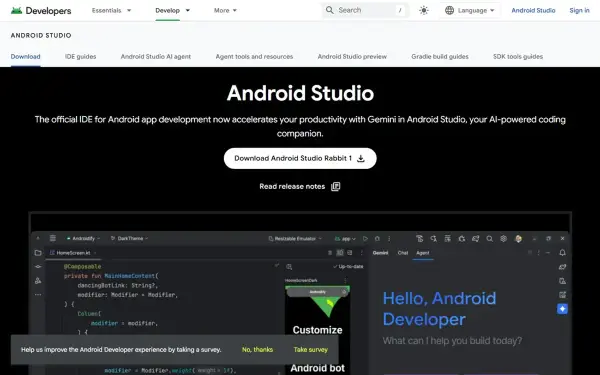
The official Android IDE, free and complete for app work, and worth the 1.5 GB install only if Android is the job.
Android Studio is the official Android IDE, published by Google and built on the IntelliJ platform. The Android SDK, emulator, Jetpack Compose previews, Live Edit for Compose and app bundle publishing are all handled in one place, with Kotlin, Java and C/C++ editing alongside APK inspection and performance profiling. Gemini-powered assistance is included at no cost.
It is free. Pricing is listed as See website because no pricing page could be fetched, and the free official listing stands from our earlier note. Budget disk space instead: the install is about 1.5 GB before SDKs. Details were dated October 2026, so verify current system requirements with Google.
Fits Android app developers, including teams shipping Compose interfaces who want previews and live editing without a second tool. The emulator and profiler are the practical reasons to stay: reproducing a performance problem on a device is easier when the tooling is already installed and configured.
Outside Android work it has nothing to offer, and it is heavy on resources, so a laptop running an emulator and a build at the same time will feel it. Cross-platform teams usually pair it with a separate editor for shared code, which raises configuration questions about which tool owns formatting and lint rules.
Your developers build Android apps and want the emulator, Compose previews and profiler in one free tool.
Android is a small slice of a cross-platform codebase or disk space on developer laptops is tight.
Entry VIII of VIII / Autonomous agents
Our verdict
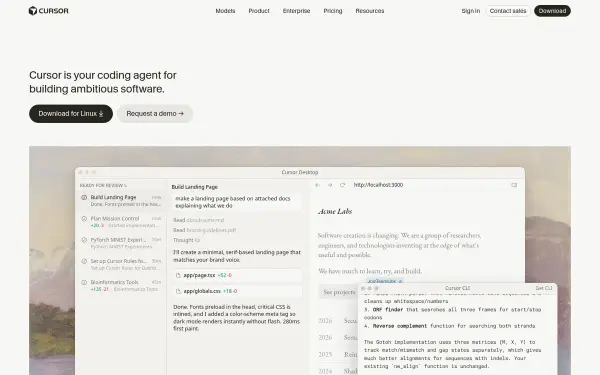
Agent-first coding at $8 per month plus usage, built for teams that want AI to write and test features.
Cursor started as an AI-enhanced fork of VS Code and now centers on delegated coding. Agents build and test features autonomously, parallel agent workflows let several tasks run at once, and the same agents operate from the terminal, Slack and GitHub pull request review. Models from OpenAI, Anthropic and Gemini are all available, so teams are not locked to one provider.
That breadth is the point: a developer can describe a feature, let an agent draft and test it, then review the pull request without leaving the workflow. Enterprises have adopted it for exactly that reason, and for teams standardizing on agent-driven development it removes the glue work a plain editor still requires.
Pricing starts at $8 per month for the Plus tier, with a free plan beneath it. AI usage costs sit on top and add up quickly under heavy agent use, so budget for consumption rather than the seat price alone. Details were dated October 2026, so verify current pricing and model access with the vendor.
The honest caution is review discipline. Autonomous output still needs a careful read, and the feature set changes fast enough that last quarter's workflow may not match this quarter's. Choose it when AI assistance is the strategy rather than a bonus feature, and when someone on the team owns review standards for agent-written code.
You want agents drafting, testing and submitting work as the default way your team ships code.
Your developers mostly hand-write code or you need predictable, usage-independent pricing.
VBackground
An IDE is one application that combines a code editor with the tools a developer needs around it: completion, debugging, testing, version control and build management. The best integrated development environment software for your team is the one that covers your main language deeply and does not force extra purchases for the rest of the stack.
The category splits into three shapes. General editors with extensions, such as Visual Studio Code and Sublime Text, cover many languages by adding packages. Language-specific IDEs, such as IntelliJ IDEA for Java, PyCharm for Python and Visual Studio for.NET, go deeper on one stack. Platform IDEs, such as Android Studio, bundle a particular SDK and emulator.
Most IDEs share a common set of building blocks:
Prices run from free and open source to per-user subscriptions such as IntelliJ IDEA Ultimate at $719.00 per user per year, billed annually. Pick by the language your team writes most, the hardware people carry and whether AI agents are central to how you work or a nice extra. Teams that answer those three questions consistently usually land on one or two candidates and can evaluate them in a week.
This comparison sits in the software register. Further along the shore: baby tracking app and kennel software.
VIPricing
IDE pricing falls into four shapes: free or open source, per-user subscriptions billed monthly or annually, one-time licenses, and AI tiers charged on usage. The best integrated development environment software is not automatically the cheapest option, because setup time has a cost too.
Subscriptions dominate commercial IDEs. IntelliJ IDEA Ultimate is $719.00 per user per year, billed annually, and PyCharm Pro is $299.00 per user per year, billed annually. Visual Studio Professional is $45 per user per month on a month-to-month term. JetBrains licenses per user, so seat count drives the number directly and adding a contractor has a visible cost.
One-time licenses still exist. Sublime Text is $99 for a personal license, a one-time purchase that includes three years of updates.
AI tiers add a second meter. Cursor lists Plus at $8 per month, and heavy agent use raises cost on top of the seat price.
Free options are real. Visual Studio Code, Eclipse IDE, Android Studio and the free editions of PyCharm, IntelliJ IDEA and Visual Studio Community carry no license fee, which is why cost-sensitive teams start there. Visual Studio Code and Android Studio are listed as See website in our data because no pricing page could be fetched; both are free to use.
| Model | How it bills | Typical fit | Example from this list |
|---|---|---|---|
| Free or open source | No license fee | Cost-capped teams, students, plugin-heavy Java shops | Eclipse IDE, Android Studio |
| Per-user annual subscription | Per user, billed annually | Teams standardizing on one language stack | IntelliJ IDEA at $719.00 per user per year; PyCharm Pro at $299.00 per user per year |
| Per-user monthly subscription | Per user, month to month | .NET and Windows teams | Visual Studio Professional at $45 per user per month |
| One-time license | Single payment | Individuals who value speed | Sublime Text at $99, including three years of updates |
| AI seat plus usage | Monthly seat, consumption on top | Agent-first teams | Cursor Plus at $8 per month |
All figures come from vendor pricing pages checked on November 26, 2026.
Each entry card shows the starting price as it appeared on the vendor's own pricing page on November 25, 2026. When a vendor shows no figure we could confirm, or only a promotional rate, the card says "See website" or gives the regular price instead of a guess. Usage, overage and add-on rates in the text change more often than plan prices, so confirm them on the vendor page before you set a budget. To test the numbers against your own volume, try the free User Research Budget Planner. The Event Break-Even Calculator is a second way to check the same decision.
VIIDecision
VIIIPitfalls
IXQuestions
Visual Studio Code is usually an easy starting point because it is free and adds language support through extensions as you need it. For someone learning Python, the free PyCharm edition gives built-in guidance, with PEP 8 checks and refactoring built in. Sublime Text is fast but expects you to assemble tooling.
PyCharm Pro is the strongest Python-specific choice at $299.00 per user per year, billed annually, with Django, Flask and FastAPI tooling, Jupyter notebooks and database tools. The free edition is available indefinitely and includes one month of Pro. Visual Studio Code is the better free option if your team also writes other languages.
Visual Studio Code carries no license fee in our data, and the free listing stands. The editor is built on the open-source Code-OSS project, while Microsoft's official build adds proprietary components such as telemetry that can be disabled. Our licensing details were dated October 2026 and no pricing page could be fetched, so confirm current terms with Microsoft before standardizing a large team on it.
Ultimate is the paid edition at $719.00 per user per year, billed annually, and it carries the paid features described in this list: Spring integration, database tools, the profiler and the full inspection set. A free tier includes 30 days of Ultimate so individuals can evaluate those features, and teams can use a 45-day trial. Confirm current edition limits with JetBrains before you plan seats.
Choose Cursor when autonomous agents are central to how the team ships rather than an add-on. Its agents build and test features, run in parallel, and work from the terminal, Slack and GitHub pull request review, with models from OpenAI, Anthropic and Gemini. Plus starts at $8 per month before AI usage costs. Teams that mostly hand-write code get more from a traditional IDE.
Visual Studio Code covers the widest range, because language support arrives through its extension marketplace rather than being built in. That is why it suits teams that switch stacks. Eclipse IDE also reaches many languages through plugins, and Cursor inherits the VS Code base. Language-specific IDEs such as PyCharm, IntelliJ IDEA and Visual Studio go deeper but narrower.
XFurther along the shore
Vendors can ask for a correction or apply for a Featured listing. Paid or not, the entry is scored on the same rubric and its limits stay in print. Partner with Umberlake.
Free tools
Our free browser tools turn the prices on this page into a figure for your own volume. Nothing you type leaves your device.