DrawSQL
$19Starter, per month, billed monthly, $171 per year option, 1 user, 10 private diagrams
Best for fast schema diagrams for application teams
- Free plan
- Free plan, unlimited public diagrams up to 15 tables
- Rubric
- 6.9 of 10
Seven database design tools ranked for schema diagrams, DDL generation and model versioning, with the pricing and limits that decide which one fits your team.

IThe short answer
The best database design tool in November 2026 depends less on feature counts than on your database engine and how your team reviews changes. DrawSQL suits application teams that want a readable schema diagram fast. SqlDBM suits data teams that need naming standards, approvals and Git history across cloud warehouses. Lucidchart suits architects who place ERDs inside wider system documentation. The seven tools below cover free desktop utilities, one-time licenses and per-seat cloud subscriptions.
7 tools compared from vendor pages on November 25, 2026. 3 publish a starting price we could read; the rest say "See website".
IITop three berths
Register order is editorial fit for the buyer each entry describes. Prices are the starting figures read on November 25, 2026.
$19Starter, per month, billed monthly, $171 per year option, 1 user, 10 private diagrams
Best for fast schema diagrams for application teams
See websitecustom quote
Best for cloud data modeling with team governance
$9Individual, per month, billed yearly
Best for database diagrams inside broader architecture documents
How this page is paid for. All 7 tools here are unpaid editorial picks.
A paid listing's position can be part of what the vendor pays for. Every entry, paid or not, is scored on the same rubric and keeps its limits in print. Advertising disclosure.
IIIThe register
Starting prices as shown on each vendor's pricing page on November 25, 2026. "See website" means no figure we could confirm.
| No. | Tool | From | Free plan | Trial | Rubric | Actions |
|---|---|---|---|---|---|---|
| 01 | DrawSQLFast schema diagrams for application teams | $19Starter, per month, billed monthly, $171 per year option, 1 user, 10 private diagramsUpdated on vendor page | Yes | No | 6.9 | |
| 02 | SqlDBMCloud data modeling with team governance | See websitecustom quoteQuote only | Yes | Free trial | 7.6 | |
| 03 | LucidchartDatabase diagrams inside broader architecture documents | $9Individual, per month, billed yearlyUpdated on vendor page | Yes | 7-day free trial | 5.9 | |
| 04 | Luna ModelerOffline relational modeling with a one-time licence | See websiteNot shown publicly | Yes | 14-day free trial, no card or account | 6.9 | |
| 05 | HackoladeModeling relational, NoSQL, cloud and API targets | €200Ultimate Edition monthly subscription, per dedicated seat per monthUpdated on vendor page | Yes | 14-day free trial, no credit card required | 8.0 | |
| 06 | MySQL WorkbenchFree MySQL design, querying and administration | See websiteNot shown publicly | Yes | No | 5.8 | |
| 07 | DbSchemaVisual design with Git review and HTML docs | See websiteNot shown publicly | No | 15-day Pro trial | 6.4 |
Pinned:
IVMethod
We scored each tool on five criteria: schema modeling depth, SQL round trip (forward and reverse engineering), team collaboration, version control, and price clarity. Each tool got a 1 to 10 score per criterion, and the weights are published in the rubric so you can re-weight them for your own situation.
Prices come from vendor pricing pages, checked on November 26, 2026. Where a vendor publishes no figure (SqlDBM quotes per team; the Luna Modeler and DbSchema pricing pages could not be read at check time), we say so and do not estimate. Plan qualifiers, such as billing term, seat counts and diagram limits, are reproduced as the vendor states them, so a $19 headline and a $171 annual option can belong to the same tier.
The Featured listing is a paid placement. It is scored with the same rubric as every other entry and keeps its honest cons. Placement affects where an entry appears, not what we write about it.
The order is editorial. Each entry describes a different buyer: the application team that needs a fast diagram, the data platform team that needs approvals and lineage, the architect documenting a whole system. A tool that scores well on modeling depth can still be the wrong pick for a two person startup, so read the pick and skip lines before you compare scores.
The full routine, from price reads to corrections, is on the methodology page. Paid listings follow the advertising disclosure.
How completely the tool handles conceptual, logical and physical design for the engines you run.
Whether it can generate DDL from a model and rebuild a model from a live database.
Comments, shared editing, approvals and documentation that keep several people aligned on one schema.
How well model changes can be stored as files, diffed and reviewed like code.
Whether a buyer can find a published price, a free tier and the plan limits without contacting sales.
Entry I of VII / SQL import to diagram
Our verdict
A fast route from an existing SQL file to a clean ERD, though advanced governance is limited and NoSQL modeling is out of scope.
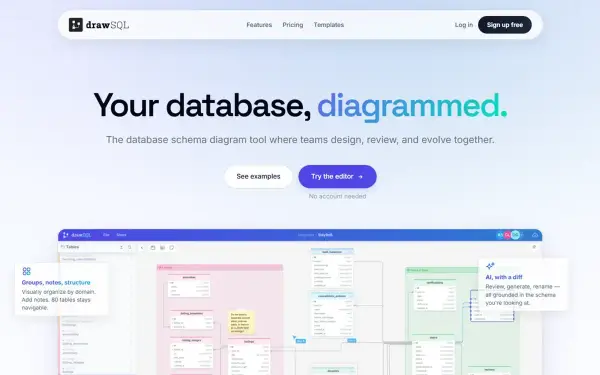
DrawSQL is a diagramming tool focused on relational schemas. You can paste CREATE TABLE statements and get a layout back, which is often the fastest way to document a database that already exists. Templates for SaaS, e-commerce and CRM patterns cover shapes most application teams rebuild from scratch, and comments attach to individual tables so review notes sit next to the object they describe.
Version history lets you compare one schema state with another, and diagrams can be embedded in documentation or onboarding material. The scope stops at relational design: there is no path for document stores, and advanced governance features are limited. Teams that need a formal review step around model changes will feel that gap quickly.
Pricing is $19 per month on the Starter plan, billed monthly, with a $171 per year option for one user and 10 private diagrams. A free plan covers unlimited public diagrams up to 15 tables, which is enough to test the editor before paying. There is no trial. Prices are not shown prominently on the homepage, so check the pricing sheet before you commit, and remember that private work and additional seats sit behind the paid tier.
Your team documents relational schemas and wants a readable diagram ready in minutes rather than hours.
You need naming standards, approval workflows or models for document databases.
Entry II of VII / Governed cloud modeling
Our verdict
Built for data teams that treat a model as a governed asset, with Git and approval workflows that smaller tools skip.
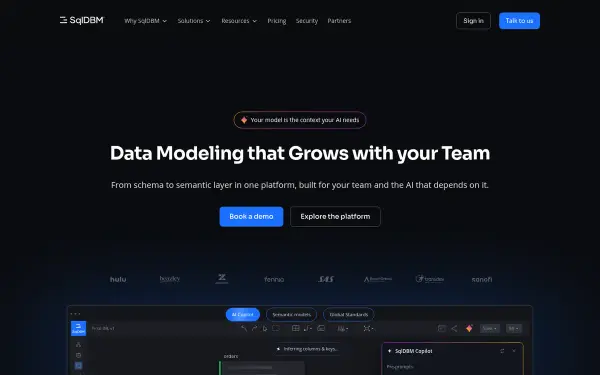
SqlDBM is aimed at teams that maintain a model across conceptual, logical and physical stages in one place. Naming standards and templates keep a large schema consistent, approval workflows put a gate in front of changes, and the tool reverse engineers existing databases and forward engineers back to SQL. Git integration covers model changes, and lineage plus impact analysis answer the question every analyst asks: what breaks if this column moves.
It also offers semantic modeling for cloud data platforms and native dbt integrations, which fits Snowflake and Databricks teams. The trade is weight. Enterprise features need setup and training, the learning curve is real for deeper functions, and a solo developer who just wants a diagram will find the whole apparatus excessive.
Pricing is the other friction. The pricing page offers contact sales and quote requests with no published figure, so a team plan is a conversation rather than a checkout. Budget time for that negotiation and ask specifically which seats count as modelers versus viewers. If you can absorb the onboarding, the combination of standards, Git history and lineage is hard to assemble from cheaper tools.
You run cloud data warehouses and need naming standards, approvals and lineage around the model.
You need a published per-seat price today or only model one small application database.
Entry III of VII / Diagrams plus architecture
Our verdict
The right pick when an ERD has to sit beside flowcharts and system diagrams, not replace a database modeler.
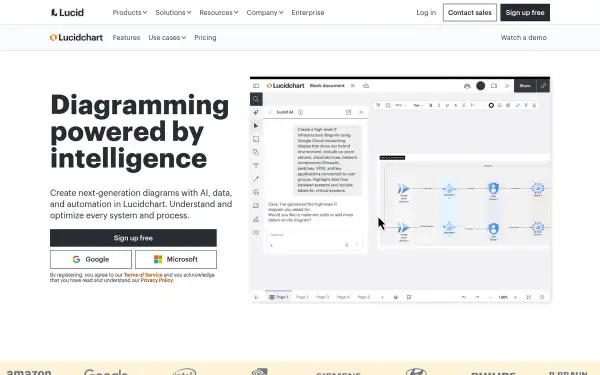
Lucidchart is a general diagramming platform with ERD shapes and templates inside a much larger library. You get flowcharts, UML and system diagrams alongside the database work, plus layers, conditional formatting and real-time collaboration during a design session. Data linking is part of the product, which is useful when a diagram has to stay tied to data rather than a sketch.
The honest limit is SQL. Lucidchart draws entities and relationships well but is not a dedicated database modeler: SQL generation is limited, and it will not keep a model and a live schema in step. If your deliverable is a document that explains how systems fit together, that trade is fine. If your deliverable is the schema itself, you will end up maintaining the database somewhere else.
Pricing starts at $9 per month on the Individual plan, billed yearly, with the Team plan above it. The free plan allows 3 editable documents with 75 shapes each, which is enough to try the ERD shapes but not enough to run a project. A 7-day free trial covers the paid tiers. Pricing details sit behind a pricing page, so confirm plan limits and seats before you standardize on it.
Database diagrams are one part of architecture documents that also contain flows and system maps.
You need the model to generate DDL and stay synchronized with a live database.
Entry IV of VII / One-time license
Our verdict
A desktop modeler for teams that want offline schema work and a one-time license instead of another subscription.
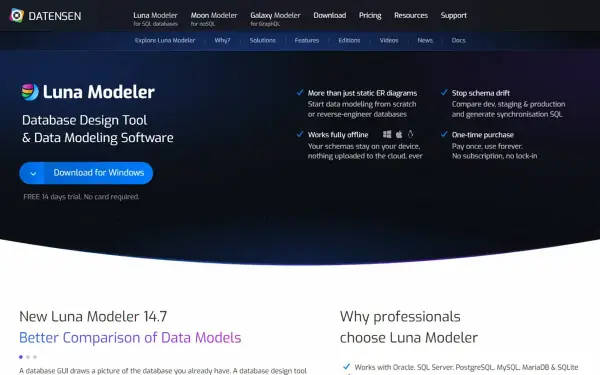
Luna Modeler is a desktop application for relational schema design that works fully offline. It reverse engineers existing databases, compares a model against a live environment to catch drift, and generates SQL for PostgreSQL, MySQL, Oracle, SQL Server, MariaDB and SQLite. Forward engineering closes the loop, so the model can create the schema rather than only describe it.
The constraints are structural. It is desktop only, browser-based collaboration is limited, and MongoDB or GraphQL work needs separate Datensen tools. The interface is practical rather than polished, which matters if designers outside engineering will open it. What it does well is the core loop: read a database, change the model, compare, generate, deploy.
Pricing is a one-time purchase rather than a subscription; see the vendor site for current tiers and prices. The Ultimate edition stores models in a folder format compatible with Git, which is the tier to pick if review matters. A 14-day trial requires no card or account. The pricing page could not be fetched when we checked on November 26, 2026, so confirm current figures on the vendor site before you budget.
You model relational databases offline and prefer paying once per version over a subscription.
Your team needs browser-based co-editing or models document databases.
Entry V of VII / Polyglot target coverage
Our verdict
Covers more targets than anything else here, from relational to NoSQL to API contracts, at a per-seat price.
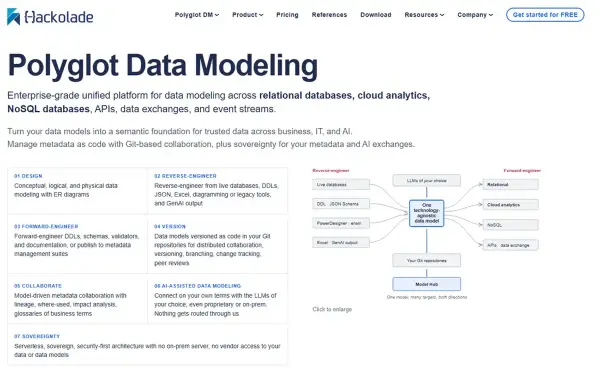
Hackolade started with NoSQL modeling and now spans relational, cloud, NoSQL, API and event formats, with support for more than 45 physical targets. You build a technology-neutral logical model and derive physical schemas from it, which is the point for polyglot stacks where one design has to land in PostgreSQL, MongoDB and a message schema at once. Drift detection and OpenAPI contract generation extend it beyond the database.
Models are stored as open files in Git, so changes can be reviewed like code. A browser studio runs without installation and keeps models local, and a shared semantic layer serves analysts and AI tools. Model Hub is a separate collaboration layer, which is worth understanding before you assume team features are included; the product can also feel heavy for a single-database project.
Pricing is €200 per dedicated seat per month on the Ultimate Edition subscription, with a €2000 annual option and a 14-day free trial that requires no credit card. Team and enterprise terms need a check of the pricing page, so larger rollouts still involve a conversation. For a small group of modelers working across several engines, the per-seat cost is easy to justify; for thirty occasional users, it is not.
You model several engines in one team and want the model under Git review.
You only use one relational database and want the simplest possible diagram tool.
Entry VI of VII / Free MySQL toolkit
Our verdict
Free and dependable for MySQL schema work, with design, querying and administration combined.
MySQL Workbench is the free open source tool for MySQL, and it combines visual schema design with forward engineering to DDL, reverse engineering from a MySQL database, and a SQL editor with performance dashboards and user administration. For a MySQL shop, that means one tool covers the schema, the queries and the account management.
The trade is scope and age. It is MySQL only, so it will not design for PostgreSQL, SQL Server or MongoDB, and the interface looks dated next to browser tools. Collaboration is limited: there is no cloud collaboration layer. Teams that need review workflows around schema changes will use Workbench for administration and something else for the model.
Pricing is simple because there is none to look up. The tool is free to download and use, with no pricing page and no licensing tiers to compare. That makes it the default starting point for anyone learning database design on MySQL, and a reasonable production utility for administrators. It is not the tool to standardize a cross-engine data team on.
Your databases are MySQL and you want design, querying and admin in one free tool.
You run several engines or need shared models and review workflows.
Entry VII of VII / HTML documentation
Our verdict
Sensible choice when you want Git-friendly model files and shareable HTML docs without a live connection.
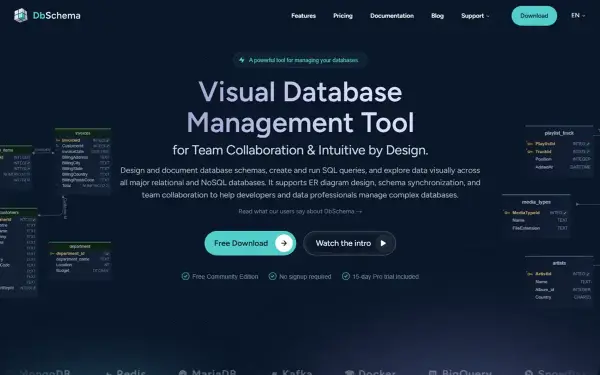
DbSchema lets you design a schema without connecting to a database, then generate tables for a chosen engine. That offline-first approach suits teams that plan before provisioning, and the compare step checks a design against a live database so differences surface before deployment. You can review the SQL before it runs, which is the safeguard most change windows actually need.
Models are stored as plain-text files, so they can live in Git and be reviewed in a pull request. Interactive HTML documentation turns a model into something a support team or a new hire can browse, which is a quieter benefit than it sounds. The limits are familiar for desktop tools: the focus is the desktop application, browser collaboration is limited, and some advanced features sit on paid plans.
The Community edition is free for non-commercial use, and a 15-day Pro trial covers the paid feature set. Paid plans add team collaboration and versioned history, but the homepage does not display clear paid pricing, and the pricing page could not be read when we checked on November 26, 2026. Treat the paid cost as unknown until you confirm it with the vendor, and compare it against a one-time license before committing to any paid plan.
You want model files under Git review and documentation your non-engineers can open.
You need published pricing up front or heavy real-time collaboration in a browser.
VBackground
A database design tool is software for defining the structure of a database: its tables, columns, keys, relationships and constraints. It goes beyond drawing boxes. A design tool understands data types, can generate the DDL that creates the schema, and can read an existing database back into a model.
Most tools work at three levels. Conceptual modeling captures entities and relationships for discussion. Logical modeling adds attributes and keys without committing to a specific engine. Physical modeling targets one database product, with its own types, indexes and naming rules.
Two terms come up constantly. Forward engineering turns a model into SQL you can run. Reverse engineering reads a live database and rebuilds the model, which is how teams document systems they inherited. Tools such as Luna Modeler and Hackolade also detect drift, comparing the model to production and reporting the differences.
Diagram tools overlap at the drawing layer and usually stop there. Lucidchart gives you ERD shapes and strong collaboration; it will not synchronize DDL for you. That distinction matters when your schema changes every week.
A short checklist for the category:
This comparison sits in the design register. Further along the shore: platform for photography portfolio and 3D fashion design software.
VIPricing
Database design tool pricing splits into a few models, and the cheapest headline number is rarely the cheapest for a team. Free tools cost nothing but often lock you to one engine. Per-seat subscriptions scale with headcount, which is fine for five designers and painful for fifty. Quote-based plans bundle governance and support. One-time licenses avoid recurring fees but tie you to a version.
| Model | How it bills | Typical fit | Example from this list |
|---|---|---|---|
| Free open source | No charge, no term | Single engine projects and learning | MySQL Workbench |
| Per-seat subscription | Per user, monthly or annual | Application teams and cloud data teams | DrawSQL: $19 per month on Starter, billed monthly, with a $171 per year option for 1 user and 10 private diagrams |
| Quote based | Sales quote, annual contract | Governed data platforms | SqlDBM: no published figure, quote only |
| One-time license | Single payment per version | Offline desktop modeling | Luna Modeler: one-time license option; see the vendor site for current prices |
| Freemium | Free tier plus paid per-user plan | Mixed documentation needs | Lucidchart: $9 Individual per month, billed yearly, free plan with 3 editable documents |
Hackolade publishes €200 per dedicated seat per month on the Ultimate Edition subscription, with a €2000 annual option and a 14-day trial. DbSchema shows no clear paid pricing on its homepage; its Community edition is free for non-commercial use and a 15-day Pro trial covers the rest.
Two habits save money. Count the people who will actually open the model, not the whole engineering organization. Then check what the free tier excludes, because free plans most often cap private diagrams, documents or seats, which is exactly where team work happens.
Each entry card shows the starting price as it appeared on the vendor's own pricing page on November 25, 2026. When a vendor shows no figure we could confirm, or only a promotional rate, the card says "See website" or gives the regular price instead of a guess. Usage, overage and add-on rates in the text change more often than plan prices, so confirm them on the vendor page before you set a budget. To test the numbers against your own volume, try the free Photo Print Size Calculator. The 3D Sample Savings Calculator is a second way to check the same decision.
VIIDecision
VIIIPitfalls
IXQuestions
MySQL Workbench and DrawSQL are the gentlest starts. Workbench is free and covers schema design, querying and administration for MySQL. DrawSQL turns a pasted CREATE TABLE statement into a diagram, with a free tier for public diagrams up to 15 tables. Both let a beginner see how a database is structured without learning a modeling methodology first.
Most do. SqlDBM, Luna Modeler, MySQL Workbench and DbSchema all forward engineer a model into DDL for their supported engines. Hackolade derives physical schemas for its targets. Lucidchart has limited SQL generation; it draws ERD shapes and leaves full schema synchronization to a database modeler. DrawSQL imports CREATE TABLE statements and concentrates on the diagram rather than a full round trip.
Reverse engineering reads an existing database and rebuilds a model from it. You point the tool at a live schema or a dump, and it returns tables, columns, keys and relationships as an editable diagram. It is the standard way to document a system nobody designed on paper, and several tools here also compare that model against production to detect drift.
Yes, when the tool stores models as text files. Hackolade keeps models as open files in Git, DbSchema uses plain-text model files, and Luna Modeler's Ultimate edition stores models in a folder format Git can track. DrawSQL keeps version history inside the product, which is easier to use but harder to review in a pull request.
Yes. MySQL Workbench is free and open source for MySQL. DrawSQL has a free plan for unlimited public diagrams up to 15 tables. Lucidchart's free plan allows 3 editable documents with 75 shapes each. DbSchema has a Community edition for non-commercial use, plus a 15-day Pro trial. Luna Modeler and Hackolade offer 14-day trials with no card required.
A design tool understands the database, not just the picture. It knows data types, can generate DDL, can reverse engineer a live schema and can flag drift between model and production. A diagram tool such as Lucidchart draws ERD shapes well and collaborates beautifully, but it will not keep the model and the database in step.
XFurther along the shore
Vendors can ask for a correction or apply for a Featured listing. Paid or not, the entry is scored on the same rubric and its limits stay in print. Partner with Umberlake.
Free tools
Our free browser tools turn the prices on this page into a figure for your own volume. Nothing you type leaves your device.