
Proposify
$39Build, per user per month, billed annually, $49 billed monthly
Best for sales teams and agencies needing approval workflows and brand control
- Free plan
- No
- Rubric
- 7.9 of 10
Eight proposal tools that pick up where Better Proposals leaves off, matched to team size, budget and how much control legal and finance need over pricing.

IThe short answer
These better proposals alternatives cover the range from solo freelancers to enterprise RFP teams, with prices checked on November 26, 2026. Proposify ($39 per user per month on Build, billed annually) suits sales teams and agencies that need locked pricing and approval workflows. PandaDoc ($25 per seat per month on Starter, billed annually) suits small teams that want a free tier and broad document workflows. Qwilr ($35 per user per month on Starter, billed annually) suits agencies that want proposals delivered as interactive web pages. Prospero is the cheapest entry at $12 per user per month billed annually.
8 tools compared from vendor pages on November 25, 2026. 8 publish a starting price we could read; the rest say "See website".
IITop three berths
Register order is editorial fit for the buyer each entry describes. Prices are the starting figures read on November 25, 2026.
$39Build, per user per month, billed annually, $49 billed monthly
Best for sales teams and agencies needing approval workflows and brand control
$25Starter, per seat per month, billed annually, $45 billed monthly
Best for small teams wanting a free tier and broad document workflows

$35Starter, per user per month, billed annually, $49 billed monthly
Best for agencies and sales teams wanting interactive web page proposals
How this page is paid for. All 8 tools here are unpaid editorial picks.
A paid listing's position can be part of what the vendor pays for. Every entry, paid or not, is scored on the same rubric and keeps its limits in print. Advertising disclosure.
IIIThe register
Starting prices as shown on each vendor's pricing page on November 25, 2026. "See website" means no figure we could confirm.
| No. | Tool | From | Free plan | Trial | Rubric | Actions |
|---|---|---|---|---|---|---|
| 01 | ProposifySales teams and agencies needing approval workflows and brand control | $39Build, per user per month, billed annually, $49 billed monthlyRead on vendor page | No | 14-day free trial, no credit card required | 7.9 | |
| 02 | PandaDocSmall teams wanting a free tier and broad document workflows | $25Starter, per seat per month, billed annually, $45 billed monthlyUpdated on vendor page | Yes | 14-day free trial, no credit card required | 7.4 | |
| 03 | QwilrAgencies and sales teams wanting interactive web page proposals | $35Starter, per user per month, billed annually, $49 billed monthlyRead on vendor page | No | 14-day free trial, no credit card required | 7.1 | |
| 04 |  ProsperoFreelancers and very small teams sending high proposal volume | $12Single plan, per user per month, billed annually, $19 billed monthlyRead on vendor page | No | 14-day free trial, no credit card required | 6.7 | |
| 05 |  NusiiFreelancers and small creative agencies wanting flat monthly pricing | $29Freelancer, per month, 1 user, 5 active proposalsRead on vendor page | No | 14-day free trial, credit card required | 6.3 | |
| 06 |  GetAcceptB2B sales teams wanting deal rooms, mutual action plans and AI summaries | $25eSign, per user per monthRead on vendor page | No | Free trial available | 6.6 | |
| 07 |  ConcordSmall and mid-size firms needing contract creation, negotiation and renewal tracking | $499Essentials, per month, billed annually, includes 5 usersRead on vendor page | No | Free trial available | 6.0 | |
| 08 |  ResponsiveLarger teams answering formal RFPs, RFIs and security questionnaires at volume | $10,000Emerging Edition, annual platform fee, starting, Growth and Enterprise by quoteRead on vendor page | No | Demo only | 6.3 |
Pinned:
IVMethod
Every tool here was assessed on the same five criteria: price clarity (20 percent), proposal features (25 percent), team controls (20 percent), integration depth (15 percent) and ease of adoption (20 percent). Price clarity rewards a published number with no surprises hiding in allowances or minimums. Proposal features covers content libraries, pricing blocks, e-signatures and payment collection. Team controls covers roles, locked pricing and approval routing. Integration depth looks at CRM and payment connections. Ease of adoption weighs trial terms, setup effort and how quickly a team can send something real.
Prices, plans, free tiers and trial terms come from each vendor's own pricing sheet, checked on November 26, 2026. Where a vendor lists a starting figure and a higher tier that carries the features most buyers want, both are reported. Where pricing is quote only, this list says so rather than estimating a number.
Every entry, including the top three, was scored on the same rubric, and the order reflects fit for the buyer described in each entry rather than a calculated total. Scores are shown per tool so you can see where a low mark comes from, for example a 3 on team controls for a tool with no role permissions at all.
Recheck prices before you buy. Vendors change tiers, minimums and allowances, and a plan reviewed here may look different by the time you sign.
The full routine, from price reads to corrections, is on the methodology page. Paid listings follow the advertising disclosure.
How honestly the vendor publishes seat prices, minimums and overages before you talk to sales.
Content libraries, pricing blocks, e-signatures and payment collection inside the builder.
Role permissions, locked pricing and approval routing before a proposal leaves the building.
CRM, payment and data connections that keep proposal activity in the pipeline record.
Trial terms, setup effort and how fast a real team can send a real proposal.
Entry I of VIII / Pricing lock and approvals
Our verdict
Best fit for agencies and sales teams that need pricing locked down and approvals before a proposal goes out.
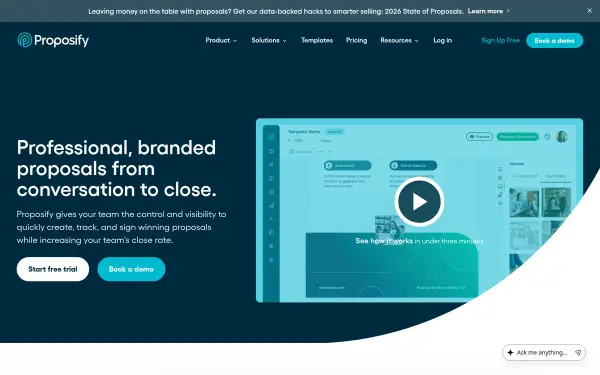
Proposify is the closest like-for-like swap for a team that has outgrown a single-user proposal tool. The Build plan is $39 per user per month billed annually, or $49 billed monthly, and it covers unlimited documents and e-signatures, a reusable content library for sections, a product catalog for line items, and templates for repeat proposal types. The feature that matters most to agencies is role-based locking, which keeps sales from quietly editing pricing or legal terms before a proposal goes out.
The catch is where Build stops. Approval workflows and API access sit on Grow, and Salesforce integration only appears on Scale, listed at $107 per user per month. Build also carries a monthly send allowance with per-send overage charges, so a team sending a high volume of short proposals can end up paying more than the seat price suggests.
For a five-person sales team sending a dozen proposals a month, the combination of locked pricing, approvals and a shared content library justifies the climb to Grow. For a solo consultant sending two proposals a week, the send allowance and the upgrade path make it heavier than the job requires.
Recheck tiers and send allowances on the vendor pricing sheet before committing, since both move the monthly number.
Your proposals carry negotiated pricing and legal terms that need sign-off before they go out.
You send only a handful of proposals a month and per-send overages would cost more than a flat plan.
Entry II of VIII / Document breadth
Our verdict
The broadest document tool here and the only one with a free plan, though proposal commerce sits on Business.
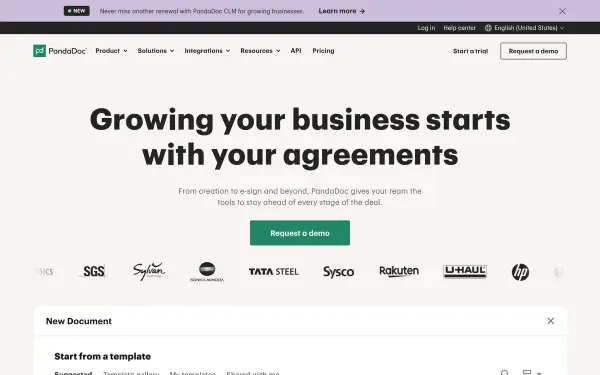
PandaDoc is the broadest document tool on this list and the only one with a free plan. The free tier covers 5 documents per month, enough to test the editor before committing. Starter is $25 per seat per month billed annually, or $45 billed monthly, and includes unlimited documents and e-signatures, a document editor for proposals and quotes, and real-time tracking that shows when a buyer opens the file.
The proposal-specific commerce features sit higher up. Pricing tables, payment collection, CRM integrations, custom branding, a content library and approval workflows all land on Business at $49 per seat per month billed annually, or $65 billed monthly. That is a meaningful jump for a small team that mainly wants to send priced proposals with a deposit link attached.
Where PandaDoc wins is coverage: proposals, quotes and contracts live in one tool, so a signature on the quote and the contract does not need two systems. The 14-day free trial does not require a credit card, which lowers the cost of evaluating it, and the free plan means testing can continue after the trial ends.
It fits small teams that want one tool for the whole document flow and can live without pricing tables until volume justifies Business. Teams needing approvals from day one should compare the Business rate against Proposify's Build plus Grow.
You want one tool for proposals, quotes and contracts and a free way to test the water first.
You need pricing tables or payment collection on the entry plan, since those require Business.
Entry III of VIII / Interactive web proposals
Our verdict
Best for agencies that want a proposal to read like a web page a buyer can click through, not a PDF.
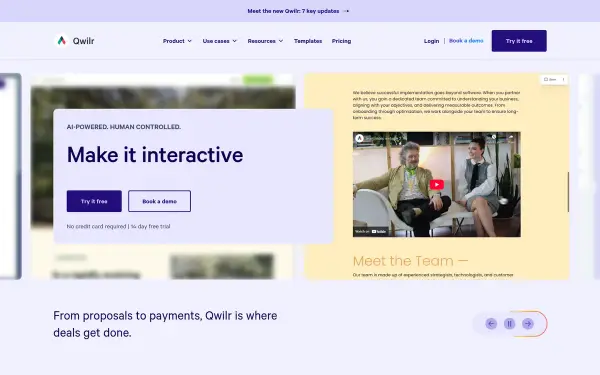
Qwilr turns a proposal into a live web page rather than a PDF attachment. Starter is $35 per user per month billed annually, or $49 billed monthly, and the proposal can carry interactive pricing blocks, embedded payment collection through QwilrPay, e-signatures and page view analytics that show when and how a buyer reads it.
The plan structure is the thing to watch. Document allowances run at 40, 200 or 600 depending on tier, and extra documents are charged per document. Growth is $55 per user per month with a minimum of five users, and Scale is $75 per user per month with a minimum of ten, both billed annually. The $35 headline is therefore realistic only for a small sender, and a five-person team starts at the Growth rate whether it needs those features or not.
Integrations with HubSpot, Zoho and Pipedrive cover common CRM stacks on Starter, so a small agency can push proposal activity back into the pipeline without custom work.
Qwilr suits agencies and sales teams where the proposal is part of the pitch: option selection, a deposit, and a buyer who clicks through instead of scrolling a static document. It does not suit a solo consultant who will never reach the five-user minimum. There is no free plan, and the 14-day trial is the only way to test it.
The proposal itself is part of the pitch and you want buyers to click, choose options and pay in one place.
You are a solo sender, because Growth requires five users and Scale requires ten.
Entry IV of VIII / All-in-one flat plan
Our verdict
The cheapest way in, with every feature on one plan, as long as you do not need approvals or roles.
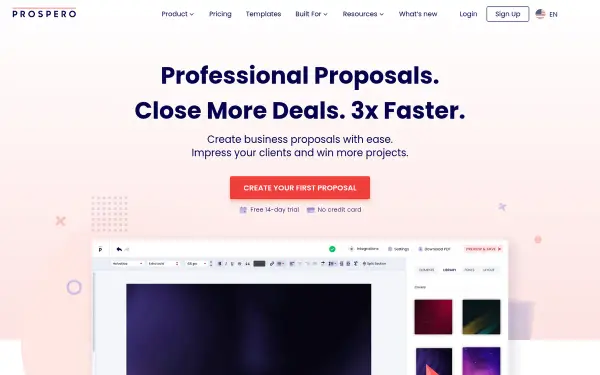
Prospero sells one plan, and that plan includes everything. It is $12 per user per month billed annually, or $19 billed monthly, which works out at $144 per user per year, and it is the cheapest entry point on this list. Unlimited proposals, an AI writing assistant, proposal analytics, a content library with saved blocks, more than 100 templates, email sequences and reminders, e-signatures and payment links all come with it.
The template library is the practical draw. A freelancer sending a similar scope of work every few weeks can start from a template, swap in saved blocks and send, without building a design from scratch. Email sequences and reminders handle the follow-up that solo senders tend to forget.
What is missing matters at team scale. There are no approval workflows and no role permissions, so anyone with a seat can change pricing. Enterprise controls are thin, and because there is only one plan there is no tiering as a team grows; you buy another seat rather than moving to a package with governance features.
That is fine for a freelancer or a two-person shop sending a high volume of proposals on a tight budget. It is the wrong buy for an agency where a salesperson should not be able to edit the fee schedule unilaterally.
You are a freelancer or a two-person shop sending a high volume of proposals on a tight budget.
You need role permissions, approval workflows or enterprise controls around pricing.
Entry V of VIII / Flat monthly pricing
Our verdict
Flat monthly pricing for freelancers and small creative studios, with active proposal caps that force upgrades.
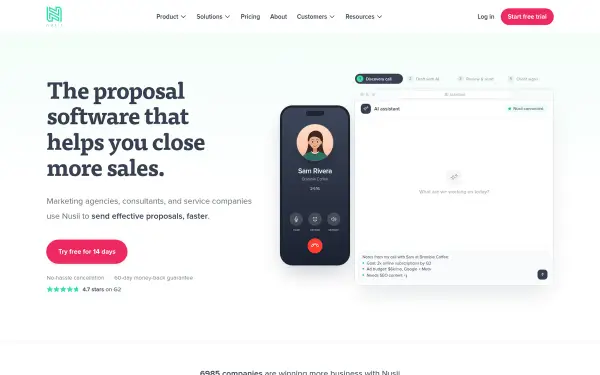
Nusii keeps things simple: flat monthly pricing, unlimited templates and clients on every plan, and a defined cap on how many proposals can be active at once. Freelancer is $29 per month for one user and 5 active proposals. Agency is $49 per month for three users, and Business is $129 per month for five users. Active proposal caps run at 5, 20 and 50 or more across the tiers. Extra Agency users are charged at $19 each per month.
Because the price does not move with document volume, the monthly bill is predictable, which suits a small creative studio billing clients on fixed retainers. PDF export, notifications and proposal analytics come standard. Payment links and automated reminders sit on Agency, so a freelancer who wants those needs to either upgrade or accept manual follow-up.
The active proposal cap is the constraint to test before buying. A freelancer with 5 slots who keeps older proposals open for reference will hit the limit and be pushed to Agency, which is a real cost jump for one person.
The 14-day trial requires a credit card, unlike several tools here, so set a reminder if you start one. Nusii fits freelancers and small creative agencies that want a flat fee and do not need deep CRM plumbing.
You send a steady handful of proposals a month and want a predictable flat bill.
You need a no-card trial or expect to blow past 5 active proposals quickly.
Entry VI of VIII / Deal rooms and chat

Our verdict
Built for longer B2B cycles, with deal rooms, mutual action plans and AI summaries above the signature plan.
GetAccept is built for the long B2B sale rather than the one-off proposal. The eSign plan is $25 per user per month and covers signatures only, with unlimited e-signatures, an in-app editor and basic branding. The features most buyers come for sit on Professional at $49 per user per month billed annually with a minimum of five users: mutual action plans, AI summaries and CRM integrations.
The core idea is a deal room where buyer and seller work in the same space. Chat runs alongside the document, a mutual action plan lays out what each side needs to do and by when, and the AI summary gives a rep an overview of where the deal stands without rereading the thread. For a deal with a champion, an economic buyer and a procurement gatekeeper, that is more useful than an email trail.
The pricing structure is the friction. A team of five starts at the Professional rate, and Enterprise is quote only, so budgeting means a conversation with sales rather than a number on a page.
It fits B2B sales teams with multi-stakeholder deals and a longer close. It does not fit a small team that just needs signatures and a branded proposal, because the $25 plan will not do the proposal work and Professional will not be cheap.
Your deals involve several stakeholders, a long close and a buyer who wants a shared workspace.
You only need signatures, because the $25 plan is eSign only and proposal features need Professional.
Entry VII of VIII / Renewal tracking
Our verdict
A contract-first system covering proposal to negotiation to renewal, though design is thinner than proposal-first builders.
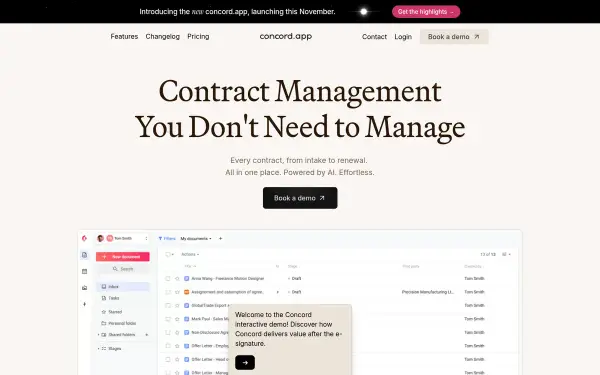
Concord approaches proposals from the contract side. Essentials is $499 per month billed annually and includes five users, with Business at $899 and Enterprise at $1,299 per month; extra users are charged at $49 per month on top of the base tier. For that price you get unlimited e-signatures and documents, unlimited free viewers and guests, collaboration tools built for negotiation, contract approval processes, deadline and renewal reminders, and renewal tracking.
The unlimited free viewers matter more than they sound. A procurement team can be pulled into a thread without anyone counting seats, which removes a common reason deals stall. Deadline and renewal reminders mean an agreement that auto-renews gets a warning before it does, and renewal tracking keeps the whole portfolio visible in one place.
Where Concord is weaker is proposal design. It is built to move an agreement through negotiation rather than to present a branded pitch, so a team that sells on the look of the proposal will find it plain next to Qwilr or Proposify.
It fits small and mid-size firms where the proposal becomes a negotiated contract and renewal dates matter. The $499 monthly floor is a large commitment for a team of three, so check the trial terms on the vendor site before signing.
Your proposals turn into negotiated contracts and you need renewals tracked in the same place.
You are buying a design-led proposal builder for a small team on a small budget.
Entry VIII of VIII / Content reuse at scale
Our verdict
The high-volume RFP choice, with unlimited response projects but an annual starting point far beyond small teams.
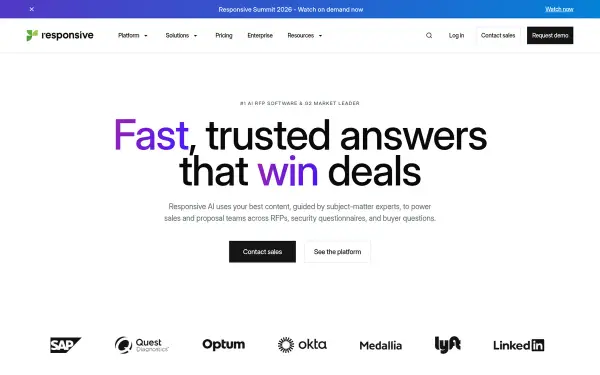
Responsive, formerly RFPIO, is built for volume questionnaires rather than one-off proposals. The Emerging Edition starts at $10,000 per year, with Growth and Enterprise quoted by sales. The platform includes unlimited response projects, a central content library for repeat answers, and an AI and automation studio. Growth adds intake requests, LookUp and e-signatures, and Enterprise adds advanced reporting, premium connectors and custom AI.
The content library is the engine. A security questionnaire that asks the same forty questions every quarter gets answered by pulling approved text rather than rewriting it, which is where the time saving actually comes from.
The buying process is sales-led with no self-serve tier, and licences plus add-ons push the total above the headline annual fee. For a team answering a handful of proposals a month, that cost will not pay back. For a team with a dedicated proposal function answering RFPs weekly, the arithmetic changes quickly.
There is no free plan and no free trial, only a demo, so evaluation runs through the vendor. Confirm the final figure on their pricing sheet rather than budgeting from the $10,000 starting point alone.
Your team answers formal RFPs, RFIs and security questionnaires weekly and reuses answers constantly.
You send one-off sales proposals; the annual fee and sales-led process will not pay back.
VBackground
Proposal software sits between a document editor and a CRM. It gives a sales team or an agency a repeatable way to assemble a proposal from approved blocks, send it, track whether it was opened, collect a signature and sometimes take a deposit. The category splits into three rough groups, and knowing which group you need saves a lot of trial time.
The reason people go looking for better proposals alternatives usually comes down to one of four limits: per-send allowances, missing approvals, no free plan, or a price that only works for a single user. A team that has grown past a solo workflow starts caring about role permissions, locked pricing, and a record of who changed what before the proposal went out.
Two things separate these tools more than feature lists do. The first is how a proposal reaches the buyer: a PDF, a live web page, or a shared deal room. The second is where the money sits: a per-seat price, a flat monthly fee, or an annual platform fee negotiated with sales. Decide those two things before comparing screenshots, and the shortlist usually falls out on its own.
This comparison sits in the software register. Further along the shore: baby tracking app and kennel software.
VIPricing
Proposal software bills in five recognizable ways, and the headline number is usually the least useful part of the pricing page. Per-seat annual pricing gives the lowest quoted rate but assumes a team size. Flat monthly pricing caps active proposals instead of seats. Platform fees are quoted annually because the buyer is an enterprise function rather than one person.
| Model | How it bills | Typical fit | Example from this list |
|---|---|---|---|
| Per user, annual | Seat price with a discount for paying for a year; monthly billing costs more | Teams of three to twenty with steady volume | Proposify at $39 per user per month billed annually, $49 billed monthly |
| Free tier plus paid seats | A capped free plan, then per seat per month | Small teams testing the water | PandaDoc free plan, 5 documents per month |
| Flat monthly | One fee covers a set number of users and active proposals | Freelancers and small studios | Nusii Freelancer at $29 per month, 1 user, 5 active proposals |
| Single all-in plan | One price, no tiers, every feature included | Solo senders and very small teams | Prospero at $12 per user per month billed annually, $19 billed monthly |
| Annual platform fee | A yearly contract quoted by sales | Enterprise response teams | Responsive Emerging Edition from $10,000 per year |
Watch the qualifiers. Qwilr's Growth and Scale plans carry five-user and ten-user minimums. Proposify's Build plan has a monthly send allowance with per-send overage charges. Qwilr charges per extra document. Nusii and Concord charge for extra users. Responsive bundles licences and add-ons on top of the platform fee.
Those lines move a monthly bill far more than the number on the pricing tile, and they are rarely in the headline. Read the tier that carries the feature you actually came for, then multiply by seats.
Each entry card shows the starting price as it appeared on the vendor's own pricing page on November 25, 2026. When a vendor shows no figure we could confirm, or only a promotional rate, the card says "See website" or gives the regular price instead of a guess. Usage, overage and add-on rates in the text change more often than plan prices, so confirm them on the vendor page before you set a budget. To test the numbers against your own volume, try the free User Research Budget Planner. The Event Break-Even Calculator is a second way to check the same decision.
VIIDecision
VIIIPitfalls
IXQuestions
Proposify is the stronger team choice. Build is $39 per user per month billed annually and adds role-based locking so pricing and legal terms cannot be edited without permission, plus a shared content library and a product catalog. Approval workflows and API access need Grow. A solo user sending a few proposals a month rarely needs that control and pays for seats they do not use.
Prospero is the cheapest at $12 per user per month billed annually, or $19 on monthly billing, with every feature on one plan. PandaDoc's free plan is capped at 5 documents per month and its Starter plan is $25 per seat per month billed annually. Nusii's $29 per month Freelancer plan is a flat monthly option, but it covers one user and 5 active proposals.
Only PandaDoc, whose free tier allows 5 documents per month. Every other tool here has no free plan, though most offer a trial. Proposify, PandaDoc, Qwilr and Prospero run 14-day trials with no credit card required, Nusii's trial requires a card, GetAccept and Concord offer trials, and Responsive is demo only.
Prospero at $12 per user per month billed annually is the best fit for a freelancer sending high volume, because one plan includes unlimited proposals, more than 100 templates, e-signatures and payment links. Nusii at $29 per month is the alternative if you prefer a flat monthly bill and keep fewer than 5 active proposals open, though its trial requires a credit card.
Check three things. First, whether the new tool has a reusable content library, which Proposify, PandaDoc, Prospero and Responsive all list. Second, whether templates export or must be rebuilt. Third, whether pricing tables and locking rules carry over.
Yes. PandaDoc covers proposals, quotes and contracts in one tool, with pricing tables and payments arriving on Business at $49 per seat per month billed annually. Concord handles creation through negotiation and renewal, starting at $499 per month for five users. GetAccept covers signing on eSign at $25 per user per month, and its Professional tier adds proposal and CRM features.
XFurther along the shore
Vendors can ask for a correction or apply for a Featured listing. Paid or not, the entry is scored on the same rubric and its limits stay in print. Partner with Umberlake.
Free tools
Our free browser tools turn the prices on this page into a figure for your own volume. Nothing you type leaves your device.