
CloudTalk
$25Starter, per user per month, billed annually, monthly $34, minimum 1 license
Best for sales teams making high volumes of global calls
- Free plan
- No
- Rubric
- 8.5 of 10
Our ranked guide compares eight cloud phone systems for teams leaving MightyCall, from sales dialers to shared-inbox tools, with prices checked on November 25, 2026.

IThe short answer
As of November 2026, CloudTalk is the best fit for sales teams making high volumes of global calls, Aircall suits support teams that live inside major business apps, and JustCall is a practical pick for small outbound teams combining calling and texting. All eight tools below are cloud phone systems, and each entry explains seat minimums, trial terms, AI limits, and pricing as checked on November 25, 2026. Pricing starts at $25 for CloudTalk, $30 for Aircall, and is on the vendor site for JustCall: Mightycall Alternatives.
8 tools compared from vendor pages on November 25, 2026. 6 publish a starting price we could read; the rest say "See website".
IITop three berths
Register order is editorial fit for the buyer each entry describes. Prices are the starting figures read on November 25, 2026.
$25Starter, per user per month, billed annually, monthly $34, minimum 1 license
Best for sales teams making high volumes of global calls

$30Essentials, per license per month, minimum 3 users, annual billing discount shown
Best for support teams with calling inside major business apps

See website
Best for small outbound teams combining calling and texting
How this page is paid for. All 8 tools here are unpaid editorial picks.
A paid listing's position can be part of what the vendor pays for. Every entry, paid or not, is scored on the same rubric and keeps its limits in print. Advertising disclosure.
IIIThe register
Starting prices as shown on each vendor's pricing page on November 25, 2026. "See website" means no figure we could confirm.
| No. | Tool | From | Free plan | Trial | Rubric | Actions |
|---|---|---|---|---|---|---|
| 01 | CloudTalkSales teams making high volumes of global calls | $25Starter, per user per month, billed annually, monthly $34, minimum 1 licenseRead on vendor page | No | See website | 8.5 | |
| 02 | AircallSupport teams with calling inside major business apps | $30Essentials, per license per month, minimum 3 users, annual billing discount shownRead on vendor page | No | See website | 8.3 | |
| 03 | JustCallSmall outbound teams combining calling and texting | See websiteNot shown publicly | No | See website | 7.1 | |
| 04 |  RingoverInternational sales and support teams on tight budgets | $19Talk, per user per month, excl. taxes, 12-month commitment, minimum 3 usersUpdated on vendor page | No | 7-day free trial | 7.7 | |
| 05 |  RingCentralLarger organizations consolidating calls, video, and messaging | $20Core, per user per month, billed annually, 1-5 usersRead on vendor page | No | Free trial, up to 5 users | 8.2 | |
| 06 |  NextivaBusinesses unifying voice, texting, and chat | $10Go, per user per month, billed annuallyUpdated on vendor page | No | See website | 7.6 | |
| 07 |  DialpadTeams wanting AI transcription across all calls | See websiteNot shown publicly | No | See website | 6.9 | |
| 08 |  OpenPhoneText-heavy startups sharing phone numbers | $15Starter, per user per month, billed annually at $180Read on vendor page | No | 7-day free trial | 7.5 |
Pinned:
IVMethod
How closely the product matches the team, call pattern, and seat size described in the entry.
Whether prices are published, current, and easy to map to a named plan and billing term.
Coverage of dialing, routing, recording, analytics, messaging, and AI where stated.
Breadth of CRM, helpdesk, and workflow links named in the vendor facts.
Strength of user management, number control, reporting, and plan limits.
VMethod
Order is editorial, not a weighted total. We rank each tool for the buyer described in its entry, then disclose any Featured position. We apply the same rubric and include the same kind of cons for every tool.
The rubric has five parts. Buyer fit carries 30 percent and asks how closely the product matches the team, call pattern, and seat size in the entry. Pricing clarity carries 20 percent and rewards prices that are published, current, and easy to map to a plan. Feature depth carries 20 percent and covers dialing, routing, recording, analytics, messaging, and AI where stated. Integration reach carries 15 percent and looks at CRM, helpdesk, and workflow links named in the vendor facts. Admin control carries 15 percent and covers user management, number control, reporting, and plan limits.
Prices, plans, trials, and free-plan facts come from vendor pricing pages checked on November 25, 2026. When a page did not return a price, we say pricing is on the vendor site and do not guess. We also note seat minimums and billing terms because they change the real entry cost. Trials are listed only when the vendor stated one. Scores are a rubric snapshot, not the ranking order.
The full routine, from price reads to corrections, is on the methodology page. Paid listings follow the advertising disclosure.
Entry I of VIII / Sales dialing stack
Our verdict
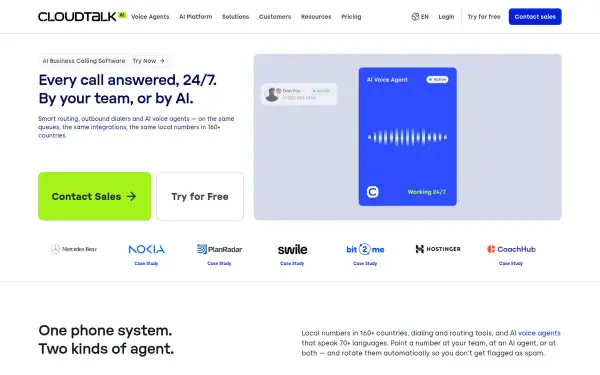
A strong fit for sales floors that need dialers, CRM sync, and manager dashboards, though AI agents cost extra.
CloudTalk is built for outbound sales teams that need dialing and CRM sync in one place. Its feature list includes predictive and power dialers, two-way CRM synchronization, real-time team performance dashboards, call routing and IVR, recording and analytics, international number provisioning, and workflow automation. AI voice agents are available on upper plans, not the entry tier. That mix fits a team that spends most of the day on calls and wants managers to see activity as it happens.
Pricing starts at $25 per user per month on Starter when billed annually. The monthly rate is $34, and the plan has a one-license minimum, so a solo buyer can start without a seat floor. The trade-off is that the entry price sits in the mid range, and the tools that make CloudTalk distinctive for AI, such as voice agents, require an upgrade. If you need AI voice agents from day one, compare the upper tier price before you commit. Call recording and analytics are included, so managers can review outcomes without a separate tool.
Global calling is a strong fit, but number setup needs planning. Provisioning numbers across several countries needs advance planning, and the review should include local requirements, call routing, and CRM field mapping before launch. A support team can run calls on CloudTalk, but sales dialing and CRM sync are the main reason to choose it. The system is less compelling for a small team that mainly shares a text inbox and does not need dialers or team dashboards.
Pick CloudTalk when outbound volume, CRM sync, and manager visibility matter more than the lowest entry rate.
Your sales team lives on the dialer and needs CRM sync and manager visibility.
You mainly need a lightweight shared inbox and want the lowest entry price.
Entry II of VIII / Live call controls
Our verdict
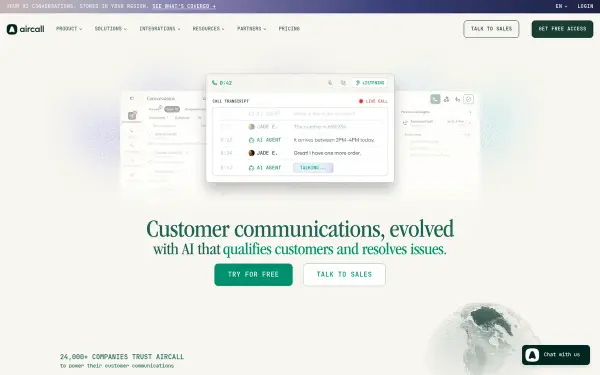
A support-focused phone system with strong app integrations and live controls, but the three-seat minimum raises the entry cost.
Aircall fits support teams that want calling inside the business apps they already use. Its toolkit includes call whispering and warm transfer, queue callback, Power Dialer, call center analytics, CRM and helpdesk integrations, call logging, team performance reporting, and AI-powered tools on higher tiers. The live call controls are the practical draw: a supervisor can coach an agent during a call, and a queue can offer a callback instead of leaving a customer on hold.
Pricing starts at $30 per license per month on Essentials, with a three-user minimum and an annual billing discount shown. The three-seat floor matters for a solo buyer or a very small team, because the entry cost is three licenses even if only one person takes calls. Plan tiers can rise to higher per-seat rates, and longer analytics history needs an upgrade, so the lowest published rate is not the full picture for a support manager who needs deep reporting.
The integration list is the strongest reason to choose Aircall. If your agents work inside a major CRM or helpdesk, call logging and CRM and helpdesk integrations reduce manual notes and make call context easier to find. The same depth is less useful for a team that only needs a shared number and a simple inbox. Aircall is less suited to a text-first startup or an outbound sales floor focused mainly on dialing. The entry price and three-seat minimum should be tested against your seat count.
Pick Aircall when live call controls and helpdesk integration are central to your support workflow.
Your support agents work inside a CRM or helpdesk and need live call controls.
You have fewer than three users or only need basic call forwarding.
Entry III of VIII / Calls plus SMS

Our verdict
A sensible small-team choice for calls plus SMS campaigns, with a two-seat minimum and AI held for higher plans.
JustCall is aimed at small outbound teams that want calling and texting in one system. The feature set includes outbound dialers, SMS campaigns, CRM logging, call recording, IVR, voicemail, call coaching tools, and workflow integrations. That combination suits a team that follows up by text after a call and needs the activity to land in a CRM without manual entry. It is a narrower fit than a full unified communications suite.
Pricing is on the vendor site. Our November 25, 2026 check returned no pricing page content, so this entry does not state a current rate. The vendor facts we could verify list a two-seat minimum, and AI features require higher plans. A two-seat floor is easier for a small team than a three-seat floor, but it still rules out a solo buyer who wants one license. Confirm the current plan name, seat rule, and AI tier before you compare it with CloudTalk or Ringover. The entry tier will not cover every AI feature.
The product is built for small outbound teams, and the SMS campaign tool is the differentiator. CRM logging and call coaching tools are useful for new reps. If most of your work is inbound support, the queue and contact center depth may be below dedicated support tools. If most of your work is a rep calling a list and then texting a follow-up, JustCall keeps those actions in one place. The smaller brand also means you should check support hours and onboarding help before a large rollout.
Pick JustCall when calls plus SMS campaigns are the core workflow and you can work within a two-seat minimum.
Your small team runs outbound calls and follows up by SMS in one workflow.
You need a verified public price before shortlisting or AI features on the entry plan.
Entry IV of VIII / International on a budget
Our verdict
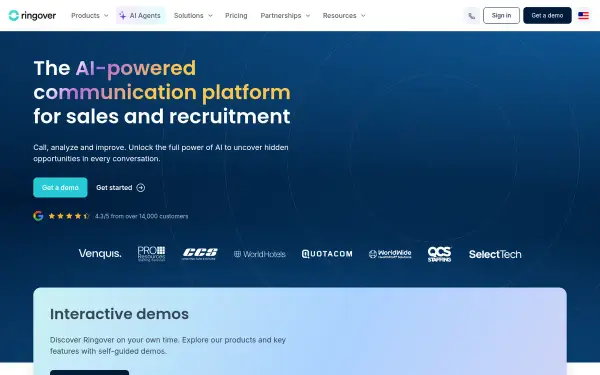
A low-cost international calling option with a 7-day trial and three-seat minimum, best for budget-minded sales teams.
Ringover is a budget-minded choice for international sales and support teams. It lists international calling, call recording, IVR, CRM integrations, SMS, call queues, analytics, and a mobile app. The Talk plan is the entry point, and the service is oriented toward calling across countries. That makes it a practical option for a small team that needs numbers in more than one market without a large per-seat bill.
Pricing starts at $19 per user per month on Talk, excluding taxes, with a 12-month commitment and a three-user minimum. The vendor also states a 7-day free trial. The three-seat floor is the main catch for a solo user, and the 12-month commitment reduces flexibility if your team size changes. Advanced features need higher tiers, so the $19 rate is a starting point rather than a full-feature price. Our check lists Talk at $19, not the older $15 figure. Budget for taxes outside the headline rate.
The smaller US presence is a real trade-off. If your business depends on deep US support coverage or a large partner ecosystem, a larger rival may be easier to operate. It is less compelling for a US-only team that wants a large local support organization. If your calls are international and your budget is tight, Ringover covers the basics: routing, recording, SMS, analytics, and a mobile app. The trial helps, but test the countries you call most. Check number coverage and call quality in each country before you commit to the 12-month term.
Pick Ringover when international calling and a low entry rate matter more than a large US footprint.
International calling and a low entry rate matter more than a large US support footprint.
You need one seat, cannot commit for 12 months, or depend on deep US coverage.
Entry V of VIII / Unified communications suite
Our verdict
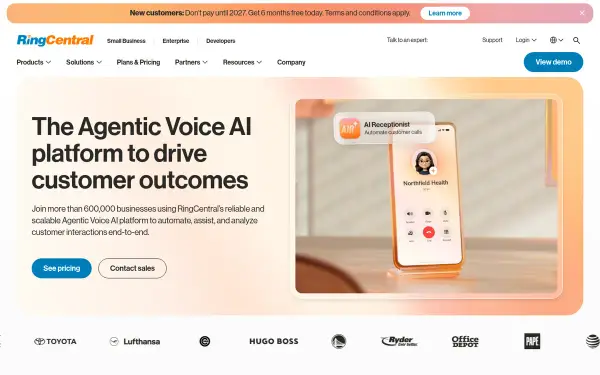
A broad unified communications suite for larger organizations, with strong admin controls and a higher cost as you add tiers.
RingCentral is the broad unified communications pick for larger organizations. Core includes business phone, SMS and fax, video meetings, team messaging, AI features, admin controls, document sharing, and voicemail-to-text. The appeal is consolidation: one vendor for calls, meetings, and messaging, with administrative controls that matter when many users and departments are involved. It is more suite than a small team needs for simple calling.
Pricing starts at $20 per user per month on Core when billed annually for 1 to 5 users. Monthly billing is $30, and the Advanced and Ultra tiers are listed at $25 and $35. The gap between annual and monthly is large enough to change the budget, so choose the billing term before you compare other tools. The free trial supports up to 5 users, which is useful for a pilot but not a full department rollout. Monthly billing is the flexibility test.
Bundles add complexity. A team that only needs a phone line and voicemail may pay for meetings, messaging, and admin features it will not use. A larger organization that already wants those channels can justify the suite, especially if it needs controls across many users. The higher tiers climb in price, so map each department to a plan instead of buying one tier for everyone. It is less attractive for a solo user or a text-first startup that wants the lowest possible entry cost. The annual price is the one to compare with other annual plans.
Pick RingCentral when you want calls, video, and messaging under one admin roof and can use the broader suite.
You want calls, video, and messaging under one admin roof for a larger team.
You only need voice and want to avoid paying for a broad suite.
Entry VI of VIII / Voice text chat
Our verdict
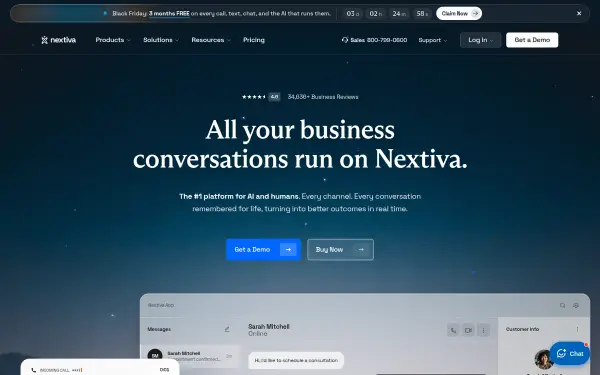
A bundled voice, SMS, and chat service with a low $10 entry, best when you will use more than voice alone.
Nextiva is positioned as a business communications bundle that unifies voice, SMS, and chat. The feature list includes voice calling, SMS, chat, admin controls, call routing, voicemail, analytics, and mobile apps. That fits a business that wants one place for customer conversations across channels, with mature administration tools and a support-oriented service model. It is less focused on outbound dialing than CloudTalk or JustCall.
Pricing starts at $10 per user per month on Go when billed annually. Our check did not show a Core plan, so confirm the current plan name before you compare quotes. The low Go rate is attractive for a small team, but the bundle includes extras that a lean voice-only team may not need. Higher tiers rise quickly in price, and the full suite can be more than a voice and SMS user requires.
The strength is channel coverage. A team that wants voice, texting, and chat in one admin portal can avoid stitching together separate tools. The trade-off is that the bundle can hide the true cost of the channels you actually use. Ask for a plan-by-plan breakdown, then remove seats and channels you will not deploy in the first year. The $10 Go rate is a low starting price, but seat rules and plan limits still apply. For a solo user, verify that Go is available with one seat and that the channels you need are included.
Pick Nextiva when voice, SMS, and chat need to sit in one bundle and you can use the broader administration tools.
Voice, SMS, and chat should sit in one bundle with mature admin tools.
You are voice-only or need a clearly published Core plan.
Entry VII of VIII / Real-time transcription
Our verdict
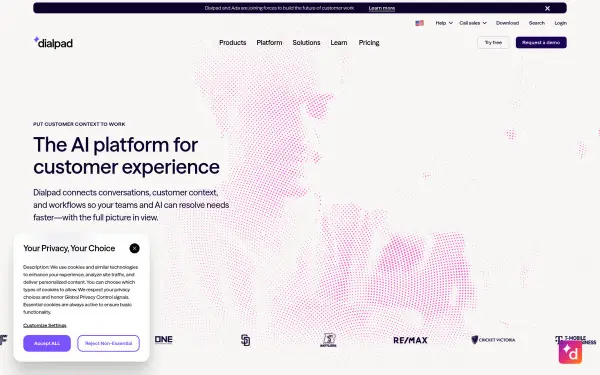
An AI transcription and call analysis tool for coaching, but current Standard pricing was not verifiable on our check.
Dialpad is the AI transcription pick. Its feature list includes real-time transcription, sentiment analysis, call summaries, coaching tools, call analytics, voice calling, messaging, and contact center controls on higher tiers. The appeal is conversation intelligence built into the call workflow: managers can review summaries and sentiment without listening to every recording, and agents can see transcription while a call is in progress.
Pricing is on the vendor site. Our November 25, 2026 check landed on a page showing only custom-priced AI agent plans, with no Standard plan figure, so this entry does not state a current rate. Earlier vendor facts list a Standard plan, but we could not verify it on the checked page. Confirm the plan name, seat minimum, and AI limits directly. Contact center and quality tools need higher plans, and monthly billing costs more than annual where both are offered.
Transcription accuracy varies with audio quality. A noisy call center or a poor connection can reduce the value of summaries and sentiment, so test with your own call recordings and headsets before a wide rollout. The product fits teams that want AI analysis across all calls, not a team that only needs a dial tone and voicemail. It is also a weaker fit for a small team that wants the lowest entry price. The AI features are the reason to pay attention, but contact center controls sit on higher tiers. Budget for a plan that matches the review depth you need.
Pick Dialpad when transcription, summaries, and sentiment are central to coaching and you can confirm a current quote.
Transcription, summaries, and sentiment are central to how you coach calls.
You need a confirmed Standard price or only need basic calling.
Entry VIII of VIII / Shared number inbox
Our verdict
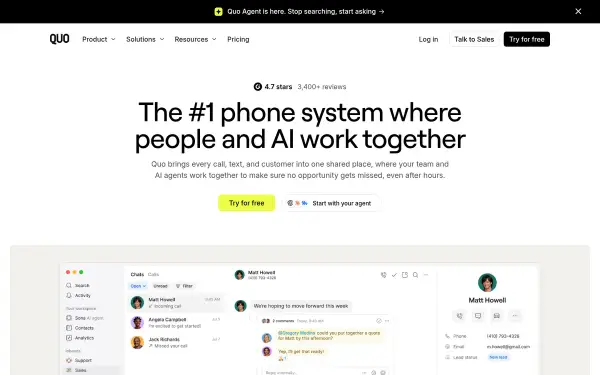
A shared-inbox phone system for text-heavy small teams, with a 7-day trial and less contact center depth.
OpenPhone, now branded Quo, is built for text-heavy small teams that share phone numbers. The feature list includes shared phone numbers, a shared inbox, calls, texts, and voicemail, an AI Agent, call summaries, team visibility, integrations, and workflows. The shared inbox is the core idea: several people can see and answer the same conversation without passing a handset around. That fits startups and small teams more than a formal contact center.
Pricing starts at $15 per user per month on Starter when billed annually at $180. Monthly billing is $19, and Business and Scale are listed at $23 and $35. The vendor states a 7-day free trial. The entry rate is competitive for a small team, but call center depth is below larger contact center tools. If you need deep queue management, supervisor tools, or complex IVR, OpenPhone is not the best match.
The AI Agent and call summaries are useful for a small team that cannot listen to every call. The shared-number model also reduces the risk of a customer texting a number that only one person can see. Monthly billing costs more, and higher tiers climb in price, so compare the annual commitment with your growth plan. The rebrand to Quo means you should confirm that the plan names and links match the current site. It is a practical first phone system for a startup, but not a replacement for a dedicated support platform. Start with the shared inbox and test the AI summaries on real threads.
Pick OpenPhone when shared numbers, a shared inbox, and light AI support matter more than contact center depth.
Your small team shares numbers and wants calls, texts, and voicemail in one inbox.
You need deep contact center queues, supervisor tools, or complex IVR.
VIBackground
A cloud phone system is a hosted phone service that runs calls, texts, and routing over the internet instead of a desk phone or on-site PBX. The vendor supplies numbers, an admin portal, and apps for desktop and mobile. Your team signs in, gets a seat, and makes or takes calls through the vendor's network. That is the core of every tool in this list, though each one bends the model toward a different buyer.
In practice, a cloud phone system combines several jobs. It gives each user a phone number or shared number, routes incoming calls through queues or an IVR, records calls, logs activity, and reports on team performance. Many systems add SMS, team messaging, video meetings, and CRM sync. Higher tiers increasingly add AI features such as voice agents, transcription, summaries, and sentiment analysis. Those features are rarely uniform across plans, so a buyer should check which tier turns them on.
The category splits by use case. Outbound sales teams care about dialers, local presence, international numbers, and CRM logging. Support teams care about queues, callbacks, whispering, warm transfer, and helpdesk integrations. Small teams often want a shared inbox for calls and texts rather than a deep contact center. Larger organizations may want one suite for voice, video, and messaging, with strong admin controls.
Switching from MightyCall is mostly an operational project. You need to confirm seat counts, check whether numbers can port, register SMS campaigns where required, and test call flow before cutting over. The best choice is the system that matches your call pattern and admin load, not the one with the longest feature list. Use the entries below to compare the trade-offs in plain terms.
This comparison sits in the software register. Further along the shore: baby tracking app and kennel software.
VIIPricing
Cloud phone pricing usually bills per seat, per month, with annual billing cheaper than monthly and seat minimums changing the entry cost. A low headline rate can hide a three-seat floor, a 12-month commitment, taxes, or AI features that sit on a higher plan. Treat the starting price as a checkpoint, not the final budget.
Per-seat annual billing is the most common shape here. CloudTalk Starter is $25 per user per month billed annually, RingCentral Core is $20 billed annually, Nextiva Go is $10 billed annually, and OpenPhone Starter is $15 billed annually at $180. Monthly billing is often higher: CloudTalk lists $34 monthly, RingCentral Core lists $30 monthly, and OpenPhone lists $19 monthly. Minimum seats also matter: Aircall Essentials requires three users, Ringover Talk requires three users on a 12-month commitment, and CloudTalk lists a one-license minimum.
JustCall and Dialpad are marked See website because our November 25, 2026 check did not return a current price. Confirm their current plan name, seat floor, and AI limits directly. Trials vary: Ringover and OpenPhone state a 7-day free trial, and RingCentral offers a free trial for up to 5 users. Other vendors did not state a trial.
| Model | How it bills | Typical fit | Example from this list |
|---|---|---|---|
| Per-seat annual | Per user or license, per month, billed annually | Teams that can commit | CloudTalk Starter at $25 per user per month |
| Per-seat monthly | Per user, per month, no annual commitment | Teams testing or needing flexibility | RingCentral Core at $30 per user per month |
| Seat minimum | Per seat with a required user count | Buyers with enough users | Aircall Essentials three-user minimum |
| See website | Custom or unpublished pricing | Variable seats or AI needs | JustCall and Dialpad |
Map every user, number, and AI feature to a named plan before comparing totals. Then add the trial, contract, and seat floor to the same sheet. That keeps a cheap entry rate from becoming a surprise at checkout.
Each entry card shows the starting price as it appeared on the vendor's own pricing page on November 25, 2026. When a vendor shows no figure we could confirm, or only a promotional rate, the card says "See website" or gives the regular price instead of a guess. Usage, overage and add-on rates in the text change more often than plan prices, so confirm them on the vendor page before you set a budget. To test the numbers against your own volume, try the free User Research Budget Planner. The Event Break-Even Calculator is a second way to check the same decision.
VIIIDecision
IXPitfalls
XQuestions
Start by confirming MightyCall's current quote, because this guide does not state it. Then compare the same three items on each alternative: the entry plan, the seat floor, and which tier turns on AI. CloudTalk lists a one-license minimum at $25, Aircall requires three users, and AI agents often require an upgrade.
Match against the exact rates here: Nextiva Go is $10 per user per month billed annually, OpenPhone Starter is $15, Ringover Talk is $19, RingCentral Core is $20, CloudTalk Starter is $25, and Aircall Essentials is $30. JustCall and Dialpad are on the vendor site, so confirm those before assuming a match. Seat minimums can change the comparison.
US SMS registration usually requires business identity and campaign details before messages can send, so start it early. For a switch, keep MightyCall running until the new numbers, SMS approvals, and call flows are tested. Ringover, OpenPhone, and Nextiva include SMS, but SMS approval is separate from buying the plan. Confirm carrier rules with your vendor.
Set up the new account, provision numbers, and test routing before you ask to port. Then submit the port with the correct account details, keep MightyCall active, and confirm the cutover date. Test inbound calls, outbound calls, voicemail, and SMS before you cancel the old service. Ask the vendor for its porting checklist.
Choose by the work your team does most. CloudTalk fits outbound calling with dialers and CRM sync, and JustCall fits outbound calling with dialers and CRM logging. Aircall and RingCentral fit support and unified communications. Dialpad leans toward AI transcription and call analysis. If AI is the priority, check whether the feature sits on the plan you can afford.
For one user, CloudTalk is the cleanest fit in this list because it lists a one-license minimum at $25 per user per month on Starter. Nextiva Go at $10 and OpenPhone Starter at $15 are lower, but check seat rules. Aircall and Ringover require three users, which raises the entry cost for solo buyers.
XIFurther along the shore
Vendors can ask for a correction or apply for a Featured listing. Paid or not, the entry is scored on the same rubric and its limits stay in print. Partner with Umberlake.
Free tools
Our free browser tools turn the prices on this page into a figure for your own volume. Nothing you type leaves your device.