GoAudits
See websiteStarter, per user per month
Best for audit-focused teams replacing iAuditor
- Free plan
- No
- Rubric
- 8.0 of 10
We compared eight inspection management tools against the jobs iAuditor users actually do, from checklists and offline field work to corrective actions and maintenance handoff.

IThe short answer
The best iauditor alternatives in November 2026 depend on the work behind the checklist. GoAudits suits audit-focused teams replacing iAuditor for routine inspections, MaintainX fits maintenance teams that turn failed checks into work orders, and Fluix serves remote field crews that need dependable offline inspections. The other five tools cover guided frontline checks, mobile forms, construction safety, complex custom forms and OSHA recordkeeping.
8 tools compared from vendor pages on November 25, 2026. 4 publish a starting price we could read; the rest say "See website".
IITop three berths
Register order is editorial fit for the buyer each entry describes. Prices are the starting figures read on November 25, 2026.
See websiteStarter, per user per month
Best for audit-focused teams replacing iAuditor
$20Essential, per user per month, billed annually, $25 billed monthly
Best for maintenance teams turning inspections into work orders

$29Crews, per user per month, 5+ users
Best for remote field teams needing reliable offline inspections
How this page is paid for. All 8 tools here are unpaid editorial picks.
A paid listing's position can be part of what the vendor pays for. Every entry, paid or not, is scored on the same rubric and keeps its limits in print. Advertising disclosure.
IIIThe register
Starting prices as shown on each vendor's pricing page on November 25, 2026. "See website" means no figure we could confirm.
| No. | Tool | From | Free plan | Trial | Rubric | Actions |
|---|---|---|---|---|---|---|
| 01 | GoAuditsAudit-focused teams replacing iAuditor | See websiteStarter, per user per monthNot shown publicly | No | No | 8.0 | |
| 02 | MaintainXMaintenance teams turning inspections into work orders | $20Essential, per user per month, billed annually, $25 billed monthlyRead on vendor page | Yes | No | 7.4 | |
| 03 | FluixRemote field teams needing reliable offline inspections | $29Crews, per user per month, 5+ usersRead on vendor page | No | Yes | 8.0 | |
| 04 |  LumiformGuided inspections for rotating frontline teams | $112Professional, per month, startingUpdated on vendor page | No | No | 6.9 | |
| 05 |  GoCanvasReplacing paper field forms and inspections | $29Essentials, per user per month, billed annually, 3 user minimumUpdated on vendor page | No | Yes | 6.4 | |
| 06 | SiteDocsConstruction safety documentation and compliance | See websiteNot shown publicly | No | No | 6.8 | |
| 07 | Forms On FireComplex custom field forms and data workflows | See websiteNot shown publicly | No | No | 6.5 | |
| 08 | SafetyReportsSmall and mid-sized safety programs with OSHA records | See websitecustom quoteQuote only | No | No | 6.0 |
Pinned:
IVMethod
Every tool was checked against the same five criteria: inspection depth, offline field use, action workflows, pricing clarity, and fit for iAuditor switchers. Inspection depth covers checklist design, evidence capture, and report output. Offline field use asks whether the product can complete real field work without a signal. Action workflows look at how findings become assigned work and how closure is tracked. Pricing clarity rewards published plans and clear billing terms, not a low number. Fit for iAuditor switchers weighs how closely the daily audit routine matches what checklist teams already know.
Prices and plan facts come from vendor pricing pages checked on November 26, 2026. Where a page showed See website, we treat pricing as available on the vendor site and do not guess a number. Where a price was listed, we keep the vendor's currency and billing term. The order is editorial: it follows fit for the buyer described in each entry, not a weighted score. A Featured listing, where present, is a paid placement and is scored with the same rubric as every other tool. We relied on product facts and vendor pricing pages, not customer quotes or unverifiable claims.
The full routine, from price reads to corrections, is on the methodology page. Paid listings follow the advertising disclosure.
Covers checklist design, evidence capture, report output, and the range of inspection programs the tool can handle.
Measures whether inspections, photos, signatures, and approvals can be completed without a live connection.
Looks at how findings become assigned actions, deadlines, escalations, and closure records.
Rewards published prices, clear billing terms, and plan limits that buyers can compare before a sales call.
Weighs how closely the daily audit routine matches what teams replacing iAuditor already know.
Entry I of VIII / Checklist audit focus

Our verdict
GoAudits is the closest match for teams that want iAuditor-style checklist audits without paying for view-only users.
GoAudits is built around the audit itself: digital checklists, offline inspections with photo and signature capture, and instant branded reports. That focus matters for teams replacing iAuditor because the daily routine is familiar: open a checklist, complete it in the field, attach evidence, and send a report. Corrective action closure tracking keeps findings from ending at the report. Multi-site workflows and viewer-only access without seat fees help operators separate the people who audit from the people who only read results or complete assigned actions. The vendor says users who view reports or complete assigned actions are not charged, which can change the cost math for large site teams.
The limits appear when the job grows beyond audits. Training and asset management are thinner, so a buyer who needs a full EHS suite or deep asset history may need another system. Automation and analytics trail larger suites. Active auditors still pay per seat. The starting price is shown as See website on the Starter plan, and the vendor's pricing page did not return content in our check, so treat the entry price as something to confirm directly. Even so, GoAudits fits audit-focused teams that want a direct iAuditor replacement and a clear split between auditors and viewers.
You run checklist-heavy audits and want a close iAuditor replacement with viewer access that does not add seats.
You need deep asset management, training records, or advanced EHS analytics in the same platform.
Entry II of VIII / Inspection to work order
Our verdict
MaintainX is the pick when a failed inspection should become a maintenance work order, not just a saved report.
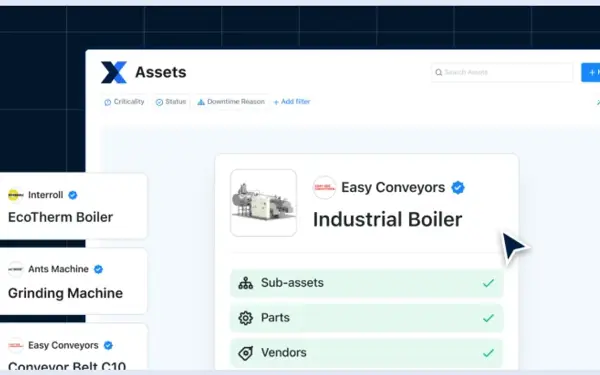
MaintainX treats inspections as one step in maintenance work. A failed check can create an assigned job, and the same system holds asset and parts records, work order assignment, built-in team chat, and mobile-first task management. That is a different center of gravity from iAuditor-style audit reporting. It fits manufacturing and facilities operations where the person who finds a problem needs a technician to fix it. The free tier supports small teams, and paid pricing starts at $20 per user per month on the Essential plan, billed annually, with $25 billed monthly. That known entry price makes it easier to model than quote-only tools.
The tradeoff is safety depth. Safety scoring and regulator-focused reporting are lighter, so a safety manager who needs extensive audit analytics may find it thin. Hospitality audit teams may also find the maintenance model unfamiliar: assets, parts, and work orders are central, not optional. Per-user fees scale across large frontline teams, and the free plan is aimed at small teams. MaintainX is strongest when inspections are an early warning system for equipment and facilities problems. It is not the best fit for a pure checklist audit program with no repair workflow behind it.
A failed inspection should trigger a repair job and you want maintenance and inspections in one system.
Your team only needs safety audit scoring and regulator-ready reporting without maintenance work.
Entry III of VIII / Offline field reliability
Our verdict
Fluix is the strongest pick for remote field crews that need inspections and approvals to keep working offline.
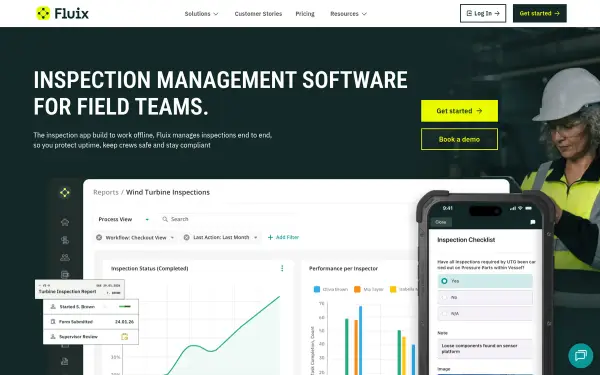
Fluix is designed for field work where connectivity is not guaranteed. It supports offline inspections and approvals, syncs when the device reconnects, routes documents, and tracks sign-off and follow-up tasks after submission. That end-to-end process is the point: a crew can capture data, collect a signature, route the record for approval, and keep the follow-up visible. It is common in energy, construction, and field services, where the inspection is part of a larger operational handoff. Pricing starts at $29 per user per month on the Crews plan for five or more users, and a trial is available.
The cost and setup are the main cautions. Fluix has the highest per-user starting price in this set. Its template library is smaller than SafetyCulture's, so teams that rely on a huge catalog of ready-made checklists may need to build more themselves. Implementation takes project-level effort, which is reasonable for a remote workflow but heavy for a simple office audit. Buyers with straightforward, office-based checks may pay for field capability they do not use. Fluix fits teams that value reliable offline capture, routed approvals, and follow-up over template volume.
Field crews work in low-signal areas and need inspections, signatures, and approvals to keep moving offline.
Your audits are office-based, simple, and price-sensitive enough that the highest per-user entry here is hard to justify.
Entry IV of VIII / Guided frontline checks
Our verdict
Lumiform fits guided recurring checks for frontline teams that need findings turned into assigned actions quickly.
Lumiform focuses on guided inspections, which means the software walks a frontline worker through the check rather than handing over a blank form. Findings can become assigned actions with deadlines in the same flow, and template creation is fast. The mobile interface is built for non-technical staff, so it fits recurring quality and safety checks in retail, logistics, and food operations. That guided approach is useful when staff rotate and every site needs to complete the same check in the same way. Pricing starts at $112 per month on the Professional plan.
The product is narrower than platforms that combine inspections with assets, maintenance, or broad EHS modules. Asset and maintenance depth is limited, and it is not a full EHS suite. Public pricing was not confirmed in the original note, but the checked page now states a $112 monthly starting price, so buyers should still confirm what the Professional plan includes. Lumiform is a good fit for teams that want straightforward guided inspections and corrective actions without a heavy configuration project. It is less suitable for buyers who need deep asset histories, maintenance planning, or enterprise safety reporting.
Rotating frontline staff need guided checks and a simple path from finding to assigned action.
You need deep asset histories, maintenance planning, or a full EHS suite.
Entry V of VIII / Mobile form breadth
Our verdict
GoCanvas is best for replacing paper field forms, with inspections as one workflow among many mobile processes.
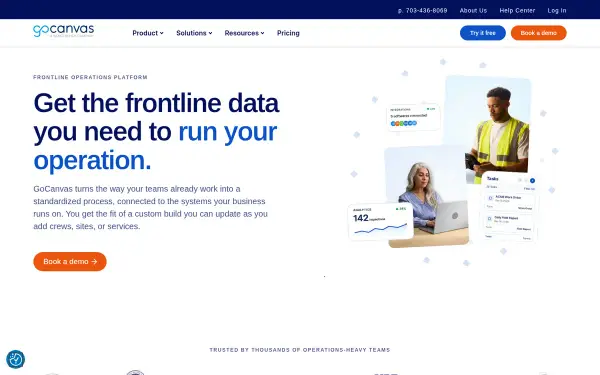
GoCanvas is a mobile form builder rather than a safety system. It handles a large library of different forms, with calculations, photo fields, dispatch, workflow routing, offline data collection, and integrations that route submissions into back-office systems. A team replacing paper inspection sheets can use it to capture field data and push it into the office without building a full EHS platform. That breadth is the appeal, and the risk: form sprawl needs governance, and audit scoring or corrective analytics require configuration rather than arriving as native safety features.
Pricing starts at $29 per user per month on the Essentials plan, billed annually, with a three-user minimum. A trial is available. The plan is known, but buyers should check what form volume and integrations are included because pricing varies by plan and quote. GoCanvas fits operations that have many field paperwork processes, not just inspections, and want one mobile forms tool. It is less suitable for a safety-led buyer who needs purpose-built audit scoring, corrective action analytics, and regulator-ready reporting out of the box.
You are replacing many paper field forms and inspections are one part of a broader mobile process.
You need native safety scoring, corrective action analytics, and a safety-specific template library.
Entry VI of VIII / Construction compliance records
Our verdict
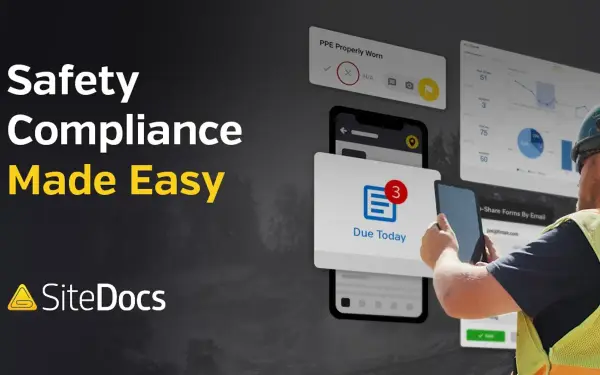
SiteDocs is the construction-focused choice for safety documentation across crews, contractors, and shifting sites.
SiteDocs is built around construction safety records. It covers inspections, toolbox talk records, incident reporting, worker certification tracking, subcontractor documentation, and offline mobile capture. That combination fits jobsites where crews change, subcontractors need to be documented, and safety evidence must be easy to retrieve. The mobile-first design is aimed at site use rather than desk work, so the inspection record is tied to the people and crews who created it. For construction safety managers, that structure can be more useful than a general checklist app.
The tradeoff is specialization. SiteDocs is construction-specific, so buyers outside that industry may find the structure less suitable. Pricing is quote-based, and the vendor's pricing page did not return content in our check, so no starting price could be confirmed. The template breadth is also less general-purpose than tools built for many industries. SiteDocs fits contractors and construction safety teams that need compliance documentation, worker certification, and subcontractor records in one mobile system. It is a weaker fit for a retail, hospitality, or facilities team that wants a broad template library and a published entry price.
You manage construction safety records across employees, subcontractors, and changing jobsites.
You are outside construction and want published pricing or a broad multi-industry template library.
Entry VII of VIII / Deep form logic
Our verdict
Forms On Fire suits complex custom inspections that need deep logic and system connectors, not quick template swaps.
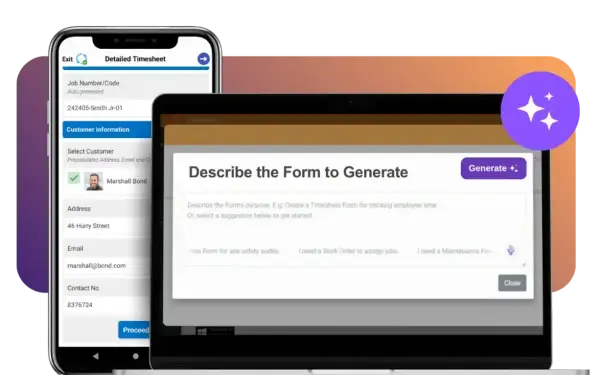
Forms On Fire targets field forms that standard templates cannot express. It supports deep form logic, nested conditional fields, offline data collection, dispatch and workflow support, connectors to business systems, and custom data structures. That makes it useful for inspections with non-standard scoring, branching questions, or data that must flow into several office systems. It is a long-standing mobile forms product, and the strength is flexibility: the form can match the process rather than forcing the process into a fixed checklist.
The cost of that flexibility is configuration effort. Forms On Fire needs a dedicated forms owner, and inspection analytics are assembled rather than native. Pricing is quote-based and was not confirmed in our check. Buyers should expect a scoping conversation and a build phase. Forms On Fire fits organizations with complex, high-value field data workflows and staff who can own form design and maintenance. It is excessive for teams that want a simple iAuditor-style checklist library and fast rollout.
Your inspections need complex branching logic and data must flow into several business systems.
You want a fast rollout, simple checklist templates, and a published starting price.
Entry VIII of VIII / Broad safety records

Our verdict
SafetyReports fits small and mid-sized safety programs that need inspections, incidents, training, and OSHA logs together.
SafetyReports combines inspections, incident documentation, training records, OSHA logs, job safety analyses, and employee and entity tracking in one application. It is built around safety practice rather than general mobile forms, and it is accessible on phone, tablet, and desktop. That breadth helps small and mid-sized employers that want one system for a safety program without assembling separate tools for inspections, training, and recordkeeping. It also tracks employees and multiple entities without enterprise pricing.
Pricing is quote-based: both Pro and Premium tiers require contacting sales, so there is no published starting price to compare. The brand is smaller and has fewer integrations, and the broad scope reduces depth in some workflows. Buyers should test the specific inspection and reporting workflows they depend on rather than assuming every module is equally deep. SafetyReports fits safety managers at small and mid-sized employers who need OSHA records, training tracking, and incident documentation alongside inspections. It is less suitable for teams that need deep maintenance integration or a large partner ecosystem.
You need inspections, incidents, training, and OSHA logs in one system for a small or mid-sized employer.
You need deep maintenance integration, a large partner ecosystem, or published self-serve pricing.
VBackground
Inspection management software is the system that turns a checklist into a repeatable field process: schedule the check, complete it on a phone or tablet, capture evidence, route findings, and close corrective actions. The category sits between mobile forms and full EHS platforms. iAuditor, now part of SafetyCulture, made the checklist app familiar to many operators, so iauditor alternatives are usually judged on how well they handle routine audits, offline field work, photo and signature capture, report output, and follow-up.
Most tools here share a core set of jobs:
The differences show up around that core. GoAudits and Lumiform stay close to checklist audits. MaintainX connects failed checks to maintenance work orders. Fluix and GoCanvas emphasize field data capture and routing. SiteDocs and SafetyReports add construction or OSHA recordkeeping. Forms On Fire handles complex form logic and system connectors. A buyer should start with the inspection workflow, then check whether assets, training, incidents, or maintenance need to live in the same system. If those needs are light, a focused audit tool can be cheaper and faster to deploy. If they are heavy, a broader platform or a connected stack may be the better fit.
This comparison sits in the software register. Further along the shore: baby tracking app and kennel software.
VIPricing
Inspection software pricing usually follows the seat, the site, or a quote. Per-user plans are easy to start and expensive to scale across frontline teams. Account-level plans can be cheaper for a small number of heavy users, but the plan limits matter. Quote-based pricing fits complex deployments, construction compliance, or custom forms, but it makes budgeting slower. Per-user pricing is common in field software because each auditor needs a named account, but the effective rate depends on annual terms, minimum seats, and whether viewers need a license. The table uses only the facts checked on November 26, 2026. Where a vendor shows See website, pricing is on the vendor site and should be confirmed directly.
| Model | How it bills | Typical fit | Example from this list |
|---|---|---|---|
| Per user, price on vendor site | Seat fee, price shown on website | Audit teams | GoAudits Starter, per user per month, price on vendor site |
| Per user, annual or monthly | Seat fee with an annual discount | Named auditors and maintenance teams | MaintainX at $20 per user per month on Essential, billed annually, or $25 monthly |
| Per user with minimum seats | Seat fee plus a user floor | Field teams standardizing devices | GoCanvas at $29 per user per month on Essentials, billed annually, 3 user minimum |
| Per user with crew floor | Seat fee for small crews | Remote field teams | Fluix at $29 per user per month on Crews for 5+ users |
| Account starting price | Monthly starting price | Guided frontline checks | Lumiform at $112 per month on Professional |
| Quote-based | Custom quote | Construction, custom forms, and broad safety | SiteDocs, Forms On Fire, and SafetyReports |
Seat counts decide the real cost. A tool that looks inexpensive per auditor can become costly when viewers, supervisors, and action owners need access. Ask which user types must be licensed. MaintainX also has a free plan for small teams, which changes the entry math for a pilot. None of these models is automatically cheaper: the right comparison is total cost for the named auditors, viewers, and sites you will actually deploy.
Each entry card shows the starting price as it appeared on the vendor's own pricing page on November 25, 2026. When a vendor shows no figure we could confirm, or only a promotional rate, the card says "See website" or gives the regular price instead of a guess. Usage, overage and add-on rates in the text change more often than plan prices, so confirm them on the vendor page before you set a budget. To test the numbers against your own volume, try the free User Research Budget Planner. The Event Break-Even Calculator is a second way to check the same decision.
VIIDecision
Choose in this order so the shortlist reflects the work, not the demo.
VIIIPitfalls
Most bad buys come from testing the wrong thing or comparing the wrong number.
IXQuestions
iAuditor is the checklist inspection product associated with SafetyCulture, and this list treats it as the benchmark rather than a ranked entry. The iauditor alternatives here are judged on routine audits, offline field work, evidence capture, report output, and how findings become assigned actions. SafetyCulture's product is the reference point for teams that already know the checklist workflow.
GoAudits is the closest fit in this list for routine checklist audits. It centers on digital checklists, offline inspections with photo and signature capture, branded report output, and corrective action closure. It also does not charge users who only view reports or complete assigned actions, which helps when site managers and action owners need access. Confirm the Starter plan price on the vendor site before you budget.
MaintainX is the fit when a failed inspection should create a maintenance work order. It links inspections to work orders, keeps asset and parts records, assigns jobs, and includes team chat. Pricing starts at $20 per user per month on Essential, billed annually, with $25 billed monthly, and a free plan is available for small teams. It is stronger for manufacturing and facilities than for pure safety reporting.
Offline capability is critical when inspectors work in basements, remote sites, plants, or vehicles with poor signal. It should cover the full check, photos, signatures, and sync on reconnection, not just opening a form. Fluix is built around this, GoCanvas and SiteDocs list offline capture, and GoAudits supports offline inspections. Test a real low-signal inspection before rollout.
Start by counting who creates or completes inspections, who only views reports, and who only closes assigned actions. Those groups have different value and should not be billed the same way by default. GoAudits says view-only and action-only users are not charged, which can matter for multi-site teams. Many tools in this list bill per user, so seat mix changes total cost.
SiteDocs targets construction safety documentation, including toolbox talks, incident reports, worker certification, and subcontractor records. SafetyReports covers broader small and mid-sized safety programs with inspections, incidents, training, OSHA logs, and job safety analyses. MaintainX serves maintenance-heavy operations. Start with the program you must document, then check whether a focused audit tool or a broader safety system is the better fit.
XFurther along the shore
Vendors can ask for a correction or apply for a Featured listing. Paid or not, the entry is scored on the same rubric and its limits stay in print. Partner with Umberlake.
Free tools
Our free browser tools turn the prices on this page into a figure for your own volume. Nothing you type leaves your device.