
WordPress
See website
Best for blogs, content sites and full ownership of the site
- Free plan
- Yes, open-source core
- Rubric
- 8.4 of 10
Ten builders and platforms compared on price, ownership and scale, from free open-source WordPress to agency tooling and fast local-business builders.

IThe short answer
WordPress, Webflow and Wix top our list of the best website development software for November 2026, though each suits a different buyer. WordPress is for blogs and content sites where you want to own the files outright. Webflow fits designers who need code-level layout control without writing CSS. Wix suits beginners and small businesses that want a site live quickly. The other seven tools cover agency workflows, animation-led marketing sites, budget hosting bundles and European small-business builders.
10 tools compared from vendor pages on November 25, 2026. 6 publish a starting price we could read; the rest say "See website".
IITop three berths
Register order is editorial fit for the buyer each entry describes. Prices are the starting figures read on November 25, 2026.
See website
Best for blogs, content sites and full ownership of the site

$15Basic, per site, per month, billed yearly
Best for designers who want visual development with code-level control

$17Light, per month, yearly subscription paid in full
Best for beginners and small businesses launching quickly
How this page is paid for. All 10 tools here are unpaid editorial picks.
A paid listing's position can be part of what the vendor pays for. Every entry, paid or not, is scored on the same rubric and keeps its limits in print. Advertising disclosure.
IIIThe register
Starting prices as shown on each vendor's pricing page on November 25, 2026. "See website" means no figure we could confirm.
| No. | Tool | From | Free plan | Trial | Rubric | Actions |
|---|---|---|---|---|---|---|
| 01 | WordPressBlogs, content sites and full ownership of the site | See websiteNot shown publicly | Yes | Not applicable, software is free to download | 8.4 | |
| 02 | WebflowDesigners who want visual development with code-level control | $15Basic, per site, per month, billed yearlyUpdated on vendor page | Yes | See website | 7.4 | |
| 03 | WixBeginners and small businesses launching quickly | $17Light, per month, yearly subscription paid in fullUpdated on vendor page | Yes | See website | 7.3 | |
| 04 |  SquarespaceDesign-forward portfolios, creatives and restaurants | $12Basic, per month, billed annuallyUpdated on vendor page | No | 14 day free trial, no credit card required | 7.3 | |
| 05 | DudaAgencies building and managing client sites at scale | $19Basic, per account, per month, billed annuallyUpdated on vendor page | No | 14 day free trial, no credit card required | 7.0 | |
| 06 | FramerStartups and designers shipping modern marketing sites fast | $10Basic, per month, yearly billingUpdated on vendor page | Yes | See website | 6.5 | |
| 07 | GoDaddy Website BuilderFastest launch for small local businesses | See websiteNot shown publicly | No | See website | 5.8 | |
| 08 | JimdoSimple small-business sites, particularly in European markets | $12Start, per month on a 12 month term, includes VATUpdated on vendor page | Yes | See website | 5.8 | |
| 09 | WebnodeBudget multilingual websites for small organizations | See websiteNot shown publicly | Yes | See website | 5.6 | |
| 10 | Hostinger Website BuilderPrice-sensitive beginners wanting hosting and a builder together | See websiteNot shown publicly | No | See website | 6.4 |
Pinned:
IVMethod
Every tool here was scored on the same five criteria, weighted for the buyer each entry describes. Ease of use carries 25 percent because many buyers are not developers. Design control takes 22 percent, value for money 20, scale and ownership 18, and support and ecosystem 15. Scores are integers from 1 to 10 per criterion and reflect the whole product rather than a single demo page.
Prices, plan names and billing terms come from vendor pricing pages checked on November 26, 2026. Where a vendor shows its startup price, we quote it exactly as displayed and name the plan and billing term beside it. Where no pricing page could be fetched, we say pricing is on the vendor site and quote no number rather than estimating one. Free plans and trials are recorded only where the vendor confirms them.
The order of this list is editorial. It reflects how well each tool fits the specific buyer described in its entry, not a weighted total of the scores. Featured placements, where they appear in our lists, are paid and are scored against the same five criteria as every other entry; placement affects position only, never the rubric.
We did not put every tool through a hands-on build for this edition. The judgements draw on documented features, published plan structures and the practical constraints each model imposes, which is why the weaknesses read as specifically as the strengths.
The full routine, from price reads to corrections, is on the methodology page. Paid listings follow the advertising disclosure.
How quickly a non-developer can publish a credible page without outside help.
How much layout, typography and motion freedom the tool gives before you hit a wall.
What the published plan price actually covers once hosting, add-ons and seats are counted.
Whether the site can grow and whether you keep portable files and content data.
The depth of templates, integrations, documentation and human help around the platform.
Entry I of X / Ownership and plugin depth
Our verdict
Free core and total ownership of your content, provided you are willing to handle hosting, updates and plugin upkeep.
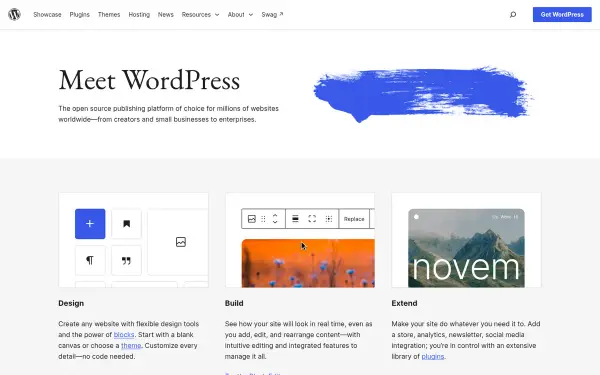
WordPress is the open-source core you install on hosting you choose. The block editor handles pages and posts visually, the public theme and plugin directories cover stores, forms, SEO and memberships, and one install scales from a personal blog to a large publishing operation. Site files and content sit on your own hosting, so you keep full ownership of the data. WordPress has a very large theme and plugin ecosystem, which explains how much third-party help exists around it.
The trade-off is that nothing is handled for you. Hosting, backups, security patching and version updates all sit with you or someone you pay. Plugin conflicts are a real failure mode: two add-ons that each work alone can break a site together. The learning curve is steeper than a hosted drag-and-drop builder, so budget time to learn it or get a developer's help.
Pricing is on the vendor site, and the honest framing is that the core software is free to download. Real spend is hosting, a domain, premium themes or plugins, and optional maintenance. Managed WordPress hosting bundles that upkeep into one recurring fee, which suits owners who do not want to think about updates. No official pricing page was fetched for this record, so confirm current figures directly.
Pick it if you want to own the site files and expect the site to grow.
Content ownership, plugin flexibility and long-term scale matter more than a supported dashboard.
Nobody on your side will handle updates, backups and security patching.
Entry II of X / CSS-level visual control
Our verdict
The strongest visual tool for designers who want CSS-level control, though site plans, workspaces and seats each add cost.
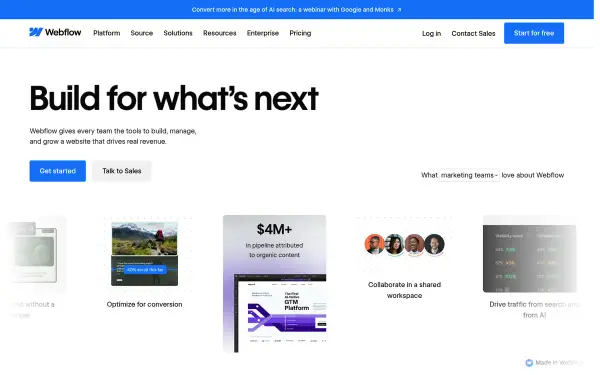
Webflow puts a visual canvas over real CSS. You place elements, set layout and typography, and the platform writes clean generated markup. Interactions, scroll effects and animation tooling are native, the built-in visual CMS handles structured content, and hosting and SSL come bundled with the platform.
The control is the point and the cost. Pixels land where you put them without hand-written CSS, and generated code quality is well regarded by developers, but the interface assumes you understand responsive behavior. Beginners arriving from a consumer drag-and-drop builder usually stall in the first session. Ecommerce exists and works for smaller catalogs, though it is not the platform's strength.
Pricing starts at $15 per site per month on the Basic plan, billed yearly. That is the entry point, not the whole bill: site plans, workspace plans and seats are separate line items, so an agency with several editors pays noticeably more than the headline. Work out the combination you need before comparing it to a flat subscription elsewhere.
Pick it if design fidelity matters and you or your team can invest time learning the tool. Skip it if you want a store-first platform or a builder you can hand to a non-technical owner.
You are a designer shipping custom marketing sites and want production-grade output.
The person maintaining the site has no design-tool background and needs a simple editor.
Entry III of X / Fast launch from a blank page
Our verdict
A fast route from blank page to a live small-business site, with the caveat that template and platform choices are hard to undo.
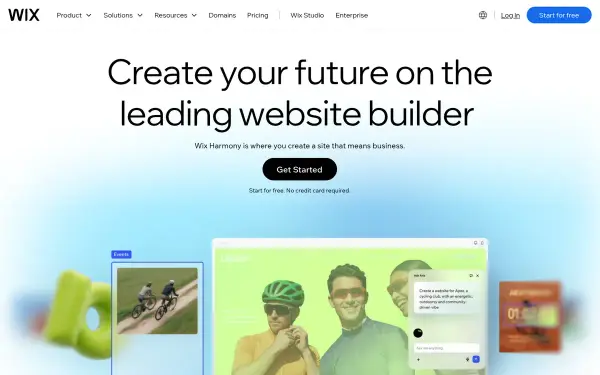
Wix is aimed at beginners and small businesses, and the reason is speed. The library holds hundreds of templates, the editor is true drag-and-drop rather than a constrained grid, an app market covers bookings, stores, forums and forms, and AI-assisted generation produces a workable first draft. A free plan lets you build and publish before any money changes hands.
The catch is commitment. Once a template is live it is effectively fixed, so swapping designs later means rebuilding from scratch. Sites can feel heavy next to leaner platforms, and moving content off Wix to another system is difficult, which matters if the site is a business asset you might sell or migrate.
Paid plans start at $17 per month on the Light plan, billed as a yearly subscription paid in full. Wix offers a 14 day money back guarantee rather than a trial, so read the refund terms before you commit to an annual term. A free plan is available if you want to test the editor first and decide afterwards.
Pick it if you want a credible small-business site live quickly and do not plan to move it. Skip it if design freedom after launch, page speed or long-term portability top your list.
You are launching a first small-business site and want a large template choice with zero setup.
You expect to redesign the site in a year or need to export content cleanly.
Entry IV of X / Polished template design

Our verdict
Polished templates and bundled blogging, scheduling and store tools for creatives who want good design without fine-tuning layout code.
Squarespace sells restraint. The template set is curated rather than sprawling, each design shares a consistent visual language, and the editor constrains layout in ways that keep pages looking intentional. Blogging tools, appointment scheduling and a native online store all arrive inside the same subscription, along with hosting, SSL and support.
That structure is why it lands well with portfolios, restaurants and creative studios. It is also why tinkerers get frustrated: layout freedom sits well below Wix or Webflow, and integrations with outside services are narrower than WordPress offers. If the site needs a bespoke interaction or a complicated content model, you will hit those walls early.
Pricing starts at $12 per month on the Basic plan, billed annually. There is no free plan, so payment begins when the 14 day free trial ends. No credit card is required for that trial, which makes it a low-risk way to check whether the templates suit your actual content before you commit to a year.
Pick it if you want polished design, bundled scheduling and a store without assembling plugins. Skip it if you need granular layout control or a large integration surface; Webflow and WordPress cover those better.
Your site is a portfolio, restaurant or studio page and design polish outranks customization.
You need unusual layouts, deep integrations or a free tier before paying.
Entry V of X / Agency client workflow
Our verdict
Agency workflow tooling, white-label portals and fast sites, priced per account in a way that only pays off across multiple clients.
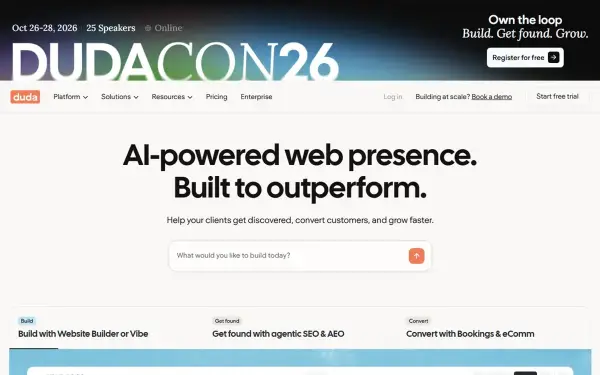
Duda is built for the agency side of website work rather than the solo side. White-label client portals and branded dashboards let you present the platform as your own, team permissions and role-based collaboration cover handoffs, and bulk site management handles a portfolio rather than a single build. Content collection tools gather material from clients, and a widget builder adds custom functionality without outside code.
Performance is a stated focus, with fast-loading output and strong Core Web Vitals, which matters when you hand a finished site to a client who will be judged on speed. Hosting and SSL are handled by the platform, so there is no server to patch and no certificate to renew.
The costs are structural. Pricing starts at $19 per account per month on the Basic plan, billed annually, and the model is aimed at professionals, so a single personal site rarely justifies it. The template library is smaller than the big consumer builders, and lower brand recognition means fewer third-party integrations.
Pick it if you run client sites for a living and want the client-facing layer built in. Skip it if you are building one site for yourself or need a wide app ecosystem.
You are a freelancer or agency producing and maintaining sites for several clients.
You need one site and cannot justify a per-account plan.
Entry VI of X / Native motion design
Our verdict
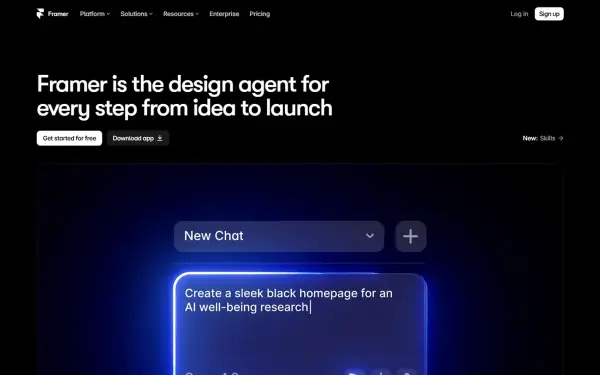
Native animation and design-tool habits make it a quick way for a designer to ship a modern marketing site.
Framer came out of prototyping software, and that history explains everything about it. The canvas feels like a design tool, animations and scroll effects are native rather than bolted on, and responsive breakpoint controls behave the way designers expect. Publishing happens straight from the canvas with hosting included, and a built-in CMS covers content-driven pages.
The result is a fast path from a design file to a live marketing site that actually moves. Startups shipping landing pages and product launches get a lot out of it, especially teams where the designer is also the person who publishes.
The limits are ecosystem and depth. Templates and plugins are thinner than the established builders, CMS and ecommerce features are lighter than rivals, and a complex site with heavy content modeling or a large catalog may outgrow the platform. Plan on migrating if the site becomes a core product surface.
Pricing starts at $10 per month on the Basic plan with yearly billing, and a Free plan includes a free Framer domain, so you can publish something before paying. Trials are only offered for Enterprise, which is worth knowing if you wanted to test a paid tier first.
Pick it if motion and design craft are the point of the site. Skip it if you need a deep CMS, a real store or a decade of plugin options.
You are a designer building an animated marketing site and want to publish without a developer.
You need content modeling at scale or a store with a wide catalog.
Entry VII of X / Guided local-business setup
Our verdict
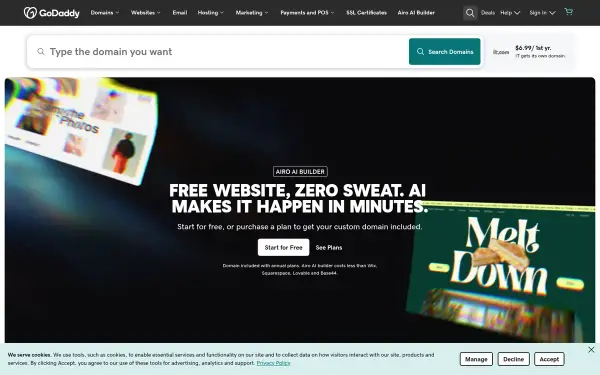
The quickest questionnaire-driven launch for a local business already buying domains and hosting from the same account.
GoDaddy Website Builder starts with a questionnaire and assembles a starter site from your answers. It is an approachable entry in this list: templates target non-designers, hosting comes with the website plan, and domain purchase and connection happen inside the same account you may already use. Email marketing tools and social media tooling sit alongside the site rather than as separate purchases.
That bundle is the appeal for local businesses. A cafe, a plumber or a consultant who already buys domains from GoDaddy can have something credible published without learning a design tool or hiring anyone. Email marketing sits inside the same product as the site, which removes a lot of small friction.
The ceiling arrives quickly. Design flexibility trails Wix and Squarespace noticeably, advanced capabilities lag the specialist builders, and the whole arrangement nudges you to stay inside one vendor's ecosystem, which is convenient until you want to leave.
Pricing is on the vendor site. No pricing page was provided or fetched for this record, so plan tiers, renewal terms, free plan and trial details could not be checked. Confirm the renewal price before you buy, since the number that matters is the one you pay after the first term.
Pick it if speed and one-vendor simplicity beat design control. Skip it if you expect the site to grow into something custom.
You run a local service business and want a site plus domain sorted quickly.
Design control or the ability to change vendors later matters to you.
Entry VIII of X / Simplicity for non-designers
Our verdict
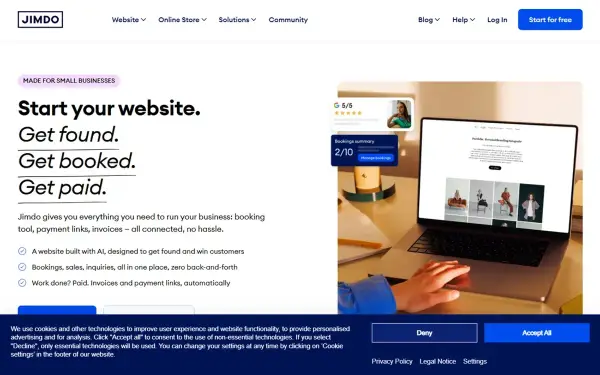
A deliberately limited editor that keeps small-business builds simple, with free and low-cost tiers and a European support focus.
Jimdo deliberately removes choices. The guided editor asks a few questions, applies a prebuilt layout and keeps configuration to a minimum, which is why owners with no technical background can finish a site quickly. It suits salons, freelancers and clubs: sites where the content is simple, the page count is small and nobody wants to think about plugins.
A free plan covers a basic published site, so you can start without paying. Paid plans start at $12 per month on Start with a 12 month term, and that figure includes VAT, which matters for European buyers comparing it against prices quoted before tax. Support and localization are aimed at European markets, and the product has an established presence there.
Customization is where it runs out. Feature depth and design options are limited, the ecosystem is smaller than the major builders, and a site that grows into bookings, memberships or a catalog will need a different platform.
Pick it if you want a simple European small-business site and want to spend as little time on it as possible. Skip it if you have any ambition to customize heavily or add commerce.
You want a simple site with minimal decisions and clear European pricing including VAT.
You need commerce, memberships or any real design flexibility.
Entry IX of X / Free multilingual publishing

Our verdict
A free tier that actually publishes, plus multilingual management, in a basic package best suited to small organizations on a budget.
Webnode's distinguishing feature is a free plan that publishes a real, working site rather than a preview. Setup takes minutes, the drag-and-drop editor covers the basics, and multilingual site management lets one organization run separate language versions for different countries.
Paid tiers add the things most people eventually need: a custom domain and an online store. Those are gated on purpose, so treat the free tier as a starting point rather than a permanent home for a business. The template set is small, the design language feels dated next to Squarespace or Wix, and the feature set is basic overall.
Pricing is on the vendor site. No pricing page was provided or fetched for this record, so plan costs, renewal terms and what each tier includes could not be verified. Check the current figures directly and confirm whether the plan you want supports the domain and store features you need before you build.
The company is Czech, and the product is aimed at cost-sensitive users and small organizations rather than commercial projects with growth plans. For a club site, a small association or a first website in two languages, that trade is reasonable.
Pick it if multilingual pages and a zero-cost start matter more than design polish. Skip it if you need modern templates, deeper commerce or third-party integrations.
You need two language versions of a simple site and want to start at zero cost.
The site is customer-facing for a growing brand and needs current design.
Entry X of X / One of the cheapest combined bills
Our verdict
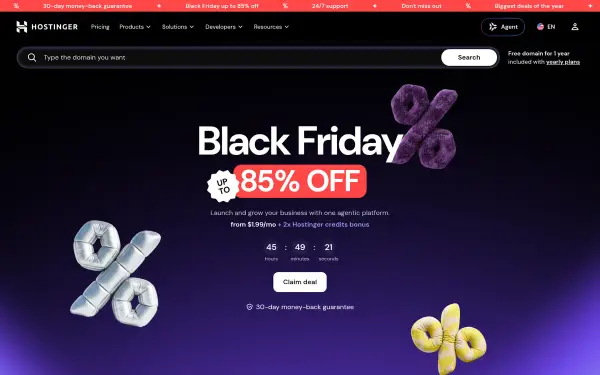
One of the cheapest single bills in this list for a domain, hosting and a builder, with limited depth beyond a simple site.
Hostinger Website Builder is not sold on its own. It comes bundled inside Hostinger hosting plans, which is the whole proposition: one bill covers hosting, a custom domain and a builder, and the total is among the cheapest routes to a live site with your own domain here. AI generation drafts starter pages, text and images, and a drag-and-drop editor lets you adjust what it produced.
That combination works well for a first website. Templates are aimed at beginners, the domain arrives through the hosting plan, and there is no separate platform subscription to track. If your priority is getting a small brochure site online for as little money as possible, it is hard to beat on sticker price.
Depth is the limit. Because the builder is tied to Hostinger hosting, you are committing to that provider's stack rather than choosing a standalone platform, and advanced features trail the dedicated builders. Support quality varies by channel, so check which support channel you will rely on when something breaks at launch.
Pricing is on the vendor site. No pricing page was provided or fetched for this record, so plan tiers, renewal rates, free plan and trial details could not be checked. Check the renewal terms on the vendor site before you buy.
Pick it if budget is the deciding factor and the site is simple. Skip it if you need advanced design control or the freedom to change hosts without rebuilding.
You want one of the lowest total bills for a small site with a custom domain.
You may move hosts later or need design tools beyond beginner templates.
VBackground
Website development software is the layer that turns a design and a set of words into pages a browser can load. In 2026 the category splits roughly three ways: hosted builders where the vendor handles servers and updates, visual development tools that generate clean code, and open-source platforms you install on hosting you rent. Those distinctions matter more than feature lists, because they decide who fixes a broken site at 9pm.
Hosted builders such as Wix, Squarespace and Jimdo provide an editor and a published site as one product. You trade layout freedom and portability for the fact that patching is someone else's job.
Visual development tools such as Webflow and Framer keep the design canvas but generate real markup. They suit designers who want control without a developer in the loop, and they usually include hosting.
Open-source platforms such as WordPress give you the files. You pick the host, the plugins and the maintenance routine, and in return nothing can be taken away from you.
Most buyers overestimate how much customization they need and underestimate what upkeep costs. A small brochure site and a large content operation do not need the same software, and picking the heavier option first is a common error in this category.
This comparison sits in the software register. Further along the shore: baby tracking app and kennel software.
VIPricing
Pricing here is not one number. There are five billing shapes, and each hides a different set of extras.
| Model | How it bills | Typical fit | Example from this list |
|---|---|---|---|
| Open source plus hosting | Software free to download; hosting, domain and add-ons bought separately | Owners who want files and data under their control | WordPress (pricing on vendor site) |
| Per site subscription | Monthly per site, billed yearly | Freelancers and designers shipping marketing sites | Webflow $15 Basic; Squarespace $12 Basic; Framer $10 Basic |
| Per account subscription | Monthly per account, billed annually | Agencies running many client sites | Duda $19 Basic |
| Hosting bundle | Builder included inside a hosting plan | Budget-first first sites | Hostinger Website Builder (pricing on vendor site) |
| Free tier then paid | Free plan publishes a site; paid plans are available for more | Hobbyists and small organizations | Wix $17 Light; Jimdo $12 Start; Webnode (pricing on vendor site) |
Two things push the real total above the headline. First, per site and per seat pricing are different axes: a Webflow site plan and a workspace plan with several editors are separate lines. Second, annual terms are quoted as monthly equivalents, so the amount that leaves your account is twelve times the figure shown.
Where a vendor does not publish verifiable numbers, this list says pricing is on the vendor site rather than guessing. GoDaddy, Webnode and Hostinger each need a direct check, including renewal pricing. Jimdo's $12 Start figure includes VAT on a 12 month term, so compare it against pre-tax quotes with care.
The cheapest option is usually the free tier, and it is usually the wrong long-term answer for a business.
Each entry card shows the starting price as it appeared on the vendor's own pricing page on November 25, 2026. When a vendor shows no figure we could confirm, or only a promotional rate, the card says "See website" or gives the regular price instead of a guess. Usage, overage and add-on rates in the text change more often than plan prices, so confirm them on the vendor page before you set a budget. To test the numbers against your own volume, try the free User Research Budget Planner. The Event Break-Even Calculator is a second way to check the same decision.
VIIDecision
VIIIPitfalls
IXQuestions
Hosting, a domain, premium themes or plugins and any maintenance help. The downloadable core is free and open source, so the bill comes from everything around it. Managed WordPress hosting bundles backups, updates and security into a recurring fee, which can be simpler than paying someone hourly to do the same work.
GoDaddy Website Builder, Jimdo and Wix are among the easier starts. GoDaddy assembles a site from a questionnaire, Jimdo deliberately limits choices, and Wix pairs a large template library with a true drag-and-drop editor and a free plan. Webflow and Framer are steeper starts, because both assume design-tool familiarity.
No. All ten publish a site without hand-written code. Webflow and Framer ask you to understand layout and responsive behavior, which is closer to design literacy than programming. WordPress needs no code either, though plugin conflicts and hosting setup occasionally demand troubleshooting beyond a beginner's comfort zone.
Sometimes, and it depends entirely on the platform. WordPress gives you files and content you can take elsewhere. Hosted builders are harder: Wix templates are fixed once published and moving content off is difficult, so portability belongs in the buying decision rather than in the exit plan.
Small catalogs work on Webflow and Squarespace, both of which include native store features inside their subscriptions. Webnode adds a store on paid tiers. For anything larger, WordPress with a dedicated ecommerce plugin is the option here with a lot of room to grow.
XFurther along the shore
Vendors can ask for a correction or apply for a Featured listing. Paid or not, the entry is scored on the same rubric and its limits stay in print. Partner with Umberlake.
Free tools
Our free browser tools turn the prices on this page into a figure for your own volume. Nothing you type leaves your device.