
Drake Tax
See website
Best for small and mid-size firms that want full features without surprises
- Free plan
- No
- Rubric
- 8.5 of 10
Nine professional tax programs compared for return volume, state rules, cloud access and billing, with vendor pricing checked on November 26, 2026.

IThe short answer
As of November 2026, the best tax software for professional firms starts with Drake Tax for small and mid-size practices that want full features without surprises. TaxSlayer Pro suits firms filing mostly individual returns on one predictable bill, and Intuit Lacerte fits established firms with complex, high-volume work. All three are priced on the vendor site, so confirm quotes before you commit.
9 tools compared from vendor pages on November 25, 2026. 0 publish a starting price we could read; the rest say "See website".
IITop three berths
Register order is editorial fit for the buyer each entry describes. Prices are the starting figures read on November 25, 2026.
See website
Best for small and mid-size firms that want full features without surprises
See website
Best for firms filing mostly individual returns that want one predictable bill
See website
Best for established firms with complex returns and high volume
How this page is paid for. All 9 tools here are unpaid editorial picks.
A paid listing's position can be part of what the vendor pays for. Every entry, paid or not, is scored on the same rubric and keeps its limits in print. Advertising disclosure.
IIIThe register
Starting prices as shown on each vendor's pricing page on November 25, 2026. "See website" means no figure we could confirm.
| No. | Tool | From | Free plan | Trial | Rubric | Actions |
|---|---|---|---|---|---|---|
| 01 | Drake TaxSmall and mid-size firms that want full features without surprises | See websiteNot shown publicly | No | No | 8.5 | |
| 02 | TaxSlayer ProFirms filing mostly individual returns that want one predictable bill | See websiteNot shown publicly | No | No | 8.3 | |
| 03 | Intuit LacerteEstablished firms with complex returns and high volume | See websiteNot shown publicly | No | No | 8.0 | |
| 04 | Intuit ProSeriesSmall practices that prefer forms-based desktop tax work | See websiteNot shown publicly | No | No | 6.9 | |
| 05 | Intuit ProConnect TaxCloud-first firms and practices tied to QuickBooks Online | See websiteNot shown publicly | No | Free trial | 7.7 | |
| 06 |  UltraTax CSLarge firms with complex, multistate and multi-entity work | See websiteNot shown publicly | No | No | 7.8 | |
| 07 | TaxAct ProfessionalBudget practices that want to start per return | See websiteNot shown publicly | No | Free trial | 7.4 | |
| 08 | OLT ProSmall firms and seasonal preparers wanting unlimited returns cheaply | See websiteNot shown publicly | No | No | 8.3 | |
| 09 | CCH Axcess TaxFirms committed to a Wolters Kluwer cloud ecosystem | See websiteNot shown publicly | No | No | 7.4 |
Pinned:
IVMethod
Every tool here was checked against the same five criteria: return capacity, state coverage, workflow depth, deployment flexibility and price clarity. Those criteria reflect the work professional preparers actually buy for: filing volume, multistate exposure, diagnostics and review tools, desktop or cloud access, and whether a firm can see a price before a sales call.
Pricing facts come from vendor pricing pages checked on November 26, 2026. Where a page failed to load or returned no readable content, the entry says pricing is on the vendor site and flags any figure that could not be confirmed. We do not convert currencies or estimate quotes. Plan notes are kept as the vendor presents them, including return counts, user limits and state rules.
The scores show where each product is strong or weak; they do not set the order. The order is editorial: it reflects the buyer fit described in each entry, plus any Featured position. A Featured position is a paid placement. If a tool carries that label, it gets the same rubric, the same scrutiny and the same kind of honest cons as every other entry. No source outside the vendor facts supplied for this list is used to fill gaps.
The full routine, from price reads to corrections, is on the methodology page. Paid listings follow the advertising disclosure.
Handles expected individual and business volume without metering surprises.
Includes state returns and e-filing at a predictable cost.
Covers diagnostics, data flow, portals, e-signature and practice tools.
Fits desktop, cloud or hosted access needs without hidden infrastructure work.
Publishes prices and billing terms that a firm can compare before a sales call.
Entry I of IX / Bundled state filing
Our verdict
Drake Tax gives small and mid-size firms bundled states, e-filing and deep return entry at a published price.
Drake Tax is built for volume season work, with keyboard-driven return entry, built-in diagnostics and error checking, integrated bank products, and all 50 states plus e-filing included on every plan. Client portals, workflow and e-signature are sold as a bundle, which lets a firm add practice tools without changing tax software. Free data conversion from competing software lowers the switching cost, and Drake Tax Online provides a cloud option for firms that do not want to run the Windows desktop core.
The desktop core is the main trade-off. Many preparers describe the interface as dated, and add-on modules can raise the effective bill at higher volumes. List prices also step up on 1 December each year, so a November purchase can price differently from a January one. Drake publishes plan prices online, which is uncommon here, but the pricing page returned no readable content when checked on November 26, 2026. Any plan prices and filing fees should be confirmed directly on the vendor site.
This fits small and mid-size firms that want full features without surprises and can live with a Windows-first workflow. A cloud-only practice should test Drake Tax Online before committing.
You want one vendor for states, e-filing and practice tools at a published price.
You need a modern cloud interface or cannot budget for December price changes.
Entry II of IX / Unlimited 1040 filings

Our verdict
TaxSlayer Pro suits firms filing mostly individual returns that want unlimited filings and one predictable annual bill.
TaxSlayer Pro is aimed at firms whose season is mostly 1040 work. Every tier allows unlimited individual returns, state e-filing is included, and the software validates data against IRS e-file rules while preparers enter it rather than waiting for transmission. The Web tier runs in a browser, while document management and client texting sit on Premium. W-2, 1099 and brokerage imports run through Yodlee and Plaid, which reduces manual keying for straightforward individual returns.
The pricing structure is simple: three annual plans, all with unlimited returns. The vendor lists three annual plans with unlimited returns, and pricing is on the vendor site. Business returns require Premium, so firms with any entity clients should treat Premium as the real entry point. The pricing page redirected to a 404 error when checked on November 26, 2026, so confirm current figures on the vendor site before budgeting.
The limits show up in complex work. Diagnostics are shallower than large-suite rivals for multi-entity returns, and the third-party integration list is shorter than the major suites. This fits firms filing mostly individual returns that want one predictable bill and do not need deep corporate, partnership or fiduciary workflows.
Your book is mostly individual returns and you want unlimited filings without a meter.
You need deep entity diagnostics or a broad third-party integration list.
Entry III of IX / Complex return depth

Our verdict
Intuit Lacerte fits established firms with complex returns that need deep compliance and high-volume throughput.
Intuit Lacerte is the high-volume option for firms with complex returns. It covers a deep set of forms and diagnostics, adds tax planning tools, and connects to the wider Intuit ecosystem. Remote Entry Processing is priced per transmitted return, which avoids a large upfront licence and includes per-return e-file fees under that model. High-volume firms can also license unlimited modules, but that path is quote-only.
The buying process is the hard part. Lacerte publishes no package prices, so every figure needs a sales conversation. Under Remote Entry Processing, pricing is per transmitted return and is on the vendor site; confirm current per-return figures with the vendor. The break-even against an unlimited module deal depends on your volume, so ask the vendor to model it. At higher volumes, per-return fees can become expensive. Annual price increases are a recurring complaint among buyers. No pricing page was available to check the quoted per-return pricing on November 26, 2026, so get a written quote.
This fits established firms with complex, multistate and entity-heavy work, especially those already inside Intuit products. A solo practice with simple 1040s will usually find the cost and sales process heavy.
You run complex, entity-heavy returns and want deep diagnostics inside the Intuit ecosystem.
You file simple 1040s and need a published price before a sales call.
Entry IV of IX / Forms-first desktop
Our verdict
Intuit ProSeries suits small practices that want forms-based desktop work and a low first-season outlay.
Intuit ProSeries keeps a forms-based desktop workflow, which appeals to preparers trained on line-by-line entry. It handles K-1 import with QBI data, includes Intuit Sign e-signature with knowledge-based authentication, and offers both per-return and volume licensing. The desktop installation allows offline preparation, while optional cloud hosting through Rightworks adds remote access.
Pricing has two doors. Volume and per-return options are available, with pricing on the vendor site. Confirm current tiers and fees with the vendor. Remote access through hosting is priced per user per month, which matters for firms that want cloud convenience without moving to a browser-native product. No pricing page was available when checked on November 26, 2026, so confirm current pricing on the vendor site.
The main risk is renewal pricing. Renewal pricing can increase, so budget for year two, not just year one. The desktop model also ties the firm to local hardware. This fits small practices that prefer forms-based desktop tax work and can manage the hosting and renewal costs.
Your preparers like forms-first desktop work and you can plan for renewal costs.
You need browser-native access or cannot absorb a large year-two price increase.
Entry V of IX / QuickBooks integration
Our verdict
Intuit ProConnect Tax suits cloud-first firms and practices already tied closely to QuickBooks Online Accountant.
Intuit ProConnect Tax is fully browser-based, so there is no server or local installation to maintain. It pulls data from QuickBooks Online Accountant, includes a client portal, and provides unlimited digital signatures with authentication. Billing is pay-as-you-go per return, with upfront bundles available at volume discounts. That structure protects firms with uneven seasonal volume, but steady high-volume filers need to model the meter carefully.
Pricing is per return, with a separate user access licence per account and upfront bundles available at volume discounts. Confirm current per-return and bundle figures on the vendor site. Bundles are arranged through sales rather than self-serve. The pricing page returned nothing when checked on November 26, 2026, so confirm the current per-return and bundle figures on the vendor site. A free trial is available.
This fits cloud-first firms, especially practices already tied to QuickBooks Online Accountant. Every account needs a separate user access licence, and firms with flat high volume may do better on an unlimited plan.
Your firm works in QuickBooks Online and wants browser-based preparation with no install.
You file flat high volume and want one unlimited annual price.
Entry VI of IX / Multistate apportionment
Our verdict
UltraTax CS fits large firms with complex multistate and multi-entity work that need broad coverage.
UltraTax CS targets large firms with complex, multistate and multi-entity work. It handles single-screen multistate apportionment, advanced depreciation, and enter-once data that flows across a client's related returns. Form coverage spans more than 200 jurisdictions and includes individual, corporate, partnership, fiduciary and exempt organization returns. It also slots into the wider CS Professional Suite, which matters for firms standardizing on that stack.
The buying process is sales-only. No published price list exists, and pricing is built per firm from users, volume and states. Vendor hosting is priced per user per month, and third-party hosting options are also available. Those hosting and optional modules push total cost past headline estimates, so the software is hard to justify for a small solo practice. Its form coverage and related-return data sharing suit large firms with complex return mixes.
This fits firms that need broad jurisdiction coverage and related-return data sharing and can absorb a quote-based purchase. A small practice should compare a flat unlimited plan before entering a sales cycle.
Your firm handles multistate complexity and related returns across one client group.
You are a solo practice that needs a published price and simple setup.
Entry VII of IX / Low-cost entry

Our verdict
TaxAct Professional fits budget practices that want to start per return and move to unlimited bundles later.
TaxAct Professional is the low-cost door into professional tax work. It includes client management, return status tracking and document storage, plus data import from prior software. Bundle plans include unlimited 1040 e-filing and all states. The pay-per-return edition supports multi-user licensing, and the top bundle adds 1040, 1041, business and 990 coverage. A free trial lets a practice test the workflow before buying.
Pricing is clear in the vendor notes, even though the pricing page returned nothing when checked on November 26, 2026. Bundle and per-return pricing is on the vendor site, with states priced separately on pay-per-return plans. The catch is that states cost extra on pay-per-return plans, and business forms require the top bundle. The bundle ladder also climbs faster than flat unlimited rivals. Confirm current pricing on the vendor site, because the page could not be checked.
This fits budget practices that want to start per return and add unlimited 1040 work as volume grows. Firms with entity work should price Complete from day one.
You want a free trial and a low-cost path to unlimited 1040 filing.
You file many states on a per-return plan or need business forms at the entry price.
Entry VIII of IX / Unlimited low-cost returns
Our verdict
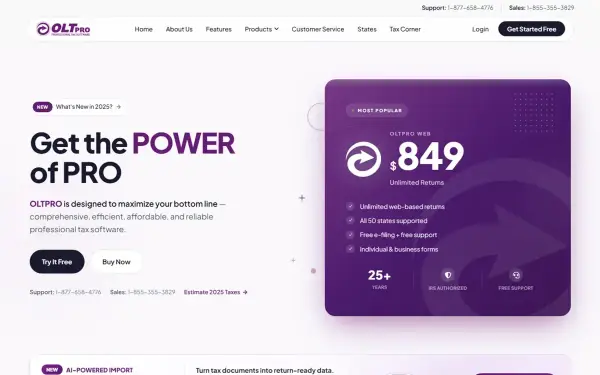
OLT Pro fits small and seasonal firms that want unlimited returns and all states at a low annual price.
OLT Pro keeps the offer simple: all individual and business forms in every package, all 50 states, free e-filing, e-signature and a taxpayer portal. Multi-user access works without a network configuration, which helps small offices without IT support. Free support is included. Form coverage spans 1040, 1120, 1120-S, 1065, 1041 and 990 among others, so the low price does not gate basic entity work.
Package options are on the vendor site. The unlimited web option is available, and state coverage is not an extra. The pricing page showed a 404 error when checked on November 26, 2026, so confirm current package and annual figures on the vendor site before buying.
The trade-offs are ecosystem and workflow depth. Third-party integrations are thin, advanced practice management tools are fewer, and the product has a smaller public track record than the major brands. This fits small firms and seasonal preparers who want unlimited returns cheaply and do not need a large suite.
You want unlimited returns, all states and e-signature without a large annual commitment.
You need a deep integration ecosystem or advanced practice management tools.
Entry IX of IX / Cloud suite integration
Our verdict
CCH Axcess Tax fits firms committed to a Wolters Kluwer cloud ecosystem and modular suite.
CCH Axcess Tax is cloud-native, with no server or installation to maintain. Tax Essentials packages are sized by authorization count, and a package includes up to nine full-time users. Five states are included, with additional states priced separately. Free data conversion is offered from competing and in-house products, including Drake, UltraTax CS, GoSystem, Lacerte, ProSeries, ATX and TaxWise. Module links connect tax to workflow, document and practice management tools.
The authorization model needs careful reading. Authorizations are consumed when a return is first calculated rather than when it is filed, so the volume math should be confirmed in writing. Packages are sized by authorization count alongside pay-per-return. No pricing page was available to verify package pricing on November 26, 2026, and the purchase path is sales-led. Suite packaging favors larger firms over solo practices, and extra states are billed beyond the five included.
This fits firms already committed to a Wolters Kluwer cloud ecosystem and willing to buy a modular suite. A small firm should compare a simpler unlimited plan before taking on a sales-led package.
Your firm is standardizing on Wolters Kluwer cloud tools and needs workflow links.
You want a published price and a simple unlimited plan for a small practice.
VBackground
Professional tax software is the preparation and filing system a firm uses to complete client returns, check diagnostics, transmit e-files and manage the season. The best tax software for professional firms is not one product: it depends on return mix, state exposure, deployment and how you want to pay. A 1040-heavy practice needs different economics from a firm filing partnerships, corporations and multistate apportionment.
At the low end, per-return pricing reduces the first-season outlay. At the high end, unlimited plans and suites trade a larger commitment for predictable volume. Deployment matters too: desktop software can be fast and familiar, while browser-based products remove server maintenance and support remote staff. Watch how each product handles states, e-signature, client portals, data conversion and business returns, because those items often decide the real cost.
Use this list to match the buying model to your practice:
This comparison sits in the software register. Further along the shore: baby tracking app and kennel software.
VIPricing
Professional tax pricing usually follows one of five models. The model matters more than the headline number because states, business modules, e-file fees, user licences and hosting can change the total. A per-return plan looks cheap at 20 returns and expensive at 200. An unlimited plan looks expensive at 20 and cheap at 200. Before comparing quotes, normalize the same return mix, state count, user count and hosting needs. Ask for a written pricing sheet when the vendor does not publish one, and confirm when prices take effect; Drake Tax, for example, steps list prices up on 1 December each year. For cloud products, check whether user access is included or sold per account. For desktop products, add hosting if remote work is required.
| Model | How it bills | Typical fit | Example from this list |
|---|---|---|---|
| Pay-per-return | Charges each federal and state return, often with separate e-file or user fees | New practices and uneven seasonal volume | Intuit ProConnect Tax uses per-return billing plus a separate user access licence; see the vendor site for current prices |
| Unlimited 1040 plan | One annual fee for unlimited individual returns, with states and business forms varying by tier | Firms with steady individual volume | OLT Pro offers unlimited web and desktop return plans; see the vendor site for current prices |
| Volume bundle | Prepaid return counts or unlimited tiers at set prices | Practices that can forecast volume | TaxAct Professional offers bundle plans; see the vendor site for current prices |
| Quote-based suite | Sales-built quote from users, volume and states | Complex, multistate and entity-heavy firms | UltraTax CS builds pricing per firm; vendor hosting is priced per user per month |
| Authorization package | Prepaid authorizations, with overage or extra states billed separately | Firms committed to a modular cloud suite | CCH Axcess Tax sells packages sized by authorization count with five states included |
Each entry card shows the starting price as it appeared on the vendor's own pricing page on November 25, 2026. When a vendor shows no figure we could confirm, or only a promotional rate, the card says "See website" or gives the regular price instead of a guess. Usage, overage and add-on rates in the text change more often than plan prices, so confirm them on the vendor page before you set a budget. To test the numbers against your own volume, try the free User Research Budget Planner. The Event Break-Even Calculator is a second way to check the same decision.
VIIDecision
VIIIPitfalls
IXQuestions
For fewer than 100 returns, start with per-return pricing. Intuit ProConnect Tax and TaxAct Professional both offer per-return pricing, with TaxAct charging separately for states. Compare those meters against a flat unlimited plan such as OLT Pro's unlimited web option. Confirm current prices on vendor sites.
An unlimited plan usually wins once steady volume passes the break-even point. Intuit Lacerte offers unlimited module pricing alongside Remote Entry Processing, so ask the vendor to model the break-even for your volume. OLT Pro offers unlimited web returns, and TaxAct Professional offers a bundle plan for 1040 work. Model your own return mix, states and user count before choosing.
State treatment varies widely. Drake Tax includes all 50 states on every plan, OLT Pro includes all 50 states, TaxAct Professional includes states on bundle plans, UltraTax CS covers 200-plus jurisdictions, and CCH Axcess Tax includes five states with extra states priced separately. TaxAct Professional charges separately for states on pay-per-return plans. Check your state list before buying.
Choose cloud if remote access and no server maintenance matter more than a local install. Intuit ProConnect Tax and CCH Axcess Tax are browser-based, Drake Tax Online adds a cloud option, and Intuit ProSeries is desktop-first with optional Rightworks hosting, and UltraTax CS offers vendor hosting. Confirm hosting prices on vendor sites. Test the workflow before moving a full season.
Data conversion is often available, but the terms vary. Drake Tax offers free data conversion from competing software, CCH Axcess Tax offers free conversion from products including Drake, UltraTax CS, GoSystem, Lacerte, ProSeries, ATX and TaxWise, and TaxAct Professional includes data import from prior software. Ask what converts, who validates the balances, and whether the vendor charges for cleanup.
It depends on the product. Intuit ProConnect Tax includes client portal and unlimited digital signatures, OLT Pro includes e-signature and a taxpayer portal, and Intuit ProSeries includes Intuit Sign with knowledge-based authentication. Drake Tax sells portals, workflow and e-signature as a bundle, while TaxSlayer Pro puts document management and client texting on Premium. Confirm inclusions before comparing totals.
XFurther along the shore
Vendors can ask for a correction or apply for a Featured listing. Paid or not, the entry is scored on the same rubric and its limits stay in print. Partner with Umberlake.
Free tools
Our free browser tools turn the prices on this page into a figure for your own volume. Nothing you type leaves your device.