TestFit
$75Urban Planner, per user per month, billed monthly, Parking Solver is $195 per month
Best for developers testing site feasibility in hours rather than weeks
- Free plan
- No
- Rubric
- 7.2 of 10
Eight tools for feasibility modeling, owner-side budgets, construction delivery, draws, acquisitions and investor reporting, each matched to the phase of development it actually serves.

IThe short answer
Best The right real estate development software for a team in November 2026 depends on which phase hurts most. TestFit suits developers testing site feasibility in hours rather than weeks, Northspyre suits development teams managing budgets, draws and reporting, and Procore suits large developments needing full construction management. The eight tools below cover feasibility, owner-side finance, construction execution, draws, acquisitions, leasing and investor relations. Only one of them publishes prices on its website.
8 tools compared from vendor pages on November 25, 2026. 1 publish a starting price we could read; the rest say "See website".
IITop three berths
Register order is editorial fit for the buyer each entry describes. Prices are the starting figures read on November 25, 2026.
$75Urban Planner, per user per month, billed monthly, Parking Solver is $195 per month
Best for developers testing site feasibility in hours rather than weeks
See website
Best for development teams managing budgets, draws and reporting

See website
Best for large developments needing full construction management
How this page is paid for. All 8 tools here are unpaid editorial picks.
A paid listing's position can be part of what the vendor pays for. Every entry, paid or not, is scored on the same rubric and keeps its limits in print. Advertising disclosure.
IIIThe register
Starting prices as shown on each vendor's pricing page on November 25, 2026. "See website" means no figure we could confirm.
| No. | Tool | From | Free plan | Trial | Rubric | Actions |
|---|---|---|---|---|---|---|
| 01 | TestFitdevelopers testing site feasibility in hours rather than weeks | $75Urban Planner, per user per month, billed monthly, Parking Solver is $195 per monthUpdated on vendor page | No | Demo by request | 7.2 | |
| 02 | Northspyredevelopment teams managing budgets, draws and reporting | See websiteNot shown publicly | No | Demo by request | 6.7 | |
| 03 | Procorelarge developments needing full construction management | See websiteNot shown publicly | No | Demo by request | 6.6 | |
| 04 | Buildertrendhome builders and remodelers managing clients and crews | See websiteNot shown publicly | No | Demo by request | 5.5 | |
| 05 | Rabbetlenders and developers streamlining construction draws | See websiteNot shown publicly | No | Demo by request | 5.4 | |
| 06 | Dealpathinvestment teams tracking acquisitions and pipeline | See websiteNot shown publicly | No | Demo by request | 5.0 | |
| 07 | VTSowners and brokers managing leasing and assets | See websiteNot shown publicly | No | Demo by request | 4.3 | |
| 08 | Juniper SquareGPs managing investors, fundraising and reporting | See websiteNot shown publicly | No | Demo by request | 4.2 |
Pinned:
IVMethod
How well the tool tests site capacity, massing and early financials before design money is spent.
Strength in owner-side budgets, commitments, change orders and lender-ready draw packages.
Depth of scheduling, inspections, quality, safety and field coordination during the build.
Whether a buyer can see real numbers before a sales call and budget without a quote.
How well the product handles multiple projects, assets, investors or trade partners at once.
VMethod
We scored each tool against five criteria: how well it models site feasibility, how completely it handles budgets and draws, how deep its construction execution goes, how transparent its pricing is, and how well it scales across a portfolio. Each tool got a 1 to 10 score per criterion, and the weights are disclosed in the rubric above so you can see what we valued and where your own priorities might differ.
Prices and plan details come from vendor pricing pages checked on November 26, 2026. Only TestFit publishes a pricing sheet; the other seven sell through sales conversations and do not list numbers we could cite, so they appear as See website rather than an estimate we invented. Where a vendor lists a demo by request, we say that and do not dress it up as a free trial.
The Featured position is a paid placement. It is scored on the same rubric as every other entry and carries the same kind of honest cons; placement affects where an entry appears, not what we write about it.
The order is editorial. It reflects which tool fits the buyer each entry describes, not a weighted total, so a tool can sit above another when it serves the more common starting point for a development team.
The full routine, from price reads to corrections, is on the methodology page. Paid listings follow the advertising disclosure.
Entry I of VIII / Generative massing engine
Our verdict
A focused way to test whether a site works financially, and the only tool here that publishes what it costs.
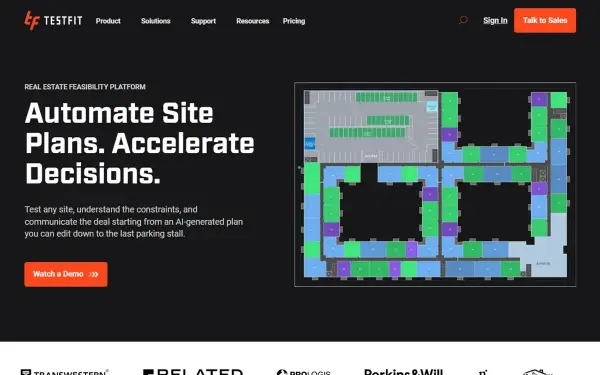
TestFit is generative massing software for the earliest phase of a project, when a site has three or four plausible layouts and nobody wants to spend two weeks drawing each one. You enter parcel and zoning parameters, and the engine produces multiple site layouts with live unit counts and parking generation. Each option can carry pro forma financials, which keeps the design question and the underwriting question in the same conversation instead of two separate spreadsheets.
TestFit publishes its pricing on its site. The Urban Planner tier is $75 per user per month, billed monthly, and Parking Solver is $195 per month as a module for standalone parking studies. Site Solver starts at $15,000 per year and Site Solver Portfolio at $20,000, with optional add-ons for site intelligence, pro forma and MCP connections. That jump from a $75 seat to a five-figure annual contract is the real decision point: small shops can start cheaply, but portfolio-level use gets expensive quickly.
The tool fits existing design toolchains through Revit, SketchUp and AutoCAD integrations, so massing options can move into documentation without redrawing. Results are weaker on small or irregular lots, where the generator has fewer viable configurations to work with, and there is no free plan, only a demo by request. Recheck the vendor pricing page before you budget, because the entry tier and the module prices sit on different parts of the page and may move.
You evaluate several sites a month and want massing options with financials attached before you spend on design.
Your sites are small or oddly shaped, where results are weaker and a hand drawing may work better.
Entry II of VIII / Owner-side draw control
Our verdict
Purpose-built for owner-side budgets, change orders and lender-ready draws, with quote-only pricing and a real implementation effort.
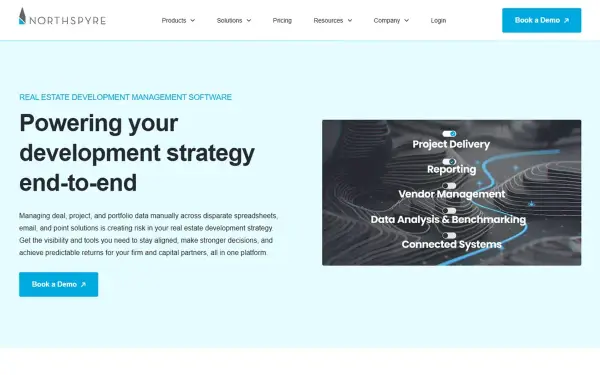
Northspyre is built for the owner-developer side of a project, which is a narrower niche than it sounds. It tracks project budgets and commitments, manages change orders, and prepares draw requests, then pushes the numbers forward into forecasts and reforecasts. The output that matters most is the reporting package for lenders and equity partners, assembled from data the team is already maintaining rather than rebuilt in a spreadsheet each month.
The draw workflow is a core part of the product. Packages are built to lender audit expectations, with budget versus actual tracking alongside forward forecasting, so a draw submission can rely on one system rather than several documents. Owner-side document and approval workflows and multi-project portfolio oversight round it out for developers running several jobs at once.
Pricing is quote-only, with no published figure, and contracts are typically annual with implementations running four to twelve weeks. That setup effort is real: budgets and commitments need to be defined before the software earns its keep. A developer with a single project and a capable controller may find it heavier than the job requires, and on larger jobs it is often paired with a contractor-side construction platform rather than used alone.
Ask for a reference from a developer with a similar project count and a walkthrough of how a reforecast flows into a draw package before you commit to the annual term.
You are the owner-developer submitting monthly draws and answering to lenders and equity partners.
You run one project at a time with a controller who already has reporting under control.
Entry III of VIII / Construction execution depth
Our verdict
The deepest construction execution platform in this list, a fit for builders or for owners using a general contractor already running it.
Procore is the construction execution layer, not the development decision layer. It covers project management and scheduling, quality and safety inspection workflows, workforce and time tracking, construction financials and budget management, and analytics dashboards, with document and drawing management underneath. Owners and other stakeholders can be given access to project data, and the practical advantage is the size of its connected trade partner network: subcontractors and general contractors often already work inside it.
That breadth is why it suits large developments needing full construction management, and why it is a poor fit for a developer whose main problem is deciding whether to buy a parcel. The feature set is optimized for builders rather than investment owners. Many owners get visibility through the general contractor's existing account instead of buying their own, which is worth asking about before you sign anything.
Pricing is quote-only and enterprise-oriented, with annual terms, and implementation cycles are long. Budget time for configuration, training and trade partner onboarding, not just license negotiation. If your project is a single building delivered by a capable contractor who already runs Procore, buying separately may duplicate work and cost.
You are a builder or owner with a large program and enough volume to justify enterprise onboarding.
Your general contractor already runs Procore and you only need visibility, not a second license.
Entry IV of VIII / Homeowner client portal
Our verdict
A strong residential system for builders who deal directly with homeowners, less useful once commercial or investment work enters the picture.
Buildertrend is residential software. It handles scheduling for crews and job stages, project budgets and change orders, and selections management for home buyers, then wraps the client side in a portal with progress photos, messaging, updates and online invoice payment for homeowners. Daily logs and job site documentation keep the record straight when a buyer asks what happened on a given day.
The client-facing portal is the clear differentiator, and selections plus scheduling living in one system is the second. For a home builder or remodeler running multiple jobs with buyers who expect updates, that combination can reduce email. The residential focus cuts both ways: it is built for the work, but it limits commercial development use, and smaller teams sometimes find the interface overloaded for what they actually need.
Pricing is not published, so numbers come from a sales conversation. Evaluate it with a direct demo and a quote request against your real job types, because a remodel-heavy pipeline and a production home pipeline stress the tool differently. If your work is commercial, or you are an owner-developer who never sells to a homeowner, this is the wrong shape of tool regardless of price.
You build or remodel homes and want buyers to see selections, schedules and photos in one portal.
Your pipeline is commercial, multifamily for sale, or anything without a homeowner at the end of it.
Entry V of VIII / Automated draw assembly
Our verdict
Narrow, useful automation for construction draws that shortens approval cycles, provided you accept it is a layer and not a platform.
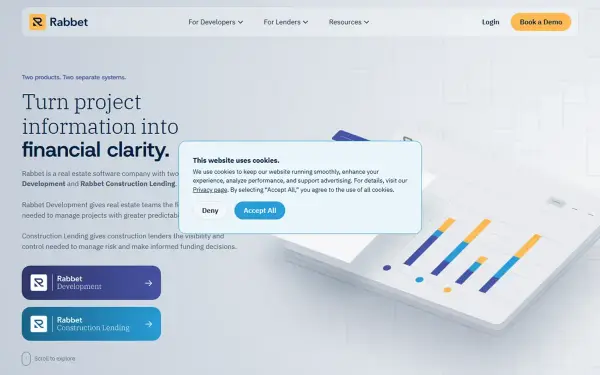
Rabbet goes after one of the most tedious processes in real estate finance: the construction loan draw. It uses machine learning to ingest invoices and lien waivers, processes inspection reports, and assembles draw packages automatically, with borrower-side submission workflows and lender-side review and approval in the same system. Draw status tracking and an audit trail keep documents organized by project and draw period.
The value is in cycle time. Draws that crawl through email and spreadsheets can move faster when documents are read and filed by software, and serving borrower and lender in one system removes a class of duplicate data entry. It is a deliberately narrow product: it sits between project management, accounting and the lender rather than replacing any of them, so most teams pair it with the tools that hold their budgets and their books.
Pricing is quote-only, typically on annual contracts, and the vendor is smaller with a focused footprint, which matters if you need a broad platform and one vendor relationship. Ask for a reference in your asset class and a walkthrough of how exceptions are handled, such as a missing lien waiver or a disputed invoice, before you commit.
Draw administration eats hours each month and your lenders or borrowers want faster, cleaner packages.
You still lack a project management and accounting backbone, since Rabbet assumes both exist.
Entry VI of VIII / Acquisition pipeline
Our verdict
Clean acquisitions pipeline and committee reporting for teams doing steady deal flow, with little to offer once a deal breaks ground.
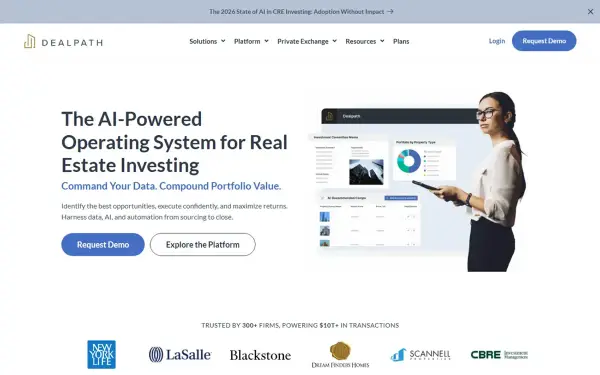
Dealpath is for the front end of the development cycle, where acquisitions teams track sourcing, underwriting and closing. Deals move through a pipeline with standardized underwriting templates, due diligence checklists and task tracking, and audit trails record changes so an investment committee can see how a number evolved. Comparable sales and market data sit alongside the deal record, and committee-ready pipeline reporting is the output most teams care about.
The strength is consistency. When every analyst uses the same template and the same checklist, a committee can compare deals honestly, and a deal's history does not depend on one person's spreadsheet. The limit is scope: it is built for acquisitions rather than construction, so once a deal closes the work moves to a development or construction platform. Value also depends on clean, consistent input data, which is a people problem as much as a software one.
Pricing is quote-only, enterprise and annual, and handoff to a development platform is common once a deal closes. Expect a real implementation effort around templates and data conventions before the pipeline reports mean anything. It is a poor fit for a developer who buys one site a year and a good fit for a team running a steady pipeline across several markets.
Your acquisitions team sources steadily and needs one underwriting standard across markets.
You buy one site a year or your bottleneck is construction rather than deal flow.
Entry VII of VIII / Leasing and stack plans
Our verdict
The leasing and benchmarking layer for assets you keep after delivery, with limited relevance to the build itself.
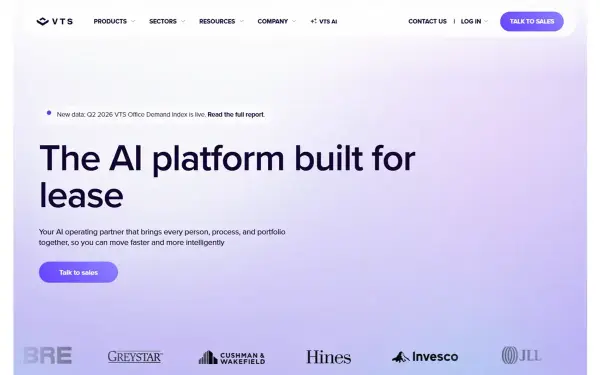
VTS covers leasing and asset management, which becomes relevant to a developer the moment a building is delivered and needs to be filled. It tracks leasing deals and pipeline, shows stacking plans and space availability, manages tenant relationships, and draws market data and rent benchmarking from a broad user base. Asset performance reporting and portfolio-level lease oversight sit on top, with tenant experience tools for the occupied building.
The benchmarking data is the part developers underestimate. Knowing where your asking rents sit against a wide set of comparable space changes the lease-up conversation, and the leasing pipeline view is a workflow office and industrial teams already know. The limitation is phase: this is not development delivery software. Its value is highest for income-producing holdings that the developer retains rather than sells on completion.
Pricing is quote-only on annual contracts. If you plan to sell the asset at stabilization, the case weakens considerably, and if you keep it, the case depends on how much leasing volume you actually run. Portfolio-level lease oversight is where it earns its keep, not single-asset tracking.
You hold office or industrial assets after delivery and want leasing pipeline and rent benchmarks in one place.
You sell at stabilization and never run a lease-up.
Entry VIII of VIII / Investor portal

Our verdict
Turns investor relations from spreadsheets and email into a portal, once your investor count justifies an annual contract.
Juniper Square handles the investor side of a development business: the CRM, the raise, the capital calls, the distributions and the reporting that follows. Investor contacts live in one place, fundraising and subscription workflows move investors through signing, capital call processing and distribution management run from the same system, and a white-labeled investor portal gives limited partners a login instead of a monthly email chain. Investor reporting and statements, plus fund administration support, round it out.
For a sponsor raising equity across several projects or funds, the payoff is less manual work for the finance team and a more professional experience for investors. The portal is built specifically for real estate sponsors.
Pricing is quote-only on annual contracts. It is heavier than a small sponsor needs: with a handful of investors and one project, spreadsheets and email still work. The tool also focuses on investor relations rather than development delivery, so it does not replace feasibility, budget or construction software. The natural trigger to buy is investor count outgrowing manual tracking.
You raise equity across multiple projects and your investor list has outgrown spreadsheets.
You have a handful of investors in one project and no fund structures to administer.
VIBackground
Real estate development software is not one category. It is a set of tools that each cover a phase of the same long process, and the phase you are in should decide what you buy. That process runs roughly: find a site, test whether a building fits and penciling, secure capital, design and permit, build, then lease or sell and report to whoever funded it.
Different tools own different stretches of that line:
That is why a single purchase rarely covers a whole development. A mid-size developer might use one tool for site testing, another for draw packages, a third through the general contractor for construction, and a fourth for investors. Vendors increasingly market themselves as platforms, but the underlying scope usually stays narrow.
The practical question is not which product has the longest feature list. It is which phase costs you the most hours or the most money right now, and whether a tool exists that solves that specific phase without forcing you to replace systems that already work. Buying by phase keeps the decision focused on the phase you need.
This comparison sits in the software register. Further along the shore: baby tracking app and kennel software.
VIIPricing
Pricing in this category is mostly a conversation, not a number. Seven of the eight tools here sell through a sales team with a custom quote, and several use annual terms, so the figure you get depends on the scope you discuss. TestFit is the exception: it publishes a pricing sheet, and it is the only entry where you can budget before you talk to anyone.
Published pricing is not the same as cheap pricing. TestFit's entry tier is $75 per user per month billed monthly, but Site Solver starts at $15,000 per year and Site Solver Portfolio at $20,000, so the seat price mainly tells you what trying the product costs.
| Model | How it bills | Typical fit | Example from this list |
|---|---|---|---|
| Published per-seat | Monthly per user | Individuals and small teams testing feasibility | TestFit Urban Planner at $75 per user per month |
| Published annual platform | Annual | Portfolio-level massing and site studies | TestFit Site Solver from $15,000 per year |
| Add-on module | Monthly | Standalone parking studies | TestFit Parking Solver at $195 per month |
| Quote-only annual | Annual, custom quote | Owner-side budgets, draws and reporting | Northspyre |
| Enterprise quote | Annual | Large construction programs | Procore |
| Narrow-scope quote | Annual | Draw automation for lenders and borrowers | Rabbet |
Two budgeting notes apply across the list. First, implementation time is part of the cost: Northspyre implementations run four to twelve weeks, and Procore cycles are long. Second, none of these vendors offers a free plan, and trials are demos by request rather than self-serve access. Ask for a scoped pilot on a live project before you sign an annual contract.
Each entry card shows the starting price as it appeared on the vendor's own pricing page on November 25, 2026. When a vendor shows no figure we could confirm, or only a promotional rate, the card says "See website" or gives the regular price instead of a guess. Usage, overage and add-on rates in the text change more often than plan prices, so confirm them on the vendor page before you set a budget. To test the numbers against your own volume, try the free User Research Budget Planner. The Event Break-Even Calculator is a second way to check the same decision.
VIIIDecision
Name the bottleneck. Write down the phase where your team loses the most hours: site testing, draw packages, construction administration, acquisitions or investor reporting. Buy for that phase first, before anything that looks like a platform.
Set a first-year budget range. Use published numbers where they exist and request a quote where they do not. Include implementation weeks, training and any module you know you need, such as parking studies or add-ons.
Check the phase boundary. Confirm what the tool does not do. Rabbet will not hold your budget, VTS will not build the asset, Dealpath will not run construction. Plan the handoff before you buy.
Run a live demo. Send two real projects, one typical and one awkward, and ask the vendor to work in them rather than in sample data. The awkward project tells you more about fit than the polished one.
Price the exit. Ask what happens to your data and how much a year two increase is likely to be, then compare the annual commitment against the hours you expect to save.
Start with one phase. Deploy on a single live project, measure the cycle time you care about, and add the next tool only when the first one is genuinely in use.
IXPitfalls
Buying a contractor tool as an owner. Procore-class platforms are excellent at running a job site, but an owner buying one to watch a general contractor who already uses it usually duplicates work and pays twice.
Assuming quote-only means flexible. Annual terms, implementation fees and module pricing stack up. Ask for the full first-year figure in writing rather than a monthly-sounding headline.
Skipping the data cleanup. Northspyre and Dealpath both depend on consistent budgets and templates. Software exposes messy inputs rather than fixing them, so budget cleanup time alongside the license.
Testing with sample data. Vendors demo well on tidy projects. Push your own awkward lot, disputed invoice or untidy investor list into the demo and watch where the workflow breaks.
Buying the whole stack at once. Rolling out feasibility, draws, construction and investor tools in the same quarter splits attention and delays the payoff on every one of them.
XQuestions
Match the tool to the phase. TestFit covers site feasibility, Northspyre covers owner-side budgets and draws, Procore and Buildertrend cover construction execution, Rabbet covers draw automation, Dealpath covers acquisitions, VTS covers leasing and Juniper Square covers investor relations. No single product here covers all six, so teams often combine tools across a project's life.
Only TestFit publishes a pricing sheet as of November 2026. Its Urban Planner tier is $75 per user per month billed monthly, Parking Solver is $195 per month, Site Solver starts at $15,000 per year and Site Solver Portfolio at $20,000. The other seven are quote-only, so a first-year figure depends on seats, modules and implementation scope.
Owner-side tools track commitments, change orders, draw requests and reporting to lenders and equity partners. Contractor-side tools run the job: schedules, inspections, quality and safety, workforce time and trade partner coordination. Northspyre is built for the owner side and Procore is built for the builder. On larger jobs the two are often used together rather than one replacing the other.
Rabbet uses machine learning to read invoices and lien waivers, process inspection reports and assemble draw packages automatically, with borrower submission and lender review in one system and an audit trail per draw period. That removes manual document handling from the cycle. It stays a narrow tool that sits between project management, accounting and the lender.
No. None of the eight tools offers a free plan, and every one lists a demo by request rather than self-serve trial access. In practice that means asking for a scoped pilot on a live project using your own documents, and treating the demo as an evaluation of fit rather than a test drive.
Send two projects in advance: one typical and one awkward, with real budgets, draws or investor lists and sensitive names removed. Ask the vendor to complete one full cycle inside the tool, then time it. Finish by asking what the workflow looks like when something goes wrong, such as a missing lien waiver or a rejected draw.
XIFurther along the shore
Vendors can ask for a correction or apply for a Featured listing. Paid or not, the entry is scored on the same rubric and its limits stay in print. Partner with Umberlake.
Free tools
Our free browser tools turn the prices on this page into a figure for your own volume. Nothing you type leaves your device.