
Teamwork.com
$9.99Basics, per user per month, billed yearly
Best for client work with time and budget tracking
- Free plan
- Yes
- Rubric
- 8.1 of 10
Eight agency tools compared on billable time, budgets, client access, invoicing and seat minimums, with prices checked on November 26, 2026 so you can shortlist in an afternoon.

IThe short answer
Teamwork.com, Productive and Scoro lead our pick of the best project management tools for agencies for November 2026, updated with prices checked on November 26, 2026. Teamwork.com suits studios that bill by time and want budget burn on every project, Productive suits agencies tracking margin by client and service, and Scoro suits firms that want quoting, time and invoicing in one system. The other five entries cover cheaper task management, creative proofing and built-in accounting.
8 tools compared from vendor pages on November 25, 2026. 8 publish a starting price we could read; the rest say "See website".
IITop three berths
Register order is editorial fit for the buyer each entry describes. Prices are the starting figures read on November 25, 2026.
$9.99Basics, per user per month, billed yearly
Best for client work with time and budget tracking

$10Essential, per user per month, billed yearly, 3 seat minimum
Best for profitability tracking for agencies

$17Time-billing combination, per user per month, minimum 5 users
Best for end to end agency operations
How this page is paid for. All 8 tools here are unpaid editorial picks.
A paid listing's position can be part of what the vendor pays for. Every entry, paid or not, is scored on the same rubric and keeps its limits in print. Advertising disclosure.
IIIThe register
Starting prices as shown on each vendor's pricing page on November 25, 2026. "See website" means no figure we could confirm.
| No. | Tool | From | Free plan | Trial | Rubric | Actions |
|---|---|---|---|---|---|---|
| 01 | Teamwork.comClient work with time and budget tracking | $9.99Basics, per user per month, billed yearlyRead on vendor page | Yes | 14 day free trial, no credit card required | 8.1 | |
| 02 | ProductiveProfitability tracking for agencies | $10Essential, per user per month, billed yearly, 3 seat minimumRead on vendor page | No | Trial available | 7.5 | |
| 03 | ScoroEnd to end agency operations | $17Time-billing combination, per user per month, minimum 5 usersUpdated on vendor page | No | 14 day free trial, no credit card required | 7.2 | |
| 04 |  ClickUpLow cost all in one task management | $9Core, per user per month, billed yearlyUpdated on vendor page | Yes | No trial stated; free plan available | 6.4 | |
| 05 | AsanaCross team campaign coordination | $10.99Starter, per user per month, billed annuallyRead on vendor page | Yes | No trial stated; free plan available | 6.2 | |
| 06 |  monday.comVisual boards for mixed client teams | $9Basic, per seat per month, billed annually, 10 seat selectionRead on vendor page | Yes | No trial stated; free plan available | 5.9 | |
| 07 | WrikeStructured delivery in larger agencies | $10Team, per user per month, billed on annual basis, 2 to 15 usersRead on vendor page | Yes | Free two-week trial, no credit card required | 6.4 | |
| 08 | WorkamajigCreative agencies wanting built in accounting | $47In-house and Agency tiers, per user per month, 10 user minimum, annual payment optionUpdated on vendor page | No | Trial via sales; no self serve trial | 7.1 |
Pinned:
IVMethod
We scored eight tools on five criteria: client work fit at 25 percent, pricing fit at 20 percent, billing depth at 20 percent, delivery tools at 20 percent and ease of adoption at 15 percent. Client work fit asks whether the product understands billable time, budgets and client access rather than bolting them on. Pricing fit weighs the starting price and any seat minimum against the size of agency that would realistically buy that plan. Billing depth covers invoicing, profitability and, in one case, a general ledger. Delivery tools cover tasks, views, proofing and automation. Ease of adoption is how quickly an account manager, a designer and a finance lead can work in the same tool without formal training.
The weights are a reading aid, not an ordering formula. The order on this page is editorial: each entry sits where it fits the buyer described in its verdict, and the Featured position, where present, is a paid placement. A Featured listing is scored on the same five criteria and carries the same kind of honest cons as every other entry.
Prices, plan names, seat minimums and trial terms come from vendor pricing pages checked on November 26, 2026. We did not convert currencies and we did not estimate add-on costs. Where a starting price does not cover the features an agency grows into, the review says so instead of quoting a larger figure we cannot verify.
The full routine, from price reads to corrections, is on the methodology page. Paid listings follow the advertising disclosure.
How well the tool handles billable time, project budgets and client access rather than treating them as add-ons.
The starting price, seat minimums and seat blocks weighed against the size of agency that would buy the plan.
Coverage of invoicing, profitability reporting and in some cases native accounting inside the same system.
Quality of tasks, views, proofing, request intake and automation for creative and campaign work.
How quickly an account manager, a designer and a finance lead can work in the same tool without heavy training.
Entry I of VIII / Budget burn tracking
Our verdict
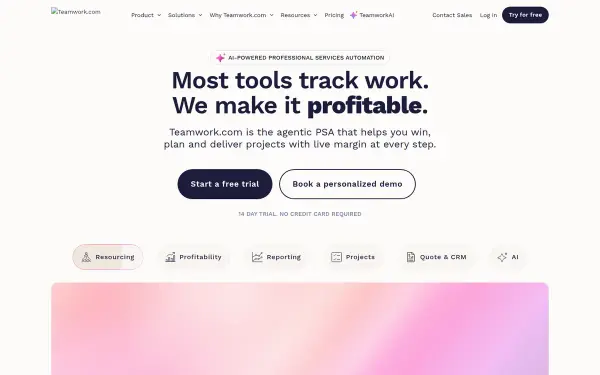
Best fit for agencies that bill by the hour or on retainer and want budget burn visible on every client project.
Teamwork.com leads this list because it treats client work as the unit of planning. Every project carries a budget, and the tool shows time logged against that budget so you can see burn before the invoice goes out. Time entries roll up by project and by client, and retainer tracking keeps recurring work in view instead of buried in a spreadsheet.
Pricing starts at $9.99 per user per month on the Basics plan billed yearly, and there is a free plan plus a 14 day free trial with no credit card required. Clients can be given guest access to projects on paid plans, which matters if approvals and file sharing should happen in one place rather than in email threads. Invoicing integrations with QuickBooks and Xero handle the handoff to finance.
The limits are real. Reporting depth sits in higher tiers, seat minimums apply on paid plans, and the entry price does not cover every feature an agency grows into. Full accounting still requires a separate finance system, so this is not a Workamajig replacement. For a studio that bills by the hour or works on retainers and needs budget visibility without buying a full ERP, it is the most direct fit here.
You bill by time or retainer and need to see budget burn before the invoice goes out.
You need a general ledger in the same system.
Entry II of VIII / Live margin reporting
Our verdict
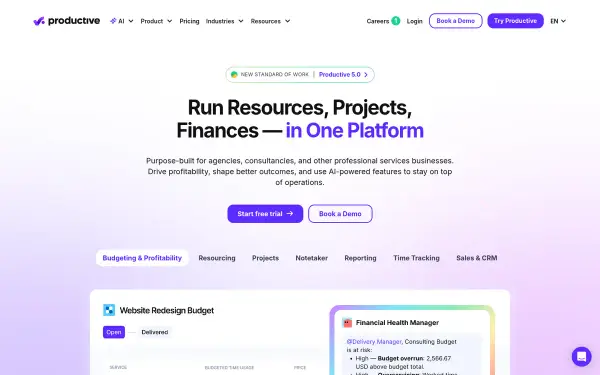
Built for agencies that judge work by margin, with profitability updating as time gets logged against a project budget.
Productive starts at $10 per user per month on the Essential plan billed yearly, with a three seat minimum and no free plan. A trial is available. It ranks high here because of margin: profitability updates as time is logged, so a project manager sees a job going soft while there is still time to react, not after the invoice.
The product covers the agency chain in one place: sales pipeline, project delivery, resource planning, time tracking, live budget and margin updates, invoicing and forecasting, with reporting by project, client, service and team member. That last split is what most agency owners actually want, because it answers which service line and which client contact is profitable, not just whether the month went well.
The trade offs are a three seat minimum, no free tier, delivery and collaboration features that are lighter than a dedicated task tool, and a design that assumes billable client work. An agency with a large internal or non-billable team pays for capability it will not use. For a studio of three or more that sells time and wants simple published pricing, Productive is the most direct profitability play on this list.
Margin per client and service line is the number you manage the agency by.
You have fewer than three billable seats or need deep task collaboration.
Entry III of VIII / Quote to invoice

Our verdict
The widest end to end coverage here, from quote to invoice, provided you can meet the five user minimum.
Scoro starts at $17 per user per month for its lowest listed combination, a time and billing setup with a minimum of five users, and the full end to end combination was listed at $57 per user per month. Pricing is modular, so an agency pays for the apps it uses, which is useful for a firm that needs quoting and time but not every module on day one.
What it covers is broad: quote to project conversion, project management, time tracking, invoicing, financial reporting and real time profitability dashboards by project, client and portfolio. For an agency that wants a quote to become a project and then an invoice without rekeying anything, that chain is the point. The platform has a long record in professional services, so the depth sits in the product rather than in a roadmap.
The constraints are the five user minimum, the cost of the top app combinations, a finance side that stops short of a full general ledger, and configuration that takes an owner inside the agency. It is not a tool you hand to a junior and forget. Scoro fits agencies that will invest in setup and want operational and financial data in one place, and that have at least five people who need a login.
You want quoting, time and invoicing in one chain and have at least five users.
You need a full accounting ledger or a small three person setup.
Entry IV of VIII / Low cost workspace
Our verdict
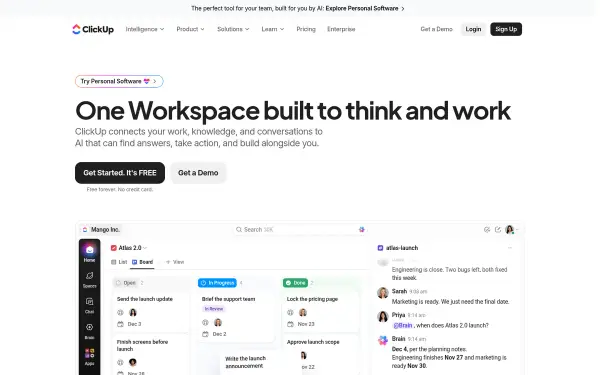
The cheapest route to tasks, docs and time tracking in one workspace, as long as agency finance lives in another tool.
ClickUp is the cheapest entry on this list at $9 per user per month on the Core plan billed yearly, and it bundles tasks, docs, whiteboards, goals and time tracking into one workspace. There is a free plan, and no trial is stated, so the sensible test is to build a live client project on the free tier before paying for seats.
Flexible views let an account team work in a list while production works in a board or a timeline, and the integration and template library means most agencies find a starting structure rather than a blank page. For a small shop with a tight software budget it covers a lot of ground, and it is the entry we would suggest for a team that mainly needs to keep work visible and stop paying for three separate tools.
The gap is money. Agency finance is thin: there is no real profitability or invoicing layer, so billing, margin and retainer tracking will live somewhere else. Feature volume can overwhelm new users, AI add-ons raise the real per-seat cost, and performance can dip in very large workspaces. Treat ClickUp as the delivery and task layer of an agency stack rather than the business layer, and it holds up well for the price.
A tight budget and one workspace for tasks, docs and time matter more than margin reporting.
You need invoicing or profitability inside the tool.
Entry V of VIII / Campaign coordination views
Our verdict
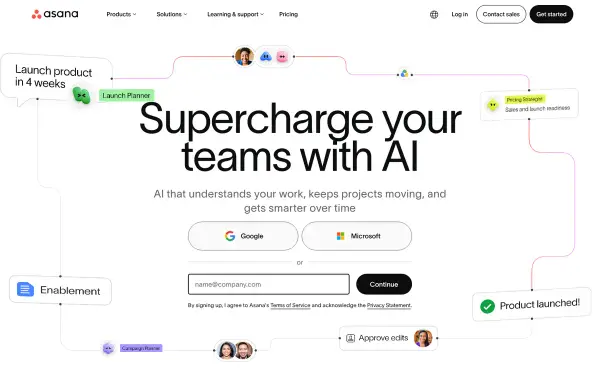
Best for coordinating campaigns across account, creative and media teams that need timelines and portfolios, not invoices.
Asana starts at $10.99 per user per month on the Starter plan billed annually, with a free plan and no trial stated. It earns its place for campaign coordination: timeline views for scheduling, portfolio views for watching a group of client accounts at once, and workload views for spotting who is overbooked, all in an interface that account managers and creatives pick up without formal training.
Rules-based automation is available on paid tiers, which is how most agencies remove the manual steps around briefs, handoffs and status updates. Cross-team coordination is the real strength, and a small team can run basic work on the free plan before committing to per seat costs.
The limits matter if you bill by time. There is no invoicing or real job costing, time tracking is basic compared with agency specific tools, and costs climb as features move into higher tiers. Client guest handling is less developed than Teamwork.com, so if external review and approval is central to your process, test that flow in a live workspace first. Asana suits the coordination layer of a campaign heavy agency and leaves the finance layer to something else.
Campaigns move across several teams and you need timelines, portfolios and workload in one view.
Billable time, budgets and invoicing are central to how you run the agency.
Entry VI of VIII / Visual client boards
Our verdict
Visual boards that clients and mixed teams understand fast, though seat blocks and shallow budgeting raise the real cost.
monday.com prices its Basic plan at $9 per seat per month billed annually, sold in seat blocks with a 10 seat selection, and it includes a free plan with no trial stated. The appeal is visual: boards, custom views and simple automations that clients and mixed teams grasp in minutes, which is why content calendars, campaign plans and production pipelines are the common setups.
Automations can be built without technical help, so chasing status updates or notifying a client contact becomes a few clicks rather than a job for an ops lead. For a very small team the free plan is a real option before you commit to paid seats, and the board model travels well when a client wants to see progress without learning a new system.
Two things push the real cost up. Seats are sold in blocks, so an 11 person team may pay for 15 seats, and budgeting and profitability features are shallow for agency use. Complex projects can sprawl across many boards, and time tracking is an add-on view rather than a deep system. Use it where the client sees the board and the work is visual, and keep the money side in a tool built for money.
Clients will look at the board and the work is visual, like content or production pipelines.
You need budgets, margin or time tracking at any depth.
Entry VII of VIII / Creative proofing
Our verdict
Proofing, request forms and custom workflows for larger agencies with structured intake, minus the finance layer.
Wrike starts at $10 per user per month on the Team plan, billed on an annual basis for 2 to 15 users, with a free plan for basic task work and a free two week trial that needs no credit card. It suits larger agencies with structured delivery because request forms and custom workflows bring order to brief intake, and custom item types let you model a retainer, a project and a one-off job differently inside one account.
Proofing and approval tools are the standout for creative work: comments on a proof and a clear approval state are the things spreadsheets and email threads handle badly at volume. Dashboards and reporting suit multi department agencies that need one view across accounts and teams.
The trade offs are real. The interface has a learning curve for casual users, agency finance and invoicing are not its focus, and proofing plus some advanced features sit in higher tiers or add-ons. It can feel heavy for a small studio with simple needs. If your bottleneck is intake, proofing and structured delivery across departments, Wrike is a strong fit. If your bottleneck is margin, it is not the tool.
Brief intake, proofing and approvals across departments are your bottleneck.
You are a studio of two or three or you need job costing.
Entry VIII of VIII / Built in accounting

Our verdict
The only tool here with a native general ledger, priced for agencies of 10 or more that will commit to implementation.
Workamajig is the only product on this list with native accounting, including a general ledger, and it is purpose built for creative and advertising agencies. Project management, resource planning, CRM, billing and financial reporting sit in one system, and unlimited client and vendor logins are included, so clients and vendors can log in without extra seats.
Pricing starts at $47 per user per month on the In-house and Agency tiers, with a 10 user minimum and an annual payment option. There is no free plan and no self serve trial; a trial runs through sales. Implementations typically take two to three months, so the real cost is internal time as much as the subscription.
That combination makes it the highest priced option here and one that assumes a serious operations commitment. The interface and depth reward an agency with a producer or finance lead who owns the system, and punish one that expects to switch it on in a week. If replacing several tools, accounting included, is the goal and you have 10 or more staff, Workamajig can cost less than the stack it replaces. Below that scale, the minimums and implementation load rarely pay back.
You have 10 or more staff and want projects, CRM, billing and accounting in one system.
You need to be live in weeks or cannot support a two to three month rollout.
VBackground
Project management software for agencies is a narrower category than general task management. A studio sells time and expertise to several clients at once, so the software has to answer questions a product team never asks: how many hours went into this account, is the retainer still profitable, who is booked next week, and can the client see progress without sending an email.
That produces three rough groups in this list. Task-first tools such as ClickUp, Asana, monday.com and Wrike organize work well and cost little, but they leave billing and margin to a separate finance system. Client-services suites such as Teamwork.com, Productive and Scoro add time logging, budgets, profitability and invoicing on top of delivery. Full agency systems such as Workamajig go further and replace the accounting package.
Check these before you shortlist:
The right answer usually follows your billing model rather than a feature checklist. An agency that bills hourly and tracks retainers needs budget burn and profitability. An agency that sells fixed scope packages needs delivery visibility, proofing and clean intake. Buying from the wrong group is the most common and most expensive mistake in this category.
This comparison sits in the software register. Further along the shore: baby tracking app and kennel software.
VIPricing
Most plans here are quoted as a per user monthly rate that assumes yearly billing, and the differences that decide the real bill are seat minimums, seat blocks and what the entry tier leaves out. Prices below are the starting prices listed on vendor pricing pages, checked November 26, 2026.
| Model | How it bills | Typical fit | Example from this list |
|---|---|---|---|
| Per user, billed yearly | Monthly rate per seat, paid annually | Agencies with steady headcount | Teamwork.com at $9.99 |
| Per user with a seat minimum | Per seat, with a floor on seats | Agencies above the minimum | Productive at $10, three seat minimum |
| Modular apps | Per user, priced by app combination | Agencies buying only what they use | Scoro from $17, full combination $57 |
| Seat blocks | Seats sold in fixed blocks | Teams just above a block size | monday.com Basic at $9 per seat |
| All in one with accounting | Higher per user, ledger included | Agencies replacing finance tools | Workamajig at $47, 10 user minimum |
Two numbers decide the monthly bill: the seat count you are forced to buy and the tier that includes the features you actually need. A $9 entry plan without margin reporting is not cheaper than a $10 plan that includes it once you add the spreadsheet or the second tool that fills the gap. Work out the bill at your real headcount, on the tier that covers time, budgets and client access, then compare. Add-ons, such as the AI options some vendors charge for, sit outside these prices and should be priced separately before you sign.
Each entry card shows the starting price as it appeared on the vendor's own pricing page on November 25, 2026. When a vendor shows no figure we could confirm, or only a promotional rate, the card says "See website" or gives the regular price instead of a guess. Usage, overage and add-on rates in the text change more often than plan prices, so confirm them on the vendor page before you set a budget. To test the numbers against your own volume, try the free User Research Budget Planner. The Event Break-Even Calculator is a second way to check the same decision.
VIIDecision
VIIIPitfalls
IXQuestions
Teamwork.com and Productive fit that model most directly, at $9.99 and $10 per user per month billed yearly. Teamwork.com shows time and budget burn per project with retainer tracking, and Productive updates margin as time is logged. Productive needs three seats minimum, while Teamwork.com has a free plan and a 14 day trial with no credit card.
Follow the revenue. If invoices are built from hours or retainers, choose a tool that logs time against a budget and shows burn: Teamwork.com, Productive or Scoro. If you sell fixed scope packages and mainly need delivery visibility, a task-first tool such as Asana, ClickUp, monday.com or Wrike will do, with invoicing handled elsewhere.
Among the paid entry plans on this list, prices run from $9 per user per month for ClickUp Core and monday.com Basic up to $47 for Workamajig. Teamwork.com starts at $9.99, Productive and Wrike at $10, Asana at $10.99 and Scoro at $17. All of these are quoted on a yearly or annual billing basis.
Free plans are available on Teamwork.com, ClickUp, Asana, monday.com and Wrike. Productive, Scoro and Workamajig have no free plan. On trials, Teamwork.com and Scoro offer 14 days with no credit card, Wrike offers two weeks with no credit card, Productive offers a trial, Workamajig runs trials through sales, and ClickUp, Asana and monday.com state no trial.
Scoro, Productive and Teamwork.com cover invoicing, with Teamwork.com connecting to QuickBooks and Xero rather than doing the books itself, and Scoro's finance side stopping short of a general ledger. Workamajig is the only tool here with native accounting including a general ledger, at $47 per user per month with a 10 user minimum.
Yes. Productive requires three seats, Scoro five and Workamajig ten, so a five person agency will find Productive and Scoro cheaper than the headline suggests and Workamajig far more expensive. monday.com sells seats in blocks, so an 11 person team may pay for 15. Always model the monthly bill at your real headcount.
XFurther along the shore
Vendors can ask for a correction or apply for a Featured listing. Paid or not, the entry is scored on the same rubric and its limits stay in print. Partner with Umberlake.
Free tools
Our free browser tools turn the prices on this page into a figure for your own volume. Nothing you type leaves your device.