Google Photos
Free15 GB free shared across Google Photos, Gmail and Drive
Best for personal archiving and family sharing
- Free plan
- Yes, 15 GB shared across Google services
- Rubric
- 5.5 of 10
Eight platforms for archiving, sharing and selling photos, compared on storage limits, gallery privacy, licensing routes and the real cost of each plan in November 2026.

IThe short answer
Google Photos is the best photo sharing platform for most people who want free archiving and simple family sharing, as of November 2026. Flickr suits photographers who care about metadata and community critique, and SmugMug fits working photographers who sell prints and deliver client galleries. The other five entries cover licensing, ad-free craft communities, phone-first editing and lightweight client proofing. Prices below come from vendor pricing sheets checked on November 26, 2026.
8 tools compared from vendor pages on November 25, 2026. 4 publish a starting price we could read; the rest say "See website".
IITop three berths
Register order is editorial fit for the buyer each entry describes. Prices are the starting figures read on November 25, 2026.
Free15 GB free shared across Google Photos, Gmail and Drive
Best for personal archiving and family sharing
$6.17Pro, per month equivalent, 2-year plan billed $148 every 2 years
Best for photographer community and metadata-rich archives

$20Direct, per month, billed annually
Best for selling prints and running client galleries
How this page is paid for. All 8 tools here are unpaid editorial picks.
A paid listing's position can be part of what the vendor pays for. Every entry, paid or not, is scored on the same rubric and keeps its limits in print. Advertising disclosure.
IIIThe register
Starting prices as shown on each vendor's pricing page on November 25, 2026. "See website" means no figure we could confirm.
| No. | Tool | From | Free plan | Trial | Rubric | Actions |
|---|---|---|---|---|---|---|
| 01 | Google PhotosPersonal archiving and family sharing | Free15 GB free shared across Google Photos, Gmail and DriveRead on vendor page | Yes | No | 5.5 | |
| 02 | FlickrPhotographer community and metadata-rich archives | $6.17Pro, per month equivalent, 2-year plan billed $148 every 2 yearsUpdated on vendor page | Yes | No | 6.5 | |
| 03 | SmugMugSelling prints and running client galleries | $20Direct, per month, billed annuallyUpdated on vendor page | No | 14-day free trial | 5.6 | |
| 04 | 500pxDiscovery, exposure and image licensing | See websiteNot shown publicly | Yes | No | 6.0 | |
| 05 | Amazon PhotosPrime members wanting free full-resolution backup | See websiteNot shown publicly | Yes | No | 4.9 | |
| 06 | GlassAd-free, craft-focused photographer community | See websiteNot shown publicly | No | No | 4.8 | |
| 07 |  VSCOPhone-first editing and low-pressure sharing | See websiteStarter free tier, Pro and One paid tiers, no prices shownNot shown publicly | Yes | Free trial offered | 4.5 | |
| 08 |  PixiesetClient gallery delivery and proofing | $8Basic, per month, billed annually or $10 per monthUpdated on vendor page | Yes | No | 6.7 |
Pinned:
IVMethod
Every entry was scored on the same five criteria, weighted for what buyers actually run into after the first week.
Prices and plan details come from vendor pricing pages checked on November 26, 2026. Where a page would not load or listed no figures, the price reads "See website" and no number is guessed. Where a vendor publishes several terms, the exact term is named in the review, because $6.17 per month on a two-year plan is not the same offer as $20 per month billed annually.
The order is editorial. It reflects how well each tool fits the buyer described in its entry, plus the disclosed Featured position. Scores inform the description, not the sequence.
The Featured label marks a paid placement. Featured entries are scored on the same rubric as everything else and their drawbacks are listed in full. Placement does not change a score.
The full routine, from price reads to corrections, is on the methodology page. Paid listings follow the advertising disclosure.
How much you get without paying, and whether that allowance is dedicated to photos or pooled with other services.
Link defaults, password protection, download controls and galleries built for people outside your account.
Whether the platform puts work in front of an audience, and whether that audience responds with critique or just views.
Print fulfillment, download sales and routes to licensing buyers.
Whether the vendor publishes a readable pricing sheet, and whether the entry price reflects a realistic commitment.
Entry I of VIII / AI content search
Our verdict
Best free starting point for families: strong search and simple sharing, but the 15 GB pool fills fast.
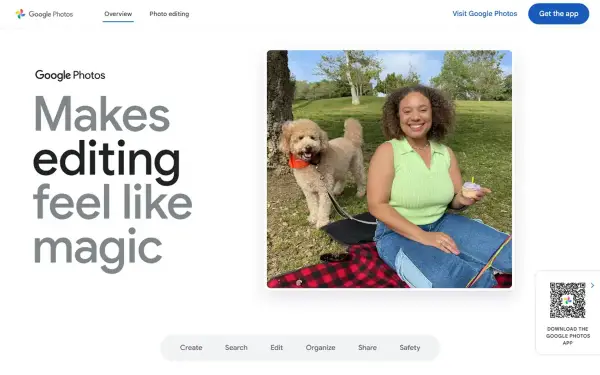
Google Photos leads this list because it does the two everyday jobs well: it backs up automatically from phones and computers, and it finds images by content. Searching for a beach, a person or a place returns results without any manual tagging, which matters once a library grows large. Basic editing and collage tools are included, so most people never need a second app.
Sharing is built for people who do not want an account. Shared albums and shareable links work for family members, and partner sharing sends selected photos between two accounts automatically. That makes it the easiest of the eight to run as a family archive. The default visibility settings deserve a check before you send a large album, because link access can travel further than intended.
Storage is the catch. The free 15 GB is pooled with Gmail and Drive rather than dedicated to photos, and full-resolution uploads consume it quickly. Upgrades run through Google One, with current tiers and prices listed on the vendor site rather than on the photos page itself. Anyone moving a large phone library should price that storage tier before committing.
It is an archiving and sharing tool, not a storefront. There is no client proofing, no print sales and no licensing route. For a household that wants free backup and a shared album of the grandchildren, none of that matters.
You want a free, low-effort family archive with search that works on its own.
You need client proofing, print sales or a storage pool reserved for photos.
Entry II of VIII / EXIF plus groups
Our verdict
The archive for photographers who want EXIF intact and a community that still writes critique.
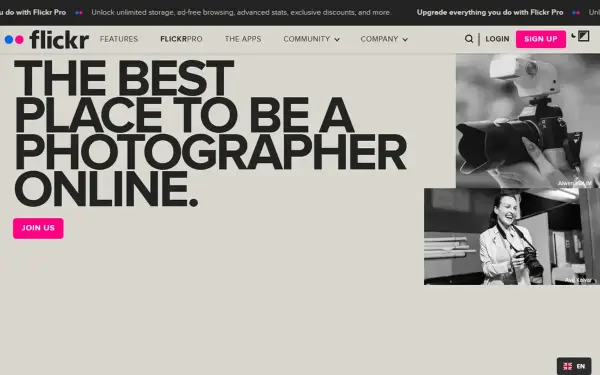
Flickr is still the strongest option for photographers who want their metadata intact and an audience that comments in sentences. Full EXIF data stays visible on published images, albums and the photostream keep large libraries organized, and groups run threaded discussion that produces real critique rather than reactions. The Creative Commons collection is large enough to work as a research tool, and embedding plus external sharing cover the basics.
Pro removes the storage question: unlimited full-resolution uploads, so originals stay where you put them. Licensing runs through third parties rather than a first-party store, which makes Flickr a catalog and a community more than a sales channel.
Pricing is $6.17 per month equivalent on the Pro plan, billed $148 every two years. That is a long commitment for a small library, and Pro pricing has risen over recent years, so check the vendor site for the current plan ladder. The free account is capped at 1,000 items, generous for browsing and tight for a working archive.
The interface and community feel dated to some photographers, and phone uploads are not the smooth path they are elsewhere. What you get in return is a searchable, citable, metadata-rich archive with an audience that has been there for years, which is a combination none of the other seven offers.
You want an archive that keeps metadata public and a community that talks back.
You need client delivery, print commerce or a modern mobile-first upload flow.
Entry III of VIII / Print fulfillment
Our verdict
A business tool first: print fulfillment, client proofing and branded galleries in one paid account.
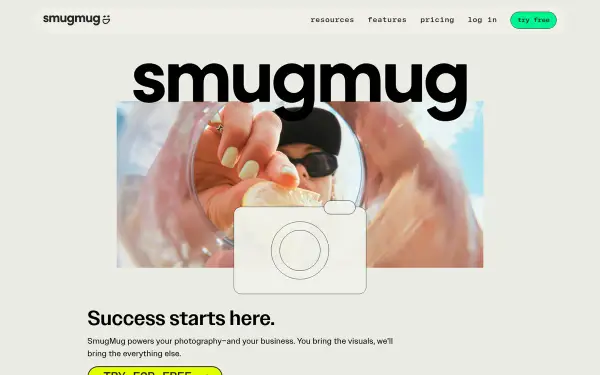
SmugMug is a business tool disguised as a gallery site. Paid plans include unlimited storage, client proofing galleries, password-protected and private galleries, and custom domain support, so a photographer can run a branded portfolio and deliver a wedding in the same place. Print fulfillment is lab-direct, which means the order, the print and the shipping are handled without a separate storefront.
The commerce layer covers prints and downloads with order and pricing management built in. For a portrait or wedding photographer that replaces two subscriptions at once. The client side is the strongest part: proofing, access control and private galleries are the features that get used every week, not the marketing pages.
Pricing starts at $20 per month on the Direct plan, billed annually, and there is no free tier. A 14-day free trial is offered, enough to upload a real gallery and test the client view before committing.
Two cautions. The published starting price differs between sources, so confirm the current plan ladder on the vendor pricing page rather than trusting a quoted figure. Some users also report support and cost concerns as an account grows. It remains the pick for anyone whose photos are products rather than memories, and the trial makes that test cheap.
You sell prints or deliver proofing galleries to paying clients.
You only need free backup and never invoice for an image.
Entry IV of VIII / Pulse discovery
Our verdict
A shop window for exposure and licensing, with a competitive feed and a paywalled ceiling.
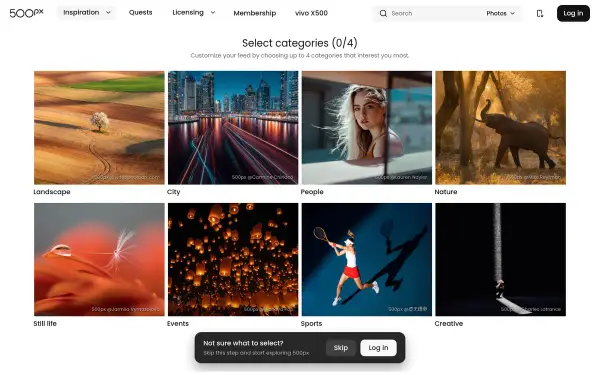
500px is built for exposure. Uploads receive a Pulse score that feeds curated community feeds, so strong work can travel to an audience actively looking at photographs rather than scrolling past them. Portfolio pages give the work a home, and the licensing marketplace puts images in front of buyers who are shopping.
The free tier allows 21 uploads per week, enough to test whether the audience responds before you pay. Unlimited uploads sit on the paid membership, and pricing is on the vendor site; no figure is quoted here because the pricing page returned an error state when it was checked on November 26, 2026.
The trade-offs are real. A competitive feed makes traction hard for newcomers, several useful capabilities sit behind the paid tier, and contributor payouts run below some competing marketplaces. Licensing here is a chance at sales, not a reliable income line, so treat any projection with suspicion.
Use it as distribution for work you already sell elsewhere. Photographers who treat 500px as a second window rather than a primary store get the most from it, and the curated feed keeps the visible quality bar higher than broad social networks manage.
You want exposure and a licensing route for work you already sell.
You need private client galleries or predictable sales income.
Entry V of VIII / Prime photo backup
Our verdict
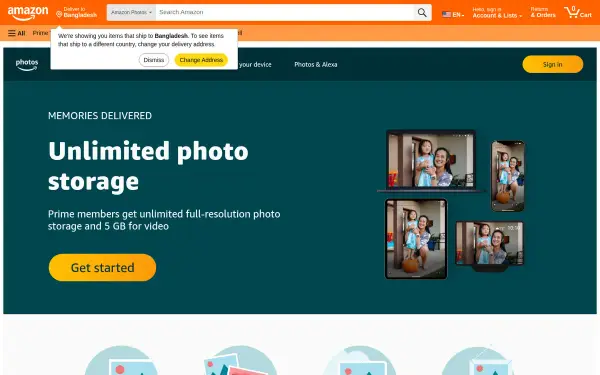
Free unlimited full-resolution photo backup for anyone already paying for Prime, with thin sharing tools.
Amazon Photos adds no extra cost for anyone who already pays for Prime, and it keeps full-resolution originals. Photo storage is unlimited for Prime members and the original resolution is retained, which separates it from services that compress on upload. Family sharing covers up to five people, so a household can pool images without each person buying storage.
Uploads come from phone and desktop, and albums plus basic organization are included. The integration with the Amazon account ecosystem is the practical draw: no new subscription, no additional billing relationship, nothing to remember at renewal.
Limits show up quickly. Video storage is capped at 5 GB even on Prime, so this is a photo archive rather than a media vault. Non-Prime accounts get 5 GB free with paid storage tiers above that, and pricing sits on the vendor site rather than in a pricing sheet we could confirm. Sharing tools are basic next to dedicated photo platforms: you can share, but there is no client gallery, no proofing and no commerce.
That is fine for its job. If the archive is for your household, the unlimited photo tier is hard to beat on price. If you deliver files to a client or sell a print, this is the wrong tool and the other seven entries cover that ground.
You already have Prime and want uncomplicated full-resolution backup for a household.
You need client galleries, proofing, print sales or room for video.
Entry VI of VIII / Ad-free feed

Our verdict
A quiet, ad-free membership for photographers who want craft on display and metrics switched off.
Glass is a membership, not a free service, and the product is designed around that. There is no advertising, no public like counts and no engagement chasing, which changes what people post. The feed reads as a curated portfolio rather than a timeline, and the deliberately small membership base keeps it that way.
The technical details matter for photographers who care about tone. P3 wide color profile support preserves intended tones on compatible screens, and uploads are unlimited at high resolution, so files are not compressed into mush. Publishing and browsing are both ad-free, and the interface stays out of the way.
There is no free plan and no trial, so the only way to evaluate Glass is to pay for the annual membership. The current price is on the vendor site; no figure is quoted here because the page could not be checked on November 26, 2026. The annual commitment is the real barrier, since you cannot test a month first, and the small audience limits reach.
Judge it against what you want. For a photographer who wants a calm, craft-focused feed with no metrics to manage, the model works and the absence of advertising is worth paying for. For anyone who needs discovery at scale, client delivery or licensing, Glass is one channel among several and an expensive one to trial.
You want an ad-free feed that rewards craft and hides the scoreboard.
You need reach, free evaluation or client delivery tools.
Entry VII of VIII / Phone presets
Our verdict
The fastest phone editing and posting loop, with little storage depth and no client tools.
VSCO is a phone-first editing app with a sharing feed attached, and it is good at that specific combination. Film-style presets apply quickly, the mobile editing toolkit covers tone, grain and color without a desktop, and the feed keeps attention on the image rather than the caption. In-app capture and editing keeps the whole workflow on one device.
The free Starter plan covers basic editing and posting, which is enough to decide whether the preset look suits your work. Paid tiers, Pro and One, unlock the wider preset and tool library, and a free trial is offered. Membership pricing is not listed as a single figure: it differs between app store listings and sits on the vendor site, so check before subscribing.
The gaps are structural. Storage and sharing depth trail gallery-focused rivals, there is no client proofing capability, and the public feed is not a delivery mechanism. A photographer running client work will still need something like Pixieset or SmugMug alongside it.
Where VSCO earns its place is speed. Editing a set of phone photos and posting them takes minutes, and the aesthetic stays consistent across presets. Treat it as the front end of a phone workflow, not as an archive or a business tool, and the free tier is enough to find out whether the look fits.
Your photos live on a phone and you want quick presets plus a simple public feed.
You need archives, client galleries or selling tools.
Entry VIII of VIII / Client proofing
Our verdict
The cleanest client gallery experience on the list, priced low but capped by storage tiers.
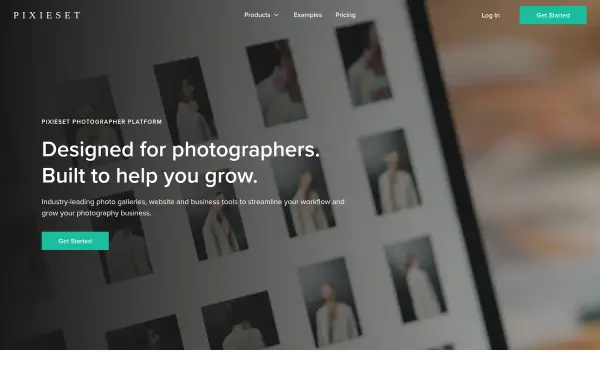
Pixieset does one job and does it well: getting a finished gallery in front of a client without friction. Galleries render properly on a phone, clients can mark favorites, and download controls can be set per gallery so full-resolution files are not released by default. Password protection covers the privacy question that comes up in every wedding or portrait delivery.
The free plan includes 3 GB, enough for a small session or a test run. Paid plans start at $8 per month on the Basic tier when billed annually, or $10 per month on the flexible term, and storage tiers rise from there. Print and download selling options are included, though the commerce tooling is thinner than a dedicated storefront.
That thinness is the main limitation. If your business depends on product sales, SmugMug covers fulfillment end to end. Pixieset is a delivery and proofing tool that happens to sell, not a shop.
The other constraint is storage. Lower tiers carry ceilings, so a photographer delivering full-resolution files every week should price the tier they will actually need rather than the entry plan. For everyone else, mobile-friendly galleries, favorites and download permissions are the reason this category exists, and Pixieset executes them with the least fuss.
You deliver proofs and finals to clients and want tight control over downloads.
You need heavy print commerce or a public discovery feed.
VBackground
A photo sharing platform does three separate jobs, and most products are good at one or two of them. It stores originals, it puts images in front of other people, and it gives you a way to hand files to clients or buyers. Confusing those jobs is how people end up paying for storage they do not need or a community they never use.
Storage is the first fork. Google Photos gives 15 GB shared across Gmail, Drive and Photos. Amazon Photos leaves photo storage unlimited for Prime members but caps video at 5 GB. Flickr's free account stops at 1,000 items. Pixieset's free plan carries 3 GB. Those limits shape day-to-day experience more than any feature list.
The second fork is audience. Flickr and 500px put your work in front of strangers: Flickr through groups and threaded discussion, 500px through a Pulse score and curated feeds. Glass takes the opposite approach, selling an ad-free membership with no public like counts. Google Photos and Amazon Photos are not communities at all; they are private archives with sharing attached.
The third fork is commerce and delivery. SmugMug handles print fulfillment and client proofing. Pixieset focuses on gallery delivery with favorites and download controls. 500px routes work toward licensing buyers.
A short checklist before you compare:
This comparison sits in the software register. Further along the shore: baby tracking app and kennel software.
VIPricing
Pricing in this category falls into five patterns, and only one of them is genuinely free. Free tiers exist on Google Photos, Flickr, 500px, Amazon Photos, VSCO and Pixieset, but each carries a limit: pooled gigabytes, an item cap, a weekly upload allowance or a storage ceiling.
| Model | How it bills | Typical fit | Example from this list |
|---|---|---|---|
| Free tier, pooled quota | No charge, shared with other services | Family backup | Google Photos, 15 GB shared across Photos, Gmail and Drive |
| Long-term subscription | Billed every two years | Community archiving | Flickr, $6.17 per month equivalent, $148 every 2 years |
| Monthly plan billed annually | Per month, annual commitment | Client galleries and print sales | SmugMug Direct at $20 per month; Pixieset Basic at $8 per month |
| Free tier with hard caps | No charge, fixed limits | Testing the workflow | 500px at 21 uploads per week; Pixieset at 3 GB |
| Membership only | Annual, no free tier | Small ad-free community | Glass, pricing on the vendor site |
Two habits save money. First, check whether storage is dedicated or pooled, because a pooled quota disappears faster than the headline number suggests. Second, match the term to the job: a two-year Flickr plan is cheap per month but locks you in, while Pixieset's $8 Basic rate assumes annual billing and becomes $10 per month on the flexible term.
Several vendors here do not publish prices on a page we could verify. For 500px, Amazon Photos, Glass and VSCO, pricing is on the vendor site and varies by tier or app store. Treat any number quoted elsewhere as a starting point and confirm it on the vendor's own pricing sheet before you buy.
Each entry card shows the starting price as it appeared on the vendor's own pricing page on November 25, 2026. When a vendor shows no figure we could confirm, or only a promotional rate, the card says "See website" or gives the regular price instead of a guess. Usage, overage and add-on rates in the text change more often than plan prices, so confirm them on the vendor page before you set a budget. To test the numbers against your own volume, try the free User Research Budget Planner. The Event Break-Even Calculator is a second way to check the same decision.
VIIDecision
VIIIPitfalls
IXQuestions
It ranges from nothing to unlimited. Google Photos gives 15 GB shared across Photos, Gmail and Drive, Pixieset gives 3 GB, Flickr's free account holds 1,000 items, and 500px allows 21 uploads per week. Amazon Photos is unlimited for Prime members and 5 GB otherwise. Glass and SmugMug have no free tier, though SmugMug offers a 14-day trial.
Only if you use the audience. Flickr's Pro plan lifts the 1,000 item cap and keeps EXIF visible, Glass removes ads and like counts, and 500px lifts its weekly upload limit. If you mainly need storage or client delivery, a paid gallery plan or cloud storage may be a better fit for the same job.
Discovery-led platforms push work outward. 500px scores uploads with Pulse and runs curated feeds, which suits photographers chasing exposure. Community-led platforms are built around conversation: Flickr groups and threaded discussion produce critique, and Glass keeps a small membership with no public like counts. Discovery favors reach, community favors feedback.
SmugMug sells prints through lab-direct fulfillment and manages orders on paid plans. Pixieset offers print and download selling alongside client galleries. 500px routes images to licensing buyers, and Flickr points licensing through third parties. Google Photos, Amazon Photos, Glass and VSCO are not storefronts, so plan a separate route if selling matters.
Use a platform built for delivery. Pixieset supports password protection, per-gallery download controls and client favorites, which covers most wedding and portrait workflows. SmugMug adds password-protected and private galleries with client proofing. Check default link behavior before sending, since open links can be forwarded to anyone.
XFurther along the shore
Vendors can ask for a correction or apply for a Featured listing. Paid or not, the entry is scored on the same rubric and its limits stay in print. Partner with Umberlake.
Free tools
Our free browser tools turn the prices on this page into a figure for your own volume. Nothing you type leaves your device.