YNAB
$9.08Annual Plan, per month, billed annually
Best for hands-on zero-based budgeting with frequent check-ins
- Free plan
- No
- Rubric
- 7.6 of 10
Nine budgeting apps compared on method, price and bank sync, with picks for zero-based planners, envelope households and long-range forecasters using prices checked in November 2026.

IThe short answer
YNAB, Monarch Money and Simplifi are the strongest picks among the best personal budgeting apps in November 2026, and each suits a different kind of budgeter. YNAB fits people who want a zero-based method and will check in weekly. Monarch Money fits couples and households tracking net worth together. Simplifi fits anyone who wants spending plans and a warning before a low-balance week. The nine apps below differ most on budgeting method, bank sync and whether a free tier exists.
9 tools compared from vendor pages on November 25, 2026. 3 publish a starting price we could read; the rest say "See website".
IITop three berths
Register order is editorial fit for the buyer each entry describes. Prices are the starting figures read on November 25, 2026.
$9.08Annual Plan, per month, billed annually
Best for hands-on zero-based budgeting with frequent check-ins
$8.33Core, per month, billed annually
Best for households and couples tracking net worth together
See website
Best for spending plans and forward-looking balances
How this page is paid for. All 9 tools here are unpaid editorial picks.
A paid listing's position can be part of what the vendor pays for. Every entry, paid or not, is scored on the same rubric and keeps its limits in print. Advertising disclosure.
IIIThe register
Starting prices as shown on each vendor's pricing page on November 25, 2026. "See website" means no figure we could confirm.
| No. | Tool | From | Free plan | Trial | Rubric | Actions |
|---|---|---|---|---|---|---|
| 01 | YNABHands-on zero-based budgeting with frequent check-ins | $9.08Annual Plan, per month, billed annuallyUpdated on vendor page | No | 34-day free trial, no credit card required | 7.6 | |
| 02 | Monarch MoneyHouseholds and couples tracking net worth together | $8.33Core, per month, billed annuallyUpdated on vendor page | No | 7-day free trial | 7.5 | |
| 03 | Simplifi by QuickenSpending plans and forward-looking balances | See websiteNot shown publicly | No | Free trial | 6.1 | |
| 04 | Copilot MoneyApple users wanting a polished iPhone-first budget app | See websiteNot shown publicly | No | Free trial | 6.6 | |
| 05 | PocketSmithLong-range cash flow forecasting and scenario planning | $9.99Foundation, per month, billed annuallyUpdated on vendor page | Yes | 14-day money back guarantee | 6.9 | |
| 06 | EveryDollarSimple monthly zero-based budgets with manual entry | See websiteNot shown publicly | Yes | No | 6.9 | |
| 07 | EmpowerFree net worth and investment overview | See websiteNot shown publicly | Yes | No | 6.5 | |
| 08 |  GoodbudgetEnvelope budgeting shared across a household | See websiteNot shown publicly | Yes | No | 7.1 | |
| 09 | Rocket MoneyFinding and cutting subscriptions and recurring bills | See websiteNot shown publicly | Yes | No | 5.8 |
Pinned:
IVMethod
Every app on this list was scored against the same five criteria. Budgeting method carries 25 percent, because the method decides whether an app fits how you think about money. Price and value carries another 25 percent, based on the figures published on vendor pricing pages and what the free tiers include. Bank sync is 20 percent, household sharing 15 percent and setup effort 15 percent, where a higher score means you reach a useful budget faster. Scores are comparative within this list, not absolute.
Prices were checked on November 26, 2026 by reading each vendor's own pricing page. Where a page returned no usable figure, the entry says pricing is on the vendor site and no number is given. That is why six of the nine apps show no starting price. Plan names, billing terms and trial lengths are reproduced as the vendor states them, so an annual plan quoted per month is labeled as billed annually.
Order matters here, but it is not arithmetic. The ranking reflects editorial fit for the buyer each entry describes, plus the disclosed Featured position, which is a paid placement. A Featured entry is scored with the same rubric as every other tool and carries the same honest cons. Feature lists come from vendor documentation, and the weaknesses noted are the ones that show up in normal use: setup time, platform limits, failed connections and lighter reporting.
The full routine, from price reads to corrections, is on the methodology page. Paid listings follow the advertising disclosure.
How clearly the app defines a budgeting approach and how well its tools support that approach month after month.
What the published pricing and free tier actually deliver relative to the rest of this list.
Reliability of account connections and how much manual entry the app leaves you doing.
Whether two or more people can work from the same budget with their own access.
How quickly a new user reaches a budget that reflects real accounts and real spending.
Entry I of IX / Zero-based method
Our verdict
Best for committed zero-based budgeters who will adjust categories weekly and want goals and debt payoff in one app.
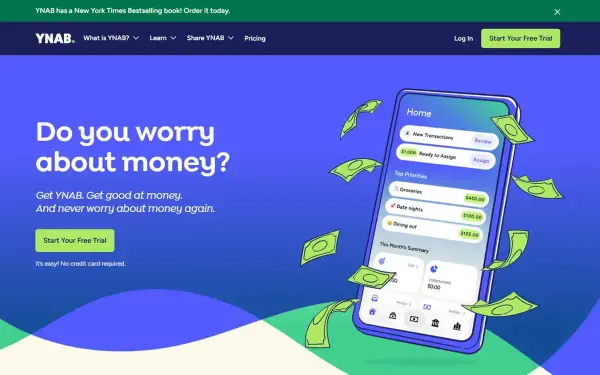
YNAB is the most method-driven app on this list. Every unit of income gets assigned to a category before it is spent, and when a category runs short you move money from another one rather than letting the total drift. Category goals track progress, and age-of-money shows how many days ahead of your next paycheck you are, which is the clearest single signal that the method is working. Debt payoff planning sits in the same product, so a card balance and a grocery budget are managed in one place.
The cost is $9.08 per month on the Annual Plan, billed annually, with a $14.99 monthly option if you would rather not commit to a year. A 34-day free trial needs no credit card, which is long enough to cover a full pay cycle and a month boundary, the two points where new users usually discover whether the method fits. There is no free tier.
The honest limits are time and patience. Assigning income takes hands-on maintenance, and the first month usually involves a setup period before the numbers settle. First-time zero-based budgeters face a learning curve, and the subscription costs more than several rivals. Bank connection and transaction import reduce typing but do not remove the weekly decision about where money goes. Household access is shared, so partners see the same categories.
Pick it if you want a defined method with goals and debt tools rather than a passive spending report.
You will sit down weekly to assign income and want goals and debt payoff inside the same app.
You want a passive tracker that sorts spending without a monthly assignment routine.
Entry II of IX / Shared net worth

Our verdict
Best for couples and households that want a shared net worth dashboard plus separate logins for each partner.
Monarch Money is built for two people managing money together. Each partner gets an individual login, and the dashboard combines bank accounts and investment accounts into a single net worth figure that updates as balances move. Categories and tags are flexible enough to separate shared bills from personal spending, and cash flow views and reports show where the month went without demanding a strict zero-based routine.
Pricing is $8.33 per month on the Core plan, billed annually, which works out to $99.99 per year. A Black Friday promotion of 50 percent off was noted for new users when the pricing page was checked. There is no permanent free tier, only a 7-day free trial, so that trial is the whole testing window.
The short window matters because bank sync is the one thing you cannot judge from screenshots. Connections fail at some institutions, and 7 days leaves little room to raise a support ticket, wait and retest. Start the trial by linking every account you actually use, including the awkward ones such as a credit union or a store card, before you look at any reports.
Budgeting itself is solid but less prescriptive than YNAB. You create a budget and track against it, and you can tag transactions, but the app does not force you to assign every dollar. For households that want a shared net worth view and a working budget in one place, that balance is the point.
You and a partner want one shared dashboard for net worth, accounts and a monthly budget.
You need a free option or a long trial before committing to a subscription.
Entry III of IX / Projected balances
Our verdict
Best for people who want a spending plan and a projected balance that warns them before a low week.
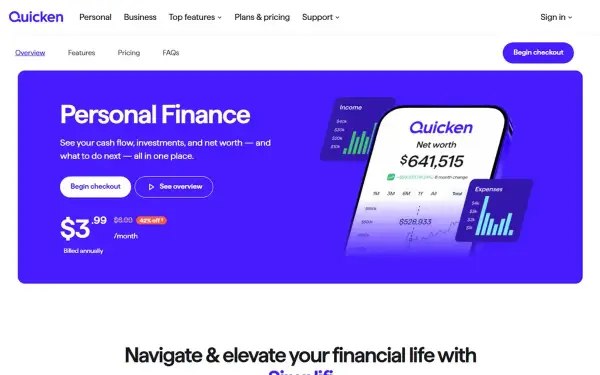
Simplifi by Quicken sits between a simple spending tracker and a full zero-based system. Its spending plan sets an amount per category after bills and savings are accounted for, so the plan reflects what is genuinely free to spend. Watchlists flag specific merchants or categories, which is useful for a grocery habit or a subscription that keeps drifting upward.
The feature that separates it is projected balances. The app looks at recurring bills and your spending plan, then flags weeks where the balance could dip too low before the next deposit. That warning is more actionable than a pie chart of last month. Recurring bill tracking feeds the same engine, and savings goals and reports sit alongside it.
Setup is the barrier. The interface feels crowded at first, some features overlap, and projections stay dormant until plans and bills are configured. Budgeters who skip that work get a transaction list and not much else, so expect to spend an evening on the initial configuration.
Pricing for Simplifi is on the vendor site; the page checked on November 26, 2026 returned no usable figure, so no number is quoted here. A free trial is available and there is no free tier. Use the trial to configure one real month and see whether the projected balance warnings match how you actually spend.
Pick it if you want forward-looking balance warnings and will invest the setup time.
A warning before a low-balance week is worth an evening of setup.
You want a budget that works within minutes of signing up.
Entry IV of IX / iPhone-first design

Our verdict
Best for Apple households that want the fastest, cleanest spending view and will accept a lighter budgeting method.
Copilot Money is the most polished option here for anyone living inside Apple's ecosystem. It offers a native iPhone app alongside a Mac desktop app, and the design and speed are the main draw. Smart transaction categorisation does most of the labeling work, and spending insights and cash flow views turn the cleaned-up data into something readable in a few taps.
The trade-off is platform reach. The full experience is limited to Apple devices, Android support is limited, and a household split between an iPhone and an Android phone will not get equivalent views. That is a practical problem for couples, not a cosmetic one.
There is no free tier beyond the trial, so you are paying from the start once it ends. Pricing sits on the vendor site; the page checked on November 26, 2026 loaded but carried no subscription figure, so no number is quoted.
Budgeting is lighter than YNAB or Monarch Money. You get spending insights and cash flow rather than a category-by-category assignment routine, which suits people who want to see patterns and adjust behavior without a formal method. If you need debt payoff planning or envelope discipline, look elsewhere.
Test the trial against your real accounts. Bank connections decide whether an app like this works day to day, and a clean interface does not help if two of your accounts will not link.
You use an iPhone and a Mac and want the least friction between opening the app and seeing your month.
Your household is mixed iOS and Android or you need strict zero-based budgeting.
Entry V of IX / 30-year forecast

Our verdict
Best for long-range planners who want to model a mortgage or job change against the next few decades of cash flow.
PocketSmith is a forecasting tool with a budget attached. The cash flow calendar projects balances forward for years, up to 30 years, which is far longer than most budgeting apps attempt. Scenario testing lets you model a new mortgage, a job change or a large purchase and see what happens to the calendar afterward, rather than guessing.
Budgets, savings goal modelling and account aggregation support that forecast. Household sharing options exist, so a partner can work from the same projections. The trade-off is density: the interface packs a lot onto each screen and setup of accounts, budgets and scenarios takes real time. Forecast accuracy depends entirely on that configuration, so a half-finished setup produces confident-looking numbers that mean little.
Pricing starts at $9.99 per month on the Foundation plan, billed annually, which is the cheapest paid tier. A free plan is listed with limited accounts and dashboards, enough to see whether the calendar approach makes sense before paying. There is no conventional free trial, but a 14-day money back guarantee covers the paid plans.
US bank sync varies by institution, so check your own connections early. The app rewards people planning a property purchase or a career change more than people who just want to know whether they overspent on groceries last week.
You want to model the next few years of cash flow, not just the current month.
You want a simple monthly budget with minimal setup.
Entry VI of IX / Clean zero-based layout

Our verdict
Best for anyone who wants a stripped-back monthly zero-based budget and does not mind typing transactions by hand.
EveryDollar is the simplest zero-based budget on this list. You create a monthly budget, assign income to categories and track spending against it, all in a stripped-back layout with very little on screen. There are no forecasting tools, no investment tracking and no net worth dashboard, which is the point.
The free version covers manual budgeting. You enter transactions by hand, which suits cash users, people who want to feel each purchase, or anyone who would rather not hand bank credentials to another app. Bank sync, custom reports and additional planning tools sit behind the paid plan. Reporting is lighter than Monarch Money or YNAB even after paying, so do not come for analysis.
The paid tier price is on the vendor site; the page checked on November 26, 2026 returned no usable figure, so no number is quoted here. There is no trial, which makes the free tier the de facto test: run one full month by hand and decide whether the layout earns a subscription.
The app is published by Ramsey Solutions and aligned with its debt and budgeting approach, so expect the surrounding guidance to push a particular order of operations, such as building an emergency fund before aggressive investing. That suits some households and irritates others.
You want a clean monthly zero-based budget and will enter transactions yourself.
You refuse manual entry or want deep reports and forecasting.
Entry VII of IX / Free net worth tracking
Our verdict
Best free option for one dashboard covering net worth, investment fees and retirement projections across many accounts.
Empower is a free net worth and investment tracker rather than a budgeting app, and that framing matters. It aggregates bank accounts, credit cards, loans and investment accounts at no cost, then puts net worth on one dashboard with cash flow views and spending categories underneath.
The investment tools are the reason to use it. The investment checkup shows fees and asset allocation across accounts, and the retirement planner projects retirement income from your accounts. Neither is common in paid budgeting apps, so the free tier is genuinely unusual value.
Budgeting is where it thins out. Categories and cash flow views show what happened, but there is no zero-based assignment, no envelopes and no forward balance warnings. Treat it as the account and investment layer, and use a dedicated planner for the spending decisions.
Empower was formerly known as Personal Capital, and users with larger balances may be contacted about paid advisory services. That outreach is the trade for free tools, so decide in advance whether you are comfortable with it. There is no trial and no paid tier to evaluate, so the price question does not arise; the pack records the product as free.
Pick it if you want one free view of net worth, fees and retirement projections across many accounts.
You want a free net worth and investment overview across scattered accounts.
You need envelopes, zero-based assignment or forward balance warnings.
Entry VIII of IX / Shared envelopes
Our verdict
Best for households that want envelope discipline shared across devices, with a free tier to start on.
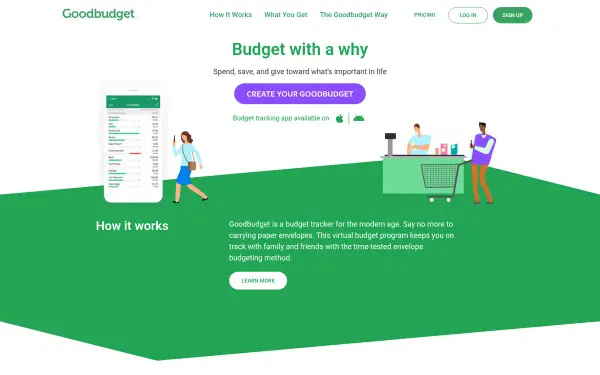
Goodbudget brings the envelope method to phones and the web. You create virtual envelopes for categories such as groceries, rent and transport, and each envelope balance falls as spending is recorded. When the groceries envelope is empty it stays empty until you refill it, which is a more physical relationship with money than a progress bar.
The strongest feature is household sync. Envelopes are shared across devices, so a partner or family member sees the same balances and records their own spending. That makes it one of the few apps here that a household can run without a weekly meeting, assuming both people remember to enter transactions.
Manual entry is the core workflow. The free plan covers manual entry but caps the number of envelopes, so a detailed budget with many categories will hit the limit quickly. The paid plan removes the envelope cap and adds bank sync, though bank sync is limited compared with rivals. There is no trial and no deadline on the free tier, so you can stay on the free plan indefinitely.
The paid tier price is on the vendor site; the page checked on November 26, 2026 returned no usable figure, so no number is quoted.
Pick it if you want envelope discipline shared with a partner and do not mind entering transactions.
Two people need to spend from the same visible envelope balances every week.
You want automatic imports and unlimited categories at no cost.
Entry IX of IX / Subscription detection
Our verdict
Best for finding forgotten subscriptions and challenging recurring bills, used alongside a real budgeting app.
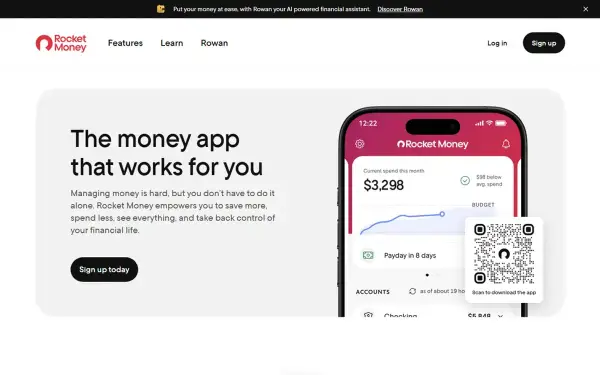
Rocket Money attacks recurring costs rather than categories. It scans accounts for recurring charges, builds a subscription list, and alerts you when a subscription price rises. Some subscriptions can be cancelled from inside the app, which shortens the distance between noticing a charge and stopping it.
Bill negotiation is the second service. For internet, phone and similar bills, Rocket Money will negotiate on your behalf and keeps a portion of any savings it secures. That fee structure is worth reading before you hand over a bill, because a negotiated discount is not free money.
Spending insights and basic budgeting round out the app, but budgeting is lighter than YNAB or Monarch Money and will not replace a category plan. The better pattern is to use Rocket Money for subscription cleanup alongside a dedicated budgeting app, especially if recurring charges are the reason your budget keeps breaking.
A free tier exists. The paid tier price is on the vendor site; the page checked on November 26, 2026 returned no usable figure, so no number is quoted. The product was formerly known as Truebill, and there is no trial, so the free tier is the way to see what it finds before paying.
Pick it if forgotten subscriptions and rising bills are your main leak.
You suspect recurring charges are quietly draining the budget each month.
You need a full category budget or dislike savings-share fees on negotiation.
VBackground
A personal budgeting app is software that records income and spending, sorts transactions into categories and shows whether the month is going to plan. That is the floor. The differences appear in what the app does with the numbers afterward.
Three broad methods show up on this list. Zero-based budgeting assigns every unit of income to a category before it is spent, so the plan balances to zero and overspending in one category must be covered from another. YNAB and EveryDollar work this way, and Goodbudget applies the older envelope version of the same idea. Forecast-driven budgeting projects balances forward and tests scenarios, which is PocketSmith's specialty. Spending-plan budgeting sets an amount per category after bills and savings, then watches for low-balance weeks, which is what Simplifi does.
A second group leans toward tracking rather than planning. Copilot Money, Monarch Money and Empower concentrate on clean data, net worth and reporting, with budgeting as one view among several. Rocket Money is narrower still: it hunts recurring charges.
Nearly all of them connect to banks to import transactions. The exceptions matter for privacy and for reliability, because EveryDollar and Goodbudget lean on manual entry on their cheaper tiers. Bank sync saves typing but fails at some institutions, and every app handles that differently.
This comparison sits in the software register. Further along the shore: baby tracking app and kennel software.
VIPricing
Pricing in this category splits into annual subscriptions, monthly subscriptions, free tiers with paid upgrades, and free tools supported by other services. Four models cover every app here.
| Model | How it bills | Typical fit | Example from this list |
|---|---|---|---|
| Annual subscription | Once a year, quoted as a per-month figure | Budgeters who will keep the app 12 months | YNAB at $9.08 per month on the Annual Plan, billed annually |
| Monthly subscription | Every month, higher per-month cost | People testing a method short term | YNAB's $14.99 monthly option |
| Free tier plus paid upgrade | No charge, paid plan adds bank sync or removes caps | Cash budgeters and manual entry | EveryDollar and Goodbudget |
| Free tools with a services upsell | No charge for the software | Net worth and investment tracking | Empower |
The free options are not all the same. EveryDollar and Goodbudget give you a working budget with manual entry and hold bank sync back. Empower gives you aggregation and investment tools free and keeps budgeting thin. Rocket Money gives you subscription detection free and charges for more. Six apps on this list publish no figure on the page checked, so their price sits on the vendor site: Simplifi, Copilot Money, EveryDollar, Empower, Goodbudget and Rocket Money.
Trials vary more than prices. YNAB offers 34 days with no card, Monarch Money 7 days, Simplifi and Copilot Money a free trial, and PocketSmith a 14-day money back guarantee. EveryDollar, Empower, Goodbudget and Rocket Money list no trial at all, so their free tiers do the work of one. Where a trial exists, run it across a full pay cycle.
Each entry card shows the starting price as it appeared on the vendor's own pricing page on November 25, 2026. When a vendor shows no figure we could confirm, or only a promotional rate, the card says "See website" or gives the regular price instead of a guess. Usage, overage and add-on rates in the text change more often than plan prices, so confirm them on the vendor page before you set a budget. To test the numbers against your own volume, try the free User Research Budget Planner. The Event Break-Even Calculator is a second way to check the same decision.
VIIDecision
VIIIPitfalls
IXQuestions
EveryDollar and Goodbudget are the gentlest starting points because both offer a free tier and a simple monthly or envelope structure. EveryDollar uses manual entry on the free plan, so you learn the method without bank sync doing the thinking. YNAB is the better long-term home for many people, but the 34-day trial exists because the method takes time to learn.
It can be, if the app changes a decision. YNAB at $9.08 per month on the Annual Plan billed annually costs about the price of one takeaway order a month, and it earns that back if it stops a single overspend. Free tiers from EveryDollar, Goodbudget and Empower cover a lot, so pay for a feature you will use, such as bank sync or forecasting.
Most apps here connect to banks to import transactions, but the specifics differ by vendor, so read the privacy terms before linking accounts. If you would rather not share bank credentials, EveryDollar and Goodbudget both support manual entry, and their free tiers are built around it.
Monarch Money and Goodbudget are the clearest fits. Monarch Money gives each partner an individual login and a shared net worth dashboard, and Goodbudget syncs envelope balances across household devices. YNAB supports shared household access too, and PocketSmith lists household sharing options. Copilot Money is the weak link for mixed households because the full experience is Apple only.
Retry the connection, then check the institution directly, because some banks and credit unions block aggregators intermittently. If it keeps failing, fall back to manual entry for that one account and keep the rest syncing. This is why it is worth testing connections during the trial rather than after you have paid for a year.
Zero-based budgeting assigns every unit of income to a category, so the plan balances to zero. Envelope budgeting gives each category a balance that falls as you spend, the same idea with a stricter visual. Forecast budgeting projects balances months or years ahead and tests scenarios. YNAB and EveryDollar are zero-based, Goodbudget is envelope, and PocketSmith is forecast.
XFurther along the shore
Vendors can ask for a correction or apply for a Featured listing. Paid or not, the entry is scored on the same rubric and its limits stay in print. Partner with Umberlake.
Free tools
Our free browser tools turn the prices on this page into a figure for your own volume. Nothing you type leaves your device.