
Cin7 Core
$349Standard, per month, 5 users, 6,000 orders a year
Best for multichannel sellers and wholesalers needing many integrations
- Free plan
- No
- Rubric
- 7.2 of 10
Ten online inventory systems compared on price, plan limits, accounting integrations and production features, with a clear pick for each kind of buyer.

IThe short answer
Cin7 Core is the best online inventory management software for multichannel sellers and wholesalers, Zoho Inventory is the best value for small businesses, and Katana is the pick for makers and small manufacturers. This guide, updated in November 2026, compares ten systems on price, plan limits, integrations and production features, and names who each one actually fits.
10 tools compared from vendor pages on November 25, 2026. 7 publish a starting price we could read; the rest say "See website".
IITop three berths
Register order is editorial fit for the buyer each entry describes. Prices are the starting figures read on November 25, 2026.
$349Standard, per month, 5 users, 6,000 orders a year
Best for multichannel sellers and wholesalers needing many integrations
$29Standard, per organization per month, billed annually, 2 users, 500 orders a month
Best for small businesses wanting affordable multichannel stock control

$1,500Advantage, per month, scoped under one annual contract
Best for makers and small manufacturers needing production planning
How this page is paid for. All 10 tools here are unpaid editorial picks.
A paid listing's position can be part of what the vendor pays for. Every entry, paid or not, is scored on the same rubric and keeps its limits in print. Advertising disclosure.
IIIThe register
Starting prices as shown on each vendor's pricing page on November 25, 2026. "See website" means no figure we could confirm.
| No. | Tool | From | Free plan | Trial | Rubric | Actions |
|---|---|---|---|---|---|---|
| 01 | Cin7 CoreMultichannel sellers and wholesalers needing many integrations | $349Standard, per month, 5 users, 6,000 orders a yearRead on vendor page | No | 14-day free trial | 7.2 | |
| 02 | Zoho InventorySmall businesses wanting affordable multichannel stock control | $29Standard, per organization per month, billed annually, 2 users, 500 orders a monthRead on vendor page | Yes | 14-day free trial | 7.0 | |
| 03 | KatanaMakers and small manufacturers needing production planning | $1,500Advantage, per month, scoped under one annual contractUpdated on vendor page | Yes | No | 7.1 | |
| 04 |  Fishbowl InventoryQuickBooks users needing deep inventory and warehouse control | $229Essentials, per month, billed annually, includes 2 usersRead on vendor page | No | Demo only | 6.3 | |
| 05 |  inFlow InventoryB2B sellers and wholesalers running a showroom | See websiteNot shown publicly | No | 14-day free trial, no credit card | 6.5 | |
| 06 |  SortlyTeams tracking physical items, equipment and supplies visually | $24Advanced, per month, billed annually, 50% first-year discount, 500 items, 2 usersUpdated on vendor page | Yes | 14-day free trial | 4.6 | |
| 07 | OdooBusinesses wanting inventory inside a full ERP suite | $7.25Standard, per user per month, billed yearly, 12-month discount, list price US$ 8.95Updated on vendor page | Yes | No | 6.4 | |
| 08 |  UnleashedWholesalers and distributors needing lot and serial traceability | See websiteNot shown publicly | No | 14-day free trial, no credit card | 6.5 | |
| 09 |  Square for RetailSmall shops already taking payments through Square | $49Square Plus, per location per month, 30-day free trialRead on vendor page | Yes | 30-day free trial | 6.0 | |
| 10 | NetSuiteMid-size and large firms needing full ERP, not just inventory | See websiteNot shown publicly | No | No | 6.1 |
Pinned:
IVMethod
Every entry here was scored on the same five criteria: inventory depth, channel integrations, pricing clarity, production support and setup effort. Inventory depth weighs multi-warehouse control, traceability and replenishment. Channel integrations weigh marketplace, cart and accounting connectors. Pricing clarity rewards published, predictable plans and penalizes quote-only structures and first-year promotions. Production support covers bills of materials, work orders and shop floor scheduling. Setup effort reflects how long a real team needs before the system is trustworthy.
Prices, plan names, user counts and order caps come from vendor pricing pages checked on November 26, 2026. Where a page did not return a price, the listing says pricing is on the vendor site rather than guessing a number. Free plan limits and trial terms were taken from the same pages.
The order of this list is editorial. Each position reflects how well the tool fits the buyer described in that entry, so a low position is not a bad product, just a narrower fit. Any listing marked Featured is a paid placement, and it is scored with the same rubric and given the same honest cons as every other entry.
Where a vendor changed its packaging recently, the review says so, because a plan that was renamed or repriced last quarter is a signal to confirm terms in writing.
The full routine, from price reads to corrections, is on the methodology page. Paid listings follow the advertising disclosure.
Multi-warehouse control, traceability, replenishment and stock accuracy under real volume.
Native marketplace, cart and accounting connectors that avoid custom middleware.
Published plans, stated limits and predictable renewal costs rather than quote-only structures.
Bills of materials, work orders and shop floor scheduling for businesses that build products.
How long a real team needs before stock levels and workflows can be trusted.
Entry I of X / 700+ connectors
Our verdict
Broad connector library and one stock ledger for channels and wholesale, but small sellers pay a lot for entry.
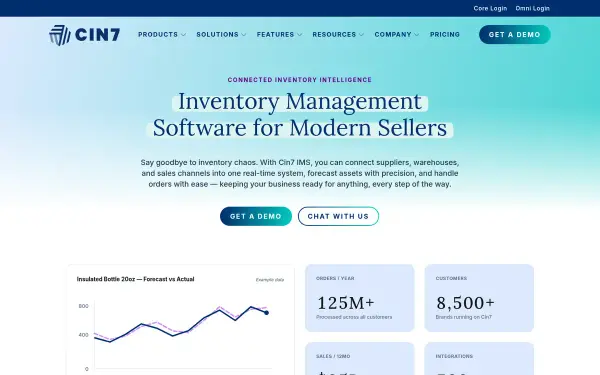
Cin7 Core is built for the seller who runs several channels at once. The library of more than 700 marketplace, cart and accounting connectors is the reason most teams shortlist it, and stock sync runs across Shopify, Amazon, Walmart and wholesale portals from a single ledger. Multi-warehouse control, purchase orders, replenishment, B2B ordering workflows and built-in EDI cover the operational basics without a second system for wholesale.
The parts that usually cost extra elsewhere are included here: AI-assisted demand forecasting and third-party logistics support sit in the product rather than beside it. That breadth is also why configuration takes meaningful setup time. Expect to map channels, warehouses and order rules before the stock numbers settle down.
Pricing starts at $349 a month on the Standard plan, which bundles 5 users and 6,000 orders a year. Order volume, extra warehouses and the higher Omni tier push the bill up quickly, and the entry price is steep for a seller doing a few hundred orders a month. Get the order-volume tiers in writing and clarify what happens on overage before signing.
It fits established multichannel sellers and wholesalers best. A small single-channel store will pay for connectors it never connects.
You sell across marketplaces, a website and wholesale accounts and want one stock ledger for all of them.
You run one channel and a few hundred orders a month, because the entry tier prices capability you will not use.
Entry II of X / Flat per-organization price
Our verdict
Free tier and flat per-organization pricing make it the cheapest sensible start for a small multichannel seller.
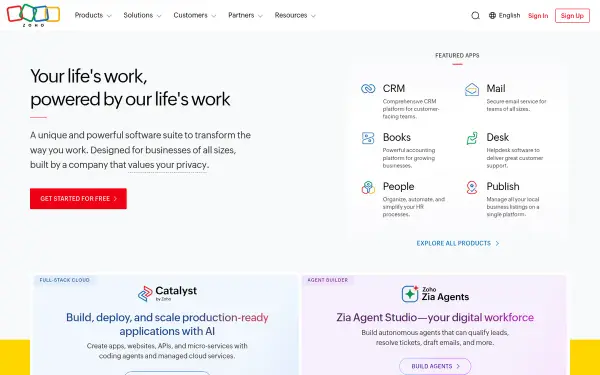
Zoho Inventory pitches itself at small businesses that sell through more than one channel, and the pricing is the headline. The Standard plan is $29 per organization per month billed annually for 2 users and 500 orders a month, and adding seats does not change the bill. There is also a permanent free tier covering 50 orders a month, 1 user and 2 locations, which is enough to run a genuine small store before committing.
Inside the product you get multichannel order and stock sync, warehouse and bin location tracking, purchase orders, packages, shipping workflows, reorder points and low-stock alerts. Serial number and batch tracking sit on higher tiers, which matters for anyone selling regulated or perishable goods. Sync with Zoho Books and Zoho CRM is native, so the accounting side is largely automatic if you already live in that stack.
The catch is the shape of the upgrade path. Order volume caps trigger jumps rather than gradual steps, and the Premium tier at $79 a month is worth benchmarking against rivals once you pass the Standard ceiling. Teams not using other Zoho apps get less from the tight linkage.
It is a good first paid system for a small seller with predictable order counts, and a weaker fit for a business that needs serial tracking on day one.
You want a small, predictable monthly cost and a free tier you can test before paying anything.
You need serial number tracking from the start or your order volume swings hard month to month.
Entry III of X / Production planning board
Our verdict
Production planning is the core product here, and the 30-SKU free tier lets a small maker prove the workflow first.
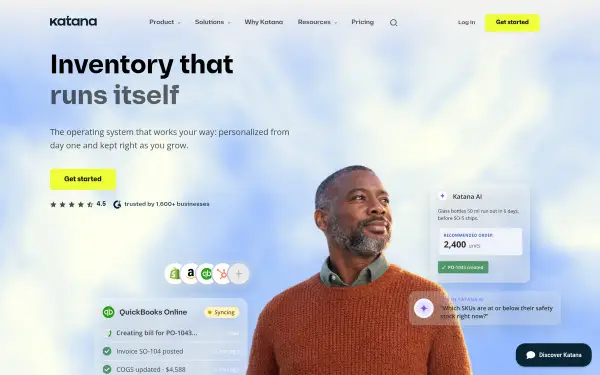
Katana is inventory software with manufacturing logic at the center. Bills of materials and production orders, a visual planning and scheduling board, and shop floor tasks sit alongside live stock levels, which means a small manufacturer does not have to bolt a separate production system onto a stock tracker. Unlimited users on every tier removes the usual per-seat arithmetic.
Pricing has moved. The paid entry point is now the scoped Advantage plan from $1,500 a month under one annual contract, a large step from the free tier that allows 30 SKUs and unlimited users. Cost scales with sales order volume and locations, so the number that matters is the price of the configuration you actually intend to run. Add-on modules of roughly $149 to $249 each inflate the total, and a fully configured setup can land near $500 to $800 a month.
The interface is approachable for non-technical teams, which is unusual in this category and shortens training. There is no trial, so the free tier is the way to test it: run one real product line for a month and see whether the planning board matches how your floor works.
It fits makers, small manufacturers and anyone who needs bills of materials. A pure reseller should not pay for production tooling.
You build or assemble products and need bills of materials and a scheduling board on the shop floor.
You only buy and resell, because you would be paying for production planning you never open.
Entry IV of X / QuickBooks two-way sync
Our verdict
The deepest QuickBooks link in this list, with barcode warehouse workflows, but manufacturing costs extra and there is no trial.
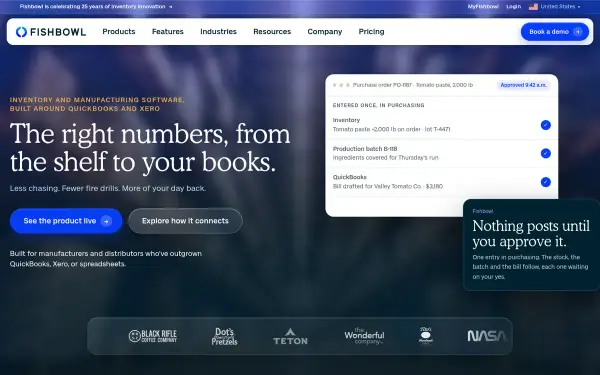
Fishbowl Inventory is the strongest QuickBooks play in this list. Two-way inventory posting with QuickBooks Online and Desktop means stock movements and accounting entries stay in step without a middleware layer, which is the single reason many small distributors end up here. Warehouse management with barcode workflows, purchase order and receiving controls, and stock valuation reporting round out the core.
The subscription comes in three tiers covering two, five or ten users, with cloud hosting included. Essentials is $229 a month billed annually for 2 users, Growth is $429 and Scale is $729. Tiered user counts make cost predictable at each step, but the steps are wide: moving from two to five users is a real budget decision rather than a small increment.
Two constraints deserve attention before you buy. Manufacturing is not in the base product; work orders, routings and traceability live in the separate Advanced Manufacturing product, which starts around $675 a month and is confirmed by quote. There is also no free tier and no trial, only a demo, and the implementation package is mandatory with its price unpublished.
That combination means you should ask for the full quote including implementation before comparing it with anything else. Strong fit for a QuickBooks-led warehouse, poor fit for a team that wants to start small and self-serve.
Your books live in QuickBooks and you need barcode-controlled warehouse processes that post stock automatically.
You want to self-serve a trial, or if production belongs in the same system as stock.
Entry V of X / Built-in B2B showroom
Our verdict
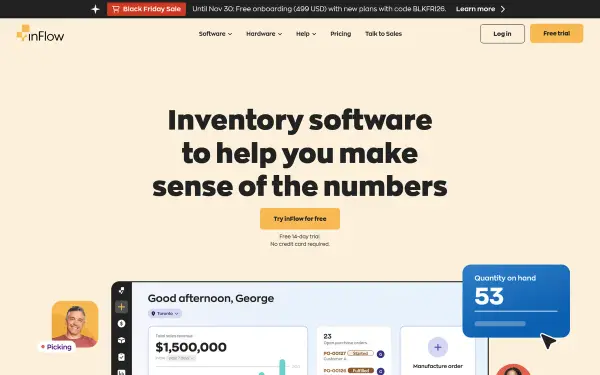
A built-in B2B showroom makes it a natural fit for distributors, though the pricing page did not load for this check.
inFlow Inventory leans on a built-in B2B showroom, which lets a wholesaler take orders without retyping them or paying for a separate portal. Customer pricing tiers for wholesale accounts sit alongside barcode scanning with mobile apps, purchase orders, stock reordering and multi-channel sales integration. For a distributor running a trade counter or a showroom, that combination covers a lot of daily work in one place.
Plan limits are stated plainly up front, which is rarer than it should be. The smallest plan allows only two users and a single location, so a business with a second warehouse or a fifth team member moves to the $349 tier quickly. Manufacturing features such as bills of materials and work orders cost $39 a month extra rather than being included.
The Entrepreneur tier covers 1,200 sales orders a year, and that number is the one to watch when sizing the plan. Pricing could not be verified for this update because the vendor page did not return a price, so treat the plan structure as the reliable part and confirm current numbers directly.
Barcode and mobile tooling is solid for warehouse work, and the showroom reduces manual order taking. It fits B2B sellers, wholesalers and distributors with a physical sales counter. Pure e-commerce sellers get less from the showroom.
You sell wholesale and want buyers ordering through your own showroom rather than by email.
You sell only online or expect to add a second warehouse within a year.
Entry VI of X / Photo-first item records
Our verdict
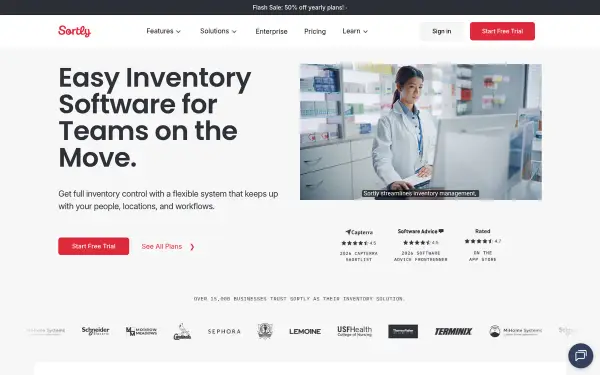
A fast, photo-first item tracker for equipment and supplies, not an order management or production system.
Sortly is a visual item tracker rather than an order management system. Records are photo-first, organized with folders and tags, and extended with custom fields for whatever attributes matter, such as serial numbers, suppliers or storage location. QR code and barcode label creation plus mobile scanning make it practical for teams walking around a site rather than sitting at a desk.
Stock level and quantity tracking, low stock alerts and multi-location item grouping cover the basics of knowing what you have and where it is. The Advanced plan is $24 a month billed annually for 500 items and 2 users, described as a 50% first-year discount, so year two costs more. There is a free tier for 100 items and 1 user and a 14-day free trial.
The limits matter more than the features here. There are no bills of materials, no component deduction and no cost-of-goods logic, so a manufacturer would need a second tool for production. Item and custom-field caps push users onto higher tiers as catalogues grow, and the advertised annual rate is promotional.
It suits facilities teams, field crews, labs and small businesses tracking equipment, supplies or tools. It does not suit a retailer needing purchase orders and multichannel sync, and it does not suit anyone who needs to cost what they build.
Your team needs to know where physical things are and wants to be productive on day one.
You sell products through channels or build anything from components, because the order and cost logic is absent.
Entry VII of X / Full integrated suite
Our verdict
Cheap per-user licensing gets you a full ERP stack on paper, but partner and customization costs decide the real bill.
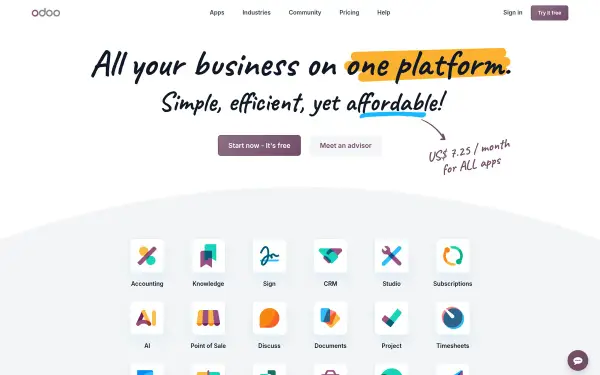
Odoo sells inventory as one app inside a much larger suite. The free tier gives you one app, so the inventory module alone runs with unlimited users at no cost. The Standard tier unlocks 40 or more integrated apps, which is where manufacturing, purchasing, sales, e-commerce, accounting and CRM come into play, all billed per user per month and all sharing one database.
On paper the license is the cheapest route to an integrated ERP stack. Standard is $7.25 per user per month billed yearly with a 12-month discount against a list price of US$ 8.95, and monthly billing is higher. Multi-warehouse and multi-step routes are there, and the Community edition can be self-hosted if you have the skills.
The gap between license and total cost is the story. Implementation, partner fees and customization usually dwarf the subscription, and the quality of your inventory data depends on how well the rest of the suite is configured. Promotional pricing applies only to the first 12 months and the initial users, so year two looks different.
It fits a business that wants one system for sales, stock and accounting and is prepared to invest in a partner-led rollout. It does not fit a small seller who wants to be live in a week on a fixed budget.
You want inventory, accounting and sales in one database and can budget for a partner-led implementation.
You need a fixed monthly cost and a self-serve setup you can finish yourself.
Entry VIII of X / Lot and serial traceability
Our verdict
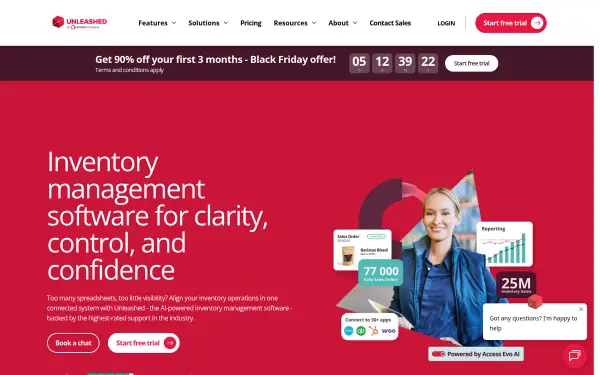
Lot, batch and serial traceability plus solid accounting links suit distributors, but pricing is aimed at mid-market budgets.
Unleashed is built for traceability. Batch, lot and serial number tracking with expiry date management makes it a natural fit for food, supplements and parts distribution, where being able to trace a unit back to a supplier batch is a compliance requirement rather than a nice extra. Landed cost calculations and visual dashboards for stock and margin round out the operational picture.
Accounting integrations with Xero and QuickBooks are mature, and the dashboards are readable for staff who are not finance people, which reduces the reporting burden on a small team. Sales order volume tiers carry fixed overage charges of up to $350 a month, so the plan has to match realistic peak volume rather than average volume.
Pricing sits at mid-market level rather than small business level. The vendor page did not show plan prices during this check, only a link to a separate plans page, so the figures need confirming directly. The Pro tier at $729 a month adds advanced inventory and B2B e-commerce functions, and advanced modules generally cost extra.
Unleashed is part of The Access Group. It fits wholesalers and distributors with traceability obligations and an existing Xero or QuickBooks setup. It does not fit a small retailer or a startup watching every monthly cost.
You must trace batches, lots or serials and already run your books in Xero or QuickBooks.
You are a small retailer or your monthly order volume swings widely, because overage charges bite.
Entry IX of X / POS and stock together
Our verdict
The lowest-effort option for a shop already on Square, and it runs out of road once warehousing or production starts.
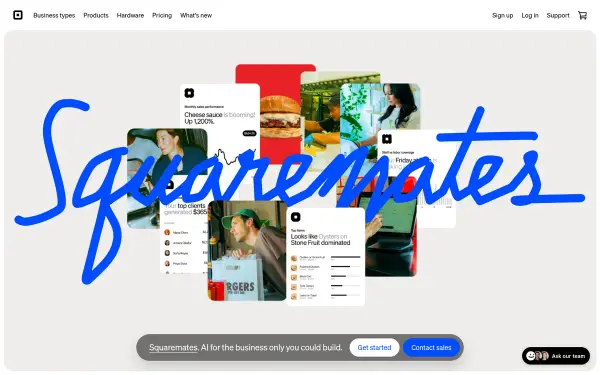
Square for Retail is the shortest path from taking payments to knowing your stock. It runs inside the Square point of sale and Square Online, so in-person and online sales update stock automatically with no integration to build or maintain. Purchase order creation and receiving, barcode label printing and scanning, inventory counts and adjustments, and item-level reporting cover the retail basics.
Setup is genuinely quick. A single shop can be operational in an afternoon, and the Square Free plan at $0 per location includes basic stock tracking. Square Plus at $49 per location per month adds the retail feature set, and there is a 30-day free trial of the paid tiers. Team permissions and multi-location support are included.
The limits appear as the business grows. There is no real warehouse management or production planning, and multichannel selling outside Square's ecosystem is limited. Per-location pricing also penalizes a retailer opening a third or fourth store, because the bill scales with sites rather than with revenue.
Treat it as an entry point. It fits small shops, cafes with retail shelves and pop-ups already banking through Square. It stops fitting the moment supply chains, wholesale pricing or manufacturing requirements appear, and that is usually the point where a dedicated system pays for itself.
You already take payments through Square and need stock to follow your sales without extra work.
You sell on Amazon, run a warehouse or need bills of materials, because the system stops short of all three.
Entry X of X / Multi-subsidiary ERP
Our verdict
Full ERP coverage and enterprise scale, with negotiated pricing and implementations that dwarf the license for most small firms.
NetSuite is a full cloud ERP with inventory inside it, not an inventory tool with add-ons. Multi-location inventory and demand planning, procurement and order management, financials, CRM and e-commerce modules all share one database, so stock, cash and customer records never need reconciling across systems. Multi-subsidiary and consolidation support plus compliance and audit controls are why larger firms end up here.
The strength is coherence at scale. It handles enterprise transaction volumes and complex organizational structures that break smaller systems, and the automation and workflow tooling can remove a lot of manual reconciliation.
The cost profile is the trade-off. There is no published pricing; everything is negotiated. The license combines a base platform fee with per-user and per-module charges plus an annual uplift, and implementation commonly runs into six figures with long deployment timelines. Ask for the full fee schedule, including the uplift, before comparing it with mid-market inventory tools that quote a monthly price.
It fits mid-size and large companies that need one system for finance and operations and have the budget and staff to run a real implementation. It is overkill for a small business, where a $29 to $349 a month tool covers the actual requirement.
You run multiple subsidiaries and need inventory and financials in one audited system.
You have one warehouse and a modest order count, because the implementation cost alone buys years of a smaller tool.
VBackground
Online inventory management software is the system that holds your stock count and updates it when something sells, ships, arrives or gets assembled. The online part matters: it is the shared record that a website, a marketplace, a warehouse scanner and an accountant all read from, rather than a spreadsheet on one laptop.
The category covers a wide range. At one end sit item trackers that photograph a box and store where it lives. At the other sit ERP suites where inventory, purchasing, manufacturing and financial statements live in the same database. Most buyers land somewhere in the middle and need four things:
What separates the tools is where each one stops. A retail system stops at the shop door. A manufacturing system starts at the bill of materials. A wholesale system cares about pricing tiers, lot traceability and landed costs. The best online inventory management software for your business is the one whose stopping point sits beyond your actual requirement, not far beyond it, because capability you never use is the most common way to overpay in this category.
This comparison sits in the software register. Further along the shore: baby tracking app and kennel software.
VIPricing
Pricing in this category rarely comes down to a single number. Four billing models show up repeatedly, and each one hides a different cost.
Flat monthly plans bundle a set number of users, orders and warehouses into one fee. They are predictable until you cross a limit, at which point the jump is a tier rather than a slope. Per-organization pricing charges once regardless of seats, which rewards teams that add people but not order volume. Scoped and quote-based pricing puts the vendor in charge of the number, and the configuration you describe determines the bill. Per-user pricing looks cheap at the headline rate and gets expensive with headcount.
The practical question is which limit will bind first: users, orders, locations or items. A five-person shop with 400 orders a month and a ten-person wholesaler with 4,000 orders a month need different models even at similar revenue.
| Model | How it bills | Typical fit | Example from this list |
|---|---|---|---|
| Flat monthly plan | Fixed fee per plan with included users, orders and warehouses | Sellers with steady volume | Cin7 Core at $349 a month for 5 users and 6,000 orders a year |
| Per organization | One price capped by order volume, seats do not change it | Small teams adding staff | Zoho Inventory at $29 a month for 2 users and 500 orders a month |
| Scoped annual contract | Vendor prices the configuration after scoping | Manufacturers with variable needs | Katana Advantage from $1,500 a month |
| Per user | Each additional user billed at the same rate | Firms buying a full suite | Odoo Standard at $7.25 per user per month billed yearly |
| Per location | Each site billed separately | Single-shop retail | Square Plus at $49 per location per month |
| Custom quote | Base platform plus per-user and per-module fees | Mid-size and large firms | NetSuite, quoted after scoping |
Two smaller details change the total more than buyers expect: promotional first-year rates that revert in year two, and mandatory implementation packages sold separately from the subscription.
Each entry card shows the starting price as it appeared on the vendor's own pricing page on November 25, 2026. When a vendor shows no figure we could confirm, or only a promotional rate, the card says "See website" or gives the regular price instead of a guess. Usage, overage and add-on rates in the text change more often than plan prices, so confirm them on the vendor page before you set a budget. To test the numbers against your own volume, try the free User Research Budget Planner. The Event Break-Even Calculator is a second way to check the same decision.
VIIDecision
Count your orders and users. Pull twelve months of sales order volume and the number of people who will log in weekly. That pair rules out most plan tiers before you look at features.
Decide whether you make anything. If you assemble, cut, blend or kit products, you need bills of materials and work orders. If you only buy and resell, skip that cost entirely.
List your channels and your accounting file. Shopify, Amazon, Walmart and QuickBooks each need a connector. Confirm the connector exists and is native before comparing prices.
Test the free tier or trial on real data. Import a product line, run a week of orders and count the manual corrections. Setup effort shows up here, not in a scripted demo.
Price the plan you will need in year two. Add the users, warehouses and order volume you expect twelve months out, then compare that number rather than the entry tier.
Get overage and renewal terms in writing. Order caps, item caps and location fees all generate charges. Ask for the overage rate and the renewal uplift before signing.
VIIIPitfalls
Buying on the entry price. The headline tier usually caps users, orders or items at a level a growing business passes within a year. Price the tier you will need, not the one advertised.
Assuming free plans scale. Free tiers run from 50 orders a month to 100 items to 30 SKUs, and each one stops at a hard line rather than growing with you.
Ignoring implementation cost. A mandatory implementation package or partner project can exceed the first year of subscription, and it is rarely on the pricing page.
Skipping the accounting test. Inventory that does not post cleanly to QuickBooks or Xero creates manual reconciliation every month. Confirm the integration is native and two-way before you commit.
Choosing a tracker for a manufacturing job. Photo-based item trackers have no bills of materials or component deduction. If you build products, the stock count will never match the components consumed.
IXQuestions
Start on a free tier. Zoho Inventory covers 50 orders a month, 1 user and 2 locations at no cost, Square Free tracks basic stock at $0 per location, Katana allows 30 SKUs with unlimited users, and Sortly covers 100 items. Paid plans then start at $24 to $29 a month on annual billing for a small catalogue.
You need them as soon as you assemble, cut, blend or kit a product from components. Katana builds bills of materials, production orders and a scheduling board into the base product, Odoo includes manufacturing in its Standard suite, and Fishbowl sells it separately as Advanced Manufacturing. A pure buy-and-resell business does not need any of it.
Small operations usually land between $24 and $79 a month on annual billing, with Sortly at $24 and Zoho Inventory at $29 as examples. Mid-size sellers move into the $229 to $729 band, where Fishbowl's three tiers sit at $229, $429 and $729 and Unleashed's Pro tier is $729. Larger firms negotiate custom ERP contracts, where implementation commonly runs into six figures.
Further than most buyers expect, but not far. Zoho Inventory stops at 50 orders a month, Sortly at 100 items and 1 user, Katana at 30 SKUs, Square at basic stock tracking per location, and Odoo's free tier covers one app with unlimited users. Each is enough to test a workflow, none is enough to run a growing catalogue.
Fishbowl Inventory has the strongest QuickBooks link in this list, with two-way inventory posting to both QuickBooks Online and Desktop. Unleashed also integrates with Xero and QuickBooks, and Cin7 Core includes accounting connectors among its 700-plus integrations. Confirm the integration is native for your specific QuickBooks edition before committing.
Rarely. NetSuite is justified when inventory, finance, CRM and multiple subsidiaries must share one database and the implementation budget exists. A small business with one warehouse and a few thousand orders a year gets the coverage it needs from a $29 to $349 a month tool, without a six-figure deployment.
XFurther along the shore
Vendors can ask for a correction or apply for a Featured listing. Paid or not, the entry is scored on the same rubric and its limits stay in print. Partner with Umberlake.
Free tools
Our free browser tools turn the prices on this page into a figure for your own volume. Nothing you type leaves your device.