
NinjaOne
See websitecustom quote
Best for mSPs prioritizing easy deployment and automation at scale
- Free plan
- No
- Rubric
- 6.6 of 10
Eight MSP platforms compared on RMM depth, PSA coverage, pricing model and setup time, so you can match the tool to your technician count and endpoint fleet.

IThe short answer
NinjaOne is the best managed service provider software in this list for MSPs that want fast deployment and automated patching at scale, as of November 2026. Atera suits small and mid-sized MSPs who prefer per-technician pricing with unlimited endpoints, and Syncro fits small MSPs that want RMM, PSA and Microsoft 365 management in one tool at a published rate of $129 per user per month. The other five entries cover AI-assisted workflows, deep automation and PSA-first customization.
8 tools compared from vendor pages on November 25, 2026. 2 publish a starting price we could read; the rest say "See website".
IITop three berths
Register order is editorial fit for the buyer each entry describes. Prices are the starting figures read on November 25, 2026.
See websitecustom quote
Best for mSPs prioritizing easy deployment and automation at scale
$149Professional, per technician per month, billed annually
Best for small to mid-sized MSPs on per-technician pricing

$129Core Plan, per user per month, billed annually
Best for small MSPs seeking all-in-one RMM and PSA
How this page is paid for. All 8 tools here are unpaid editorial picks.
A paid listing's position can be part of what the vendor pays for. Every entry, paid or not, is scored on the same rubric and keeps its limits in print. Advertising disclosure.
IIIThe register
Starting prices as shown on each vendor's pricing page on November 25, 2026. "See website" means no figure we could confirm.
| No. | Tool | From | Free plan | Trial | Rubric | Actions |
|---|---|---|---|---|---|---|
| 01 | NinjaOneMSPs prioritizing easy deployment and automation at scale | See websitecustom quoteQuote only | No | Free trial | 6.6 | |
| 02 | AteraSmall to mid-sized MSPs on per-technician pricing | $149Professional, per technician per month, billed annuallyUpdated on vendor page | No | 30-day free trial | 7.2 | |
| 03 | SyncroSmall MSPs seeking all-in-one RMM and PSA | $129Core Plan, per user per month, billed annuallyRead on vendor page | No | 14-day free trial | 7.2 | |
| 04 | SuperOpsModern RMM and PSA with AI-assisted workflows | See websitecustom quoteQuote only | No | Free trial | 6.2 | |
| 05 |  N-able N-centralLarge MSPs with complex or hybrid environments | See websiteNot shown publicly | No | Free trial | 5.3 | |
| 06 |  Datto RMMSecurity-focused endpoint management with backup depth | See websiteNot shown publicly | No | Free trial | 5.7 | |
| 07 | ConnectWise AutomateLarge MSPs needing deep automation | See websiteNot shown publicly | No | Free trial | 5.9 | |
| 08 |  HaloPSAPSA-first MSPs needing deep customization | See websiteNot shown publicly | No | Free trial | 4.9 |
Pinned:
IVMethod
Every tool here was scored against the same five criteria: RMM depth (25 percent), PSA coverage (20 percent), automation (20 percent), pricing clarity (20 percent) and setup speed (15 percent). RMM depth covers monitoring, patching and remote control. PSA coverage covers ticketing, contracts, billing and projects. Automation weighs scripting, policy engines and AI assistance. Pricing clarity rewards published figures and penalizes quote-only pages. Setup speed reflects how long a working deployment takes, not how good a demo looks.
Prices and plan facts come from vendor pricing pages checked on November 26, 2026. Where a page showed no figures, we say pricing is on the vendor site and do not estimate. Some tools could not be priced at all because no pricing page could be fetched during this review, and each is marked that way in its entry.
Any listing marked Featured is a paid placement. It is scored with the same rubric as every other entry, and its cons are listed in full. Placement does not change a score.
The order is editorial. It reflects fit for the buyer each entry describes, with the Featured position disclosed where it applies. Scores shape the writing but do not produce a weighted total that ranks the list.
The full routine, from price reads to corrections, is on the methodology page. Paid listings follow the advertising disclosure.
How far monitoring, patching, remote control and endpoint policy go without a second tool.
Whether ticketing, contracts, billing and projects live in the same product.
Scripting, policy engines and AI assistance for routine maintenance and remediation.
Published figures and predictable billing versus quote-only pages.
Time from purchase to a working deployment on a first client.
Entry I of VIII / Automated patching
Our verdict
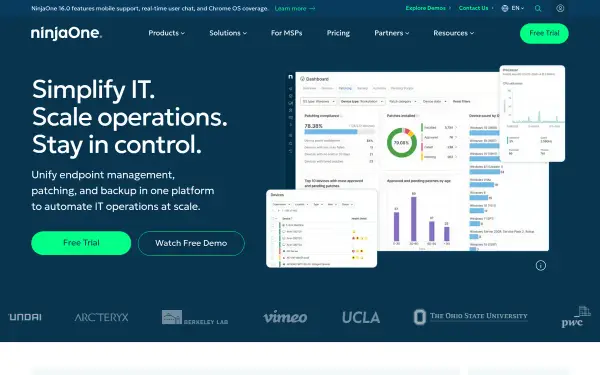
Fast to deploy and strong on automated patching, but you will bolt on a PSA and ask sales for a price.
NinjaOne is the fastest tool here to get running. The console is clean, policies apply in a few clicks, and patching runs on approval rules rather than one-off scripts, which helps when you manage large, similar fleets. Endpoint monitoring, backup, mobile device management and remote control sit in the same interface, so technicians work from one screen instead of four.
The automation layer does most of the heavy lifting. Policy-based automation handles routine maintenance and remediation, and AI-assisted patch checks flag updates that are likely to break something before they reach a client. Smaller teams notice the difference in the first week; larger teams notice it in the monthly patch window.
Pricing is the weak point. The vendor pricing page shows no figures, only a quote request form and a contact sales route, so you cannot budget from the site. Rates are per device and decline at high volumes, but remote access is a paid add-on in some bundles, and per-device pricing climbs as fleets grow. There is also no full native PSA, so billing and contract management need a separate tool such as HaloPSA. A free trial is offered.
You want automated patching at scale and will pair it with a PSA.
You need one product to run contracts and invoicing.
Entry II of VIII / Unlimited endpoints
Our verdict
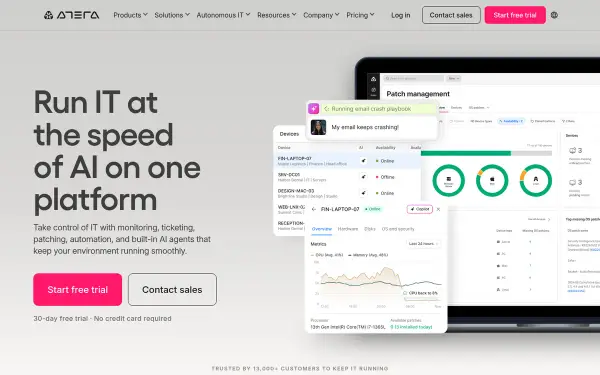
Per-technician pricing with unlimited endpoints and AI ticket agents makes it a strong fit for small MSPs watching headcount costs.
Atera sells on a simple promise: one price per technician, unlimited endpoints. The Professional plan starts at $149 per technician per month, billed annually, which makes forecasting easy for a small shop. Remote monitoring, patching, remote access, ticketing and billing are all included, so a small MSP can run the business from one login.
The AI agents are the current differentiator. They resolve routine tickets, which is where small teams lose hours, and the per-technician model means adding endpoints costs nothing extra. That structure rewards MSPs with many devices and few staff.
The same structure works against you as headcount grows. Every new technician adds a full seat cost, so a larger team pays noticeably more than it would on a per-device plan. PSA and billing depth is lighter than dedicated PSA tools, so complex contract and invoicing models may need something else. Mac and Linux support sits on higher tiers rather than the entry plan.
The 30-day free trial is long enough to test the AI agents on real tickets. Pricing is transparent compared with most of this list, and the entry figure is published on the vendor site.
You run a small team against a large device count.
You need deep contract and invoicing logic in the same tool.
Entry III of VIII / All-in-one value
Our verdict
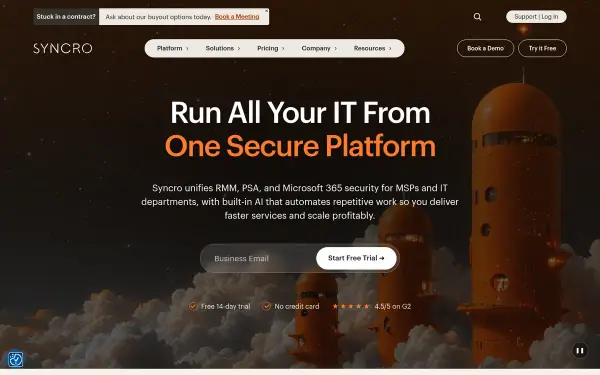
Published pricing, unlimited endpoints and built-in Microsoft 365 management make it the easiest all-in-one to budget for.
Syncro bundles RMM, PSA and Microsoft 365 security management into one product at a published price: $129 per user per month on the Core plan, billed annually, with a Team tier at $179. For a small MSP that does not want to stitch three vendors together, that combination covers monitoring, ticketing, billing and client onboarding in one place. Billing runs through the same platform, which removes the usual RMM-to-PSA sync problem.
Per-technician pricing comes with unlimited endpoints, so device counts do not move the bill. Microsoft 365 security management is built in rather than bolted on, and agentic service delivery handles repetitive ticket steps, which saves time on password resets and similar requests.
The trade-offs are depth. Scripting and reporting trail enterprise RMMs such as ConnectWise Automate, the integration library is smaller than ConnectWise's, and documentation features are basic, so a shop with heavy compliance documentation needs will feel the gap. Core pricing undercuts Atera at $149 per technician per month, and the 14-day trial is short but workable for a first pass. Syncro fits small MSPs better than large fleets.
You want one tool and one bill for a small MSP.
You need deep scripting, reporting or documentation.
Entry IV of VIII / Unified work queue
Our verdict
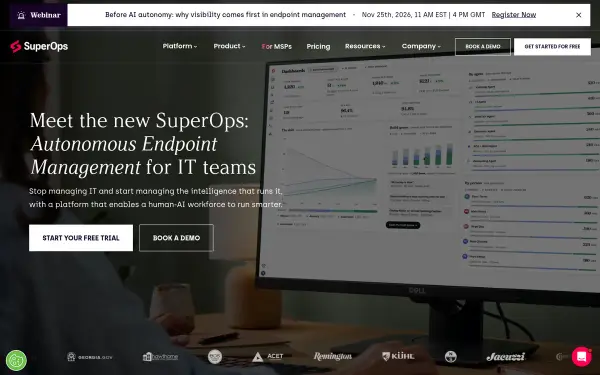
A clean unified queue and AI triage, offset by a younger platform and quote-based pricing that hides the entry cost.
SuperOps builds RMM and PSA as one product rather than two that talk to each other, and the unified work queue is the clearest expression of that. Tickets, alerts and patch jobs land in a single list, so a technician does not switch tabs to find out what needs attention next. Endpoint management, patching, ticketing and security management are all present, along with AI-assisted triage.
The interface is the newest in this list, which helps onboarding but also signals the trade-off: the platform is younger, the community is smaller, and advanced automation depth is still maturing. Guided onboarding partly offsets that, and a free trial lets a team test the queue on real tickets before committing.
Pricing is quote-based on the site, and the billing model is unusual. Entry pricing is per endpoint with a minimum endpoint count on one tier, while per-technician tiers are available at higher rates. The pricing page states the minimum but publishes no figures, which makes it hard to compare against Atera or Syncro without a sales conversation. Adding per-technician tiers on top of per-endpoint billing adds another layer of comparison work.
Pick SuperOps if your team wants a single queue and will trade a mature integration library for a cleaner daily workflow.
A single work queue matters more than a long integration list.
You need a published price before you shortlist.
Entry V of VIII / Hybrid monitoring
Our verdict
Deep hybrid monitoring and mature automation for large estates, but a dated interface and a slow, quote-only buying process.
N-central is the tool in this list for messy, hybrid estates. It monitors servers, networks, workstations and cloud workloads, automates patching and maintenance, and integrates with N-able's own backup and security products, which matters if you already run that stack. Alerting is mature, and the feature set reflects years of MSP use rather than a recent rewrite.
That history shows in the interface, which feels dated next to NinjaOne or SuperOps, and in setup. Tuning N-central takes longer than cloud-native rivals, and larger deployments often need implementation help, so plan for weeks rather than days before the first client is fully monitored. There is a free trial, but a trial does not show the tuning effort.
Pricing is quote-based. No public rates exist, and no pricing page could be fetched during this review, so the price is unverified and total cost depends on your quote. That is workable for a large, procurement-driven MSP and painful for a small shop that wants a number today. It is an RMM, not a PSA, so ticketing and billing come from elsewhere.
Pick N-central if monitoring depth across on-premises and cloud matters more than a modern interface.
You monitor complex on-premises and cloud estates.
You need fast self-serve setup or a published price.
Entry VI of VIII / Ransomware detection
Our verdict
Security-first RMM with ransomware detection and native Microsoft 365 control, sold through partners at unpublished rates.
Datto RMM leads with security. Ransomware detection is built into the endpoint agent, patching is automated, and policy and script automation cover the routine work. Native Microsoft 365 management for users, licenses and devices is included rather than sold as a separate tool, which is a real advantage for MSPs whose clients live in Microsoft 365.
The platform is closely paired with Autotask PSA and Datto backup, so a shop already in that ecosystem gets a coherent stack with fewer integrations to maintain. Cloud-hosted delivery means no server to run, and a free trial is offered.
The limits are commercial. Pricing is quote-based with no public rates, no pricing page could be fetched for this review, and the product is sold through partners only, so you cannot buy direct. Backup and PSA modules add to the total stack cost, which makes headline comparison against per-device rivals misleading. Endpoint monitoring, management and patching sit in one console.
Pick Datto RMM if security-first endpoint management and Microsoft 365 control are the priority and you are comfortable buying through a partner.
Ransomware detection and Microsoft 365 control are your first requirements.
You need to buy direct or see a price list.
Entry VII of VIII / Scripting depth
Our verdict
The deepest automation engine here for large MSPs, paid for in months of onboarding and a legacy console.
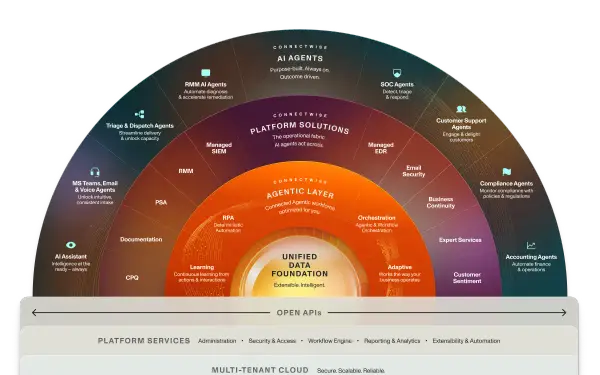
Automate has the deepest scripting and automation engine in this list. The policy framework and scripting engine handle onboarding, maintenance and remediation at a level the newer cloud tools do not match, and the community script library means most common tasks already have a starting point. It scales to tens of thousands of endpoints and integrates tightly with ConnectWise Manage PSA.
That capability costs time. The learning curve is steep, onboarding often runs for months, and the interface and underlying architecture show legacy roots. A small team without a dedicated automation specialist will use a fraction of what the product can do and pay for the rest in setup hours.
Pricing is quote-based with no public rates, and no pricing page could be fetched for this review, so the figure is unverified until you talk to sales. Remote monitoring is included, and a free trial is offered, but a trial undersells the product because the value sits in the scripts you build over time. It is an RMM, so contracts and invoicing come from the paired PSA.
Pick Automate if you already run ConnectWise Manage and have someone who enjoys writing scripts.
You have a scripting specialist and a ConnectWise Manage estate.
You want a modern console or a fast rollout.
Entry VIII of VIII / PSA customization
Our verdict
A customizable PSA that handles contracts and billing well, provided you pair it with a separate RMM.
HaloPSA is a PSA, and the first thing to understand is what that leaves out. Endpoint monitoring, patching and remote control are not part of the product, so it needs a paired RMM such as NinjaOne. What you get instead is ticketing, contracts, billing, projects, service level management and ITIL-aligned workflows with a level of customization the all-in-one tools do not attempt.
That customization is the draw. Billing rules, contract structures and workflow states can be shaped to how the business actually runs, and RMM integrations mean tickets and devices stay in step with the monitoring layer. MSPs with unusual commercial models or strict ITIL processes tend to end up here.
Configuration depth cuts both ways. A serious implementation takes longer than a cloud RMM's, and someone has to own the setup. Pricing is quote-based with no public rates, and no pricing page could be fetched for this review, so cost is unverified until you request a quote. A free trial exists, and it is worth spending on contract and billing configuration rather than tickets.
Pick HaloPSA if the PSA is the center of your operation and you want to bend it to your processes.
Complex contracts and billing are the core of your operation.
You need one tool that also monitors and patches endpoints.
VBackground
Managed service provider software is the toolkit an MSP uses to run client IT at a distance and run its own business. It splits into two halves that are sometimes sold together and often are not.
RMM (remote monitoring and management) is the technical half. It installs an agent on each endpoint, watches health and alerts, pushes patches, runs scripts and opens a remote control session when something breaks. NinjaOne, Datto RMM, N-able N-central and ConnectWise Automate are RMM tools in this list.
PSA (professional services automation) is the business half: ticketing, contracts, billing, projects and service level management. HaloPSA is a PSA. Without one, technicians work in the RMM and someone rekeys the time into an invoicing tool.
Some products ship both. Syncro, Atera and SuperOps include RMM and PSA in one platform, which is why they suit small teams that cannot afford integration work or duplicate records.
The practical question is not which category is better but where the seams should sit. A shop with simple contracts can run one all-in-one tool. A shop with complex billing, or one managing thousands of endpoints across hybrid infrastructure, usually ends up with a deep RMM and a deep PSA, integrated.
MSPs often add backup, security and documentation tools on top. The entries below score each product on how much of the core job it covers and how clear it is about the price.
This comparison sits in the software register. Further along the shore: baby tracking app and kennel software.
VIPricing
Pricing in this category follows a few models, and which one a vendor picks tells you who it is built for.
Per technician charges a flat fee for each seat and usually throws in unlimited endpoints. It suits a shop with many devices and few staff, and it punishes growth in headcount.
Per device charges for each monitored endpoint, often at a rate that declines at volume. It suits stable fleets and predictable headcount, and it gets expensive when devices grow faster than revenue.
Quote-only hides the number behind a sales call and usually bundles modules. It is common among enterprise RMMs and PSA tools, and it makes comparison work harder.
| Model | How it bills | Typical fit | Example from this list |
|---|---|---|---|
| Per technician | Flat fee per seat, unlimited endpoints, annual billing | Small to mid-sized MSPs with many devices | Atera at $149 per technician per month |
| Tiered per user | Published plan tiers per user, annual billing | Small MSPs that want a public price | Syncro Core at $129 and Team at $179 per user per month |
| Per device | Rate per monitored device, often declining at volume | MSPs with steady fleets | NinjaOne, per device, quote only |
| Hybrid | Per endpoint at entry with a minimum, per technician at higher tiers | Teams wanting a low entry point | SuperOps, quote only |
| Quote only | Custom quote after a sales call, module dependent | Large or hybrid estates | N-able N-central, Datto RMM, ConnectWise Automate, HaloPSA |
Watch the add-ons. Remote access is a paid extra in some NinjaOne bundles, and Datto RMM's backup and PSA modules raise total stack cost. Compare full stack cost, not the headline seat price.
Each entry card shows the starting price as it appeared on the vendor's own pricing page on November 25, 2026. When a vendor shows no figure we could confirm, or only a promotional rate, the card says "See website" or gives the regular price instead of a guess. Usage, overage and add-on rates in the text change more often than plan prices, so confirm them on the vendor page before you set a budget. To test the numbers against your own volume, try the free User Research Budget Planner. The Event Break-Even Calculator is a second way to check the same decision.
VIIDecision
VIIIPitfalls
IXQuestions
It usually includes remote monitoring and management, patching, remote access, ticketing, billing and reporting, though rarely all in one product. NinjaOne covers monitoring, patching, backup, MDM and remote control but has no full native PSA. Syncro and Atera include RMM and PSA together. HaloPSA is PSA only and needs a paired RMM for endpoints.
RMM watches and manages endpoints: monitoring, patching, alerts and remote control. PSA runs the business: tickets, contracts, billing and projects. RMM tools here include NinjaOne, Datto RMM, N-central and Automate. HaloPSA is pure PSA. Syncro, Atera and SuperOps ship both in one product, which is why small MSPs often start there.
Per-technician pricing wins when devices outnumber staff. Atera at $149 per technician per month and Syncro at $129 per user per month both include unlimited endpoints, so a small team managing a large fleet pays the same either way. Once headcount outgrows the fleet, per-device pricing usually costs less.
Cloud-native tools are designed to go live quickly. NinjaOne is built for fast setup, and SuperOps includes guided onboarding. Enterprise tools take longer: N-central needs tuning for hybrid estates, and ConnectWise Automate onboarding often runs for months. Budget implementation help for those two.
When contracts, billing and service levels get complicated. The PSA and billing depth in Atera is lighter than a dedicated PSA, and NinjaOne has no full native PSA at all. If you run multi-tier contracts, project billing or strict ITIL workflows, pair an RMM with HaloPSA.
Yes, at small scale. Syncro, Atera and SuperOps build RMM and PSA in one product, which removes integration work and duplicate records. Depth is the trade-off, so some teams later split the stack.
XFurther along the shore
Vendors can ask for a correction or apply for a Featured listing. Paid or not, the entry is scored on the same rubric and its limits stay in print. Partner with Umberlake.
Free tools
Our free browser tools turn the prices on this page into a figure for your own volume. Nothing you type leaves your device.