
Clio Manage
$49Starter, per user per month
Best for solos who want room to scale and the widest integrations
- Free plan
- No
- Rubric
- 8.6 of 10
Seven tools for the one lawyer office, from published $49 entry tiers to quote only platforms, with what each costs and where trust accounting actually lives.

IThe short answer
The best law practice management software for solo lawyers in November 2026 depends on which problem costs you most. Clio Manage ($49 per user per month on Starter) fits solos who want integrations and room to scale; MyCase ($50 per user per month on Basic, billed annually) fits consumer facing practices that win on responsiveness; PracticePanther ($49 per user per month on Solo) fits one person offices that want no code automation. Every price below was checked on November 26, 2026.
7 tools compared from vendor pages on November 25, 2026. 4 publish a starting price we could read; the rest say "See website".
IITop three berths
Register order is editorial fit for the buyer each entry describes. Prices are the starting figures read on November 25, 2026.
$49Starter, per user per month
Best for solos who want room to scale and the widest integrations

$50Basic, per user per month, billed annually
Best for consumer facing solos who compete on client responsiveness

$49Solo, per user per month
Best for one person offices that want no code workflow automation
How this page is paid for. All 7 tools here are unpaid editorial picks.
A paid listing's position can be part of what the vendor pays for. Every entry, paid or not, is scored on the same rubric and keeps its limits in print. Advertising disclosure.
IIIThe register
Starting prices as shown on each vendor's pricing page on November 25, 2026. "See website" means no figure we could confirm.
| No. | Tool | From | Free plan | Trial | Rubric | Actions |
|---|---|---|---|---|---|---|
| 01 | Clio ManageSolos who want room to scale and the widest integrations | $49Starter, per user per monthRead on vendor page | No | 7 day free trial, no credit card | 8.6 | |
| 02 | MyCaseConsumer facing solos who compete on client responsiveness | $50Basic, per user per month, billed annuallyRead on vendor page | No | 10 day free trial, no credit card required | 8.4 | |
| 03 | PracticePantherOne person offices that want no code workflow automation | $49Solo, per user per monthRead on vendor page | No | 7 day free trial, no credit card needed | 8.1 | |
| 04 | CosmoLexSolos who need legal accounting and trust compliance in one system | $49Launch, per user per monthRead on vendor page | No | Free trial, no credit card needed | 7.1 | |
| 05 |  SmokeballDocument heavy practices losing billable time to manual timers | See websitecustom quoteQuote only | No | Demo only | 6.7 | |
| 06 |  Rocket MatterSolos whose main operational problem is getting paid | See websitePricing provided through the sales processNot shown publicly | No | Demo only | 6.6 | |
| 07 |  LEAPHigh volume practices that draft the same documents repeatedly | See websitecustom quoteQuote only | No | Demo only | 6.6 |
Pinned:
IVMethod
We scored seven platforms against five criteria: price transparency, core practice fit, trust accounting, learning curve and integration depth. Weights sit in the rubric above. We did not run the software hands on. Scores come from published feature and pricing documentation, the vendor pricing pages noted in each entry, and the limits the vendors themselves disclose.
Prices in this list were read from vendor pricing pages on November 26, 2026 and are kept in the form the vendor published. Where a vendor publishes no figure, the entry says pricing is on the vendor site or quote only, and we do not estimate a number. Where a vendor changed how it publishes price, we say so and tell you what to ask for.
The order is editorial. Each entry is placed for the buyer described in its bestFor line, with a disclosed Featured position where one exists. A Featured listing is a paid placement, scored with the same rubric, given the same scrutiny on cons, and never scored higher because of the placement. No vendor sees this draft before publication.
Two practical notes for a solo reading this in November 2026. Entry tiers are advertising; the tier you will work in is usually one or two steps up. And trust accounting is the one module to confirm in writing, because it is the feature that turns a billing error into a bar complaint.
Reconfirm every price on the vendor page before you buy.
The full routine, from price reads to corrections, is on the methodology page. Paid listings follow the advertising disclosure.
Whether the vendor publishes tier prices and renewal terms a solo can compare before booking a call.
How much of daily solo work (matters, calendar, documents, billing) is covered without extra purchases.
Depth of client ledger, reconciliation and overdraft safeguards, and whether trust sits in the base tier.
How quickly a first time solo with no dedicated admin can configure the system and run live work.
Breadth of connectors to email, payments, accounting and the tools a solo already uses.
Entry I of VII / Integration breadth

Our verdict
The safest long term pick for a solo who expects to grow, provided you budget for the second tier from the start.
Clio Manage starts at $49 per user per month on the Starter plan, and that tier covers matter and case management, billing and invoicing with payment collection, built in trust and client ledger accounting, and access to more than 250 third party integrations. What Starter leaves out is the client portal and the fuller reporting that a working solo usually wants within the first few months.
Above Starter, tiers commonly priced between $79 and $99 per user per month add intake, advanced reporting and AI assisted features. Intake and some AI tools are sold as separate products rather than folded into a plan, so ask specifically what is included. Buyers often start low and move up within the first year, which means the second tier, not the headline, is the budget line to plan around.
The case for Clio is durability. Trust accounting and billing are treated as core rather than as add ons, and the data and the skills you build stay usable when the practice adds a second or third lawyer. Bar association member discounts are reported in some jurisdictions, so check yours before buying. Card processing fees apply on client payments and should be modeled into cost per matter.
It fits solos who want room to scale and the widest integrations. It fits less well a solo who wants the portal, reporting and intake included in one predictable bill on day one.
You expect to add lawyers within a few years and want the widest set of connectors.
The portal, intake and full reporting all need to be included on day one.
Entry II of VII / Client communication tools
Our verdict
Client communication is the product here, and a solo competing on responsiveness gets portal, texting and billing in one predictable bill.
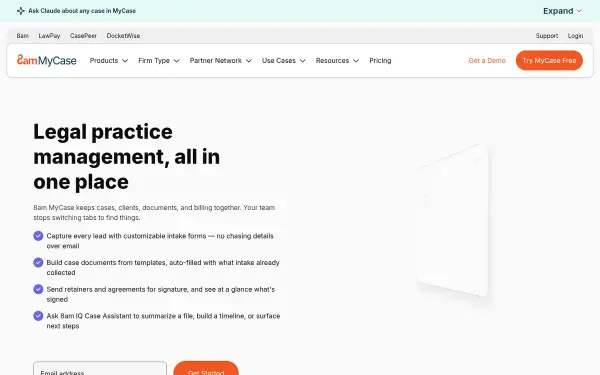
MyCase starts at $50 per user per month on Basic, billed annually, and the differentiator is client facing: a portal for documents, messages and payments, two way texting tied to the matter, and e signature. For a consumer practice that competes on responsiveness, those surfaces are the product rather than a bonus.
Core functions are bundled rather than metered. Case and matter management, billing with online payment and trust accounting all sit in the base flow, which keeps the bill predictable and stops a solo with no dedicated admin from stitching three tools together. Published tiers in 2026 checks run Basic at $50 per user per month billed annually ($60 monthly), Pro at $100 or $120, and Advanced at $130 or $150.
The limits show up on the upper end. Advanced reporting and some automation sit in the highest tier, the integration catalogue is smaller than Clio's, and card processing fees are charged on top. Tier jumps are steep, with Pro roughly doubling Basic, so map required features to a tier before committing. If you need reporting or deeper automation in month one, price Advanced rather than Basic.
It fits consumer facing solos who compete on client responsiveness and want one bill. It fits less well a practice that needs a wide integration set early. The 10 day free trial requires no credit card, which is enough time to run a live matter through the portal.
Your clients judge you on how quickly and clearly you respond.
You need deep reporting or an unusually wide set of integrations.
Entry III of VII / No code automation
Our verdict
A full product at the Solo tier, with no code automation that sets up a matter end to end without a consultant.
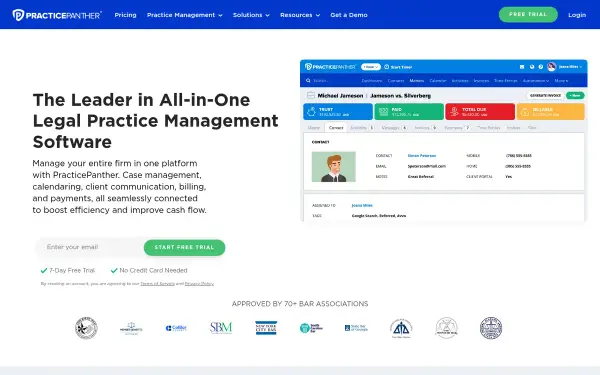
PracticePanther's Solo plan at $49 per user per month is a full product rather than a stripped lead in, and the reason most solos choose it is no code workflow automation. Automation chains tie matter setup, checklists, reminders, documents and calendar entries together, so a new matter generates its own to do list without anyone writing a rule.
Trust accounting, billing and payment collection, intake forms, a client portal, and calendar and task management are all in the box. The learning curve has a reputation for being short, which matters when the person configuring the system is also the person doing the billable work. Automation still takes setup time before it pays back, so plan a week rather than an afternoon for the first few chains.
Tiers in current checks run Solo at $49 per user per month billed annually ($59 monthly), Essential at $69, Business at $89 and Business Pro at $114. Trust and accounting depth varies by tier, with the fuller bundles at the top, so confirm which tier carries full trust accounting before you buy. Reporting is functional rather than deep, and payment processing plus some extras add cost on top of the subscription.
It fits one person offices that want automation without hiring a consultant. It fits less well a solo whose main need is heavyweight financial reporting or a large integration catalogue.
Repeatable checklists and document steps eat your week and you want to automate them yourself.
You need deep financial reporting or advanced trust tooling on the cheapest tier.
Entry IV of VII / Legal trust accounting
Our verdict
Pick it when trust compliance and bookkeeping are the headache, and accept that matter management is a step behind the leaders.
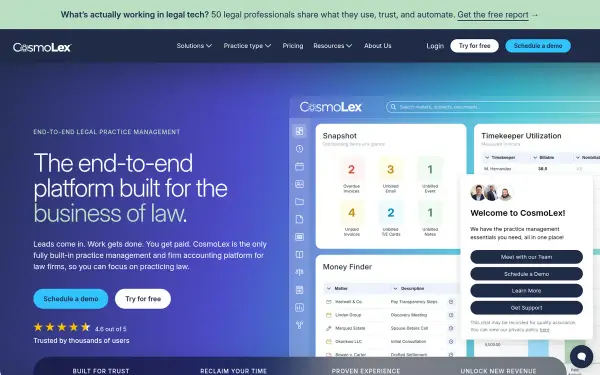
CosmoLex is the pick when trust compliance and bookkeeping are the problem rather than the client portal. Legal accounting with a general ledger, trust accounting with overdraft safeguards, and three way reconciliation between banks, books and matters are native to the system rather than synced from somewhere else. The trust balance you see is the one in the books.
Matter management, billing and invoicing, a client portal and built in payment processing are all present, but matter management and the client experience are less polished than the leaders. That is the trade: one vendor and one bill for two systems that usually live apart, in exchange for a plainer interface and a smaller integration set.
Pricing in current checks lists Launch at $49 per user per month, Core at $99 and Pro at $129. Published starting prices vary across secondary sources, and some older guides cite higher entry figures, so confirm the Launch terms on the vendor's pricing sheet before you rely on that number. A practical limit worth testing early: an outside accountant has to adopt its books, so ask yours whether they will before you switch.
It fits solos who need legal accounting and trust compliance in one system and who are happy to keep their books inside their practice software. It fits less well a solo who mostly wants a polished client facing tool and a large integration catalogue.
Trust reconciliation currently happens across two systems and one spreadsheet.
Your bookkeeper will not move onto new accounting software.
Entry V of VII / Automatic time capture

Our verdict
Recovered billable hours are the pitch, and the forms library backs it up, but you cannot get a public price to compare.
Smokeball's argument is recovered time. Automatic time capture reads activity in documents and email and turns it into billable entries, which targets practices that lose hours to manual timers. Behind that sits a library of more than 20,000 legal forms and letters, document automation populated from matter data, and deep Outlook and Word integration.
Matter management, billing and invoicing and trust accounting round out the core. The catch is that automatic capture works best inside its own document ecosystem, so a practice that keeps drafting in other tools will see less of the benefit. Migration and form customisation take real effort, and some workflows carry a Windows centric history worth checking against your own setup.
Pricing is quote only. All four named tiers show only a Get Pricing option, and the figure depends on size and modules, so there is no public list price to set against the $49 to $130 tiers elsewhere in this list. Ask for tier contents and renewal terms in writing, and put the quote beside a published price from a rival before you decide.
It fits document heavy practices that draft the same letters and forms repeatedly and can justify the setup work. It fits less well a solo on a tight budget who needs a number today, or one who works entirely outside Microsoft tools.
You write the same letters and forms weekly and bill by the hour.
You need a published price, a short setup, or you draft outside Microsoft Office.
Entry VI of VII / Billing and payments
Our verdict
Billing and payment flow done well, wrapped in a fast interface, sold at a quote you cannot check against a list price.
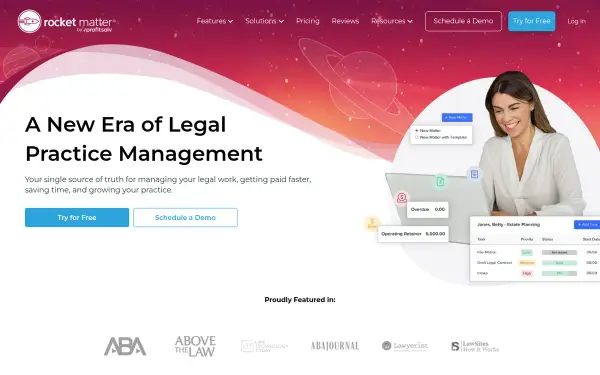
Rocket Matter is organized around getting paid. Time tracking with timers, invoicing with payment links and trust accounting sit at the center, and the interface is fast and low friction, which is what a solo balancing a timer against a phone call actually needs. Matter management and calendar and task management are present without being the pitch.
The limits are visibility and ecosystem. There is no publicly published price in verified sources, so you cannot line it up against the $49 to $130 tiers without a call. The integration ecosystem is smaller than Clio's, design and feature release pace has been steadier than the leaders, and AI development is less visible than at newer competitors. Our check of the pricing page returned no content, so even the plan note could not be verified, and a quote is the only figure to work with.
What it does have is a long track record with small firms and solos, and sibling accounting and payment products within reach if you want them. Ask for a written quote for your exact configuration, including module list and renewal terms, and compare it against a published price from another vendor on this page.
It fits solos whose main operational problem is getting paid and who value a quick interface over a sprawling feature set. It fits less well a solo who wants a published price and a wide integration catalogue on day one.
Collecting invoices is the bottleneck and you want the shortest route from timer to payment link.
You will not sign without a published price or need deep integrations.
Entry VII of VII / Precedent content library

Our verdict
Content is the reason to buy, so value depends entirely on whether your jurisdiction and practice area are covered.
LEAP is content first. A maintained library of automated legal forms and precedent documents, document assembly from matter data, and practice area workflow content are the reasons firms choose it, and in a high volume practice those precedents return drafting hours quickly. Time recording and billing, trust accounting, matter management and legal accounting modules cover the rest of the stack in one system.
The value is jurisdiction dependent, and that is the thing to test. Before valuing LEAP, confirm that the documents your state and practice area use most already exist in the library, because a library that does not cover your work is a subscription you pay for anyway. The bundled model also charges for breadth a solo may not use, and moving existing templates and habits into the system is a project rather than an afternoon.
Pricing is quote only. The page offers request pricing with no figure published, so put the quote beside a platform that publishes $49 per user per month and ask what the difference buys you each month, module by module, at your seat count.
It fits high volume practices that draft the same documents repeatedly, and solos who would otherwise maintain a template folder across years. It fits less well a solo in a niche practice area with few standard forms, or one who wants a published price before the first call.
Your practice area has standard forms and you draft them constantly.
Your work is bespoke, or your jurisdiction is thinly covered in the library.
VBackground
Law practice management software is the system of record for a legal matter: contacts, matters, calendar, tasks, documents, time, billing and trust money in one place. The best law practice management software for solo work does the same job with fewer seats, less setup and a price that survives a slow month.
Across the seven tools here, the common areas to check are matter and case management, invoicing with online payment and trust accounting; time capture and a client portal are not offered by every vendor. What differs is where each module sits in the tier structure, and whether accounting is native or bolted on through an integration.
A legal specific tool differs from generic project management in three ways:
Generic tools can be made to work for a while, and plenty of solos start there. The gap shows up when a client asks for a ledger, when a fee dispute needs a time record, or when you add a second lawyer and the shared spreadsheet stops being a source of truth. At that point the migration is more expensive than the subscription would have been.
This comparison sits in the software register. Further along the shore: baby tracking app and kennel software.
VIPricing
Pricing in this category takes two shapes: a published per user rate and a quote per firm. Expect $49 to $130 per user per month on the platforms that publish, and expect a quote based vendor to ask about seat count, modules and document volume before naming a number.
| Model | How it bills | Typical fit | Example from this list |
|---|---|---|---|
| Published per user | Fixed rate per user per month, often cheaper billed annually | Solo who wants a known number and room to add a seat | Clio Manage at $49 per user per month on Starter |
| Published tiers | Rate rises with features, billed annually or monthly | Solo mapping required features to a tier before buying | MyCase Basic at $50 per user per month billed annually, with Pro roughly doubling it |
| Bundled accounting | Per user, with general ledger and trust inside the same system | Solo replacing practice software plus bookkeeping | CosmoLex Launch at $49 per user per month |
| Quote per firm | Vendor prices by size and modules | Document heavy or unusual practices | Smokeball, Rocket Matter and LEAP all quote |
Three things move the real number. The tier you actually need is often one or two steps above the headline, card processing fees are charged on top of client payments, and some products sell intake or AI tools as separate products. Add those before you compare anything.
Ask every vendor for the figure at your seat count, for the module list, and for renewal terms in writing. Where pricing is quote only, put the quote beside a published price from this list so you are comparing numbers rather than presentations.
Each entry card shows the starting price as it appeared on the vendor's own pricing page on November 25, 2026. When a vendor shows no figure we could confirm, or only a promotional rate, the card says "See website" or gives the regular price instead of a guess. Usage, overage and add-on rates in the text change more often than plan prices, so confirm them on the vendor page before you set a budget. To test the numbers against your own volume, try the free User Research Budget Planner. The Event Break-Even Calculator is a second way to check the same decision.
VIIDecision
VIIIPitfalls
IXQuestions
Published entry tiers start at $49 or $50 per user per month, and higher tiers cost more depending on the features you need. Clio Manage starts at $49 on Starter, MyCase at $50 on Basic billed annually, and PracticePanther at $49 on Solo. Higher tiers add intake, advanced reporting or fuller trust bundles, so check the vendor pricing page and add card processing fees and any separately sold products.
Not by law, but in practice yes. Trust accounting needs client ledger tracking, three way reconciliation and overdraft safeguards, and general bookkeeping tools do not model a client ledger per matter. CosmoLex builds this in as a general ledger plus trust accounting, and Clio and MyCase treat trust accounting as a core module rather than an add on.
For a while, and many do. The break point is usually a trust reconciliation, a fee dispute or a matter you have to reconstruct years later. Once you must show a client ledger or prove which documents went out and when, stitching three tools together costs more than the subscription would.
MyCase and PracticePanther are the gentlest starting points. MyCase bundles the portal, two way texting, billing and trust accounting into one flow that a solo with no dedicated admin can run alone, and PracticePanther's automation is configured without code. Clio asks for more setup because intake and fuller reporting sit above the entry tier.
Ask for your own matter, not a canned one. Give the vendor a matter with a trust deposit, an overdue invoice and a document that needs generating, then watch the clicks. Insist on seeing which tier each feature sits in, whether intake or AI is a separate product, and what the renewal terms say in writing.
Published tiers sell themselves and make comparison easy, which is why Clio, MyCase, PracticePanther and CosmoLex list them. Smokeball, Rocket Matter and LEAP provide pricing through a quote, so a quote is the only real number. That is not automatically worse, but it puts the burden on you to set the quote beside a published price.
XFurther along the shore
Vendors can ask for a correction or apply for a Featured listing. Paid or not, the entry is scored on the same rubric and its limits stay in print. Partner with Umberlake.
Free tools
Our free browser tools turn the prices on this page into a figure for your own volume. Nothing you type leaves your device.