
Okta
$6Starter, per user per month, billed annually, $1,500 annual contract minimum
Best for workforce single sign-on and lifecycle automation at scale
- Free plan
- No
- Rubric
- 7.7 of 10
Ten identity platforms compared on integration depth, governance, pricing clarity and fit, with vendor pricing pages checked on November 26, 2026.

IThe short answer
Okta is the top pick in this November 2026 guide to the best identity management software, because its application catalog and joiner, mover, leaver automation suit large workforces. Microsoft Entra ID is the value choice for organizations already on Microsoft 365 and Azure, and JumpCloud fits small teams that want a directory plus device management from one console. Seven more tools follow, covering identity governance, customer login and multi-factor authentication.
10 tools compared from vendor pages on November 25, 2026. 5 publish a starting price we could read; the rest say "See website".
IITop three berths
Register order is editorial fit for the buyer each entry describes. Prices are the starting figures read on November 25, 2026.
$6Starter, per user per month, billed annually, $1,500 annual contract minimum
Best for workforce single sign-on and lifecycle automation at scale

FreeFree tier included, with paid capabilities commonly bundled into Microsoft 365 E7 or Entra Suite
Best for organizations already standardized on Microsoft 365 and Azure

See website
Best for small and mid-size teams wanting directory plus device management
How this page is paid for. All 10 tools here are unpaid editorial picks.
A paid listing's position can be part of what the vendor pays for. Every entry, paid or not, is scored on the same rubric and keeps its limits in print. Advertising disclosure.
IIIThe register
Starting prices as shown on each vendor's pricing page on November 25, 2026. "See website" means no figure we could confirm.
| No. | Tool | From | Free plan | Trial | Rubric | Actions |
|---|---|---|---|---|---|---|
| 01 | OktaWorkforce single sign-on and lifecycle automation at scale | $6Starter, per user per month, billed annually, $1,500 annual contract minimumUpdated on vendor page | No | Free trial | 7.7 | |
| 02 | Microsoft Entra IDOrganizations already standardized on Microsoft 365 and Azure | FreeFree tier included, with paid capabilities commonly bundled into Microsoft 365 E7 or Entra SuiteRead on vendor page | Yes | No | 7.7 | |
| 03 | JumpCloudSmall and mid-size teams wanting directory plus device management | See websiteNot shown publicly | Yes | No | 5.8 | |
| 04 |  Ping IdentityEnterprises needing flexible, design-your-own identity orchestration | See websiteNot shown publicly | No | Free trial | 6.2 | |
| 05 | SailPointIdentity governance, access certification and compliance evidence | See websiteNot shown publicly | No | No | 6.6 | |
| 06 |  Auth0Customer-facing login for product and engineering teams | FreeFree tier up to 25,000 monthly active users, paid tiers from $35 per monthRead on vendor page | Yes | No | 6.6 | |
| 07 |  RipplingHR-driven account and device provisioning for fast-growing companies | See websitecustom quoteQuote only | No | No | 6.1 | |
| 08 | DuoFast, user-friendly multi-factor authentication | FreeDuo Free up to 10 users, paid editions from $3 per user per monthRead on vendor page | Yes | Free trial | 6.6 | |
| 09 |  OneLoginStraightforward SSO for mid-size organizations | $3Basic, per user per monthUpdated on vendor page | No | Free trial | 6.4 | |
| 10 | SaviyntCloud-native converged identity governance and privileged access | See websiteNot shown publicly | No | No | 6.4 |
Pinned:
IVMethod
Every tool here was scored against the same five criteria: integration depth, governance controls, ease of deployment, pricing clarity and lifecycle automation. Integration depth covers how many real applications and standards a platform connects to without custom code. Governance controls cover certifications, access reviews and audit evidence. Ease of deployment covers how much specialist help a normal IT team needs to get live. Pricing clarity rewards vendors who publish numbers and penalizes quote-only pages. Lifecycle automation covers joiner, mover and leaver handling.
Weights reflect common buying priorities: integration depth 25 percent, governance 20, deployment ease 20, pricing clarity 20, automation 15. A high score in one area does not cancel a weak one, and the review text names limits as well as strengths.
Prices and plan facts come from vendor pricing pages checked on November 26, 2026. Where a page returned no text or no figure, the review says so and the price is marked as being on the vendor site rather than guessed. Currency is as published, with no conversion.
The Featured listing is a paid placement. It is scored with the same rubric as every other entry and carries the same kind of honest cons. Placement affects position in the list, not the score.
Order is editorial: it reflects fit for the buyer each entry describes, plus the Featured position.
The full routine, from price reads to corrections, is on the methodology page. Paid listings follow the advertising disclosure.
How many real applications, protocols and identity sources the platform connects to without custom code.
Access certifications, segregation-of-duties checks and audit-ready reporting for regulated buyers.
How much specialist help a normal IT team needs to reach a working production rollout.
Whether the vendor publishes usable numbers, minimums and plan limits before you talk to sales.
How well accounts, roles and entitlements open, change and close on joiner, mover and leaver events.
Entry I of X / App catalog breadth
Our verdict
The broadest workforce platform here, best value when a large app estate and HR-driven automation justify the contract minimum.
Okta is the workforce identity benchmark, and it earns the top slot on breadth rather than price. Single sign-on reaches a very large catalog of third-party applications, adaptive multi-factor authentication steps up when a sign-in looks unusual, and lifecycle management fires on HR status changes so accounts open, shift and close without a ticket. Prebuilt connectors cut the custom integration work that eats implementation time.
Pricing is quote based and moves with headcount and edition. The vendor page lists Starter at $6 per user per month, billed annually, with a $1,500 annual contract minimum, and Essentials at $17 per user per month. Budget for the minimum, not just the per-seat number, because even a small pilot carries the contract floor.
The fit is a company with a large application estate and enough staff to run it. Deployment complexity grows at large scale, support levels are tiered, and total cost rises with both user counts and feature tiers. Large rollouts generally need an in-house identity specialist to keep policies and app assignments tidy. A small team that only needs SSO and MFA will find cheaper routes, but for joiner, mover, leaver automation across a large app estate, few platforms match the connector network.
You run a large application estate and can staff an identity owner.
You have a small app estate and a tight budget, because the $1,500 minimum dominates.
Entry II of X / Conditional Access depth
Our verdict
Unbeatable value inside Microsoft 365, weaker once your applications and admin work live outside the Microsoft stack.
Microsoft Entra ID is the default answer for organizations already paying for Microsoft 365 and Azure. The free tier covers baseline single sign-on for Microsoft and thousands of third-party apps, and paid capability commonly arrives bundled into a Microsoft 365 E7 or Entra Suite subscription rather than as a standalone line item. Conditional Access evaluates user, device and risk signals, device compliance checks run before access is granted, and risky sign-ins can be blocked outright.
The strength is integration. Windows and Azure environments connect natively, so device state and directory data feed policy without extra plumbing. The weakness is everything outside that stack. Non-Microsoft applications need extra configuration effort, and administration is spread across several portals, which slows teams learning the layout.
Pricing is why it sits second rather than first. Basic SSO costs nothing beyond the subscription you already own, but stronger policy and risk features sit in paid tiers, and the vendor page shows no standalone paid Entra ID figure, only bundle pricing. If your estate is Microsoft-heavy, that bundle is often the cheapest route to conditional access and device-based policy. If it is not, the value case weakens fast and a dedicated identity platform is easier to justify.
Microsoft 365 and Azure already anchor your estate.
Most of your applications and devices sit outside the Microsoft stack.
Entry III of X / Directory plus devices
Our verdict
One console for people, logins and laptops, with governance depth that stops short of the enterprise leaders.
JumpCloud bundles a cloud directory, single sign-on, multi-factor authentication and device management for Windows, Mac and Linux into one console. The directory is the core identity store, so users, applications and devices are managed from one place instead of separate tools that disagree about who exists. For a small IT team without a dedicated identity specialist, that consolidation removes a lot of routine work.
Pricing is on the vendor site. The pricing page did not return detail when we checked on November 26, 2026, so the free tier for the first ten users could not be confirmed at that time. Verify the free allowance directly with the vendor before you plan around it.
The trade-off is depth. Lifecycle management and governance controls are lighter than the enterprise leaders, the application connector catalog is smaller, and device feature coverage varies by operating system, so a mixed fleet will not be uniform. That is acceptable when the alternative is no directory discipline at all. It is a problem when you need certification campaigns, segregation-of-duties checks or audit reporting, which belong with a governance tool. Best fit: a small or mid-size company that wants one place to manage people, logins and laptops.
A lean IT team needs directories, logins and devices in one console.
You need certification campaigns or deep audit reporting.
Entry IV of X / Journey orchestration
Our verdict
Flexible orchestration for complex, regulated estates that need on-premises options and have engineers to build journeys.
Ping Identity sells flexibility rather than a fixed product. Authentication journeys are designed visually, adaptive authentication reacts to risk, context and user type, and the same platform covers cloud, on-premises and hybrid deployments. Buyers with multi-brand or multi-region architectures, or regulated obligations that keep some systems on-premises, get policy orchestration across identity sources that a pure SaaS vendor cannot offer.
Standards support is broad, which matters when you must connect legacy applications and partner directories rather than a tidy catalog of modern SaaS tools. That flexibility is also the cost. Implementation complexity requires specialist expertise, and there is an enterprise sales cycle with quote-based pricing, so the vendor page gave no figure to work from.
The ForgeRock combination widened the portfolio and left buyers with homework. Portfolio overlap questions remain, and you should confirm which components are consolidated, which are still sold separately, and how licensing works after the merger before signing a multi-year deal. Ping suits a large organization with unusual authentication requirements and in-house engineers to build the journeys. A mid-size company that wants standard SSO plus MFA will pay for flexibility it never uses.
You need to orchestrate unusual authentication journeys across mixed infrastructure.
You want standard SSO live in a week without engineering help.
Entry V of X / Certification workflows
Our verdict
The strongest access certification and audit evidence on this list, priced and scoped as an enterprise governance project.
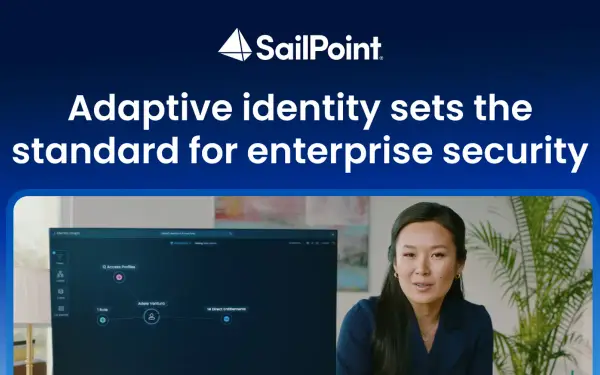
SailPoint answers a different question from the rest of this list: not how someone signs in, but whether they should still hold the access they have. Access certification campaigns route entitlement reviews to managers, segregation-of-duties tracking flags conflicts, and reporting produces audit-ready evidence trails. For a regulated company that must prove who could reach what, and when, that is the core requirement.
Because it governs rather than authenticates, SailPoint is commonly paired with a separate SSO provider. Single sign-on and MFA depth are limited compared with Okta or Entra ID, so treating SailPoint as a replacement for either usually ends in a second purchase.
Pricing is enterprise, quote based, and the vendor page returned no figure. The larger cost is the implementation project, which needs a dedicated internal owner to deliver value. Without that owner, certification campaigns stall and the platform becomes an expensive report generator.
Pick it when audit findings drive the purchase and access reviews already exist as a manual process nobody trusts. Skip it when the real problem is too many passwords and slow onboarding, because governance tooling fixes neither.
Audit evidence and periodic access reviews are the buying trigger.
Your problem is login friction rather than entitlement sprawl.
Entry VI of X / Developer SDKs
Our verdict
Fast, developer-friendly customer login with a generous free tier and metered pricing that follows your growth.
Auth0 handles customer identity, a different job from workforce identity. Product teams get APIs and SDKs across major development platforms, social login connections, passwordless authentication and enterprise identity connections for business customers, so a login screen can be configured rather than built. Hosted login keeps credential handling out of your own application code.
The free tier covers up to 25,000 monthly active users, and paid tiers start at $35 per month on the vendor page. Metering is by monthly active users, so the bill follows adoption. That is generous for an early product and uncomfortable for a consumer app that grows fast, because costs rise sharply as the user base does.
Two caveats deserve attention. Workforce identity features are thinner than dedicated platforms, so do not buy it for employee SSO. And Auth0 has been part of Okta since the acquisition, which raises long-term roadmap questions. Ask about that directly during evaluation.
Pick it when engineers own the login experience and speed of integration matters more than governance. Skip it when you need certification campaigns, or when monthly active user metering would become your largest infrastructure line.
Your product team needs customer login live in weeks, not quarters.
You are buying employee SSO or need governance controls.
Entry VII of X / HR as source
Our verdict
HR-triggered provisioning plus device shipping, ideal for fast hires, with identity depth below dedicated platforms.
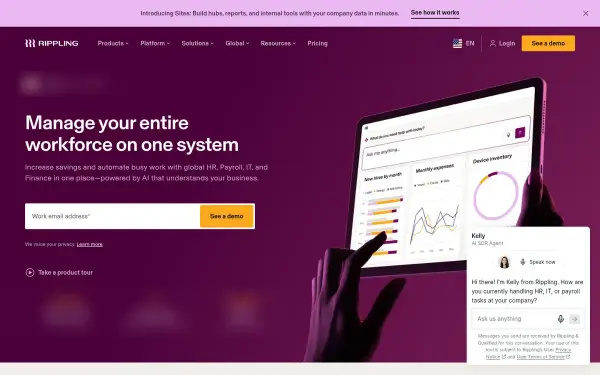
Rippling starts from the HR record and works outward. A new hire is entered once, accounts are created from that record, application access is assigned by role, and devices can be provisioned and shipped before the start date. When someone leaves, deprovisioning follows the same path, which closes the window where an ex-employee still holds a live account.
The single HR record as source of truth is the real feature. It removes the copy of employee data that usually lives in spreadsheets and goes stale. Identity here is one module inside a broader suite spanning HR, payroll, IT and spend management, so the value depends on how many of those functions you want from one vendor.
Pricing is quote based, and the page offers only a per-employee quote form with no published list price, so model it as a custom quote. Identity depth is below the dedicated platforms, and buyers who only want SSO and MFA will find the suite oversized for the job.
Pick it when you are hiring quickly, want devices and accounts handled before day one, and are willing to buy several back-office functions together. Skip it if you need deep governance, or if your HR system of record is staying where it is.
You want accounts and laptops ready before a new hire's first morning.
Your HR system of record stays put or you need deep governance.
Entry VIII of X / Frictionless MFA
Our verdict
The quickest route to strong multi-factor authentication, treated as a layer rather than a full identity platform.
Duo does multi-factor authentication with less friction than most. Users approve a push notification on a phone, device health checks run before access is granted, and enrollment is simple enough that a rollout does not need a change management program. It replaces hardware tokens and SMS codes, which removes two common support burdens.
Duo Free covers up to 10 users, and paid editions start at $3 per user per month on the vendor page. That entry price makes it one of the cheapest ways to close the password-only gap, and the device trust features support zero-trust style policies without a platform migration.
The limit is scope. MFA focus means limited full identity coverage, so SSO and lifecycle features are lighter than the leaders, and advanced capabilities sit in paid tiers. Duo is best treated as an authentication layer on top of an existing directory or SSO provider rather than a replacement for one.
Cisco ownership brings enterprise sales dynamics, which shows up in how renewals and packaging are handled. Pick it when the immediate gap is weak authentication and you want it closed this quarter. Skip it when you also need provisioning, governance or a directory, because you would be buying two platforms and integrating them yourself.
You need a second factor rolled out quickly on top of an existing directory.
You expect one platform to cover provisioning, governance and SSO too.
Entry IX of X / Fast SSO rollout
Our verdict
Simple, affordable SSO for mid-size teams, with a smaller app catalog and slower feature development than the leaders.
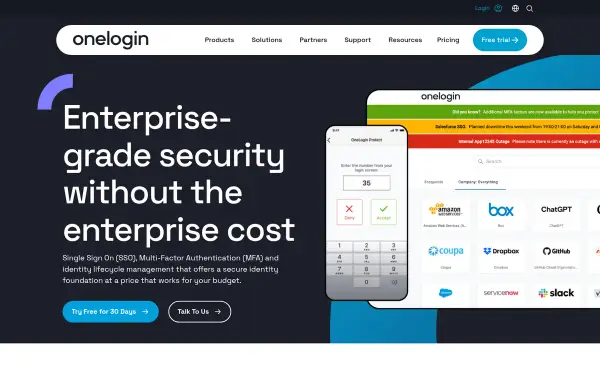
OneLogin is the straightforward option: single sign-on across business applications, multi-factor authentication enforcement, basic lifecycle management and an application connector catalog, all run through an admin interface that IT generalists can learn in an afternoon. Deployment is simpler than the enterprise suites, which is the point.
Pricing starts at $3 per user per month on the Basic plan, and the vendor page also lists Business at $10 per user per month. At that level it is a low entry price for a mid-size organization that mainly needs SSO and MFA, though the application ecosystem is smaller than Okta's, so check your most important apps before committing.
The product is steady rather than fast moving, and enterprise-grade capabilities trail the leaders. If your requirements include certification campaigns, privileged access or fine-grained policy orchestration, OneLogin will not carry them. If the requirement is one login for a set of business apps plus a phone prompt, it does the job without a project team.
One Identity ownership gives longer-term stability than a standalone vendor, and it also means the roadmap follows a portfolio strategy. Pick it for mid-market SSO where speed and usability matter. Skip it if you are replacing an enterprise identity suite and need equivalent depth.
You want affordable mid-market SSO with a short rollout.
Your app catalog or policy needs are genuinely enterprise grade.
Entry X of X / Converged governance
Our verdict
Converged governance and privileged access on a modern cloud platform, for buyers with a dedicated identity team.
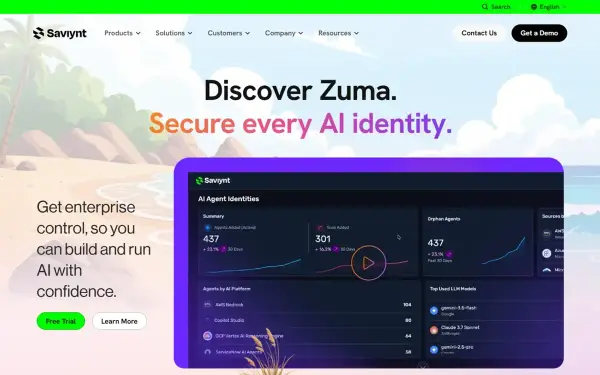
Saviynt converges identity governance and privileged access management in one cloud-native platform. Governance covers application access, analytics recommend action on risky entitlements, and privileged access sits in the same place rather than a separate product with its own console. For buyers replacing legacy governance tools, the architecture argument is the appeal: no on-premises baggage to carry forward.
Analytics-driven insight is the differentiator. Instead of only running the certification campaign you asked for, the platform surfaces access that looks wrong and suggests where to look. That helps teams with limited review capacity, provided someone acts on the recommendations.
The demands are real. Pricing is enterprise and quote based, the vendor page returned no figure, and the platform requires a dedicated identity team to run. The installed base is newer and smaller than SailPoint's, which means fewer peers to compare notes with and a shorter track record to inspect.
Evaluation commonly happens against SailPoint, with implementation treated as a major project rather than a configuration task. Pick it when you want governance and privileged access from one cloud platform and have staff to run a serious deployment. Skip it when the buying problem is login friction, or when you cannot free a team for a serious deployment.
You want governance and privileged access converged on a modern cloud platform.
You have no identity team to run a multi-month deployment.
VBackground
Identity management software is the set of systems that decide who exists in your organization, what they can reach, and how they prove it. It usually covers four jobs that buyers often bundle together by accident.
Vendors tend to be strong in some of these jobs and adequate in the rest. Okta and Entra ID lead on sign-on and provisioning. SailPoint and Saviynt lead on governance, which asks whether someone should still hold access months after it was granted. Duo leads on the second factor alone. JumpCloud and Rippling start from a different center of gravity: the directory and the HR record.
There is also a split by audience. Workforce identity covers employees and contractors, while customer identity covers the people who log in to your product. Auth0 is built for the second group, and buying it for the first is a common and expensive mistake.
Knowing which jobs you actually need is the whole evaluation. A company replacing spreadsheets and shared passwords needs a directory, SSO and MFA. A regulated company answering an audit finding needs governance. Buy for the job in front of you, then check whether the platform can grow into the next one.
This comparison sits in the software register. Further along the shore: baby tracking app and kennel software.
VIPricing
Identity pricing rarely looks like a list price, and the model matters more than the per-seat number. Four billing patterns run through this list.
| Model | How it bills | Typical fit | Example from this list |
|---|---|---|---|
| Per user per month | A flat seat rate, often with an annual contract minimum | Workforce SSO with predictable headcount | Okta Starter at $6 per user per month, billed annually, $1,500 annual contract minimum |
| Bundled with a platform | Included in a subscription you already own, with advanced features in higher tiers | Microsoft-centric estates | Microsoft Entra ID free tier, with paid capability commonly bundled into Microsoft 365 E7 or Entra Suite |
| Metered by active users | Billed on monthly active users rather than seats | Customer-facing login | Auth0 free to 25,000 monthly active users, paid tiers from $35 per month |
| Quote only | Custom quote after scoping | Large, complex or regulated estates | Ping Identity, SailPoint, Saviynt and Rippling; check each vendor site for details |
Three things move the total more than the headline rate. Contract minimums make small pilots expensive per seat. Metered models punish successful growth. Implementation is a separate project cost for governance platforms. JumpCloud's pricing page returned no detail when we checked, so confirm its tiers directly with the vendor.
Model three years, include the annual minimum and the staff time to run the tool, then compare. A free tier that covers your current headcount is a legitimate answer, as long as you know what triggers the paid transition. OneLogin Basic at $3 per user per month and Duo paid editions from $3 per user per month show how low entry seats can go, but entry tiers may not include the controls that drove the purchase.
Each entry card shows the starting price as it appeared on the vendor's own pricing page on November 25, 2026. When a vendor shows no figure we could confirm, or only a promotional rate, the card says "See website" or gives the regular price instead of a guess. Usage, overage and add-on rates in the text change more often than plan prices, so confirm them on the vendor page before you set a budget. To test the numbers against your own volume, try the free User Research Budget Planner. The Event Break-Even Calculator is a second way to check the same decision.
VIIDecision
VIIIPitfalls
IXQuestions
They overlap on SSO and MFA and split on ecosystem. Okta has the deeper third-party application catalog and stronger standalone lifecycle automation, which suits mixed estates. Entra ID is usually already included in a Microsoft 365 subscription and gives granular Conditional Access, so it wins on cost inside a Microsoft stack. Outside that stack, its value drops and non-Microsoft apps need extra configuration.
Governance covers who should hold access, not how they sign in. That means access certification campaigns, segregation-of-duties checks, periodic reviews and audit-ready reporting, led here by SailPoint and Saviynt. Single sign-on and multi-factor authentication control the login moment; governance controls entitlements over months. Regulated buyers can run both, pairing a governance tool with a separate SSO provider.
Published entry prices vary by vendor and plan. OneLogin Basic is $3 and Duo paid editions start at $3 on their vendor pages, while Okta Starter is $6 with a $1,500 annual contract minimum and Okta Essentials is $17. Entra ID's free tier is bundled with existing Microsoft subscriptions. Model the minimum and implementation cost, not just the seat rate.
Because single sign-on without a second factor leaves one password between an attacker and every connected app. SSO reduces the number of credentials people manage, and MFA makes the remaining login harder to steal. Some vendors bundle both, as Okta does with adaptive multi-factor authentication, and Duo works as an authentication layer on top of an existing directory or SSO provider.
Microsoft Entra ID, JumpCloud, Auth0 and Duo all list a free tier or free edition. Entra ID covers baseline SSO, Duo Free covers up to 10 users, and Auth0 covers up to 25,000 monthly active users. JumpCloud's free allowance could not be confirmed on the page we checked on November 26, 2026. Free tiers can work as pilots but may not include governance or advanced policy controls.
XFurther along the shore
Vendors can ask for a correction or apply for a Featured listing. Paid or not, the entry is scored on the same rubric and its limits stay in print. Partner with Umberlake.
Free tools
Our free browser tools turn the prices on this page into a figure for your own volume. Nothing you type leaves your device.