Rough Estimator
See website
Best for material takeoffs with formulas and diagrams shown
- Free plan
- Yes
- Rubric
- 7.8 of 10
Eight free construction calculators scored on shown math, trade coverage and offline use, with the waste factors and unit handling that decide whether a number is orderable.

IThe short answer
The best free construction calculator app for transparent takeoffs is Rough Estimator, which shows the formula and the published standard behind every result. CalcRafter suits crews who need broad trade coverage in a browser, at 27 calculators across roofing, masonry, framing and finishing. NumberPunch is the pick for phone work, with seven calculators that run offline. All eight tools below were checked in November 2026, every one is free to use in some form, and none of them replaces a licensed contractor on structural work.
8 tools compared from vendor pages on November 25, 2026. 0 publish a starting price we could read; the rest say "See website".
IITop three berths
Register order is editorial fit for the buyer each entry describes. Prices are the starting figures read on November 25, 2026.
See website
Best for material takeoffs with formulas and diagrams shown
See website
Best for fast material and cost estimates without signup
See website
Best for broad trade coverage in a browser
How this page is paid for. All 8 tools here are unpaid editorial picks.
A paid listing's position can be part of what the vendor pays for. Every entry, paid or not, is scored on the same rubric and keeps its limits in print. Advertising disclosure.
IIIThe register
Starting prices as shown on each vendor's pricing page on November 25, 2026. "See website" means no figure we could confirm.
| No. | Tool | From | Free plan | Trial | Rubric | Actions |
|---|---|---|---|---|---|---|
| 01 | Rough EstimatorMaterial takeoffs with formulas and diagrams shown | See websiteNot shown publicly | Yes | No | 7.8 | |
| 02 | CalcBlueprintFast material and cost estimates without signup | See websiteNot shown publicly | Yes | No | 6.9 | |
| 03 | CalcRafterBroad trade coverage in a browser | See websiteNot shown publicly | Yes | No | 7.7 | |
| 04 |  ConstructlyToolsDeepest free toolkit with cost ranges | See websiteNot shown publicly | Yes | No | 8.1 | |
| 05 |  NumberPunchPhone site math that works offline | See websiteNot shown publicly | Yes | No | 6.6 | |
| 06 |  ConcreterConcrete volume and cost on Android | See websiteNot shown publicly | Yes | No | 5.3 | |
| 07 |  Omni CalculatorGeneral construction math across many topics | See websiteNot shown publicly | Yes | No | 5.8 | |
| 08 |  Calculator SoupQuick volume, area and basic math checks | See websiteNot shown publicly | Yes | No | 4.6 |
Pinned:
IVMethod
Every tool in this list was scored against the same five criteria, then ordered by which buyer it fits best. Estimate transparency carries 25 percent: does the tool show the formula and the constant behind a figure, or just a number? Trade coverage carries another 25 percent, because a crew that pours concrete and hangs drywall does not want two tools. Mobile and offline use takes 20 percent, since much of this work happens standing on a slab. Waste handling takes 15 percent, and access friction takes the last 15, covering signups, ads and how fast a result appears.
Pricing was checked on November 26, 2026. Several tools in this group publish no pricing page at all, and in those cases the listing says pricing is on the vendor site rather than guessing a number. Where a tool is described as free, that is because the vendor or the source material describes it that way.
The order is editorial: fit for the buyer each entry describes, plus any Featured position. Featured placements in our lists are paid, and a Featured tool is scored on the same rubric as every other entry and carries the same kind of honest cons, so placement changes position and never the score. This particular list has no Featured entry.
We did not use install counts, ratings or awards as inputs. Where a tool is new and unproven, the review says so.
The full routine, from price reads to corrections, is on the methodology page. Paid listings follow the advertising disclosure.
Whether the tool shows the formula and the constant behind a figure rather than just a number.
How many trades and materials one tool handles before you need a second one.
How well the tool works on a phone and whether it keeps working with no connection.
Whether waste allowances and cost figures are displayed, explained and adjustable.
Signup requirements, ads ahead of results and how quickly a usable answer appears.
Entry I of VIII / Formula on every result
Our verdict
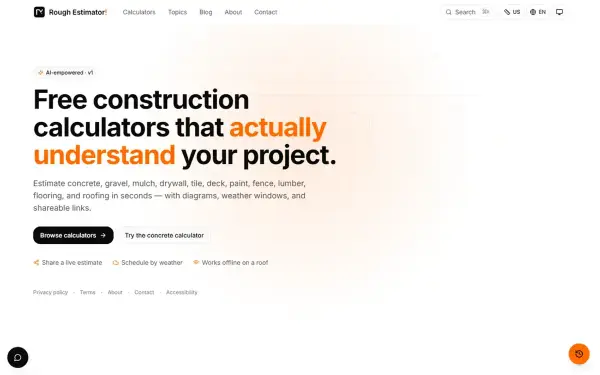
Best for anyone who needs to see the math: every calculator shows its formula, standard and waste allowance.
It covers the takeoffs most crews actually run: concrete, gravel, mulch, drywall, tile, deck, paint, fence, lumber, flooring and roofing. What separates it from the rest of this list is what appears alongside the answer. Each result shows the formula it used and the published standard behind its constants, so a cubic yard figure can be traced back to ACI, AWC, TCNA or NRCA rather than appearing from nowhere.
Waste is handled the same way. An allowance is added deliberately and explained, such as a 10 percent allowance on concrete, with a comment on over-excavation and subgrade tolerance. Outputs come back in the units suppliers sell in, cubic yards, bags, squares and bundles, which saves a conversion step at the counter. Diagrams sit with the calculators, and any result can be shared by link, which is useful when a supplier or a foreman needs to see the inputs.
The limits are real. It runs in a browser only, with no native app, so it is not the tool for a basement with no signal. It is relatively new with a short track record, and some AI-assisted features may change over time. Pricing is on the vendor site: no official pricing page was available, and the pack we checked lists free calculators only.
You want to defend a number to a supplier, an inspector or your own foreman.
You need a tool that works with no signal in a basement or on a rural site.
Entry II of VIII / No-signup estimates
Our verdict
A fast route to a material and cost figure with no signup, no ads ahead of results and published reference constants.
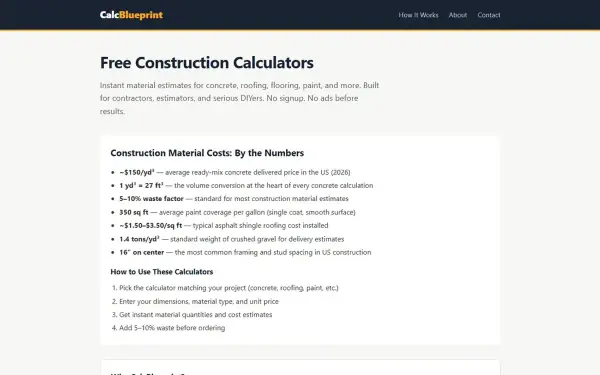
CalcBlueprint is built for speed. You pick a trade, enter dimensions, and get quantities and cost side by side, with no account creation and no advertising shown before results appear. Concrete, roofing, flooring, paint and similar trades are covered, and the reference constants for waste and coverage are published rather than hidden.
The reference figures are the interesting part. The site lists roughly $150 per cubic yard for delivered ready-mix concrete in the US in 2026, a 5 to 10 percent waste factor for most materials, and about 350 square feet of paint coverage per gallon on a smooth single coat. Those numbers give you a sanity check on any estimate you build, and they are the kind of constant most free tools keep to themselves.
Two caveats. Cost data reflects US averages, so a coastal or urban job needs a manual bump. The site also flags its own output as planning estimates, with guidance to confirm complex jobs with a licensed professional. It is browser only, with no app.
Pricing is on the vendor site. The page we checked came back empty, so free status is carried from the pack rather than confirmed from a pricing sheet.
You need a quantity and a rough cost quickly without creating an account.
Your pricing is regional and you want local cost data built in.
Entry III of VIII / 27 trade calculators

Our verdict
Broad trade spread in a browser: 27 calculators across roofing, masonry, framing, decking, fencing and interior finish, math shown.
CalcRafter takes the broad-coverage approach: 27 free calculators grouped by trade, covering roofing, masonry, framing, decking, fencing and interior finishing. Each calculator gets one page, the math is shown on that page, and nothing needs installing or signing up for.
The trade grouping matters more than it sounds. One page per estimate keeps the workflow short, and the layout holds up on a phone screen, so you can price a deck ledger while standing next to the deck. Material prices for items such as ready-mix concrete and crushed stone are listed and kept current for US markets, which puts a cost figure next to a quantity figure without opening a second tab.
The catch is currency. Price inputs track the market, so an estimate built months ahead of a job goes stale and needs rechecking before you order. And since the whole thing lives in a browser, there is no offline mode.
Pricing is on the vendor site. We could not fetch a pricing page, so free access is taken from the pack rather than from a pricing sheet.
Your work crosses several trades and you want one browser tool for all of them.
You need current local pricing or an app that runs without a connection.
Entry IV of VIII / 90+ free tools
Our verdict
Deepest free toolkit here, with more than 90 calculators, displayed waste factors and cost ranges that separate DIY from contractor pricing.
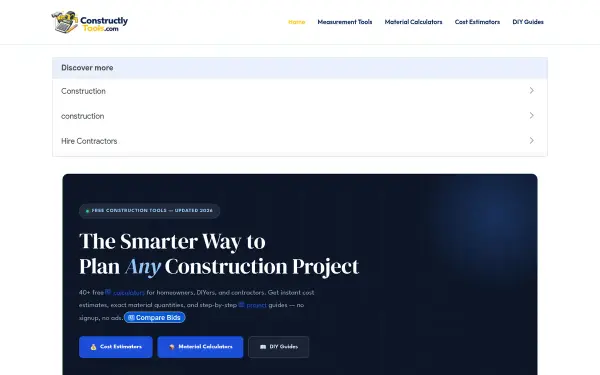
With more than 90 free calculators, ConstructlyTools is the deepest free toolkit in this group. Concrete, roofing, flooring, tile, rebar and drywall are all there, plus the smaller trades that usually get left out, and none of it needs a signup or a subscription.
Waste factors are built in and displayed, such as 10 percent for concrete pours and 10 to 20 percent for tile. Cost calculators split DIY pricing from contractor pricing, a useful distinction, and regional multipliers are applied to the outputs. The site also states its own accuracy range.
That range is 15 to 25 percent of a contractor quote, fine for budgeting and not fine for a fixed bid. High-cost regions need a manual adjustment upward: the site says areas such as the Pacific Coast and Northeast can require 25 to 40 percent added to baseline figures. Everything runs in a browser, so there is no app.
Pricing is on the vendor site. The page we checked was empty, and the pack describes free tools with no subscription.
You price a wide range of trades and want waste and cost ranges in one place.
You need bid-level accuracy or a tool that runs offline on a phone.
Entry V of VIII / Offline phone math
Our verdict
Best for site work on a phone: seven calculators that handle feet, inches and fractions, and keep working with no signal.
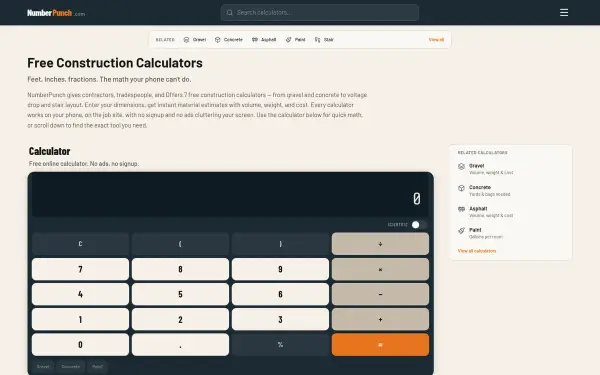
NumberPunch is the one on this list built for a phone in the field rather than a desk. It carries seven construction calculators, including gravel, concrete, voltage drop and stair layout, and it works offline with no signup and no on-screen ads.
The input handling is the reason to pick it. Dimensions go in as feet, inches, fractions or metric, which sounds minor until you are reading a tape measure in eighths. Waste and compaction adjustments are built in, and outputs cover volume, weight, cost and bag counts, so the answer arrives in the form you need to order. Results can be copied or sent to a supplier by text, and preset modes speed up repeat jobs such as driveways, patios and walkways.
The trade-off is breadth. Seven calculators is a fraction of what the browser tools offer, and trade depth is less than browser rivals. It is also a newer tool with a short track record.
Pricing is on the vendor site: no pricing page was captured, and free access is noted in the pack.
You size jobs on a phone and need answers where there is no signal.
You need broad trade coverage in the same tool.
Entry VI of VIII / Concrete-only depth

Our verdict
A concrete-only Android app that covers slabs, footings, steps and mix ratios, and saves projects, if you can live with ads.
Concreter does one material and does it properly. It estimates slabs, footings, holes, steps, walls, curbs and custom shapes, includes a mix ratio estimator, and converts units. A cost estimation step takes a price per cubic yard, and projects can be saved for reuse, which matters when you pour the same footing detail on repeat jobs.
It is Android only, and it is ad supported, so free access comes with advertising on screen. The bigger caution is track record. The app launched in January 2026 with a small install base and no history to judge it by, so treat its output as unproven and double-check anything critical before you order ready-mix.
The listing we worked from pointed to an app directory rather than a vendor-owned site, so there is no vendor pricing sheet to check. No vendor pricing page was available to check, and the app is free with ads per the pack.
Your work is concrete and you carry an Android phone.
You need multi-trade coverage or an ad-free screen.
Entry VII of VIII / Huge general library

Our verdict
A vast general calculator library with solid construction entries and clear explanations, better for one-off checks than trade workflows.
Omni Calculator is a general-purpose library rather than a construction tool, and that is the honest way to use it. Construction entries exist for concrete, board feet, roofing, flooring and paint, each with a written explanation of the math behind the result, and basic use needs no signup.
Those explanations are genuinely useful for a cross-check. If a trade-specific tool gives you a number you do not trust, running the same inputs through Omni tells you whether the arithmetic or the assumption is off. It is also fast for one-off questions that do not justify opening a dedicated app.
What it does not do is trade workflows. There is no supplier-unit output and no waste reasoning built into the flow. Ads appear on free use. It is a fallback, not a primary tool.
Pricing is on the vendor site. No page text was available to check, so free ad-supported use is taken from the pack.
You want a second opinion on a number a trade tool gave you.
You need to build a full material order with waste and supplier units.
Entry VIII of VIII / Instant basic math
Our verdict
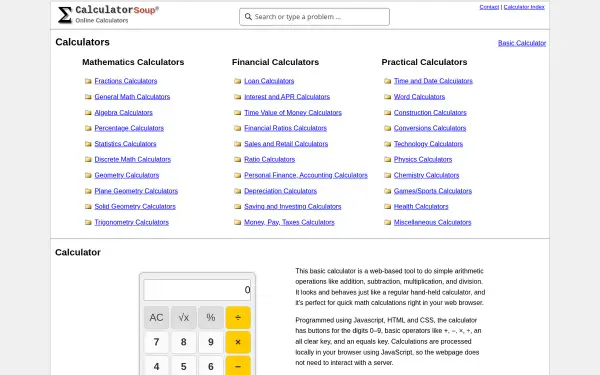
A quick, plain volume and area checker with no account; use it for a single site number, not a material order.
Calculator Soup is the plainest tool here and quick to use. Volume, area and concrete calculators sit next to general math calculators, results come back instantly, and no signup is required. The forms are single-purpose and simple.
That simplicity is the whole pitch. If you need cubic yards for a slab and nothing else, you can get the number without a wizard or an account. It is also useful for quick volume and area checks around a pour.
It stops there. There are no trade workflows, no waste reasoning, no cost estimation and no supplier-unit handling. The interface is basic, and ads appear on free use. Treat it as a quick check on a site number, with a trade-specific tool handling the full material order.
Pricing is on the vendor site. The page we checked was empty, so pricing could not be confirmed from the source.
You want one number quickly and nothing else.
You need waste factors, costs or supplier units.
VBackground
A free construction calculator app turns dimensions into orderable quantities without a spreadsheet. You enter length, width and depth, pick a material, and get back cubic yards, bags, squares, bundles or board feet, sometimes with a cost figure attached.
The category splits into three shapes. Dedicated takeoff tools such as Rough Estimator and ConstructlyTools cover many trades; Rough Estimator shows its formulas and ConstructlyTools displays its waste factors. Narrow apps such as Concreter and NumberPunch do fewer things and run on a phone. General libraries such as Omni Calculator and Calculator Soup answer one question at a time and are best used as a cross-check.
What these tools replace is the notebook arithmetic that used to sit between a measurement and a supplier order. What they do not replace is judgement. A calculator will tell you how much concrete fills a form; it will not tell you whether the form, the subgrade or the reinforcement is right.
Four things separate a good free tool from a weak one:
For several entries here, pricing is on the vendor site and no pricing sheet was available to check, so the free calculators are what you can actually verify before committing a workflow to them.
This comparison sits in the software register. Further along the shore: baby tracking app and kennel software.
VIPricing
Free is the default in this category, and the real price is attention. None of the eight tools here charges for core calculator use, but several show ads on free use.
The commercial models fall into a few shapes. Ad-supported free tools such as Calculator Soup and Omni Calculator put advertising around results. No-friction free tools such as CalcBlueprint and ConstructlyTools skip signup entirely. Rough Estimator publishes free calculators, with pricing listed as See website. Free apps such as Concreter carry ads inside the app.
| Model | How it bills | Typical fit | Example from this list |
|---|---|---|---|
| Ad-supported free | No charge, ads around results | Quick one-off numbers | Calculator Soup, Omni Calculator |
| Free with no account | No charge, no login, no pre-result ads | Crews pricing a job fast | CalcBlueprint |
| Free, vendor site pricing | Calculators free, pricing on the vendor site | Scope checks before ordering | Rough Estimator, CalcRafter, ConstructlyTools |
| Free, no sheet to check | No charge stated, no pricing page | Phone math in the field | NumberPunch |
| Free app, ad supported | No charge, ads inside the app | Android concrete work | Concreter |
What to watch is not the price but the unit. A tool that returns cubic feet when your supplier sells cubic yards has moved the work back onto you. A tool that hides its waste factor has hidden the assumption most likely to be wrong. A tool that publishes no cost basis is only as good as the number it guessed.
Where a vendor lists pricing as See website, that is a statement about documentation, not about cost. Check the vendor site before you build a workflow on any of these.
Each entry card shows the starting price as it appeared on the vendor's own pricing page on November 25, 2026. When a vendor shows no figure we could confirm, or only a promotional rate, the card says "See website" or gives the regular price instead of a guess. Usage, overage and add-on rates in the text change more often than plan prices, so confirm them on the vendor page before you set a budget. To test the numbers against your own volume, try the free User Research Budget Planner. The Event Break-Even Calculator is a second way to check the same decision.
VIIDecision
VIIIPitfalls
IXQuestions
Rough Estimator wins on transparency, because every result shows its formula and the standard behind its constants. CalcRafter covers many trades in a browser at 27 calculators, and ConstructlyTools goes deeper still at more than 90. NumberPunch is the pick for phone use, since seven calculators work offline with fraction input and no ads.
Closer than nothing and rarely exact. ConstructlyTools states its estimates land within 15 to 25 percent of contractor quotes, and that gap is normal for this category. Labour rates, site access, disposal, permits and regional pricing are the usual causes. CalcBlueprint's cost data reflects US averages, and ConstructlyTools says high-cost regions can need 25 to 40 percent added.
Use about 10 percent for a straightforward concrete pour, 5 to 10 percent for most general materials, and 10 to 20 percent for tile as layout complexity rises. ConstructlyTools displays the concrete and tile figures, and Rough Estimator comments on concrete allowances including over-excavation and subgrade tolerance. CalcBlueprint publishes a 5 to 10 percent waste factor for most materials.
NumberPunch is the only one on this list that works offline, and it is built for a phone screen with fraction input. Concreter is an Android app, so it installs locally, though the listing does not address offline use. Rough Estimator, CalcRafter and ConstructlyTools run in a browser, so do not assume offline use.
Multiply length by width by thickness in feet to get cubic feet, then divide by 27 for cubic yards. Add about 10 percent for a standard slab pour, more where the subgrade is uneven or excavation is over-dug. Rough Estimator shows the formula and explains the allowance, and ConstructlyTools displays a 10 percent concrete factor.
Whenever the answer carries structural or code consequences. Footings, retaining walls, beams, drainage and anything needing a permit require a licensed professional, and CalcBlueprint states that directly. Free tools are for material quantities and budgets. ConstructlyTools is upfront that its numbers land 15 to 25 percent from contractor quotes, which is a planning range, not a bid.
XFurther along the shore
Vendors can ask for a correction or apply for a Featured listing. Paid or not, the entry is scored on the same rubric and its limits stay in print. Partner with Umberlake.
Free tools
Our free browser tools turn the prices on this page into a figure for your own volume. Nothing you type leaves your device.