
Ramp
FreeFree plan, $0 per user per month, Plus $15 per user per month plus a platform fee, 20% off with annual billing
Best for startups and growth companies standardizing on Ramp cards
- Free plan
- Yes
- Rubric
- 8.3 of 10
Eight expense platforms ranked for how operators actually buy them in November 2026, from free card led tools to enterprise compliance suites.

IThe short answer
The best expense management software for businesses in November 2026 depends on where your spend already sits. Ramp fits startups and growth companies willing to standardize on its cards, Brex suits venture backed and mid market firms with global entities, and Navan wins when travel is a major spend category. All three have free entry points. The eight tools below were compared on pricing, controls, card flexibility, and reporting depth, using vendor pricing pages checked on November 26, 2026.
8 tools compared from vendor pages on November 25, 2026. 5 publish a starting price we could read; the rest say "See website".
IITop three berths
Register order is editorial fit for the buyer each entry describes. Prices are the starting figures read on November 25, 2026.
FreeFree plan, $0 per user per month, Plus $15 per user per month plus a platform fee, 20% off with annual billing
Best for startups and growth companies standardizing on Ramp cards

FreeEssentials, per user per month, Premium $12 per user per month
Best for venture backed startups and mid market firms with global entities
FreeNavan Business free for companies up to 300 employees, expense free for first 5 users, Enterprise is a custom quote
Best for companies where travel is a major spend category
How this page is paid for. All 8 tools here are unpaid editorial picks.
A paid listing's position can be part of what the vendor pays for. Every entry, paid or not, is scored on the same rubric and keeps its limits in print. Advertising disclosure.
IIIThe register
Starting prices as shown on each vendor's pricing page on November 25, 2026. "See website" means no figure we could confirm.
| No. | Tool | From | Free plan | Trial | Rubric | Actions |
|---|---|---|---|---|---|---|
| 01 | RampStartups and growth companies standardizing on Ramp cards | FreeFree plan, $0 per user per month, Plus $15 per user per month plus a platform fee, 20% off with annual billingRead on vendor page | Yes | 30-day free trial on Plus | 8.3 | |
| 02 | BrexVenture backed startups and mid market firms with global entities | FreeEssentials, per user per month, Premium $12 per user per monthRead on vendor page | Yes | No | 8.3 | |
| 03 | NavanCompanies where travel is a major spend category | FreeNavan Business free for companies up to 300 employees, expense free for first 5 users, Enterprise is a custom quoteUpdated on vendor page | Yes | No | 7.3 | |
| 04 |  ExpensifyTeams that want to keep their existing corporate cards | $5Collect, per member per month, Control custom priced from $9 per member per monthRead on vendor page | Yes | 30-day free trial | 7.8 | |
| 05 |  SAP ConcurLarge enterprises with complex policies and multi entity structures | See websiteNot shown publicly | No | No | 6.1 | |
| 06 |  AirbaseMid market teams needing procurement control over spend | See websiteNot shown publicly | No | No | 5.4 | |
| 07 | Zoho ExpenseBudget conscious teams already using Zoho apps | $3Standard, per user per month, billed annually, Premium $5 per user per monthUpdated on vendor page | Yes | Free trial available | 8.5 | |
| 08 |  BILL Spend & ExpenseAP led finance teams wanting free budget enforced cards | See websiteNot shown publicly | Yes | No | 7.3 |
Pinned:
IVMethod
Every tool here was assessed against five criteria, weighted to reflect what finance operators actually pay for. Price transparency carries 40 percent because a public number changes a shortlist faster than any feature. Policy controls take 20 percent, card flexibility and automation depth take 15 percent each, and travel plus accounts payable coverage takes the remaining 10 percent.
Pricing was checked on vendor pricing pages on November 26, 2026 and kept in the form it appeared there. No currency conversions and no rounded estimates. Where a vendor publishes no figure, this list says pricing is on the vendor site rather than guessing. Where sources disagree, for example the Zoho Expense entry price or the Expensify Control tier, the review flags the conflict so you can confirm it in a quote.
The order is editorial. Each position reflects how well the tool fits the buyer described in that entry, not a weighted total or a composite score. Any listing marked Featured is a paid placement, and it is scored with the same rubric and given the same scrutiny as every other entry, cons included.
Scores are judgments from published facts, not benchmarks we ran. Use them as a starting filter, then test two or three tools against your own card program and accounting stack before you sign an annual term.
The full routine, from price reads to corrections, is on the methodology page. Paid listings follow the advertising disclosure.
Whether a buyer can find a real number on the vendor site without a sales call, and how quickly the paid tier appears.
How far the software enforces limits, approvals, and out of policy rules before money leaves the company.
Whether the platform needs its own card, supports cards from outside issuers, or reimburses personal spend.
How much receipt capture, coding, and month end reconciliation the software handles without a person touching it.
Coverage for travel booking, bill pay, and invoice workflows beyond core expense reporting.
Entry I of VIII / AI receipt automation
Our verdict
The strongest free starting point if you will move company spend onto Ramp cards this year.
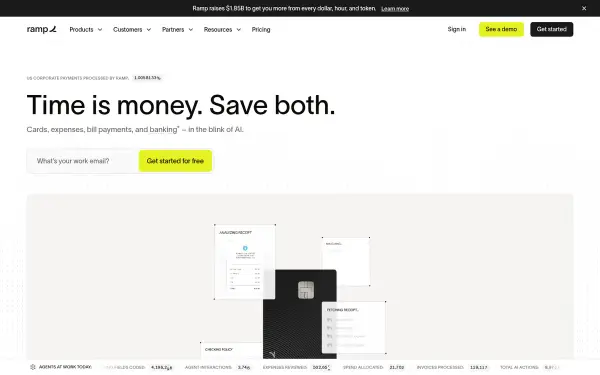
Ramp builds expense management around its own corporate cards, and the free tier is not a trial: cards, expense capture, and bill pay all sit in the $0 plan. Receipt chasing and transaction coding are handled by AI agents, and a newer Stack packaging reframes the platform as an AI operating system for finance teams rather than a card program with software attached. The vendor reports more than 85,000 customer businesses.
The paid Plus tier starts at $15 per user per month plus a platform fee, with 20% off on annual billing, and it unlocks deeper controls and automation. A 30-day free trial applies to Plus, so evaluation can run on real spend before a commitment.
The limit is structural. Teams that keep spend on a bank issued card get far less from Ramp, because policy enforcement and coding work best on transaction data the platform can see. A platform fee stacked on per user pricing also makes the true cost higher than the headline number once seats grow.
Ramp fits startups and growth companies willing to standardize on Ramp cards and wanting one system for cards, expenses, bills, and travel. If your card program is fixed by a bank relationship or a rewards contract, Expensify or Navan Connect will cause less disruption.
You can move company spend onto Ramp cards and want a $0 starting point with real automation.
Your cards are locked to another issuer or you need a publishing policy engine on day one.
Entry II of VIII / Banking plus cards
Our verdict
Best for global startups that want cards, banking, and expenses in one place, if the Brex card fits.
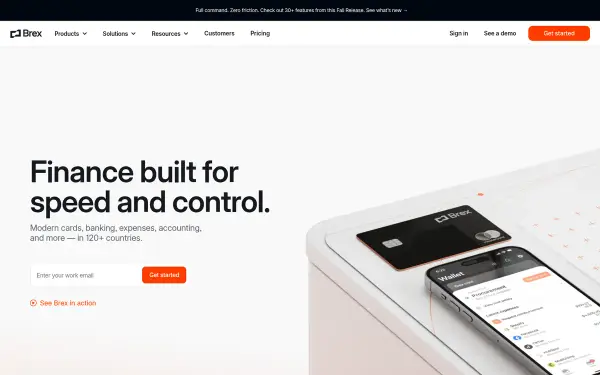
Brex puts corporate cards, business banking, expense management, accounting sync, and travel in one platform. Budgets and spend limits are enforced automatically before a transaction completes, which is the difference between catching an overspend at authorization and chasing it after the fact. An AI assistant handles receipts and routine expense work, and two way ERP integrations keep the ledger in step without manual uploads.
The free Essentials tier keeps the core workflow at no cost. Premium is $12 per user per month and adds capabilities the free tier does not carry. There is no trial, so an evaluation means running real spend through the platform rather than a sandbox demo. Coverage extends to more than 120 countries, and the vendor reports 35,000 plus customers.
Treasury is part of the pitch: up to 3.94 percent yield with same hour liquidity and up to $6 million in additional FDIC insurance through program banks. Both figures are program dependent, so read the terms rather than the headline.
The limit is the same one Ramp faces. Automation depends on spend running through the Brex card, and banking features vary by country, which matters for multi entity groups. Brex fits venture backed startups and mid market firms with global entities that will consolidate cards, banking, and expenses on one vendor. Expense only teams holding outside cards get less value here.
You are venture backed with entities in several countries and want banking, cards, and expenses together.
You only need receipt capture and reimbursement for a single US entity.
Entry III of VIII / Travel policy enforcement
Our verdict
The clear pick when travel is a major spend category and bookings must follow policy.
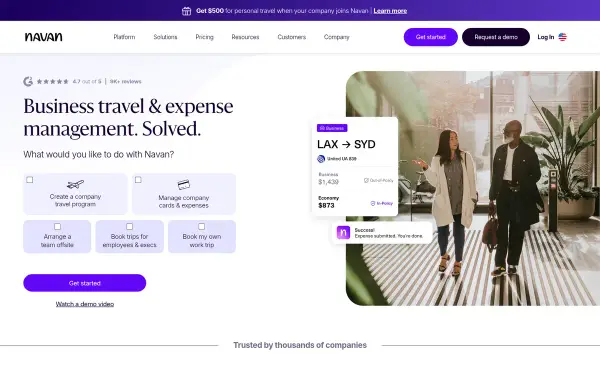
Navan treats travel and expense as one workflow, which differs from expense only tools. Employees book flights, hotels, and other travel against policy limits from a broad inventory, the card swipe reconciles to the report, and the expense arrives coded with the itinerary attached. Navan Connect lets teams keep Visa, Mastercard, or American Express cards instead of switching issuers, and personal card spend can be reimbursed through the same system.
Navan Edge, the AI travel assistant, covers flights, hotels, and restaurants with 24/7 human chat backup. Navan Rewards returns perks when travelers book under budget, funded by the savings rather than by the company.
Pricing changed shape. The current page leads with Navan Business free for companies up to 300 employees, expensing free for the first five users, and a custom quote for Enterprise. An expensing figure of $15 per user per month appears in earlier material but no longer shows on the page, so confirm the number that will apply to your seats.
The trade off is focus. Companies with light travel get booking machinery they will not use, and travel centric design can complicate a simple receipt and reimbursement process. Navan suits organizations where travel is a major spend category and policy compliance on bookings genuinely moves the number.
Flights and hotels are a big line item and you want bookings policed before they are paid.
Travel is occasional and you mainly need receipt capture and reimbursement.
Entry IV of VIII / Bring your own card
Our verdict
The safest choice for teams that will keep existing corporate cards and need global reimbursement.
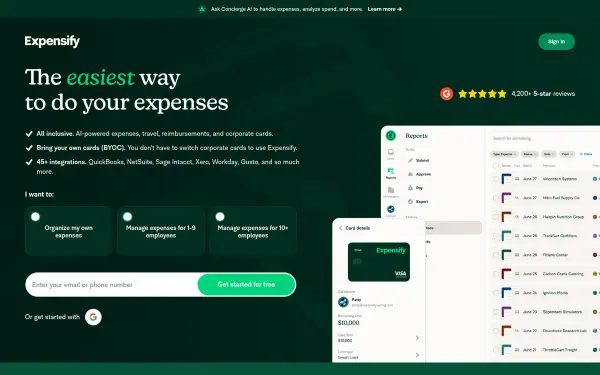
Expensify is the option for teams that will not change card programs. It scans receipts, builds reports, routes approvals, reimburses employees, and pushes the result into accounting, and it reconciles against cards you already hold across more than 10,000 banks. Instant virtual cards are available for employees, vendors, or projects, and global reimbursement pays employees and contractors in local currency.
Plan structure matters. A free Submit plan covers individuals. Collect starts at $5 per member per month. Control carries the advanced controls and is custom priced from $9 per member per month, while other material cites $18 per member for that tier, so get the figure for your seat count in writing before you commit.
Annual size commitments are the other consideration: they cannot be reduced before renewal, so do not buy seats on a growth assumption you have not tested. Card cash back offsets also vary, which changes the effective cost if you are comparing against a card led platform that returns rewards.
Expensify fits teams that want to keep existing corporate cards and standardize on one reporting and reimbursement workflow. It is weaker when you want treasury and bill pay in one system, which is where Ramp, Brex, and BILL Spend & Expense pull ahead.
Your corporate cards are staying put and you want one reporting and reimbursement workflow.
You want cards, budgets, and bill pay enforced inside a single platform.
Entry V of VIII / Deep policy controls
Our verdict
Enterprise grade policy and tax controls, with quote only pricing and a rollout that follows scope.
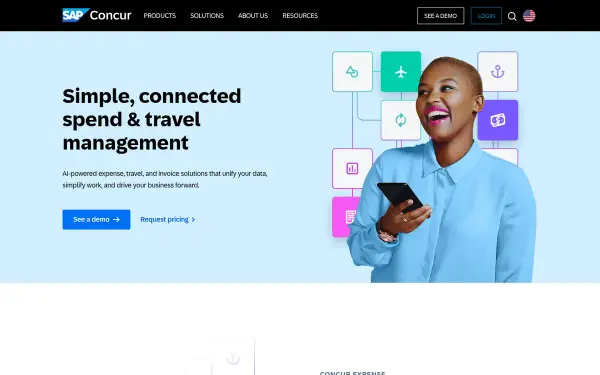
SAP Concur is built for the compliance layer that large organizations cannot skip. Policy can be configured by category, amount, geography, or employee group, approval hierarchies are configurable, and out of policy claims are flagged in real time before submission rather than at audit. Multi country tax and VAT handling with foreign exchange covers the reporting problem that stalls global rollouts, and more than 300 prebuilt connectors cover the integration work.
The product set spans Concur Expense for capture and report generation, Concur Travel with an agentic AI assistant trained on company policy, and Concur Invoice for accounts payable automation with duplicate payment prevention.
Pricing is quote only. There is no free plan and no trial, and the vendor publishes no figure, so budget approval has to come before evaluation. Implementation timelines vary with complexity, and multi entity rollouts take longer than single country ones.
This is not a small team tool. A small company pays for configuration depth it never uses and waits through an implementation it does not need. SAP Concur fits large enterprises with layered policies, multiple legal entities, and cross border tax obligations, particularly those already standardized on SAP, where the data model and reporting habits are already in place.
You run multiple legal entities and need policy, tax, and approvals enforced consistently across countries.
You are a small team or need to start without a sales cycle.
Entry VI of VIII / Procurement workflows
Our verdict
Procurement led spend control for mid market teams, now sold as part of a Paylocity bundle.
Airbase takes a procurement led view of spend. Approval flows control money before it leaves, which covers purchase requests and vendor spend that a card program alone does not reach, and bill pay, corporate cards, and expense management run through one workflow instead of three disconnected tools. That combination is why mid market finance teams with purchasing driven spend look at it.
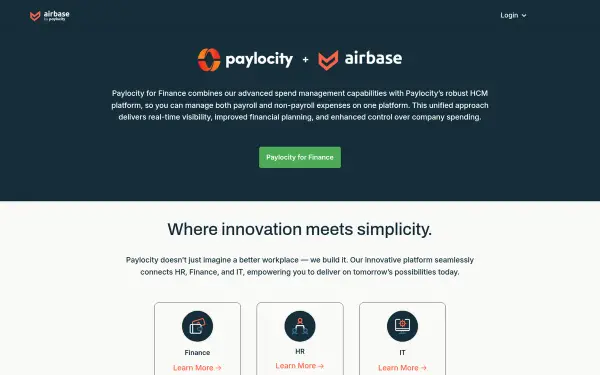
The current position is unusual. Airbase presents itself as part of Paylocity, with a Paylocity for Finance bundle that combines spend management with HCM payroll data. Existing clients are pointed to their usual contacts. New buyers need to confirm whether the standalone product or the bundle is what is being sold, and what each package includes.
Pricing is quote based with no public rate, so this is a sales conversation from the start rather than a self serve sign up. That is normal at this tier, but it slows evaluation, and you should ask directly which modules are included and which cost extra. Product details also need confirming under the new packaging.
It suits mid market teams that need procurement control over spend and want cards, bills, and expenses handled together. Smaller companies with straightforward card spend may find more value and a faster start with Ramp, which publishes a free entry point, or BILL Spend & Expense, which offers a free core card.
Purchasing requests and vendor spend need approval control alongside cards and bills.
You want published pricing or a self serve start this month.
Entry VII of VIII / Low cost coverage

Our verdict
A low paid entry price, with travel, cards, and expense reporting covered for small teams.
Zoho Expense lists Standard at $3 per user per month billed annually, a low paid entry point in this list. Standard is $3 per user per month billed annually, Premium is $5 per user per month, and a free version covers up to 3 users. For a team already inside the Zoho suite, the connection to Zoho Books and other Zoho apps is the real argument, because expense data lands where the books already live without extra plumbing.
Coverage is wider than the price suggests. AI receipt capture works in more than 38 languages, corporate card feeds run in real time, and reports can build themselves. Travel booking spans 500 plus airlines and 1.6 million hotels with negotiated rates, and the platform handles GSA compliant per diem, IRS compliant mileage, and multi entity structures across subsidiaries, currencies, tax systems, and regional policies. There are 2,500 plus integrations.
Two caveats. Entry pricing has been quoted at both $3 and $4 per user per month depending on the source, and the current page leads with $3 billed annually, so confirm the number that applies to your billing term. Zoho also has less US brand recognition than the larger spend platforms, which matters if your finance team wants a name their auditors already know.
Zoho Expense fits budget conscious teams, especially those already using Zoho apps, that want travel, cards, and expense reporting in one low cost system.
You want travel, cards, and expense reporting on a small budget, ideally inside the Zoho ecosystem.
Your procurement team requires a vendor with a large US enterprise footprint.
Entry VIII of VIII / Zero dollar budgets
Our verdict
Free card product with budgets that decline overspend at the point of sale, tied to BILL.
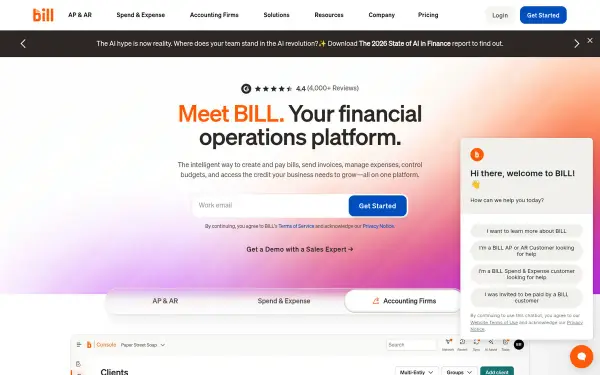
BILL Spend & Expense, formerly Divvy, gives small teams free spend controls tied to its own card. Budgets are the mechanism: a budget set to zero dollars declines the transaction at the point of sale rather than surfacing an exception later, and AI categorizes spend and flags questionable charges for review. The BILL Divvy Card carries rewards on eligible spend, and two way sync covers QuickBooks, NetSuite, and Intacct.
It sits inside the wider BILL platform, which adds accounts payable, receivables, invoicing, and business credit. Credit lines run from $1,000 to $5 million on approval, and the vendor reports more than 500,000 businesses running on BILL.
Pricing needs a caveat. The core card product is free, but the pricing sheet we checked displays Accounts Payable and Accounts Receivable tier prices without a Spend and Expense figure, so confirm what the free tier includes and where the paid line sits before you plan the budget.
The structural limit mirrors Ramp: full value requires routing spend through the BILL Divvy Card, and teams holding bank issued cards lose the enforcement that makes it useful. AP breadth can also be more platform than an expense only team needs. It fits AP led finance teams that want budget enforced cards and a pathway into payables.
You want free budget enforced cards and may later add payables inside the same platform.
You cannot move spend onto the BILL Divvy Card or you need published expense pricing today.
VBackground
Expense management software captures receipts, enforces policy, routes approvals, reimburses employees, and syncs the results into your accounting system. In 2026 these platforms may also issue corporate cards or connect to the ones you already hold, and some use AI to code transactions and chase missing receipts before month end.
The category now overlaps with spend management, which is why the shortlist looks different than it did a few years ago. Card led platforms such as Ramp, Brex, and BILL Spend & Expense tie controls to spend on their own cards. Brex enforces budgets and spend limits before spend occurs, and BILL Spend & Expense budgets can decline a transaction at zero dollars. Reporting led tools such as Expensify and Zoho Expense center on capture, approval, and reimbursement, and Expensify is built to work with cards you already have.
Common evaluation jobs include:
Travel is the variable that changes the answer. Navan treats booking and expensing as one flow, and SAP Concur layers travel and invoice automation on top of enterprise policy controls. Where travel is small, that machinery is overhead you pay for twice.
The practical test is the same for all eight tools: run a week of your own receipts, cards, and approvals through the platform and measure how much manual work disappears before month end.
This comparison sits in the software register. Further along the shore: baby tracking app and kennel software.
VIPricing
Pricing models vary. Ramp and Brex use a free core with paid tiers on top, and BILL Spend & Expense offers a free core card. Reporting tools such as Expensify and Zoho Expense charge per member or per user. Enterprise suites including SAP Concur and Airbase publish nothing and quote each deal, so budget approval comes before evaluation.
| Model | How it bills | Typical fit | Example from this list |
|---|---|---|---|
| Free core, paid upgrade | Per user per month, sometimes plus a platform fee | Teams moving spend onto the vendor card | Ramp: free plan, Plus $15 per user per month plus a platform fee, 20% off annually |
| Free tier with paid premium | Per user per month on the premium plan | Global startups and mid market groups | Brex: Essentials free, Premium $12 per user per month |
| Free travel, free expense block | Booking free, expense free for first 5 users, enterprise quote | Travel heavy companies under 300 employees | Navan: Business free up to 300 employees, Enterprise custom quote |
| Per member subscription | Per member per month | Teams keeping their existing cards | Expensify: Collect $5 per member per month, Control custom priced from $9 per member per month |
| Free user block | Free up to a cap, then per user per month | Small teams and Zoho households | Zoho Expense: free up to 3 users, Standard $3 per user per month billed annually |
| Quote only | Custom quote from sales | Enterprises with multi entity policy needs | SAP Concur and Airbase: pricing on the vendor site |
A headline price is not the whole bill. Ramp adds a platform fee on Plus, Brex charges separately for Premium, and Expensify's advanced controls sit on Control rather than Collect. Ask for a total at your projected headcount on the tier you will actually need.
Each entry card shows the starting price as it appeared on the vendor's own pricing page on November 25, 2026. When a vendor shows no figure we could confirm, or only a promotional rate, the card says "See website" or gives the regular price instead of a guess. Usage, overage and add-on rates in the text change more often than plan prices, so confirm them on the vendor page before you set a budget. To test the numbers against your own volume, try the free User Research Budget Planner. The Event Break-Even Calculator is a second way to check the same decision.
VIIDecision
Start with where your spend already sits. If you will move it onto a vendor card, Ramp, Brex, or BILL Spend & Expense give you controls the software can enforce. If your card program is fixed, Expensify or Navan Connect work around it. Then test policy enforcement, receipt automation, and accounting sync on real transactions before you sign.
VIIIPitfalls
A common mistake is buying the card before checking the workflow. A free plan looks decisive until you discover the controls you need sit on a paid tier, or that automation only covers transactions on the vendor's own card. Confirm the tier, the card dependency, and the accounting sync before you sign an annual term.
IXQuestions
Ramp's free plan includes corporate cards, expenses, and bill pay at $0 per user per month. BILL Spend & Expense offers a free core card product with budget enforcement, and Brex has a free Essentials tier covering cards and expenses. Navan Business is free for companies up to 300 employees.
Yes, with limits. Expensify reconciles against cards from more than 10,000 banks and never requires its own card, and Navan Connect supports Visa, Mastercard, and American Express. The catch is enforcement: pre spend controls are strongest when the vendor issues the card. Confirm reconciliation for your specific issuer.
Expense management handles receipts, reports, approvals, and reimbursement. Spend management adds cards, budgets, bill pay, procurement, and sometimes banking and travel, so money is controlled before it leaves. Ramp, Brex, and BILL Spend & Expense sit in the broader category, while Expensify stays closer to pure expense reporting.
When policy has to be enforced across legal entities, currencies, and tax regimes. SAP Concur configures policy by category, amount, geography, or employee group, flags out of policy claims before submission, and handles multi country VAT with foreign exchange. Pricing is quote only, so it fits organizations that accept a sales led rollout.
Navan is built for that case. Employees book flights, hotels, and other travel against policy limits, the card swipe reconciles to the report, and Navan Rewards funds perks from under budget bookings. Travel booking is free, and Navan Business is free for companies up to 300 employees.
Its Standard plan is $3 per user per month billed annually, while Expensify Collect is $5 per member per month and Brex Premium is $12 per user per month. Standard is $3 per user per month billed annually against $5 per member per month for Expensify Collect and $12 per user per month for Brex Premium, and a free version covers up to 3 users. Entry pricing has been quoted at both $3 and $4, so confirm.
XFurther along the shore
Vendors can ask for a correction or apply for a Featured listing. Paid or not, the entry is scored on the same rubric and its limits stay in print. Partner with Umberlake.
Free tools
Our free browser tools turn the prices on this page into a figure for your own volume. Nothing you type leaves your device.