PostgreSQL
See websiteOpen source, free forever, no licence fee
Best for general purpose applications, from startups to large enterprises
- Free plan
- Yes
- Rubric
- 8.7 of 10
Nine databases compared on license terms, hosting cost and operational load, so you can match the engine to your workload instead of the other way round.

IThe short answer
PostgreSQL is the best database software default for most teams in November 2026, because it is free, handles relational and JSON data in one engine, and runs anywhere from a laptop to a managed cloud service. MySQL fits read-heavy web applications with broad hosting support, and Microsoft SQL Server suits organizations already standardized on Windows, Azure and Microsoft 365. The other six entries cover analytics, caching, embedded storage and regulated enterprise estates.
9 tools compared from vendor pages on November 25, 2026. 3 publish a starting price we could read; the rest say "See website".
IITop three berths
Register order is editorial fit for the buyer each entry describes. Prices are the starting figures read on November 25, 2026.
See websiteOpen source, free forever, no licence fee
Best for general purpose applications, from startups to large enterprises
See websiteCommunity Edition, open source
Best for web applications and read-heavy workloads
See websiteExpress and Developer editions free, Standard and Enterprise quoted
Best for organisations standardised on the Microsoft stack
How this page is paid for. All 9 tools here are unpaid editorial picks.
A paid listing's position can be part of what the vendor pays for. Every entry, paid or not, is scored on the same rubric and keeps its limits in print. Advertising disclosure.
IIIThe register
Starting prices as shown on each vendor's pricing page on November 25, 2026. "See website" means no figure we could confirm.
| No. | Tool | From | Free plan | Trial | Rubric | Actions |
|---|---|---|---|---|---|---|
| 01 | PostgreSQLGeneral purpose applications, from startups to large enterprises | See websiteOpen source, free forever, no licence feeNot shown publicly | Yes | No | 8.7 | |
| 02 | MySQLWeb applications and read-heavy workloads | See websiteCommunity Edition, open sourceNot shown publicly | Yes | No | 8.1 | |
| 03 | Microsoft SQL ServerOrganisations standardised on the Microsoft stack | See websiteExpress and Developer editions free, Standard and Enterprise quotedNot shown publicly | Yes | Free Express and Developer editions | 7.0 | |
| 04 |  Oracle DatabaseRegulated industries and large legacy enterprise estates | See websiteExpress Edition free, Standard and Enterprise quotedNot shown publicly | Yes | Free Express Edition | 5.9 | |
| 05 | MongoDBApplications with flexible, evolving document data | FreeAtlas M0, 512 MB storage, shared cluster, free foreverRead on vendor page | Yes | Free M0 tier on Atlas | 7.1 | |
| 06 |  MariaDBTeams wanting MySQL compatibility without Oracle | See websitecustom quoteQuote only | Yes | No | 7.0 | |
| 07 |  SQLiteEmbedded, mobile and lightweight local storage | See websitePublic domain, no licence feesNot shown publicly | Yes | No | 8.7 | |
| 08 | RedisCaching, sessions and real-time data | FreeFree tier, up to 30 MB, shared deployment, Essentials from $5 per monthRead on vendor page | Yes | Free tier on the managed cloud service | 7.0 | |
| 09 | SnowflakeAnalytics and data warehousing at scale | $2.00Standard, per credit, AWS US East, N. VirginiaUpdated on vendor page | No | Free trial available | 7.1 |
Pinned:
IVMethod
Every entry was scored against the same five criteria: workload fit for the buyer the entry describes, licensing clarity, operational load, how cost scales, and ecosystem depth. Scores are judgments from published feature sets and pricing pages, not laboratory benchmarks, and they describe fit for a named job rather than an overall ranking of engineering quality.
Prices were taken from vendor pricing pages and checked on November 26, 2026. Where a page returned no text or listed no public figure, the entry says so and the price stays as See website rather than a guess. Free plans, trial terms and usage limits come from the same pages and are quoted as published.
Placement is editorial. The order reflects which engine best fits the buyer each entry describes, plus any position marked Featured. A Featured placement is paid, and it is scored with the same rubric and carries the same kind of honest cons as every other entry.
Two things we did not do. We did not test query throughput on your data, and we did not verify license compliance for your jurisdiction. Treat the license notes as prompts for a conversation with legal and procurement, particularly for MongoDB's SSPL terms and Redis's source-available terms.
The full routine, from price reads to corrections, is on the methodology page. Paid listings follow the advertising disclosure.
Whether the engine matches the data model and the read or write pattern the buyer actually runs.
How easy it is to tell what you may run in production and what the vendor will charge for it.
How much tuning, patching and failover setup your own team must own rather than hand to a provider.
How predictably the bill rises as data volume, throughput and concurrency grow.
The supply of drivers, tooling, managed services and hireable skills around the engine.
Entry I of IX / Relational plus documents
Our verdict
The default choice for most teams: free, relational and document capable, and portable between your own servers and a managed service.
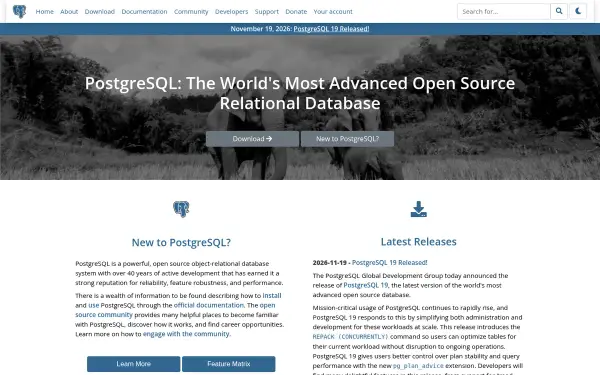
PostgreSQL is a general purpose relational engine with an ACID-compliant transactional core, and it stores JSON and JSONB documents next to ordinary tables. That combination means one engine can serve an application's structured records and its looser document payloads without adding a second system. An extension catalogue covers full-text search and geospatial work, custom functions can be written in several languages, and row-level security with role-based access control handles multi-tenant access rules. Streaming replication and failover options cover high availability, though you have to configure them deliberately rather than switch them on.
The engine is portable. The same database runs self-hosted on your own hardware or through a managed service from the major cloud providers, so a team can start small and move later. At scale, vacuum, indexing and replication tuning need experienced staff, and there is no single commercial vendor accountable for the software by default. Those two limits are the main reason some buyers pick a supported commercial product instead.
On price, PostgreSQL is released under a permissive open source license and maintained by a broad volunteer community, so there is no license fee. A managed service moves backups, patching and failover to the provider for a monthly fee. No official pricing page was captured in this review, so the free claim could not be re-checked.
You want one free, well-supported engine to carry both transactional tables and JSON documents for the next five years.
You have no database specialist and need a vendor contract with named accountability for the engine itself.
Entry II of IX / Web hosting ubiquity
Our verdict
The fastest route to a working web application, with the broadest hosting support and a free Community Edition under the GPL.
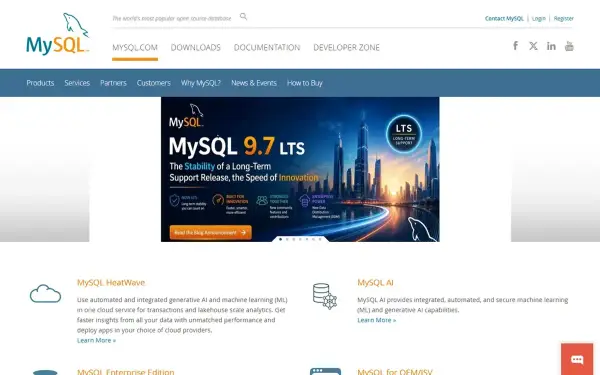
MySQL is the safe choice for read-heavy web applications. InnoDB gives it transactional storage, replication handles read scaling across replicas, and drivers exist for most programming languages, with wide support across shared and cloud hosting. Table partitioning and the query optimization tools cover routine tuning, and MySQL Workbench provides administration tooling for schema changes and monitoring.
It is quick to install and simple to operate, and it has been proven on very large web properties. The trade-off is depth. It has fewer advanced query and analytics features than PostgreSQL, and its JSON handling is more limited, so document-style work gets awkward. Oracle's ownership also worries some open source users, which is why MariaDB exists as a fork of the codebase.
Pricing follows edition. Community Edition is GPL licensed and free, while commercially licensed editions add support and monitoring. The pricing page fetch came back empty for this review, so the Community Edition price stays unverified; treat the paid editions as quoted until you have a written figure. For a content site, a product catalogue or a high-read API, MySQL is usually the least surprising option, and a team that already knows it will move faster than on a more capable engine they do not know.
You are building a read-heavy web application and want hosting, drivers and staff skills available off the shelf.
You need serious analytics, complex queries or heavy JSON work in the same database.
Entry III of IX / Microsoft stack integration
Our verdict
A strong fit inside a Microsoft estate and an expensive, complicated one outside it, with free editions that cap out quickly.
Microsoft SQL Server fits organizations that already run Windows, Azure and Microsoft 365. T-SQL with stored procedures covers everyday development, Active Directory and Azure integration handles identity, and Power BI and.NET tooling integrate. SQL Server Management Studio is the administration console, Always On availability groups cover high availability, and row-level security, data masking and in-memory OLTP tables are part of the feature set.
Administration and monitoring tooling is mature, and the security and compliance feature set is strong, which matters in audited environments. Cost is the catch. Standard and Enterprise licensing is expensive and complicated, per-core licensing needs careful capacity sizing, and while Linux builds exist, Windows is the natural platform.
Express edition is free but capped on memory, database size and compute, which limits it to smaller workloads. Developer edition is free for development and test only, not for production. Standard and Enterprise are quoted, and no page text was captured in this review, so the free editions plus quoted paid editions remain the position from the source material. Buy it when the Microsoft stack is already the default; do not buy it to save money on a small Linux workload.
Your identity, reporting and application layers already live in the Microsoft ecosystem and your team knows T-SQL.
You are cost-sensitive, Linux-first, or unwilling to model per-core licensing before you commit.
Entry IV of IX / Recovery and clustering
Our verdict
Deep enterprise capability with some of the most expensive licensing in the category, worth it only where scale, recovery or regulation demands it.
Oracle Database is built for regulated industries and large legacy enterprise estates. Multitenant pluggable databases consolidate many schemas into one container, Real Application Clusters covers high availability across nodes, and Data Guard handles standby replication. PL/SQL is the procedural language, advanced security and auditing options are extensive, and the in-memory column store plus automatic indexing and query optimization are included.
The track record on demanding transactional workloads is long, and the recovery tooling is extensive. The problems are commercial. Licensing is among the most expensive in the category, the terms are complex enough to create audit exposure, and the platform offers far more capacity than a small business needs.
Express Edition is free to download but limited on processor, memory and database size, and it is not aimed at large production systems, so it works as a learning and prototyping tier rather than a cheap production route. Paid editions are licensed per core with a separate support charge. No page text was captured in this review, so Express Edition free plus quoted paid editions remain the position from the source material. New projects should start elsewhere unless a regulator or an acquired system demands it.
You are running an audited, high-volume transactional estate where recovery tooling and existing Oracle skills outweigh the cost.
You are a small team, a new product, or a buyer who needs a public price before the first meeting.
Entry V of IX / Flexible document model
Our verdict
Fast to build against when your data model keeps changing, with a genuinely free Atlas tier and steep costs once you outgrow it.
MongoDB stores documents rather than rows, using JSON-like records that can change shape between releases without a migration script. That suits products where the data model is still moving: catalogues with varying attributes, user profiles that keep gaining fields, event payloads from third parties. The aggregation pipeline handles most query work, multi-document transactions cover the cases that need atomicity across documents, change streams let applications react to writes in real time, and full-text and vector search options are available.
Atlas is the managed deployment, with backups and monitoring included, and horizontal sharding scales out by design. Operational burden drops sharply on Atlas, but costs climb steeply as data and traffic grow, and a flexible schema can quietly produce performance problems when documents vary widely in size and shape. The server source is released under the SSPL, which some organizations exclude by procurement policy, so check that before you standardize.
On price, the Atlas M0 tier is free forever with 512 MB of storage on a shared cluster, which suits learning and prototypes rather than production. The cheapest paid tier shown is M2 at $9 per month, and dedicated cluster pricing scales with storage, memory and throughput.
Your records genuinely change shape between releases and you want a managed cluster without hiring a database administrator.
Your data is highly relational, your procurement policy bans the SSPL, or your budget cannot absorb growth in storage.
Entry VI of IX / MySQL without Oracle
Our verdict
A low risk MySQL substitute that keeps the protocol and adds engines, held back by a smaller tooling ecosystem and quote-only pricing.
MariaDB is the practical answer for teams that want MySQL compatibility without Oracle. It speaks the MySQL protocol and works with MySQL clients, so it is mostly a drop-in replacement for MySQL workloads. It adds storage engines beyond the MySQL set, including ColumnStore and Aria, and Galera cluster provides synchronous replication for multi-node high availability. JSON functions and dynamic columns handle semi-structured fields, and point-in-time rollback of data is available.
Development is community governed, which is the main draw for buyers who want the fork to stay open. The trade-offs are ecosystem and momentum. Third-party tooling support is smaller than MySQL's, some MySQL-specific tools lag behind, and the long-term divergence between the two forks is uncertain, so a feature that works on one may need testing on the other.
Pricing is quote only. The community server is a free download, and support subscriptions and managed cloud services are sold separately from it. All Enterprise Platform tiers are quote only, with no public figures on the vendor page, so budget conversations start with sales rather than a pricing sheet. For a straightforward MySQL workload, MariaDB is a low-risk substitution; for anything that leans on MySQL-specific tooling, test first.
You have a MySQL workload, want to keep the protocol, and prefer a community-governed project over Oracle's roadmap.
You rely on MySQL-specific tooling, or if you need a published price before you can budget for support.
Entry VII of IX / Zero administration
Our verdict
The right database when there is no server, unmatched for embedded and local storage and wrong for multi-user network workloads.
SQLite is a single-file relational database that links into the application as a library. There is no server to install, no daemon to monitor and no administration account to manage, which is why it ends up in mobile and desktop applications and embedded devices. The SQL engine runs inside the host process, WAL mode supports concurrent readers, and the full-text search extension plus JSON functions cover common local query needs.
Its reliability record and sheer deployment breadth are the argument for it. The terms are unusually generous: the library sits in the public domain rather than under an open source license, so commercial use is unrestricted. The limits are architectural. It is not a client-server database, so there is no network access, write concurrency is limited, and there are no built-in user accounts or permissions.
That makes it a poor fit for multi-user server workloads and an excellent fit for local storage inside an application, offline-first mobile apps, test fixtures and small desktop tools. There is no pricing page to check and nothing to buy. The public domain status could not be re-verified against a vendor page in this review, but it is the long-standing position for the project.
The data lives on the device, inside a desktop app, or in a test harness where a background server would be overhead.
Several users or servers need concurrent writes over a network, or if you need per-user permissions in the database.
Entry VIII of IX / Sub-millisecond reads
Our verdict
The standard tool for caching and real time data, cheap to start and expensive once the working set outgrows memory.
Redis is an in-memory key-value store built for speed. Reads land in sub-millisecond territory, and the data structures (lists, sets, sorted sets and streams) map closely onto application patterns such as queues, leaderboards, rate limiters and session records. Publish and subscribe messaging, time-to-live expiry on keys and cluster mode for sharding cover the rest of the common cases, and client libraries exist for most languages.
Persistence is optional, through snapshots and append-only files, and that optionality is the point: Redis is suited to a cache or a fast side store rather than the system of record. The dataset must fit in memory, which drives cost at scale, and a persistence setup adds operational complexity that a pure cache does not have.
On price, the managed service has a free tier up to 30 MB on a shared deployment, and Essentials starts at $5 per month, listed at $0.007 per hour. Managed tiers are priced by memory size and throughput. One procurement note: license terms on recent releases are source-available rather than the earlier permissive license, which matters to redistributors and to organizations with strict open source policies. Check the current terms before you embed it in a product you ship.
You need fast cache reads, session state, rate limiting or a lightweight queue in front of a slower database.
You want one database to hold authoritative records, or if your working set is too large for memory to be affordable.
Entry IX of IX / Separate storage and compute
Our verdict
Excellent for analytics at scale and wrong for transactions, with consumption billing that rewards query discipline and punishes sloppiness.
Snowflake is an analytics warehouse, not a transactional database. Storage and compute are billed separately, and virtual warehouses resize independently, so a heavy reporting job does not force you to duplicate the stored data or degrade the ingestion path. Time travel and zero-copy cloning let you rehearse a migration or hand an analyst a copy of a table without duplicating stored data, secure data sharing moves results between accounts without copying files, and the VARIANT type handles semi-structured records. Snowpark and the native application framework cover code that needs to run near the data, and role-based access controls handle permissions.
Administration is light compared with a self-managed warehouse, and data sharing across organizations is a core feature. The risk is the bill. Credit-based pricing can surprise the unwary, inefficient queries raise costs directly, and the platform is not built for transactional workloads, so it complements an operational database rather than replacing one.
Pricing is consumption based. The vendor page shows per credit figures of $2.00 for Standard, $3.00 for Enterprise and $4.00 for Business Critical, with Standard quoted at $2.00 per credit for AWS US East, N. Virginia. There is no free plan, though a free trial is available, and spending limits plus resource monitors are configured per account.
Reporting, large scans and cross-organization data sharing are the job, and you can put spending monitors in place on day one.
You need row-level transactional writes, or if nobody on the team will watch query cost against credits.
VBackground
Database software stores, organizes and retrieves data for an application, and the category splits along two axes that decide most purchases.
The first is the data model. Relational engines such as PostgreSQL, MySQL, Microsoft SQL Server, Oracle Database and MariaDB store rows in tables with a fixed schema and enforce relationships between them. Document and key-value systems such as MongoDB and Redis store looser records and trade some query power for flexibility and speed. SQLite is relational but runs as an embedded library rather than a server, and Snowflake is a warehouse built for analytics rather than day-to-day transactions.
The second axis is who runs it. You can install the engine on your own servers, or buy a managed service where the provider handles backups, patching and failover for a monthly fee. PostgreSQL, MySQL, MongoDB and Redis all offer both routes. Engine choice and hosting choice are separate decisions, and teams that treat them as one usually end up overpaying or under-staffed.
A quick way to sort the list:
Most business applications need exactly one transactional engine at the center. The rest of this list appears around it as satellites: a cache in front, a warehouse behind, an embedded database inside the mobile client.
This comparison sits in the software register. Further along the shore: baby tracking app and kennel software.
VIPricing
Expect to pay for operations more often than for the engine. The license is the visible number, and on this list it is frequently zero. Staffing, backups, failover and cloud compute are where the budget actually goes.
| Model | How it bills | Typical fit | Example from this list |
|---|---|---|---|
| Open source, self-hosted | No license fee; you pay for servers, staff and backup tooling | Teams with operations skills | PostgreSQL, MySQL Community Edition |
| Free tier, managed service | Metered by storage, memory and throughput above the free allowance | Prototypes and small production systems | MongoDB Atlas M0 at 512 MB, Redis free tier up to 30 MB |
| Free edition, paid editions quoted | Express or Developer editions at no cost, Standard and Enterprise quoted | Microsoft and Oracle estates | Microsoft SQL Server, Oracle Database |
| Quote only | Custom quote from sales, no public figures | Regulated buyers needing a support contract | MariaDB Enterprise Platform |
| Consumption based | Per credit that varies by warehouse size and cloud region | Analytics at scale | Snowflake Standard at $2.00 per credit |
| Public domain | Nothing to bill | Embedded local storage | SQLite |
Two rows deserve care. The free editions of SQL Server and Oracle are real products but capped on memory, processor or database size, so they rarely carry a large production system. Managed free tiers are smaller still: 512 MB on MongoDB Atlas and 30 MB on Redis are learning environments, not a hosting plan.
Managed services become the bigger line item as data grows. Atlas pricing climbs with storage, memory and throughput, Redis tiers are priced by memory, and Snowflake charges by credit consumed, so a careless query is a direct cost.
Each entry card shows the starting price as it appeared on the vendor's own pricing page on November 25, 2026. When a vendor shows no figure we could confirm, or only a promotional rate, the card says "See website" or gives the regular price instead of a guess. Usage, overage and add-on rates in the text change more often than plan prices, so confirm them on the vendor page before you set a budget. To test the numbers against your own volume, try the free User Research Budget Planner. The Event Break-Even Calculator is a second way to check the same decision.
VIIDecision
VIIIPitfalls
IXQuestions
PostgreSQL is the sensible default for most business applications in November 2026. It is free under a permissive open source license, handles relational tables and JSON documents in one engine, and runs self-hosted or through managed services from the major cloud providers. Choose MySQL instead if your workload is read-heavy web traffic and you want the widest hosting support. Choose SQL Server if the Microsoft stack is already your standard.
Yes, with staffing attached. PostgreSQL and MySQL run large production systems, but the free license does not remove the operational work: vacuum, indexing, replication and failover still need people who know the engine. A managed service or a support subscription can cover that gap. The software is ready; the question is whether your team or your provider carries the operations.
Relational engines store rows in tables with a defined schema and enforce relationships, which suits transactional records that must stay consistent. Document and key-value stores keep looser records, which suits data whose shape changes often or needs sub-millisecond reads. In practice the line is blurry: PostgreSQL stores JSONB documents, and MongoDB supports multi-document transactions. Pick by the queries and consistency rules you need, not by the label.
On this list the engine license is often zero. The managed tier is where money starts: MongoDB's cheapest paid Atlas tier is M2 at $9 per month, Redis Essentials starts at $5 per month, and Snowflake lists Standard at $2.00 per credit. SQL Server Standard and Enterprise, Oracle paid editions and all MariaDB Enterprise Platform tiers are quote only, so you need a written figure from sales before budgeting.
Usually yes for a small team without a database specialist. A managed service moves backups, patching and failover to the provider for a monthly fee, which can save staff time. Self-hosting makes sense when you already run infrastructure, have strict data residency rules, or the managed premium at your data volume is clearly larger than the staff time it saves.
Harder than the SQL standard suggests. Portable queries move easily, but stored procedures, ORM behavior, vendor-specific data types and tuning assumptions do not. License cost is one reason teams consider a move. If a future migration is plausible, keep business logic out of the database and avoid features that only one engine implements.
XFurther along the shore
Vendors can ask for a correction or apply for a Featured listing. Paid or not, the entry is scored on the same rubric and its limits stay in print. Partner with Umberlake.
Free tools
Our free browser tools turn the prices on this page into a figure for your own volume. Nothing you type leaves your device.