
Quadient Inspire
See websiteCustom quote with paid implementation services
Best for large regulated firms producing omnichannel documents at scale
- Free plan
- No
- Rubric
- 6.5 of 10
Nine platforms, three very different jobs: regulated document production, everyday support conversations and raw messaging infrastructure. Here is how to match the tool to the work.

IThe short answer
The best customer communication management software in November 2026 depends on whether you send documents or conversations. Quadient Inspire suits regulated firms producing omnichannel statements at scale, OpenText Exstream suits extreme transactional document volumes, and Zendesk suits omnichannel support ticketing at mid-market and enterprise scale. All nine entries were checked on 26 November 2026. The list splits into document composition platforms, helpdesks, messaging APIs and lifecycle marketing tools, so match the job before the brand.
9 tools compared from vendor pages on November 25, 2026. 2 publish a starting price we could read; the rest say "See website".
IITop three berths
Register order is editorial fit for the buyer each entry describes. Prices are the starting figures read on November 25, 2026.
See websiteCustom quote with paid implementation services
Best for large regulated firms producing omnichannel documents at scale
See websiteQuote-based licensing
Best for very high volume transactional statements and correspondence

See websiteAnnual contract, custom quote, implementation services
Best for cloud correspondence management in regulated industries
How this page is paid for. All 9 tools here are unpaid editorial picks.
A paid listing's position can be part of what the vendor pays for. Every entry, paid or not, is scored on the same rubric and keeps its limits in print. Advertising disclosure.
IIIThe register
Starting prices as shown on each vendor's pricing page on November 25, 2026. "See website" means no figure we could confirm.
| No. | Tool | From | Free plan | Trial | Rubric | Actions |
|---|---|---|---|---|---|---|
| 01 | Quadient InspireLarge regulated firms producing omnichannel documents at scale | See websiteCustom quote with paid implementation servicesNot shown publicly | No | No | 6.5 | |
| 02 | OpenText ExstreamVery high volume transactional statements and correspondence | See websiteQuote-based licensingNot shown publicly | No | No | 5.9 | |
| 03 | Smart CommunicationsCloud correspondence management in regulated industries | See websiteAnnual contract, custom quote, implementation servicesNot shown publicly | No | No | 6.0 | |
| 04 |  MessagepointContent governance and cleanup across large document libraries | See websiteQuote-based licensingNot shown publicly | No | No | 5.7 | |
| 05 |  IntercomIn-product messaging and AI-assisted support for SaaS | See websiteEssential, per seat per month, billed annually, Fin AI Agent $0.99 per outcomeNot shown publicly | No | 14-day free trial | 5.3 | |
| 06 |  ZendeskOmnichannel support ticketing at mid-market and enterprise scale | $55Suite Team, per agent per month, billed yearlyRead on vendor page | No | 14-day free trial | 6.0 | |
| 07 |  FrontTeams that work from shared inboxes collaboratively | $25Starter, per seat per month, billed annually, up to 10 seatsUpdated on vendor page | No | 14-day free trial | 5.9 | |
| 08 |  TwilioDevelopers embedding messaging and voice into products | See websitePay as you go, usage based rates per message or minute, free trial creditNot shown publicly | No | Free trial, no credit card required | 5.2 | |
| 09 | BrazeLifecycle and behavioral messaging for consumer brands | See websiteCustom enterprise quote, no self-serve tierNot shown publicly | No | No | 4.9 |
Pinned:
IVMethod
We ranked these nine tools by fit for the buyer each entry describes, not by a single aggregate score. Every tool was scored on the same five criteria, weighted as shown above: document depth, channel coverage, pricing clarity, time to value and governance controls.
Document depth asks how far a platform goes on template design, rules-driven content and batch output. Channel coverage covers print, email, SMS, chat, voice and in-app reach. Pricing clarity rewards published numbers over quotes. Time to value weighs self-serve signup and trials against project-based rollouts. Governance covers approvals, audit trails, archival and disclosure consistency.
Prices were taken from vendor pricing pages and checked on November 26, 2026. Where a page could not be fetched, or a figure rendered in a way we could not verify, we say so in the entry and give no number. We do not convert currencies or estimate implementation costs.
Listings marked Featured are paid placements. They are scored on the same rubric as every other entry and carry the same honest cons. None of the nine tools below carries that label.
The order is editorial. It reflects how well each tool serves the specific buyer described in its entry, which is why a document engine and a $25 shared inbox can both appear without one being wrong for the other's audience.
The full routine, from price reads to corrections, is on the methodology page. Paid listings follow the advertising disclosure.
How far the platform goes on template design, rules-driven content and high-volume batch output.
Whether print, email, SMS, chat, voice and in-app reach are handled in one place.
Published rates and predictable billing versus a sales quote with unknown services cost.
Self-serve signup and trials versus project deployments measured in months.
Approvals, audit trails, archival and provable disclosure consistency for regulated output.
Entry I of IX / Document breadth

Our verdict
The deepest document engine here, with print and digital output in one platform and a price you can only learn from sales.
Quadient Inspire is a document factory. You design a template once and output it to print, email, SMS, a web portal or mobile push, which is why it shows up in banks, insurers and utilities that send millions of statements, bills and policy documents a year. Version control, approval steps and audit tracking are built into the content lifecycle, and business rules drive personalization inside the document itself. Integrations reach into core banking and insurance systems rather than stopping at generic APIs.
The trade-off is speed. This is an enterprise document platform, not a chat or ticketing tool. Deployments are project-based and typically measured in months, with no self-serve signup and no trial. Pricing is on the vendor site behind a custom quote, and the paid implementation services attached to it add substantial cost on top of licensing. You are buying breadth: one platform covering print and digital delivery, plus the governance that regulated output demands.
Choose it when document volume and regulatory audit requirements dominate your buying criteria and you have the internal capacity to run a long rollout. Choose something lighter when your real problem is answering customer emails quickly, because you would pay for composition depth you never use.
You generate regulated statements or policy documents at volume and can staff a project-based rollout.
You need live chat or ticketing, or a tool you can switch on this week.
Entry II of IX / Transactional volume
Our verdict
Proven at extreme transactional volume and tightly bound to OpenText records, but dated in architecture and sold only through quotes.
OpenText Exstream, formerly HP Exstream, is built for transactional documents where layout precision is not negotiable. Statements, bills and correspondence are produced in batch at very high volume, with rules-driven content assembly deciding which paragraphs and figures appear. Integration with enterprise content management and records systems means generated communications are archived and retained under the same governance as the rest of the record, and output covers both print and digital channels.
The strengths are volume, compliance and archival rather than user experience. Organizations already standardized on OpenText infrastructure get a tight fit, since Exstream shares records and content management with adjacent products. Everyone else inherits an older architecture that feels dated next to cloud rivals, plus a heavy implementation that needs specialist skills to run and maintain.
Pricing is quote-based licensing with no public rates, there is no free plan and no trial, so budget for a project rather than a subscription. Expect the composition specialists to be a long-term dependency rather than a temporary one. The platform suits insurers, banks and utilities with very high transactional document volumes and an existing OpenText footprint. It suits a modern support or marketing team not at all.
You already run OpenText infrastructure and produce transactional documents at very high volume.
You want cloud-native correspondence editing for business users or any form of self-serve trial.
Entry III of IX / Business user editing
Our verdict
A cloud correspondence platform that lets business teams edit regulated letters under governance, sold as an annual enterprise contract.
Smart Communications, often called SmartCOMM, is the cloud answer to correspondence management. Templates and letters are designed in a browser, approvals sit in the same workflow, and forms automation with guided data capture pulls the right information from customers before a document is generated. Business users can change wording and logic without joining an IT queue, which is the main reason insurance, healthcare and financial services teams pick it.
Compliance controls are built around regulated customer communications, and delivery runs across print and digital channels from the cloud, so there is no on-premise infrastructure to stand up. That cloud-native design removes the need for on-premise infrastructure, though this is still an enterprise purchase with a sales process attached.
Pricing is on the vendor site only: an annual contract with a custom quote and implementation services. There is no free plan and no trial, so evaluation means procurement rather than signup. Outside regulated industries the platform is more than most teams need, and lighter correspondence tools will get you live faster. The fit is a mid-size to large insurer, health payer or bank that wants business teams editing letters under governance.
Business teams must edit regulated correspondence themselves while compliance keeps oversight.
You are a small team that needs a quick self-serve tool with a published price.
Entry IV of IX / Content intelligence
Our verdict
A content intelligence layer that cleans and governs sprawling template libraries, best used alongside a composition engine rather than instead of one.
Messagepoint attacks a problem the composition engines do not: content accuracy at scale. It analyzes template libraries to find inconsistent or outdated language, runs readability and disclosure checks across thousands of documents, and lets business users edit content inside guardrails rather than free-form. Migration and rationalization tooling helps consolidate a sprawling estate of legacy templates, and analytics report on how communications actually perform.
That makes it a complement more than a replacement. In most deployments it sits alongside an existing composition engine, cleaning up and governing the content that engine produces. Buyers expecting one platform to design, produce and deliver documents will find it covers only part of that chain.
Pricing is quote-based and not published, there is no free plan and no trial, and the company is smaller than the largest CCM vendors, which matters if you want one owner across a global rollout. For a regulator-facing team that must prove disclosure consistency across thousands of templates, the content intelligence layer is distinctive enough to justify a separate line item. For a firm with a small template estate, it is overkill.
You must prove disclosure consistency across thousands of legacy templates.
You need a full composition and delivery engine from one vendor.
Entry V of IX / AI resolution
Our verdict
A polished in-app messenger and Fin AI agent for product-led SaaS, with seat fees plus $0.99 per resolved outcome.
Intercom is built for conversations inside a product. The messenger and chat widget sit in your app, a shared agent inbox handles replies, the help center deflects common questions, and the workflow builder automates routing and follow-up. Outbound messaging and product tours let the same team run onboarding nudges, and reporting tracks conversation and resolution performance. The Fin AI agent resolves conversations on its own, which is a core part of the product.
Pricing is on the vendor site and does not map cleanly to a single number. Essential is billed per seat per month on an annual term, and Fin is charged at $0.99 per outcome on top. Advanced lists at $85 and Expert at $132 per seat per month. Seat prices on the pricing page render as animated digits, so confirm the quoted figure in writing before you budget. There is a 14-day free trial and no permanent free tier.
The practical risk is predictability. Seat fees plus per-resolution AI charges mean spend tracks conversation volume, and high volumes climb fast. Product-led SaaS companies get a polished messenger and an AI agent in one product. Teams that mostly handle email, or that need document output, should look elsewhere.
You run a product-led SaaS and want a messenger plus AI resolution in one place.
Your support is mostly email or you need predictable flat pricing.
Entry VI of IX / Omnichannel routing
Our verdict
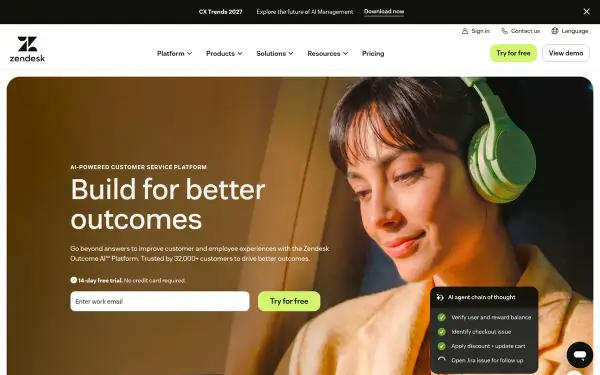
The broadest omnichannel ticketing here, at $55 per agent per month, with compliance depth and add-on AI that raise the bill.
Zendesk is the default choice when support needs one workspace across email, chat, voice, social and messaging. Agents work from a unified view, the help center and knowledge management handle deflection, and triggers and routing rules move tickets without manual triage. A large app marketplace covers integrations, and upper tiers add advanced analytics, workforce reporting, SLAs, multilingual content and HIPAA options. AI copilot and automated resolution are add-ons rather than included features.
Pricing is unusually transparent for this category: Suite Team lists at $55 per agent per month on yearly billing, with Suite Growth at $89 and Suite Professional at $115. Those steps are steep, and each unlocks capabilities many teams assume are standard. Copilot is priced per agent per month on top, and automated resolutions carry per-resolution charges. A 14-day free trial is available and there is no free plan.
The result is a platform that scales from a small team to a global contact center without changing vendors, at the cost of a bill that grows with every tier and add-on. Small support teams often find it heavy. Mid-market and enterprise buyers who need omnichannel routing, SLAs and compliance will find the depth pays for itself.
You need one ticketing workspace across many channels with enterprise compliance.
You run a small inbox and want the cheapest predictable per-seat bill.
Entry VII of IX / Shared inbox workflow
Our verdict
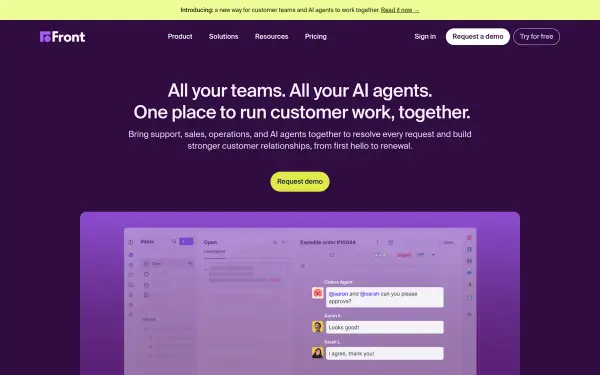
Shared inbox collaboration with published per-seat pricing, though the 10-seat Starter cap forces a costly upgrade sooner than expected.
Front treats email like a shared workspace rather than a private mailbox. Shared inboxes span email, chat, SMS and social, with assignment, internal comment threads and collision detection so two people do not answer the same message. Internal drafting lets a teammate write a reply for someone else to send, which is a useful collaboration feature. Rules, automation and routing arrive on higher tiers, and analytics report on response performance.
Pricing is published per seat per month on annual billing. Starter lists at $25 and caps at 10 seats, which is the detail that catches buyers: cross that line and you move to Growth at $49 or Scale at $99 per user per month. Starter also restricts channel types, and AI copilot and QA are add-ons rather than included. A 14-day free trial runs before any commitment, and there is no free plan.
Front fits teams that live in a shared inbox, such as customer success, operations and light support, and that value collaboration over deep ticketing. It fits less well when you need heavyweight reporting, complex SLAs or high-volume automation, where a dedicated ticketing suite does more. Note that Starter lists at $25, so older budgets may understate the current cost.
Your team works from shared inboxes and collaborates on every reply.
You need deep reporting, complex SLAs or more than 10 seats at entry pricing.
Entry VIII of IX / Channel APIs
Our verdict
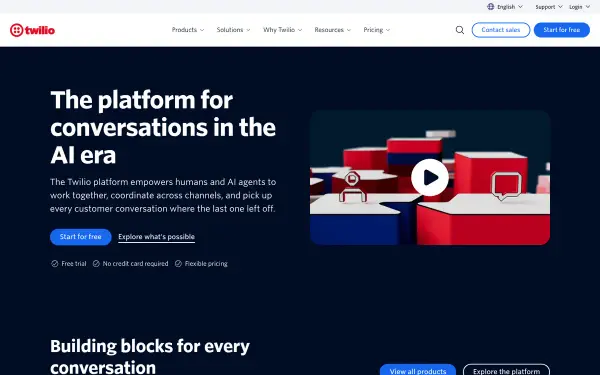
Raw messaging and voice APIs billed per unit, ideal for developers and useless to anyone who wants a finished agent interface.
Twilio sells building blocks, not an application. Programmable SMS, voice, WhatsApp and email through SendGrid let a development team embed messaging into their own product, with webhooks and SDKs to wire it up. Deliverability and routing tooling handle the parts you would rather not build, and per-unit billing means you can model cost per message or per minute before you commit.
That flexibility is the whole point and the whole limitation. There is no agent inbox, no template library for business users and no reporting dashboard a support manager would recognize. Your team builds the interface and the logic, and support is aimed at developers. Spend scales directly with message volume and destination country, so forecasting takes real modeling rather than a seat count. Rates differ by channel and destination, which is why no single starting price exists and pricing sits on the vendor site.
A free trial with no credit card required lets you test the APIs before committing. Twilio is the right call when messaging is a product feature you want to control end to end, or when you are filling a channel gap a packaged tool does not cover. It is the wrong call when you want a finished tool next week.
Your developers want to embed SMS, voice or WhatsApp messaging directly into a product.
You need an agent workspace, reporting dashboard or template library out of the box.
Entry IX of IX / Behavioral orchestration
Our verdict
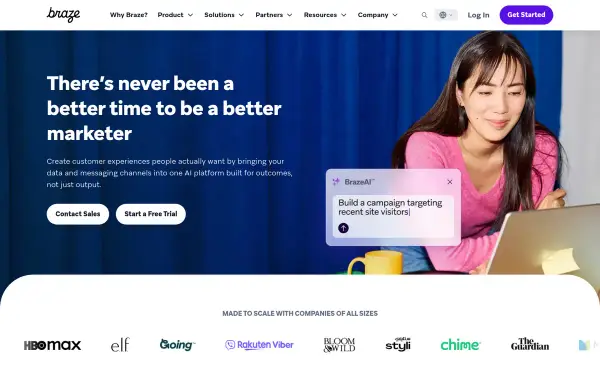
Cross-channel lifecycle orchestration with real-time behavioral triggers, sold as an enterprise quote and paired with a separate helpdesk.
Braze handles outbound engagement rather than inbound service. Email, push, SMS, in-app and web messages are orchestrated from one place, with real-time behavioral triggers and segmentation deciding who gets what and when. Journey and canvas builders sequence multi-step campaigns, personalization draws on live customer activity, and testing and reporting cover engagement and conversion. Data ingestion from product and CRM sources keeps the audience current.
The pricing model matches the audience it serves: a custom enterprise quote with no self-serve tier and no trial. That means a sales cycle and an implementation project before you see value, and it rules out small teams testing the water. There is also no ticketing or agent workspace anywhere in the product, so it sits beside a helpdesk rather than replacing one.
Position it correctly and it earns its place. Braze drives lifecycle and behavioral messaging for consumer apps and retail brands, and it pairs naturally with a separate helpdesk for inbound conversations. Buyers who want one system for documents, tickets and campaigns will not get that here. Buyers who already have support covered and need cross-channel orchestration at scale will find it purpose-built.
You run lifecycle and behavioral campaigns for a consumer brand and already have support covered.
You need inbound ticketing, a trial, or any published entry price.
VBackground
Customer communication management software covers any system that produces, sends or handles a message to a customer at scale. That definition hides four quite different products, and most buying mistakes come from mixing them up.
Document CCM is the classic form. A template is designed once, business rules decide what appears inside it, and the output goes to print, email, a portal or mobile push. Quadient Inspire, OpenText Exstream, Smart Communications and Messagepoint live here, and their buyers are banks, insurers, utilities and healthcare payers who must prove that the wording a customer received matched an approved version months later.
Conversational platforms handle the opposite direction. Zendesk, Front and Intercom manage inbound questions across email, chat and messaging, with an agent workspace, routing and reporting. Their unit of work is the conversation, not the document.
Two more shapes round out the list:
The overlap is real but narrow. A helpdesk can send a templated reply; it cannot generate a long policy document with audited disclosure text. A document engine cannot route a live chat to the right agent. Deciding which of these jobs you are buying for is the whole exercise, and it is why nine tools can all be called customer communication management software without competing directly.
This comparison sits in the software register. Further along the shore: baby tracking app and kennel software.
VIPricing
Pricing in this category splits into four shapes, and the shape tells you more than the number. Per-seat subscriptions are published and predictable. Usage-based billing scales with traffic. Enterprise quotes hide the number behind a sales process, and AI resolution fees sit on top of whatever you already pay.
| Model | How it bills | Typical fit | Example from this list |
|---|---|---|---|
| Per seat | Per agent or user, per month, billed annually | Support and shared inbox teams | Zendesk Suite Team at $55 per agent per month |
| Seat plus AI outcome | Per seat, plus $0.99 per resolved conversation | Product-led SaaS support | Intercom Fin AI Agent |
| Usage based | Per message or per minute, by channel and country | Developers embedding messaging | Twilio |
| Enterprise quote | Annual contract with implementation services | Regulated document producers | Smart Communications |
| Quote-based licensing | Negotiated license, no public rates | Very high volume document output | OpenText Exstream |
Only two tools here publish a starting per-seat figure: Zendesk at $55 for Suite Team and Front at $25 for Starter, both per seat or agent per month on annual billing. Intercom publishes plan names and a per-outcome AI charge of $0.99 but leaves the seat number to an animated element on the page, so confirm it in writing. Twilio has no plan at all, because every invoice is a function of message and minute volume by destination.
The remaining tools, Quadient Inspire, OpenText Exstream, Smart Communications, Messagepoint and Braze, quote per deal. Expect implementation services as a separate line on those contracts; Quadient's plan terms name paid implementation explicitly. Whatever the model, ask for three numbers: the annual seat or license total, the projected AI or channel volume charge at your real traffic, and the one-time services figure. Teams that model only the first number are the ones surprised at renewal.
Each entry card shows the starting price as it appeared on the vendor's own pricing page on November 25, 2026. When a vendor shows no figure we could confirm, or only a promotional rate, the card says "See website" or gives the regular price instead of a guess. Usage, overage and add-on rates in the text change more often than plan prices, so confirm them on the vendor page before you set a budget. To test the numbers against your own volume, try the free User Research Budget Planner. The Event Break-Even Calculator is a second way to check the same decision.
VIIDecision
VIIIPitfalls
IXQuestions
Document CCM produces outbound communications such as statements, bills and policy letters, with templates, business rules and audit trails. A helpdesk handles inbound conversations, with a shared inbox, routing and SLAs. Quadient Inspire and OpenText Exstream are document tools; Zendesk and Front are helpdesks. The two rarely substitute for each other, and large firms often run both.
Not for regulated document output. A helpdesk can send templated replies and knowledge base articles, but it will not generate a multi-page statement with audited disclosure language or archive the output for retention. Where your communications are conversational and low-structure, a helpdesk such as Zendesk or Front covers the work at a fraction of the cost.
Zendesk publishes $55 per agent per month for Suite Team, with $89 and $115 tiers above it. Front publishes $25 for Starter, $49 for Growth and $99 for Scale. Intercom publishes plan names and a $0.99 per-outcome AI charge but the seat figure needs confirming. Twilio bills per message or minute. The rest quote per deal.
When messaging is a product feature you want to control, or when you need a channel no packaged tool supports cleanly. Twilio gives you SMS, voice, WhatsApp and email APIs with usage-based billing and a free trial. You supply the interface, the logic and the reporting. Buy packaged software instead when you need an agent workspace on day one.
Three recurring extras. AI resolution fees, at $0.99 per Fin outcome at Intercom and per-resolution charges at Zendesk, scale with volume rather than headcount. Add-ons such as Zendesk Copilot and Front's AI copilot and QA are priced separately. On enterprise deals, implementation services are a separate one-time line, and Quadient Inspire names paid implementation in its plan terms.
Rarely well. Messagepoint deliberately sits alongside a composition engine, and Braze has no ticketing or agent workspace. The realistic combination is a document platform for regulated output, a helpdesk for inbound conversations and, for consumer brands, a lifecycle tool for outbound campaigns. Budget for integration work between them rather than expecting one vendor to cover all three.
XFurther along the shore
Vendors can ask for a correction or apply for a Featured listing. Paid or not, the entry is scored on the same rubric and its limits stay in print. Partner with Umberlake.
Free tools
Our free browser tools turn the prices on this page into a figure for your own volume. Nothing you type leaves your device.