
PlanSwift
$2,000Essential, 1 seat, billed annually
Best for fast dedicated 2D takeoff for high-volume estimators
- Free plan
- No
- Rubric
- 8.0 of 10
Nine takeoff tools ranked by measurement depth, speed and collaboration, with published prices checked on November 26, 2026 and honest limits for each.

IThe short answer
The best construction takeoff software for November 2026 depends on how you measure. PlanSwift suits high-volume estimators who want fast desktop 2D takeoff with assemblies. STACK suits distributed teams that need cloud collaboration, estimating and a free account to start. Bluebeam Revu suits teams already reviewing PDFs who want measurement inside the same tool. All nine picks below were checked on November 26, 2026, and four of them show no confirmed comparable price.
9 tools compared from vendor pages on November 25, 2026. 5 publish a starting price we could read; the rest say "See website".
IITop three berths
Register order is editorial fit for the buyer each entry describes. Prices are the starting figures read on November 25, 2026.
$2,000Essential, 1 seat, billed annually
Best for fast dedicated 2D takeoff for high-volume estimators

$260Basics, per user, billed annually
Best for pDF plan review teams that also need takeoff

$299Takeoff & Estimate, per user per month, as low as
Best for cloud takeoff and collaboration for distributed estimating teams
How this page is paid for. All 9 tools here are unpaid editorial picks.
A paid listing's position can be part of what the vendor pays for. Every entry, paid or not, is scored on the same rubric and keeps its limits in print. Advertising disclosure.
IIIThe register
Starting prices as shown on each vendor's pricing page on November 25, 2026. "See website" means no figure we could confirm.
| No. | Tool | From | Free plan | Trial | Rubric | Actions |
|---|---|---|---|---|---|---|
| 01 | PlanSwiftFast dedicated 2D takeoff for high-volume estimators | $2,000Essential, 1 seat, billed annuallyRead on vendor page | No | 14-day free trial, no credit card | 8.0 | |
| 02 | Bluebeam RevuPDF plan review teams that also need takeoff | $260Basics, per user, billed annuallyRead on vendor page | No | 14-day free trial | 7.7 | |
| 03 | STACKCloud takeoff and collaboration for distributed estimating teams | $299Takeoff & Estimate, per user per month, as low asRead on vendor page | Yes | No | 7.5 | |
| 04 | On-Screen TakeoffOCR takeoff and revision overlays for bid work | See websiteNot shown publicly | No | Demo only | 5.6 | |
| 05 |  eTakeoffBudget desktop takeoff with core measurement tools | $795Advanced, per user per yearRead on vendor page | No | Free trial | 6.8 | |
| 06 |  Autodesk Takeoff2D and 3D takeoff inside Autodesk Construction Cloud | See websiteNot shown publicly | No | Free trial | 7.1 | |
| 07 | Square TakeoffSimple flat-rate cloud takeoff with unlimited jobs | See websiteNot shown publicly | No | Free trial | 6.2 | |
| 08 | MethvinTakeoff within a connected pre-construction suite | See websiteNot shown publicly | No | Demo only | 5.4 | |
| 09 | BuildxactResidential builders needing takeoff plus job management | $199Foundation, per month, paid monthly, unlimited usersUpdated on vendor page | No | 14-day free trial | 6.8 |
Pinned:
IVMethod
Every tool here was scored against the same five criteria: measurement depth (28 percent), large-set speed (22 percent), team collaboration (18 percent), pricing clarity (16 percent) and workflow fit (16 percent). Measurement depth asks how far a tool goes beyond basic length and area into assemblies and model quantities. Large-set speed is about clicking through a full commercial plan set without waiting on the software. Collaboration covers whether two estimators can share one project. Pricing clarity rewards a published figure you can budget from. Workflow fit covers how cleanly quantities reach an estimate, quote or schedule.
Prices, plan names, billing terms, trials and free-plan details come from each vendor's own pricing sheet or product page, checked on November 26, 2026. Where a page published no figure or did not load, the price appears as see website and no number is stated in the review. Nothing here is a quote, so confirm current pricing with the vendor before you sign.
Placement in this list is editorial and reflects fit for the buyer described in each entry. A Featured listing, if one appears, is a paid placement and is scored and written with the same rubric as every other entry, cons included.
The full routine, from price reads to corrections, is on the methodology page. Paid listings follow the advertising disclosure.
How far the tool goes past basic length and area into assemblies, conditions and model quantities.
How quickly the tool stays responsive while an estimator clicks through a full commercial plan set.
Whether several estimators can work in one project at once without passing files back and forth.
Whether a buyer can find a published, comparable price without booking a sales call first.
How cleanly quantities reach an estimate, quote or schedule without being retyped.
Entry I of IX / Assembly-driven quantities
Our verdict
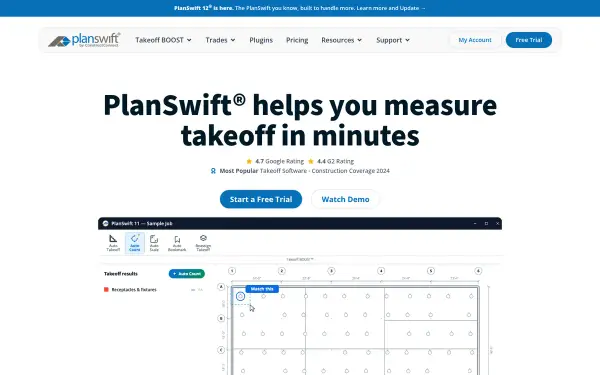
Fastest pure 2D measuring here, with assemblies that turn counts into estimate lines, if you can justify $2,000 a year per seat.
PlanSwift is a desktop measuring engine built for estimators who open large 2D plan sets and need quantities fast. Point-and-click tools handle length, area and count, and conditions accumulate quantities as you click. The part that separates it from simpler PDF tools is assemblies: a single measurement can carry a group of materials and labor items, so the takeoff flows into estimate line items instead of stopping at a number. Trade plugins cover concrete, drywall, electrical and mechanical, which matters if your work sits in one of those trades and you would otherwise rebuild the same assemblies by hand.
Pricing is published and easy to compare. The Essential tier is $2,000 per year for one seat, billed annually, and additional seats drop to $1,500 per seat per year. A 14-day trial gives full access without a credit card, which is enough time to test one real plan set rather than a demo file.
The trade-offs are real. The interface shows its age next to browser-based rivals, and collaboration means passing files rather than working in the same project at once. At $2,000 per seat per year it is an expensive annual entry point on this list, so it pays off only if your estimators measure all day. A firm with two estimators who split time between site visits and takeoff may find the per-seat math harder to justify than a $299 monthly cloud seat.
Your estimators live in large 2D plan sets and want measurements to arrive in the estimate already assembled.
Your team works from different offices and needs several people in one project at the same time.
Entry II of IX / Studio real-time review
Our verdict
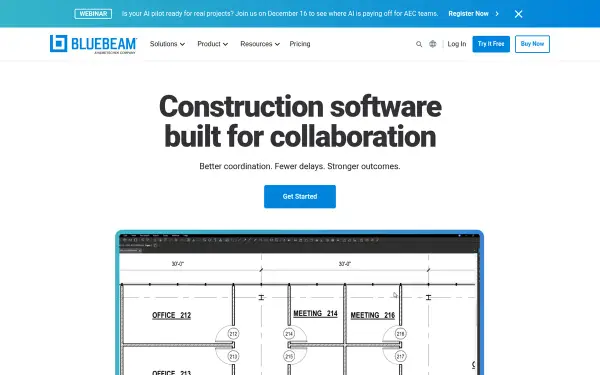
The safe pick for teams already marking up PDFs, though the most advanced measurement tools sit in the $590 tier.
Bluebeam Revu is a widely used PDF plan review tool, and takeoff is one of the things it does rather than the reason to buy it. Measurement tools for length, area, volume and count sit alongside markup, annotation and document management, so an estimator can pull quantities from the same file the project team is commenting on. Studio sessions let several people review the same drawing set in real time, which supports team review inside the same tool.
Pricing runs from $260 per user per year on Basics to $590 on the top tier, and a 14-day trial is available. The catch sits in the tier structure: the lower tiers include measurement, but advanced perimeter and measurement features are held back for higher tiers, so a team that needs those ends up at the top of the range rather than the entry price. Budget for the tier you will actually use, not the one on the pricing sheet's first line.
The honest limit is depth. Revu is not built to carry assemblies into a priced estimate, and estimators with heavy takeoff volume usually pair it with a dedicated tool or move to one. It fits organizations where drawing review already lives in PDFs and someone needs defensible quantities without buying a second platform. If takeoff is the main job rather than a side task, the specialists on this list do it faster.
Your projects already run on PDF markup and you want quantities from the same drawings your team reviews.
Takeoff is a full-time job and you need assemblies feeding a priced estimate.
Entry III of IX / Browser collaboration

Our verdict
Cloud takeoff, estimating and proposals in one browser tab, with a free account that lets small crews start before paying $299 a seat.
STACK puts takeoff, estimating and proposals in a browser, which is the whole argument for it. Multiple estimators can work inside one project at the same time without emailing files back and forth, and the same environment produces bid management and proposals, so a small commercial team can run a bid from plan upload to submitted number without switching tools.
There is a free account with limits on projects and takeoffs, which is useful for a contractor testing the workflow. Paid tiers scale from takeoff alone up to the full platform, and the Takeoff & Estimate entry point is priced as low as $299 per user per month. That per-user monthly structure is the main thing to model: three estimators on an annual desktop license can cost less over a year than three monthly seats here. STACK also lists no free trial, so the free account is how you evaluate it.
Browser measurement is the other trade-off. It handles ordinary commercial plan sets well, but on very large drawing sets it feels slower than a desktop engine like PlanSwift, and heavy users notice. There is also a separate Build & Operate line starting at $49 per user per month, so ask which product line your work falls into before comparing prices.
Pick it when estimators are in different offices and collaboration matters more than raw click speed.
Your estimators are spread across sites and you want takeoff, pricing and proposals in one browser workspace.
One estimator does all the measuring on enormous plan sets and raw click speed decides the day.
Entry IV of IX / OCR shape batching
Our verdict
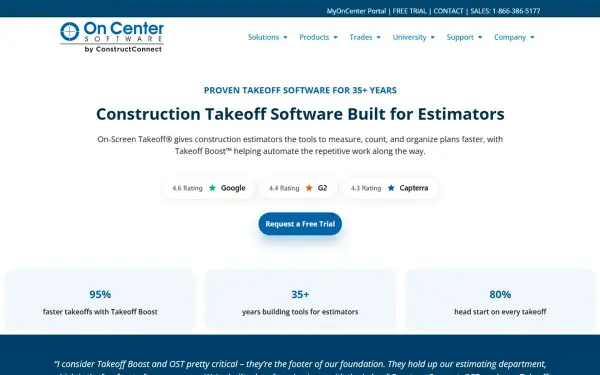
OCR shape recognition and revision overlays are genuinely useful on bid work, but you cannot see a price or share a project.
On-Screen Takeoff earns a shortlist place because of two features that stand out. Its OCR reads drawing text and batches similar shapes, which shortens the grind of counting repetitive items like doors or fixtures. The overlay tool color-codes changes between revisions, so an estimator working through an addendum can see what actually moved instead of re-measuring the sheet.
The workflow around those tools is structured. A bid wizard guides bid creation, which helps less experienced estimators follow a consistent path, and the product pairs with Quick Bid when you need priced estimates rather than bare quantities. It is part of the ConstructConnect On Center suite, so the wider buying conversation usually covers more than takeoff alone.
The limits are practical. Pricing is quote based: no figure is published, so you cannot compare it on a spreadsheet without a sales conversation, and no price could be confirmed on November 26, 2026. Only one user can open a project at a time, which rules it out for teams that expect concurrent access, and the interface feels dated beside cloud tools. Evaluation is by demo rather than trial, so book a walkthrough on one of your own projects rather than a sample file.
It fits estimating departments doing competitive bid work with frequent addenda, where the revision overlay alone saves measurable hours.
You bid competitively and want OCR counting plus a clear view of what changed between drawing revisions.
Two estimators need to be in the same project at once or you refuse to buy without a published price.
Entry V of IX / Drawing compare value
Our verdict
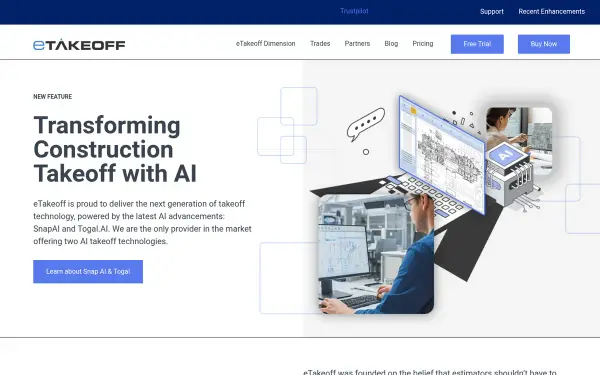
A sensible budget desktop option at $795 a year, with drawing compare included and less assembly depth than PlanSwift.
eTakeoff is the budget desktop choice in this group. Length, area and count measurement, drawing overlays and compare, and Excel integration cover the core of what an estimator needs, and the Advanced subscription at $795 per user per year costs less than the major desktop rivals. Premier adds capability at $1,495 per user per year, and an AI add-on is available separately.
Drawing compare is the feature most worth noting at this price. Revisions can arrive mid-bid on commercial jobs, and a compare view that shows what changed can save a re-measure of the full set. Excel integration matters too, because it lets you move quantities into a spreadsheet and avoid retyping them into rows.
Where it falls short is depth and support. Assemblies do not go as far as PlanSwift's, so complex work with many material and labor components needs more manual handling. The vendor is smaller, with fewer structured training resources to lean on when something goes wrong. There is no free tier, though a free trial is offered, so test it against a set with awkward geometry before committing.
It suits a small commercial or specialty contractor with one or two estimators who want dependable 2D measurement and revision compare without a $2,000 annual commitment.
You want solid desktop measurement and revision compare on a budget of roughly $795 per user per year.
Your estimates depend on deep assemblies or you want a large vendor training program behind the tool.
Entry VI of IX / 2D plus 3D
Our verdict
Worth it only inside Autodesk Construction Cloud, where 2D sheets and 3D models give quantities in one place.
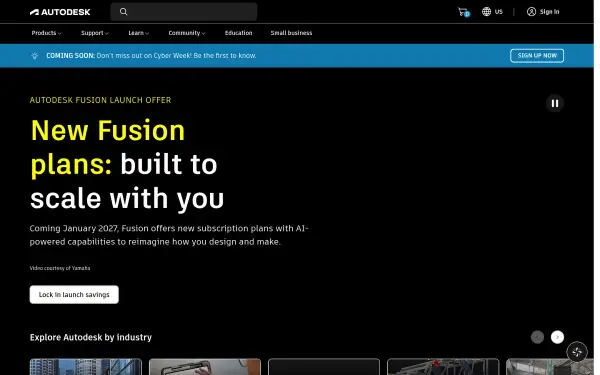
Autodesk Takeoff is the pick when quantities have to come from models as well as sheets. It measures 2D drawings and extracts quantities from 3D models, and because it sits inside Autodesk Construction Cloud it reads the same project data the design and coordination teams already work in. Quantities flow into downstream estimating workflows rather than being retyped into a spreadsheet.
Standalone pricing is not published. No official price page text was available to check on November 26, 2026, so the cost only makes sense as part of an Autodesk commercial arrangement and no figure is quoted here. A free trial is offered, which is the practical way to see how it behaves on your own files and how much of the model data it actually reads cleanly.
The fit question is narrow. If your projects are PDF-only commercial fit-outs and your estimators work in 2D, the 3D capability is overhead you pay for and never use, and a desktop tool will be faster and cheaper. If your firm already coordinates in Autodesk Construction Cloud, the connection is the value: the same model revisions that drive coordination drive your quantities, so design changes reach the takeoff without a separate export step.
It suits mid-size and large contractors with active BIM workflows. Everyone else should treat it as a future option and shortlist a 2D specialist first.
Your projects already run in Autodesk Construction Cloud and you need model quantities alongside sheet takeoff.
You measure 2D PDFs, need a published price, and have no Autodesk workflow to plug into.
Entry VII of IX / Unlimited jobs, flat rate
Our verdict
Flat-rate, unlimited-job cloud takeoff that is easy to budget for, as long as your measurement needs stay simple.
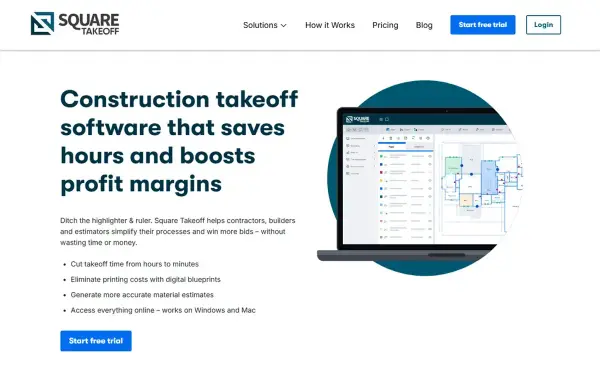
Square Takeoff sells simplicity. Every plan includes all the features, with unlimited jobs and unlimited storage, and you pick a billing term rather than a feature tier. Measurement tools cover plan quantities in the browser, and because nothing is gated you are not comparing which tier includes which button or asking whether the demo you saw is the product you are buying.
Billing runs month to month, quarterly or annually. The vendor's pricing page did not return readable text when checked on November 26, 2026, so no figure is quoted here and you should pull current numbers from the vendor before budgeting. The monthly option is the useful part: a contractor with seasonal workload can turn it on for a busy quarter without an annual commitment, then step away when the pipeline thins.
The honest limits are depth and ecosystem. Measurement is straightforward but does not match dedicated desktop tools on complex shapes, assemblies or multi-condition takeoff, and integrations are thinner than the larger platforms offer. That simplicity is also the appeal: there is very little to configure and almost nothing to train, which matters for a small office with no estimating software administrator.
It fits small to mid-size contractors and specialty trades measuring a handful of jobs a month who want unlimited jobs without a per-project fee.
You want one flat rate with unlimited jobs and you can measure your work with basic length, area and count tools.
Your bids need assemblies, complex geometry or integrations with a wider construction stack.
Entry VIII of IX / Connected pre-construction suite
Our verdict
Buy it for the connected pre-construction suite, not the takeoff, which is one module among estimating, scheduling and tenders.
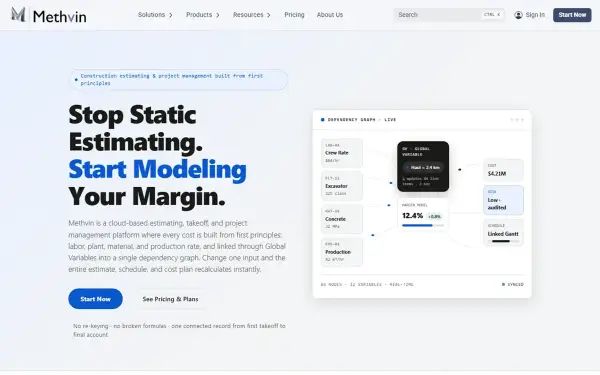
Methvin is a pre-construction suite, and takeoff is one module inside it. The measurement tools produce quantities, but the reason to buy is what sits next to them: estimating and priced bids, Gantt scheduling, Kanban collaboration and a tender portal where subcontractors submit bids. For a small main contractor running projects end to end, that connected chain removes the handoff where quantities get retyped into an estimate and then into a program.
Pricing is quote based, with no published price page to check on November 26, 2026, and the product is demonstrated rather than trialed. Expect a sales process that scopes the modules you need, so go in with a clear list of which parts you will actually use rather than accepting the full suite by default.
The trade-off is depth. Takeoff measurement does the basics and not much beyond them, so an estimator who spends most of the week measuring complex plan sets will find it thin next to the dedicated tools on this list. You are also buying several modules when you may only need one, which is fine if scheduling and tender management are on your list anyway and wasteful if they are not. Implementation covers more surface area than installing a single desktop tool.
It fits a builder or main contractor who wants one platform for takeoff, pricing, scheduling and subcontractor tenders, and who values a single login over best-in-class measurement.
You want one connected platform running takeoff, priced bids, scheduling and subcontractor tenders.
Takeoff measurement quality is the deciding factor or you need a published price before you talk to sales.
Entry IX of IX / Residential all-in-one

Our verdict
Built for residential builders who want takeoff, quoting and job management in one place, with unlimited users on Foundation.
Buildxact is built for residential builders and remodelers, and takeoff is one step in a workflow that continues into quoting, purchase orders and job management. Digital takeoff measurement feeds AI-assisted estimate generation, and estimates turn into quotes and purchase orders inside the same system. Foundation includes unlimited users, which changes the math for a small builder with an estimator, a supervisor and an office manager all needing access.
Pricing on Foundation is $199 per month when paid monthly, or $169 per month when billed annually, with unlimited users either way. A 14-day free trial is offered, and dealer integrations are listed, so ask how material pricing connects to suppliers. Because the seat count is not metered, the annual saving is worth taking if you are confident the tool sticks.
The residential focus is the honest limit. Commercial and infrastructure work needs measurement depth and assemblies that this product does not aim for, and dedicated takeoff tools beat it on complex shapes and multi-condition plans. Monthly pricing at $199 also sits above several pure takeoff options here, which only makes sense if you use the quoting and job management side as well.
It fits a residential builder currently doing takeoff in a spreadsheet who wants measurement, quoting and job tracking in one place with predictable monthly cost.
You build homes or remodel and want takeoff, quotes and job management in one system without per-seat fees.
You bid commercial plan sets that need deep assemblies and multi-condition measurement.
VBackground
Construction takeoff software measures quantities from drawings. You load a plan set, calibrate the scale once, then click to record length, area and count, and the tool keeps a running total by condition. The output is quantities: square feet of drywall, linear feet of pipe, number of doors. Pricing those quantities is estimating, which is a separate job and often a separate tool.
That distinction explains most of the confusion in this category. Some products stop at measurement. Others, including PlanSwift and STACK, carry a measurement into an assembly of materials and labor so the number reaches the estimate already priced. A third group, like Methvin and Buildxact, wraps takeoff inside a broader construction management suite.
Three practical points decide most purchases:
None of these tools make a careless takeoff accurate. Calibration, condition setup and a second read of unusual areas still decide whether the quantity holds up under review.
This comparison sits in the software register. Further along the shore: baby tracking app and kennel software.
VIPricing
Takeoff software bills in five broad ways, and the model matters more than the sticker figure. Published annual entry prices on this list include $260 per user per year for Bluebeam Revu Basics and $2,000 per year for a single PlanSwift seat, so normalize to seats and years before you compare anything.
| Model | How it bills | Typical fit | Example from this list |
|---|---|---|---|
| Per-seat annual license | One fee per user per year, billed annually | Full-time estimators on desktop | PlanSwift, $2,000 per seat per year on Essential, dropping to $1,500 per seat at 2+ seats |
| Tiered per-user annual | Annual, features gated by tier | Teams already standardized on the tool | Bluebeam Revu, $260 per user per year on Basics up to $590 on the top tier |
| Per-user monthly cloud | Monthly per seat, with a free tier available | Distributed teams and uneven headcount | STACK, from $299 per user per month on Takeoff & Estimate, with a free account |
| Flat rate, all features | One price, unlimited jobs | Small shops with steady, modest volume | Square Takeoff, billed monthly, quarterly or annually |
| Quote based | Negotiated, not published | Suites and BIM workflows | On-Screen Takeoff, Autodesk Takeoff, Methvin |
Two habits keep the budget honest. Price the seats you will actually fill, not the seats you might hire, because per-user monthly billing scales faster than an annual desktop license. Then confirm that the tier you tested is the tier you are buying: Bluebeam Revu's advanced measurement features sit above the entry price, and eTakeoff's Premier tier is $1,495 against $795 for Advanced.
Each entry card shows the starting price as it appeared on the vendor's own pricing page on November 25, 2026. When a vendor shows no figure we could confirm, or only a promotional rate, the card says "See website" or gives the regular price instead of a guess. Usage, overage and add-on rates in the text change more often than plan prices, so confirm them on the vendor page before you set a budget. To test the numbers against your own volume, try the free User Research Budget Planner. The Event Break-Even Calculator is a second way to check the same decision.
VIIDecision
VIIIPitfalls
IXQuestions
Published prices in this list include $260 per user per year for Bluebeam Revu Basics and $2,000 per year for one PlanSwift seat. PlanSwift drops to $1,500 per seat per year at two or more seats, eTakeoff Advanced is $795 per user per year, STACK starts as low as $299 per user per month and Buildxact Foundation is $199 per month paid monthly. Four picks show no confirmed price, so ask for a quote.
Six of the nine offer a free trial: PlanSwift with 14 days and no credit card, Bluebeam Revu, eTakeoff, Autodesk Takeoff, Square Takeoff and Buildxact with 14 days. STACK has no trial but a free account with limits on projects and takeoffs. On-Screen Takeoff and Methvin are demo only, so evaluation means a guided walkthrough rather than hands-on access.
Takeoff measures quantities from drawings. Estimating applies material and labor costs to those quantities to produce a bid. Takeoff answers how many square feet of drywall or linear feet of pipe. Some tools here span both, which is why PlanSwift's assemblies and STACK's estimating tiers matter if you want one system instead of two.
2D takeoff covers most commercial fit-out, renovation and residential work, where the drawing set is the contract document. Move to 3D when design changes arrive as model updates and you would otherwise re-measure sheets. Autodesk Takeoff handles 2D and 3D in one environment, but it only pays off inside Autodesk Construction Cloud workflows.
Calibration and condition setup decide most of it. A scale set incorrectly or a condition that mixes wall types quietly corrupts every total downstream. Revision overlays reduce missed addenda, and a second read of unusual areas catches the rest. None of these tools removes the need to check your setup before you trust the number.
Some tools here include a compare or overlay feature. On-Screen Takeoff color-codes changes between revisions, and eTakeoff includes drawing compare at $795 per user per year. An overlay can save a full re-measure when an addendum lands, which matters on competitive bids where revised sheets can arrive close to the deadline.
XFurther along the shore
Vendors can ask for a correction or apply for a Featured listing. Paid or not, the entry is scored on the same rubric and its limits stay in print. Partner with Umberlake.
Free tools
Our free browser tools turn the prices on this page into a figure for your own volume. Nothing you type leaves your device.