
CrowdStrike Falcon Go
See websiteFalcon Go, per device per year, up to 100 devices
Best for small teams wanting enterprise-grade protection without added complexity
- Free plan
- No
- Rubric
- 8.2 of 10
Ten endpoint security products for small teams, compared on fit, device caps, trial length and how each vendor actually sells and prices its plans.

IThe short answer
Best Small business computer security software should be bought on fit, not brand size. As of November 2026, our top three picks are CrowdStrike Falcon Go for small teams that want enterprise-grade endpoint protection without added complexity, Bitdefender GravityZone Business Security for mixed Mac and PC offices with some technical management, and Norton Small Business for non-technical owners who want managed security and published pricing. All ten products below were checked against the same five criteria, and every price was reviewed on November 26, 2026.
10 tools compared from vendor pages on November 25, 2026. 0 publish a starting price we could read; the rest say "See website".
IITop three berths
Register order is editorial fit for the buyer each entry describes. Prices are the starting figures read on November 25, 2026.
See websiteFalcon Go, per device per year, up to 100 devices
Best for small teams wanting enterprise-grade protection without added complexity
See websiteQuote-based business pricing
Best for mixed Mac and PC offices with some technical management
See websiteStandard plan, first year, 6 devices
Best for non-technical owners who want managed security with published pricing
How this page is paid for. All 10 tools here are unpaid editorial picks.
A paid listing's position can be part of what the vendor pays for. Every entry, paid or not, is scored on the same rubric and keeps its limits in print. Advertising disclosure.
IIIThe register
Starting prices as shown on each vendor's pricing page on November 25, 2026. "See website" means no figure we could confirm.
| No. | Tool | From | Free plan | Trial | Rubric | Actions |
|---|---|---|---|---|---|---|
| 01 | CrowdStrike Falcon GoSmall teams wanting enterprise-grade protection without added complexity | See websiteFalcon Go, per device per year, up to 100 devicesNot shown publicly | No | 15-day free trial | 8.2 | |
| 02 | Bitdefender GravityZone Business SecurityMixed Mac and PC offices with some technical management | See websiteQuote-based business pricingNot shown publicly | No | 30-day free trial | 7.3 | |
| 03 | Norton Small BusinessNon-technical owners who want managed security with published pricing | See websiteStandard plan, first year, 6 devicesNot shown publicly | No | No free trial advertised; 30-day money-back on some purchases | 8.0 | |
| 04 |  ESET Small Business SecurityTeams prioritizing low system impact and remote management | See websiteQuote-based pricingNot shown publicly | No | Free trial | 6.9 | |
| 05 |  Avast BusinessDistributed teams managed through a cloud console | See websiteQuote-based pricingNot shown publicly | No | 30-day free trial | 6.6 | |
| 06 |  ThreatDownBusinesses already familiar with Malwarebytes detection technology | See websiteQuote-based bundles from Core to UltimateNot shown publicly | No | Free trial | 6.8 | |
| 07 |  Sophos Intercept XCompanies most concerned about ransomware rollback | See websiteQuote-based pricingNot shown publicly | No | 30-day free trial | 6.6 | |
| 08 | Webroot Business Endpoint ProtectionOlder hardware and very small IT teams | See websiteQuote-based pricingNot shown publicly | No | 30-day free trial | 6.4 | |
| 09 | Trend Micro Worry-FreeOffices seeking hosted security with minimal administration | See websiteQuote-based pricingNot shown publicly | No | 30-day free trial | 7.2 | |
| 10 | Kaspersky Small Office SecurityMicro-businesses with 5 to 25 computers | See websiteQuote-based pricingNot shown publicly | No | Free trial | 7.3 |
Pinned:
IVMethod
Each product was scored against five criteria: endpoint coverage, ease of management, pricing clarity, small team fit and detection depth, weighted 25, 20, 20, 20 and 15 percent. Endpoint coverage asks which operating systems and device types one console actually protects. Ease of management asks whether a one or two person IT team can deploy, set policy and run reports on it. Pricing clarity rewards vendors who put a small business figure in public and state how renewal works. Small team fit covers device ceilings, setup effort and whether the product assumes a security analyst. Detection depth covers the engine, ransomware handling and recovery features such as rollback.
Prices and plan facts come from vendor pricing pages checked on November 26, 2026. Where a page returned no text or no figure, the price is recorded as See website and the plan note describes the tier rather than a number. No price was estimated, converted or carried over from an earlier check.
One note on placement: a Featured entry on this page is a paid placement. It is scored with the same rubric and carries the same honest cons as every other product. This list contains no Featured entry, so the order reflects fit for the buyer described in each entry.
The full routine, from price reads to corrections, is on the methodology page. Paid listings follow the advertising disclosure.
Which operating systems, device types and threat categories one console actually protects.
Whether a one or two person IT team can deploy, set policy and read reports without training.
Whether a small business can see a real number before a sales call, and whether renewal terms are visible.
Device ceilings, setup effort and whether the product assumes a dedicated security analyst on staff.
The detection engine, ransomware handling and recovery features such as rollback or file restore.
Entry I of X / Cloud native console
Our verdict
Best for small teams that want cloud native endpoint protection with support included and a clear 100 device ceiling.
Falcon Go is CrowdStrike's small business edition, and it keeps the cloud native design of the larger platform: the management console is cloud based and there is no on premise server to build, patch or back up. Protection covers antivirus and malware blocking, and USB device control lets an administrator decide which removable drives may attach to a machine, which still matters in offices that move files on sticks.
The edition is capped at 100 devices. That fits a single site or a small multi site business and rules out a company that expects to grow past that number before the next renewal. Billing runs per device per year, and the monthly option costs more per device than the annual one, so annual billing is the cheaper way to run the plan.
The plan includes 24/7 Express Support. CrowdStrike publishes small business pricing on its own site; the figure sits on the vendor site as of November 26, 2026. A 15 day free trial lets a two person IT team test detection, the console and support before committing. There is no free plan, so the trial is the only way to evaluate it without paying.
You have fewer than 100 machines and want enterprise grade endpoint protection without running a server.
Your fleet will pass 100 devices soon or you need a free tier to start.
Entry II of X / Five platform coverage
Our verdict
Best for mixed Mac and PC offices that have someone technical enough to run a policy console.
GravityZone Business Security is the broadest cross platform option here. One console protects Windows, macOS, Linux, iOS and Android, so a small office with a mix of laptops, a Linux file server and staff phones does not have to run three products. Ransomware remediation is part of the package rather than a separate purchase, and centralized policy management means a new starter inherits the same rules as everyone else.
The console assumes a technical administrator. Someone comfortable with policy groups and deployment packages will find it efficient. An owner who wants a dashboard with three buttons will find it heavy. Email security and full disk encryption are optional add ons, so the quote depends on which modules you take.
Bitdefender does not publish a business starting price, so the route is a quote or a reseller. Ask for the per device rate at your actual device count, and ask how renewals are priced before you sign. A 30 day trial is enough time to test the Mac install, check a Linux server and watch how the console behaves on your own network.
It suits an office with a technical manager, not an office hoping to avoid one.
You run several operating systems and have someone who can manage policies and deployment packages.
Nobody on staff wants to touch a policy console or you need a public price before the first call.
Entry III of X / Published first year pricing
Our verdict
Best for non technical owners: published first year pricing, a cloud console and antivirus, firewall and backup in one place.
Norton Small Business is aimed at the owner who does not want to become a security administrator. Devices are managed from a cloud console with no server on site, and one subscription bundles antivirus, a firewall, backup and device security. For a five or ten person office with no dedicated IT, that bundling removes the job of stitching three vendors together and tracking three renewal dates.
Pricing is the reason it sits this high for non technical buyers. Norton publishes first year pricing on its own site for the Standard plan covering six devices, so a budget can be set before a sales call. Read the renewal line as well. First year pricing is promotional and renews higher, which changes the three year cost considerably. The Premium tier covers up to 20 devices.
There is no free trial advertised, though a 30 day money back window applies to some purchases. That is a weaker evaluation path than a hands on trial, so confirm the refund terms at checkout. Pricing details are on the vendor site.
The trade off is depth. A team that needs more advanced features may outgrow it, but an office that wants protection and backup under one login will not.
You want a single subscription covering antivirus, firewall and backup and you value a visible price.
You need a hands on trial before paying or your office runs more than 20 devices on one plan.
Entry IV of X / Low system impact
Our verdict
Best for teams on older hardware that need light scans and remote management more than a modern dashboard.
ESET has built its reputation on light system impact, and Small Business Security is the edition aimed at small teams. Antivirus, anti phishing, a firewall and device control cover the everyday cases, and the remote administrator console lets one person manage every machine without walking to each desk. Scans are fast and CPU use stays low, which is the practical argument on laptops that are four or five years old and still in service.
Detection of malware and ransomware is the strongest single reason to pick it. The interface is the weakest part: it looks older than the consoles from CrowdStrike or Bitdefender, and a new administrator will spend time hunting for settings that should be one click away.
ESET does not publish a starting price for this edition, so pricing arrives as a quote. Give the reseller an exact device count, confirm whether the remote console is included at that tier, and get the renewal term in writing. A free trial is offered, and it is worth installing on your oldest machine first, because that is where the low impact design shows up most clearly.
It fits a team that values performance and remote management over a modern dashboard.
Your machines are aging, scans compete with real work, and one person manages everything remotely.
A modern console and self-serve buying matter more to you than raw scan speed.
Entry V of X / Remote installs
Our verdict
Best for distributed teams that need remote installs and policy control through a cloud hub.
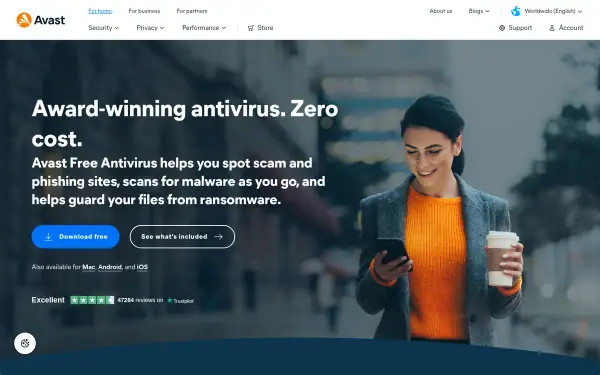
Avast Business runs through the cloud Business Hub, a console built for teams that are not all in one building. Policies are set centrally, installs can be pushed to a laptop sitting at someone's home, and threat monitoring reports back without a server on site. Antivirus, a firewall, a ransomware shield and web protection make up the core protection set.
Avast Business is part of Gen Digital, which also owns Norton, even though the products are sold separately. The product draws on a large threat intelligence network.
Upsell prompts are listed as a weakness, and they are worth weighing if staff are easily distracted by upgrade messages during the working day. The other gap is transparency. There is no public starting price, so pricing comes as a quote, and comparing two quotes means asking for the same device count, the same term and the same module list.
A 30 day trial gives enough time to test a remote install on a home machine, which is the feature that matters most for a distributed team. It fits a company with staff in several places and one person running security.
Half your team works from home and you need to push installs and policies without site visits.
Upgrade prompts during the workday would cause more support tickets than you can absorb.
Entry VI of X / Ransomware rollback
Our verdict
Best for Malwarebytes loyalists who want ransomware rollback and vulnerability management in one console.
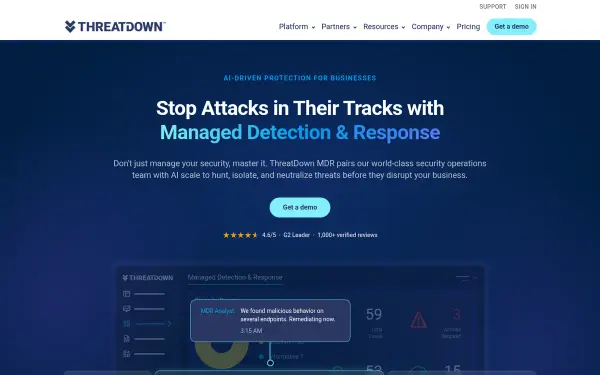
ThreatDown is the business line that used to be sold as Malwarebytes for Business and was renamed in 2023. The detection engine is still the Malwarebytes engine, so buyers who have used the consumer product know roughly what to expect. Endpoint protection, ransomware rollback and vulnerability management are the core pieces, and the Nebula cloud console handles deployment and reporting.
The bundles are tiered: Core, Advanced, Elite and Ultimate. That structure helps if you want to start narrow and add modules later, and it confuses quote comparisons when two vendors use tier names that do not line up. Ask for the module list per tier rather than the tier name.
The rebrand creates its own friction. Confirm you are quoting the current product and not leftover stock.
Pricing is quote only, with no public starting price, so the first call is a scoping conversation. A free trial is offered, and it is the right way to test ransomware rollback before you need it during an incident. It suits a business already comfortable with Malwarebytes detection and looking for vulnerability management in the same console.
You already trust Malwarebytes detection and want rollback and vulnerability management in one place.
Tier names without published module lists would make your comparison work harder than it should.
Entry VII of X / Automatic file rollback

Our verdict
Best for companies that fear ransomware most and want automatic file rollback inside the Sophos ecosystem.
Intercept X is the pick for a company whose main fear is ransomware. CryptoGuard provides anti-ransomware protection and can roll files back automatically after an attack, which turns a destructive event into a restore. Deep learning detection covers unknown threats that have no signature yet.
The product is designed to work as part of a stack. Sophos Central manages Intercept X alongside Sophos firewalls and email security, and synchronization between them is part of the platform. That is real value inside the Sophos ecosystem and much less value outside it, where you pay for integration you cannot use.
No public starting price is listed, so pricing is a quote. Scope it together with the firewall and email modules if you might buy them later.
A 30 day trial is offered. Use it to test rollback deliberately: encrypt a test folder and confirm the restore behaves the way you expect, before a real incident does the testing for you.
Ransomware recovery is the top requirement and you already run Sophos firewalls or email security.
You run no other Sophos products and want a simple standalone endpoint tool with a list price.
Entry VIII of X / 670 KB agent
Our verdict
Best for very small IT teams on old laptops, where a 670 KB agent and cloud scanning keep machines usable.
Webroot's pitch is size. The endpoint agent is 670 KB, installs are measured in seconds, and scanning happens in the cloud rather than on the machine. On a fleet of older laptops with little free memory, that difference shows up in daily use, and it is why Webroot still appears in very small IT teams supporting aging hardware.
The trade off comes from the same design. Cloud based file analysis needs an internet connection, so protection is reduced when a laptop is offline. For a sales team living on hotel wifi that is a real gap. For a fixed office with reliable connectivity it rarely matters.
Webroot is owned by OpenText. Centralized management covers deployment and policy. There is no public starting price, so pricing is a quote. Ask what happens to a device that has been offline for a week, because that is where the architecture shows its limits.
A 30 day trial is offered. Test it on the oldest machine you own rather than the newest, because that is where a light agent earns its place.
Your machines are old and slow and most of them sit on reliable office wifi.
Staff travel constantly and you need full protection when laptops are offline.
Entry IX of X / Hosted service
Our verdict
Best for offices with no IT staff that want hosted security, minimal administration and Mac plus mobile coverage.
Worry-Free is sold as a hosted service, which means the security console is Trend Micro's job to run and yours to log into. Updates happen automatically, policies are managed in the cloud, and the administration load is deliberately small. For an office with no IT staff, that is the whole argument.
The XGen detection engine blends signatures, machine learning and behavioral analysis, so it catches known malware and activity that looks wrong even when the file is new. Coverage extends to Windows, Mac and mobile devices, which matters for a small team running a mix of laptops and phones.
The console is the weak point. It works, but it looks older than the dashboards from CrowdStrike or Bitdefender, and a new administrator may need a walkthrough before feeling at home.
There is no public starting price, so pricing is a quote. Ask for the per device rate at your current count and at double your count. A 30 day trial is offered and is enough time to confirm the agent behaves on Macs as well as on Windows machines.
You have no IT staff, a mix of Macs and phones, and no appetite for running a console yourself.
A modern looking dashboard matters to the person who has to use it every week.
Entry X of X / Setup wizard
Our verdict
Best for micro-businesses with 5 to 25 computers that want a simple wizard and file server protection.
Kaspersky Small Office Security is built for the smallest end of the market: the product targets offices with 5 to 25 computers. It covers workstations and file servers, and adds password management plus Safe Money, a protected mode for online banking sessions. A setup wizard handles installation for people who do not want to read documentation.
Detection is a strength. The product includes malware detection engines for protected machines.
The complication is procurement rather than technology. US federal procurement restrictions affect Kaspersky products, so public sector buyers and contractors with federal work should check their obligations before shortlisting it. Private businesses outside those rules can evaluate it like any other product.
Pricing is quote based with no public starting price. Because the design targets 5 to 25 computers, a 40 seat office should confirm it is still the right fit and ask what the vendor recommends above that range. A free trial is offered, and the wizard helps non technical users get running.
You run a small office with a file server and want a wizard rather than a policy manual.
You bid on federal work or your headcount is well above the 25 computer design point.
VBackground
Small business computer security software protects the devices your team works on and gives one person a single place to manage them. The core is endpoint protection: antivirus scanning, malware blocking and, on most business products, a firewall, device control for USB drives, web filtering and some form of ransomware protection. The difference from consumer antivirus is management. A business product ships with a console that lets you set one policy for every machine, install remotely, see which device missed an update and cut off access when someone leaves.
Business suites in this category generally cover three jobs:
Many products here are cloud managed, which means no server on site. That matters for a business without a server room and for anyone supporting staff who work from home. Coverage varies by vendor: Bitdefender lists Windows, macOS, Linux, iOS and Android, Trend Micro lists Windows, Mac and mobile, and others focus on workstations and file servers.
Device limits are the other thing to check early. CrowdStrike Falcon Go caps at 100 devices and Norton's Premium tier caps at 20. Buy for the fleet you will have at renewal, not the fleet you have today.
This comparison sits in the security register. Further along the shore: waste management software and b2b CRM software.
VIPricing
Most vendors on this list keep the number behind a quote, and some sell per device, per year. Two entries put small business pricing in public view, CrowdStrike Falcon Go and Norton Small Business, though the Falcon Go figure sits on the vendor site. Everything else starts with a conversation.
| Model | How it bills | Typical fit | Example from this list |
|---|---|---|---|
| Per device, annual | Billed per device per year, cheaper per device than monthly | Teams with a stable device count | CrowdStrike Falcon Go, up to 100 devices |
| Per device, monthly | Higher per device cost than the annual option | Short projects or seasonal staff | Falcon Go monthly billing |
| Promotional first year | Discounted first term, renews higher | Buyers who need a low year one number | Norton Small Business, Standard plan, first year, 6 devices |
| Quote based | Vendor or reseller prices after scoping | Mixed OS fleets and add on modules | Bitdefender, ESET, Avast, ThreatDown, Sophos, Webroot, Trend Micro, Kaspersky |
| Trial then paid | No free plan, a 15 or 30 day trial before purchase | Anyone evaluating a console | 30 day trials at Bitdefender, Avast, Sophos, Webroot and Trend Micro |
Three questions do most of the work in a quote. First, the per device rate at your current count and at double your count. Second, the renewal rate, since Norton's first year pricing renews higher and CrowdStrike charges more per device on monthly billing than on annual. Third, the module list, because Bitdefender treats email security and full disk encryption as add ons and Sophos is built to sit alongside its firewalls.
Ask for the same device count and term from every vendor, or the quotes cannot be compared. Confirm what happens when the trial ends, since none of these products has a free plan and an expiring trial should be a decision point, not an invoice.
Each entry card shows the starting price as it appeared on the vendor's own pricing page on November 25, 2026. When a vendor shows no figure we could confirm, or only a promotional rate, the card says "See website" or gives the regular price instead of a guess. Usage, overage and add-on rates in the text change more often than plan prices, so confirm them on the vendor page before you set a budget. To test the numbers against your own volume, try the free User Research Budget Planner. The Event Break-Even Calculator is a second way to check the same decision.
VIIDecision
Count your devices. Include laptops, desktops, file servers, phones and any machine you will add in the next year. CrowdStrike Falcon Go caps at 100 devices and Norton's Premium tier at 20, so the count decides which plans are even possible.
List your operating systems. Windows only is simpler and often cheaper. If you run Macs, Linux servers and staff phones, Bitdefender covers all five from one console and Trend Micro covers Windows, Mac and mobile.
Decide who runs it. A technical manager will be comfortable in the Bitdefender or ESET console. An owner with no IT staff should weight Norton, Trend Micro Worry-Free or Kaspersky, where the administration load is deliberately small.
Name the feature you cannot do without. If ransomware recovery is the priority, Sophos Intercept X with CryptoGuard rollback or ThreatDown with ransomware rollback belong on the shortlist. If old hardware is the constraint, look at Webroot's 670 KB agent.
Run the trial on your worst machine. Install on the oldest laptop and the oddest operating system in the office. A trial that only runs on a new Windows laptop tells you very little about the fleet you actually own.
Compare quotes on identical terms. Same device count, same term, same module list, and the renewal rate written down. Without that, quotes may not be comparable.
VIIIPitfalls
Buying for today's headcount. Device ceilings arrive faster than expected. Falcon Go stops at 100 devices and Norton's Premium tier at 20, so price the next tier before you need it mid-term.
Skipping the renewal price. A first year discount is not the cost of the product. Norton's first year pricing renews higher, so a three year budget built on year one will be wrong.
Ignoring offline coverage. Cloud based scanning needs a connection. Webroot reduces protection when a laptop is offline, which matters for field staff and rarely matters for a fixed office.
Choosing on the console screenshot alone. A clean dashboard is worth little if the tier you were quoted lacks device control, rollback or the operating system your Macs run. Check the module list, not the demo.
Assuming the trial covers everything. A trial is time limited, and none of these products has a free plan. Decide before it ends, and confirm whether the trial converts to a paid subscription on its own.
IXQuestions
Pick by device count, operating systems and who will run the console, then compare features. If your team is all Windows and nobody wants to administer anything, start with Norton Small Business or Trend Micro Worry-Free. If you have Macs, Linux and phones, Bitdefender covers all five from one console. If ransomware recovery is the main worry, Sophos Intercept X adds automatic rollback.
Most vendors here do not publish a figure. Eight of the ten price by quote, and CrowdStrike Falcon Go and Norton Small Business are the exceptions that put small business pricing in public view. The per device rate can depend on the plan details, and monthly billing costs more per device than annual. Ask for the renewal rate, not just year one.
Free consumer antivirus protects one machine with no central control. Business products add a console, one policy across every device, remote installs, reporting and support. CrowdStrike Falcon Go includes 24/7 Express Support, and Bitdefender adds centralized policy management and ransomware remediation. When someone leaves, you revoke access in one place instead of remembering which laptop had which tool.
Antivirus blocks known malware. Endpoint protection bundles antivirus with more: firewalls, USB device control, web protection, ransomware rollback and a management console. ESET includes a firewall and device control, ThreatDown adds vulnerability management, and Sophos Intercept X adds CryptoGuard with automatic file rollback. For a small office the bundle is simpler than assembling the pieces one at a time.
Coverage varies, so check before you buy. Bitdefender lists Windows, macOS, Linux, iOS and Android from one console, and Trend Micro lists Windows, Mac and mobile devices. Other entries here describe workstation, file server and device protection without naming every operating system. Ask the vendor to confirm the supported list for the exact tier you were quoted, because the tier matters as much as the product name.
Check the ceiling before you sign. CrowdStrike Falcon Go caps at 100 devices, and Norton's Premium tier caps at 20 devices on the plan details we reviewed. If you are close to a cap, price the next tier up rather than adding devices mid-term, which may mean a fresh quote and a new term. Buy for the fleet you expect at renewal.
XFurther along the shore
Vendors can ask for a correction or apply for a Featured listing. Paid or not, the entry is scored on the same rubric and its limits stay in print. Partner with Umberlake.
Free tools
Our free browser tools turn the prices on this page into a figure for your own volume. Nothing you type leaves your device.