
BambooHR
$10Core, per employee per month
Best for small to mid-size law firms needing a dedicated HR system of record
- Free plan
- No
- Rubric
- 7.7 of 10
We compared eight HR platforms on payroll depth, compliance support, onboarding and real monthly cost to help law firms match the tool to their headcount and hiring model.

IThe short answer
The best HR software for law firms in November 2026 depends on whether payroll or pure HR records come first. BambooHR is the top pick for small and mid-size firms that need a clean HR system of record. Rippling suits firms that want HR, payroll and IT on one employee record. Gusto fits small firms that want payroll, benefits and basic HR in one simple package. All three are priced separately from practice management software.
8 tools compared from vendor pages on November 25, 2026. 4 publish a starting price we could read; the rest say "See website".
IITop three berths
Register order is editorial fit for the buyer each entry describes. Prices are the starting figures read on November 25, 2026.
$10Core, per employee per month
Best for small to mid-size law firms needing a dedicated HR system of record

See websitecustom quote
Best for firms wanting HR, payroll and IT on one employee record
$49Simple, per month plus $6 per person per month
Best for small law firms wanting payroll, benefits and HR in one simple package
How this page is paid for. All 8 tools here are unpaid editorial picks.
A paid listing's position can be part of what the vendor pays for. Every entry, paid or not, is scored on the same rubric and keeps its limits in print. Advertising disclosure.
IIIThe register
Starting prices as shown on each vendor's pricing page on November 25, 2026. "See website" means no figure we could confirm.
| No. | Tool | From | Free plan | Trial | Rubric | Actions |
|---|---|---|---|---|---|---|
| 01 | BambooHRSmall to mid-size law firms needing a dedicated HR system of record | $10Core, per employee per monthUpdated on vendor page | No | 7-day free trial | 7.7 | |
| 02 | RipplingFirms wanting HR, payroll and IT on one employee record | See websitecustom quoteQuote only | No | Demo only | 7.9 | |
| 03 | GustoSmall law firms wanting payroll, benefits and HR in one simple package | $49Simple, per month plus $6 per person per monthRead on vendor page | No | No | 7.4 | |
| 04 | ADP Workforce NowLarger law firms with multi-state payroll, benefits and compliance needs | See websiteNot shown publicly | No | Demo only | 7.8 | |
| 05 |  Paychex FlexFirms wanting payroll plus HR support from a long-established vendor | See websiteNot shown publicly | No | No | 7.1 | |
| 06 | TriNet ZenefitsSmall firms wanting benefits administration plus access to HR experts | See websiteNot shown publicly | No | Demo only | 6.5 | |
| 07 | JustworksFirms wanting a PEO to carry compliance, benefits and payroll | $8Payroll, per employee per month plus $50 per month base feeRead on vendor page | No | No | 7.7 | |
| 08 | DeelLaw firms hiring contractors or staff outside the United States | $49Contractors, per contractor per monthRead on vendor page | No | Demo only | 6.4 |
Pinned:
IVMethod
We scored each platform on five criteria: payroll depth (25%), HR core (25%), compliance support (20%), pricing clarity (15%) and law firm fit (15%). Payroll depth covers tax filing, multi-state handling and payroll runs. HR core covers employee records, onboarding, time off, documents and self-service. Compliance support covers tax administration, benefits rules, HR expert access and global employment options. Pricing clarity rewards published pricing and penalizes quote-only models. Law firm fit weighs headcount ranges, confidentiality needs and integration with the systems a firm already uses.
Prices and plan details come from vendor pricing pages checked on November 26, 2026. Where a vendor publishes only a quote form, we say pricing is on the vendor site and do not guess a number. The order is editorial: fit for the buyer each entry describes, plus any disclosed Featured position. It is not a weighted total of the scores.
The Featured listing is a paid placement and is scored with the same rubric as every other tool, including honest cons and limits. No entry is marked Featured this month.
The full routine, from price reads to corrections, is on the methodology page. Paid listings follow the advertising disclosure.
Covers payroll processing, tax filing and multi-state handling.
Covers employee records, onboarding, time off, documents and self-service.
Covers tax administration, benefits rules, HR expert access and global employment options.
Rewards published pricing and flags quote-only models and add-on costs.
Weighs headcount range, confidentiality needs and fit with a firm's existing systems.
Entry I of VIII / HR system of record
Our verdict
A clean HR system of record for small firms, though payroll and benefits add-ons lift the real monthly cost.
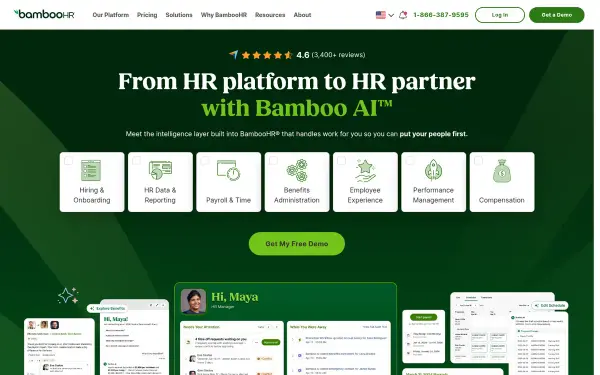
BambooHR works as the HR system of record for a small or mid-size law firm. It keeps employee records in one place and covers onboarding checklists, offer letters and e-signatures, time off tracking and approvals, document storage and standard HR reporting. The interface is clean enough that partners, office managers and staff can learn routine tasks quickly without a long training cycle.
Pricing is clear for the Core plan. The Core plan lists at $10 per employee per month, but that covers the HR system of record only. Payroll and benefits administration are paid add-ons, so a firm that needs either should request a bundled quote before comparing it with payroll-first tools. There is no free plan; BambooHR offers a 7-day free trial.
The tool fits firms that already have payroll handled elsewhere or are willing to price the full bundle. It is less attractive when the headline rate is the main draw and payroll is non-negotiable from day one. For a firm with a dedicated HR lead or an office manager wearing that hat, the record keeping, approvals and document storage are the practical core, while payroll and benefits need a separate cost check.
Your firm needs a clean HR system of record and can price payroll and benefits separately.
Payroll must be included at the headline rate and you do not want to manage add-on quotes.
Entry II of VIII / One employee record
Our verdict
A broad one-record platform for HR, payroll and IT, but module pricing and setup take real planning.
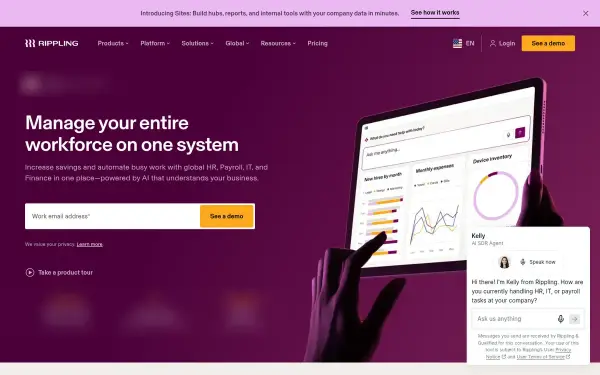
Rippling is built around one employee record that drives HR, payroll, IT and finance. A new hire can trigger onboarding workflows, device and app provisioning, payroll setup and benefits enrollment from the same profile. Offboarding works in reverse, with access removal tied to the employee record, which matters for law firms handling confidential client data. The integration library is wide and custom approval workflows help firms match internal controls.
The catch is pricing. Rippling does not publish a starting price; the site presents a custom quote form. The core platform is quoted separately from payroll and other modules. Costs stack by module, so the monthly bill is hard to predict from the entry rate. Setup also takes longer than with simpler tools, and a firm should budget for implementation time, not just subscription fees.
Rippling fits firms that want HR, payroll and IT on one employee record and have the staff to run a multi-module rollout. It is a weaker fit for a very small firm that only needs employee records and time off, because the platform's strength is breadth and that breadth carries setup and cost overhead. Ask for a quote that lists every module switched on, including payroll, before comparing it with simpler HR tools.
You want HR, payroll, IT and finance to share one employee record and can handle a multi-module rollout.
You need a published starting price or a small firm setup with minimal implementation.
Entry III of VIII / Payroll in one package
Our verdict
A simple payroll-first package for small firms, with benefits and basic HR but limited reporting depth.
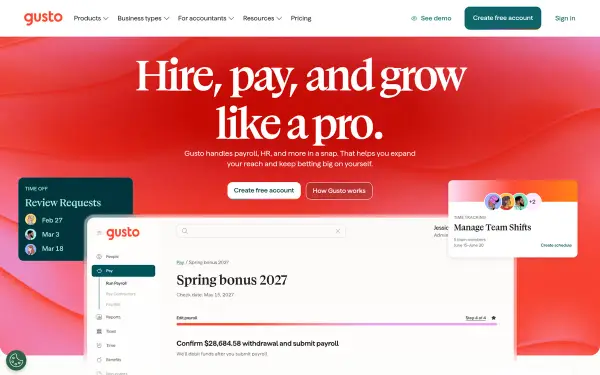
Gusto puts payroll, benefits and basic HR in one package for small law firms. Payroll includes unlimited runs with direct deposit and federal, state and local tax filing. Onboarding covers offer letters, checklists and e-signatures, and benefits enrollment happens in the same system. Employee self-service, profiles and basic HR reporting round out the core. Time tracking appears on the Plus plan at a higher per-person rate.
Pricing starts at $49 per month plus $6 per person per month on the Simple plan. Billing is month to month with no long contract. That package is straightforward for a small firm that wants payroll from day one. The trade-off is depth: performance management and reporting are shallower than in dedicated HRIS tools, and health insurance options differ by state, so some firms need a broker. Premium support costs extra.
Gusto fits a small firm that wants payroll, benefits and simple HR without a heavy implementation. It is less suited to a firm that needs detailed review cycles, advanced reporting or complex multi-state benefits administration. There is no free plan and no trial. Firms should compare the Simple and Plus per-person rates against their headcount and confirm state-specific insurance options before switching.
You are a small firm that wants payroll, tax filing, benefits and basic HR in one simple package.
You need advanced performance management, deep reporting or complex multi-state benefits support.
Entry IV of VIII / Multi-state payroll depth
Our verdict
A deep payroll and compliance platform for larger firms, with quote-only pricing and a heavier rollout.
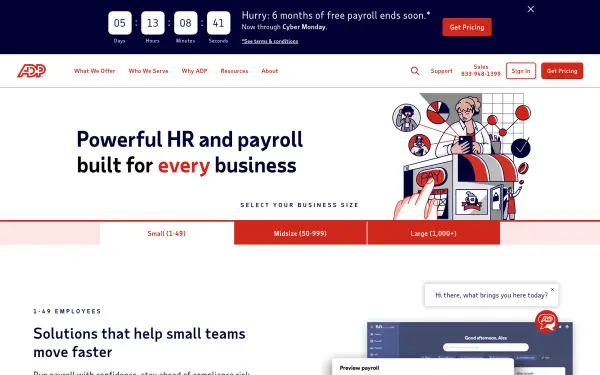
ADP Workforce Now is the heavy payroll and compliance option in this list. It covers payroll processing, tax filing across federal, state and local jurisdictions, benefits administration, time and attendance, talent management modules, HR record keeping and workforce reporting. That breadth suits a larger law firm with multi-state payroll and benefits, or one that has outgrown small-business tools and needs more jurisdiction coverage.
Pricing is quote only. No published pricing page was available, so every buyer must go through a sales quote and should ask for an all-in monthly figure that includes implementation fees. Implementation can be slow and costly, and the interface feels heavier than newer platforms. Those are real trade-offs for a firm without a dedicated HR or payroll administrator.
ADP fits firms that need deep payroll and tax filing coverage and can support a longer rollout. It scales from mid-size firms to more than 1,000 employees, so the platform has room to grow. It is a poor fit for a five-person firm that wants a quick self-serve setup and a published entry price. The practical test is whether the firm's payroll footprint, state count and benefits complexity justify the implementation effort.
Your firm has multi-state payroll, benefits and compliance needs and can support a longer implementation.
You need published pricing or a fast self-serve setup for a small team.
Entry V of VIII / Payroll tax support
Our verdict
A payroll and HR support option for established firms, but published pricing covers only the entry tier.
Paychex Flex combines payroll with HR support from an established vendor. It offers unlimited payroll runs, payroll tax administration, employee self-service, time and attendance, hiring and onboarding tools, reporting and optional HR support through HR Pro. That mix suits a firm that wants payroll handled and a support line for routine HR questions as it grows.
Pricing is not transparent across the range. Only Flex Essentials has a published price, while Basic, Foundations, Advanced and Complete are quote only. The published rate applies to firms with fewer than 20 employees. W-2 and 1099 forms cost extra on Essentials, and payroll tax administration may be an extra charge on the entry plan. HR Pro is quoted separately.
Paychex Flex fits firms that value payroll tax administration and optional HR support. It is less attractive when a firm wants to compare published plans line by line or needs all forms included at the entry level. Ask for a quote that includes W-2 and 1099 forms, tax administration and any HR Pro support, then compare that full figure with Gusto or Justworks. Small firms should also confirm onboarding support and implementation time in the quote.
You want payroll tax administration plus optional HR support from a long-established vendor.
You need every plan and form included at a clear published entry price.
Entry VI of VIII / Benefits-led HR core
Our verdict
A benefits-led HR platform for small firms, with payroll sold as a clear per-employee add-on.
TriNet Zenefits puts benefits administration in the core plan, along with onboarding workflows, time off tracking, compliance tools, document storage, access to HR experts and compensation management. Payroll is a paid add-on. That structure suits a small firm that wants benefits and HR guidance in one place, especially if an office manager handles HR alongside other duties.
Pricing is not simple. Payroll adds $6 per employee per month on Essentials and Growth, so HR plus payroll on Essentials works out at $16 per employee per month rather than the headline $10. Annual billing lowers the per-employee rate. A 5-employee minimum makes very small firms pay for unused seats. The product is now sold as the TriNet HR Platform, and the fetched page shows no Zenefits plan pricing.
TriNet Zenefits fits small firms that need benefits administration and HR expert access and can accept the add-on for payroll. It is less attractive for a two-person firm because of the 5-employee minimum, or for a firm that wants payroll included at the entry price. Confirm the current TriNet HR Platform quote, the payroll add-on and annual billing terms before comparing with Gusto, which includes payroll from its entry plan.
Your small firm wants benefits administration and HR expert access, and payroll as a known add-on.
You have fewer than five employees or need payroll included in the entry price.
Entry VII of VIII / PEO compliance bundle
Our verdict
A public-price PEO for firms that want compliance and benefits bundled, with co-employment as the trade-off.
Justworks is a professional employer organization (PEO) option, not just HR software. Payroll processing, compliance support, HR consulting, workers compensation coverage, 401k access and 24/7 support are part of the model. PEO Plus adds medical, dental and vision with COBRA administration. The PEO tiers bundle workers compensation and round-the-clock support, and benefits come through large-group plans.
Pricing is unusually public for a PEO. The Payroll plan lists at $8 per employee per month plus a $50 monthly base fee. PEO Basic is priced per employee per month with no base fee, and at 10 employees it lists at about $790 per month before health premiums and workers compensation. PEO Plus adds medical, dental and vision. PEO fees rise with every hire, so a 20-person firm pays far more than on software-only plans.
Justworks fits firms that want a PEO to carry compliance, benefits and payroll, and are comfortable with co-employment. Under the PEO, the firm becomes a co-employer, which changes how benefits, workers compensation and some HR decisions work. It is a weaker fit for a firm that wants software only, keeps full employer status and does not need bundled benefits. The Payroll plan is the cheaper software-only route without co-employment.
You want a PEO to carry compliance, benefits and payroll, and co-employment is acceptable.
You want software only, full employer status and no bundled benefits or PEO fees.
Entry VIII of VIII / Global hiring reach
Our verdict
A global contractor and Employer of Record platform, weaker for US-only payroll and domestic HR depth.
Deel is the global hiring option in this list. It handles contractor contracts and payments, contractor compliance checks, contractor contract templates, multi-currency payroll and consolidated global payroll reporting. For full-time staff abroad, Deel provides Employer of Record so a law firm can hire in countries where it has no legal entity. The platform covers hiring and payment in more than 130 countries.
Pricing starts at $49 per contractor per month. Employer of Record starts at $599 per employee per month. Those are different units, and a firm should not compare the contractor rate with per-employee HR pricing. US-only payroll and HR features are thinner than in domestic tools, and a firm with only US staff will find little value. Deel is also demo only, with no free plan or trial.
Deel fits law firms hiring contractors or staff outside the United States, especially where contractor compliance and multi-currency payments matter. It is a poor fit for a domestic firm that needs deep US benefits administration, state tax filing or performance management. For global teams, compare the contractor plan and EOR cost against the number of people in each country, and keep US payroll on a domestic-first platform if that is the larger population.
You hire contractors or staff outside the United States and need global payroll or Employer of Record.
Your staff are all in the US and you need deep domestic HR and benefits features.
VBackground
HR software for law firms is the system that holds employee records, time off, onboarding documents, benefits and often payroll, tax filing and compliance workflows. It is not the same as practice management software, which runs matters, time capture, billing and trust accounting. A firm may need both, and the practical question is how well the HR system shares employee and payroll data with the firm's other systems.
No platform in this list is built only for law firms. These are general HR tools that a firm can configure around its headcount, state footprint and hiring model. The legal-specific work, such as conflicts checks, trust accounting and matter staffing, stays in practice management or legal operations software. HR software handles the employment relationship: who works there, what they are paid, what leave they take and which documents they have signed.
The core functions to compare are:
For a law firm, confidentiality and access control matter. Automated deprovisioning on departure, clean document permissions and an audit trail help protect client data. Compliance tools support good process, but they do not replace legal advice on employment law, especially across states or countries.
This comparison sits in the HR register. Further along the shore: employee handbook software and code climate alternatives.
VIPricing
HR software for law firms is priced in five common ways, and the headline rate rarely covers the full bundle. Per-employee plans look simple until payroll, benefits or implementation are added. Quote-only plans hide the entry cost but can fit larger firms with complex state and benefit needs. PEO plans bundle compliance and benefits at a per-employee fee that rises with every hire. The table below uses only the plans and prices given for this list, checked on November 26, 2026.
| Model | How it bills | Typical fit | Example from this list | | Per employee per month | A per-person rate for the core HR plan; payroll and benefits may be add-ons | Small firms with predictable headcount | BambooHR Core at $10 per employee per month | | Base fee plus per employee | A monthly base fee plus a per-person rate | Small firms wanting payroll from day one | Gusto Simple at $49 per month plus $6 per person per month | | Quote only | The vendor quotes after a sales process; implementation may be separate | Larger firms with multi-state payroll and benefits | ADP Workforce Now and Rippling are quote only | | Per contractor per month | Priced by contractor, with Employer of Record priced per employee | Firms hiring outside the US | Deel at $49 per contractor per month; Employer of Record from $599 per employee per month | | PEO per employee | A PEO fee per employee, with benefits and workers compensation separate or bundled | Firms that accept co-employment | Justworks Payroll at $8 per employee per month plus a $50 monthly base fee |
Before comparing vendors, ask for an all-in monthly figure. For BambooHR, add payroll and benefits quotes. For Rippling, list every module switched on. For ADP Workforce Now, include implementation fees. For TriNet Zenefits, add the $6 per employee per month payroll add-on. That full figure is the only useful basis for a budget.
Each entry card shows the starting price as it appeared on the vendor's own pricing page on November 25, 2026. When a vendor shows no figure we could confirm, or only a promotional rate, the card says "See website" or gives the regular price instead of a guess. Usage, overage and add-on rates in the text change more often than plan prices, so confirm them on the vendor page before you set a budget. To test the numbers against your own volume, try the free User Research Budget Planner. The Event Break-Even Calculator is a second way to check the same decision.
VIIDecision
VIIIPitfalls
IXQuestions
Published entry prices range from $8 to $49 per employee or contractor per month in this list, but the all-in cost depends on modules. BambooHR adds payroll and benefits as paid add-ons, Rippling prices modules separately, and TriNet Zenefits adds $6 per employee per month for payroll on Essentials and Growth.
No tool in this list is built only for law firms. These are general HR platforms that handle employee records, payroll, benefits, onboarding and compliance. Practice management software handles matters, time capture, billing and trust accounting, so most firms need both systems and should check how they share employee and payroll data.
BambooHR suits small and mid-size firms that need a dedicated HR system of record and can price payroll separately. When payroll comes first, Gusto is the simpler fit because its Simple plan includes unlimited payroll runs and tax filing from $49 per month plus $6 per person per month.
The vendor facts in this list cover employee payroll and HR records where payroll is included or added. Partner draws are owner distributions, not wages, and the given vendor facts do not describe draw handling, so firms should confirm treatment with their accountant and vendor. Ask each vendor how year-end bonuses and tax handling work before committing.
HR software supports compliance through onboarding documents, time off records, benefits administration, tax filing and in some cases HR expert access, as with TriNet Zenefits and Paychex Flex HR Pro. It does not replace legal advice. Law firms still need policies, training and counsel review for jurisdiction-specific employment law, especially across states or countries.
None of the eight tools includes a free plan. BambooHR offers a 7-day free trial; several others offer a demo only, including Rippling, ADP Workforce Now, TriNet Zenefits and Deel, while Gusto, Paychex Flex and Justworks list no trial.
XFurther along the shore
Vendors can ask for a correction or apply for a Featured listing. Paid or not, the entry is scored on the same rubric and its limits stay in print. Partner with Umberlake.
Free tools
Our free browser tools turn the prices on this page into a figure for your own volume. Nothing you type leaves your device.