ServiceNow
See websiteQuote-based custom pricing, no published price list
Best for large enterprises standardizing IT operations
- Free plan
- No
- Rubric
- 6.6 of 10
Eight ITSM tools scored on process depth, AI, pricing clarity and time to value, with the prices vendors published on November 26, 2026, plus quote-based notes where no price is published.

IThe short answer
Updated November 2026, this best ITSM software comparison guide ranks eight tools by the buyer each one actually fits. ServiceNow leads for large enterprises standardizing IT operations, Jira Service Management suits DevOps and Atlassian-native teams, and Freshservice is the fastest path for mid-market service desks. Every price below was checked on November 26, 2026, with free plans, trials and per-seat terms stated exactly as vendors publish them.
8 tools compared from vendor pages on November 25, 2026. 6 publish a starting price we could read; the rest say "See website".
IITop three berths
Register order is editorial fit for the buyer each entry describes. Prices are the starting figures read on November 25, 2026.
See websiteQuote-based custom pricing, no published price list
Best for large enterprises standardizing IT operations

$21.50Standard, per agent per month
Best for devOps and Atlassian-native teams

$19Starter, per agent per month, billed annually
Best for fast mid-market ITSM deployments
How this page is paid for. All 8 tools here are unpaid editorial picks.
A paid listing's position can be part of what the vendor pays for. Every entry, paid or not, is scored on the same rubric and keeps its limits in print. Advertising disclosure.
IIIThe register
Starting prices as shown on each vendor's pricing page on November 25, 2026. "See website" means no figure we could confirm.
| No. | Tool | From | Free plan | Trial | Rubric | Actions |
|---|---|---|---|---|---|---|
| 01 | ServiceNowlarge enterprises standardizing IT operations | See websiteQuote-based custom pricing, no published price listNot shown publicly | No | Demo only | 6.6 | |
| 02 | Jira Service ManagementDevOps and Atlassian-native teams | $21.50Standard, per agent per monthUpdated on vendor page | Yes | Free plan for up to 3 agents | 7.7 | |
| 03 | Freshservicefast mid-market ITSM deployments | $19Starter, per agent per month, billed annuallyRead on vendor page | No | 14-day free trial | 8.2 | |
| 04 | ManageEngine ServiceDesk Plusbudget-conscious IT teams and on-prem deployments | $13Standard, cloud edition, per technician per monthRead on vendor page | Yes | 30-day free trial | 7.0 | |
| 05 | SysAidAI-driven autonomous IT operations | $59Professional, per agent per month, billed annuallyUpdated on vendor page | No | Free trial available | 7.2 | |
| 06 | Helixenterprises needing AI-first ITIL at scale | See websiteQuote-based negotiated pricing, no published price listNot shown publicly | No | Demo only | 6.3 | |
| 07 | SolarWinds Service Desktechnician-based pricing with unlimited requesters | $39Essentials, per technician per month, billed annually, unlimited requestersRead on vendor page | No | 30-day free trial | 6.8 | |
| 08 |  HaloITSMITIL-focused teams wanting one simple tier | £69Single plan, per agent per month, billed annuallyUpdated on vendor page | No | Free trial available | 7.5 |
Pinned:
IVMethod
We scored each of the eight tools against five criteria and weighted them: ITSM depth 30 percent, AI and automation 20 percent, pricing clarity 20 percent, time to value 15 percent and value per seat 15 percent. Scores are editorial judgments based on published feature lists, plan structures and limits we could verify, not on vendor-supplied ratings.
Prices come from vendor pricing pages checked on November 26, 2026. Where a vendor publishes a pricing sheet we used the entry plan and noted the tiers and add-ons above it. Where a vendor negotiates privately (ServiceNow and Helix), we say so and do not guess a number; any market estimate we mention is labeled as an estimate. Plan names, billing terms and seat caps are quoted as the vendor states them.
The order of this best ITSM software comparison guide reflects fit for the buyer each entry describes, plus any Featured position, not the weighted scores. A vendor that takes a Featured position pays for that placement; it is labeled Featured and still scored against the same rubric, with the same honest cons. No vendor saw this draft or supplied a quote.
We re-check prices at each update and flag changes inside the entry, such as Jira Service Management moving to $21.50 per agent and HaloITSM now quoting £69.
The full routine, from price reads to corrections, is on the methodology page. Paid listings follow the advertising disclosure.
How completely the tool covers incident, problem, change, asset and CMDB work without forcing an upgrade.
Whether AI triage, agent assistance and workflow automation ship in the product rather than being sold separately.
How easily a buyer can model the real annual cost from published plans, tiers and add-on prices.
How quickly a normal IT team can go live without a consulting project or a long configuration phase.
What the entry price actually buys once mandatory tiers, add-ons and overages are counted.
Entry I of VIII / Enterprise process breadth
Our verdict
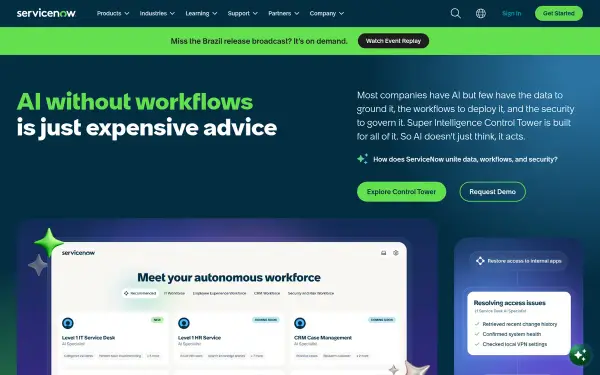
The broadest enterprise ITSM platform, but quote-only pricing and heavy implementation make it a long project.
ServiceNow is the reference point for enterprise ITSM: incident, problem and change management, a configuration management database, a service catalog and request fulfillment all run on one platform, with modules for HR, security and customer service alongside IT. AI agents triage, route and resolve tickets inside those workflows rather than as a bolt-on, which matters once ticket volume outgrows manual triage.
The catch is that you cannot price it from the website. There is no published pricing sheet, so budgets come from a negotiated quote plus implementation services, and buyers commonly need partners to configure the platform. Pricing is quote-based, so ask for a scoped quote that separates subscription, modules and implementation.
It fits organizations running 1,000-plus seats with complex governance, several service domains and a team that can own a platform long term. It does not fit a 10-person IT team that wants ticketing live next month: the platform complexity is heavy and time to value is long compared with mid-market tools. Ask for a scoped quote with named modules, user bands and implementation phases before you commit.
You run 1,000-plus seats and need IT, HR and security workflows on one governed platform.
You have a small IT team and need working ticketing in weeks rather than quarters.
Entry II of VIII / Atlassian native workflow

Our verdict
Best value for Atlassian and DevOps teams, though change management and AIOps push most growing teams to Premium.
Jira Service Management wins on price transparency and on its connection to software work. Request portals, incident and change workflows, queues, SLA tracking and asset tracking are all included, and Rovo AI agents reached general availability in 2026. For teams already running Jira Software and Confluence, the shared data model means a developer and the service desk work from the same issue history instead of syncing two tools.
Pricing is published. The free plan covers up to 3 agents, Standard is $21.50 per agent per month, and Premium is $51 per agent per month. The gap matters: change management, AIOps and deeper SLA capability sit in Premium, so the $21.50 headline is not the full price for teams that need those features. Asset management depth also trails dedicated ITSM rivals, and marketplace apps for gaps add cost on top of the subscription.
It fits DevOps and Atlassian-native teams that want IT and engineering in one system, plus very small IT teams that can start on the free plan with three agents. It is a weaker fit for asset-heavy organizations or service desks that need mature change advisory workflows out of the box on the entry plan.
Your developers and service desk already live in Jira and you want one shared issue history.
You need deep asset management or mature change workflows on the entry plan.
Entry III of VIII / Fast mid-market rollout
Our verdict
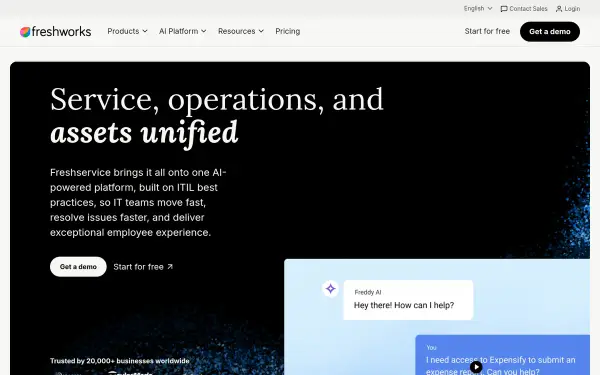
The fastest mid-market rollout here, with real ITIL depth once you budget for the Pro tier.
Freshservice is the mid-market default for a reason: a modern interface, ITIL-aligned ticketing, asset management and a CMDB in one platform, and deployment that moves in weeks rather than quarters. Freddy AI appears across plan tiers for auto-triage and ticket summaries, and the service catalog, knowledge base and workflow orchestration sit inside the base product rather than bolted on.
The plan structure is where budgets shift. Starter is $19 per agent per month billed annually, Growth is $49 and Pro is $99, and several key ITIL modules only arrive in Pro. Freddy AI Copilot is a $29 per agent add-on billed separately, so a 20-agent team that wants both full process coverage and the copilot should price Pro plus the add-on, not the Starter figure. Asset and orchestration overages can add more.
There is no free plan, only a 14-day free trial, which is short for a full platform evaluation. It fits mid-market IT teams that want fast time to value and a clean agent experience, and it handles HR and facilities requests through extensions. It is a harder sell if you only need basic ticketing, or if your budget cannot stretch past Starter.
You want a mid-market service desk live in weeks with assets and CMDB in the same tool.
Your budget caps out at Starter but you need full change and problem management.
Entry IV of VIII / Free tier and on-prem
Our verdict
Cheapest credible entry point on this list, with a free 5-technician edition and a working on-premises option.
ManageEngine ServiceDesk Plus competes on price and deployment choice. The cloud Standard edition starts at $13 per technician per month, and there is a free edition for up to 5 technicians, which is unusually generous for a product that includes incident, problem and change management, asset management, a CMDB, SLA rules, a self-service portal and purchasing and contract tracking.
The other differentiator is that you can run it on-premises or in the cloud. That appeals to regulated environments that cannot move service desk data to a vendor cloud, and to organizations that already run ManageEngine tooling. A 30-day free trial gives you enough time to test the setup properly rather than skim a demo.
The trade-offs are real. The interface feels dated next to Freshservice or Jira Service Management, and advanced modules sit behind the Professional tier, so the $13 entry point does not cover the full ITIL set. Setup and configuration need planning up front, especially CMDB and workflow design. It fits budget-conscious teams, on-premises requirements and shops that value function per dollar over polish. It fits less well if agent experience and modern design are the deciding factors.
You need on-premises deployment or a free tier for a small technician team.
Agent experience and a modern interface are the top priorities for your service desk.
Entry V of VIII / Prebuilt AI agents
Our verdict
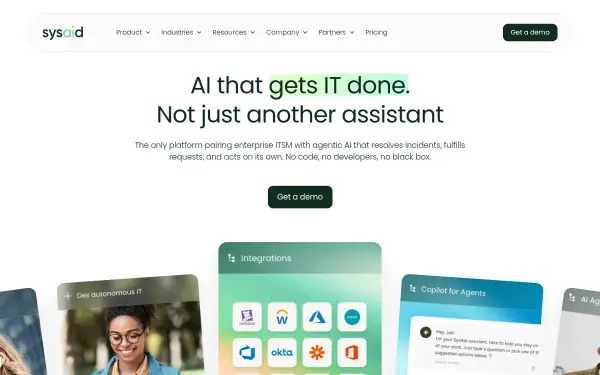
The most automation-forward mid-market suite, if you will invest time in building and tuning AI agents.
SysAid leans harder into automation than most tools at its price. The platform ships more than 100 prebuilt AI agents for triage and resolution, an AI Agent Builder for custom automation, a workflow automation engine, incident management, asset tracking, remote control for endpoints and a self-service portal. The automation targets ticket deflection, not just faster agent replies, and remote control inside the same platform saves a separate tool.
Pricing starts at $59 per agent per month on the Professional plan billed annually, which is a mid-market rate rather than a budget one. The vendor also lists Help Desk from $79 per user per month and the fuller ITSM plan at $108, so check which plan matches the ITIL processes you actually run. In practice pricing is quote-influenced, and there is no free plan, only a trial.
It fits IT teams that want autonomous operations and are willing to spend implementation time building and tuning agents against their own ticket history. Brand recognition is lower than the largest enterprise suites, which matters when procurement favors established names. It fits less well for a small help desk that mainly needs a clean ticket queue and nothing more.
Ticket deflection through prebuilt AI agents is the core reason you are buying ITSM.
You need a free plan or a simple ticket queue with minimal configuration.
Entry VI of VIII / AI-first ITIL at scale
Our verdict
Enterprise AI-first ITIL with AIOps built in, held back by quote-only pricing and a heavy implementation.
Helix is the enterprise AI-first option on this list. The platform covers the full ITIL process set, incident, problem and change management, a configuration management database, service level and performance dashboards, discovery and dependency mapping, and predictive service operations with AIOps across multi-cloud environments. Cognitive automation is built into service workflows rather than layered on top.
Pricing is the obstacle. There is no published pricing sheet and no self-serve trial, only a demo, so the evaluation starts with a sales conversation. Pricing is quote-based, so ask for a scoped quote with modules and user bands, and budget separately for implementation. Implementation itself is a heavy project, not a two-week switch-on.
The product was formerly BMC Helix ITSM, and the portfolio became a standalone company in 2025 trading as Helix. That matters for procurement and for anyone tracing contract history. It fits enterprises needing AI-first ITIL at scale, particularly where AIOps and multi-cloud discovery are core requirements. It is too much platform for mid-market teams, and the absence of published pricing makes it hard to shortlist without a quote.
You are an enterprise that needs AIOps, discovery and full ITIL in one governed platform.
You need a published price or a self-serve trial before shortlisting a vendor.
Entry VII of VIII / Unlimited requesters
Our verdict
A clean fit when requesters vastly outnumber technicians, priced per technician rather than per employee seat.
SolarWinds Service Desk prices per technician and leaves end users unlimited, which changes the math for any organization with a large employee base and a small IT team. Essentials starts at $39 per technician per month billed annually with unlimited requesters, and the platform covers incident, problem and change management, asset management and a CMDB, a service catalog, AI-assisted workflows, routing rules, dashboards and an employee self-service portal. A 30-day free trial covers the full platform.
The per-technician model is the reason to shortlist it. A company with 3,000 employees and 8 technicians pays for 8 seats, not 3,000, and that is a different budget conversation from per-user or per-requester pricing. The caveat is assets: buyers should confirm during evaluation how asset management is priced, because asset-related charges can change the total. The interface also needs configuration effort before it feels clean.
It fits IT teams that want strong asset management and a predictable technician-based bill. It is more capability than a simple ticket inbox needs, and there is no free plan, so small teams should weigh the 30-day trial carefully before committing to an annual term.
You support thousands of employees with a small technician team and want predictable seat costs.
You need a free plan or want an interface that works well without configuration.
Entry VIII of VIII / One plan, all modules
Our verdict
One plan, every ITIL module included, which removes feature shopping from the buying decision entirely.
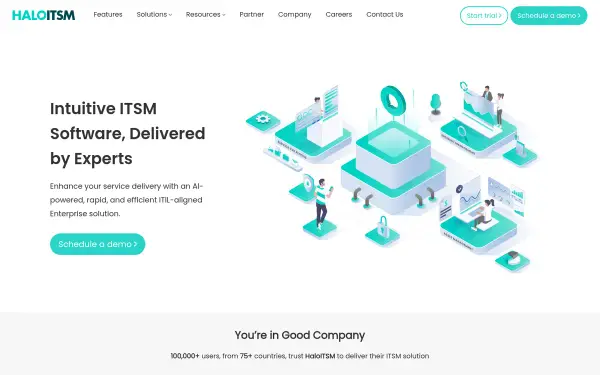
HaloITSM sells one plan with the full ITIL toolkit included: incident, problem and change processes, a configuration management database, a service catalog, knowledge management, asset and inventory tracking, reporting and a self-service portal. There is no feature matrix to decode and no module locked behind an upgrade tier, which is the main reason teams shortlist it.
Pricing is £69 per agent per month billed annually on that single plan. The vendor describes a band from roughly $49 to $99 per agent per month depending on team size, so the rate moves with seat count rather than with features. A free trial is available, but there is no free plan.
The trade-offs are scale and ecosystem. Price rises with team size across seat bands, and the integration marketplace is smaller than Atlassian's, so unusual tooling may need custom work. The vendor's strongest following is in the UK, which matters for US buyers who want local support and references. It fits ITIL-focused teams that want predictable feature coverage and are happy to pay per seat for the whole product. It fits less well for teams that need a free tier or deep third-party integrations.
You want the full ITIL toolkit on one plan without comparing feature tiers.
You need a free tier or a large marketplace of prebuilt integrations.
VBackground
ITSM software is the system of record for IT work: requests, incidents, problems, changes and the assets behind them. Most tools in this best ITSM software comparison guide also cover a CMDB, a self-service portal, SLA tracking and reporting, and increasingly AI agents that triage or resolve tickets before a person touches them.
The category splits by buyer. ServiceNow, Helix and HaloITSM sell full ITIL process coverage to organizations with formal change control and audit requirements. Jira Service Management, Freshservice and SysAid target mid-market teams that want faster deployment and visible pricing. ManageEngine ServiceDesk Plus and SolarWinds Service Desk compete on cost model, one with a free five-technician edition and on-premises deployment, the other with unlimited requesters on technician seats.
Four things separate the products in practice:
Watch the word ITIL. Vendors use it loosely. A product can be ITIL-aligned and still push change management or other ITIL modules into an expensive tier, which is exactly what happens at Freshservice and Jira Service Management. Read the plan comparison, not the marketing page, and check whether the CMDB, service catalog and SLA rules you need sit in the plan you can actually afford.
This comparison sits in the security register. Further along the shore: small business computer security software and AI patent tools with best reviews.
VIPricing
ITSM pricing usually follows one of four models: per agent, per technician with unlimited requesters, per named user, or a negotiated enterprise quote. Entry prices in this guide range from $13 per technician per month at ManageEngine to £69 per agent per month at HaloITSM, and quote-only vendors publish nothing at all.
| Model | How it bills | Typical fit | Example from this list |
|---|---|---|---|
| Per agent | Monthly per support agent, annual billing common | Teams where service desk headcount drives cost | Freshservice Starter at $19 per agent per month, billed annually |
| Per technician | Monthly per technician, requesters stay unlimited | Large employee bases with a small IT team | SolarWinds Service Desk Essentials at $39 per technician per month |
| Per named user | Monthly for every licensed user | Broad deployments where many people work tickets | SysAid Help Desk at $79 per user per month |
| Free tier | No charge inside a seat cap | Very small teams testing process | Jira Service Management free for 3 agents; ManageEngine free for 5 technicians |
| Quote-based | Negotiated contract, no published pricing sheet | Large enterprises with complex governance | ServiceNow and Helix |
Three things move the real bill above the entry price. First, tier jumps: Freshservice lists Starter at $19, Growth at $49 and Pro at $99 per agent per month, and several key ITIL modules only appear at Pro. Jira Service Management has the same shape, with change management, AIOps and deeper SLA features at $51 per agent rather than $21.50.
Second, add-ons. Freddy AI Copilot at Freshservice is $29 per agent on top of the plan, and marketplace apps fill gaps in the Atlassian stack. Third, seat definition. A per-technician product such as SolarWinds Service Desk charges $39 for support staff and keeps requesters unlimited, while SysAid's Help Desk plan is priced per user at $79, so the same headcount can produce very different totals.
Annual billing is common for these plans, which means committing for twelve months to get the listed rate. Model three years at the tier you need, not the entry tier, and ask each vendor to price the exact process set you run. If a vendor publishes nothing, as with ServiceNow and Helix, ask for a scoped quote with modules and user bands named.
Each entry card shows the starting price as it appeared on the vendor's own pricing page on November 25, 2026. When a vendor shows no figure we could confirm, or only a promotional rate, the card says "See website" or gives the regular price instead of a guess. Usage, overage and add-on rates in the text change more often than plan prices, so confirm them on the vendor page before you set a budget. To test the numbers against your own volume, try the free User Research Budget Planner. The Event Break-Even Calculator is a second way to check the same decision.
VIIDecision
Start with the process set, then the budget, then the vendor. If your team lives in Jira, Jira Service Management or Freshservice will go live faster and cost less than ServiceNow. If you run 1,000-plus seats with governance across IT, HR and security, ServiceNow or Helix justify the implementation project. SolarWinds and ManageEngine win when requesters or budget dominate.
Define the processes you actually run. Write down which of incident, problem, change, asset and CMDB you need on day one. A team that only needs request fulfillment should not pay for a full ITIL suite, and a regulated team cannot skip change control.
Count the right population. Decide whether you are charged per agent, per technician or per user, then model your headcount against each model. SolarWinds at $39 per technician and SysAid at $79 per user produce very different bills for the same 20-person IT team.
Price the tier you need, not the entry plan. Check where ITIL modules and AI features sit. Freshservice puts key modules in Pro at $99 per agent, and Jira Service Management puts change management and AIOps in Premium at $51 per agent.
Test with a trial or a scoped demo. Use the free plan at Jira Service Management (3 agents) or ManageEngine (5 technicians), or the trials at Freshservice, SolarWinds and HaloITSM. ServiceNow and Helix offer demos only, so script the demo around your worst workflow.
Budget implementation separately. Ask what configuration, migration and training cost. Quote-based platforms usually need partners, and on-premises ManageEngine needs hardware and admin time on top of the license.
Check the contract exit. Confirm data export, notice periods and how asset or orchestration overages are billed before signing, because those clauses decide what year two actually costs.
VIIIPitfalls
The most expensive ITSM mistake is buying the entry tier and discovering the processes you need sit two tiers up. The second is comparing headline per-seat prices across different billing models. Most of the rest come down to skipping configuration, ignoring add-on costs and signing a multi-year term before running a real pilot on your own tickets.
Buying on the headline price. Freshservice Starter at $19 and Jira Service Management Standard at $21.50 look close, but the modules most teams need sit at $99 and $51 per agent respectively. Model the tier you will actually run.
Comparing different seat models. Per-technician pricing at SolarWinds and per-user pricing at SysAid are not interchangeable. Normalize every quote to the same headcount and the same set of requesters before you compare totals.
Skipping CMDB and asset scoping. Asset and orchestration overages show up after go-live. Ask how assets are counted and priced, particularly with SolarWinds Service Desk and Freshservice, before you sign anything.
Treating AI as free. Freddy AI Copilot is a $29 per agent add-on at Freshservice, and AI agents only deflect tickets after tuning. Budget time for workflow and prompt design, not just the license fee.
Skipping the pilot. A 14-day Freshservice trial or the 3-agent Jira free plan reveals more than a scripted demo. Run your top five ticket types through the tool before committing to an annual term.
IXQuestions
It runs the IT request and incident lifecycle. A user submits a ticket through a portal, the tool routes it, tracks SLAs, links related assets in a CMDB and records a change if a fix alters infrastructure. Tools like ServiceNow and Freshservice add catalogs, knowledge bases and AI triage on top of that core.
Two in this list. Jira Service Management is free forever for up to 3 agents, and ManageEngine ServiceDesk Plus has a free edition for up to 5 technicians. Everyone else offers a trial instead, from Freshservice's 14 days to the 30-day trials at SolarWinds and HaloITSM, with demos only at ServiceNow and Helix.
Both sell negotiated enterprise contracts where modules, user bands, hosting and implementation are priced per deal. Pricing is quote-based for both, so ask each vendor for a scoped quote with modules and user bands rather than relying on a list price.
Not strictly. Regulators ask for evidence of change control, audit trails and segregation of duties, not a specific framework. ITIL-aligned tools such as HaloITSM and ManageEngine ServiceDesk Plus make that evidence easier to produce, but process discipline matters more than the badge on a vendor website.
BMC Helix ITSM is now sold as Helix. The portfolio became a standalone company in 2025 trading as Helix, and it still covers the full ITIL process set with AIOps and multi-cloud service management. Buyers reviewing older contracts should confirm the current legal entity and support terms before renewing.
Per-agent and per-technician both charge for the support staff who work tickets; technician plans like SolarWinds Service Desk at $39 also keep requesters unlimited. Per-user charges every named person with a license, as SysAid's Help Desk plan does at $79 per user per month. Check which population a vendor counts.
XFurther along the shore
Vendors can ask for a correction or apply for a Featured listing. Paid or not, the entry is scored on the same rubric and its limits stay in print. Partner with Umberlake.
Free tools
Our free browser tools turn the prices on this page into a figure for your own volume. Nothing you type leaves your device.