Alora
See website
Best for mixed skilled and non-skilled agencies wanting a published price
- Free plan
- No
- Rubric
- 7.9 of 10
Eight home health and home care platforms compared on clinical depth, scheduling, billing, published pricing and fit, with every price note dated November 26, 2026.

IThe short answer
Alora, Axxess and KanTime are the top three picks in our guide to the best home health care software for November 2026. Alora fits mixed skilled and non-skilled agencies and prices per user. Axxess suits agencies consolidating clinical, scheduling and billing on one stack. KanTime is for post-acute, hospice, pediatric and palliative agencies that need documentation depth. The other five entries cover per-client home care pricing, multi-site scale, DME lines and small-agency budgets.
8 tools compared from vendor pages on November 25, 2026. 0 publish a starting price we could read; the rest say "See website".
IITop three berths
Register order is editorial fit for the buyer each entry describes. Prices are the starting figures read on November 25, 2026.
See website
Best for mixed skilled and non-skilled agencies wanting a published price

See website
Best for home health agencies consolidating clinical, scheduling and billing
See website
Best for post-acute, hospice, pediatric and palliative agencies needing documentation depth
How this page is paid for. All 8 tools here are unpaid editorial picks.
A paid listing's position can be part of what the vendor pays for. Every entry, paid or not, is scored on the same rubric and keeps its limits in print. Advertising disclosure.
IIIThe register
Starting prices as shown on each vendor's pricing page on November 25, 2026. "See website" means no figure we could confirm.
| No. | Tool | From | Free plan | Trial | Rubric | Actions |
|---|---|---|---|---|---|---|
| 01 | AloraMixed skilled and non-skilled agencies wanting a published price | See websiteNot shown publicly | No | No | 7.9 | |
| 02 | AxxessHome health agencies consolidating clinical, scheduling and billing | See websiteNot shown publicly | No | No | 7.3 | |
| 03 | KanTimePost-acute, hospice, pediatric and palliative agencies needing documentation depth | See websiteNot shown publicly | No | No | 7.1 | |
| 04 |  AxisCareHome care agencies wanting per-client pricing flexibility | See websiteNot shown publicly | No | No | 7.0 | |
| 05 |  WellSky Personal CarePrivate duty and personal care agencies wanting scheduling with built-in telephony | See websiteNot shown publicly | No | No | 6.6 | |
| 06 | HomeCare HomebaseLarge home health and hospice agencies running multi-site operations | See websiteNot shown publicly | No | No | 7.5 | |
| 07 |  BrightreeAgencies running home health alongside home medical equipment lines | See websiteNot shown publicly | No | No | 6.6 | |
| 08 |  CareSmartz360Small to mid-size agencies wanting affordable scheduling, EVV and billing | See websiteNot shown publicly | No | Free trial available | 7.0 |
Pinned:
IVMethod
We compared eight home health and home care platforms on five criteria: clinical depth (25%), scheduling and electronic visit verification (20%), billing and collections (20%), pricing clarity (15%), and fit and onboarding (20%). Clinical depth asks how well a product handles OASIS, 485s, PDGM and plan of care work, since that is the line between a home health system and a home care scheduler. Scheduling and EVV covers routing, offline charting and telephony check-in. Billing and collections looks at claims, multi-payer support and revenue cycle follow-up. Pricing clarity rewards vendors that tell you what a seat, a client or a year costs before you sit through a demo. Fit and onboarding asks whether the product matches the agency type it claims to serve and how much work the ramp requires.
Every price note in this guide was checked on November 26, 2026 against vendor pricing pages. Where a page returned no content, we say pricing is on the vendor site rather than repeating a figure we could not confirm. Free plan and trial status comes from the same check.
The order is editorial. Each position reflects how well a product fits the buyer described in its entry, not a weighted total of the scores. The Featured placement is paid and is scored with the same rubric as every other entry; where a listing is Featured, we say so.
The full routine, from price reads to corrections, is on the methodology page. Paid listings follow the advertising disclosure.
How far the product carries OASIS, 485, PDGM and plan of care work beyond basic visit notes.
Whether scheduling, routing and electronic visit verification work together in the field, including offline.
Strength of claims, multi-payer billing and revenue cycle tooling once a visit is complete.
How much of the cost structure a buyer can learn before sitting through a sales demo.
How well the product matches its stated buyer and how heavy the setup and learning curve are.
Entry I of VIII / Bundled EVV and fax
Our verdict
Best fit for agencies running both skilled and non-skilled care who want EVV, faxing and telephony in one per-user system.
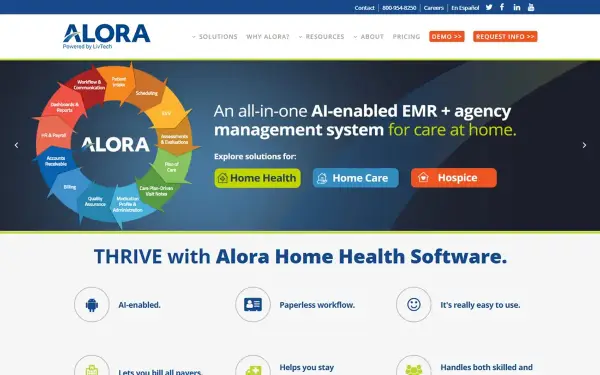
Alora targets agencies that bill more than one line of care from the same office. Electronic visit verification, one-click electronic faxing, integrated telephony and workflow automation ship together rather than as add-on modules, and a single login covers multiple offices and business lines. Scheduling carries point-of-care charting, and Plan of Care (485) management includes e-signature plus automatic 485 generation from OASIS data. Multi-payer billing and claims sit in the same system, which cuts the copy-and-paste work that appears when clinical, scheduling and billing live in separate tools.
Pricing is on the vendor site. Alora has a track record of listing a per-user rate, but the pricing page returned no content when we checked on November 26, 2026, so ask for the current figure and the terms in writing. The per-user model cuts both ways: it rewards agencies with a small back-office team and a large field staff, and it punishes agencies that keep adding schedulers and coordinators.
Compared with HomeCare Homebase or KanTime, Alora offers less implementation depth for large multi-site organizations. Where it holds up is the mid-size mixed agency that wants EVV, faxing, telephony, 485 work and billing without stitching four vendors together.
You run skilled and non-skilled care from one office and want EVV, faxing, telephony and billing in a single per-user system.
You are a large multi-site operator that needs deep implementation support and a dedicated enterprise rollout.
Entry II of VIII / PDGM and OASIS depth
Our verdict
The strongest clinical and PDGM package for agencies consolidating home health, home care and hospice onto one vendor.
Axxess sells itself as one stack for clinical, scheduling and billing, and the module list backs that up: home health, home care and hospice run under a single login. The clinical side is the strongest part. Pre-built documentation templates and a mobile app that charts offline and syncs later keep visits moving, and the PDGM center flags ungroupable diagnoses and LUPA risk before the claim leaves the building. Smart scheduling adds routing logic, while intake, referral management, billing and QA dashboards round out the workflow.
Pricing is on the vendor site. Axxess does not publish a number, so treat anything you find secondhand as a list of questions rather than a budget line. Ask for implementation, interfaces and training to be itemized separately from subscription.
The trade-offs are operational. The listed trade-offs are slow support response, occasional care plan glitches, and clunky update cycles. For an agency consolidating three systems into one, those are manageable. For an agency that needs a fast answer on a Friday afternoon, they matter. Axxess fits Medicare-certified agencies that want PDGM and OASIS tooling and are willing to work through support friction to get one vendor instead of three.
You want clinical, scheduling and billing from one vendor and PDGM flagging matters to your revenue cycle.
Fast, predictable support response is a hard requirement for your team.
Entry III of VIII / Point-of-capture QA
Our verdict
Built for documentation accuracy in post-acute, hospice, pediatric and palliative work, with a learning curve to match.
KanTime is built around documentation, and that is where it earns its place. Mobile point-of-care tools tie directly to OASIS manual items, so errors surface at the point of capture rather than weeks later in QA. Auto-QA then routes approvals with flagged issues, which shortens the gap between a completed visit and a billable claim. Electronic claims run on HCFA and UB04 forms. Beyond traditional home health, KanTime carries hospice, palliative and pediatric workflows, which goes beyond adult skilled care.
Scheduling uses drag-and-drop with matching logic for skills, location and shift preferences, so coordinators are not solving the same puzzle by hand on every change. Claims, charting and scheduling share one record, which is the point of buying a single suite.
Pricing is on the vendor site. KanTime does not publish rates, so plan on a sales process and a written proposal before you budget.
The costs beyond license are real: a steep learning curve with limited training options, and occasional product freezes during use. This is a system that wants a named owner inside the agency, someone who learns the QA rules and the OASIS mapping properly. Mid-size and larger post-acute organizations with that person in place get the most from it. Small agencies without a dedicated system owner should look at lighter products first.
Your agency works in post-acute, hospice, pediatric or palliative care and documentation accuracy drives your billing.
You have no dedicated system owner to absorb the learning curve.
Entry IV of VIII / Client-based pricing
Our verdict
The flexible home care option, with billing tied to client count and an integration list that reaches payroll, CRM and training.
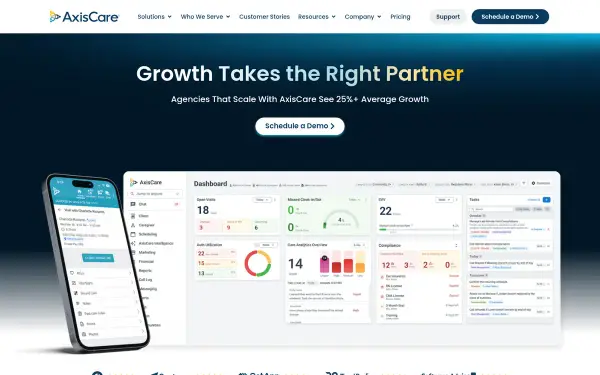
AxisCare competes on commercial structure as much as features. Billing runs on client count rather than office seats, with a la carte or all-inclusive options, so an agency that adds caregivers and clients without doubling its back office does not pay twice for the same growth. Scheduling and caregiver management, billing, payroll and invoicing, and client communication tools cover the day-to-day of a non-medical agency. The integration list covers ADP, Paylocity and QuickBooks for payroll and accounting, HubSpot for CRM, and CareAcademy for caregiver training.
Pricing is on the vendor site. AxisCare quotes per client and does not publish rates, so the only reliable number is the one you get in writing. Ask how the client count is measured, since active, authorized and discharged clients can be counted differently.
The range is wide, from very small agencies to large home care operations, and that shows in the interface. Feature breadth can overwhelm a small agency that only needs scheduling, a calendar and payroll. There is no free trial, so evaluation runs through a demo, and you should insist on seeing your own scenarios rather than a scripted tour.
AxisCare fits home care agencies that expect to grow their client roster and want the cost to follow clients rather than headcount. Agencies that need OASIS, 485 or skilled clinical documentation should look elsewhere in this list.
You are a home care agency expecting client growth and want pricing tied to clients, not office seats.
You need OASIS, 485 or skilled clinical documentation.
Entry V of VIII / Telephony EVV plus portal
Our verdict
A private duty workhorse with telephony EVV, a family portal and caregiver shift requests, but no medical documentation layer.
WellSky Personal Care is the former ClearCare product, and its history shows in how it handles private duty work. Scheduling, billing and invoicing, HR and CRM sit in one system built for non-medical care. Electronic visit verification runs on telephony as well as through a caregiver mobile app that shows appointments and lets caregivers request open shifts, which matters when you are filling same-day gaps. A family portal gives relatives real-time visibility into the care plan, and caregiver training runs through CareAcademy.
Pricing is on the vendor site. WellSky does not publish a rate for this product, so confirm subscription, implementation and any interface fees in writing.
The limits are clear. Third-party integrations are fewer than on newer platforms, and there is no medical documentation layer, so a mixed skilled and non-skilled agency would need a second system for OASIS and 485 work. For a private duty agency, that is not a gap. For an agency adding a Medicare-certified line, it is the reason to look at Alora or Axxess instead.
WellSky Personal Care fits established private duty and personal care operators that want scheduling, telephony EVV, family communication and training in one place, and that value a product with a long field history over the newest interface.
You are a private duty agency that wants scheduling, telephony EVV, family communication and training in one place.
You bill Medicare for skilled care and need medical documentation in the same system.
Entry VI of VIII / Multi-site routing scale
Our verdict
The multi-site scale pick, where routing logic and unified records matter more than a quick setup.
HomeCare Homebase is built for scale, and the feature list reads accordingly. Multi-site and multi-agency administration sits at the top, with unified patient and employee records underneath, so an administrator can see a census across locations without exporting anything. Smart scheduling uses routing algorithms aimed at cutting miles and overtime, which is the cost line that hurts most when a fleet grows. Intake, scheduling, billing, clinical documentation for home health and hospice, and real-time reporting fill out the suite.
Pricing is on the vendor site. Contracts are custom and annual, and nothing is published, so a direct comparison against per-user or per-client products requires a written quote with implementation and support separated out. Ask how modules are priced and what happens to the rate as you add offices.
The honest downsides: a steep learning curve, an overwhelming initial setup, and slow app performance when loading large patient lists. Field staff on older devices feel that last one daily. For a large multi-site operator with a project team and a training budget, the routing and reporting pay for themselves. For a single-office agency, the setup burden will outweigh the scale features.
HomeCare Homebase fits organizations with complex multi-site billing and large caregiver fleets that want administration, scheduling and reporting on one set of records.
You run multiple sites and want routing-driven scheduling and reporting across the whole organization.
You are a single-office agency without a project team to carry the setup.
Entry VII of VIII / DME plus home health
Our verdict
The choice when home health sits beside DME or infusion lines and one billing workflow is worth an older interface.
Brightree is the pick for agencies whose business runs past traditional home health. Clinical and billing workflows for home health sit alongside home medical equipment and DME processing and infusion billing support, so an organization does not have to run a separate system for each line. Claims and revenue cycle workflow are mature, and payer integrations have been built over a long tenure in the market. Reporting spans business lines rather than stopping at the clinical record.
Pricing is on the vendor site. Brightree does not publish pricing, so plan on a sales cycle and ask for interface, implementation and training fees to be itemized before you compare it with a per-user or per-client product.
The trade-off is age. The interface and implementation reflect an older enterprise design, and onboarding runs longer than on newer cloud-native competitors. Staff who are used to consumer-grade software will notice. What you get in return is mature billing and claims infrastructure and extensive payer integrations built over a long tenure in the market.
Brightree fits agencies running home health alongside DME or infusion lines, where consolidating onto one platform removes a whole reconciliation job. Pure private duty agencies, and agencies that only bill skilled home health visits, will find it heavier than they need.
You run home health alongside DME or infusion and want one platform and one billing workflow.
You want a modern interface and a fast cloud-native onboarding.
Entry VIII of VIII / Lighter implementation
Our verdict
The lightest setup here, with a free trial and core scheduling, EVV, billing and payroll for small private duty agencies.
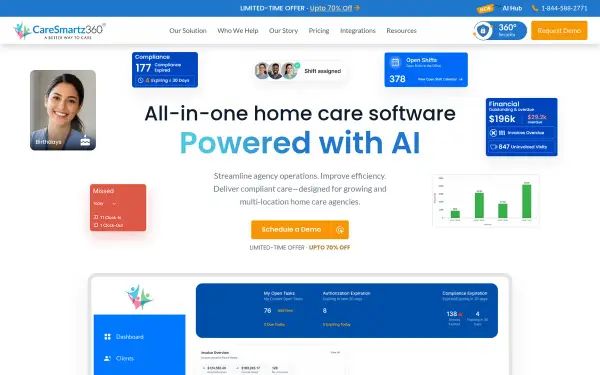
CareSmartz360 covers the operational core for small and mid-size agencies: scheduling, billing and invoicing, electronic visit verification, caregiver and client management, payroll processing and reporting dashboards, all in a cloud platform with no server to maintain. Implementation is lighter than the enterprise suites, which matters when the person running the project is also running the office. The product is positioned on ease of use and value.
Pricing is on the vendor site. CareSmartz360 does not publish rates, so ask for a quote instead. Ask for a quote that covers users, clients, EVV and payroll, and confirm what the free trial includes and how long it runs.
The trade-off is clinical depth. There is no OASIS or 485 tooling here, so a Medicare-heavy agency billing skilled episodes will outgrow it. CareSmartz360 is also the only product in this list advertising a free trial, which makes it a sensible first demo for a small agency.
It fits small and mid-size private duty and home care agencies that want scheduling, EVV, billing and payroll in one cloud system and are willing to trade documentation depth for speed of setup.
You are a small private duty agency that wants scheduling, EVV, billing and payroll at a light implementation load.
OASIS, 485s and Medicare skilled billing are core to your revenue.
VBackground
Home health care software is the back-office and field system an agency uses to schedule visits, document care at the point of visit, verify that caregivers actually showed up, and turn all of that into clean claims. In practice it covers four jobs: scheduling and routing, clinical documentation (OASIS and 485s for Medicare-certified work), electronic visit verification, and billing with revenue cycle follow-up.
Agencies do not all need the same thing. A Medicare-certified home health agency billing skilled nursing and therapy episodes needs clinical depth: OASIS accuracy, plan of care generation, PDGM flags and diagnosis grouping. A private duty or personal care agency running non-medical shifts needs scheduling density, caregiver apps, telephony or mobile check-in and fast payroll, and it usually does not need OASIS at all.
That split explains many of the differences between products. Products built for clinical home health carry documentation tooling a private duty agency will never open, while products built for private duty often have no medical documentation layer at all. Mixed agencies run both lines and need one system that does not force a second login.
Three questions separate the categories quickly:
Answer those before you look at feature lists, because they determine which half of this list you should be reading.
This comparison sits in the healthcare register. Further along the shore: money transfer app to nigeria and accounting automation software.
VIPricing
Home health software is often priced by quote, not by list. These products generally did not publish a rate when we checked on November 26, 2026; pricing is on the vendor site. Vendors bundle implementation, training, interfaces and support into the contract, so a headline number would mislead, and the model you are quoted on (per user, per client or per year) changes the total as you grow.
| Model | How it bills | Typical fit | Example from this list |
|---|---|---|---|
| Per user | Charged for each back-office or scheduling seat | Agencies with small office teams and large field staffs | Alora |
| Per client | Charged on the number of clients on the books | Home care agencies whose census grows steadily | AxisCare |
| Custom annual contract | Negotiated once a year, with modules and support folded in | Multi-site home health and hospice operators | HomeCare Homebase |
| Custom quote | Sales-led proposal, nothing published | Clinical and mixed-line agencies | Axxess, KanTime, Brightree, WellSky Personal Care, CareSmartz360 |
Comparing a per-user quote against a per-client quote line by line does not work. Pick your own unit first: cost per visit, or cost per active client per month, and ask every vendor to fill in the same figure over a three-year term. Include implementation, training, interface fees, extra modules and the seats or clients you expect to add in year two. The renewal clause matters as much as the first-year number.
When a vendor says pricing is on the vendor site, ask for the proposal in writing before you shortlist. A demo is not a quote.
Each entry card shows the starting price as it appeared on the vendor's own pricing page on November 25, 2026. When a vendor shows no figure we could confirm, or only a promotional rate, the card says "See website" or gives the regular price instead of a guess. Usage, overage and add-on rates in the text change more often than plan prices, so confirm them on the vendor page before you set a budget. To test the numbers against your own volume, try the free User Research Budget Planner. The Event Break-Even Calculator is a second way to check the same decision.
VIIDecision
Work through this in order. Skipping a step usually means paying for a system that solves the wrong problem.
VIIIPitfalls
The expensive problems are usually about scope and terms, not missing features.
IXQuestions
Because these products are often sold through a sales team that quotes per agency. The products here generally did not return a published price when we checked on November 26, 2026. Vendors fold implementation, training, interfaces and support into the deal, so a list rate would be misleading. Ask for a written quote that itemizes subscription, implementation and interface fees separately.
Axxess, KanTime, HomeCare Homebase and Brightree are the clinical fits here. Axxess pairs PDGM flags with OASIS tooling, KanTime adds hospice, palliative and pediatric workflows, HomeCare Homebase is built for multi-site scale, and Brightree covers agencies that also run DME or infusion. Alora can serve a Medicare-certified line alongside non-skilled work.
Confirm your own state rules and deadlines, because the details vary by program. Check how EVV or telephony-based verification behaves in the field for the products that offer it.
Alora and Axxess come closest. Alora handles skilled and non-skilled lines with EVV, faxing and telephony in one system and supports multiple offices from a single login. Axxess runs home health, home care and hospice modules under one login. WellSky Personal Care has no medical documentation layer, so it stays on the private duty side.
It varies by vendor and product, so ask for a timeline. CareSmartz360 has a lighter implementation than enterprise suites, while Brightree, KanTime and HomeCare Homebase carry longer onboarding and steeper learning curves. Ask each vendor for a phased plan with named milestones before you sign.
None of the eight offers a free plan. CareSmartz360 is the only one advertising a free trial; the others list no trial. If trying before buying matters, ask whether the vendor will run a paid pilot on a single office rather than a full rollout, and confirm what the pilot covers in writing.
XFurther along the shore
Vendors can ask for a correction or apply for a Featured listing. Paid or not, the entry is scored on the same rubric and its limits stay in print. Partner with Umberlake.
Free tools
Our free browser tools turn the prices on this page into a figure for your own volume. Nothing you type leaves your device.