
HubSpot CRM
FreeFree tools tier, up to 2 users, no credit card, paid Starter starts at $7 per month per seat promotional for new customers
Best for teams that want to start free and grow
- Free plan
- Yes, free forever up to 2 users
- Rubric
- 8.5 of 10
Eight CRM tools for small teams, ranked by free plan value, five seat costs, real setup effort and the point at which each one stops being the right fit.

IThe short answer
HubSpot CRM is the best CRM for small companies that want to start free and grow, with a free tier for up to 2 users. Zoho CRM suits budget conscious teams that need deep customization at $14 per user per month, and Pipedrive suits sales teams that work from a visual pipeline, also from $14. Prices in this November 2026 guide were checked on November 26, 2026 across eight tools.
8 tools compared from vendor pages on November 25, 2026. 7 publish a starting price we could read; the rest say "See website".
IITop three berths
Register order is editorial fit for the buyer each entry describes. Prices are the starting figures read on November 25, 2026.
FreeFree tools tier, up to 2 users, no credit card, paid Starter starts at $7 per month per seat promotional for new customers
Best for teams that want to start free and grow
$14Standard, per user per month
Best for budget conscious teams that want deep customization

$14Lite, per seat per month, billed annually
Best for sales teams that work from a visual pipeline
How this page is paid for. All 8 tools here are unpaid editorial picks.
A paid listing's position can be part of what the vendor pays for. Every entry, paid or not, is scored on the same rubric and keeps its limits in print. Advertising disclosure.
IIIThe register
Starting prices as shown on each vendor's pricing page on November 25, 2026. "See website" means no figure we could confirm.
| No. | Tool | From | Free plan | Trial | Rubric | Actions |
|---|---|---|---|---|---|---|
| 01 | HubSpot CRMTeams that want to start free and grow | FreeFree tools tier, up to 2 users, no credit card, paid Starter starts at $7 per month per seat promotional for new customersRead on vendor page | Yes | Free plan available; no separate trial stated | 8.5 | |
| 02 | Zoho CRMBudget conscious teams that want deep customization | $14Standard, per user per monthRead on vendor page | Yes | Free trial available | 8.2 | |
| 03 | PipedriveSales teams that work from a visual pipeline | $14Lite, per seat per month, billed annuallyRead on vendor page | No | 14-day free trial | 7.5 | |
| 04 |  FreshsalesPhone heavy service businesses that want AI | $9Growth, per user per month, billed annuallyRead on vendor page | Yes | 14-day free trial | 7.9 | |
| 05 |  Bigin by ZohoMicro-teams that need a fast simple pipeline | See websiteNot shown publicly | Yes | See website | 7.5 | |
| 06 |  Less Annoying CRMNon-technical teams that want zero configuration | $15Single flat plan, per user per month, same monthly or yearlyRead on vendor page | No | 30-day free trial, no credit card | 6.1 | |
| 07 |  monday Sales CRMVisual teams already working in boards | $12monday CRM Basic, per seat per month, billed annually for 3 seats, promotional, list $18Read on vendor page | No | Free trial available | 6.6 | |
| 08 | Salesforce StarterSmall businesses planning rapid scale | $25Starter Suite, per user per month, billed monthly or annuallyRead on vendor page | Yes | 30-day free trial, no credit card | 6.5 |
Pinned:
IVMethod
Every tool on this list was scored against the same five criteria: free tier value (20%), entry price (25%), setup speed (20%), pipeline and automation depth (20%) and growth path (15%). Each score is an integer from 1 to 10 and reflects what a team of two to twenty people would actually get for the money, not what the vendor's feature grid claims.
Prices, plan names and trial terms come from each vendor's own pricing page, checked on November 26, 2026. Where a vendor advertises a promotional rate we say so and repeat the list figure in the review, so you can see which number renews. Currencies are never converted; every figure appears exactly as the vendor publishes it, which in this category means US dollars throughout.
Placement at the top of this list can be bought as a Featured position. A Featured tool is scored with the same rubric as every other entry and carries the same kind of honest cons, and the label is shown on the entry so you know which one it is. The rest of the order reflects editorial fit for the buyer described in each entry, not a sort by score.
Feature lists and limits were taken from vendor plan descriptions and published documentation. Where we could not fetch a current figure, the entry says so instead of filling the gap with a guess.
The full routine, from price reads to corrections, is on the methodology page. Paid listings follow the advertising disclosure.
How much a small team can run on a free or trial plan before it has to pay.
The advertised starting price per user per month and what five seats actually total.
How quickly a non-technical team can get contacts and a working pipeline live.
Deal stage handling, automation and reporting strength for a small sales team.
Whether the product scales without a rip and replace as headcount and needs grow.
Entry I of VIII / Free tier breadth
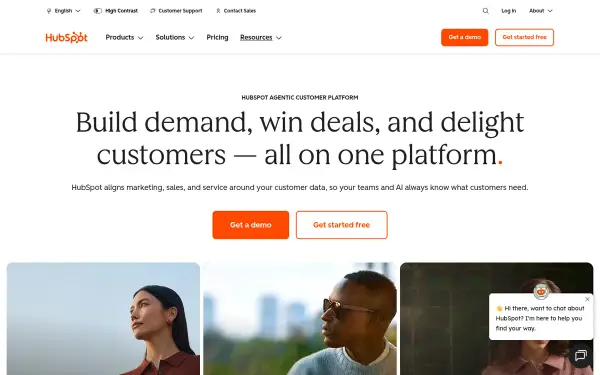
Our verdict
A broad free tier and a clear upgrade path, provided you budget for Starter at list price.
HubSpot CRM gives a small team a real pipeline without a credit card. The Free tools tier covers contact and company records, deal pipeline management, task tracking, email tracking and logging, and a live chat widget, with no expiry date. The cap is 2 users, which suits a founder plus one helper but not a team of five.
The appeal is that nothing gets thrown away later. When you outgrow free, the same platform moves you from Starter to Professional to enterprise tiers, and the sales objects you already set up stay in place. Starting is quick because those objects are already there, so there is no build phase.
The cost curve is the catch. Marketing and service capabilities sit in add-ons or separate products, and Starter list pricing runs near $100 per month for five seats. HubSpot's 2026 guide pricing places Starter at roughly $15 to $20 per seat per month. New customers can sometimes get Starter from $7 per month per seat under a short term promotion, and we show that figure because it is the advertised entry price, but budget for the list rate.
Confirm the current rate on the vendor pricing page before you commit, because the gap between the promotional number and list is large. There is no separate trial to weigh: the free tier is the trial.
You want a free start and a single platform you can grow into for years without migrating.
You need marketing automation bundled at a low per seat price from day one.
Entry II of VIII / Capability per dollar
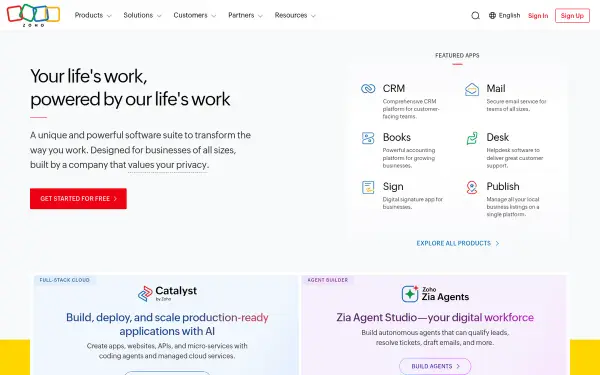
Our verdict
The most capability per dollar on this list, with a 3 user free tier and $14 Standard seats, if you will invest setup time.
Zoho CRM is the value pick. Standard lists at $14 per user per month, and there is a free tier that stays free for 3 users, enough for a very small team to run a real pipeline before paying anything. A free trial is available for the paid tiers.
What you get for that money is depth. Sales automation workflows, field and module customization, and reporting with dashboards all sit inside the paid tiers, and they beat similarly priced rivals on breadth. Teams already using Zoho Books, Zoho Mail or Zoho Desk can keep contacts and activity inside one family of products instead of stitching several vendors together, which cuts the number of renewals somebody has to manage.
The trade is time. Setup takes longer than simpler tools such as Bigin or Less Annoying CRM, and the interface feels dense to a beginner who only wants a deal list and a follow up date. If nobody on the team enjoys configuration, the extra capability becomes shelfware and you have paid for depth you never switch on.
Annual billing is the basis for the advertised entry price, and the 3 user free cap is the practical ceiling for staying on the free tier. Past that size, a paid tier is needed. Read the pricing sheet for the tier you actually need rather than the headline number, since seat counts and modules change the total quickly at five seats and above.
You have a little patience for configuration and want the most features per dollar.
Nobody on your team will spend a day or two setting the system up properly.
Entry III of VIII / Visual pipeline clarity
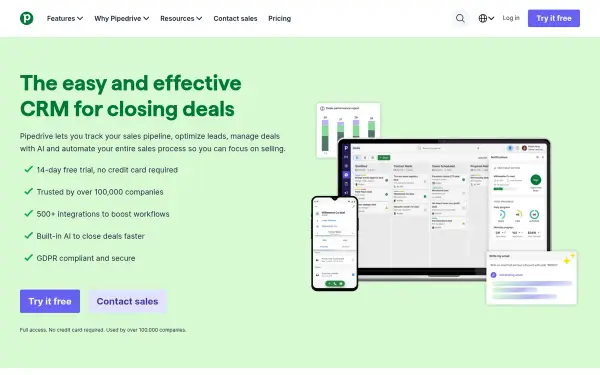
Our verdict
The clearest pipeline view for reps who live in deal stages, at $14 per seat with no free plan.
Pipedrive is built around one idea and does it better than anything else here: a drag and drop deal pipeline with customizable stages that a rep can read at a glance. Activity reminders and scheduling keep follow ups from slipping, and manager level pipeline reporting shows where deals stall without a spreadsheet export.
Adoption is fast for reps who think in stages. Simple structures of three to five steps work well for small sales teams. Teams with long, branching, multi approver processes will find the model too rigid and will end up bending their own process to fit the board, which is the wrong direction.
There is no free plan, only a 14-day free trial, so budget from day one. Lite is $14 per seat per month billed annually, and five seats work out to roughly $70 per month. The optional chatbot and web form features cost extra rather than being bundled, and marketing functionality needs add-ons or separate tools, so a team that wants campaigns and deals in one place should look at HubSpot instead.
The tool is tuned for straightforward pipelines rather than complex multi team processes. If your sales motion is one pipeline and a handful of stages, that narrowness is a strength: less to configure, less to explain to a new hire, and less chance someone invents a parallel process in a spreadsheet.
Your team sells from one simple pipeline and wants reps productive in the first week.
You need a free plan or bundle marketing into the same seat price.
Entry IV of VIII / Native phone calling
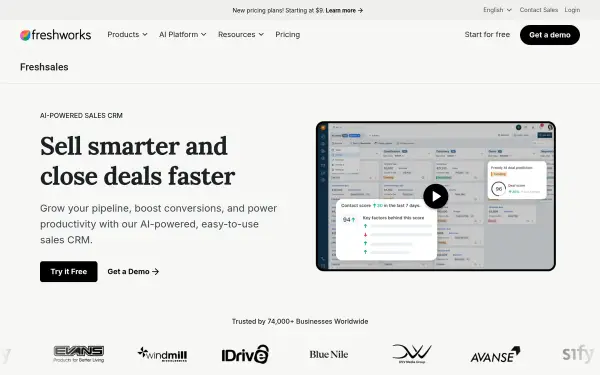
Our verdict
Native calling and a free tier make it the practical pick for phone led service businesses at $9 per seat.
Freshsales suits businesses that sell on the phone. Built-in calling is native rather than bolted on, so a rep can dial from a contact record and log the outcome without a third party integration or a second subscription. Email, chat and phone land in one inbox, and AI driven deal insights flag which deals need attention.
Growth is $9 per user per month billed annually, a low paid entry price for a tool with native calling here. There is a free tier for small teams and a 14-day free trial. For a service business with three or four people on the phones, that combination is hard to beat on cost, and it beats a stack built from a cheap CRM plus a separate dialer.
Two limits matter. Marketing features trail HubSpot, so campaigns, forms and nurture sequences will need another tool. And AI agent sessions are billed separately on the higher tiers, which means costs shift once you use the AI features rather than just enabling them. Model that before scaling seat counts, because the $9 headline does not include it.
Setup is faster than Zoho for a team that needs calling immediately, since the phone stack is already wired into the contact record. Teams that sell mostly by email, or work a long considered purchase with several stakeholders, will get less from the calling strength and should weigh Pipedrive or HubSpot CRM instead.
Your team sells by phone and you want calling, email and chat in one inbox.
Campaigns and nurture sequences have to live in the same tool.
Entry V of VIII / Fast simple setup
Our verdict
A simple way to get a real pipeline running, with a ceiling of three pipelines on the Express tier.
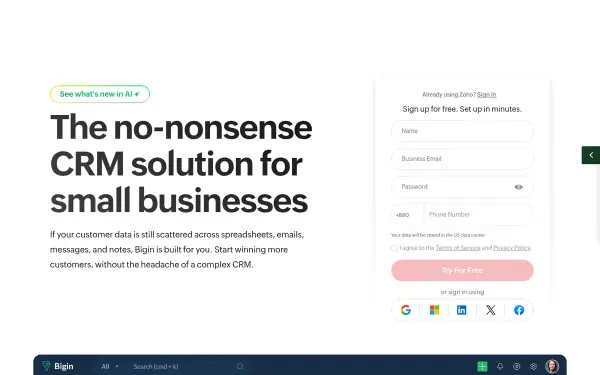
Bigin by Zoho is a deliberately simple tool. It covers a simple pipeline and contact management, activity and follow up tracking, and a fast guided setup that a non-salesperson can finish quickly. There is a free tier for a single user, and no trial is stated.
Pricing for the paid Express tier is on the vendor site. We could not confirm current figures on November 26, 2026, so check the vendor site for current Express pricing before you buy.
The ceiling arrives quickly. Express caps you at three pipelines, and advanced automation is reserved for the full Zoho CRM product. That is fine for a team running one product line and one sales motion, and frustrating for anyone selling across several segments or wanting workflow rules to enforce process.
The honest framing is that Bigin is a starting point, not a destination. Teams that outgrow three pipelines or need deeper automation typically move to Zoho CRM, and the family resemblance makes that move less painful than switching vendors. If you already know you need automation and branching pipelines, start on Zoho CRM and skip a step.
You are one to three people who need a simple shared pipeline this week.
You sell across several product lines or need workflow automation now.
Entry VI of VIII / Flat predictable pricing
Our verdict
One flat $15 plan, near zero configuration and a 30-day trial, which suits non-technical teams that need contacts and follow ups.
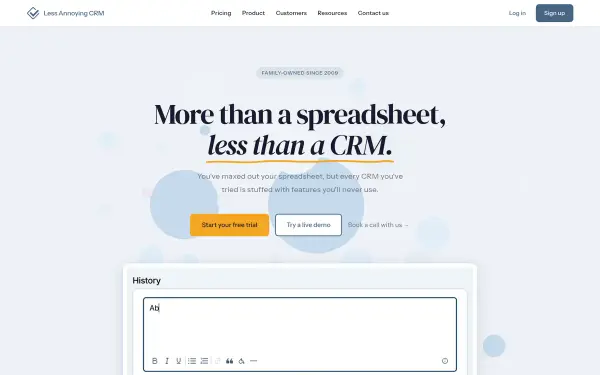
Less Annoying CRM covers contact records, tasks and follow ups, shared team visibility on those contacts, and minimal configuration. There is no tier structure, no configuration project and no module to switch on. A non-technical team can be working in it quickly.
Pricing is one flat plan at $15 per user per month, identical whether you pay monthly or yearly. That removes the usual annual billing guesswork: five seats cost $75 per month either way, with no add-on tiers to price. A 30-day free trial with no credit card is the only way in, because there is no free plan.
The narrowness is deliberate, and it is also the limitation. Automation and marketing capabilities sit well behind Zoho or HubSpot, so anything needing deeper automation or campaign tooling will not happen here. Teams that mainly need one shared place for contacts, notes and next actions will not miss those features at all.
It fits small professional services firms, agencies and consultancies where a small group handles every relationship and nobody wants to administer software. It fits badly where headcount is growing fast and process needs to be enforced rather than remembered, because there is little here to enforce it with.
You want contacts, tasks and follow ups without a configuration project.
You need workflow automation or campaign tools in the same system.
Entry VII of VIII / Board based handoff
Our verdict
Board based deal tracking with AI summaries makes sense if your team already works in monday.com boards.
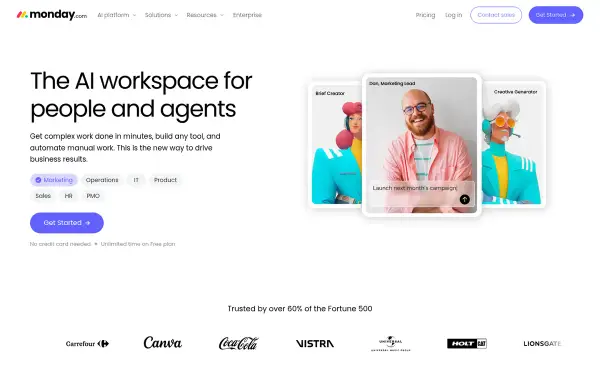
monday Sales CRM puts deals and accounts on boards, which is the right shape if your team already runs projects in monday.com. Deal tracking, account tracking and shared boards across sales and delivery teams all live in one workspace, so a won deal hands off to delivery without a second system or a copy paste between tools.
The AI features are the current pitch: summaries of long email threads, AI generated sales reports, and daily prioritization suggestions. For a small team with no dedicated sales operations person, thread summaries and a morning shortlist are the parts that save real time rather than just demoing well.
Pricing starts at $12 per seat per month on monday CRM Basic, billed annually for 3 seats, which is a promotional rate against a list of $18. There is no free plan, though a free trial is available. Per user cost rises with headcount, so the entry figure is not what a ten person team pays, and the promotional rate should not be treated as the renewal figure.
The weakness is structural. Large pipelines become hard to navigate without disciplined board design, because boards are flexible by nature and flexibility invites clutter. A team that will not appoint someone to own the board structure should pick a tool with a fixed pipeline model instead, where clutter is harder to create.
Your team already runs projects on monday.com and wants sales in the same place.
You want a fixed pipeline model with no board design decisions.
Entry VIII of VIII / Ecosystem headroom
Our verdict
Broad headroom at the highest entry price, worth it only if rapid scale is likely.
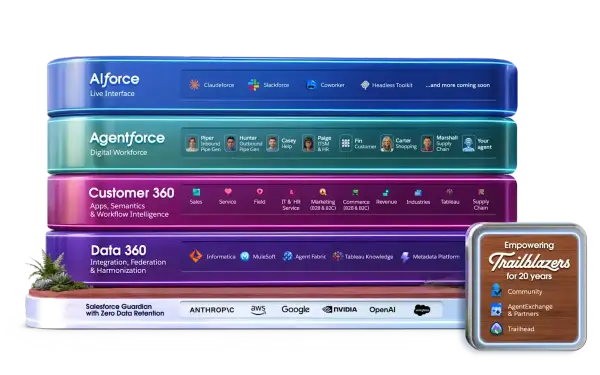
Salesforce Starter is the cheapest way into the Salesforce platform. Starter Suite is $25 per user per month, billed monthly or annually, and there is a Free Suite at $0 plus a 30-day free trial with no credit card. Contact, account and opportunity management, reporting and dashboards are included.
The reason to consider it at small size is the headroom. Ecosystem breadth and the migration path to the full platform mean a company planning rapid scale does not have to rip out a CRM as it scales. Reporting depth is strong for the price, and AI features exist on higher tiers rather than in the base plan, so they are a later decision rather than today's cost.
The reason to hesitate is the entry price. At $25 per user it is the highest starting price on this list, and per user costs accumulate quickly as the team grows. Setup and customization need more technical skill than Bigin or Less Annoying CRM, so a very small firm without anyone technical will spend time on configuration instead of selling.
Choose it when you expect to need the full platform's reporting and ecosystem within a year or two and would rather absorb one learning curve than two. Choose something simpler when the sales process is stable and small and unlikely to need the full platform.
You expect rapid growth and want to avoid a platform migration later.
You are two or three people with a simple, stable sales process.
VBackground
A CRM for a small company is one shared place for contacts, deals and the next action on each one, replacing the spreadsheet plus the inbox search. The category is narrower than enterprise CRM: you want the sales objects working on day one, a price per seat you can predict, and a clear exit path.
Small teams judge these tools differently from large ones. Nobody has a sales operations person, so setup has to be finishable in an afternoon. Nobody wants a six month implementation, so the pipeline model has to match the process you already run. And the bill has to survive a headcount change, because adding two reps should not trigger a renegotiation.
The tools in this list differ mainly on three axes: how much they give away before you pay, how deep automation and reporting go once you do pay, and how much configuration sits between purchase and first use. HubSpot CRM and Zoho CRM lean toward giving away a usable product. Less Annoying CRM and Bigin by Zoho lean toward fast setup. Salesforce Starter leans toward headroom.
What almost every tool here includes:
What varies is the extras: native calling on Freshsales, AI thread summaries on monday Sales CRM, workflow automation on Zoho CRM, and the wider Salesforce app ecosystem behind Starter. Decide which extras you will use in month two, not which ones sound best in a demo.
This comparison sits in the sales register. Further along the shore: CRM software in india and sales analytics tools.
VIPricing
Small company CRM pricing comes in a few shapes: a free tier that converts to per seat billing, a flat per user plan, and a tiered per seat plan where some advertised numbers assume annual billing. Knowing which shape you are buying matters more than comparing headline figures.
| Model | How it bills | Typical fit | Example from this list |
|---|---|---|---|
| Free tier plus paid tiers | Per seat per month, no card for the free tier | Teams proving the habit first | HubSpot CRM free up to 2 users, Starter from $7 per month per seat promotional |
| Flat single plan | Per user per month, identical monthly or yearly | Non-technical teams | Less Annoying CRM at $15 per user per month |
| Tiered per seat, annual entry | Per user per month, billed annually | Budget conscious teams | Zoho CRM Standard at $14, Pipedrive Lite at $14, Freshsales Growth at $9 |
| Promotional annual entry | Per seat per month at a minimum seat count | Board based teams | monday Sales CRM Basic at $12 per seat per month for 3 seats, list $18 |
| Suite entry price | Per user per month, monthly or annually | Teams planning scale | Salesforce Starter at $25 per user per month |
| Quoted on the vendor site | Not stated here | Micro-teams | Bigin by Zoho, pricing on the vendor site |
Three things move the total more than the entry price. Seat count, because every tool here charges per user, so model five seats rather than one. Billing term, because several entry prices assume annual billing, so check whether monthly billing is available at the same rate. And add-ons, because calling, chatbots, web forms and AI sessions are separately billed on several of these tools.
Free tiers have caps worth reading twice. HubSpot CRM free stops at 2 users and Zoho CRM free stops at 3, so a team of five pays from month one either way. Bigin by Zoho gives a single user a free place to start.
Promotional rates deserve their own line in the budget. HubSpot Starter is shown from $7 per month per seat for new customers against guide pricing near $15 to $20, and monday CRM Basic from $12 per seat against a list of $18. The renewal figure is the one that persists.
Each entry card shows the starting price as it appeared on the vendor's own pricing page on November 25, 2026. When a vendor shows no figure we could confirm, or only a promotional rate, the card says "See website" or gives the regular price instead of a guess. Usage, overage and add-on rates in the text change more often than plan prices, so confirm them on the vendor page before you set a budget. To test the numbers against your own volume, try the free User Research Budget Planner. The Event Break-Even Calculator is a second way to check the same decision.
VIIDecision
Count your seats first. Write down how many people will log in this quarter and in twelve months. Nearly every price on this page is per user, so the seat number changes the shortlist more than any feature does.
Set a free or trial budget. If the team can start on a free tier and prove the habit, HubSpot CRM, Zoho CRM or Freshsales remove the first invoice. If nobody will maintain it without a contract, a paid tool with a 30-day trial is more honest.
Map your pipeline in stages. Sketch the deal stages on paper. Three to five stages suits Pipedrive, and Bigin suits a simple pipeline; branching, multi team processes need Zoho CRM or Salesforce Starter. A mismatch can cause a CRM to be abandoned.
Decide whether marketing lives inside. If email campaigns and forms must sit beside deals, weight HubSpot CRM, which offers marketing capabilities through add-ons or separate products. If sales is the whole job, Pipedrive or Freshsales cost less per seat.
Check the add-on list. Calling, chatbots, web forms and AI sessions are separately billed on several of these tools. Read the pricing sheet for the tier you want and add the extras you will actually use before you compare totals.
Plan the exit before you sign. Ask what migration looks like if you outgrow the tool. Tools with a family upgrade path, such as Bigin to Zoho CRM, make a move easier than a platform with no adjacent product.
VIIIPitfalls
Buying for the demo, not the Tuesday. A CRM earns its price over weeks of data entry, not in a trial. Pick the tool your least technical rep will actually open on a Monday morning.
Ignoring the add-on list. Built-in calling, chatbots, web forms and AI sessions are separately billed on several of these tools. Compare the tier you will actually run, with the extras you need, not the headline entry price.
Choosing a free tier you have already outgrown. HubSpot CRM free caps at 2 users and Zoho CRM free caps at 3, so a five person team is on a paid plan in month one. Size the free tier against next quarter, not today.
Bending your sales process to the board. If your stages do not fit the tool's model, fix the tool choice rather than the process. Pipedrive rewards simple three to five step pipelines, and Bigin suits simple pipelines; complex approvals need Zoho CRM or Salesforce Starter.
Forgetting the second invoice. Annual billing is the basis for several entry prices here. Check the renewal number, not just the first year's promotional rate.
IXQuestions
Zoho CRM offers a useful free plan for a team, because it stays free for 3 users while HubSpot CRM caps at 2. Freshsales also offers a free tier for small teams, and Bigin by Zoho gives one user a free place to start. A free tier is a good way to test whether your team will keep the data current before you pay for seats.
Five seats vary by tool: Pipedrive Lite about $70, Less Annoying CRM $75 flat, and Salesforce Starter $125 at $25 per user. Zoho Standard is $70 and Freshsales Growth $45. monday Sales CRM Basic is $12 per seat at the promotional rate, and Bigin by Zoho pricing is on the vendor site.
Pick Pipedrive if your team sells from a visual pipeline and nothing else matters as much; Lite costs $14 per seat per month billed annually with a 14-day trial. Pick HubSpot CRM if you need a free start, marketing alongside deals, or one platform to grow into, since its free tier covers 2 users and paid tiers scale upward.
Yes, for contacts, deal stages and follow ups, and it can happen quickly. A CRM wins once two or more people touch the same lead and version confusion costs you a callback. Keep spreadsheets for one off analysis and imports. A team that needs nothing beyond a shared contact list is still better served by Less Annoying CRM than by a full platform.
Consider it when you expect to need the full platform's reporting and ecosystem within a year or two, and would rather absorb one learning curve than migrate later. Starter Suite is $25 per user per month, the highest entry price here, and setup needs more technical skill. If your process is simple and stable, a cheaper tool fits better.
XFurther along the shore
Vendors can ask for a correction or apply for a Featured listing. Paid or not, the entry is scored on the same rubric and its limits stay in print. Partner with Umberlake.
Free tools
Our free browser tools turn the prices on this page into a figure for your own volume. Nothing you type leaves your device.