
HubSpot CRM
FreeFree tier for up to 2 users, paid Starter starts at $7 per seat per month, promo, annual
Best for free CRM with marketing depth
- Free plan
- Yes, up to 2 users
- Rubric
- 7.4 of 10
We compare eight Salesforce CRM alternatives for November 2026, from free CRMs for small teams to visual pipelines, call-first tools, and Google Workspace options.

IThe short answer
As of November 2026, the strongest alternatives to Salesforce CRM depend on the job: HubSpot CRM suits teams that want a free CRM with marketing depth, Zoho CRM suits buyers who want low-cost breadth and customization, and Pipedrive suits sales teams that want a simple visual pipeline. The other five tools cover AI-assisted CRM, work management, call-heavy outbound, Google Workspace teams, and flexible relationship data. Each entry states pricing and plan limits based on checks on November 26, 2026, and says See website where a price could not be confirmed.
8 tools compared from vendor pages on November 25, 2026. 7 publish a starting price we could read; the rest say "See website".
IITop three berths
Register order is editorial fit for the buyer each entry describes. Prices are the starting figures read on November 25, 2026.
FreeFree tier for up to 2 users, paid Starter starts at $7 per seat per month, promo, annual
Best for free CRM with marketing depth
FreeFree edition for 3 users, Standard is US$14 per user per month
Best for budget breadth with customization

$14Lite, per seat per month, billed annually
Best for simple visual pipeline
How this page is paid for. All 8 tools here are unpaid editorial picks.
A paid listing's position can be part of what the vendor pays for. Every entry, paid or not, is scored on the same rubric and keeps its limits in print. Advertising disclosure.
IIIThe register
Starting prices as shown on each vendor's pricing page on November 25, 2026. "See website" means no figure we could confirm.
| No. | Tool | From | Free plan | Trial | Rubric | Actions |
|---|---|---|---|---|---|---|
| 01 | HubSpot CRMFree CRM with marketing depth | FreeFree tier for up to 2 users, paid Starter starts at $7 per seat per month, promo, annualRead on vendor page | Yes | No | 7.4 | |
| 02 | Zoho CRMBudget breadth with customization | FreeFree edition for 3 users, Standard is US$14 per user per monthRead on vendor page | Yes | Free trial | 8.0 | |
| 03 | PipedriveSimple visual pipeline | $14Lite, per seat per month, billed annuallyRead on vendor page | No | 14 day free trial | 6.2 | |
| 04 |  FreshsalesAI assisted CRM at low cost | See websiteGrowth, per user per month, billed annuallyNot shown publicly | Yes | No | 6.0 | |
| 05 |  monday Sales CRMVisual pipeline plus work management | $12Basic, per seat per month, billed annually, 3 seat minimumRead on vendor page | No | 14 day trial | 5.8 | |
| 06 |  CloseSales teams that live on calls | $9Solo, 1 user, per user per month, billed annuallyRead on vendor page | No | 14 day free trial | 5.6 | |
| 07 |  CopperTeams entirely on Google Workspace | $23Basic, per seat per month, billed annuallyUpdated on vendor page | No | 14 day free trial | 5.4 | |
| 08 | AttioFlexible relationship database | FreeFree for up to 3 users, Plus is $40 per workspace per month billed annuallyRead on vendor page | Yes | 14 day Pro trial | 7.0 |
Pinned:
IVMethod
Every tool in this list was checked against the same five criteria: Free-plan value, Pipeline usability, Pricing clarity, Automation depth, and Migration fit. Free-plan value asks whether the permanent free tier is useful or just a demo. Pipeline usability covers how fast a sales team can see and move deals. Pricing clarity looks at seat minimums, billing terms, promotional rates, and renewal risk. Automation depth tracks workflow, AI, and process features at the entry and next tiers. Migration fit weighs data model flexibility and how well the tool matches the team's daily workspace, whether that is Gmail, boards, or call workflows.
Prices, plans, trials, and free-plan limits come from vendor pricing pages checked on November 26, 2026. Where a page did not return a usable figure, the entry says pricing is on the vendor site rather than guessing a number. The order is editorial: it reflects fit for the buyer described in each entry, not a calculated rank from the scores. Scores are shown as a quick read on the five criteria. No tool in this edition carries the Featured label; where a Featured listing appears, it is a paid placement and is assessed with the same rubric. Confirm current pricing with the vendor before signing, especially for promotional rates, seat minimums, and onboarding charges.
The full routine, from price reads to corrections, is on the methodology page. Paid listings follow the advertising disclosure.
How useful the permanent free tier is for small teams, including seat and contact limits.
How quickly a sales team can see, move, and manage deals in the core pipeline.
How clearly the vendor presents entry prices, seat minimums, billing terms, and renewal risk.
How much workflow, AI, and process automation is available at the listed entry and adjacent tiers.
How well the tool fits a move from Salesforce, including data model flexibility and workspace habits.
Entry I of VIII / Marketing depth
Our verdict
Best for teams that want a free CRM start and marketing depth, as long as paid automation and onboarding costs are acceptable.
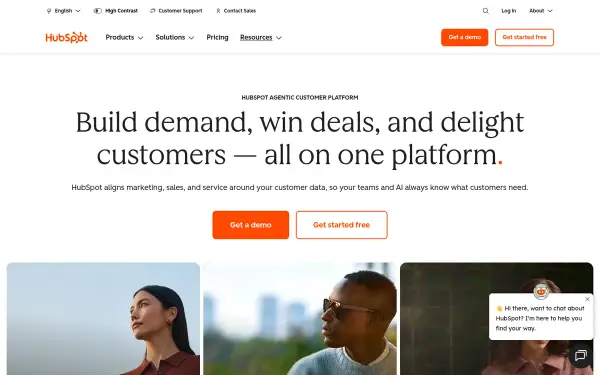
HubSpot CRM is free for up to 2 users and combines contact and company management, deal pipelines, email tracking, meeting scheduling, live chat, a reporting dashboard, and a large integration library. For a small team leaving Salesforce, that gives a familiar sales pipeline and a broad app library without a license fee. It fits first-time CRM users who want sales, marketing, and service tools in one place, and it is a strong free entry point in this list.
The caveats sit in the paid path. Free-tier limits and paid Starter prices are reported inconsistently across 2026 sources, and the paid Starter entry is $7 per seat per month on a promotional annual rate. Promo rates may not renew, so confirm renewal pricing before choosing. Advanced automation, including full workflow automation, sits in Professional, which also carries a one-time onboarding fee. Teams that need deep automation at the entry price or a large contact base should budget for higher tiers.
HubSpot fits teams that want marketing depth and are willing to grow into paid plans. It is less suitable for a buyer who needs advanced automation from day one or wants a flat, predictable entry price with no onboarding charge.
You want a free CRM start with marketing depth and can grow into paid tiers.
You need advanced automation at the entry price or predictable promotional pricing.
Entry II of VIII / Blueprint automation
Our verdict
Best for budget-conscious teams that want broad customization and can navigate a busier interface with tiered support.
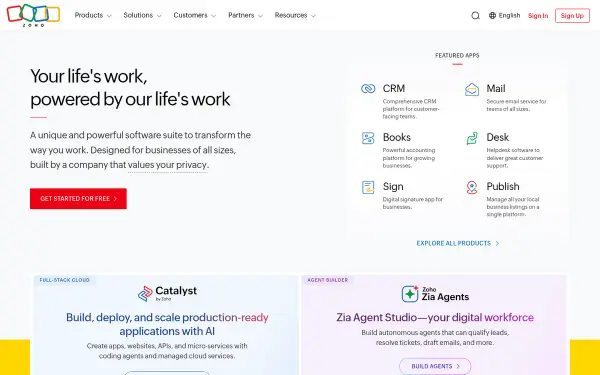
Zoho CRM gives budget buyers a free edition for 3 users and a Standard plan at US$14 per user per month. The feature set covers custom fields and layouts, workflow rules, the Blueprint process builder, Zia AI agents, sales process automation, and the wider Zoho app ecosystem. That breadth is the point: a team can customize stages, fields, and rules without jumping to an enterprise price. Zoho reports more than 250,000 customers, so it is not a niche bet.
The tradeoff is complexity. The interface feels busier than simpler CRMs, and the app breadth can overwhelm a team that only needs a clean pipeline. Blueprint and advanced automation require Professional or higher, so the Standard price is not the automation price. Support quality also varies by plan tier, which matters when a small team has no dedicated admin. A free trial is offered, which helps test the interface before committing.
Zoho CRM fits teams that want customization and low-cost breadth, especially if they already use other Zoho apps. It is a weaker fit for a sales team that wants a minimal interface, fast setup, and the same support experience on every tier.
You want low-cost breadth and strong customization for a small team.
You need a minimal interface or consistent support on every plan.
Entry III of VIII / Visual pipeline
Our verdict
Best for sales teams that want a clean visual pipeline and will pay separately for automation on Growth.
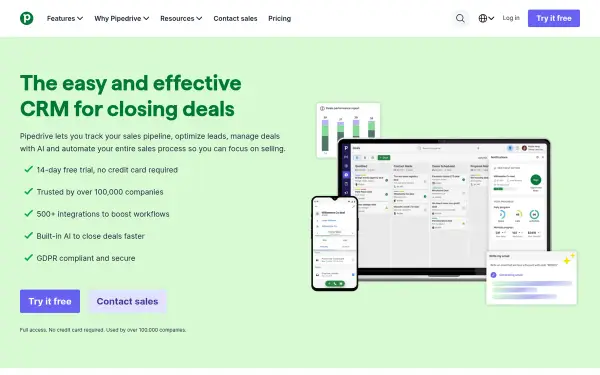
Pipedrive is built around a visual sales pipeline, with deal tracking, activity tracking, event triggers, date triggers, and an AI Sales Assistant on newer plans. Lite costs $14 per seat per month billed annually and includes a 14 day free trial, but there is no free plan. For a sales team that wants to see opportunity progression at a glance and move deals through clear stages, that focus is the appeal.
The cost picture changes when you need automation. Automation starts on Growth at $39 per seat per month, so the $14 Lite entry is not the price of a workflow-heavy team. Marketing depth lags broader suites, and project delivery features are thin. Pipedrive reports more than 100,000 customers, which supports its fit for sales-led teams, but it is not a full operating system for marketing and service. The visual pipeline is the focus, and the 14 day trial lets you test stage design with sample deals.
Pipedrive fits teams that value pipeline clarity over suite breadth. Skip it if you need a permanent free plan, marketing automation in the same tool, or advanced workflow automation on the entry tier.
Your sales team lives in a visual pipeline and wants fast deal movement.
You need a free plan or marketing automation in the same tool.
Entry IV of VIII / Built-in phone
Our verdict
Best for low-cost AI-assisted CRM with built-in phone and email, but confirm pricing and free-plan limits directly.
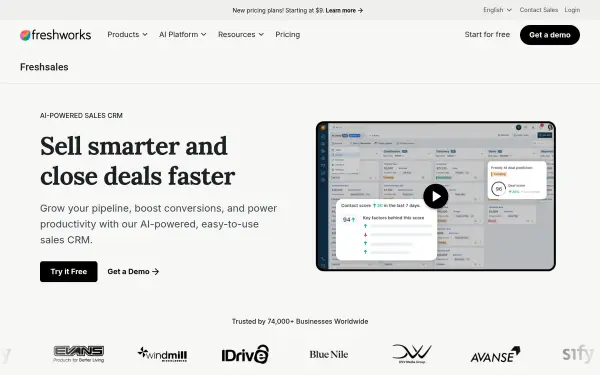
Freshsales combines contact tracking, deal tracking, a sales pipeline, built-in phone, built-in email, and Freddy AI assistance. A free plan is listed, but reports differ between 2 and 3 users, and there is no trial. The vendor reports more than 72,000 customers. For a small team that wants calls and email inside the CRM, plus AI assistance, the setup is fast and the feature mix is practical.
Pricing is the weak point in this entry. The starting price is listed as See website because the vendor pricing page fetch returned empty text, so the starting price could not be confirmed at the time of checking. Growth is billed per user per month annually. Do not rely on unconfirmed figures for the entry price. Advanced automation and AI depth lag at higher tiers, and the app ecosystem is smaller than larger marketplaces.
Freshsales fits budget teams that want built-in phone and email with AI assistance and can confirm pricing directly with the vendor. Skip it if you need a published entry price, a clearly documented free-plan limit, or a deep integration marketplace.
You want built-in calls, email, and AI help at a low entry point.
You need a confirmed public price or a deep app marketplace.
Entry V of VIII / Board workflows
Our verdict
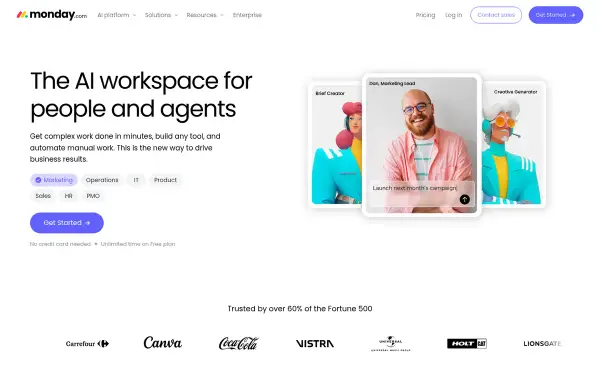
Best for visual teams that want sales pipelines connected to work management, with a 3 seat minimum to budget for.
monday Sales CRM puts a visual pipeline on top of work management. Basic costs $12 per seat per month billed annually, with a 3 seat minimum and a 14 day trial, and there is no free plan for the CRM. The feature set includes board-based workflows, pipeline-to-project boards, AI Sales Agents on newer plans, and team collaboration. That makes it a fit for teams that want sales work connected to delivery coordination.
The limits are practical ones. The 3 seat minimum raises the entry cost for a very small team, and entry plans omit features active teams need. The board model suits visual teams better than traditional sales reporting, so a team that lives in spreadsheets and stage reports should test the reporting first. monday reports more than 250,000 customers. The free plan shown on the vendor page applies to the general platform, not this CRM entry.
monday Sales CRM fits teams that already think in boards and want sales and delivery in one workspace. Skip it if you need a free CRM, a single-seat plan, or deep traditional sales reporting at the entry price.
Your team already works in boards and wants sales tied to delivery.
You need one seat, a free CRM, or traditional sales reports.
Entry VI of VIII / Call workflows
Our verdict
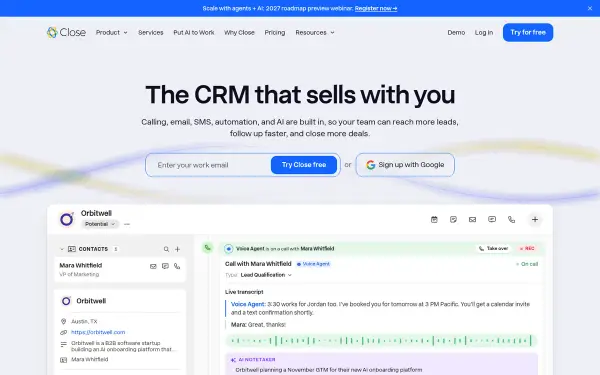
Best for call-heavy outbound teams that need email, SMS, and call workflows in one CRM, not marketing depth.
Close is built for call-heavy outbound work. Solo costs $9 per user per month billed annually for one user, and a 14 day free trial is offered, but there is no free plan. The feature set covers email workflows, SMS workflows, call task workflows, Call AI, and an email assistant. For a solo seller or a small outbound team, that puts calls, messages, and follow-up tasks in one place.
The pricing shape matters. Solo is limited to one user, and team pricing jumps to Essentials at $35 per user per month. Marketing depth lags broader suites, so Close is not a substitute for a full marketing platform. It fits teams that live on calls and want multichannel workflows without a heavy suite. It is a weaker fit for a team that needs a free plan or a low per-seat price across many seats. The AI call and email tools are most useful when the team already works from the CRM rather than separate dialers.
Close fits call-first sales teams that will use email, SMS, and call tasks every day. Skip it if you need marketing automation, a free tier, or a team plan near the Solo price.
Your outbound team runs on calls and needs email, SMS, and tasks together.
You need multiple users near $9 or marketing automation in the same tool.
Entry VII of VIII / Gmail capture
Our verdict
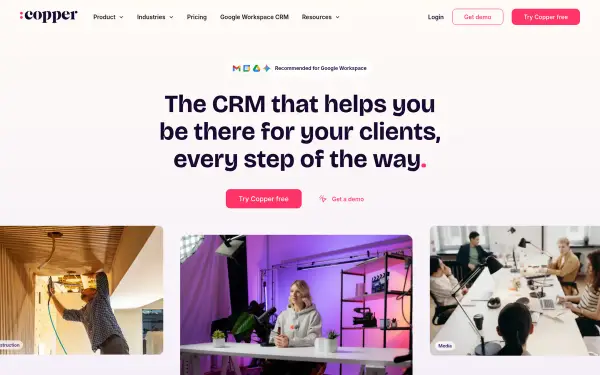
Best for teams that live in Google Workspace and want CRM records to update inside Gmail and Drive.
Copper is designed for teams that work entirely in Google Workspace. Basic costs $23 per seat per month billed annually, with a 14 day free trial and no free plan. The feature set includes Gmail logging, a Chrome extension, Google Workspace integration, Gmail and Drive workflows, a Google Gemini integration on newer plans, and automation on Professional. Automatic inbox capture is the core appeal: CRM records update from the place where the team already writes email.
Pricing reports conflict across 2026 sources, so this entry uses the vendor page figure of $23 per seat per month on Basic, billed annually. Automation requires higher tiers, which matters for teams that want more than inbox capture. Google Workspace dependence also limits Microsoft 365 teams. Copper is a strong fit for a Google-native sales team that wants CRM work to stay inside Gmail and Drive.
Copper fits teams that will use Gmail and Drive all day and want low-friction logging. Skip it if you are on Microsoft 365, need automation on the entry plan, or want a lower per-seat entry price.
Your team works in Gmail and Drive and wants CRM logging inside those tools.
You use Microsoft 365 or need automation on the entry plan.
Entry VIII of VIII / Flexible data model
Our verdict
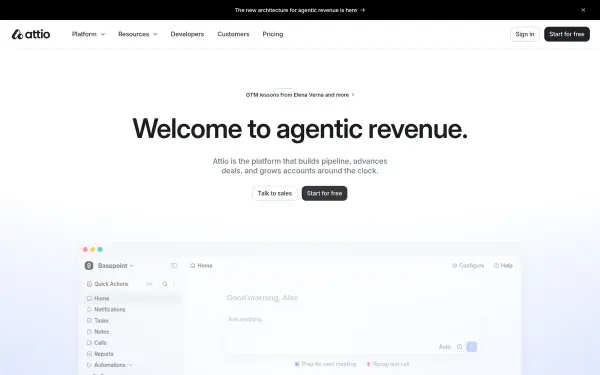
Best for teams that want a flexible relationship database with AI agents and can accept a newer, smaller ecosystem.
Attio is a flexible relationship database with AI agents, agent blocks for scoring, routing, enrichment, and workspace credits. The free plan covers up to 3 users and 250 workspace credits per month, and a 14 day Pro trial is offered. Plus is $40 per workspace per month billed annually. For a team with unusual data relationships, Attio offers a flexible relationship database without forcing a rigid sales pipeline.
The tradeoffs are maturity and setup. Attio is a newer platform than established CRM suites, and its integration ecosystem is smaller. The flexible model needs setup discipline: a team that does not define objects, fields, and routing rules will get a messy workspace. Plus is also a high price for a small team compared with per-seat entry plans elsewhere in this list.
Attio fits teams that want a modern, flexible data model and will use AI agents in the workflow. Skip it if you need a large integration marketplace, a traditional pipeline out of the box, or a low-cost plan for a small team.
Your team needs a flexible database and will use AI agents in daily workflow.
You need a large app marketplace or a traditional pipeline out of the box.
VBackground
Alternatives to Salesforce CRM are customer relationship management tools that cover contacts, companies, deals, pipelines, activity tracking, reporting, and often automation or AI. They range from free CRMs for small teams to visual pipeline tools, call-first outbound systems, and flexible relationship databases. The common thread is that they aim to fit a narrower or simpler operating model than a large enterprise CRM, so buyers can choose on workflow, price, and setup effort rather than a long feature checklist.
The category splits into a few practical shapes:
Most tools here bill per seat or per workspace, and several put automation, AI, or advanced reporting on a higher tier. That matters because the entry price is rarely the price an active team pays. Before choosing, map your Salesforce fields and stages to the new model, check free-plan user limits, and confirm whether a trial includes the automation you need. The right alternative is the one that matches how your team sells, not the one with the longest feature list.
This comparison sits in the sales register. Further along the shore: CRM software in india and sales analytics tools.
VIPricing
Pricing in this category usually follows one of several models: a permanent free tier, a per-seat annual plan, a per-seat plan with a seat minimum, a single-user entry, or a per-workspace fee. The model matters as much as the headline number because it decides how cost grows when you add people or automation.
| Model | How it bills | Typical fit | Example from this list | | Permanent free tier | No charge, user capped | Small teams testing a CRM | HubSpot CRM: Free for up to 2 users | | Per-seat annual | Per user per month, billed annually | Growing sales teams | Pipedrive: $14 per seat per month on Lite | | Per-seat with minimum | Per user per month, annual, seat floor | Visual work management | monday Sales CRM: $12 per seat per month, 3 seat minimum | | Single-user entry | One user, per month, annual | Solo outbound seller | Close: $9 per user per month on Solo | | Per-workspace | Workspace fee, annual | Flexible data teams | Attio: Plus at $40 per workspace per month billed annually |
Entry prices are not the whole cost. Pipedrive automation starts on Growth at $39 per seat per month, and Close team plans start at Essentials at $35 per user per month. HubSpot Professional workflows carry a one-time onboarding fee. Zoho Standard is US$14 per user per month, while advanced automation requires Professional or higher. Copper Basic is $23 per seat per month billed annually. Freshsales lists pricing on the vendor site, with Growth billed per user per month annually. Check free-plan limits, seat minimums, and renewal terms before you commit.
Each entry card shows the starting price as it appeared on the vendor's own pricing page on November 25, 2026. When a vendor shows no figure we could confirm, or only a promotional rate, the card says "See website" or gives the regular price instead of a guess. Usage, overage and add-on rates in the text change more often than plan prices, so confirm them on the vendor page before you set a budget. To test the numbers against your own volume, try the free User Research Budget Planner. The Event Break-Even Calculator is a second way to check the same decision.
VIIDecision
VIIIPitfalls
Common mistakes include:
IXQuestions
HubSpot CRM, Zoho CRM, and Attio list permanent free plans. HubSpot CRM is free for up to 2 users, Zoho CRM for up to 3 users, and Attio for up to 3 users with 250 workspace credits per month. Freshsales also lists a free plan, but reports differ between 2 and 3 users, so confirm the current limit with the vendor.
Pipedrive is a clear fit for a simple visual pipeline in this list. Lite costs $14 per seat per month billed annually, includes a 14 day trial, and centers on deal and activity tracking with a visual pipeline. monday Sales CRM also uses visual boards, but its Basic plan has a 3 seat minimum and blends sales with work management.
Entry prices are often lower than the price active teams pay. Pipedrive Lite is $14 per seat per month billed annually, but automation starts on Growth at $39. Close Solo is $9 for one user, while team plans start at Essentials at $35 per user per month. Budget for the tier that includes automation, not just the entry plan.
This list does not include Salesforce pricing or customer research, so it cannot prove a single reason teams leave. The alternatives here compete on free plans, lower entry prices, simpler visual pipelines, call-heavy workflows, Google Workspace fit, and flexible data models. Buyers should compare those fit factors with their own Salesforce contract, seat count, and process complexity.
Close suits call-heavy sales teams, with email, SMS, and call workflows plus Call AI. Copper suits teams that work entirely in Google Workspace, with Gmail logging, a Chrome extension, and Gmail and Drive workflows. Close Solo is $9 per user per month billed annually for one user; Copper Basic is $23 per seat per month billed annually.
Plan the migration before you sign. List the objects, fields, and reports you need, map them to the new data model, and clean duplicate records first. Run a test import with a small sample, check pipeline stages and owner assignments, then set a cutover date. Keep the old system readable during the first weeks so the team can verify totals and resolve gaps.
XFurther along the shore
Vendors can ask for a correction or apply for a Featured listing. Paid or not, the entry is scored on the same rubric and its limits stay in print. Partner with Umberlake.
Free tools
Our free browser tools turn the prices on this page into a figure for your own volume. Nothing you type leaves your device.