Salesforce
$25Starter Suite, per user per month, billed monthly or annually
Best for large, growing sales teams needing deep customization
- Free plan
- Free Suite at $0
- Rubric
- 6.0 of 10
Eight CRM options that do what Zoho does, compared on entry price, second-tier cost, free plan limits and how much admin work each one puts on your team.

IThe short answer
The best zoho CRM alternatives in November 2026 depend on how much setup you can absorb. Salesforce suits large, growing sales teams that need deep customization, HubSpot CRM suits small teams that want a usable free plan and an easy upgrade path, and Pipedrive suits sales-led teams that want a fast visual pipeline. All eight tools below were checked against vendor pricing pages on November 26, 2026, and the order reflects fit for the buyer each entry describes.
8 tools compared from vendor pages on November 25, 2026. 8 publish a starting price we could read; the rest say "See website".
IITop three berths
Register order is editorial fit for the buyer each entry describes. Prices are the starting figures read on November 25, 2026.
$25Starter Suite, per user per month, billed monthly or annually
Best for large, growing sales teams needing deep customization

$20Starter, per seat per month, $7 new-customer offer also shown
Best for small teams wanting a free CRM with an easy upgrade path

$14Lite, per seat per month, billed annually
Best for sales-led teams wanting a fast visual pipeline
How this page is paid for. All 8 tools here are unpaid editorial picks.
A paid listing's position can be part of what the vendor pays for. Every entry, paid or not, is scored on the same rubric and keeps its limits in print. Advertising disclosure.
IIIThe register
Starting prices as shown on each vendor's pricing page on November 25, 2026. "See website" means no figure we could confirm.
| No. | Tool | From | Free plan | Trial | Rubric | Actions |
|---|---|---|---|---|---|---|
| 01 | SalesforceLarge, growing sales teams needing deep customization | $25Starter Suite, per user per month, billed monthly or annuallyRead on vendor page | Yes | 30-day free trial, no credit card | 6.0 | |
| 02 | HubSpot CRMSmall teams wanting a free CRM with an easy upgrade path | $20Starter, per seat per month, $7 new-customer offer also shownRead on vendor page | Yes | Not specified; free plan available | 7.0 | |
| 03 | PipedriveSales-led teams wanting a fast visual pipeline | $14Lite, per seat per month, billed annuallyRead on vendor page | No | 14-day free trial, no credit card | 6.6 | |
| 04 |  FreshsalesSmall sales teams wanting built-in calling and chat cheaply | $9Growth, per user per month, billed annuallyRead on vendor page | No | 14-day free trial | 6.6 | |
| 05 |  monday CRMTeams wanting a visual board-based CRM they can reshape without code | $12Basic, per seat per month, billed annually, 3 seatsRead on vendor page | No | 14-day free trial | 5.7 | |
| 06 |  InsightlyTeams wanting CRM plus project management in one tool | $29Plus, per user per month, billed annuallyRead on vendor page | No | 14-day free trial, no credit card | 5.1 | |
| 07 |  CapsuleSmall service businesses wanting a simple contact-first CRM | $18Starter, per user per month, billed annuallyRead on vendor page | Yes | 14-day free trial, no card required | 6.9 | |
| 08 |  Agile CRMSmall teams wanting sales, marketing and service automation cheaply | $8.99Starter, per user per month, as low asRead on vendor page | Yes | Not specified | 7.4 |
Pinned:
IVMethod
Every tool here was scored against the same five criteria: entry price, second-tier value, core CRM depth, setup load and free plan room. Weights are shown in the rubric above. Scores describe the tool as a replacement for a general-purpose CRM, not as a marketing suite or a service desk, so a strong module outside that scope does not lift a score.
Prices and plan details come from each vendor's own pricing sheet, checked on November 26, 2026. Where a vendor's pages disagree, we say so in the entry rather than picking the friendlier number. Salesforce's 2026 edition rename and Freshsales' conflicting free plan notes are both flagged for that reason. Currency is not converted and no plan is inferred.
The order is editorial. Each entry is placed for the buyer it describes, starting with the deepest tool for large teams and moving toward the simplest for small service businesses. Featured placements, where they appear on this site, are paid and are scored with the same rubric as everything else; no entry in this list carries that label.
We did not test the tools in production, run reference calls or verify migration times. What follows is a reading of published pricing, plan limits and product scope, which is enough to shortlist two or three candidates before a trial.
The full routine, from price reads to corrections, is on the methodology page. Paid listings follow the advertising disclosure.
What a first paid seat costs per month against the rest of this list.
How much capability the next plan up adds and what that step costs.
Pipeline, contact and reporting depth that reps actually use every day.
How much admin and configuration work the tool pushes onto a small team.
Whether a free tier exists and how many users and records it covers.
Entry I of VIII / AppExchange ecosystem
Our verdict
The deepest CRM here and the heaviest to run, best value once a sales ops owner exists.
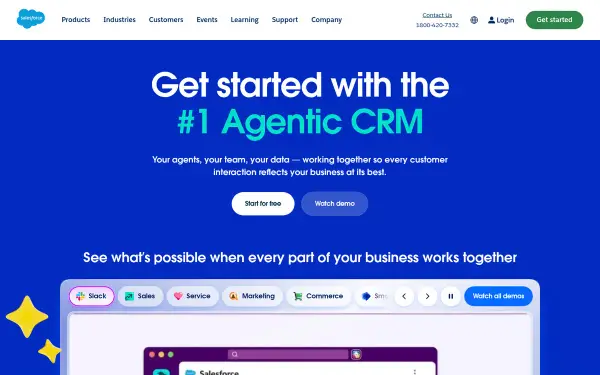
Salesforce is the deepest CRM in this list and the hardest to set up. Starter Suite at $25 per user per month covers sales force automation, opportunity management, dashboards, lead scoring and assignment rules, plus the Flow-based automation engine and territory management. A Free Suite at $0 exists, and the 30-day trial needs no credit card. The gap between tiers is where budgets break: Pro Suite runs $100 per user per month, and API access adds $25 per user per month on Starter.
The vendor renamed its upper editions in 2026, publishing Core at $195, Advanced at $395 and Max at $550, while older pages still show Enterprise at $175 and Unlimited at $350. Confirm which edition name and price applies before you sign, because a renewal quote may use either naming.
The reason to pick it is ceiling. AppExchange is the largest marketplace of CRM apps and integrations, forecasting and pipeline analytics run deep, and team and territory management hold up as headcount grows.
The reason to skip it is load. Admin work is heavy for a small team, and the free Suite is a taster rather than a system you run a sales floor on.
You have someone who owns administration and you expect the sales team to keep growing.
You are a team of five with no admin, because the setup load will land on a rep.
Entry II of VIII / Free tier usability
Our verdict
The easiest free start in the group, but automation hits a steep $90 cliff at Professional.
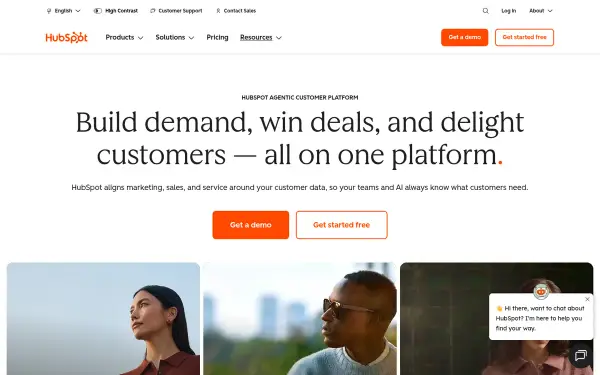
HubSpot CRM is the easiest of the eight to start on and the easiest to outgrow. Free tools cover up to 2 users with no credit card, and the paid Starter tier is $20 per seat per month, with a $7 new-customer offer shown alongside it. The vendor's structured data also lists a $10 offer, so check the live page for the price that applies to a given account. Starter covers contact and company records, deal pipelines, email tracking and templates, meeting links, forms and landing pages.
The trap is the second tier. Sequences and real automation need Professional at $90 per seat per month, and Professional adds a $1,500 one-time onboarding fee. Add more seats or another hub and the bill compounds quickly, which is why teams that start free often stall at Starter rather than climb.
It fits small teams that want a free CRM with a clear upgrade path and low training time. The interface is clean, the free meeting links and email tracking are genuinely useful on day one, and there is an app marketplace for integrations.
Skip it if you need automation on a tight budget, because the move from $20 to $90 per seat happens earlier than most buyers expect.
You want a free start that a non-technical team can learn in a day.
Workflow automation is a month-one requirement rather than a year-two goal.
Entry III of VIII / Visual pipeline speed
Our verdict
A fast visual pipeline reps learn in days, with email sync and automation behind the Growth tier.
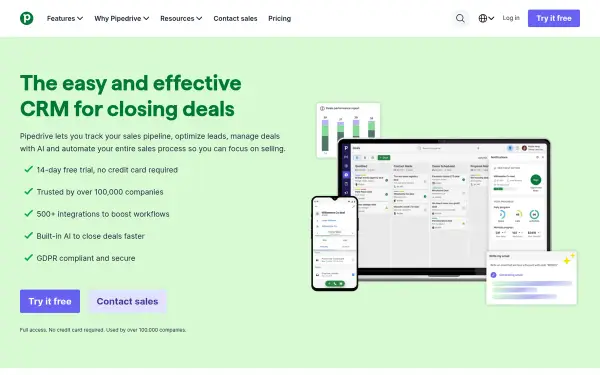
Pipedrive is a pipeline tool first and a database second, which is why sales teams adopt it quickly. Lite at $14 per seat per month, billed annually, gives you the drag-and-drop deal pipeline, activity reminders, a sales inbox, lead and contact management, sales reporting and goals, mobile apps and access to more than 500 integrations. There is no free plan, so every user is paid from day one, and the 14-day trial needs no credit card.
Two features sit above the entry tier. Full email sync and tracking, plus workflow automations and sequences, both start on Growth at $39 per seat per month. Add-ons such as LeadBooster cost extra on top. Plans were renamed in 2026 to Lite, Growth, Premium and Ultimate, with Lite at $14 holding the earlier Essential price point.
Pick it if you run a sales-led team that lives in the pipeline view and wants reps productive within a week. The visual board is genuinely quick to learn and email sync from Growth is strong.
Skip it if you want a free tier or you need sequencing from the first seat, because Lite alone is a contact and deal tracker without automation.
Your reps live in the pipeline view and you want the fastest possible adoption.
You need sequencing or a free tier before you can justify a paid seat.
Entry IV of VIII / Built-in calling
Our verdict
Cheap entry with calling and chat built in, but sequences and branding cost a tier or an add-on.
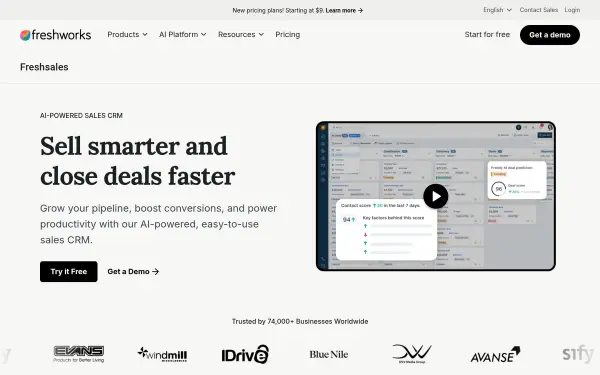
Freshsales bundles the channels most small sales teams pay for separately. Growth at $9 per user per month, billed annually, includes built-in phone, chat and email, a Kanban deal pipeline, an AI assistant for lead scoring and insights, workflow automation, territory and team management, custom reports and dashboards, and a mobile app. Its $9 entry price is the second lowest here, just above Agile CRM at $8.99, and the 14-day trial is standard.
The steps above it cost real money. Pro is $39 per user per month and is the first tier with sales sequences; branded documents cost $19 per user per month extra. Growth to Pro is a fourfold jump for teams that mostly want sequencing, so budget for where you will land rather than the headline price.
Free plan details are inconsistent. Some vendor pages list a free plan for up to 3 users, others show only a 21-day trial, and the pricing page we checked shows a 14-day trial with no free plan. Confirm before you plan around a free tier.
Pick it if you want calling, chat and a simple pipeline on one low bill. Skip it if sequences, document branding or predictable free access matter in year one.
You want calls, chat and deals in one place at the lowest paid entry price.
You need a documented free plan or sequences on the entry tier.
Entry V of VIII / No-code boards
Our verdict
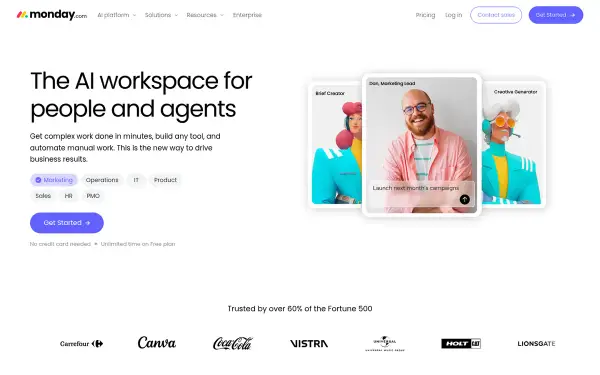
Boards you can reshape without code, held back by a 3-seat minimum and no entry-tier automation.
monday CRM turns the sales pipeline into a board you can reshape without code. Basic at $12 per seat per month, billed annually, covers board-based pipelines, no-code customization of stages and fields, visual dashboards, web forms and lead capture, calendar and email integrations, and team collaboration. The 14-day trial is the only way in, since there is no free plan.
Basic includes no automations at all, which matters more than the price suggests. Standard at $17 adds 250 automations a month but still no email sequences, and sequences need Pro at $28. Every plan carries a 3-seat minimum, so a two-person team pays for three seats before it buys anything else. The seat bucket changes the real cost, so compare totals rather than per-seat prices.
It fits teams that already think in boards and want to configure a sales process themselves instead of adapting to a fixed one. Dashboards are strong and reshaping stages takes minutes rather than a support ticket.
Skip it if you are a two- or three-person team watching every seat, or if you need automation and sequences at the entry price, because you will be buying Standard or Pro to get them.
You want to design your own sales process on a board and can use the full three seats.
You are a two-person team or you need automation on the cheapest plan.
Entry VI of VIII / Deal to project handoff
Our verdict
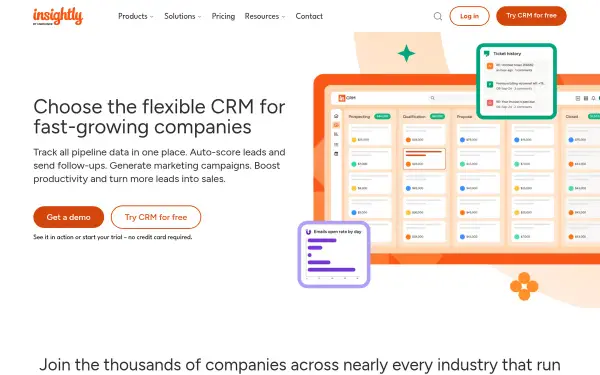
CRM plus project management for service firms, though automation only arrives on the $49 tier.
Insightly pairs CRM with project management, which is the reason most buyers look at it. Plus at $29 per user per month, billed annually, covers contacts, leads and opportunities, project management that starts when a deal closes, reporting and dashboards, email integration and templates, custom fields and pipelines, role-based permissions and mobile apps. The 14-day trial needs no credit card.
Workflow automation is not included on Plus. It arrives on Professional at $49 per user per month, so most teams that want the tool to do anything automatically end up a tier higher than the published starting price. There is no free plan, and the vendor publishes no month-to-month price, so plan on an annual commitment and confirm renewal terms before signing.
The handoff from a closed deal to a delivery project is the feature that earns its keep for consultancies, agencies and service businesses that track work next to the sale. Reporting is solid and the permissions model holds up as the team grows.
Pick it if you want one system for the deal and the work that follows it. Skip it if you are a pure sales team that will never use the project side, or if you need automation on the entry tier.
A closed deal becomes a delivery project and you want both in one system.
You will never touch the project side or you need automation on the entry tier.
Entry VII of VIII / Contact-first simplicity
Our verdict
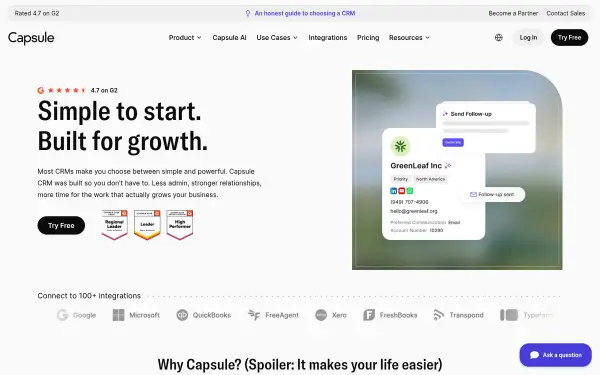
A clean contact-first CRM with a real free plan and no onboarding fees, limited pipelines aside.
Capsule is the calmest CRM in this list. Starter at $18 per user per month, billed annually, gives you contact records with full interaction history, one sales pipeline, tasks, reminders and calendar, custom fields and tags, reporting, integrations with accounting and marketing tools, and mobile apps. A free plan covers 2 users and 250 contacts, and the 14-day trial needs no card.
The limits are deliberate. Starter has only one pipeline and no workflow automation, and two-way email sync starts on Growth at $36. Contact limits push upgrades as the database grows, which is a cost to model before you commit. The vendor publishes live prices: Starter $18, Growth $36, Advanced $54 and Ultimate $72 per user per month on annual billing.
There are no setup or onboarding fees, which is unusual in this group, and the interface is easy enough that a small team can run it without a dedicated admin.
Pick it if you run a service business where the relationship matters more than the funnel, and you want something a non-technical team can learn in an afternoon. Skip it if you need multiple pipelines, automation or email sync without moving to Growth on day one.
You want a simple contact-first system your team can learn in an afternoon.
You need several pipelines or two-way email sync on the entry tier.
Entry VIII of VIII / Cheap all-in-one
Our verdict
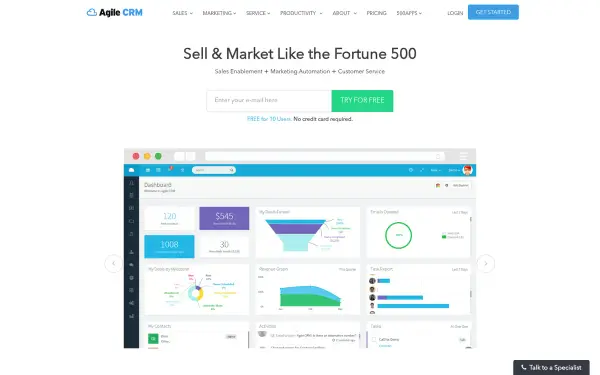
The cheapest all-in-one here by price, weighed against no public product update since October 2020.
Agile CRM is the cheapest paid entry in the comparison and the biggest support question. Starter is listed at $8.99 per user per month, and the free plan covers up to 10 users and 1,000 contacts. Even the entry tier includes marketing automation, email campaigns and templates, a sales pipeline, a service desk with ticketing, web analytics and visitor tracking, telephony integration, landing pages and appointment scheduling. Marketing automation at this price is rare.
The caps bite. Starter limits integrations to 3, and email sends are capped at 5,000 per month. Older price lists show Starter at $14.99 and Regular at $49.99 against the current $8.99 and $29.99, so confirm the live price and renewal terms before committing.
The real risk is momentum. There has been no public product update since October 2020, which is a long-term support concern for anything you plan to run a sales and service desk on for five years. Cheap today is not the same as cheap across the contract life.
Pick it if you are a small team that wants sales, marketing and service automation on one low bill and can tolerate a product that is not actively evolving. Skip it if roadmap activity, integration breadth or high email volume matter.
You want marketing, sales and service automation on one very low bill.
You need a vendor with visible product momentum or more than 3 integrations.
VBackground
A CRM alternative to Zoho is any system that holds contacts, companies and deals, then adds pipeline tracking, reporting and automation on top. Most buyers switching away are not unhappy with the category, they are unhappy with a specific limit: an add-on price, a module they do not need, or an interface their reps avoid.
The job to be done is narrow. A CRM has to store the record, show the pipeline, remind the rep what to do next, and report honestly on what closed. Everything above that line, including marketing hubs, service desks, project management and telephony, is where the eight tools here differ.
Three things decide whether a swap works:
Cost follows the same logic. An entry price tells you what one seat costs, not what the team will pay in month six once automation, email sync or a second pipeline is required. That is why the second tier matters more than the headline in this comparison.
None of the eight tools requires a rip-and-replace of your sales process. They require a decision about where the ceiling should be, then a clean export from the old system before the trial ends.
This comparison sits in the sales register. Further along the shore: CRM software in india and sales analytics tools.
VIPricing
CRM pricing in this comparison is per seat per month, with annual billing usually the cheapest route and a free tier as the entry hook for some of the eight tools. The number that matters is not the first line on the pricing sheet, it is the second.
Seat-based pricing dominates because CRM cost scales with headcount. Salesforce starts at $25 per user per month on Starter Suite, then moves to $100 on Pro Suite. HubSpot CRM starts at $20 per seat, then $90 on Professional with a $1,500 one-time onboarding fee. Pipedrive goes from $14 to $39. Freshsales goes from $9 to $39. Insightly goes from $29 to $49.
| Model | How it bills | Typical fit | Example from this list |
|---|---|---|---|
| Free tier plus paid seats | $0 up to a user cap, then per seat per month | Small teams testing a process | HubSpot CRM, free tools for up to 2 users |
| Flat per-seat tiers | Per user per month, billed annually | Teams that want a predictable per-seat bill | Pipedrive Lite at $14 per seat |
| Seat minimums | Per seat with a floor on seats billed | Teams that will grow past the floor | monday CRM, 3-seat minimum |
| Renamed editions | Same product, new tier names and prices | Buyers comparing last year's quote | Salesforce Core at $195 versus Enterprise at $175 |
Two other costs hide in the sheet. Onboarding fees appear at the Professional level, and add-ons such as Pipedrive LeadBooster or Freshsales branded documents bill separately. Read the pricing sheet for the tier you will actually run in month three.
Each entry card shows the starting price as it appeared on the vendor's own pricing page on November 25, 2026. When a vendor shows no figure we could confirm, or only a promotional rate, the card says "See website" or gives the regular price instead of a guess. Usage, overage and add-on rates in the text change more often than plan prices, so confirm them on the vendor page before you set a budget. To test the numbers against your own volume, try the free User Research Budget Planner. The Event Break-Even Calculator is a second way to check the same decision.
VIIDecision
VIIIPitfalls
IXQuestions
Agile CRM at $8.99 per user per month is the lowest paid entry, followed by Freshsales at $9 and monday CRM at $12. Cheap entry is not the same as cheap running cost, since Agile CRM and Freshsales jump at the next tier to $29.99 and $39 respectively.
Export first, then import during a trial. Export contacts, companies and deals as CSV, then import them during a trial and map the fields in setup. Clean duplicates and decide which notes and attachments are worth carrying before you export, because a full history import is the step most migrations underestimate.
HubSpot CRM or Capsule. HubSpot's free tools cover 2 users and Starter is $20 per seat; Capsule is free for 2 users and 250 contacts with no onboarding fees. If you need ten free seats, Agile CRM covers 10 users and 1,000 contacts, but check its update history first.
When nobody owns administration. Starter Suite at $25 per user per month covers the basics, but Pro Suite at $100 and API access at $25 per user per month arrive fast, and setup load is heavy for a small team. A five-person team usually gets further on Pipedrive or Capsule.
Usually two to four times the entry price. Salesforce goes from $25 to $100, HubSpot from $20 to $90, Pipedrive from $14 to $39, Freshsales from $9 to $39 and Insightly from $29 to $49. Plan the tier you need by month three, not the one in the headline.
They can change the name on your invoice without changing the product. Salesforce published Core at $195, Advanced at $395 and Max at $550 in 2026 while older pages still show Enterprise at $175 and Unlimited at $350. Get the edition name and price written into the contract.
XFurther along the shore
Vendors can ask for a correction or apply for a Featured listing. Paid or not, the entry is scored on the same rubric and its limits stay in print. Partner with Umberlake.
Free tools
Our free browser tools turn the prices on this page into a figure for your own volume. Nothing you type leaves your device.