
PatSnap
See websiteQuote-based enterprise pricing, no public list price
Best for patent analytics, landscaping and freedom-to-operate research teams
- Free plan
- No
- Rubric
- 7.7 of 10
Eight AI patent tools ranked by fit for analytics, drafting, docketing and prior art search, with pricing checked on November 26, 2026 and the limits spelled out.
IThe short answer
AI patent tools in November 2026 split into four jobs, and the top three picks reflect that. PatSnap leads for patent analytics, landscaping and freedom-to-operate research, with task-specific AI agents and strong mapping. Anaqua suits large IP departments that need portfolio, docketing and spend in one platform. PatentPal fits firms drafting specifications at volume, turning a claims document into a draft for Word and Visio. None of the eight is a complete system, so most teams pair two: AI Patent Tools With Best Reviews.
8 tools compared from vendor pages on November 25, 2026. 1 publish a starting price we could read; the rest say "See website".
IITop three berths
Register order is editorial fit for the buyer each entry describes. Prices are the starting figures read on November 25, 2026.
See websiteQuote-based enterprise pricing, no public list price
Best for patent analytics, landscaping and freedom-to-operate research teams

See websiteQuote-based, configured per enterprise deployment
Best for large IP departments running portfolio, docketing and spend
See websitePricing not published, quote on request
Best for firms and companies drafting specifications at volume
How this page is paid for. All 8 tools here are unpaid editorial picks.
A paid listing's position can be part of what the vendor pays for. Every entry, paid or not, is scored on the same rubric and keeps its limits in print. Advertising disclosure.
IIIThe register
Starting prices as shown on each vendor's pricing page on November 25, 2026. "See website" means no figure we could confirm.
| No. | Tool | From | Free plan | Trial | Rubric | Actions |
|---|---|---|---|---|---|---|
| 01 | PatSnapPatent analytics, landscaping and freedom-to-operate research teams | See websiteQuote-based enterprise pricing, no public list priceNot shown publicly | No | Demo only | 7.7 | |
| 02 | AnaquaLarge IP departments running portfolio, docketing and spend | See websiteQuote-based, configured per enterprise deploymentNot shown publicly | No | Demo only | 7.6 | |
| 03 | PatentPalFirms and companies drafting specifications at volume | See websitePricing not published, quote on requestNot shown publicly | No | Demo only | 7.4 | |
| 04 | XLSCOUTHigh-volume prior art, novelty and invalidity searching | See websiteModule-based pricing, no public list priceNot shown publicly | No | Demo only | 7.7 | |
| 05 | JuristatUSPTO prosecution teams needing examiner and art unit data | See websiteTiered, with solo practitioner pricing below enterpriseNot shown publicly | No | Demo only | 7.3 | |
| 06 | AmberciteSecond-check prior art search for FTO and invalidity | See websitePricing not published, positioned as an add-on toolNot shown publicly | No | Demo only | 6.0 | |
| 07 |  Lens.orgSolo inventors, students and small firms doing early research | See websiteFree access to patent and scholarly records, no sales processNot shown publicly | Yes | No | 6.3 | |
| 08 | PatentextStartups capturing inventions and filing US and PCT applications | $2,700Starter, per year, annual platform subscription, two dashboard usersRead on vendor page | No | No | 7.5 |
Pinned:
IVMethod
How closely the tool's scope matches the job the buyer actually needs done.
Whether the AI does real work, such as agents, drafting or automated reports, rather than plain keyword search.
Whether plans, plan terms and service fees can be found and compared without a sales conversation.
How well output moves into Word, Visio, a docketing system or the next step of the workflow.
Documented security posture, data handling terms and the support a team gets after onboarding.
VMethod
We scored eight tools against five weighted criteria and ordered them by fit for the buyer each entry describes, with the Featured listing placed accordingly. Featured placement is paid, and it is scored on the same rubric as every other tool, with the same kind of cons listed where they apply.
Fit for purpose carries 30 percent, AI depth 25 percent, and pricing clarity, integration and handoff, and security and support 15 percent each. Fit for purpose asks whether the tool's scope matches the job you need done. AI depth asks whether the AI does real work, such as task-specific agents, specification drafting or automated reports, rather than simple keyword search. Pricing clarity asks whether plans, terms and fees can be found without a sales conversation.
Prices and plan terms come from vendor pricing pages checked on November 26, 2026. Where a page could not be fetched or returned no text, the entry says so and the figure stays unconfirmed rather than guessed. Seven of the eight tools publish no list price, so the absence is itself information: it usually signals a quote-based, configured deployment with a sales cycle attached.
This comparison is built from vendor documentation, published plan terms and documented capability rather than hands-on trials of every product. The limits are stated as plainly as the strengths so you can rule tools out quickly.
The full routine, from price reads to corrections, is on the methodology page. Paid listings follow the advertising disclosure.
Entry I of VIII / Task-specific AI agents
Our verdict
A deep research and analytics layer with task-specific AI agents, held back by quote-only enterprise pricing and no docketing.
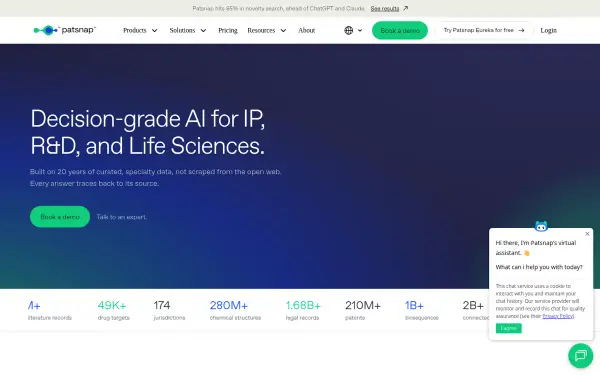
PatSnap is an analytics and research layer, not an administration system. The draw is breadth: combined patent, scientific literature and legal records in one place, with patent map building and visualization for landscape and white space work. Freedom-to-operate checking sits alongside drafting support, so a team can move from a search result into a visual claim space without exporting to a second tool.
The AI side is organized around task-specific agents rather than a single generic assistant, which matters in practice. Prior art research and novelty assessment each get their own workflow, so a searcher is not re-prompting the same chatbot to behave differently. Output quality still depends on how the query set is built, and results need practitioner review before anything is filed.
Pricing is quote-based enterprise pricing with no public list price, and there is no free plan. A demo is the only route to commercial terms, so budget for a sales cycle and for seat provisioning across the research team.
The main structural limit is scope: PatSnap does not handle docketing, renewals or filings. Most teams run it next to a portfolio system, so plan for a second vendor relationship and a handoff between systems. If your question is what the art looks like, it is strong. If your question is what is due on Thursday, it is the wrong tool.
Your team runs landscaping, freedom-to-operate or prior art research and wants AI agents built around those specific tasks.
You need docketing, deadline tracking or renewals from the same platform.
Entry II of VIII / Docket automation
Our verdict
The strongest option for large departments consolidating portfolio, docketing and spend, at the cost of a heavy deployment.
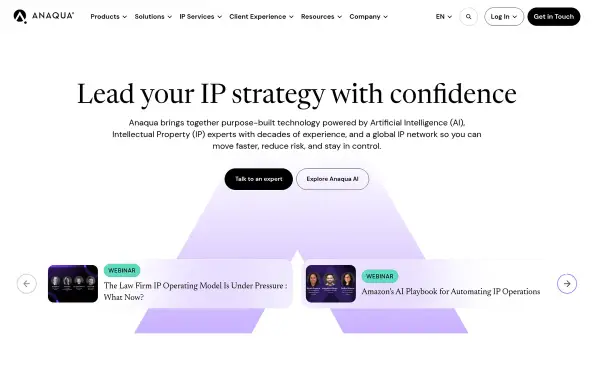
Anaqua is the administration end of this list. Portfolio management across jurisdictions, docketing with deadline tracking, and IP analytics with spend tracking sit in one platform, which is why large departments consolidate onto it. The AI work is narrow but high value: generation of validated docket records from patent office correspondence, and processing of counsel emails into docket entries. Both target the re-keying that causes deadline errors.
Configurable workflow automation is the other reason big departments choose it. A department with several jurisdiction-specific processes can model them rather than bending to a fixed template. That flexibility is also the cost: implementation is a substantial project, and someone has to keep administering the configuration afterward.
Pricing is quote-based and configured per enterprise deployment, with no free plan and no public pricing sheet. Expect a structured onboarding rather than a self-serve signup.
The honest limit is size. A small team will find it heavy, and the AI features add most value where docket volume is high enough that manual entry is a real risk. Small firms should look at drafting or search tools first and treat Anaqua as a later-stage decision.
You run a large IP department and want portfolio, docketing and spend under one contract.
You have a small portfolio and need something live this month.
Entry III of VIII / Claims to draft
Our verdict
A focused drafting engine that turns claims into a Word draft and Visio figures fast, with no search or docketing.
PatentPal does one job: turn an uploaded claims document into a specification draft. From there it generates figures, flowcharts and block diagrams automatically, and exports drafts to Microsoft Word and diagrams to Microsoft Visio. Customizable drafting phrases let a firm keep its house style rather than rewriting boilerplate for every new matter.
The workflow is single-directional by design, from claims to finished draft, which is what makes it fast. There is no prior art search, no docketing and no portfolio management, so it slots inside a wider process rather than replacing one. Practitioners still review output: generated text is a starting point, and claim support, antecedent basis and figure numbering need a human pass before filing.
Pricing is not published and quotes come on request, with no free plan and a demo as the entry point. That makes comparison shopping hard. The useful test is a demo on a real claims set from your own practice, timed against your current first-draft process.
The fit is volume. Firms and companies drafting specifications regularly will feel the time saved on first drafts immediately. A solo practitioner filing a handful of applications a year may not recover the onboarding effort, and anyone expecting filing-ready text will be disappointed. Pair it with a search tool and a docketing system.
Your drafters produce specifications at volume and want the first pass generated from claims.
You need search, docketing or filing in the same subscription.
Entry IV of VIII / Report-ready search
Our verdict
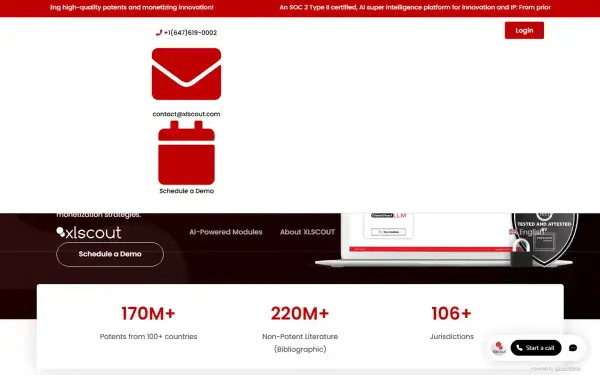
A broad set of LLM modules with report-ready output and SOC 2 Type II certification, priced module by module.
XLSCOUT is a suite of LLM-powered modules rather than one product. The Novelty Checker produces automated reports, the Invalidator maps invention features to prior art, ClaimChart supports licensing and infringement work, and a drafting module rounds out the set. Report-ready output with key feature mapping is the practical difference from a raw search interface: analysts spend their time reviewing a structured document instead of assembling one.
The suite holds SOC 2 Type II certification, which is a concrete answer to the security question legal teams ask before uploading unpublished material. Retention and model-training terms still need an internal review, but the certification shortens the vendor review considerably.
Pricing is module-based with no public list price, no free plan and a demo as the entry route. Buying the full suite costs more than single-purpose search tools, and module pricing accumulates as you add capability. New users also need time to learn which module fits which task, a real onboarding cost for occasional users.
The fit is high-volume searching: teams running novelty, invalidity and freedom-to-operate work week after week get the most from the automated reports. A firm that runs a handful of searches a quarter should price a single module rather than the suite.
You run novelty, invalidity and claim chart work at volume and want automated, report-ready output.
You run one search a month and would rather pay for a single-purpose tool.
Entry V of VIII / Examiner analytics
Our verdict
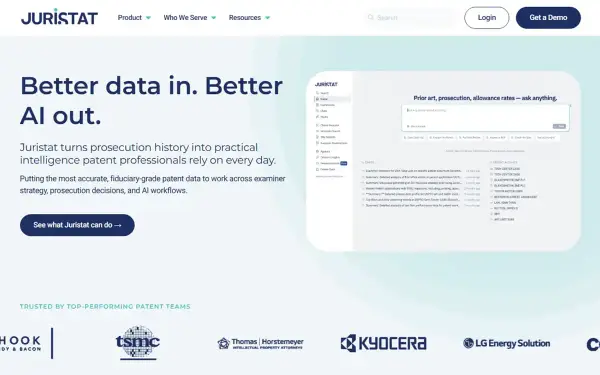
Examiner and art unit intelligence drawn from USPTO prosecution history, most valuable to teams that file often.
Juristat is a USPTO prosecution data product. It turns prosecution history into examiner allowance rate analytics, art unit behavior and outcome patterns, then layers office action response drafting and IDS preparation tools on top. For a team that files regularly before the same examiners, that changes how a response is planned, not just how fast it gets typed.
The structured data layer is the part that travels. Because it is queryable by other AI workflows, a firm can feed examiner and art unit intelligence into its own tooling rather than confining it to the Juristat interface.
Pricing is tiered, with solo practitioner pricing below the enterprise tier, though no public pricing sheet exists and numbers come from a sales conversation. There is no free plan, and the trial is a demo, so ask for a walkthrough using your own art unit before committing.
The obvious limit is scope. This is not a specification drafting tool, and the dataset is prosecution-focused rather than a general research corpus. Value scales with prosecution volume: a firm that files rarely will not touch most of the data, while a practice built on USPTO filings will use it every week. The right comparison is against the hours attorneys spend guessing at examiner behavior.
Your practice is built on USPTO prosecution and examiner behavior shapes your filing strategy.
You rarely file in the US or need specification drafting.
Entry VI of VIII / Citation network search
Our verdict
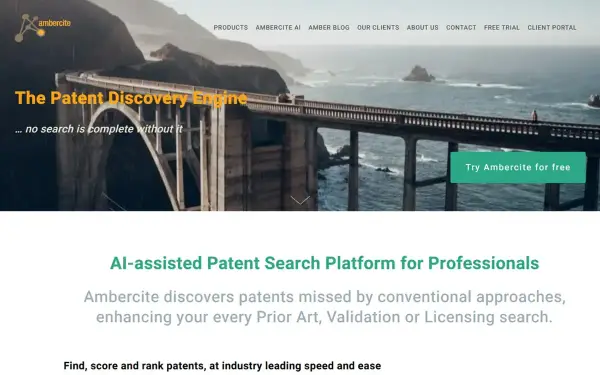
A citation-based second check that finds references keyword search misses, sold as an add-on rather than a database.
Ambercite answers a different question from a keyword search: which patents are connected to this set through citation relationships. It analyzes citation networks across more than 175 million patent citations and returns a ranked list of patents similar to a starting set, which is how it surfaces references that keyword and semantic search overlook.
That makes it a second-check tool. Run your normal search, then run the same starting patents through citation analysis and compare the two lists. A citation-based second check is worth testing on a known result set before you rely on it in client work.
Pricing is not published and the product is positioned as an add-on, with no free plan and a demo as the entry point. That positioning is accurate: it complements a full patent database rather than replacing it, and it does not attempt drafting, docketing or portfolio work. The interface is more focused than a general platform, which is a benefit for a searcher and a limitation for anyone wanting one login for everything.
The vendor is smaller than the platforms above, so weigh support depth and roadmap questions accordingly. For freedom-to-operate and invalidity review, the ranked citation view is a low-effort addition to an existing search stack.
You want a citation-based second check on freedom-to-operate or invalidity searches.
You need a full patent database, drafting or portfolio management.
Entry VII of VIII / Free open access
Our verdict
Free patent and scholarly search with citation networks, thin on support and workflow but the cheapest way to start.
Lens.org is the open access option. Patent search and scholarly literature search sit in one interface, with citation analysis linking patents and papers and citation network exploration for mapping what connects to what. For early-stage research, a quick novelty sanity check or a citation trail from a single paper, it costs nothing to start and needs no sales process.
The limits follow from that. There is no AI drafting and no docketing, support and advanced analytics are thinner than on paid tools, and it is not a workflow system, so nothing routes or tracks work. Professionals tend to keep it alongside a paid database rather than switching to it, using it for searches that do not justify a seat on an enterprise contract.
Pricing is listed as free access to patent and scholarly records with no sales process, and there is no trial because there is nothing to trial. Confirm current access terms on the site before relying on it for anything client-facing.
The fit is solo inventors, students and small firms doing early research, plus anyone who needs a fast citation check without opening a paid platform. It is also a reasonable way to show a junior how patent families connect before paying for a seat elsewhere.
You are doing early research or a quick citation check and want to start without a contract.
You need drafting, docketing or analyst-grade support.
Entry VIII of VIII / Filing in one flow
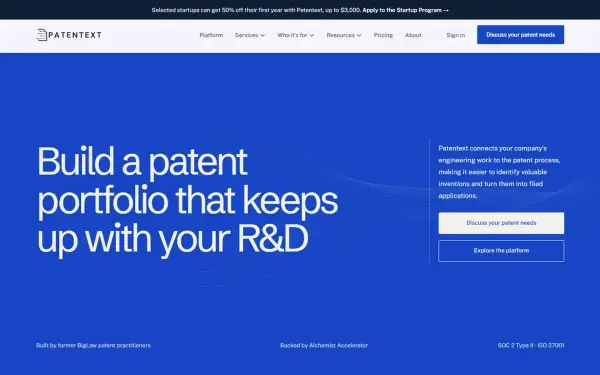
Our verdict
The only published paid starting price in this list, pairing an invention pipeline with registered-agent filing for startups at volume.
Patentext publishes a starting price: $2,700 per year on the Starter plan, an annual platform subscription for two dashboard users. For that you get invention capture from everyday engineering work, evaluation and scoring, and pipeline management for pending ideas, with Google Drive and GitHub integrations that fit how engineering teams already store things.
The distinctive part is what happens after an idea is captured. USPTO-registered agents draft and file from the same record, with flat fees for provisional, non-provisional and PCT applications listed on the site. Software and practitioner services in one workflow removes the handoff where invention disclosures usually stall.
Watch the total. Per-application service fees add to the platform cost, and government fees are separate again, so the $2,700 is a floor rather than a budget. There is no free plan and no trial, and the product is aimed at companies rather than individual filers.
Re-verify the platform price and service fees on the vendor page before quoting, since only the annual Starter figure was confirmed on November 26, 2026. The fit is a startup with steady invention flow that wants filing handled by registered agents without building an in-house process from scratch.
You are a startup capturing inventions steadily and want registered agents to file from the same record.
You are an individual filer or need analytics and landscaping.
VIBackground
They do four different jobs, and most buying mistakes come from treating them as one category. Search and analytics tools answer what the art looks like. Drafting tools produce text and figures. IP management systems run docketing, deadlines and spend. Prosecution data tools tell you how an examiner or art unit behaves. A tool built for one of those jobs will look weak against another, which is why most departments end up running two.
The AI label covers several kinds of automation. Some products ship task-specific agents for prior art research or novelty assessment, some generate a specification from a claims document, some extract docket records from patent office mail, and some rank results through citation graphs rather than keywords. The value in each case is time removed from a repeatable step, not judgment being replaced.
Two limits apply across the category. No tool here files or signs an application on its own authority; Patentext routes filing through USPTO-registered agents, while the other tools here stop short of filing. And generated output needs review by a qualified practitioner before it goes near a patent office. Buyers who expect either limit to disappear will be disappointed, while buyers who plan around them get real time savings.
This comparison sits in the AI register. Further along the shore: AI tools for sales teams and money transfer app to nigeria.
VIIPricing
The first pricing question is which model you are being sold, not what the number is. Most tools here publish no list price, so for those a demo or a sales conversation is the only route to a figure; comparison shopping means asking each vendor for the same scope. Lens.org is the free exception.
| Model | How it bills | Typical fit | Example from this list |
|---|---|---|---|
| Quote-based enterprise | Quote configured per deployment, no public list price | Large departments and research teams | Anaqua, PatSnap |
| Module-based | Module-based pricing, no public list price | Teams that need search plus drafting tasks | XLSCOUT |
| Tiered with entry level | Tier bands, with solo practitioner pricing below enterprise | Prosecution practices of different sizes | Juristat |
| Unpublished add-on | Pricing not published | Second-check citation or drafting work | Ambercite, PatentPal |
| Free open access | No cost for patent and scholarly records | Early research, students, small firms | Lens.org |
| Published flat fee | $2,700 per year on Starter for two dashboard users, plus per-application service fees | Startups filing regularly | Patentext |
Only Patentext publishes a paid starting price, and even there the $2,700 is a floor: per-application service fees and government fees sit on top. Enterprise quotes are configured per deployment, so two similar departments can receive very different numbers for the same product.
Ask every vendor for the same three figures: year one total including onboarding, the renewal price, and what triggers a step up in cost. On quote-based products, ask how implementation is priced and billed in year one.
Each entry card shows the starting price as it appeared on the vendor's own pricing page on November 25, 2026. When a vendor shows no figure we could confirm, or only a promotional rate, the card says "See website" or gives the regular price instead of a guess. Usage, overage and add-on rates in the text change more often than plan prices, so confirm them on the vendor page before you set a budget. To test the numbers against your own volume, try the free User Research Budget Planner. The Event Break-Even Calculator is a second way to check the same decision.
VIIIDecision
Start from the job, then narrow to two tools and test both. The path below takes an afternoon.
IXPitfalls
Most of the wasted spend in this category comes from a handful of predictable decisions.
XQuestions
PatSnap covers analytics, landscaping and freedom-to-operate research, Anaqua covers portfolio administration and docketing, and PatentPal covers specification drafting from a claims document. XLSCOUT and Juristat sit in search and prosecution data, Ambercite adds citation checks, Lens.org is free early research and Patentext handles invention capture through filing. Pick the job first, then the tool.
All of it. Generated text from PatentPal or XLSCOUT is a first pass, and a practitioner still checks claim support, antecedent basis, figure numbering and consistency with the claims before anything is filed. The tools shorten drafting time; they do not remove the attorney or agent review step, and responsibility for what gets filed stays with the practitioner.
Ask three questions: where drafts are stored and for how long, whether uploaded content trains a shared model, and which certifications the vendor holds. XLSCOUT documents SOC 2 Type II certification, which is a starting point rather than a full answer. Get retention and training terms in writing, because unpublished applications are the material most exposed by a vague policy.
Lens.org is free for patent and scholarly records with no sales process. Patentext publishes $2,700 per year on the Starter plan for two dashboard users, with per-application service fees and government fees on top. The rest are quote-based or module-based with no public list price, so budget for a sales cycle and compare total cost rather than the first number.
No. Patentext files through USPTO-registered agents, which confirms the point: a registered practitioner signs the work. AI tools draft, search, rank and extract docket data, but filing, certification and legal judgment stay with a qualified person. Treat these products as tools that change how fast a practitioner works, not as replacements for one.
Analytics answers what the art looks like: citations, landscapes, white space and freedom-to-operate risk, which is PatSnap and Ambercite territory. IP management software runs the portfolio: docketing, deadlines, spend and filings, which is Anaqua. Most teams need one of each, which is why single tools rarely cover a whole department.
XIFurther along the shore
Vendors can ask for a correction or apply for a Featured listing. Paid or not, the entry is scored on the same rubric and its limits stay in print. Partner with Umberlake.
Free tools
Our free browser tools turn the prices on this page into a figure for your own volume. Nothing you type leaves your device.