Salesforce
See websitecustom quote
Best for large enterprise sales orgs with complex, custom processes
- Free plan
- No
- Rubric
- 6.4 of 10
We compared eight CRM platforms on sales fit, pricing transparency, setup effort and depth, with prices checked on November 26, 2026.

IThe short answer
The best CRM software for sales teams in November 2026 depends on how your reps sell. Salesforce suits large enterprise sales orgs with complex processes, HubSpot fits growing teams that want CRM and marketing together, and Pipedrive is best for teams whose day centers on the deal pipeline. We compared eight tools on sales fit, setup, pricing clarity and depth, and checked prices on November 26, 2026.
8 tools compared from vendor pages on November 25, 2026. 7 publish a starting price we could read; the rest say "See website".
IITop three berths
Register order is editorial fit for the buyer each entry describes. Prices are the starting figures read on November 25, 2026.
See websitecustom quote
Best for large enterprise sales orgs with complex, custom processes

$7Starter, per seat per month, promotional price for new customers
Best for growing teams wanting CRM plus marketing in one place

$14Lite, per seat per month, billed annually, 14-day free trial
Best for sales teams whose day centers on the deal pipeline
How this page is paid for. All 8 tools here are unpaid editorial picks.
A paid listing's position can be part of what the vendor pays for. Every entry, paid or not, is scored on the same rubric and keeps its limits in print. Advertising disclosure.
IIIThe register
Starting prices as shown on each vendor's pricing page on November 25, 2026. "See website" means no figure we could confirm.
| No. | Tool | From | Free plan | Trial | Rubric | Actions |
|---|---|---|---|---|---|---|
| 01 | SalesforceLarge enterprise sales orgs with complex, custom processes | See websitecustom quoteQuote only | No | Free trial | 6.4 | |
| 02 | HubSpotGrowing teams wanting CRM plus marketing in one place | $7Starter, per seat per month, promotional price for new customersUpdated on vendor page | Yes | No, free plan available | 8.3 | |
| 03 | PipedriveSales teams whose day centers on the deal pipeline | $14Lite, per seat per month, billed annually, 14-day free trialUpdated on vendor page | No | Free 14-day trial, no credit card required | 8.7 | |
| 04 |  CloseHigh-velocity inside sales and outbound SDR teams | $9Solo, one user, per month, billed annuallyUpdated on vendor page | No | 14-day free trial, no credit card required | 7.4 | |
| 05 |  FreshsalesBudget-conscious teams wanting telephony included | $9Growth, per user per month, billed annuallyUpdated on vendor page | Yes | 14-day free trial | 7.8 | |
| 06 |  CopperSales teams that work inside Google Workspace all day | $23Basic, per seat per month, billed annuallyUpdated on vendor page | No | Free trial | 7.0 | |
| 07 | Zoho CRMCost-sensitive teams needing deep customization | $14Standard, per user per monthUpdated on vendor page | Yes | Free trial | 7.7 | |
| 08 |  InsightlyService businesses linking sales with project delivery | $29Plus, per user per month, billed annuallyUpdated on vendor page | No | Free 14-day trial, no credit card required | 6.6 |
Pinned:
IVMethod
We assessed each tool against the same five criteria: sales fit, pricing clarity, setup speed, pipeline depth and integrations. Sales fit carried the most weight because a CRM that matches the team's selling motion gets used, while a more powerful platform that reps avoid does not help. Pricing clarity mattered because published entry prices and clear plan limits make budgeting easier, especially when a vendor routes buyers to a custom quote. Setup speed reflected how much administration a team must absorb before the first pipeline works. Pipeline depth covered deal stages, activity tracking, forecasting and daily workflow. Integrations covered native links to email, calendars, telephony and other tools.
We used prices and plan facts from vendor pricing pages checked on November 26, 2026. Where a vendor did not publish a figure, the review says so and does not guess. Featured placements are paid, and any tool marked Featured is scored with the same rubric as every other tool. Placement affects presentation, not the criteria. The order reflects editorial fit for the buyer described in each entry, not a weighted total. Plans and promotional prices can change, so confirm current terms on the vendor site before buying.
The full routine, from price reads to corrections, is on the methodology page. Paid listings follow the advertising disclosure.
How closely the product matches the sales motion and team size described in its best-for line.
How easy it is to find a published entry price and understand what the plan includes.
How quickly a sales team can move from signup to a working pipeline without heavy administration.
How well the product supports deal stages, activity tracking, forecasting and daily rep workflow.
Breadth of native connections to email, calendars, telephony and other tools a sales team already uses.
Entry I of VIII / Customization depth
Our verdict
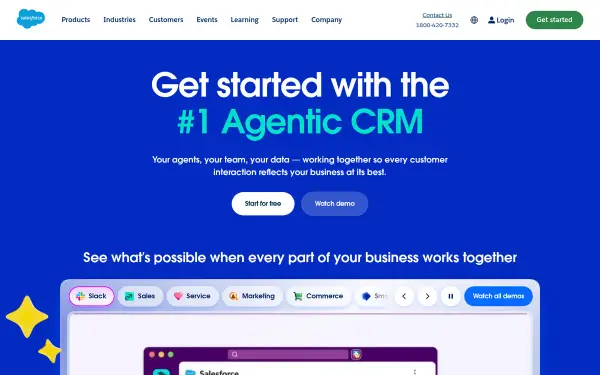
Salesforce is the right fit for complex enterprise sales, provided you can fund a dedicated admin and custom quote pricing.
Salesforce is the deepest platform in this list, built for sales organizations that need custom objects, fields and page layouts rather than a fixed pipeline. Opportunity, lead and account management sit alongside workflow and approval automation, forecasting, territory management, reports and dashboards. The AppExchange adds a large marketplace of third party apps, and the mobile app supports field reps who need records outside the office.
That depth comes with weight. Salesforce needs a dedicated admin or consultant to configure objects, permissions and automations, and small teams often find the setup disproportionate to their process. Licensing is premium, and pricing is not published here: the vendor site routes product costs to sales with a custom quote. Budget for administration and customization work beyond seat costs, because the platform is meant to be built on, not used as a fixed product.
It fits large enterprise sales orgs with complex, multi team processes and a budget for ongoing administration. Teams that want a working pipeline in days, or that lack someone to own the system, should look at Pipedrive or HubSpot first. Salesforce earns its place when complexity is real, not when it is aspirational.
Your sales org has complex, multi team processes and someone to own administration.
You need a working pipeline in days without a dedicated admin or consultant.
Entry II of VIII / Free entry tier
Our verdict
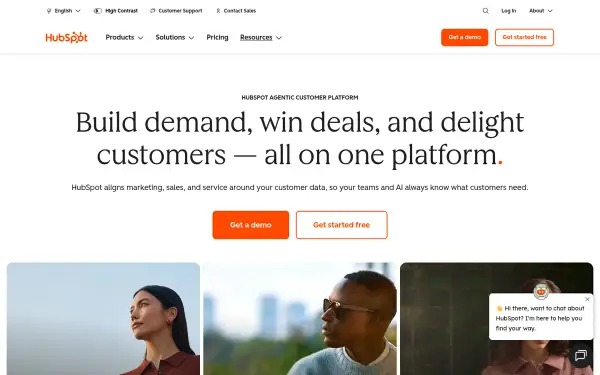
HubSpot is a strong first CRM for growing teams that want a free start and marketing, sales and service on one data model.
HubSpot combines a free CRM with paid hubs for marketing, sales and service, which makes it a practical first system for growing teams. The free tier covers contact and deal management, visual pipeline tracking, email tracking and templates, and reporting dashboards for up to 2 users. Paid plans add sales sequences, task queues, meeting scheduling links and marketing automation through Marketing Hub.
The published entry price is $7 per seat per month on Starter, a promotional price for new customers. There is no trial, but the free plan lets a team test the core CRM before paying. Prices rise sharply at professional tiers, and customization is shallower than Salesforce, so teams with complex objects, approvals or territory rules may outgrow the fit.
HubSpot suits growing teams that want CRM plus marketing in one place and a data model shared by sales, marketing and service. It is easier for reps to adopt than a heavily configured enterprise CRM, and the free entry point lowers the cost of trying the workflow. Teams that only need a pipeline may still prefer Pipedrive for its pipeline focus.
You want a free CRM start and a path to unified marketing, sales and service.
You need Salesforce-level custom objects or predictable low pricing at professional tiers.
Entry III of VIII / Pipeline first design
Our verdict
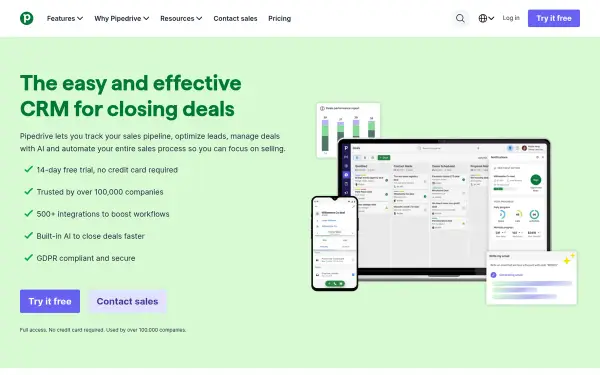
Pipedrive is the safer pick for teams that want a visual pipeline, fast setup and little administration.
Pipedrive is built around a drag and drop visual pipeline, so the deal board becomes the center of the working day rather than a report someone checks later. Lead and deal management, activity reminders, scheduling, email integration and sync, sales reporting and goals are all included. Automation handles repetitive steps, mobile apps cover field updates, and a marketplace adds connections to other tools.
The entry price is $14 per seat per month on Lite, billed annually, with a 14 day free trial and no credit card required. Setup is typically days rather than months, which matters for teams that want to sell instead of administer software. The trade off is breadth: marketing tooling is thinner than HubSpot, and enterprise depth is below Salesforce, so complex territories and custom approvals may need another system.
Pipedrive fits sales teams whose day centers on the deal pipeline and who value consistent rep adoption over deep configuration. It is a strong choice for small and mid size teams with a repeatable sales process. Teams that need heavy marketing automation, service management or enterprise customization should compare HubSpot and Salesforce before deciding.
Your reps live in the deal pipeline and you want adoption without a long setup.
Marketing automation or deep enterprise customization is central to the purchase.
Entry IV of VIII / Built in dialers
Our verdict
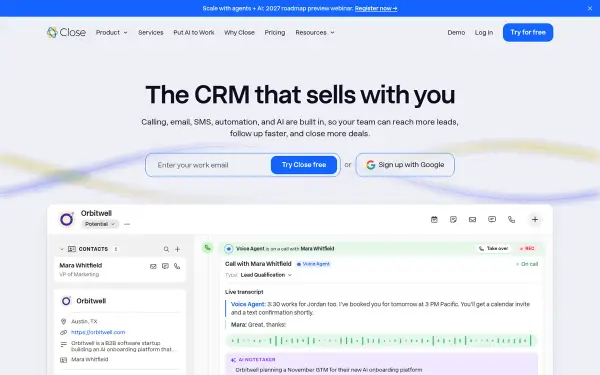
Close is a focused choice for outbound teams that need calling, SMS, sequences and dialers in one workflow.
Close is designed for high velocity inside sales and outbound work, with calling, SMS and email sequences inside the CRM. Reps can use a predictive dialer or power dialer, calls are logged and recorded automatically, and lead and opportunity records sit alongside the conversation history. The workflow is built to reduce manual data entry so reps spend more time on live conversations.
The Solo plan is $9 per user per month billed annually for one user. A 14 day free trial requires no credit card. Close is narrower than full suite CRMs: it does not try to cover marketing, service and project delivery in the same depth. Its best fit is an outbound heavy motion where call volume, SMS follow up and sequences are central.
Choose Close when the team lives on the phone and needs dialers, messaging and sequences without stitching together separate tools. Inbound led teams, field sales organizations and companies that need complex enterprise customization get less from it. It is a focused sales tool rather than a platform for every customer facing team. That focus is the point: fewer modules, less administration and a tighter daily workflow.
Outbound calls, SMS and sequences drive revenue and reps hate manual logging.
You need a broad CRM suite for marketing, service or complex enterprise processes.
Entry V of VIII / Telephony included
Our verdict
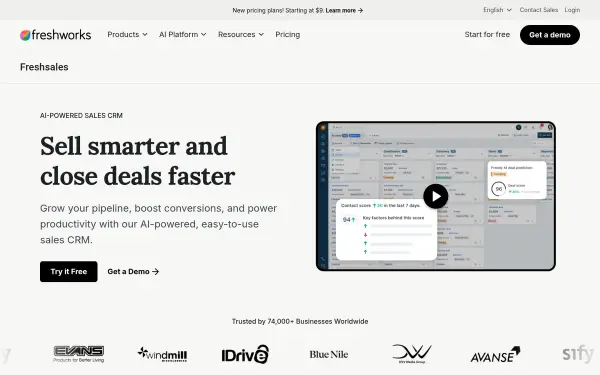
Freshsales gives budget conscious teams telephony and AI assistance in a low cost CRM package.
Freshsales bundles sales CRM basics with cloud telephony and an AI assistant, which is unusual at its entry price. Teams get pipeline and deal management, email integration and templates, lead scoring and assignment, workflow automation, reports and dashboards, plus Freddy AI for rep support. It also connects to the wider Freshworks suite for support and other business functions.
The Growth plan is $9 per user per month billed annually, and there is a free plan plus a 14 day free trial. For a budget conscious team, the appeal is built in calling and AI assistance that some competitors charge for through add ons or higher tiers. The limits are ecosystem size and enterprise depth: integrations are smaller than the largest suites, and advanced enterprise features are limited.
Freshsales fits small and mid size sales teams that want a low entry price and telephony included rather than bolted on. It works well for teams already considering Freshworks products. The product is strongest when phone work is part of the daily sales motion. Organizations with complex territories, heavy customization or a large existing integration stack should compare Zoho CRM, Pipedrive and Salesforce.
You want telephony and AI assistance bundled at a low entry price.
You need a huge integration marketplace or advanced enterprise sales features.
Entry VI of VIII / Gmail native workflow
Our verdict
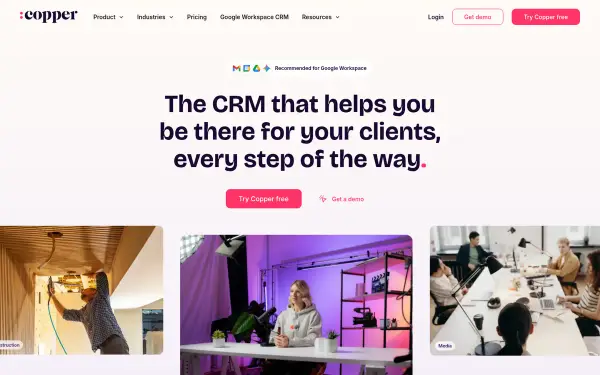
Copper is the low friction CRM for sales teams that work all day inside Gmail and Google Workspace.
Copper is built for teams that work inside Google Workspace, with native Gmail integration and automatic data capture from email and calendar. Contact and company records, pipeline and opportunity tracking, tasks and activity management sit in an interface that feels familiar to Gmail users. The aim is to capture relationship data without asking reps to maintain a separate system.
The Basic plan is $23 per seat per month billed annually. There is a free trial but no free plan. Copper's advantage is low adoption friction: if the team already lives in Gmail and Google apps, the CRM fits the existing habit. The limit is that the product is built around Google's ecosystem by design, so it is a weaker fit for Microsoft centric organizations or highly complex sales processes.
Copper suits sales teams standardized on Google Workspace that want simple pipeline tracking and automatic relationship capture. It is less suitable for enterprises that need custom objects, territory management or deep forecasting. Teams outside Google should look at HubSpot, Pipedrive or Zoho CRM before choosing Copper. For a Google based team, that focus can remove a common adoption barrier.
Your team works in Gmail and Google Workspace every day and wants low friction.
You run Microsoft 365, complex territories or highly customized sales processes.
Entry VII of VIII / Free tier value
Our verdict
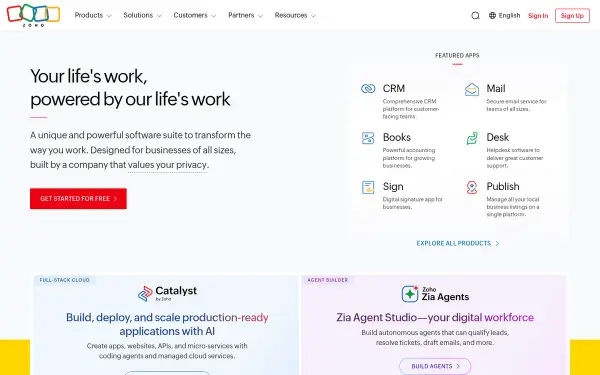
Zoho CRM is the value pick for teams that need a free tier, deep customization and low paid plans.
Zoho CRM offers a genuine free edition for up to 3 users alongside low cost paid plans, which makes it a strong budget option. Standard is $14 per user per month. The product includes workflow automation and blueprints, custom fields, modules and layouts, Zia AI assistance, multi channel engagement by email and phone, lead and deal management, and analytics dashboards.
Customization is deeper than the price suggests, and the platform extends into other Zoho business apps for teams that want one vendor across functions. The free tier and a free trial lower the risk of testing. The trade offs are interface polish and support quality, which can vary by region. Teams that need the most refined rep experience may prefer Pipedrive or HubSpot.
Zoho CRM fits cost sensitive teams that need deep customization and can accept a less polished interface. It is also a reasonable first CRM for a small team that wants a free start and a clear paid path. Large enterprises with complex change management should still compare Salesforce and HubSpot. The paid tiers remain affordable, but confirm current pricing on the vendor site because plans change.
You need a free start, deep customization and low paid tiers.
Interface polish and consistent regional support outrank price and flexibility.
Entry VIII of VIII / CRM plus delivery
Our verdict
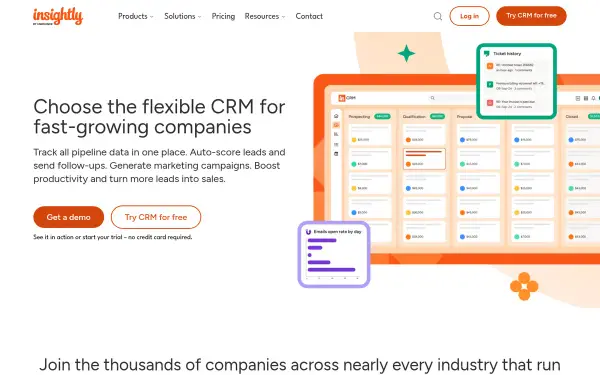
Insightly suits service businesses that want sales and project delivery linked in one straightforward system.
Insightly combines CRM pipeline and opportunity tracking with built in project management, so a customer record can move from prospect to delivery without a separate system. Tasks and milestone tracking, email integration and templates, workflow automation and reporting are included. For service businesses, that link between sales and post sale work is the main reason to choose it.
The Plus plan is $29 per user per month billed annually, with a free 14 day trial and no credit card required. Insightly is straightforward to use and fits agencies, consultants and contractors that sell projects and then deliver them. The trade off is depth: the integration ecosystem is smaller, and pipeline features trail Pipedrive and Close for pure sales teams.
Pick Insightly when the sales handoff to delivery is a core problem and you want one system for both. Pure sales teams that need dialers, sequences, forecasting depth or a large app marketplace will find better fits elsewhere. Confirm current pricing on the vendor site before committing, because plan details can change. That combined view can reduce duplicate data entry between sales and project teams.
Your sales team hands deals to delivery teams and wants both in one system.
You are a pure sales team that needs the deepest pipeline and dialer features.
VBackground
A CRM for sales teams is the system that holds contacts, companies, deals and activities so reps can work a pipeline and managers can forecast. The best CRM software for sales teams matches how your reps sell: pipeline led, outbound led, Google Workspace native or enterprise custom. It should reduce admin, not add it.
At minimum, look for contact and deal management, a visual pipeline, email sync, activity reminders, reporting and permissions. Outbound teams should check calling, SMS, sequences and dialers. Teams in Google Workspace should check native Gmail capture, while enterprises should check custom objects, approvals and territory management. Real products in this list show the split: Pipedrive and Close center on daily selling, HubSpot links sales to marketing and service, Salesforce supports complex configuration, and Copper sits inside Gmail.
A short list to compare before demos:
CRM software is not only a contact database. It shapes rep behavior, forecast quality and the handoff to service or delivery. Pick the tool that fits the work your team already does, then test the data migration and reporting before signing.
This comparison sits in the sales register. Further along the shore: CRM software in india and sales analytics tools.
VIPricing
Prices for CRM software for sales teams range from a $7 entry seat to $29 per seat or user per month in this list, with free tiers from HubSpot and Zoho CRM, and Salesforce on a custom quote. HubSpot's $7 is a promotional Starter price for new customers, so treat it as an entry point rather than a permanent rate. Pipedrive Lite is $14 per seat per month billed annually, and Zoho CRM Standard is $14 per user per month. Close Solo is $9 per user per month billed annually. Freshsales Growth is $9 per user per month billed annually. Copper Basic is $23 per seat per month billed annually. Insightly Plus is $29 per user per month billed annually.
The billing model matters as much as the headline number. Pipedrive, Close, Freshsales, Copper and Insightly list entry prices billed annually, but annual billing also locks in a commitment. Enterprise platforms such as Salesforce add administration and customization work beyond seats, so the lowest visible price is not the total cost. A team that needs a dialer, telephony or marketing automation should compare the bundled price against a lower seat price plus add ons.
| Model | How it bills | Typical fit | Example from this list |
|---|---|---|---|
| Custom quote | Sales led quote, no public figure | Large enterprise with complex buying | Salesforce |
| Free tier plus paid seats | Free tools, then per seat per month | Small team testing a process | HubSpot ($7 Starter promotional, free for up to 2 users) |
| Per seat annual | Per seat per month billed annually | Pipeline led sales teams | Pipedrive ($14 Lite), Freshsales ($9 Growth), Insightly ($29 Plus) |
| Per seat annual billing | Per seat per month billed annually | Teams that prefer annual billing | Close ($9 Solo annual), Copper ($23 Basic annual) |
| Per user with free edition | Free edition, then per user per month | Cost sensitive teams | Zoho CRM ($14 Standard, free up to 3 users) |
Before buying, ask which plan includes the workflow you need and which features sit in a higher tier. HubSpot's professional tiers cost more, and Salesforce needs an admin or consultant, so budget for the whole system rather than the first invoice.
Each entry card shows the starting price as it appeared on the vendor's own pricing page on November 25, 2026. When a vendor shows no figure we could confirm, or only a promotional rate, the card says "See website" or gives the regular price instead of a guess. Usage, overage and add-on rates in the text change more often than plan prices, so confirm them on the vendor page before you set a budget. To test the numbers against your own volume, try the free User Research Budget Planner. The Event Break-Even Calculator is a second way to check the same decision.
VIIDecision
Start with sales motion and team size, then compare pipeline depth, budget and admin capacity. For most growing teams, HubSpot is the safer first CRM, Pipedrive is stronger for pure pipeline selling, and Salesforce only pays off when complexity justifies an admin.
VIIIPitfalls
The common mistakes are buying for the demo, ignoring admin cost and letting reps keep side spreadsheets. A CRM only improves forecasts when the team uses one pipeline, clean data and reporting that managers review. Match the tool to the sales motion before you compare feature counts.
IXQuestions
Zoho CRM and Freshsales are the budget picks in this list. Zoho CRM has a free edition for up to 3 users and Standard at $14 per user per month. Freshsales Growth is $9 per user per month billed annually and includes cloud telephony and Freddy AI.
Salesforce goes deeper on custom objects, approvals, territory management and AppExchange add ons, but it needs an admin and uses a custom quote. HubSpot is faster to adopt, starts at $7 per seat per month on a promotional Starter price, and links sales with marketing and service.
In this list, published entry prices run from $7 to $29 per seat or user per month, and HubSpot plus Zoho CRM offer free tiers. Salesforce does not publish a figure and routes buyers to a custom quote. Annual billing is common on the lower entry prices.
Require contact and deal management, a visual pipeline, email sync, activity reminders, reporting, permissions and data export. Outbound teams should add calling, SMS or sequences. Google Workspace teams should check native Gmail capture, and enterprises should check custom objects, approvals and territory management.
Setup time depends on complexity. Pipedrive is designed for fast setup, typically days rather than months, while Salesforce needs a dedicated admin or consultant and deep customization can extend a rollout. Plan time for data migration, integrations, reporting and rep training before launch.
Not always. Close bundles calling, SMS and email sequences, and Freshsales includes built in cloud telephony, so those tools can cover some engagement work. Salesforce relies more on AppExchange add ons, and HubSpot layers advanced features into paid hubs as teams grow.
XFurther along the shore
Vendors can ask for a correction or apply for a Featured listing. Paid or not, the entry is scored on the same rubric and its limits stay in print. Partner with Umberlake.
Free tools
Our free browser tools turn the prices on this page into a figure for your own volume. Nothing you type leaves your device.